Page 2 - Table of Contents; Chapter 1: Introduction; Chapter 4: Using More of Your TV
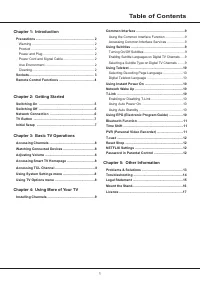
1 Table of Contents Chapter 1: Introduction Precautions ............................................................... 2 Warning ................................................................... 2Product .................................................................... 2Power and Plug ...........
Page 3 - Precautions
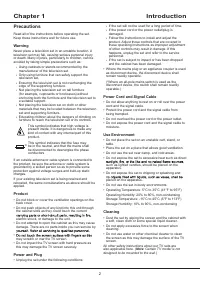
2 Introduction Chapter 1 Precautions Read all of the instructions before operating the set. Keep these instructions well for future use. Warning Never place a television set in an unstable location. A television set may fall, causing serious personal injury or death. Many injuries, particularly to c...
Page 4 - Introduction; Sockets
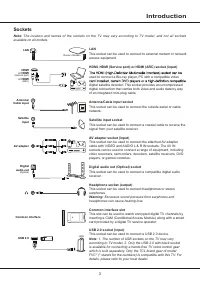
3 Introduction Sockets Note : The location and names of the sockets on the TV may vary according to TV model, and not all sockets available on all models. LAN This socket can be used to connect to external modem or network access equipment. HDMI, HDMI (Service port) or HDMI (ARC) socket (input) used...
Page 5 - Remote Control Functions
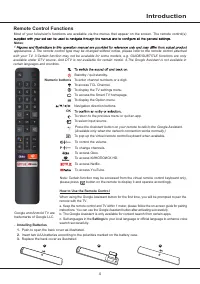
4 Introduction To pop up the virtual remote control keyboard when available. / To control the volume. P / To change channels. Standby / quit standby. Numeric buttons To enter channel numbers or a digit. To access T CL Channel. To display the TV settings menu. To access the Smart TV homepage. To disp...
Page 6 - Switching On; Switching Off
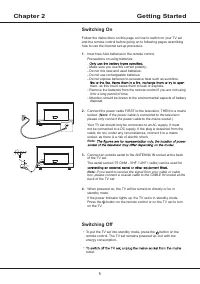
5 Chapter 2 Getting Started Switching On Follow the instructions on this page on how to switch on your TV set and the remote control before going on to following pages describing how to use the channel set-up procedure. 1. Insert two AAA batteries in the remote control. Precautions on using batterie...
Page 7 - Getting Started; Network Connection
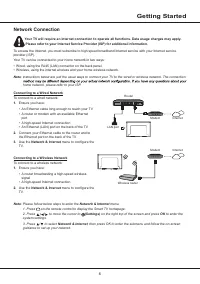
6 Getting Started Network Connection Your TV will require an internet connection to operate all functions. Data usage charges may apply. Please refer to your Internet Service Provider (ISP) for additional information. To access the Internet, you must subscribe to high speed broadband Internet servic...
Page 8 - TV Button; Welcome
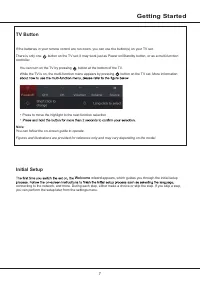
7 Getting Started TV Button If the batteries in your remote control are run down, you can use the button(s) on your TV set. There is only one button on the TV set, it may work just as Power on/Standby button, or as a multi-function controller. You can turn on the TV by pressing button at the bottom ...
Page 10 - Accessing Common Interface Services; Using Subtitles; Turning On/Off Subtitles; Installing Channels; Using the Common Interface Function; Chapter 4
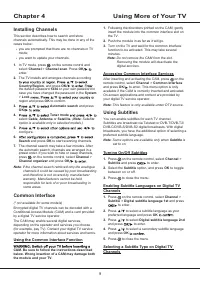
9 1. Following the directions printed on the CAM, gently insert the module into the common interface slot on the TV. 2. Push the module in as far as it will go. 3. Turn on the TV and wait for the common interface function to be activated. This may take several minutes. Note : Do not remove the CAM f...
Page 11 - Using More of Your TV; Using Auto Power On; Using EPG; Selecting Decoding Page Language; Using Instant Power On; Enabling or Disabling T-Link
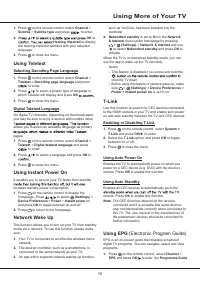
10 Using More of Your TV such as YouTube, has been installed into the controller; 4. Networked standby is set to On in the Network & Internet menu under homepage by pressing > (Settings) > Network & Internet and use to select Networked standby and press OK to activate. When the TV is i...
Page 12 - PVR; Bluetooth Function; Time Shift
11 Using More of Your TV issues you should move closer to TV or increase space between TV and source of interferences. PVR (Personal Video Recorder) (* not available for some models) Allows you to record your favourite TV programs. Before you use the function, connect a USB drive to menu will appear...
Page 13 - Reset Shop
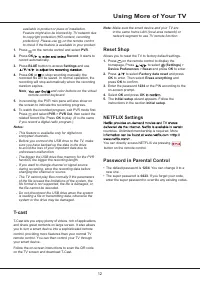
12 Note : Make sure the smart device and your TV are in the same home LAN (local area network) or network segment to use TV remote function. Reset Shop Allows you to reset the TV to factory default settings. 1. Press on the remote control to display the homepage, Press to select (Settings) > Devi...
Page 15 - Other Information; Troubleshooting
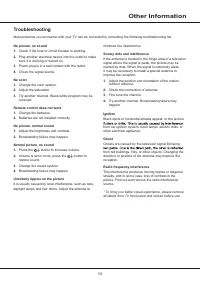
14 Other Information Troubleshooting Most problems you encounter with your TV can be corrected by consulting the following troubleshooting list. minimize the interference. Snowy dots and interference If the antenna is located in the fringe area of a television signal where the signal is weak, the pi...
Page 16 - Legal Statement
15 Other Information Legal Statement [Legal Statement] of manufacturer of this TV setDue to the various capabilities of products featuring the SmartTV - Services, as well as limitations in the available content, certain features, applications, and services may not be available on all devices or in a...
Page 17 - during the assembly process.; Mount the Stand
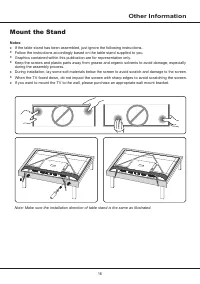
16 Other Information Notes : • If the table stand has been assembled, just ignore the following instructions. • Follow the instructions accordingly based on the table stand supplied to you. • Graphics contained within this publication are for representation only. • Keep the screws and plastic parts ...
Page 18 - Licence
1 7 Other Information Manufactured under license from Dolby Laboratories. Dolby, Dolby Audio, and the double-D symbol are trademarks of Dolby Laboratories. * Figures and illustrations in this User Manual are provided for reference only and may differ from actual product are trademarks or registered ...
Page 19 - РУКОВОДСТВО ПО ЭКСПЛУАТАЦИИ; ТЕЛЕВИЗОР ЦВЕТНОГО ИЗОБРАЖЕНИЯ ЖИДКОКРИСТАЛЛИЧЕСКИЙ
РУКОВОДСТВО ПО ЭКСПЛУАТАЦИИ Рисунки и иллюстрации в настоящем руководстве пользователя представлены только для справки и могут отличаться от фактического внешнего вида устройства. Конструкция и характеристики устройства могут быть изменены без предварительного уведомления. ТЕЛЕВИЗОР ЦВЕТНОГО ИЗОБРАЖ...
Page 20 - Содержание; Глава 2: Начало работы; Глава 4: Другие функции телевизора
1 Содержание Глава 1: Введение Меры предосторожности ......................................2 Предупреждение ....................................................2 Изделие ..................................................................2 Питание .........................................................
Page 21 - Меры предосторожности
2 Введение Глава 1 Меры предосторожности Прочтите все инструкции перед началом работы с устрой- ством. Храните эти инструкции хорошо для дальнейшего использования. Предупреждение Никогда не устанавливайте телевизор на неустойчивой поверхности. Телевизор может упасть, что может привести к серьезным т...
Page 22 - Разъемы; Введение
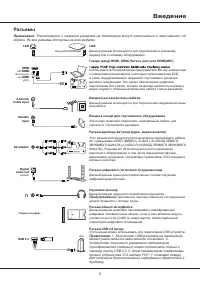
3 Разъемы Примечание : Расположение и названия разъемов на телевизоре могут различаться в зависимости от модели. Не все разъемы доступны на всех моделях. LAN Antenna/ Cable input Router / Modem USB 2.0 Satell i te input Common interface Digital audio out (Optical) HDMI or HDMI (Service port) or HDMI...
Page 23 - Функции пульта ДУ
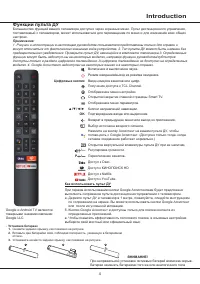
4 Introduction - Установка батареек 1. Снимите заднюю крышку, как показано на рисунке. 2. Вставьте две батарейки ААА, соблюдая полярность, указанную в батарейном отсеке. 3. Установите на место заднюю крышку, как показано на рисунке. Функции пульта ДУ Большинство функций вашего телевизора доступно че...
Page 24 - Включение; Выключение; Глава 2
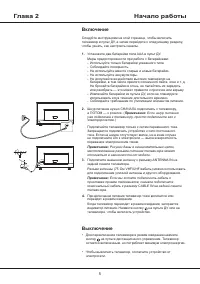
5 Включение Следуйте инструкциям на этой странице, чтобы включить телевизор и пульт ДУ, а затем перейдите к следующему разделу, чтобы узнать, как настроить каналы. 1. Установите две батарейки типа AAA в пульт ДУ. Меры предосторожности при работе с батарейками: - Используйте только батарейки указанно...
Page 25 - Сетевое подключение; Начало работы
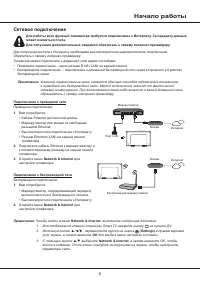
6 Сетевое подключение Для работы всех функций телевизора требуется подключение к Интернету. За передачу данных может взиматься плата.Для получения дополнительных сведений обратитесь к своему интернет-провайдеру . Для получения доступа к Интернету необходимо высокоскоростное широкополосное подключени...
Page 26 - Кнопка TV; Начальная настройка
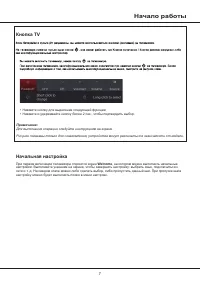
7 Начало работы Кнопка TV • Нажмите кнопку для выделения следующей функции • Нажмите и удерживайте кнопку более 2 сек., чтобы подтвердить выбор. Примечание: Для выполнения операции следуйте инструкциям на экране.Рисунки показаны только для ознакомления, устройства могут различаться в зависимости от ...
Page 27 - Глава 3
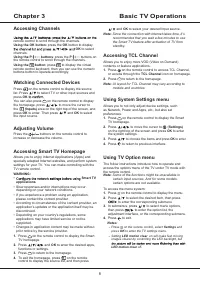
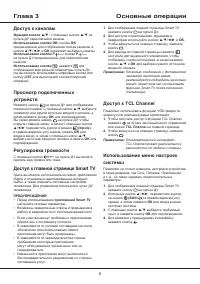
Доступ к каналам Функция кнопок ▲/▼: с помощью кнопок ▲/▼ на пульте ДУ переключайте каналы. Использование кнопки OK: кнопка OK предназначена для отображения списка каналов, а кнопки ▲/▼/◄/► и OK позволяют выбирать каналы. Использование кнопок P / : кнопки P / на пульте ДУ предназначены для переключе...
Page 28 - Основные операции; Использование меню параметров
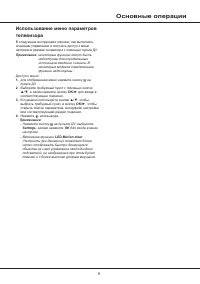
9 Основные операции Использование меню параметров телевизора В следующих инструкциях описано, как выполнять операции управления и получать доступ к меню настроек в режиме телевизора с помощью пульта ДУ. Примечание: некоторые функции могут быть недоступны для определенных источников входного сигнала....
Page 29 - Использование функции стандартный; Использование субтитров; Включение/выключение субтитров; Настройка каналов; Глава 4
10 Модуль CAM может предоставлять разные цифровые услуги в зависимости от выбранного вами оператора и услуг (например, коммерческого телевидения). Для получения подробной информации об услугах и условиях их использования свяжитесь с телеоператором. Использование функции стандартный интерфейс ПРЕДУПР...
Page 30 - Использование телетекста; Другие функции телевизора
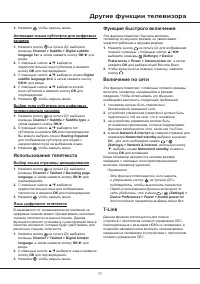
11 language , а затем нажмите кнопку OK /► для входа. 2. С помощью кнопок ▲/▼ выберите язык и нажмите кнопку OK для подтверждения. 3. Нажмите , чтобы закрыть меню. Функция быстрого включения Эта функция позволяет быстрее включить телевизор из ждущего режима, но увеличивает энергопотребление в ждущем...
Page 31 - Функция Bluetooth; Подключение и отключение функции T; Автоматический переход в спящий режим; EPG; электронная программа передач)
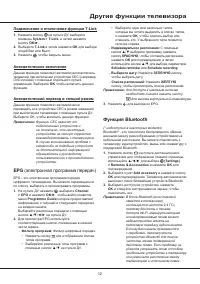
12 • Выберите один или несколько типов, которые вы хотите выделить в списке типов, и нажмите OK , чтобы сделать выбор или отменить его. У выбранного типа появится галочка справа. - Индивидуальное расписание: С помощью кнопок ▲/▼ выберите программу, нажмите кнопку КРАСНУЮ , чтобы составить расписание...
Page 32 - Сдвиг времени
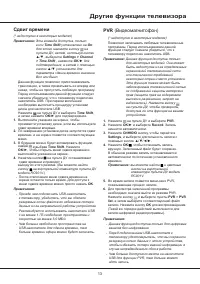
13 скоростью не менее 5,0 МБ/с. - Чем больше свободного пространства на USB-накопителе для сдвига времени, тем больше времени эфира можно будет записать. PVR (Видеомагнитофон) (* недоступно в некоторых моделях) Позволяет записывать любимые телевизионные программы. Перед использованием данной функции...
Page 33 - Настройки Netflix
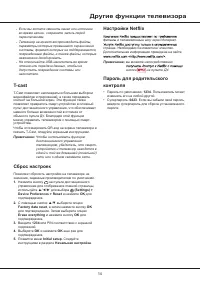
14 2. С помощью кнопок ▲/▼ выберите опцию Factory data reset , а затем нажмите кнопку OK для подтверждения. Затем выберите опцию Erase everything и нажмите кнопку OK для подтверждения. 3. 4. Выберите OK и нажмите Введите 1234 или PIN соответствии с экранной подсказкой. OK еще раз для подтверждения. ...
Page 34 - Проблемы и решения; Глава 5
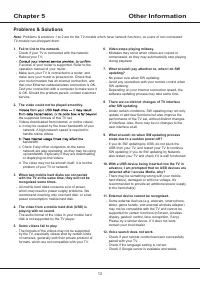
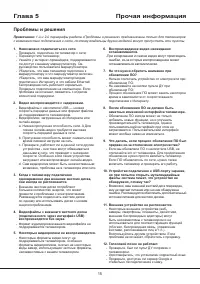
15 6. Воспроизведение видео неожиданно останавливается. - При копировании и сжатии видео могут происходить ошибки, из-за которых воспроизведение может останавливаться автоматически. 7. На что нужно обратить внимание при обновлении ПО? - Нельзя отключать устройство от электросети при обновлении ПО; -...
Page 35 - Прочая информация; Выявление и устранение проблем
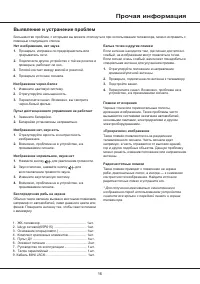
16 Прочая информация Выявление и устранение проблем Большинство проблем, с которыми вы можете столкнуться при использовании телевизора, можно исправить с помощью следующего списка. Белые точки и другие помехи Если антенна находится там, где сигнал достаточно слабый, на изображении могут появляться т...
Page 36 - Юридическое заявление
Прочая информация 17 Юридическое заявление [Юридическое заявление] производителя данного телевизора Из-за различных возможностей продуктов с использованием услуг SmartTV, а также ограничений в доступном контенте, некоторые функции, приложения и услуги могут быть доступны не на всех устройствах и не ...
Page 37 - рисунком.; Монтаж подставки; Выполняйте указания, относящиеся к вашему типу подставки.
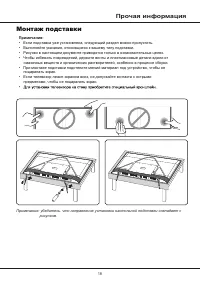
Примечание: убедитесь, что направление установки настольной подставки совпадает с рисунком. 1 8 Прочая информация Монтаж подставки • Если подставка уже установлена, следующий раздел можно пропустить. • Выполняйте указания, относящиеся к вашему типу подставки. • Рисунки в настоящем документе приводят...
Page 39 - УТИЛИЗАЦИЯ ИЗДЕЛИЯ; в гарантийном талоне.
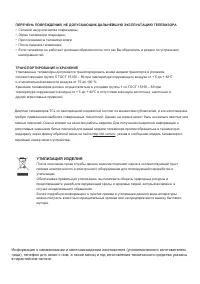
ПЕРЕЧЕНЬ ПОВРЕЖДЕНИЙ, НЕ ДОПУСКАЮЩИХ ДАЛЬНЕЙШУЮ ЭКСПЛУАТАЦИЮ ТЕЛЕВИЗОРА • Сетевой шнур или вилка повреждены;• Экран телевизора поврежден;• При попадании в телевизор влаги;• После падения телевизора;• Если телевизор не работает должным образом после того как Вы обратились в раздел по устранению неисп...