TCL 55RP630 - User Manual
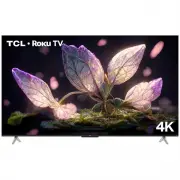
TCL 55RP630 TV – User Manual, read for free online in PDF format. We hope this helps you resolve any issues you may have. If you have further questions, please contact us through the contact form.


Table of Contents:
- Page 2 – Table of Contents; Chapter 1: Safety Information; Turning on/off Subtitles; Chapter 5: Other Information
- Page 3 – Precautions; yourself. Refer all servicing to qualified personnel.
- Page 4 – Initial Setup; Roku doesn’t charge for activation support—beware; TV Buttons; The location of the buttons on the TV may vary according to TV model.
- Page 5 – Connections and Setup; Sockets; available on all models.; AV IN adapter socket; Excessive sound pressure from earphones and
- Page 6 – Remote Control Functions; Installing Batteries; Toggle the Electronic Programme Guide on or off (only; OK; Confirm an entry or selection; Colour buttons; Enter apps or operate specific TV function.; Numeric buttons; Toggle Subtitle on or off.; Notes
- Page 7 – Connecting to a Wireless Network; menu; Connecting to a wired Network; on the back of the TV; Ethernet port; on the back of the TV.; Network; menu; Please follow below steps to enter the; Settings
- Page 8 – Switching On; - Do not expose batteries to excessive heat such as sunshine, fire or; ANTENNA IN; connecting an external aerial or other equipment fitted.; Switching Off; To switch off the TV set, unplug the mains socket from the mains
- Page 9 – Configure the network settings to get the most
- Page 10 – HbbTV; offered by certain broadcasters and available only on; Scanning for broadcast channels; Note; Using Subtitles; One
- Page 11 – Using More of Your TV; turn it off to disable it.; Freeview; Software updates; Reset to factory default settings; Your TV is fitted with USB connectors that enable you
- Page 12 – TV models can disregard them.
- Page 13 – Other Information; Troubleshooting; flutters or drifts. This is usually caused by interference
- Page 14 – Legal Statement; of satisfactory quality, fitness for a particular purpose, of
- Page 15 – TCL Electronics Australia Pty Ltd.; Like us on Facebook; and logos herein are the property of their respective owners.
TCL Roku TV
RP630 SERIES
"Loading the manual" means you need to wait until the file loads and becomes available for online reading. Some manuals are very large, and the time they take to appear depends on your internet speed.
Was this manual helpful?
About this manual
- Brand
- TCL
- Model
- 55RP630
- Document type
- User Manual
- Category
- TV
- Language(s)
- English
- Pages
- 15
- File size
- 1.4 MB
- Format
Summary
2 Table of Contents Chapter 1: Safety Information Precautions ...............................................................3 Warning ...................................................................3Product ....................................................................3Power and Plug ........
3 Chapter 1 Safety Information Precautions Read all of the instructions before operating the set. Keep these instructions well for future use. Warning A television set may fall, causing serious personal injury or death. Many injuries, particularly to children, can be avoided by taking simple precaut...
4 Chapter 2 Connections and Setup Initial Setup The first time you switch the set on, the Let’s get started screen appears, which guides you through the initial setup process. Follow the on-screen instructions to finish the initial setup process such as selecting the language, connecting to the netw...