TCL 55C6US - User Manual
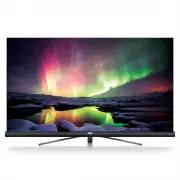
A user manual for modern TCL LED Smart TVs–particularly models like the P20/P4/P6/C-series and X-series–covers essential topics to ensure safe operation, setup, and full utilization of its advanced features. The guide emphasizes safety with warnings about proper placement, power handling, environmental conditions, and wall-mounting precautions. It details connections for inputs like HDMI, USB, and antenna, along with remote control functionality, including battery installation and pairing. Setup instructions cover initial configuration (language selection, network setup), channel management, and access to smart features such as streaming apps, voice search, and time-shifted TV. Beyond basic operations–like adjusting volume or navigating menus–the manual addresses troubleshooting common issues (network connectivity, playback errors) and advanced functions like T-Link device control, EPG scheduling, and parental controls. It also highlights proprietary technologies (e.g., Dolby Audio, Freeview Plus) and legal disclaimers regarding third-party content.


Table of Contents:
- Page 1 – Product Identification and Scope
- Page 2 – Table of Contents
- Page 3 – Safety Precautions for Operation
- Page 4 – Remote Control and Initial Setup Fallback
- Page 5 – Initial System Configuration
- Page 6 – Input and Output Sockets
- Page 7 – Remote Control and Battery Installation
- Page 8 – Smart TV Remote Functions and Pairing
- Page 9 – Network Connection Setup
- Page 10 – Network Configuration
- Page 11 – Power, Connection, and Standby Mode
- Page 12 – Basic TV Operations
- Page 13 – Picture and Sound Settings
- Page 14 – Channel Installation and Subtitles
- Page 15 – Advanced TV Features
- Page 16 – Streaming and Recording Methods
- Page 17 – Media Management and Services
- Page 18 – Network-Enabled Troubleshooting
- Page 19 – General Troubleshooting Guide
- Page 20 – Legal Statement and Disclaimers
- Page 21 – Technology Licensing Information
- Page 22 – Contact Information and Model Identifier
Figures and illustrations in this User’s Guide are
provided for reference only and may differ from
actual product appearance. Product design and
specifications may be changed without notice.
OPERATION MANUAL
For use with models: P20/P4/P6/C2/C4/C5/C6/X2/X4 series
"Loading the manual" means you need to wait until the file loads and becomes available for online reading. Some manuals are very large, and the time they take to appear depends on your internet speed.
Was this manual helpful?
About this manual
- Brand
- TCL
- Model
- 55C6US
- Document type
- User Manual
- Category
- TV
- Language(s)
- English
- Pages
- 22
- File size
- 1.8 MB
- Format
Summary
Cover page identifying the TCL LED TV models in the P20/P4/P6/C2/C4/C5/C6/X2/X4 series, along with a disclaimer.
Outline of the instruction manual chapters covering safety, connections, basic operations, advanced features, and troubleshooting.
Essential warnings regarding safe placement, handling, power usage, environmental conditions, cleaning guidelines, and wall mounting instructions.