TCL 58P635 - User Manual
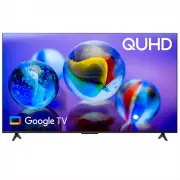
TCL 58P635 TV – User Manual, read for free online in PDF format. We hope this helps you resolve any issues you may have. If you have further questions, please contact us through the contact form.


Table of Contents:
- Page 2 – Table of Contents; Chapter 1: Safety Information; Enabling Subtitle Languages on Digital TV; Chapter 5: Other Information
- Page 3 – Precautions; yourself. Refer all servicing to qualified personnel.
- Page 4 – Initial Setup; The first time you switch the set on, the; Welcome; step, you can perform the setup later from the settings menu.; TV Button; Power button; • Press to move the highlight to the next function selection
- Page 5 – Connections and Setup; Sockets; available on all models.; AV IN adapter socket; Excessive sound pressure from earphones and
- Page 6 – Remote Control Functions; Circular; OK; To confirm an entry or selection.; How to Use the Remote Control; button, you must finish pairing the remote with the TV first.
- Page 8 – Connecting to a Wireless Network; Network Connection; Connecting to a wired Network; Ethernet port; to configure the TV.; Please follow below steps to enter the; ress; and press
- Page 9 – Switching On; Insert two AAA batteries in the remote control.; connecting an external aerial or other equipment fitted.; Switching Off; To switch off the TV set, unplug the mains socket from the mains
- Page 10 – Configure the network settings before using Google; UI layout of TCL Channel will vary according
- Page 11 – Basic TV Operations; Using; mode than turning this function off, but it will also; Quick start; Setting
- Page 12 – Using Teletext; Teletext pages in different languages. This function; Network Wake Up; Channel Type; Using Subtitles; Subtitle; Turning On/Off Subtitles
- Page 13 – Using More of Your TV; sure; Press to return to the previous menu; standby mode when you turn off the TV with the TV; Using EPG; Program guide filter for digital TV programs.; Bluetooth Function; Press on the remote control
- Page 14 – To access the blue button or; on the remote control; the channel or source.; MagiConnect; and; Freeview; USB drive to the TV first. For the first time, you should; PVR; you use the function, connect a USB drive to the TV first.
- Page 15 – Netflix; Netflix provides on-demand movies and TV shows; Reset Shop; press; Enter 1234 or the PIN according to the on-screen; Password in Parental Controls; The default password is 1234. You can change it to a
- Page 16 – TV models can disregard them.
- Page 17 – Other Information; Troubleshooting; Check if the fuse or circuit breaker is working.
- Page 18 – Legal Statement; information on specific device information and content
- Page 19 – TCL Electronics Australia Pty Ltd.; Like us on Facebook; The Bluetooth
To enjoy all smart features and services on your TCL Google TV, a free Google account, a free
TCL account, and a reliable broadband internet connection, are required.
Figures and illustrations in this User Manual are provided for reference only and may differ from
actual product appearance. Product design and specifications may be changed without notice.
P635 SERIES
"Loading the manual" means you need to wait until the file loads and becomes available for online reading. Some manuals are very large, and the time they take to appear depends on your internet speed.
Was this manual helpful?
About this manual
- Brand
- TCL
- Model
- 58P635
- Document type
- User Manual
- Category
- TV
- Language(s)
- English
- Pages
- 19
- File size
- 2.5 MB
- Format
Summary
2 Table of Contents Chapter 1: Safety Information Precautions ...............................................................3 Warning ...................................................................3Product ....................................................................3Power and Plug ........
3 Chapter 1 Safety Information Precautions Read all of the instructions before operating the set. Keep these instructions well for future use. Warning A television set may fall, causing serious personal injury or death. Many injuries, particularly to children, can be avoided by taking simple precaut...
4 Chapter 2 Connections and Setup Initial Setup The first time you switch the set on, the Welcome wizard appears, which guides you through the initial setup process. Follow the on-screen instructions to finish the initial setup process such as selecting the language, pairing your remote, connecting ...