SteelSeries Rival 5 - User Manual
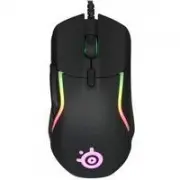
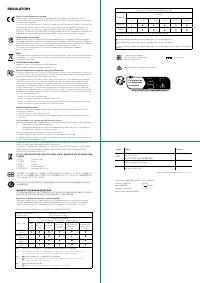
This regulatory compliance and safety manual covers the SteelSeries Rival 5 gaming mouse, emphasizing its adherence to global standards like EU RoHS, FCC, and Industry Canada certification while addressing environmental and operational hazards. The document highlights key compliance certifications–such as CE, EAC, and FCC–and outlines restricted substance levels for materials used in manufacturing. It also provides regional contact details for regulatory inquiries and includes disposal guidelines to ensure proper end-of-life handling. While it touches on setup and compatibility with the SteelSeries Engine software, its primary focus remains regulatory adherence and safety protocols rather than operational instructions.
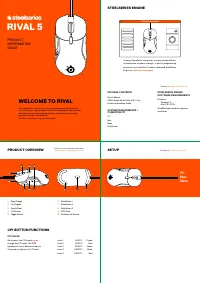
RIVAL 5
PRODUCT
INFORMATION
GUIDE
WELCOME TO RIVAL
Your new mouse is the result of our unyielding pursuit of perfection
for over 15 years. We poured our hearts into creating the best possible
gaming mouse by pushing the boundaries of performance through
precision, comfort, and durability.
The Rival is our glory; now go chase yours.
PC
Mac
Xbo
x
STEELSERIES ENGINE
To enjoy GameSense integration, custom lighting effects,
customization of mouse settings, as well as programming
macros on your new Rival 5 mouse, download SteelSeries
Engine at
steelseries.com/engine
STEELSERIES ENGINE
PACKAGE CONTENTS
Rival 5 Mouse
USB-A Super Mesh Cable (6'8" / 2 m)
Product Information Guide
SYSTEM REQUIREMENTS /
COMPATIBILITY
PC
Mac
Xbox
PlayStation
STEELSERIES ENGINE
SOFTWARE REQUIREMENTS
Platforms
Windows 7+
Mac OS X 10.13+
160 MB of free hard drive space for
installation
Find help at
support.steelseries.com
1
3
6
7
8
4
5
2
9
9
10
PC
Mac
Xbox
PRODUCT OVERVIEW
SETUP
1
Right Trigger
2
Left Trigger
3
Scroll Wheel
4
CPI Button
5
Toggle Switch
6
Side Button 1
7
Side Button 2
8
Side Button 3
9
PTFE Feet
10
TrueMove Air Sensor
*Find accessories and replacement parts
at
steelseries.com/gaming-accessories
Find help at
steelseries.com/rival-5
CPI BUTTON FUNCTIONS
CPI VALUE
Quick press the CPI button
4
to
change the CPI level. The RGB
lighting will turn a different color for
3 seconds to signify the CPI level.
Level 1
400 CPI
Purple
Level 2
800 CPI
Blue
Level 3
1200 CPI
Green
Level 4
2400 CPI
Yellow
Level 5
3200 CPI
Red
"Loading the manual" means you need to wait until the file loads and becomes available for online reading. Some manuals are very large, and the time they take to appear depends on your internet speed.
Was this manual helpful?
Helpful for 3 of 3 readers
About this manual
- Brand
- SteelSeries
- Model
- Rival 5
- Document type
- User Manual
- Category
- Computer Mouse
- Language(s)
- German, English, Spanish, French, Italian, Dutch, Polish, Russian, Swedish
- Pages
- 2
- File size
- 680.1 KB
- Format
Ask a question
Related manuals
More SteelSeries Computer Mice models




Other SteelSeries appliances
 SteelSeries 3 TKL User Manual
 SteelSeries 3HV2 User Manual
 SteelSeries 7 User Manual
 SteelSeries 64626 User Manual
 SteelSeries 64795 User Manual
 SteelSeries Apex 5 User Manual
 SteelSeries APEX 7 User Manual
 SteelSeries Arctis 1P User Manual
 SteelSeries Arctis 3 Console Edition User Manual
 SteelSeries Arctis 7 + User Manual
 SteelSeries Arctis 7P+ User Manual
 SteelSeries Arctis 9 User Manual
 SteelSeries Arctis Nova 1 User Manual