SteelSeries Arctis 7 + - User Manual
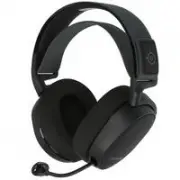
SteelSeries Arctis 7 + Headphones – User Manual, read for free online in PDF format. We hope this helps you resolve any issues you may have. If you have further questions, please contact us through the contact form.
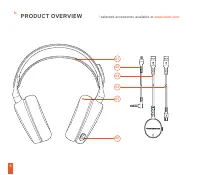
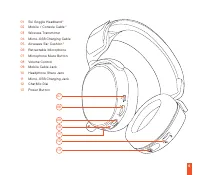
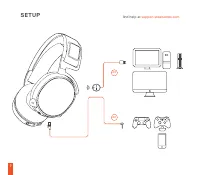
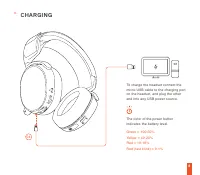
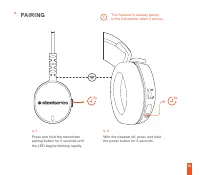
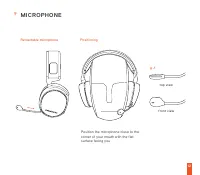
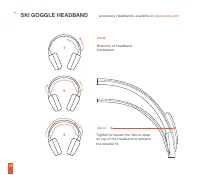
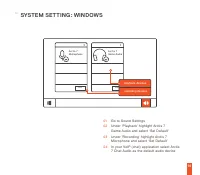
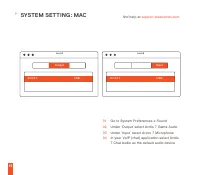
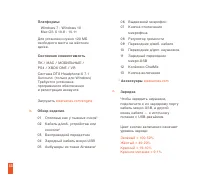
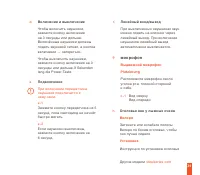
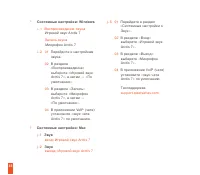
Table of Contents:
- Page 4 – PRODUCT OVERVIEW
- Page 6 – SETUP
- Page 7 – CHARGING
- Page 9 – PAIRING
- Page 11 – MICROPHONE
- Page 12 – SKI GOGGLE HEADBAND
- Page 13 – SYSTEM SETTING : WINDOWS
- Page 15 – РУССКИЙ
- Page 17 – микрофон
"Loading the manual" means you need to wait until the file loads and becomes available for online reading. Some manuals are very large, and the time they take to appear depends on your internet speed.
Was this manual helpful?
About this manual
- Brand
- SteelSeries
- Model
- Arctis 7 +
- Document type
- User Manual
- Category
- Headphones
- Language(s)
- English
- Pages
- 19
- File size
- 276.2 KB
- Format
Summary
5 * selected accessories available at steelseries.com PRODUCT OVERVIEW 01 02 03 05 04 06 b.
8 To charge the headset connect the micro-USB cable to the charging port on the headset, and plug the other end into any USB power source. The color of the power button indicates the battery level. Green = 100-50% Yellow = 49-20% Red = 19-10% Red (fast blink) = 9-1% CHARGING 04 c.
Ask a question
Related manuals
More SteelSeries Headphones models
 SteelSeries 3HV2 User Manual
 SteelSeries Arctis 1P User Manual
 SteelSeries Arctis 3 Console Edition User Manual
 SteelSeries Arctis 7P+ User Manual
 SteelSeries Arctis 9 User Manual
 SteelSeries Arctis Nova 1 User Manual
 SteelSeries Arctis Nova 3 User Manual
 SteelSeries Arctis Nova 7 User Manual
 SteelSeries Arctis Nova Pro User Manual
 SteelSeries Arctis Prime User Manual
 SteelSeries Arctis Pro User Manual
 SteelSeries Arctis Pro + GameDAC User Manual