Page 2 - TABLE OF CONTENTS; 日本語
TABLE OF CONTENTS General . . . . . . . . . . . . . . . . . . . . . . . . . . . . . . . . . . . . . . . . . . . . . . . . . . 3 Product Overview . . . . . . . . . . . . . . . . . . . . . . . . . . . . . . . . . . . . . . . . . 5 Setup . . . . . . . . . . . . . . . . . . . . . . . . . . . . . . . . ....
Page 3 - GENERAL; PACKAGE CONTENTS; GG
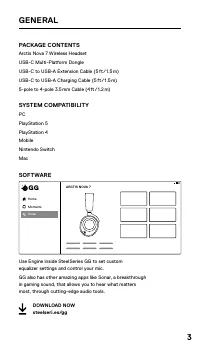
3 GENERAL PACKAGE CONTENTS Arctis Nova 7 Wireless Headset USB-C Multi-Platform Dongle USB-C to USB-A Extension Cable (5 ft / 1 .5 m) USB-C to USB-A Charging Cable (5 ft / 1 .5 m) 5-pole to 4-pole 3 .5 mm Cable (4 ft / 1 .2 m) SYSTEM COMPATIBILITY PC PlayStation 5 PlayStation 4 Mobile Nintendo Switch...
Page 4 - PRODUCT OVERVIEW; HEADSET
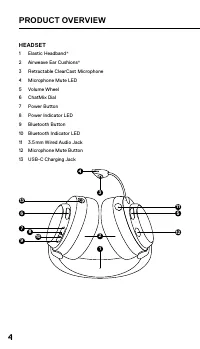
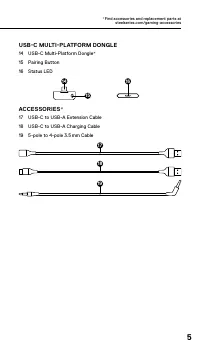
4 PRODUCT OVERVIEW HEADSET 1 Elastic Headband* 2 Airweave Ear Cushions* 3 Retractable ClearCast Microphone 4 Microphone Mute LED 5 Volume Wheel 6 ChatMix Dial 7 Power Button 8 Power Indicator LED 9 Bluetooth Button 10 Bluetooth Indicator LED 11 3 .5 mm Wired Audio Jack 12 Microphone Mute Button 13 U...
Page 6 - SETUP; PLAYSTATION 5 AUDIO SETTINGS; PS5 SETTING > AUDIO OUTPUT
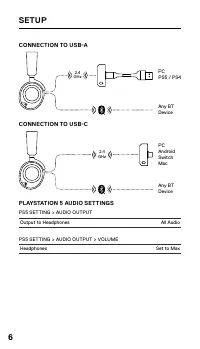
6 SETUP CONNECTION TO USB-A CONNECTION TO USB-C PLAYSTATION 5 AUDIO SETTINGS PS5 SETTING > AUDIO OUTPUT Output to Headphones All Audio PS5 SETTING > AUDIO OUTPUT > VOLUME Headphones Set to Max 2.4 GHz PCPS5 / PS4 Any BTDevice 2.4 GHz PCAndroidSwitchMac Any BTDevice
Page 7 - POWER; CHARGING
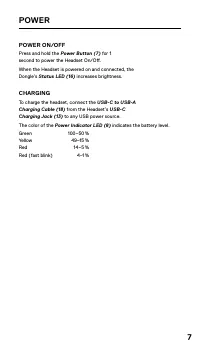
7 POWER POWER ON/OFF Press and hold the Power Button (7) for 1 second to power the Headset On/Off . When the Headset is powered on and connected, the Dongle’s Status LED (16) increases brightness . CHARGING To charge the headset, connect the USB-C to USB-A Charging Cable (18) from the Headset’s USB-...
Page 8 - PAIRING; Note: The headset and dongle come paired .
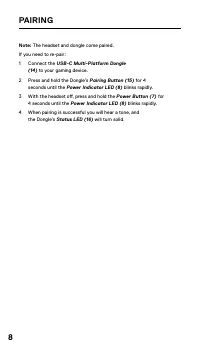
8 PAIRING Note: The headset and dongle come paired . If you need to re-pair: 1 Connect the USB-C Multi-Platform Dongle (14) to your gaming device . 2 Press and hold the Dongle’s Pairing Button (15) for 4 seconds until the Power Indicator LED (8) blinks rapidly . 3 With the headset off, press and hol...
Page 9 - BLUETOOTH; BLUETOOTH POWER; With Bluetooth Off, press and hold the; MULTIMEDIA CONTROL; can be used for
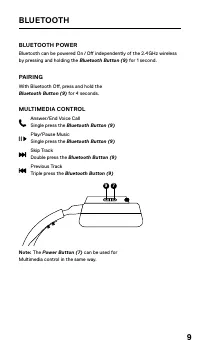
9 BLUETOOTH BLUETOOTH POWER Bluetooth can be powered On / Off independently of the 2 .4 GHz wireless by pressing and holding the Bluetooth Button (9) for 1 second . PAIRING With Bluetooth Off, press and hold the Bluetooth Button (9) for 4 seconds . MULTIMEDIA CONTROL Answer/End Voice Call Single pre...
Page 10 - CHATMIX; At the middle position of the
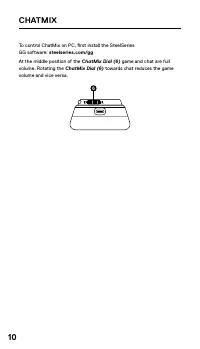
10 CHATMIX To control ChatMix on PC, first install the SteelSeries GG software: steelseries.com/gg At the middle position of the ChatMix Dial (6) game and chat are full volume . Rotating the ChatMix Dial (6) towards chat reduces the game volume and vice versa . 6
Page 11 - MICROPHONE; RETRACTABLE MICROPHONE; Retractable ClearCast Microphone; POSITIONING; Position the; Note: The microphone should not be used when retracted .
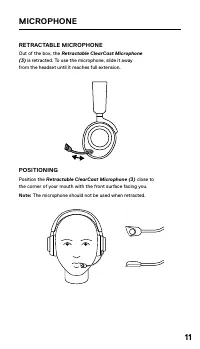
11 MICROPHONE RETRACTABLE MICROPHONE Out of the box, the Retractable ClearCast Microphone (3) is retracted . To use the microphone, slide it away from the headset until it reaches full extension . POSITIONING Position the Retractable ClearCast Microphone (3) close to the corner of your mouth with th...
Page 12 - PERFECT FIT; There are two ways to adjust the fit of your headset
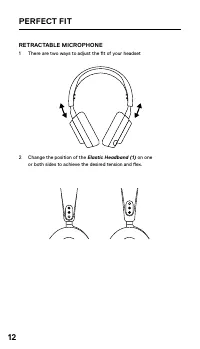
12 PERFECT FIT RETRACTABLE MICROPHONE 1 There are two ways to adjust the fit of your headset 2 Change the position of the Elastic Headband (1) on one or both sides to achieve the desired tension and flex .
Page 14 - TRANSLATIONS; DEUTSCH; ALLGEMEIN; VERWENDUNG
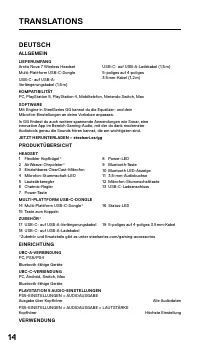
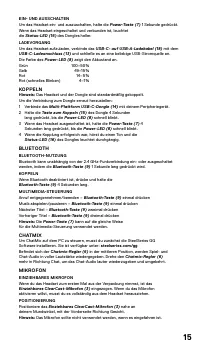
14 TRANSLATIONS DEUTSCH ALLGEMEIN LIEFERUMFANGArctis Nova 7 Wireless HeadsetMulti-Plattform USB-C-DongleUSB-C- auf USB-A-Verlängerungskabel (1,5 m) USB-C- auf USB-A-Ladekabel (1,5 m)5-poliges auf 4-poliges 3 .5 mm-Kabel (1,2 m) KOMPATIBILITÄTPC, PlayStation 5, PlayStation 4, Mobiltelefon, Nintendo S...
Page 16 - PERFEKTE PASSFORM; ESPAÑOL; CONFIGURACIÓN
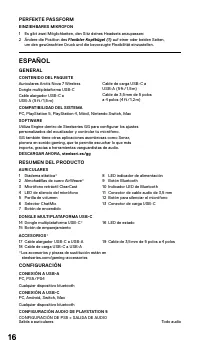
16 PERFEKTE PASSFORM EINZIEHBARES MIKROFON1 Es gibt zwei Möglichkeiten, den Sitz deines Headsets anzupassen:2 Ändere die Position des Flexibler Kopfbügel (1) auf einer oder beiden Seiten, um den gewünschten Druck und die bevorzugte Flexibilität einzustellen . ESPAÑOL GENERAL CONTENIDO DEL PAQUETEAur...
Page 17 - ALIMENTACIÓN; EMPAREJAMIENTO
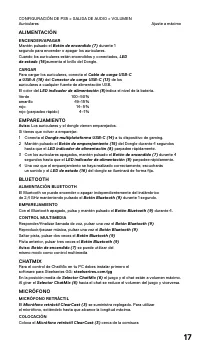
17 CONFIGURACIÓN DE PS5 > SALIDA DE AUDIO > VOLUMENAuriculares Ajuste a máximo ALIMENTACIÓN ENCENDER/APAGARMantén pulsado el Botón de encendido (7) durante 1 segundo para encender o apagar los auriculares .Cuando los auriculares están encendidos y conectados, LED de estado (16) aumenta el bril...
Page 18 - AJUSTE PERFECTO; FRANÇAIS; GÉNÉRAL; CONFIGURATION
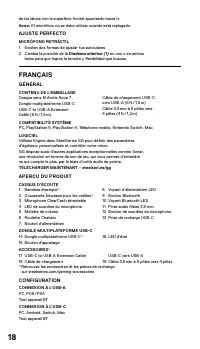
18 de los labios con la superficie frontal apuntando hacia ti . Aviso: El micrófono no se debe utilizar cuando está replegado . AJUSTE PERFECTO MICRÓFONO RETRÁCTIL1 Existen dos formas de ajustar tus auriculares2 Cambia la posición de la Diadema elástica (1) en uno o en ambos lados para que logres la...
Page 20 - AJUSTEMENT PARFAIT; ITALIANO; GENERALITÀ
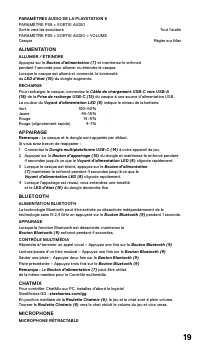
20 À la sortie de l’emballage, le Microphone ClearCast rétractable (3) est rétracté . Pour utiliser le microphone, faites-le glisser en l’éloignant du casque jusqu’à ce qu’il atteigne sa pleine extension . POSITIONNEMENTPositionnez le Microphone ClearCast rétractable (3) près du coin de votre bouche...
Page 21 - ALIMENTAZIONE; ASSOCIAZIONE
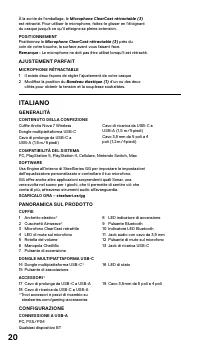
21 CONNESSIONE A USB-CPC, Android, Switch, MacQualsiasi dispositivo BT IMPOSTAZIONI AUDIO DELLA PLAYSTATION 5IMPOSTAZIONI PS5 > USCITA AUDIOUscita su cuffie Tutto l’audio IMPOSTAZIONI PS5 > USCITA AUDIO > VOLUMECuffie Imposta al massimo ALIMENTAZIONE ACCENSIONE/SPEGNIMENTOTenere premuto il ...
Page 22 - MICROFONO; ADATTABILITÀ PERFETTA; POLSKI; OGÓLNE
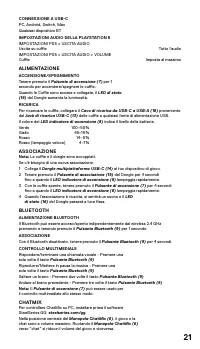
22 MICROFONO MICROFONO RETRAIBILEQuando lo tiri fuori dalla scatola, il Microfono ClearCast retrattile (3) è retratto . Per usare il microfono, fallo scorrere fuori dalle cuffie finché non raggiunge la massima estensione . POSIZIONAMENTOPosiziona il Microfono ClearCast retrattile (3) vicino all’ango...
Page 23 - ZASILANIE; PAROWANIE
23 PODŁĄCZENIE DO USB-APC, PS5 / PS4Dowolne urządzenie BT PODŁĄCZENIE DO USB-CPC, Android, Switch, MacDowolne urządzenie BT USTAWIENIA AUDIO PLAYSTATION 5USTAWIENIA PS5 > WYJŚCIE AUDIOWyjście do podłączenia słuchawek Wszystkie wejścia i wyjścia Audio USTAWIENIA PS5 > WYJŚCIE AUDIO > GŁOŚNOŚ...
Page 24 - PORTUGUÊS; GERAL
24 CHATMIX Aby kontrolować ChatMix na komputerze, należy pierw zainstalować oprogramowanie SteelSeries GG: steelseries.com/ggW środkowej pozycji Regulator Chatmix (6) , gra oraz czat są ustawione na pełną głośność . Obrócenie Regulator Chatmix (6) w kierunku czatu, zmniejsza poziom głośności gry i n...
Page 25 - EMPARELHAR
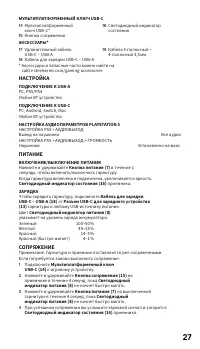
25 ACESSÓRIOS*17 Cabo de extensão USB-C para USB-A18 Cabo de carregamento USB-C para USB-A 19 Cabo de 5 polos a 4 polos de 3,5 mm *Encontre acessórios e peças de substituição em steelseries .com/gaming-accessories CONFIGURAÇÃO LIGAÇÃO A USB-APC, PS5 / PS4Qualquer dispositivo BT LIGAÇÃO A USB-CPC, An...
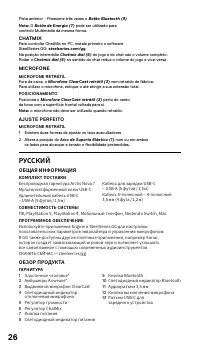
Page 26 - РУССКИЙ; ОБЩАЯ ИНФОРМАЦИЯ; ОБЗОР ПРОДУКТА
26 Pista anterior - Pressione três vezes o Botão Bluetooth (9) Nota: O Botão de Energia (7) pode ser utilizado para controlo Multimédia da mesma forma . CHATMIX Para controlar ChatMix no PC, instale primeiro o software SteelSeries GG: steelseries.com/ggNa posição intermédia Chatmix dial (6) do jogo ...
Page 28 - 概要
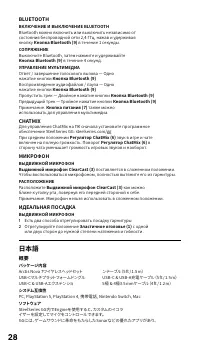
28 BLUETOOTH ВКЛЮЧЕНИЕ И ВЫКЛЮЧЕНИЕ BLUETOOTH Bluetooth можно включить или выключить независимо от состояния беспроводной сети 2,4 ГГц, нажав и удерживая кнопку Кнопка Bluetooth (9) в течение 1 секунды. СОПРЯЖЕНИЕ Выключите Bluetooth, затем нажмите и удерживайте Кнопка Bluetooth (9) в течение 4 секу...
Page 29 - 製品概要; 設定; 電源; ペアリング
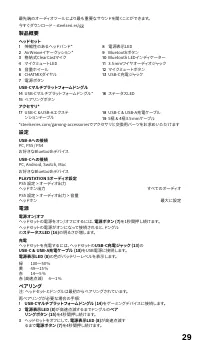
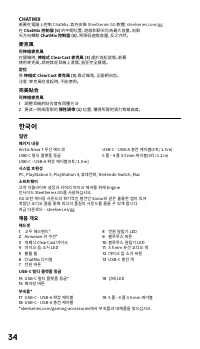
29 最先端のオーディオツールにより最も重要なサウンドを聞くことができます。今すぐダウンロード – steelseri.es/gg 製品概要 ヘッドセット 1 伸縮性のあるヘッドバンド* 2 AirWeaveイヤークッション* 3 格納式ClearCastマイク 4 マイクミュートLED 5 音量ホイール 6 CHATMIXダイヤル 7 電源ボタン 8 電源表示LED 9 Bluetoothボタン 10 Bluetooth LEDインディケーター 11 3.5 mmワイヤオーディオジャック 12 マイクミュートボタン 13 USB-C充電ジャック USB-Cマルチプラットフォームドングル 14...
Page 30 - 简体中文; 概述
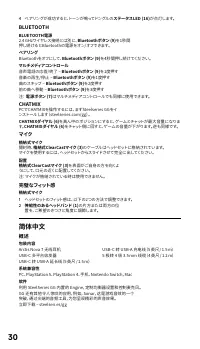
30 4 ペアリングが成功すると、トーンが鳴ってドングルの ステータスLED (16) が点灯します。 BLUETOOTH BLUETOOTH電源 2.4 GHzワイヤレス接続とは別に、 Bluetoothボタン (9) を1秒間 押し続けるとBluetoothの電源をオン/オフできます。 ペアリング Bluetoothをオフにして、 Bluetoothボタン (9) を4秒間押し続けてください。 マルチメディアコントロール 音声電話の応答/終了 – Bluetoothボタン (9) を1度押す 音楽の再生/停止 – Bluetoothボタン (9) を1度押す 曲のスキップ – Blueto...
Page 31 - 产品概览; 设置; 电源; 配对
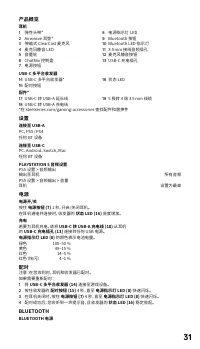
31 产品概览 耳机 1 弹性头带* 2 Airweave 耳垫* 3 伸缩式 ClearCast 麦克风 4 麦克风静音 LED 5 音量轮 6 ChatMix 控制盘 7 电源按钮 8 电源指示灯 LED 9 Bluetooth 按钮 10 Bluetooth LED 指示灯 11 3.5 mm 接线音频插孔 12 麦克风静音按钮 13 USB-C 充电插孔 USB-C 多平台收发器 14 USB-C 多平台收发器* 15 配对按钮 16 状态 LED 配件* 17 USB-C 转 USB-A 延长线 18 USB-C 转 USB-A 充电线 19 5 极转 4 极 3.5 mm 线缆 *...
Page 32 - 繁體中文
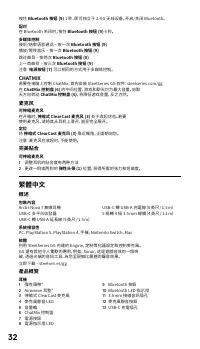
32 按住 Bluetooth 按钮 (9) 1 秒,即可独立于 2.4 G 无线设备,开启/关闭 Bluetooth。 配对 在 Bluetooth 关闭时,按住 Bluetooth 按钮 (9) 4 秒。 多媒体控制 接听/结束语音通话 – 按一次 Bluetooth 按钮 (9) 播放/暂停音乐 – 按一次 Bluetooth 按钮 (9) 跳过曲目 – 按两次 Bluetooth 按钮 (9) 上一首曲目 – 按三次 Bluetooth 按钮 (9) 注意: 电源按钮 (7) 可以相同的方式用于多媒体控制。 CHATMIX 若要在电脑上控制 ChatMix,首先安装 SteelSeri...
Page 33 - 配對
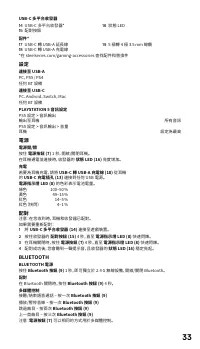
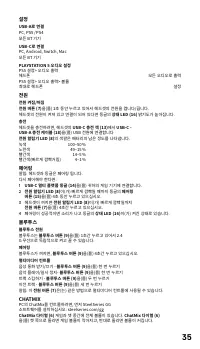
33 USB-C 多平台收發器 14 USB-C 多平台收發器* 15 配對按鈕 16 狀態 LED 配件* 17 USB-C 轉 USB-A 延長線 18 USB-C 轉 USB-A 充電線 19 5 極轉 4 極 3.5 mm 線纜 *在 steelseries.com/gaming-accessories 查找配件和替換件 設定 連接至 USB-A PC,PS5 / PS4任何 BT 設備 連接至 USB-C PC、Android、Switch,Mac任何 BT 設備 PLAYSTATION 5 音訊設定 PS5 設定 > 音訊輸出 輸出至耳機 所有音訊 PS5 設定 > 音...
Page 34 - 完美貼合; 한국어; 일반; 제품 개요
34 CHATMIX 若要在電腦上控制 ChatMix,首先安裝 SteelSeries GG 軟體:steelseries.com/gg在 ChatMix 控制盤 (6) 的中間位置,遊戲和聊天均為最大音量。向聊 天方向轉動 ChatMix 控制盤 (6) ,將降低遊戲音量,反之亦然。 麥克風 可伸縮麥克風 在開箱時, 伸縮式 ClearCast 麥克風 (3) 處於收起狀態。若要 使用麥克風,請將其從耳機上滑開,直至完全展開。 定位 將 伸縮式 ClearCast 麥克風 (3) 靠近嘴角,正面朝向您。 注意:麥克風在收起時,不能使用。 完美貼合 可伸縮麥克風 1 調整耳機的貼合度有兩種方...
Page 36 - 마 있는 마이크; 완벽한 핏
36 마 있는 마이크 상자에서 꺼내면, 개폐식 ClearCast 마이크 (3) 이(가) 접혀있습니다. 마이크를 사용하려면, 완전히 펴질 때까지 헤드셋에서 마이크를 밀어내십시오. 위치 앞쪽이 귀하를 향하도록 해 입의 모서리에 개폐식 ClearCast 마이크 (3) 을(를) 가까이 둡니다. 알림: 마이크는 접힌 상태로 사용해서는 안 됩니다. 완벽한 핏 안으로 집어넣을 수 있는 마이크 1 헤드셋을 조정하는 두 가지 방법이 있습니다. 2 원하는 당김과 유연성을 얻기 위해 한쪽 또는 양쪽으로 고무 헤드밴드 (1) 의 위치를 변경합니다.
Page 38 - REGULATORY
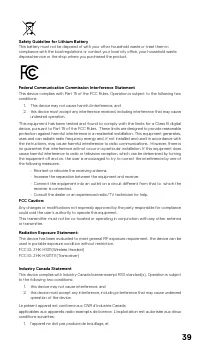
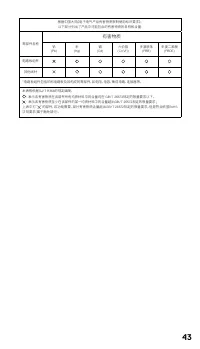
38 REGULATORY Europe – EU Declaration of Conformity Hereby, SteelSeries ApS . declares that the equipment which is compliance with directive RoHS 2 .0 (2015/863/EU), R .E .D (2014/53/EU), EMC Directive (2014/30/EU), and LVD (2014/35/EU) which are issued by the Commission of the European Community .T...
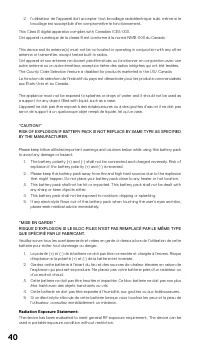
Page 45 - Cet appareil
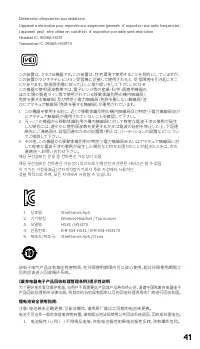
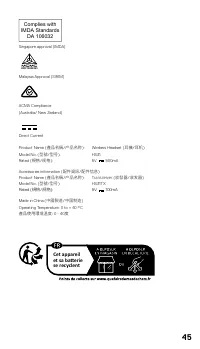
45 Complies with IMDA Standards DA 106032 Singapore approval (IMDA) HIDF16000265 Malaysia Approval (SIRIM) ACMA Compliance (Australia/ New Zealand) Direct Current Product Name ( 產品名稱 / 产品名称 ): Wireless Headset ( 耳機 / 耳机 ) Model No . ( 型號 / 型号 ): HS31 Rated ( 規格 / 规格 ): 5V 500mA Accessories informati...
Page 48 - learn more at steelseries .com




 SteelSeries 3HV2 User Manual
 SteelSeries Arctis 1P User Manual
 SteelSeries Arctis 3 Console Edition User Manual
 SteelSeries Arctis 7 + User Manual
 SteelSeries Arctis 7P+ User Manual
 SteelSeries Arctis 9 User Manual
 SteelSeries Arctis Nova 1 User Manual
 SteelSeries Arctis Nova 3 User Manual
 SteelSeries Arctis Nova Pro User Manual
 SteelSeries Arctis Prime User Manual
 SteelSeries Arctis Pro User Manual
 SteelSeries Arctis Pro + GameDAC User Manual