Skylink KP-434 - User Manual
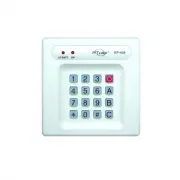
Skylink KP-434 Security Alarm – User Manual, read for free online in PDF format. We hope this helps you resolve any issues you may have. If you have further questions, please contact us through the contact form.


Table of Contents:
- Page 2 – TOTAL PROTECTION SYSTEM; Home Smart Center; Device X Accepted; ERASE KEYPAD TRANSMITTERS
- Page 3 – To delete a secondary password, follow the instructions below:
- Page 4 – Declaration of Conformity; FCC
Keypad Transmitter
INTRODUCTION
Model KP-434
1. PROGRAMMING
The keypad transmitter is designed to wirelessly operate various Skylink
products. These products include:
1) Swing Door Opener, such as Model DM-001, DM-50, DM-100, DM-150 etc
2) Total Protection System, such as Model SC-001, SC-100, SC-1000 etc
3) AAA+ Home Smart Center, such as Model AM-001, AM-100, ML-002 etc
In this package, you should find a keypad transmitter with batteries
installed, mounting accessories and user’s instructions.
Instructions below are divided into 3 sections for 3 different product
lines. Refer to the section for the product you plan to operate with the
keypad transmitter and follow those instructions.
Before proceeding, please remove the battery isolator from the keypad
transmitter.
The factory default password is [0][0][0]. To change the factory default
password, please follow the section – Changing Password. The
instructions below are based on the factory default password [0][0][0].
Keypad Transmitter
(Batteries installed)
3. ERASE KEYPAD TRANSMITTERS
Before proceeding, please remove the battery isolator from the keypad
transmitter.
The factory default password is [0][0][0]. To change the factory default
password, please follow section – Changing Password. The instruc-
tions below are based on the factory default password [0][0][0].
1. The operator should be in standby mode, i.e. adapter plugged in but
the swing door opener should not be operating, only the red LED
should be on steadily.
2. Press and hold the “Learn” button, the red LED will start to flash
and buzzer will beep indicating the door opener is now in learn
mode.
3. While you are holding onto the learning button on the swing door
opener, activate the keypad transmitter by pressing [0][0][0][#]. You
should hear a long beep and the LED will be off. This confirms the
keypad transmitter is now programmed to the swing door opener.
Open / Close Operating Mode
If your swing door opener operates in open / close mode, you also need
to program the door close command. To program the door close
command, repeat the above procedure but this time, instead of pressing
[0][0][0][#] to transmit the signal, you should press [0][0][0][C]. This is
the command to close the door. After you have programmed both open
and close commands, the keypad transmitter is now ready to operate.
Depending on the operating modes, the keypad transmitter operates
differently.
There are 3 operating modes for the swing door opener:
-
Toggle
-
Open / Close
-
Timer
Please refer to the user’s instructions of the swing door opener for
more information on each operating mode.
Toggle Mode
If your swing door opener operates in toggle mode, pressing [0][0][0][#]
will open / close the door.
Open / Close Mode
To open a door:
- Press [0][0][0][#]
To close a door:
- Press [0][0][0][C]
In order to erase any unwanted transmitters (buttons), you must first
erase all of them. Then reprogram each transmitter (button) you wish
to use.
To erase all transmitters:
1. Unplug the door opener when it is in standby mode.
2. Press and hold the learn button, then plug the adapter back in while
holding the learn button.
3. You should see the red LED flashing and buzzer beeping rapidly.
This indicates all the transmitters have been erased and you may
release the learn button. You can now program the transmitter you
wish to use based on the instructions “2. Program the keypad
transmitter to the swing door opener”.
Refer to Changing Password to assign new password (master and
secondary) to change existing password.
Learn button
2. OPERATION
Depending on the operating modes, the keypad transmitter operates
differently.
There are 3 operating modes for the swing door opener:
-
Toggle
-
Open / Close
-
Timer
SWING DOOR OPENER
"Loading the manual" means you need to wait until the file loads and becomes available for online reading. Some manuals are very large, and the time they take to appear depends on your internet speed.
Other Manuals for Skylink KP-434
Summary
TOTAL PROTECTION SYSTEM 1. Enter the MPIN (Master Personal Identification Number) on the control panel (SC-001). 2. Press [B] on the control panel.3. If you are programming the tramsmitter to the security control panel SC-001 , p r e s s [ 5 ] on the control panel. This is the zone where the keypad ...
2. OPERATION 1 2 3 [PROG][MPIN] EnterProgrammingmode Enter masterpassword toprogrammingmode 3 beeps for validpassword. 1 long beepfor invalid password. [0] Select eraseremoteprogramming After [0] is entered,some zone LEDs willflash or stay off. Thezone LEDs representwhether that zone isoccupied by a...
WARRANTY If, within one year from date of purchase, this product should becomedefective (except battery), due to faulty workmanship or materials, it willbe repaired or replaced, without charge. Proof of purchase and a ReturnAuthorization are required. CUSTOMER SERVICE 17 Sheard Avenue, Brampton, Ont...


