Page 2 - Emergency Dialer; TABLE OF CONTENTS
– 2 – SKYLINK TECHNOLOGIES INC. Your Guide to the Emergency Dialer DIAL-ALERT MODEL: AD-105 TM The AD-105 Emergency Dialer contains all the above items. TABLE OF CONTENTS PACKAGE CONTENTS............................................................................................4 OVERVIEW..............
Page 3 - Pack of screws and anchors (for; PACKAGE CONTENTS; Sensor Mode - Works with multiple sensors directly
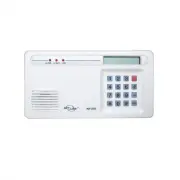
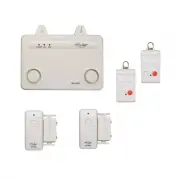
All materials required for installation are included with this package 1 Dial-Alert (AD-105) 1 Telephone Line 1 antenna (installed) 1 AC adapter 1 9 volt alkaline battery 1 Pack of screws and anchors (for Dial-Alert ) One templateDouble sided tapeUser's instructionsWarranty CardQuick Guide – 4 – PAC...
Page 4 - Sensor; OVERVIEW; Panic Devices; INSTALLATION; How to use the template:
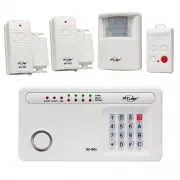
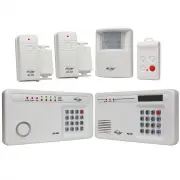
Flood Sensor: FS-101 Audio Sensor:AS-101 Garage Door Monitor TM Sensor GS-101 – 6 – OVERVIEW Dial Alert AD-105 must work with the specific sensors listed below. Ensure only thelisted sensors are used with the AD-105, otherwise, the communication between thesensors and the Dial Alert may not function...
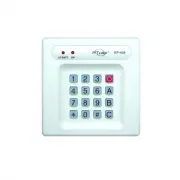
Page 5 - The adapter cord must be inserted
– 8 – INSTALLATION 3. Thread the AC adapter cord through the top hole in the back of the unit and plug it intothe AC connector on the circuit board asshown. The adapter cord must be inserted through the back of the unit before it isattached to the wall. 4. Insert the 9 volt battery and rotate the an...
Page 6 - LIGHTS AND SOUNDS; SELECTING THE OPERATION MODE; Sensor Mode
Below is an explanation of the lights and sounds of the Dial-Alert LIGHTS ACPWR light on dialer is being powered by AC adapter. ACPWR light off dialer is not receiving any AC power. LOBATT. light off backup battery is connected and working. LOBATT. light on backup battery is weak, battery needs to b...
Page 7 - RECORD A VOICE MESSAGE; STANDARD PROGRAMMING; MESSAGE PLAYBACK; Display now shows something like [L3 1 05] where the last 2 digits; PROGRAM A PHONE NUMBER
– 12 – STANDARD PROGRAMMING RECORD A VOICE MESSAGE You must record a message and program at least one phone number inorder for the Dial Alert to work. The voice recording procedure is different between the 2 operating modes,SC-001 Mode and Sensor Mode. To record a voice message under SC-001 Mode: 1....
Page 8 - You may sometimes need to insert pause period in a phone num-; PROGRAM A SENSOR UNDER SENSOR OPERATING MODE; TESTING
– 14 – Do not program the phone number to police or fire dept directly into your Dial-Alertunless you have checked with your local authorities. Please also inform all therecipients that their phone numbers have been programmed into your dialer, sothey know exactly what happens when they receive your...
Page 10 - Erase Programmed Panic Transmitters / Alarm Panels / Sensors; To erase all the wireless devices, follow the instructions below.; Dial Sequence; ADVANCED PROGRAMMING; Changing Password; to set the calling time to 90 seconds.
– 19 – ADVANCED PROGRAMMING Erase Programmed Panic Transmitters / Alarm Panels / Sensors You may erase the programmed wireless devices, panic transmitter, alarmpanels and wireless sensors. You cannot erase a specific device, you musterase all the devices and then program the ones that you would like...
Page 11 - and 2 is Dial Sequence 2.; Universal Dial Tone; the pick up pause duration.; Entry / Exit Delay – For Sensor Mode; Enter any number from 1 to 5, which represents the entry / exit delay
– 20 – 2. Enter [0], display now shows [P0 2], the most right digit represents the dial sequence. 3. To change the setting, enter either 1 or 2, where 1 is Dial Sequence 1, and 2 is Dial Sequence 2. 4. If the new setting is accepted, it will emit 2 beeps. If you don’t hear 2 beeps, that means the se...
Page 12 - DIAL-ALERT QUICK GUIDE; CONNECT THE DIAL-ALERT WITH YOUR EXISTING ALARM SYSTEM; To replace the dialer backup battery:; BATTERY MAINTENANCE
– 22 – If you have sensor(s) programmed to the Dial Alert, you should arm the DialAlert if you want to receive notification when the sensor is activated. If theDial Alert is not armed, sensor activation will not trigger the dialer. Therefore,please arm the system when you want to be notified of sens...
Page 13 - by pressing the panic button when under duress; ADDITIONAL ACCESSORIES
– 25 – ADDITIONAL ACCESSORIES Temperature Sensor (TS-101A) - Monitors temperature of a specific area (i.e., greenhouse, horse farms, laboratory etc.)- Activates Security Control Panel (SC-001) or Emergency Dialer (AD-105) when the tempera- ture of the monitored area is above or below a preset temper...