Skylink AD-105 - Manual
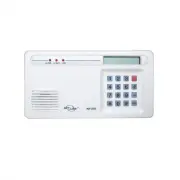
Skylink AD-105 Security Alarm – Manual, read for free online in PDF format. We hope this helps you resolve any issues you may have. If you have further questions, please contact us through the contact form.


Table of Contents:
- Page 2 – Emergency Dialer; TABLE OF CONTENTS
- Page 3 – Pack of screws and anchors (for; PACKAGE CONTENTS; Sensor Mode - Works with multiple sensors directly
- Page 4 – Sensor; OVERVIEW; Panic Devices; INSTALLATION; How to use the template:
- Page 5 – The adapter cord must be inserted
- Page 6 – LIGHTS AND SOUNDS; LIGHTS; STANDARD PROGRAMMING; SELECTING THE OPERATION MODE; Sensor Mode
- Page 7 – RECORD A VOICE MESSAGE; MESSAGE PLAYBACK; Display now shows something like [L3 1 05] where the last 2 digits; PROGRAM A PHONE NUMBER
- Page 8 – PROGRAM A SENSOR UNDER SENSOR OPERATING MODE; TESTING; You may sometimes need to insert pause period in a phone num-
- Page 10 – Erase Programmed Panic Transmitters / Alarm Panels / Sensors; To erase all the wireless devices, follow the instructions below.; Dial Sequence; ADVANCED PROGRAMMING; Changing Password; to set the calling time to 90 seconds.
- Page 11 – Pick up Pause Period; the pick up pause duration.; Entry / Exit Delay – For Sensor Mode
- Page 12 – DIAL-ALERT QUICK GUIDE; CONNECT THE DIAL-ALERT WITH YOUR EXISTING ALARM SYSTEM; To replace the dialer backup battery:; BATTERY MAINTENANCE
- Page 13 – by pressing the panic button when under duress; ADDITIONAL ACCESSORIES
Emergency Dialer
DIAL-ALERT
MODEL: AD-105
101Z857-001
www.skylinkhome.com
TM
OCT, 2010
CUSTOMER SERVICE
17 Sheard Avenue, Brampton, Ontario, Canada L6Y 1J3
Tel : (800) 304-1187
Fax : (800) 286-1320
Email : [email protected]
PAT. D410633
6243000B1
If you would like to order Skylink’s products or have
difficulty getting them to work or download information
and user manual, please :
1. visit our FAQ section at www.skylinkhome.com, or
2. email us at [email protected], or
3. call our toll free at 1-800-304-1187 from Monday to
Friday, 9 am to 5 pm EST.
Fax (800) 286-1320
"Loading the manual" means you need to wait until the file loads and becomes available for online reading. Some manuals are very large, and the time they take to appear depends on your internet speed.
Other Manuals for Skylink AD-105
Summary
– 2 – SKYLINK TECHNOLOGIES INC. Your Guide to the Emergency Dialer DIAL-ALERT MODEL: AD-105 TM The AD-105 Emergency Dialer contains all the above items. – 3 – TABLE OF CONTENTS PACKAGE CONTENTS............................................................................................4 OVERVIEW........
All materials required for installation are included with this package 1 Dial-Alert (AD-105) 1 Telephone Line 1 antenna (installed) 1 AC adapter 1 9 volt alkaline battery 1 Pack of screws and anchors (for Dial-Alert ) One templateDouble sided tapeUser's instructionsWarranty CardQuick Guide – 4 – PAC...
Flood Sensor: FS-101 Audio Sensor:AS-101 Garage Door Monitor TM Sensor GS-101 – 6 – OVERVIEW Dial Alert AD-105 must work with the specific sensors listed below. Ensure only thelisted sensors are used with the AD-105, otherwise, the communication between thesensors and the Dial Alert may not function...


