SilverStone PS15B - User Manual
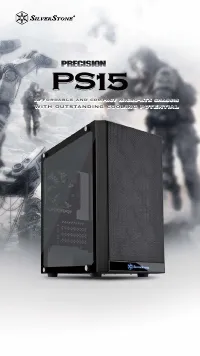
The installation manual for the SilverStone Precision PS15, a compact Micro-ATX computer chassis, covers essential setup guidelines for its hardware compatibility. Key topics include component size limitations–such as CPU cooler height (up to 154mm) and power supply depth (max 150mm)–and graphics card support (up to 314mm length). The document also addresses radiator placement, noting rear and front fan slot configurations for cooling solutions. While warranty details are present, they are secondary to the core installation specifications.
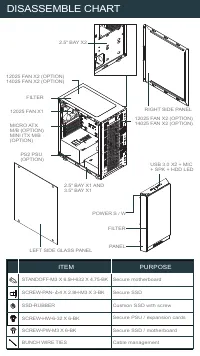
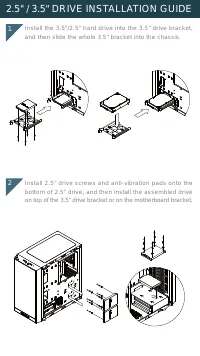
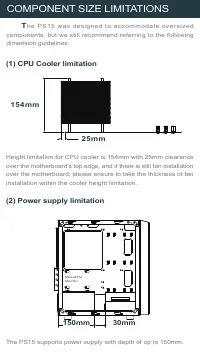
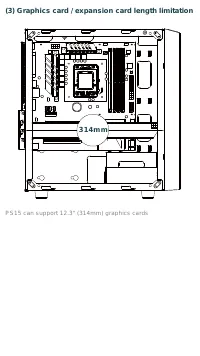
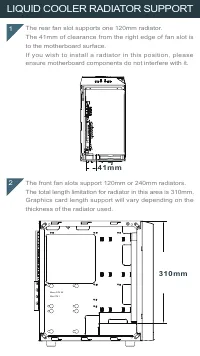


Table of Contents:
- Page 1 – Product Introduction
- Page 2 – Disassembly Chart and Hardware Mounting
- Page 3 – Hard Drive Installation Procedure
- Page 4 – Component Size Limitations
- Page 5 – Graphics Card Length Support
- Page 6 – Radiator Support Specifications
- Page 7 – Retail Product Warranty Terms
- Page 8 – Warranty Claim and RMA Procedure
- Page 9 – Regional Support Contact Information
Affordable and compact Micro-ATX chassis
Affordable and compact Micro-ATX chassis
with outstanding cooling potential
with outstanding cooling potential
PS
PS15
Affordable and compact Micro-ATX chassis
with outstanding cooling potential
"Loading the manual" means you need to wait until the file loads and becomes available for online reading. Some manuals are very large, and the time they take to appear depends on your internet speed.
Was this manual helpful?
About this manual
- Brand
- SilverStone
- Model
- PS15B
- Document type
- User Manual
- Category
- PC Case
- Language(s)
- English
- Pages
- 10
- File size
- 2.9 MB
- Format
Summary
Introduction to the SilverStone Precision PS15 Micro-ATX computer chassis emphasizing affordability and cooling performance.
Chart detailing component locations and item purposes for securing hardware such as the motherboard, SSD, and PSU.
Step-by-step guide for installing 2.5" and 3.5" hard drives using mounting brackets and anti-vibration pads.