SilverStone ECS06 - User Manual
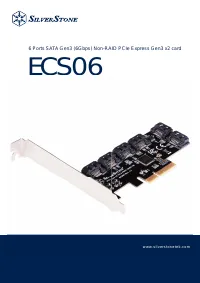
A PCIe expansion card like the SilverStone ECS06–specifically a 6-port SATA Gen3 (6Gbps) non-RAID device–requires an installation manual to ensure proper setup. This guide primarily covers its physical installation process, including connecting it to a motherboard’s PCIe slot and powering it via SATA cables or HDD backplanes. The document also addresses broader system integration, such as ensuring compatible hardware configurations for optimal performance. While the pages include multilingual support (though not relevant to the product itself), the core focus remains on installation procedures–mounting the card in a PC and configuring its connections–alongside warranty terms for manufacturer-backed support. The manual does not delve into software setup, troubleshooting beyond installation errors, or advanced configuration.
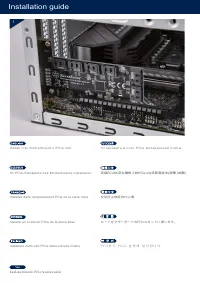
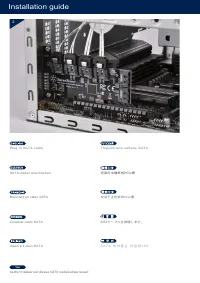
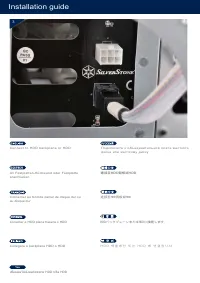
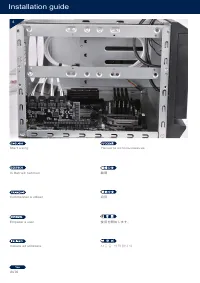

Table of Contents:
- Page 1 – Product Identification and Specifications
- Page 2 – Table of Contents and Multilingual Index
- Page 3 – PCIe Card Installation Guide
- Page 4 – SATA Cable Connection Procedure
- Page 5 – Hard Drive Backplane Connection
- Page 6 – Computer Case Internal Layout
- Page 7 – Warranty Terms and Regional Support Overview
- Page 8 – Warranty Conditions and Claim Procedures
- Page 9 – Warranty Scope and Regional Support
- Page 10 – Warranty Requirements and Proof of Purchase
- Page 11 – Warranty Coverage and Repair Procedures
- Page 12 – Warranty Eligibility and Claim Procedures
- Page 13 – Warranty Services and RMA Procedures
- Page 14 – Regional Warranty Coverage and Support
- Page 15 – Warranty Claim Process and Exclusions
- Page 16 – Product Markings and Liability Statement
- Page 17 – Limited Warranty Terms and Claims
6 Ports SATA Gen3 (6Gbps) Non-RAID PCIe Express Gen3 x2 card
ECS06
w w w. s i l v e r s t o n e t e k . c o m
w w w. s i l v e r s t o n e t e k . c o m
"Loading the manual" means you need to wait until the file loads and becomes available for online reading. Some manuals are very large, and the time they take to appear depends on your internet speed.
Was this manual helpful?
Helpful for 3 of 3 readers
About this manual
- Brand
- SilverStone
- Model
- ECS06
- Document type
- User Manual
- Category
- Heat Sink
- Language(s)
- German, English, Spanish, French, Italian, Russian
- Pages
- 18
- File size
- 1.5 MB
- Format
Summary
Identification details, model number, and specifications for the SATA Gen3 PCIe Express card.
Index listing sections for installation guides and warranty terms across multiple languages.
Instructions for installing the PCIe expansion card into the motherboard slot.