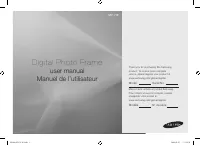
Samsung SPF-86H - Manual

Samsung SPF-86H Camera – Manual, read for free online in PDF format. We hope this helps you resolve any issues you may have. If you have further questions, please contact us through the contact form.


Table of Contents:
- Page 2 – Insert the power plug correctly until it is firmly in place.
- Page 3 – Do not install the product near any heating appliance.; There is a risk of fire.
- Page 4 – Disconnect the power plug when there is thunder or lightning.; Failing to do so, may cause electric shock or fire.; Place the product down gently when installing it.; Failing to do so may cause product damage or personal injury.
- Page 5 – If you need to repair your product, contact a; service center; . An attempt at repairing; service center; Failing to do so may cause electric shock or fire.
- Page 7 – Features; Enjoy picture's by using memory card and USB.; Components; Manual
- Page 8 – Front; Back; The product color and shape may vary depending on the model.
- Page 9 – Turns the product on or off.
- Page 10 – Down stream terminal
- Page 12 – Used to connect your digital photo frame to a PC.; for that external device or your PC.; Power; MEMORY CARD; Slide the card in the direction marked on the top of the card.
- Page 13 – Button; Hold down this button for two (2) seconds to return to the Main screen.; Screen Status Indications; Display; Photo
- Page 14 – The menu displayed when selecting a thumbnail; Menu; Slide Show
- Page 17 – Description; Русский; I want to update firmware.; Preparations; Please visit
- Page 18 – Updating
- Page 21 – Specifications; Items
- Page 23 – The power does not turn on.
- Page 24 – Terminology; Terms Description; Service Centers; If you need a product service, contact or visit a Samsung; For services for network connection and the Server.; Services Contacts; Samsung Electronics web site; North America; CANADA
"Loading the manual" means you need to wait until the file loads and becomes available for online reading. Some manuals are very large, and the time they take to appear depends on your internet speed.
Summary
| Safety Symbols | Power | Installation | Using and Cleaning | Safety Symbols Make sure to follow the directions below to prevent accidents and damage to the product. Failure to follow the accompanying directions may lead to serious injury or death. Failure to follow the accompanying directions may ...
Do not connect more than one appliance to a single outlet, as an overheated outlet may cause fire. Do not use force to pull the power cord. Don't place anything heavy on the power cord, as this may cause electric shock or fire. z Failing to do so, may cause electric shock or fire. Make sure to turn ...
| Safety Symbols | Power | Installation | Using and Cleaning | Installation When installing the product on a cabinet or shelf, do not let the front end of the product project beyond its front edge. z Failing to do so, may cause the product to fall, resulting in a product malfunction or personal inju...