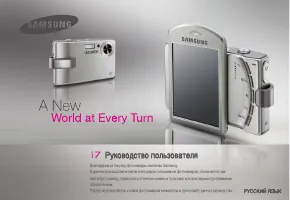
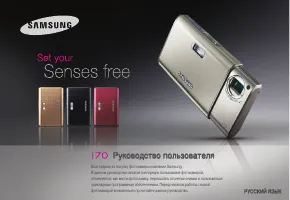
Page 2 - Getting to know your camera; DANGER; WARNING
EN-2 Getting to know your camera DANGER DANGER indicates an imminently hazardous situation which, if not avoided, will result in death or serious injury. Do not attempt to modify this camera in any way. To do so may result in fire, injury, electric shock or severe damage to you or your camera. Intern...
Page 3 - CAUTION
EN-3 Getting to know your camera CAUTION CAUTION indicates a potentially hazardous situation which, if not avoided, may result in a minor or moderate injury. Remove the battery when not planning to use the camera for a long period of time.Otherwise the battery may leak corrosive electrolyte and perm...
Page 4 - Identifi cation of features / Contents of camera; Contents Package
EN-4 Identifi cation of features / Contents of camera Contents Package Please check that you have the correct contents before using this product. The contents can vary depending on the sales region. To buy the optional equipment, contact your nearest Samsung dealer or Samsung service centre. Camera U...
Page 6 - When Using the Camera for the First Time
EN-6 When Using the Camera for the First Time Charge the rechargeable battery fully before using the camera for the fi rst time. When the camera is turned on for the fi rst time, a menu will be displayed to set date/time, language and battery type in the LCD monitor. This menu will not be displaye...
Page 7 - LCD monitor indicator
EN-7 LCD monitor indicator The LCD monitor displays information about the shooting functions and selections. Refer to the user manual included on the Software CD for more information. <Image & Full Status> No. Description Icons 1 Optical/Digital Zoom bar/ Digital Zoom rate x 5.0 2 Number o...
Page 8 - Mode Button
EN-8 Mode Button Auto Selects this mode for quick and easy picture taking with minimal user interaction.In this mode, you can select the basic menus.To select an advanced menu, select the other camera mode. Program Selecting the automatic mode will configure the camera with optimal settings. You can ...
Page 9 - Taking a picture
EN-9 Taking a picture How to take a picture 1. Turn on the camera and select a camera mode by using the M (Mode) button. 2. Hold the camera as shown. 3. Confirm the composition. 4. Take a picture How to record a movie. Select the Scene mode by pressing the M (Mode) button 1. Confirm the compositio...
Page 10 - Playingback, Deleting and Protecting Images
EN-10 Playingback, Deleting and Protecting Images 2. To add images to delete, press the T button. – Left / Right button: Selects images – T button: Checks for deletion – OK button: Deletes the selection 3. Select the submenu values by pressing the Up / Down button and then press the OK button. – If ...
Page 11 - Downloading files; MULTIMEDIA mode
EN-11 This camera has an embedded MP3, TEXT VIEWER & Portable Media Player program. You can take a picture, listen to the MP3 files and watch the movie clip (Movie and Video clip) whenever you want. To use the PMP mode, you must convert the multimedia file with the Samsung Converter. In the TEXT...
Page 14 - Downloading images
EN-14 Downloading images System Requirements For Windows For Macintosh PC with processor better than Pentium 450MHz(Pentium 800MHz recommended)* Samsung Converter PC with processor better than Pentium III 500MHz (Pentium IV recommended) Power Mac G3 or later, or Intel Processor Windows 98SE / 2000...
Page 15 - Specifications
EN-15 Specifications Flash – Modes: Auto, Auto & Red-eye reduction, Fill-in flash, Slow sync, Flash off, Red-eye Fix – Range: Wide: 3.5m, Tele: 3.0m (ISO Auto)– Recharging Time: Approx. under 4 seconds (new battery) Sharpness – Soft+, Soft, Normal, Vivid, Vivid+ White Balance – Auto, Daylight, Clo...
Page 18 - Correct Disposal of This Product (Waste Electrical; Correct Disposal of This Product
EN-18 Correct Disposal of This Product (Waste Electrical & Electronic Equipment) (Applicable in the European Union and other European countries with separate collection systems) This marking shown on the product or its literature, indicates that it should not be disposed of with other household ...
Page 19 - Correct disposal of batteries in
EN-19 (Applicable in the European Union and other European countries with separate battery return systems.) This marking on the battery, manual or packaging indicates that the batteries in this product should not be disposed of with other household waste at the end of their working life. Where marke...
Page 20 - MEMO
Page 21 - Table des matières; Découvrir votre appareil photo; Élimination de ce produit
-1- Microsoft Windows et le logo Windows sont des marques déposées appartenant à Microsoft Corporation incorporated aux États Unis et/ou dans d’autres pays. Tous les noms de marque et de produits qui apparaissent dans ce manuel sont des marques déposées appartenant aux sociétés respectives. Le...
Page 23 - MISE EN GARDE
-3- Découvrir votre appareil photo MISE EN GARDE Le symbole MISE EN GARDE avertit d’un danger éventuel qui, si vous ne suivez pas les consignes de sécurité, peut entraîner des blessures légères ou assez graves. Retirez les piles lorsque vous prévoyez de ne pas utiliser l’appareil photo pendant une l...
Page 24 - Caractéristiques / Accessoires de l’appareil photo; Contenu de l'emballage; Vendu séparément
-4- Caractéristiques / Accessoires de l’appareil photo Contenu de l'emballage Veuillez contrôler que vous avez tous les accessoires avant d'utiliser cet appareil. Il est possible que le contenu varie selon la région de vente. Pour acheter l’équipement en option, contactez votre revendeur Samsung le ...
Page 26 - Lorsque vous utilisez l’appareil photo pour la première fois
-6- Lorsque vous utilisez l’appareil photo pour la première fois Chargez entièrement la batterie rechargeable avant d’utiliser l’appareil photo la première fois. Lorsque vous allumez l’appareil photo pour la première fois, un menu vous permettant de paramétrer la date, l’heure, la langue ainsi q...
Page 27 - Indicateur de l'écran LCD
-7- Indicateur de l'écran LCD L'écran à cristaux liquides affiche les informations pour les fonctions et sélections de prise de vue. Reportez-vous au manuel d’utilisation se trouvant sur le CD de logiciels pour davantage d’informations. <Image et état plein> N° Description Icônes 1 Barre du zoo...
Page 28 - Touche de mode
-8- AUTO Sélectionnez ce mode pour une prise de photo rapide et facile avec un minimum d’interaction de l’utilisateur. Ce mode vous permet de sélectionner les menus de base. Pour sélectionner un menu avancé, sélectionnez l’autre mode de l’appareil photo. PROGRAMME Le fait de sélectionner le mode aut...
Page 29 - Prendre une photo
-9- Prendre une photo Comment prendre une photo 1. Mettez l’appareil photo sous tension et sélectionnez un mode à l’aide de la touche M (Mode) . 2. Tenez la caméra comme l’indique l’illustration. 3. Assurez vous que le cadrage de l’image vous convient. 4. Prenez la photo Comment enregistrer un fi...
Page 30 - Lecture, Suppression et Protection des images
-10- Lecture, Suppression et Protection des images 2. Pour ajouter des images à supprimer, appuyez sur la touche T . – Touche Gauche/Droite : Permet de sélectionner des images – Touche T : Permet de vérifier les éléments à supprimer – Touche OK : Permet de confirmer la sélection 3. Sélectionnez la val...
Page 31 - Télécharger des fichiers; Mode MULTIMEDIA
-11- Cet appareil photo dispose d'un programme de lecteur MP3, VISUALISEUR DE TEXTE et du lecteur multimédia portable incorporé. Vous pouvez prendre une image, écouter des fichiers MP3 et regarder un clip vidéo (film et clip vidéo) lorsque vous le souhaitez. Pour utiliser le mode PMP, vous devez con...
Page 34 - Télécharger des images
-14- Mode de connexion au PC 1. Installez le logiciel fourni. 2. Téléchargez les images – Reliez l’appareil photo à l’ordinateur à l’aide du câble USB fourni, puis sélectionnez Ordinarteur sur l’écran, téléchargez les images sur votre ordinateur afin de les sauvegarder. Configuration système requi...
Page 35 - Caractéristiques
-15- Caractéristiques Capteur d'images – Type : CCD 1/2,33”– Pixels effectifs : Environ 10,2 mégapixels– Nombre total de pixels : Environ 10,4 mégapixels Objectif – Distance focale : Objectif Samsung f = 6,7 ~ 20,1mm (équivalent à un film 35 mm : 38 ~ 114mm) – N° F : F3,5(W) ~ F4,0(T)– Zoom numérique...
Page 38 - (Applicable aux pays de l’Union européenne et aux; Elimination des batteries de ce
-18- Caractéristiques Caractéristiques Texte FICHIER – Fichier (extension TXT, jusqu’à 99999 pages) Format de fichier – Windows : ANSI (Windows 98 ou supérieur), Unicode/Unicode (Big-Endian)/UTF-8 (Windows 2000/XP) – Mac : ANSI, Unicode (UTF-16) Fonction – Défilement automatique (0,8 sec ~ 2,3 sec)–...
Page 39 - İçindekiler; Kameranızı tanıma
=1= Tü rkç e Microsoft, Windows ve Windows logoları Amerika Birleşik Devletlerinde ve/veya diğer ülkelerde Microsoft Corporation incorporated'ın kayıtlı ticari markalarıdır. Bu kılavuzda yer alan tüm marka ve ürün adları, ilgili firmalarının kayıtlı ticari markalarıdır. Bu kılavuzun içeriği ve ...
Page 40 - TEHLİKE; UYARI
=2= Kameranızı tanıma TEHLİKE TEHLİKE, kaçınılmadığı takdirde ölüm veya ciddi yaralanmalarla sonuçlanacak, mevcut tehlikeli bir durumu ifade eder. Bu kamerada hiçbir şekilde değişiklik yapmaya çalışmayın. Bunu yaptığınız takdirde, yangın, yaralanma, elektrik çarpmasına neden olabilir veya siz ya da ...
Page 41 - DİKKAT
=3= Tü rkç e Kameranızı tanıma DİKKAT DİKKAT, kaçınılmadığı takdirde ufak ve hafif yaralanmalarla sonuçlanabilecek, tehlikeli bir durum olasılığını ifade eder. Kamerayı uzun bir süre kullanmayı düşünmüyorsanız, pili çıkarın. Pil aşındırıcı elektrolit sızıntısı yaparak kameranın bileşenlerine kalıcı o...
Page 42 - Özelliklerin tanımı / Kameranın içeriği; Pakedin İçindekiler
=4= Özelliklerin tanımı / Kameranın içeriği Pakedin İçindekiler Bu ürünü kullanmadan önce lütfen doğru içeriğe sahip olduğunuzu kontrol edin. İçindekiler satış bölgesine bağlı olarak farklılık gösterebilir. İsteğe bağlı bir donanım satın almak için, size en yakın Samsung bayisi veya Samsung servis m...
Page 44 - Kamerayı İlk Kez Kullanırken
= 6= Kamerayı İlk Kez Kullanırken Kamerayı ilk defa kullanmadan önce, yeniden şarj edilebilir pili tamamen şarj edin. Fotoğraf makinesi ilk kez açıldığında, LCD monitöründe tarihi/saati, dili ve pil türünü ayarlamak için bir menü belirecektir. Bu menü ayar yapıldıktan sonra gösterilmeyecektir. F...
Page 45 - LCD ekran göstergesi
=7= Tü rkç e LCD ekran göstergesi LCD ekranda çekim işlevleri ve seçimlerle ilgili bilgiler görüntülenir. Daha fazla bilgi için Yazılım CD’sinde bulunan kullanım kılavuzuna bakın. <Görüntü ve Tam Durum> No. Tanım Simgeler 1 Optik/Dijital Yakınlaştırma çubuğu/ Dijital Yakınlaştırma oranı x 5.0 ...
Page 46 - Mod kadranı
=8= Mod kadranı Kameranın arkasında bulunan M (Mod) düğmesini kullanarak, istediğiniz kamera modunu seçebilirsiniz. OTO En az kullanıcı müdahalesi ile çabuk ve kolay fotoğraf çekmek için bu modu seçin. Bu modda temel menüleri seçebilirsiniz. Gelişmiş bir menüyü seçmek için, diğer kamera modlarını ...
Page 48 - Görüntüleri Oynatma, Silme ve Koruma
=10= Görüntüleri Oynatma, Silme ve Koruma 2. Silmek üzere görüntü eklemek için, T düğmesine basın.– Sol/Sağ düğmesi: Resimleri seçer – T düğmesi: Silmek üzere işaretler – OK düğmesi: Seçimi onaylar 3. Yukarı/Aşağı düğmesine basarak alt menü değerlerini seçin ve Tamam düğmesine basın.– [Hayır] seçilm...
Page 49 - MULTIMEDYA modu; Dosyaların yüklenmesi
=11= Tü rkç e 5. Kaydetmek istediğiniz dosyaları seçin ve bunları istediğiniz klasöre kopyalayın. MULTIMEDYA modu Bu fotoğraf makinesinde dahili MP3, METİN GÖRÜNTÜLEME ve Taşınabilir Ortam Çalar programı vardır. İstediğinizde resim çekebilir, MP3 dosyalarını dinleyebilir ve film klipi (Film ve Vide...
Page 52 - Görüntüleri indirme
=14= Görüntüleri indirme Sistem gereksinimleri Bilgisayar bağlantısı modu 1. Verilen Yazılımı yükleyin. 2. Görüntüleri indirin – Kamerayı verilen USB kablosuyla Bilgisayara bağlayın ve görüntüyü kaydetmek için bilgisayarınıza indirin. Windows için Macintosh için Pentium 450MHz’den daha iyi işlem...
Page 53 - Teknik Özellikler
=15= Tü rkç e Teknik Özellikler Görüntü Sensörü – Tür : 1/2,33” CCD– Etkin Piksel : Yaklaşık 10,2 Megapiksel– Toplam Piksel : Yaklaşık 10,4 Megapiksel Mercek – Odak Uzaklığı : Samsung Mercek f = 6,7 ~ 20,1mm (35 mm film dengi: 38 ~ 114mm) – F No.: F3,5(W) ~ F4,0 (T)– Dijital Yakınlaştırma: Durağan Gö...
Page 57 - 目錄; 相機介紹
繁 體 中 文 1 Microsoft、Windows 和 Windows 標誌均為 Microsoft Corporation 在美國和/或其他國家的註冊商標。 本手冊中出現的所有品牌與產品名稱均為其各自公司的註冊商標。 本公司會因升級相機功能而變更本手冊的內容和圖解,恕不另行 通知。 如需更多資訊,請參閱光碟上的使用者手冊。 本機隨附的光碟片包含使用者手冊中的 PDF 文件。用 Window 檔案總 管搜尋 PDF 檔案。開啟 PDF 檔案之前,您必須安裝軟體光碟片中的 Adobe Reader。 為 SRS Labs. Inc. 的商標。 WOW HD 技術經由 ...
Page 58 - 危險; 警告
2 相機介紹 危險 「危險」是指即將發生的危險情形,若不避免則會導致人身傷亡。 請勿以任何方式修改本相機。否則,可能導致火災、電擊、嚴 重的人身傷害或相機損壞。應該僅由經銷商或三星相機服務中 心進行相機內部檢查、維護與維修。 若有任何類型的液體或異物進入相機,請勿使用相機。此時, 請先關閉相機,然後斷開相機電源。請務必聯絡經銷商或三星 相機服務中心。請勿繼續使用相機,否則可能導致火災或電 擊。 請勿在易燃或易爆氣體旁邊使用本產品,否則會有爆炸危險。 請防止金屬或易燃物體經由記憶卡插槽或電池室等處插入或落 入相機內。這可能導致火災或電擊。 請勿用濕手操作相機。這可能會導致電擊。 警告 「警告」是...
Page 59 - 注意
繁 體 中 文 3 相機介紹 注意 「注意」表示潛在的危險情形,若不避免則可能會導致輕微或中等程 度的人身傷害。 若長時間不使用相機,請取出電池。否則,電池可能會洩漏腐蝕性電解液,對相機元件造成永 久性損壞。 電池漏電、過熱或爆炸會導致火災或人身傷害。 – 請使用相機所需規格的電池。 – 請勿讓電池發生短路、過熱,或棄置於火中。 – 請勿讓電池正負極的插入方向相反。 若第一次使用新購買的記憶卡,或記憶卡內含相機無法 識別的資料或其他相機拍攝的影像,請確保先格式化記 憶卡。 使用閃光燈時,請勿用手或其他物體接觸。連續使用閃光 燈後,請勿觸摸。否則,可能會導致皮膚灼傷。 若信用卡靠近相機包,可能會...
Page 60 - 包裝內容; 另購項目
4 功能標識/相機內容 包裝內容 使用本産品之前,請檢查產品內容是否正確。依銷售地區不同,產品内容有可能不同。若要購置選購設備,請聯絡您 最近的三星經銷商或三星服務中心。 相機 使用者手冊、產品保固書 相機帶 AV 纜線 充電電池 (SLB-1137D) 交流變壓器 (SAC-47)/ USB 纜線 (SUC-C5) 軟體光碟 耳機 另購項目 SD/SDHC 記憶卡/MMC 相機包 相機狀態指 示燈 LCD 顯示器 Fn/刪除鍵 M (模式) 鍵 5 功能鍵 變焦 T 鍵 (數位變焦) 變焦 W 鍵 (縮略圖) 播放模式 /印表機鍵 E (效果) 鍵 快門鍵 閃光燈 AF 感應器 /自拍計時器...
Page 62 - 第一次使用相機時; POWER
6 第一次使用相機時 請在第一次使用相機前,給充電電池充滿電。 相機第一次開機後,LCD 顯示器上會顯示功能表,以設定日期/時間、語 言和電池類型。設定完成後,將不會顯示此功能表。使用本機前,請設定 日期/時間、語言和電池類型。 開啟相機電源 要開啟相機電源,請按 POWER 鍵 或按所示方式打開相機。 設定語言 1. 請按 向上/向下 鍵選擇 [Language] 功能 表,然後按 向右 鍵。 2. 請按 向上/向下 鍵選擇想要的子功能表, 然後按 OK 鍵。 – 您可選擇多達 22 種語言。 它們包括:英文、韓文、法文、 德文、西班牙文、義大利文、 簡體中文、繁體中文、日文...
Page 63 - LCD 顯示器指示標誌
繁 體 中 文 7 LCD 顯示器指示標誌 LCD 顯示器上會顯示拍攝功能與選項的相關資訊。如需更多資訊,請 參閱光碟上的使用者手冊。 < 影像與全部狀態 > 編號 說明 圖示 1 光學/數位變焦列/ 數位變焦率 x 5.0 2 剩餘可拍攝 張數/剩餘時間 00016/00:00:00 3 記憶卡圖示/ 內部記憶體圖示 / 4 電池 編號 說明 圖示 5 影像大小 6 影像畫質/張數/秒 7 測光/穩定器 / 8 驅動模式 9 ISO 10 白平衡 11 曝光補償/ 長時間快門 / LT 12 日期/時間 2008/03/01 01:00 PM 13 OIS 14 飽和度 15 清...
Page 64 - DUAL IS; 模式鍵; FUN
8 您可使用相機背面的 M (模式) 鍵選擇想要的相機模式。 自動 選擇此模式後,使用者只需最少操作步驟,即可快速輕鬆地 拍照。 在此模式下,可選擇「基本」功能表。 若要選擇進階功能表,請選擇其他相機模式。 程式 選擇自動模式後,會以最佳設定配置相機。除光圈值與快門 速度之外的所有功能。 DUAL IS 此模式能減少相機震動的影響,有助於在昏暗的情況下拍攝 曝光良好的影像。 使用此功能表,可在各種拍攝場所下輕鬆地配置最佳設定。 模式鍵 短片 拍攝短片 FUN 在此式下,您可使用多種效果輕鬆且方便地拍照。 相片說明指引 幫助使用者瞭解正確的拍照方法,包括對於可能發生問題的 解決方案。 這也能...
Page 65 - 拍照
繁 體 中 文 9 拍照 拍照方法 1. 開啟相機後,請使用 M (模式) 鍵選擇 相機模式。 2. 依所示方法手持相機。 3. 確認構圖。 4. 拍照 錄影方法。 按 M (模式) 鍵以選擇「場景」模式。 1. 確認構圖。 2. 開始錄製。 按「 快門 」鍵開始錄製,再按一次 「 快門 」鍵停止錄製。 半按按鈕:可檢查「對焦」和 「閃光燈」狀態。 完全按下:拍照。
Page 66 - 播放、刪除或保護影像
10 播放、刪除或保護影像 2. 按 T 鍵可新增要刪除的影像。 – 向左/向右 鍵:選擇影像 – T 鍵:檢查以刪除影像 – OK 鍵:確認選擇 3. 按 「向上」/「向下」 鍵選擇子功能表值,然後按 OK 鍵。 – 若選取 [否]:取消「刪除影像」。– 若選取 [是]:刪除所選的影像。 保護影像 此功能可用於避免意外刪除特定影像。[選擇影像]:保護或解除保護選取的影像。 [所有影像]:保護或解除保護所有儲存的 影像。 若影像受保護,LCD 顯示器上會顯示 保護圖示。 在 [鎖定] 模式下,影像受到保護,無 法使用刪除功能,但仍可使用 [格式 化] 功能。 播放影像 顯示記憶...
Page 67 - 多媒體模式; 下載檔案
繁 體 中 文 11 MP3 模式:[MP3] PMP 模式:[PMP] 文字檢視器模式:[TEXT] 5. 請選擇要儲存的檔案,然後將檔案複製到相應的資料夾。 多媒體模式 本機中內建 MP3、「文字檢視器」和「可攜式媒體播放機」程式。讓您隨 時拍照、聽 MP3 檔案及觀賞短片 (電影和視訊短片)。若要使用 PMP 模 式,則須用 Digimax Converter 轉換多媒體檔案。在「文字檢視器」模式 下,您在聆聽 MP3 音樂的同時,可看到 LCD 顯示器上的文字。 若檔案名稱含 120 個以上字元 (包括韓文、中文等單位元/雙位元語言), 則播放清單上不會顯示該檔名。 下載檔案 ...
Page 70 - 下載影像
14 下載影像 系統要求 電腦連接模式 1. 安裝隨附的軟體。 2. 下載影像 – 用隨附的 USB 纜線連接相機與電 腦,然後下載影像至電腦並儲存。 Windows 作業系統 Macintosh 作業系統 電腦處理器為 Pentium 450MHz 以 上版本 (建議採用 Pentium 800MHz) * Samsung Converter 電腦處理器為 Pentium III 500MHz 以上 (建議採用 Pentium Ⅳ) Power Mac G3 或更新版本、 或 Intel Processor Windows 98SE/2000/ME/XP/Vista * Samsun...
Page 71 - 規格
繁 體 中 文 15 規格 影像感應器 – 類型:1/2.33” CCD– 有效畫素:約 10.2 萬畫素– 總畫素:約 10.4 萬畫素 鏡頭 – 焦距:三星鏡頭 f = 6.7 - 20.1mm (35mm 底片相當於:38 ~ 114mm) – 閃光數: F3.5(W) ~ F4.0(T) – 數位變焦: 靜態影像模式:1.0倍 ~ 5.0倍 播放模式:1.0 倍 ~ 12.0 倍 (取決於影像大小) LCD 顯示器 – 3.0”彩色 TFT LCD (230,000 畫素) 對焦 – 類型: TTL 自動對焦、多重 AF、臉部識別 AF、手動 對焦 – 範圍 標準 近拍 超級近拍 自動...
Page 75 - Contents; Mengenal kamera Anda
/1/ BA HA SA Microsoft, Windows dan logo Windows adalah merek dagang terdaftar milik Microsoft Corporation yang terdaftar di Amerika Serikat dan/atau negara lain. Semua nama merek dan produk yang muncul dalam buku petunjuk ini adalah merek dagang terdaftar dari pemiliknya masing-masing. Isi da...
Page 76 - BAHAYA; PERINGATAN
/2/ Mengenal kamera Anda BAHAYA BAHAYA menunjukkan adanya situasi berbahaya yang, jika tidak dihindari, akan mengakibatkan kematian atau cedera serius. Jangan mencoba mengubah kamera ini dengan cara apa pun. Ini dapat mengakibatkan kebakaran, cedera, sengatan listrik atau kerusakan parah pada Anda a...
Page 77 - AWAS
/3/ BA HA SA Mengenal kamera Anda AWAS AWAS menunjukkan adanya situasi yang dapat menjadi berbahaya yang, jika tidak dihindari, dapat mengakibatkan cedera kecil atau sedang. Keluarkan baterai jika kamera tidak akan digunakan dalam jangka waktu panjang. Baterai mungkin mengeluarkan cairan elektrolit ...
Page 78 - Idenifi kasi fi tur / Isi kamera; Isi Kemasan; Dijual Terpisah
/4/ Idenifi kasi fi tur / Isi kamera Isi Kemasan Periksalah bahwa Anda memiliki komponen yang benar sebelum menggunakan produk ini. Isi kemasan dapat bervariasi bergantung pada wilayah penjualan. Untuk membeli perangkat opsional (tambahan), hubungi penyalur Samsung atau pusat servis Samsung terdekat. ...
Page 80 - Pada Saat Kamera Digunakan untuk Pertama Kalinya
/6/ Pada Saat Kamera Digunakan untuk Pertama Kalinya Isilah daya baterai isi–ulang sampai penuh sebelum menggunakan kamera untuk pertama kalinya. Pada saat kamera dihidupkan untuk pertama kalinya, sebuah menu akan ditampilkan pada monitor LCD untuk menyetel tanggal/waktu, bahasa dan jenis batera...
Page 81 - Indikator monitor LCD
/7/ BA HA SA Indikator monitor LCD The LCD monitor displays information about the shooting functions and selections. Silahkan merujuk ke panduan pengguna yang dimasukkan bersama-sama pada CD Perangkat Lunak untuk mendapatkan informasi lebih lanjut. <Gambar & Status Lengkap> No. Uraian Ikon...
Page 82 - Tombol mode
/8/ Anda dapat memilih mode kamera yang dikehendaki dengan menggunakan tombol M (Mode) yang terdapat di bagian belakang kamera. OTOMATIS Pilihlah mode ini untuk mengambil gambar secara cepat, mudah dan dengan sedikit interaksi dari pemakai. Dalam mode ini, Anda dapat memilih menu dasar. Untuk memi...
Page 83 - Mengambil gambar
/9/ BA HA SA Mengambil gambar Cara mengambil gambar 1. Hidupkan kamera dan pilih mode kamera dengan menggunakan tombol M (Mode) . 2. Pegang kamera sebagaimana ditunjukkan. 3. Konfirmasikan komposisi. 4. Ambil gambar Cara merekam video. Pilih mode Adegan dengan menekan tombol M (Mode) . 1. Konfirma...
Page 84 - Memutar Ulang, Menghapus dan Memproteksi Gambar
/10/ Memutar Ulang, Menghapus dan Memproteksi Gambar 2. Untuk menambahkan gambar yang akan dihapus, tekan tombol T . – Tombol Kiri/Kanan : Memilih gambar – ombol T : Menandai yang akan dihapus – Tombol OK : Mengkonfirmasikan pemilihan 3. Pilih nilai untuk submenu tersebut dengan menekan tombol Atas/B...
Page 88 - Persyaratan sistem
/14/ Men-download gambar Persyaratan sistem Mode koneksi PC 1. Instal perangkat lunak yang disediakan. 2. Download gambar – Hubungkan kamera dan komputer dengan kabel USB yang disediakan, kemudian download gambar pada komputer untuk disimpan. Untuk Windows Untuk Macintosh PC dengan prosesor yang...
Page 89 - Spesifikasi
/15/ BA HA SA Spesifikasi Sensor Gambar – CCD 1/2,33″– Piksel Efektif : Kurang lebih 10,2 Mega–piksel– Piksel Total: Kurang lebih 10,4 Mega–piksel Lensa – Panjang Lensa Samsung f = 6,7 ~ 20,1 mm (Ekivalen film 35mm : 38 ~ 114mm) – F No.: F3.5(W) ~ F4.0(T)– Zoom Digital : Mode gambar diam: 1,0X ~ 5,0XM...
Page 93 - تايوتحملا; كتصاخ اريماكلا ىلع فرعتلا
AR-1 ﻲﺑ ﺮﻋ ﺓﺪﺤﺘﳌﺍ ﺕﺎﻳﻻﻮﻟﺎﺑ ﺔﻛﺮﺸﻟ ﺔﻠﺠﺴﻣ ﺔﻳﺭﺎﲡ ﺕﺎﻣﻼﻋ ﻲﻫ Microsoft ﻭ Windows ﻭ Windows ﺭﺎﻌﺷ . ﻝﻭﺪﻟﺍ ﻦﻣ ﺎﻫﺮﻴﻏ ﻭﺃ / ﻭ ﺔﺻﺎﺧ ﺔﻠﺠﺴﻣ ﺔﻳﺭﺎﲡ ﺕﺎﻣﻼﻋ ﻲﻫ ﻞﻴﻟﺪﻟﺍ ﺍﺬﻬﺑ ﺓﺩﺭﺍﻮﻟﺍ ﺕﺎﺠﺘﻨﳌﺍ ﺀﺎﻤﺳﺃﻭ ﺔﻳﺭﺎﺠﺘﻟﺍ ﺀﺎﻤﺳﻷﺍ ﻊﻴﻤﺟ . ﺎﻬﺑﺎﺤﺻﺄﺑ ﻖﺒﺴﻣ ﺭﺎﻌﺷﺇ ﻥﻭﺪﺑ ﻢﺋﺍﻮﻘﻟﺍ ﺮﻴﻴﻐﺘﻠﻟ ﻞﻴﻟﺪﻟﺍ ﺍﺬﻬﺑ ﺓﺩﻮﺟﻮﳌﺍ ﺔﻴﺤﻴﺿﻮﺘﻟﺍ ﻡﻮﺳﺮﻟﺍﻭ ﺕﺎﻳﻮﺘﶈﺍ ﻊﻀﺨﺗ . ﺍﺮﻴ...
Page 94 - رطخ
AR-2 ﻚﺘﺻﺎﺧ ﺍﺮﻴﻣﺎﻜﻟﺍ ﻰﻠﻋ ﻑﺮﻌﺘﻟﺍ ﺮﻄﺧ ﺓﺎﻓﻮﻠﻟ ﺽﺮﻌﺘﻟﺍ ،ﻪﻴﺷﻼﺗ ﻢﺘﻳ ﻢﻟ ﺍﺫﺇ ،ﻪﻨﻋ ﺞﺘﻨﻴﺳ ﺔﻳﺎﻐﻠﻟ ﺮﻴﻄﺧ ﻒﻗﻮﻣ ﻰﻠﻋ ﻝﺪﻴﻟ ﺢﻠﻄﺼﻤﻟﺍ ﺍﺬﻫ ﻡﺪﺨﺘﺴﻳ ﺮﻄﺧ .ﺔﻐﻟﺎﺑ ﺔﺑﺎﺻﺇ ﻭﺃ ﻡﺎﻴﻘﻟﺍ ﻱﺩﺆﻳ ﺪﻗ ﺚﻴﺣ . ﺍﺮﻴﻣﺎﻜﻟﺍ ﻩﺬﻫ ﻰﻠﻋ ﻞﻳﺪﻌﺗ ﻱﺃ ﺀﺍﺮﺟﺇ ﻝﺍﻮﺣﻷﺍ ﻦﻣ ﻝﺎﺣ ﻱﺄﺑ ﻝﻭﺎﲢ ﻻ ﺍﺮﻴﻣﺎﻜﻟﺎﺑ ﻭﺃ ﻚﺑ ﻎﻟﺎﺑ ﺭﺮﺿ ﻕﺎﳊﺇ ﻭﺃ ﺔﻴﺋﺎﺑﺮﻬﻛ ﺔﻣﺪﺻ ،ﺔﺑﺎﺻﺇ ،ﻖﻳﺮﺣ ﺙﻭﺪﺣ ﻰﻟﺇ ﻚﻟﺬﺑ ﻊﺋﺎﺒﻟ...
Page 95 - هيبنت
AR-3 ﻲﺑ ﺮﻋ ﻚﺘﺻﺎﺧ ﺍﺮﻴﻣﺎﻜﻟﺍ ﻰﻠﻋ ﻑﺮﻌﺘﻟﺍ ﻪﻴﺒﻨﺗ ﺔﺑﺎﺻﺇ ﻰﻟﺇ ﺽﺮﻌﺘﻟﺍ ،ﻪﻴﺷﻼﺗ ﻢﺘﻳ ﻢﻟ ﺍﺫﺇ ،ﻪﻨﻋ ﺞﺘﻨﻳ ﺪﻗ ﺮﻴﻄﺧ ﻒﻗﻮﻣ ﻰﻠﻋ ﻝﺪﻴﻟ ﺢﻠﻄﺼﻤﻟﺍ ﺍﺬﻫ ﻡﺪﺨﺘﺴﻳ ﻪﻴﺒﻨﺗ .ﺔﻄﺳﻮﺘﻣ ﻭﺃ ﺔﻄﻴﺴﺑ .ﺖﻗﻮﻟﺍ ﻦﻣ ﺔﻠﻳﻮﻃ ﺓﺮﺘﻔﻟ ﺍﺮﻴﻣﺎﻜﻟﺍ ﻡﺍﺪﺨﺘﺳﺍ ﻡﺪﻋ ﻱﻮﻨﺗ ﺎﻣﺪﻨﻋ ﺔﻳﺭﺎﻄﺒﻟﺍ ﻉﺰﻨﺑ ﻢﻗ .ﻢﻳﺪﺘﺴﻣ ﻞﻜﺸﺑ ﺍﺮﻴﻣﺎﻜﻟﺍ ﺕﺎﻧﻮﻜﻣ ﻑﻼﺗﺇ ﻰﻟﺇ ﻱﺩﺆﺗ ﺔﻠﻛﺁ ﺓﺩﺎﻣ ﺔﻳﺭﺎﻄﺒﻟﺍ ﺏﺮﺴﺗ ﺪﻘﻓ ﻭﺃ ﻁﺮﻔ...
Page 96 - اريماكلا تايوتحم / تازيملا فيرعت; ةوبعلا تايوتحم; لصفنم لكشب عابُي
AR-4 ﺍﺮﻴﻣﺎﻜﻟﺍ ﺕﺎﻳﻮﺘﺤﻣ / ﺕﺍﺰﻴﻤﻟﺍ ﻒﻳﺮﻌﺗ ﺓﻮﺒﻌﻟﺍ ﺕﺎﻳﻮﺘﺤﻣ ﺏﺮﻗﺄﺑ ﻞﺼﺗﺍ ،ﺔﻳﺭﺎﻴﺘﺧﻻﺍ ﺕﺎﻘﺤﻠﻤﻟﺍ ءﺍﺮﺸﻟ .ﻊﻴﺒﻟﺍ ﺔﻘﻄﻨﻣ ﻑﻼﺘﺧﺎﺑ ﺓﻮﺒﻌﻟﺍ ﺕﺎﻳﻮﺘﺤﻣ ﻒﻠﺘﺨﺗ ﺪﻗ .ﺞﺘﻨﻤﻟﺍ ﺍﺬﻫ ﻡﺍﺪﺨﺘﺳﺍ ﻞﺒﻗ ﺔﺤﻴﺤﺼﻟﺍ ﺓﻮﺒﻌﻟﺍ ﺕﺎﻳﻮﺘﺤﻣ ﻰﻠﻋ ﻝﻮﺼﺤﻟﺍ ﻦﻣ ﻖﻘﺤﺘﻟﺍ ءﺎﺟﺮﻟﺍ .ﺞﻧﻮﺴﻣﺎﺳ ﺔﻣﺪﺧ ﺰﻛﺮﻤﺑ ﻭﺃ ﺞﻧﻮﺴﻣﺎﺳ ﺓﺰﻬﺟﺃ ﻊﺋﺎﺑ ﺍﺮﻴﻣﺎﻜﻟﺍ ،ﻡﺪﺨﺘﺴﳌﺍ ﻞﻴﻟﺩ ﺞﺘﻨﳌﺍ ﻥﺎﻤﺿ ﺍﺮﻴﻣﺎﻜﻟﺍ ﻡﺍﺰﺣ A...
Page 98 - ىلولأا ةرملل اريماكلا مادختسا
AR-6 ﻰﻟﻭﻷﺍ ﺓﺮﻤﻠﻟ ﺍﺮﻴﻣﺎﻜﻟﺍ ﻡﺍﺪﺨﺘﺳﺍ . ﻰﻟﻭﻷﺍ ﺓﺮﻤﻠﻟ ﺍﺮﻴﻣﺎﻜﻟﺍ ﻡﺍﺪﺨﺘﺳﺍ ﻞﺒﻗ ﹰﻼﻣﺎﻛ ﹰﺎﻨﺤﺷ ﻦﺤﺸﻟﺍ ﺓﺩﺎﻋﻹ ﺔﻠﺑﺎﻘﻟﺍ ﺔﻳﺭﺎﻄﺒﻟﺍ ﻦﺤﺸﺑ ﻢﻗ ﺔﺷﺎﺷ ﻰﻠﻋ ﺔﻳﺭﺎﻄﺒﻟﺍ ﻉﻮﻧﻭ ﺔﻐﻠﻟﺍﻭ ﺖﻗﻮﻟﺍ / ﺦﻳﺭﺎﺘﻟﺍ ﻂﺒﻀﻟ ﺔﻤﺋﺎﻗ ﺽﺮﻋ ﻢﺘﻴﺳ ،ﺓﺮﻣ ﻝﻭﻷ ﺍﺮﻴﻣﺎﻜﻟﺍ ﻞﻴﻐﺸﺗ ﺪﻨﻋ ﺔﻳﺭﺎﻄﺒﻟﺍ ﻉﻮﻧﻭ ﺔﻐﻠﻟﺍﻭ ﺖﻗﻮﻟﺍ / ﺦﻳﺭﺎﺘﻟﺍ ﻂﺒﻀﺑ ﻢﻗ . ﻂﺒﻀﻟﺍ ﺪﻌﺑ ﺔﻤﺋﺎﻘﻟﺍ ﻩﺬﻫ ﺽﺮﻋ ﻢﺘﻳ ﻦﻟ . ﺔﻳ...
Page 99 - ةيرولبلا ضرعلا ةشاش رشؤم
AR-7 ﻲﺑ ﺮﻋ ﺔﻳﺭﻮﻠﺒﻟﺍ ﺽﺮﻌﻟﺍ ﺔﺷﺎﺷ ﺮﺷﺆﻣ ﻞﻴﻟﺩ ﻊﺟﺍﺭ .ﺔﺣﺎﺘﻤﻟﺍ ﺕﺍﺭﺎﻴﺘﺧﻻﺍﻭ ﺮﻳﻮﺼﺘﻟﺍ ﻒﺋﺎﻇﻭ ﻝﻮﺣ ﺕﺎﻣﻮﻠﻌﻣ ﺽﺮﻌﺑ ﺔﻳﺭﻮﻠﺒﻟﺍ ﺽﺮﻌﻟﺍ ﺔﺷﺎﺷ ﻡﻮﻘﺗ .ﺕﺎﻣﻮﻠﻌﻤﻟﺍ ﻦﻣ ﺪﻳﺰﻣ ﻰﻠﻋ ﻝﻮﺼﺤﻠﻟ ﺔﻃﻮﻐﻀﻤﻟﺍ ﺞﻣﺎﻧﺮﺒﻟﺍ ﺔﻧﺍﻮﻄﺳﺍ ﻰﻠﻋ ﺩﻮﺟﻮﻤﻟﺍ ﻡﺪﺨﺘﺴﻤﻟﺍ <ﺔﻠﻣﺎﻛ ﺔﻟﺎﺣﻭ ﺓﺭﻮﺻ> ﻞﺴﻠﺴﻣ ﻒﺻﻮﻟﺍ ﺕﺎﻧﻮﻘﻳﻷﺍ 1 / ﻲﻤﻗﺮﻟﺍ / ﻱﺮﺼﺒﻟﺍ ﺮﻴﺒﻜﺘﻟﺍ ﻂﻳﺮﺷ ﻱﺮﺼﺒﻟﺍ ﺮﻴﺒﻜﺘﻟﺍ ﻝﺪﻌﻣ x ...
Page 100 - عضولا صرق
AR-8 ﻲﻔﻠﺨﻟﺍ ءﺰﺠﻟﺎﺑ ﺩﻮﺟﻮﻤﻟﺍ (ﻊﺿﻮﻟﺍ) M ﺭﺰﻟﺍ ﻡﺍﺪﺨﺘﺳﺎﺑ ﺏﻮﻠﻄﻤﻟﺍ ﺍﺮﻴﻣﺎﻜﻟﺍ ﻊﺿﻭ ﺪﻳﺪﺤﺗ ﻦﻜﻤﻳ .ﺍﺮﻴﻣﺎﻜﻟﺍ ﻦﻣ ﻱﻭﺪﻳ . ﻡﺪﺨﺘﺴﳌﺍ ﻞﺧﺪﺗ ﻦﻣ ﺪﺣ ﻰﻧﺩﺄﺑ ﺔﻟﻮﻬﺳﻭ ﺔﻋﺮﺴﺑ ﺭﻮﺼﻟﺍ ﻁﺎﻘﺘﻟﻻ ﻊﺿﻮﻟﺍ ﺍﺬﻫ ﺩﺪﺣ . ﺔﻴﺴﻴﺋﺮﻟﺍ ﻢﺋﺍﻮﻘﻟﺍ ﺪﻳﺪﲢ ﻚﻨﻜﳝ ،ﻊﺿﻮﻟﺍ ﺍﺬﻫ ﻲﻓ . ﺮﺧﺁ ﺍﺮﻴﻣﺎﻛ ﻊﺿﻭ ﺩﺪﺣ ،ﺔﻣﺪﻘﺘﻣ ﺕﺍﺭﺎﻴﺧ ﺔﻤﺋﺎﻗ ﺪﻳﺪﺤﺘﻟ ﺞﻣﺎﻧﺮﺑ .ﺕﺍﺩﺍﺪﻋﻹﺍ ﻞﻀﻓﺃ ﻰﻠﻋ ﺍﺮﻴﻣﺎﻜﻟﺍ ﺔﺌﻴ...
Page 101 - ةروص طاقتلا
AR-9 ﻲﺑ ﺮﻋ ﺓﺭﻮﺻ ﻁﺎﻘﺘﻟﺍ ﺓﺭﻮﺻ ﻁﺎﻘﺘﻟﺍ ﺔﻴﻔﻴﻛ M ﺭﺯ ﻡﺍﺪﺨﺘﺳﺎﺑ ﺍﺮﻴﻣﺎﻜﻟﺍ ﻊﺿﻭ ﺩﺪﺣﻭ ﺍﺮﻴﻣﺎﻜﻟﺍ ﻞﻐﺷ .1 (ﻊﺿﻮﻟﺍ) . ﺢﺿﻮﻣ ﻮﻫ ﺎﻤﻛ ﺍﺮﻴﻣﺎﻜﻟﺍ ﻚﺴﻣﺃ .2 . ﻦﻳﻮﻜﺘﻟﺍ ﺪﻴﻛﺄﺘﺑ ﻢﻗ .3 ﺓﺭﻮﺻ ﻂﻘﺘﻟﺍ .4 .ﻢﻠﻴﻓ ﻞﻴﺠﺴﺗ ﺔﻴﻔﻴﻛ (ﻊﺿﻮﻟﺍ) M ﺭﺯ ﻰﻠﻋ ﻂﻐﻀﻟﺎﺑ ﺪﻬﺸﳌﺍ ﻊﺿﻭ ﺩﺪﺣ . ﻦﻳﻮﻜﺘﻟﺍ ﺪﻴﻛﺄﺘﺑ ﻢﻗ .1 . ﻞﻴﺠﺴﺘﻟﺍ ﺃﺪﺑﺍ .2 ﻂﻐﺿﺍ ﻢﺛ ﻞﻴﺠﺴﺘﻟﺍ ﺃﺪﺒﻴﺳﻭ ﺍﺮﻴﻣﺎﻜﻟﺍ ﻉﺍ...
Page 102 - اهتيامحو اهفذحو روصلا ليغشت
AR-10 ﺎﻬﺘﻳﺎﻤﺣﻭ ﺎﻬﻓﺬﺣﻭ ﺭﻮﺼﻟﺍ ﻞﻴﻐﺸﺗ .T ﺭﺯ ﻰﻠﻋ ﻂﻐﺿﺍ ،ﺎﻬﻓﺬﳊ ﺭﻮﺻ ﺔﻓﺎﺿﻹ .2 ﺭﻮﺼﻟﺍ ﺪﻳﺪﺤﺗ : ﻦﻴﻤﻳ/ﺭﺎﺴﻳ ﺭﺯ – ﻑﺬﺤﻟﺍ ﻦﻋ ﺚﺤﺒﻳ : T ﺭﺰﻟﺍ – ﺪﻳﺪﺤﺘﻟﺍ ﺪﻛﺆﻳ : OK ﺭﺯ – ﺭﺯ ﻰﻠﻋ ﻂﻐﻀﻟﺎﺑ ﺔﻴﻋﺮﻓ ﺔﻤﺋﺎﻗ ﺔﻤﻴﻗ ﺪﻳﺪﺤﺘﺑ ﻢﻗ .3 . OK ﺭﺯ ﻰﻠﻋ ﻂﻐﺿﺍ ﻢﺛ ﻞﻔﺳﺃ /ﻰﻠﻋﺃ .“ ﺓﺭﻮﺻ ﻑﺬﺣ ” ﺮﻣﻷﺍ ﺀﺎﻐﻟﺇ ﻢﺘﻳ : [ ﻻ ] ﺪﻳﺪﲢ ﺔﻟﺎﺣ ﻲﻓ – . ﺓﺩﺪﶈﺍ ﺭﻮﺼﻟﺍ ﻑﺬﺣ ﻢﺘﻳ : [ ﻢ...
Page 103 - ةددعتملا طئاسولا عضو; تافلملاليزنت
AR-11 ﻲﺑ ﺮﻋ . ﺏﻮﻠﻄﳌﺍ ﺪﻠﺍ ﻰﻟﺇ ﺎﻬﺨﺴﻧﺍ ﻢﺛ ﺎﻬﻈﻔﺣ ﺏﻮﻠﻄﳌﺍ ﺕﺎﻔﻠﳌﺍ ﺩﺪﺣ .5 ﺓﺩﺪﻌﺘﻤﻟﺍ ﻂﺋﺎﺳﻮﻟﺍ ﻊﺿﻭ ﻚﻟ ﺢﻴﺘﻳ ﺎﳑ . ﻦﻤﻀﳌﺍ MP3 ﻭ ﺺﻨﻟﺍ ﺽﺭﺎﻋﻭ ﺔﻟﻮﻤﶈﺍ ﻂﺋﺎﺳﻮﻟﺍ ﻞﻐﺸﻣ ﺞﻣﺎﻧﺮﺑ ﻰﻠﻋ ﺍﺮﻴﻣﺎﻜﻟﺍ ﻩﺬﻫ ﻱﻮﺘﲢ ﺎﻤﺘﻗﻭ ( ﻢﻠﻴﻔﻟﺍﻭ ﻮﻳﺪﻴﻔﻟﺍ ﻊﻄﻘﻣ ) ﻡﻼﻓﻷﺍ ﻊﻃﺎﻘﻣ ﺓﺪﻫﺎﺸﻣﻭ ﻱﺮﺛ ﻲﺑ ﻡﺇ ﺕﺎﻔﻠﻣ ﻰﻟﺇ ﻉﺎﻤﺘﺳﻻﺍﻭ ﺭﻮﺼﻟﺍ ﻁﺎﻘﺘﻟﺍ ﺔﻴﻧﺎﻜﻣﺇ .Samsung ﻝﻮﺤﻣ ﻡﺍﺪﺨﺘﺳﺎﺑ ﺓ...
Page 106 - روصلا ليزنت
AR-14 ﺭﻮﺼﻟﺍ ﻞﻳﺰﻨﺗ ﻡﺎﻈﻨﻟﺍﺕﺎﺒﻠﻄﺘﻣ ﺮﺗﻮﻴﺒﻤﻜﻟﺎﺑﻞﻴﺻﻮﺘﻟﺍﻊﺿﻭ . ﻖﻓﺮﳌﺍ ﺞﻣﺎﻧﺮﺒﻟﺍ ﺖﻴﺒﺜﺘﺑ ﻢﻗ I .1 ﺭﻮﺼﻟﺍ ﻞﻳﺰﻨﺘﺑ ﻢﻗ .2 ﻞﺑﺎﻛ ﻝﻼﺧ ﻦﻣ ﺮﺗﻮﻴﺒﻤﻜﻟﺍﻭ ﺍﺮﻴﻣﺎﻜﻟﺍ ﻞﻴﺻﻮﺘﺑ ﻢﻗ – ﺮﺗﻮﻴﺒﻤﻜﻟﺍ ﻰﻠﻋ ﺓﺭﻮﺼﻟﺍ ﻞﻳﺰﻨﺘﺑ ﻢﻗﻭ ﻖﻓﺮﳌﺍ USB . ﺎﻬﻈﻔﳊ Windows ﻞﻴﻐﺸﺘﻟﺍ ﻡﺎﻈﻨﻟ Macintosh ﻞﻴﻐﺸﺘﻟﺍ ﻡﺎﻈﻨﻟ Pentium ﺞﻟﺎﻌﻣ ﻦﻣ ﻞﻀﻓﺃ ﺞﻟﺎﻌﻣ ﻊﻣ ﺮﺗﻮﻴﺒﻤﻛ ﺰﺗﺮﻴﻫﺎﺠﻴﻣ 450...
Page 107 - تافصاوملا
AR-15 ﻲﺑ ﺮﻋ ﺕﺎﻔﺻﺍﻮﻤﻟﺍ ﺵﻼﻔﻟﺍ ﺔﻨﻣﺍﺰﳌﺍ ،ﺀﻞﳌﺍ ﺵﻼﻓ ،ﻲﺋﺎﻘﻠﺗﻭ ﺀﺍﺮﻤﳊﺍ ﻁﺎﻘﻨﻟﺍ ﻞﻴﻠﻘﺗ ،ﻲﺋﺎﻘﻠﺗ : ﻉﺎﺿﻭﻷﺍ – ﺀﺍﺮﻤﳊﺍ ﻁﺎﻘﻨﻟﺍ ﺡﻼﺻﺇ ،ﺵﻼﻔﻟﺍ ﻞﻴﻐﺸﺗ ﻑﺎﻘﻳﺇ ،ﺔﺌﻴﻄﺒﻟﺍ ( ﻲﺋﺎﻘﻠﺗ ISO) ﻡ 3.0 : ﻲﻠﻴﺗ ،ﻡ 3.5 : ﻊﺳﺍﻭ : ﻯﺪﳌﺍ – ( ﺓﺪﻳﺪﺟ ﺔﻳﺭﺎﻄﺑ ) ﹴﻥﺍﻮﺛ 4 ﻦﻣ ﻞﻗﺃ ﺎﹰﺒﻳﺮﻘﺗ – ﺓﺪﳊﺍ + ﻱﻮﻴﺣ ،ﻱﻮﻴﺣ ،ﻱﺩﺎﻋ ،ﻢﻋﺎﻧ ، + ﻢﻋﺎﻧ – ﺾﻴﺑﻷﺍ ﺔﻧﺯﺍﻮﻣ ﺺﺼﺨﻣ ،ﲔﺘﺴﺠﻨﺗ ...
Page 111 - สารบัญ; ทําความรู้จักกับกล้องของคุณ
TH-1 Microsoft, Windows และโลโก้ Windows เป็นเครื่องหมายการค้าจดทะเบียนของ Microsoft Corporation ซึ่งดำเนินการในสหรัฐอเมริกาและ/หรือประเทศอื่น ๆ ตราสินค้าและชื่อผลิตภัณฑ์ทั้งหมดที่ปรากฏในคู่มือนี้เป็นเครื่องหมายการค้าจดทะเบียนของบริษัท ผู้เป็นเจ้าของตามลำดับ เนื้อหาและภาพในคู่มือฉบับนี้อาจมีกา...
Page 112 - อันตราย; หัสได้; คําเตือน; ็บสาหัสได้
TH-2 ทำความรู้จักกับกล้องของคุณ อันตราย อันตรายเป็นการแจ้งกรณีที่ไม่ปลอดภัยซึ่งหากไม่หลีกเลี่ยงอาจทำให้เสียชีวิตหรือบาดเจ็บสา หัสได้ ห้ามพยายามปรับแต่งกล้องนี้โดยประการใด ๆ เนื่องจากอาจทำให้เกิดเพลิงไหม ้ บาดเจ็บ ไฟฟ้าช็อตหรือความเสียหายอย่างรุนแรงต่อคุณและกล้องได้ การตรวจส อบภายใน การดูแลรักษาและกา...
Page 113 - ข้อควรระวัง; เล็กน้อยหรือปานกลางได้
TH-3 ทำความรู้จักกับกล้องของคุณ ข้อควรระวัง ข้อควรระวังเป็นการแจ้งกรณีที่อาจเป็นอันตรายซึ่งหากไม่หลีกเลี่ยงอาจทำให้เกิดการบาดเจ็บ เล็กน้อยหรือปานกลางได้ ถอดถ่านออกเมื่อจะไม่ได้ใช้งานกล้องเป็นเวลานาน สารนำไฟฟ้าที่มีฤทธิ์กัดกร่อน ในถ่านอาจรั่วไหลและทำให้ส่วนประกอบของกล้องเสียหายอย่างถาวรได้ ถ่านที่รั่...
Page 114 - คุณสมบัติต่างๆ/ส่วนประกอบของกล้อง; อุปกรณ์หนึ่งชุดประกอบด้วย; จําหน่ายแยกต่างหาก
TH-4 คุณสมบัติต่างๆ/ส่วนประกอบของกล้อง อุปกรณ์หนึ่งชุดประกอบด้วย กรุณาตรวจสอบว่าคุณมีส่วนประกอบที่ถูกต้องก่อนใช้งานผลิตภัณฑ์นี้ ส่วนประกอบอาจแตกต่างกันไปขึ้นอยู่กับภูมิภาคที่จัดจำหน่าย ซื้ออุปกรณ์เสริมได้โดยติดต่อกับตัวแทนจำหน่ายของ Samsung ใกล้บ้านคุณหรือที่ศูนย์ให้บริการของ Samsung กล้อง คู่มือผู้...
Page 115 - อายุการใช้งานถ่านและจํานวนภาพ (เวลาในการบันทึก); จํานวนภาพและอายุการใช้งานถ่าน : การใช้ SLB-1137D
TH-5 อายุการใช้งานถ่านและจำนวนภาพ (เวลาในการบันทึก) จำนวนภาพและอายุการใช้งานถ่าน : การใช้ SLB-1137D อายุการใช้งานถ่า น/จำนวนภาพ สภาพ ภาพนิ่ง ประมาณ 115 นาที/ ประมาณ 230 ภาพ ใช้ถ่านที่ประจุไฟเต็ม โหมดอัตโนมัติ ขนาดภาพ 10M ความละเอียดสูง ถ่ายภาพตั้งเวลาต่อเนื่อง : 30 วินาทีการเปลี่ยนตำแหน่งซูมระหว่า...
Page 116 - ขณะใช้งานกล้องเป็นครั้งแรก; การเปิดกล้อง
TH-6 ขณะใช้งานกล้องเป็นครั้งแรก ชาร์จถ่านชาร์จให้เต็มก่อนใช้กล้องเป็นครั้งแรก ขณะเปิดใช้งานกล้องเป็นครั้งแรก เมนูจะปรากฏขึ้นที่จอ LCD เพื่อให้ตั้งวันที่/เวลา ภาษา และประเภทของถ่าน เมนูนี้จะไม่ปรากฏหลังการตั้งค่าเหล่านี้เสร็จแล้ว ตั้งค่าวันที่/เวลา ภา ษาและประเภทของถ่านก่อนใช้งานกล้อง การเปิดกล...
Page 117 - ส่วนแสดงข้อมูลจอ LCD
TH-7 ส่วนแสดงข้อมูลจอ LCD จอ LCD จะแสดงข้อมูลเกี่ยวกับฟังก์ชั่นการถ่ายและตัวเลือกต่าง ๆ ดูรายละเอียดเพิ่มเติมจากคู่มือผู้ใช้ซอฟต์แวร์ <ภาพ & สถานะทั้งหมด> เลข โหมด ไอคอน 1 แถบซูมออพติคอล/ดิจิตอล/ อัตราการซูมดิจิตอล x 5.0 2 จำนวนภาพถ่าย ที่เหลือ/เวลาที่เหลือ 00016/00:00:00 3 ไอคอนเมมโมรี่กา...
Page 118 - หนัง; นําเที่ยว; แป้นเลือกโหมด
TH-8 คุณสามารถเลือกโหมดกล้องที่ต้องการโดยใช้ปุ่ม M (โหมด) ที่ด้านหลังของกล้อง อัตโนมัติ เลือกโหมดนี้เพื่อถ่ายภาพอย่างรวดเร็วและง่ายดายโดยมีส่วนการโต้ตอบกับผ ู้ใช้ให้น้อยที่สุด ในโหมดนี้ คุณสามารถเลือกเมนูเบื้องต้นได้ เลือกเมนูขั้นสูงได้ด้วยการเลือกโหมดกล้องโหมดอื่น โปรแกรม การเลือกโหมดอัตโนมัติจะช...
Page 119 - การถ่ายภาพ; วิธีถ่ายภาพ; ชัตเตอร์
TH-9 การถ่ายภาพ วิธีถ่ายภาพ 1. เปิดกล้องและเลือกโหมดกล้องโดยใช้ปุ่ม M (โหมด) 2. ถือกล้องตามภาพ 3. ยืนยันองค์ประกอบของภาพ 4. ถ่ายภาพ ิธีบันทึกภาพยนตร์ เลือกโหมดฉากโดยกดปุ่ม M (โหมด) 1. ยืนยันองค์ประกอบของภาพ 2. เริ่มการบันทึก กดปุ่ม ชัตเตอร์ จากนั้นการบันทึกภาพจะเริ่มขึ้น กดปุ่ม ชัตเตอร ์อีกครั้ง...
Page 120 - การเปิดเล่น การลบและการป้องกันภาพ; การป้องกันภาพ; ปุ่มโหมดเล่น; ปุ่มลบ
TH-10 การเปิดเล่น การลบและการป้องกันภาพ 2. เพิ่มภาพที่จะลบได้โดยกดปุ่ม T - ปุ่ม ซ้าย/ขวา : เลือกภาพ - ปุ่ม T : ตรวจสอบเพื่อทำการลบ - ปุ่ม OK : ยืนยันการเลือก 3. เลือกค่าจากเมนูย่อยโดยกด ปุ่มขึ้น/ลง จากนั้นกดปุ่ม OK - ในกรณีที่เลือก [ไม่]: ยกเลิก “ลบภาพ” - ในกรณีที่เลือก [ใช่]: ลบภาพที่เลือก การป้อ...
Page 121 - ดาวน์โหลดไฟล์; และไฟล์ข้อความไว้ในหน่วยความจําภายในหรือเมมโมรี่การ์ดของกล้องนี้; โหมดมัลติมีเดีย
TH-11 กล้องนี้มีโปรแกรม MP3 โปรแกรมอ่านคำและเครื่องเล่นมีเดียแบบพกพาแบบติดตั้งใ นตัว คุณสามารถถ่ายภาพ ฟังไฟล์เพลง MP3 และดูคลิปภาพยนตร์ (คลิปภาพยนตร์ และวิดีโอคลิป) ทุกเมื่อที่ต้องการ เพื่อใช้โหมด PMP คุณต้องแปลงไฟล์มัึุลติมีเดียด้วย Samsung Converter ในโหมดอ่านคำ คุณสามารถดูข้อความบนจอ LCD พร้อมๆ...
Page 122 - นขนาด 190MB คุณจึงสามารถบันทึกไฟล์ไว้ในหน่วยความจําภายในได้ด้วย
TH-12 โหมดมัลติมีเดีย ถ่าน ล็อค เสียงเงียบ หัวเรื่องไฟล์ โหมด MP3 อีควอไลเซอร์ ใส่เมมโมรี่การ์ดที่มีไฟล์ MP3, PMP และไฟล์ข้อความ เนื่องจากกล้องนี้มีหน่วยความจำภายใ นขนาด 190MB คุณจึงสามารถบันทึกไฟล์ไว้ในหน่วยความจำภายในได้ด้วย 1. เลือกโหมดมัลติมีเดียที่ต้องการ 2. เมนูจะปรากฏตามภาพ [ต่อ]: จดจำเฟรมสุด...
Page 123 - บบปฏิบัติการที่ใช้สร้างข้อความ; จอ LCD แสดงข้อมูลเกี่ยวกับไฟล์ MP3 ไฟล์มัลติมีเดียและไฟล์ข้อความ
TH-13 โหมดมัลติมีเดีย ประเภทการเข้ารหัส: ประเภท ANSI (American National Standards Institute) , ประเภ ท Uni (Unicode) - เมื่อการเข้ารหัสประเภท ANSI ปรากฏ: คุณควรตั้งภาษาของเมนูอ่านคำเพื่อดูข้อความ ตั้งเมนูภาษาให้เหมือนกับภาษาของระ บบปฏิบัติการที่ใช้สร้างข้อความ - เมื่อการเข้ารหัสประเภท UNI ปรากฏ: ไ...
Page 124 - การดาวน์โหลดภาพ; เงื่อนไขทางระบบ; สําหรับ Windows; โหมดเชื่อมต่อพีซี
TH-14 การดาวน์โหลดภาพ เงื่อนไขทางระบบ สำหรับ Windows สำหรับ Macintosh เครื่องพีซีที่ใช้โปรเซสเซอร์ความเร็วสูงกว่า Pentium 450MHz (แนะนำให้ใช้ Pentium 800MHz) * Samsung Converter เครื่องพีซีที่ใช้โปรเซสเซอร์เร็วกว่า Pentium III 500MHz (แนะนำ Pentium IV) Power Mac G3 หรือใหม่กว่านี้หรือโปรเซ สเซอร์ ...
Page 125 - ข้อมูลจําเพาะ
TH-15 ข้อมูลจำเพาะ เซ็นเซอร์ภาพ - ประเภท: 1/2.33” CCD - ความละเอียดของภาพ: ประมาณ 10.2 ล้านพิกเซล - พิกเซลทั้งหมด: ประมาณ 10.4 ล้านพิกเซล เลนส์ - ความยาวโฟกัส: เลนส์ Samsung f = 6.7 ~ 20.1 มม. (เทียบเท่าฟิล์ม 35 มม. : 38 ~ 114มม.) - F No. : F3.5(W) ~ F4.0(T) - ซูมดิจิตอล: โหมดภาพนิ่ง: 1.0X ~ 5.0X โห...
Page 126 - ปุ่ม “E”
TH-16 ข้อมูลจำเพาะ - คลิปภาพยนตร์ แบบมีและไม่มีเสียง (ผู้ใช้เลือกได้ เวลาในการบันทึก : ขึ้นอยู่กับหน ่วยความจำ สูงสุด 2 ชั่วโมง) ขนาด: 800x592, 640x480, 320x240 ซูมออพติคอลพร้อมบันทึกเสียง จำนวนเฟรม: 30 fps, 20 fps, 15 fps (20 fps สำหรับ 800x592) ·ซูมออพติคอลสูงสุด 3.0X ระบบปรับลดการสั่น...