Page 2 - Table of Contents; Basics; Apps and features
2 Table of Contents Basics 4 Read me first 6 Device overheating situations and solutions 10 Device layout and functions14 Battery16 SIM or USIM card22 Memory card (microSD card)25 Turning the device on and off26 Initial setup27 Samsung account29 Transferring data from your previous device (Smart Swi...
Page 3 - Appendix
Table of Contents 3 124 Device care 125 Optimising your device125 Battery126 Storage126 Memory126 Security 126 Apps127 General management128 Accessibility128 Software update129 User manual129 About phone Appendix 130 Troubleshooting136 Removing the battery Settings 97 Introduction97 Connections 98 W...
Page 6 - Instructional icons; Device overheating situations and solutions; When the device heats up while charging the battery; Do the following when the device heats up:
Basics 6 Instructional icons Warning : situations that could cause injury to yourself or others Caution : situations that could cause damage to your device or other equipment Notice : notes, usage tips, or additional information Device overheating situations and solutions When the device heats up wh...
Page 7 - When the device heats up during use
Basics 7 When the device heats up during use When you use features or apps that require more power or use them for extended periods, your device may temporarily heat up due to increased battery consumption. Close any running apps and do not use the device for a while. The following are examples of s...
Page 8 - Precautions for device overheating
Basics 8 Do the following when the device heats up: • Keep the device updated with the latest software. • Conflicts between running apps may cause the device to heat up. Restart the device. • Deactivate the Wi-Fi, GPS, and Bluetooth features when not using them. • Close apps that increase battery co...
Page 9 - Precautions for operating environment
Basics 9 Precautions for operating environment Your device may heat up due to the environment in the following conditions. Use caution to avoid shortening the battery’s lifespan, damaging the device, or causing a fire. • Do not store your device in very cold or very hot temperatures. • Do not expose...
Page 10 - Device layout and functions; Package contents
Basics 10 Device layout and functions Package contents Refer to the quick start guide for package contents. • The items supplied with the device and any available accessories may vary depending on the region or service provider. • The supplied items are designed only for this device and may not be c...
Page 11 - Device layout
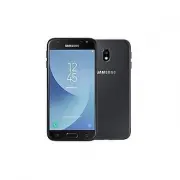
Basics 11 Device layout Touchscreen Flash Front camera Speaker Headset jack Microphone Home key Recents key Multipurpose jack Power key Proximity sensor Speaker Back key Volume key Flash NFC antenna (SM-J330FN model only) Rear camera GPS antenna ► Single SIM models: Memory card tray ► Dual SIM model...
Page 13 - Keys
Basics 13 Keys Key Function Power • Press and hold to turn the device on or off. • Press to turn on or lock the screen. Recents • Tap to open the list of recent apps. Home • Press to turn on the screen while the screen is locked. • Press to return to the Home screen. • Press and hold to launch Googl...
Page 14 - Battery; Charging the battery
Basics 14 Battery Charging the battery Charge the battery before using it for the first time or when it has been unused for extended periods. Use only Samsung-approved chargers, batteries, and cables. Unapproved chargers or cables can cause the battery to explode or damage the device. Connecting the...
Page 15 - Reducing the battery consumption
Basics 15 Reducing the battery consumption Your device provides various options that help you conserve battery power. • Optimise the device using the device care feature. • When you are not using the device, turn off the screen by pressing the Power key. • Activate power saving mode. • Close unneces...
Page 16 - SIM or USIM card; Installing the SIM or USIM card
Basics 16 • If the device receives an unstable power supply while charging, the touchscreen may not function. If this happens, unplug the charger from the device. • While charging, the device and the charger may heat up. This is normal and should not affect the device’s lifespan or performance. If t...
Page 20 - Correct card installation
Basics 20 3 Place the SIM or USIM card on the tray with the gold-coloured contacts facing downwards. 4 Gently press the SIM or USIM card into the tray to secure it. If the card is not fixed firmly into the tray, the SIM card may leave or fall out of the tray. 5 Insert the tray back into the tray slo...
Page 21 - Using dual SIM or USIM cards (dual SIM models); Activating SIM or USIM cards
Basics 21 Using dual SIM or USIM cards (dual SIM models) If you insert two SIM or USIM cards, you can have two phone numbers or service providers for a single device. Activating SIM or USIM cards Launch the Settings app and tap Connections → SIM card manager . Select a SIM or USIM card and tap the s...
Page 22 - Installing a memory card
Basics 22 Memory card (microSD card) Installing a memory card Your device’s memory card capacity may vary from other models and some memory cards may not be compatible with your device depending on the memory card manufacturer and type. To view your device’s maximum memory card capacity, refer to th...
Page 24 - Removing the memory card; Formatting the memory card
Basics 24 3 Place a memory card on the tray with the gold-coloured contacts facing downwards. 4 Gently press the memory card into the tray to secure it. If the card is not fixed firmly into the tray, the memory card may leave or fall out of the tray. 5 Insert the tray back into the tray slot. • If y...
Page 25 - Turning the device on and off; Restarting the device; Activating emergency mode; Deactivating emergency mode
Basics 25 Turning the device on and off Press and hold the Power key for a few seconds to turn on the device.When you turn on your device for the first time or after performing a data reset, follow the on-screen instructions to set up your device.To turn off the device, press and hold the Power key,...
Page 26 - Initial setup
Basics 26 Initial setup When you turn on your device for the first time or after performing a data reset, follow the on-screen instructions to set up your device. The initial setup procedures may vary depending on the device’s software and your region. 1 Turn on the device. 2 Select your preferred d...
Page 27 - Samsung account; Creating a Samsung account
Basics 27 6 Follow the on-screen instructions to proceed the initial setup. 7 Set a screen lock method to protect your device. You can protect your personal information by preventing others from accessing your device. To set the screen lock method later, tap Not now . 8 If the recommended apps scree...
Page 28 - Signing in to your Samsung account
Basics 28 Signing in to your Samsung account If you already have a Samsung account, sign in to your Samsung account. 1 Launch the Settings app and tap Accounts and backup → Accounts → Add account → Samsung account . Alternatively, launch the Settings app and tap . 2 Enter your Samsung account ID and...
Page 29 - Transferring data from your previous device; Transferring data wirelessly
Basics 29 Transferring data from your previous device (Smart Switch) You can use Smart Switch to transfer data from your previous device to your new device.Launch the Settings app and tap Accounts and backup → Smart Switch . • This feature may not be supported on some devices or computers. • Limitat...
Page 30 - Backing up and restoring data using external storage
Basics 30 Backing up and restoring data using external storage Transfer data using external storage, such as a microSD card. 1 Back up data from your previous device to external storage. 2 Insert or connect the external storage device to your device. 3 On your device, launch the Settings app and tap...
Page 31 - Understanding the screen; Controlling the touchscreen; Tapping
Basics 31 Understanding the screen Controlling the touchscreen • Do not allow the touchscreen to come into contact with other electrical devices. Electrostatic discharges can cause the touchscreen to malfunction. • To avoid damaging the touchscreen, do not tap it with anything sharp or apply excessi...
Page 32 - Dragging
Basics 32 Dragging Tap and hold an item and drag it to the target position. Double-tapping Double-tap the screen. Swiping Swipe upwards, downwards, to the left, or to the right. Spreading and pinching Spread two fingers apart or pinch on the screen.
Page 33 - Home screen and Apps screen
Basics 33 Home screen and Apps screen The Home screen is the starting point for accessing all of the device’s features. It displays widgets, shortcuts to apps, and more.The Apps screen displays icons for all apps, including newly installed apps. The screen may appear differently depending on the reg...
Page 34 - Switching between Home and Apps screens
Basics 34 Switching between Home and Apps screens On the Home screen, swipe upwards or downwards to open the Apps screen.To return to the Home screen, swipe upwards or downwards on the Apps screen. Alternatively, press the Home key or tap the Back key. Home screen Apps screen If you add the Apps but...
Page 35 - Display the screen in landscape mode; Moving items
Basics 35 Display the screen in landscape mode On the Home screen, tap and hold an empty area, tap Home screen settings , and then tap the Rotate to landscape mode switch to activate it. Rotate the device until it is horizontal to view the screen in landscape mode. Moving items Tap and hold an item,...
Page 36 - Creating folders
Basics 36 Creating folders Create folders and gather similar apps to quickly access and launch apps.On the Home screen or the Apps screen, tap and hold an app, and then drag it over another app.A new folder containing the selected apps will be created. Tap Enter folder name and enter a folder name. ...
Page 37 - Editing the Home screen
Basics 37 Editing the Home screen On the Home screen, tap and hold an empty area, or pinch your fingers together to access the editing options. You can set the wallpaper, add widgets, and more. You can also add, delete, or rearrange Home screen panels. • Adding panels: Swipe to the left, and then ta...
Page 38 - Displaying all apps on the Home screen; Indicator icons
Basics 38 Displaying all apps on the Home screen Without using a separate Apps screen, you can set the device to display all apps on the Home screen. On the Home screen, tap and hold an empty area, and then tap Home screen settings → Home screen layout → Home screen only → Apply . You can now access...
Page 39 - Lock screen
Basics 39 Icon Meaning Flight mode activatedError occurred or caution requiredBattery chargingBattery power level Lock screen Pressing the Power key turns off the screen and locks it. Also, the screen turns off and automatically locks if the device is not used for a specified period.To unlock the sc...
Page 40 - Changing the screen lock method; Screen capture
Basics 40 Changing the screen lock method To change the screen lock method, launch the Settings app, tap Lock screen → Screen lock type , and then select a method. When you set a pattern, PIN, or password for the screen lock method, you can protect your personal information by preventing others from...
Page 41 - Notification panel
Basics 41 Notification panel When you receive new notifications, such as messages or missed calls, indicator icons appear on the status bar. To see more information about the icons, open the notification panel and view the details.To open the notification panel, drag the status bar downwards. To clo...
Page 42 - Using quick setting buttons
Basics 42 Using quick setting buttons Tap quick setting buttons to activate certain features. Swipe downwards on the notification panel to view more buttons. To change feature settings, tap the text under each button. To view more detailed settings, tap and hold a button.To rearrange buttons, tap → ...
Page 43 - Entering text; Keyboard layout; Changing the input language; Changing the keyboard
Basics 43 Entering text Keyboard layout A keyboard appears automatically when you enter text to send messages, create notes, and more. Text entry is not supported in some languages. To enter text, you must change the input language to one of the supported languages. Break to the next line. Delete a ...
Page 44 - Additional keyboard functions; Copying and pasting
Basics 44 Additional keyboard functions • : Predict words based on your input and show word suggestions. To return to the keyboard functions list, tap . • : Enter emoticons. • : Enter stickers. • : Attach animated GIFs. • : Enter text by voice. • : Change the keyboard settings. • → : Add an item fro...
Page 46 - Installing or uninstalling apps; Galaxy Store; Installing apps
46 Apps and features Installing or uninstalling apps Galaxy Store Purchase and download apps. You can download apps that are specialised for Samsung Galaxy devices.Launch the Galaxy Store app. This app may not be available depending on the region or service provider. Installing apps Browse apps by c...
Page 47 - Managing apps; Uninstalling or disabling apps
Apps and features 47 Managing apps Uninstalling or disabling apps Tap and hold an app and select an option. • Disable : Disable selected default apps that cannot be uninstalled from the device. • Uninstall : Uninstall downloaded apps. Enabling apps Launch the Settings app, tap Apps → → Disabled , se...
Page 48 - Introduction
Apps and features 48 Phone Introduction Make or answer voice and video calls. Making calls 1 Launch the Phone app and tap Keypad . 2 Enter a phone number. 3 Tap to make a voice call, or tap to make a video call. Preview the phone number. Delete a preceding character. Access additional options. Add t...
Page 49 - Making calls from call logs or contacts list
Apps and features 49 Making calls from call logs or contacts list Launch the Phone app, tap Recents or Contacts , and then swipe to the right on a contact or a phone number to make a call.If this feature is deactivated, launch the Settings app, tap Advanced features → Motions and gestures , and then...
Page 50 - Making an international call; Receiving calls; Answering a call
Apps and features 50 Making an international call 1 Launch the Phone app and tap Keypad . 2 Tap and hold 0 until the + sign appears. 3 Enter the country code, area code, and phone number, and then tap . Receiving calls Answering a call When a call comes in, drag outside the large circle. Rejecting a...
Page 51 - Blocking phone numbers; During a voice call
Apps and features 51 Blocking phone numbers Block calls from specific numbers added to your block list. 1 Launch the Phone app and tap → Settings → Block numbers . 2 Tap Recents or Contacts , select contacts or phone numbers, and then tap Done . To manually enter a number, tap Add phone number , ent...
Page 52 - During a video call; Adding a phone number to Contacts; Adding a phone number to Contacts from the keypad
Apps and features 52 During a video call Tap the screen to use the following options: • : Access additional options. • Camera : Turn off the camera so that the other party cannot see you. • Switch : Switch between the front and rear cameras. • : End the current call. • Mute : Turn off the microphone...
Page 53 - Adding a phone number to Contacts from the calls list; Adding a tag to a phone number
Apps and features 53 Adding a phone number to Contacts from the calls list 1 Launch the Phone app and tap Recents . 2 Tap a caller’s image and tap Add , or tap a phone number and tap Add to Contacts . 3 Tap Create contact to create a new contact, or tap Update existing to add the number to an existi...
Page 54 - Adding contacts; Creating a new contact
Apps and features 54 Contacts Introduction Create new contacts or manage contacts on the device. Adding contacts Creating a new contact 1 Launch the Contacts app and tap . 2 Select a storage location and tap Select . 3 Enter contact information. Select a storage location. Add an image. Enter contact...
Page 55 - Importing contacts; Searching for contacts
Apps and features 55 Importing contacts Add contacts by importing them from other storages to your device. 1 Launch the Contacts app and tap → Manage contacts → Import/export contacts → Import . 2 Select a storage location to import contacts from. 3 Tick VCF files or contacts to import and tap Done ...
Page 56 - Sharing contacts
Apps and features 56 Tap the contact. Then take one of the following actions: • : Add to favourite contacts. • / : Make a voice or video call. • : Compose a message. • : Compose an email. Sharing contacts You can share contacts with others by using various sharing options. 1 Launch the Contacts app ...
Page 57 - Creating groups; Sending a group message; Merging duplicate contacts
Apps and features 57 Creating groups You can add groups, such as family or friends, and manage contacts by group. 1 Launch the Contacts app and tap → Groups → Create group . 2 Enter a group name.To set a group ringtone, tap Group ringtone and select a ringtone. 3 Tap Add member , select contacts to ...
Page 58 - Sending messages
Apps and features 58 Messages Introduction Send and view messages by conversation. Sending messages You may incur additional charges for sending messages when you are roaming. 1 Launch the Messages app and tap . 2 Add recipients and enter a message.To record and send a voice message, tap and hold , ...
Page 59 - Viewing messages
Apps and features 59 Viewing messages Messages are grouped into message threads by contact. You may incur additional charges for receiving messages when you are roaming. 1 Launch the Messages app and tap Conversations . 2 On the messages list, select a contact or a phone number. 3 View your conversa...
Page 60 - Setting the message notification; Setting a message reminder; Deleting messages
Apps and features 60 Setting the message notification You can change notification sound, display options, and more. 1 Launch the Messages app, tap → Settings → Notifications , and then tap the switch to activate it. 2 Change the notification settings. Setting a message reminder You can set an alert ...
Page 62 - Using secret mode; Activating secret mode; Changing security settings
Apps and features 62 Using secret mode In secret mode, you can separately manage open tabs, bookmarks, and saved pages. You can lock secret mode using a password. Activating secret mode In the toolbar at the bottom of the screen, tap → Turn on Secret mode . If you are using this feature for the firs...
Page 63 - Email; Setting up email accounts
Apps and features 63 Email Setting up email accounts Set up an email account when opening Email for the first time. 1 Launch the Email app. 2 On the list, select an email service or tap Other . 3 Follow the on-screen instructions to complete the setup. To set up another email account, tap → → Add ac...
Page 64 - Launching Camera; Taking photos
Apps and features 64 Camera Introduction Take photos and record videos using various modes and settings. Camera etiquette • Do not take photos or record videos of other people without their permission. • Do not take photos or record videos where legally prohibited. • Do not take photos or record vid...
Page 66 - Photo mode; Taking selfies; Applying filter and beauty effects
Apps and features 66 Photo mode The camera adjusts the shooting options automatically depending on the surroundings to capture photos easily.On the shooting modes list, tap Photo and tap to take a photo. Taking selfies You can take self-portraits with the front camera. 1 On the shooting modes list, ...
Page 67 - Video mode; Changing the screen ratio for a video
Apps and features 67 Locking the focus (AF) and exposure (AE) You can lock the focus or exposure on a selected area to prevent the camera from automatically adjusting based on changes to the subjects or light sources.Tap and hold the area to focus, the AF/AE frame will appear on the area and the foc...
Page 68 - Using shooting modes; Pro mode; Available options
Apps and features 68 Using shooting modes To change the shooting mode, drag the shooting modes list to the left or right, or swipe to the left or right on the preview screen.Select a shooting mode you want. Shooting modes list Pro mode Capture photos while manually adjusting various shooting options...
Page 69 - Panorama mode; Night mode
Apps and features 69 Panorama mode Using panorama mode, take a series of photos and then stitch them together to create a wide scene. To get the best shots using panorama mode, follow these tips: • Move the camera slowly in one direction. • Keep the image within the frame on the camera’s viewfinder....
Page 70 - HDR mode; Continuous shot mode; Sports mode
Apps and features 70 HDR mode Take photos with rich colours and reproduce details even in bright and dark areas.On the shooting modes list, tap HDR . Without effect With effect Continuous shot mode Take a series of photos of moving subjects.On the shooting modes list, tap Continuous shot . Tap and h...
Page 71 - Wide selfie mode
Apps and features 71 Wide selfie mode Take a wide self-portrait and include as many people in the photo as possible to avoid leaving people out. 1 On the preview screen, swipe upwards or downwards, or tap to switch to the front camera for self-portraits. 2 On the shooting modes list, tap Wide selfie...
Page 72 - Customising camera settings; Options for current shooting mode; Camera settings
Apps and features 72 Customising camera settings Options for current shooting mode On the preview screen, use the following options. The available options may vary depending on the shooting mode. • : Activate or deactivate the flash. Do not use the flash close to your eyes. Using a flash close to th...
Page 75 - Searching for images; Viewing videos
Apps and features 75 Searching for images Launch the Gallery app and tap to view images sorted by category, such as types, locations, or documents.To search for images by entering keywords, tap the search field. Viewing videos 1 Launch the Gallery app and tap Pictures . 2 Select a video to play. 3 T...
Page 76 - Viewing the details of images and videos; Hiding albums
Apps and features 76 Viewing the details of images and videos You can view file details, such as people, location, and basic information. If there is auto created content, such as a story or a GIF, the content will also be displayed.While viewing an image or on the video preview screen, drag upwards...
Page 77 - Viewing stories; Creating stories; Syncing images and videos
Apps and features 77 Viewing stories When you capture or save images and videos, the device will read their date and location tags, sort the images and videos, and then create stories. To create stories automatically, you must capture or save multiple images and videos.Launch the Gallery app, tap St...
Page 78 - Deleting images or videos; Multi window; Split screen view
Apps and features 78 Deleting images or videos 1 Launch the Gallery app. 2 Select an image or a video to delete.To delete multiple files, tap and hold a file to delete on the list and tick more files to delete. 3 Tap or Delete . Multi window Introduction Multi window lets you run two apps at the sam...
Page 79 - Adjusting the window size
Apps and features 79 3 On the lower window, swipe left or right to select another app to launch.To launch apps not on the list of recently used apps, press the Home key or tap the Back key and select an app. Adjusting the window size Drag the bar between the app windows up or down to adjust the size...
Page 81 - Together
Apps and features 81 Together Together allows you to set up step count goals and compete with your friends. You can invite friends to walk together, set target step counts, compete in challenges, and view your ranking.On the Samsung Health home screen, tap Together . Steps The device counts the numb...
Page 82 - Additional information
Apps and features 82 Additional information • Samsung Health is intended for fitness and wellness purposes only and is not intended for use in the diagnosis of disease or other conditions, or in the cure, mitigation, treatment, or prevention of disease. • The available functions, features and addabl...
Page 83 - Samsung Notes
Apps and features 83 Samsung Members Samsung Members offers support services to customers, such as device problem diagnosis, and lets users submit questions and error reports. You can also share information with others in the Galaxy users’ community or view the latest Galaxy news and tips. Samsung M...
Page 84 - Deleting notes; Creating events
Apps and features 84 Deleting notes 1 Launch the Samsung Notes app. 2 Tap and hold a note to delete.To delete multiple notes, tick more notes to delete. 3 Tap Delete . Calendar Manage your schedule by entering upcoming events or reminders in your planner. Creating events 1 Launch the Calendar app an...
Page 85 - Syncing events with your accounts
Apps and features 85 Syncing events with your accounts 1 Launch the Settings app, tap Accounts and backup → Accounts , and then select the account to sync with. 2 Tap Sync account and tap the Calendar switch to activate it. For the Samsung account, tap → Sync settings and tap the Calendar switch to ...
Page 86 - Listening to the FM radio; Playing through the speaker
Apps and features 86 Radio Listening to the FM radio Launch the Radio app. Before you use this app, you must connect an earphone, which serves as the radio antenna. The FM radio scans and saves available stations automatically when running for the first time. Select the radio station you want from t...
Page 87 - Scanning radio stations
Apps and features 87 Scanning radio stations Launch the Radio app. Tap Scan . The FM radio scans and saves available stations automatically. Select the radio station you want from the stations list. Voice Recorder Introduction Use this app to record or play voice memos. Making voice recordings 1 Lau...
Page 88 - Setting alarms
Apps and features 88 3 Tap to finish recording. 4 Enter a file name and tap Save . My Files Access and manage various files stored in the device.Launch the My Files app. View files that are stored in each storage.To check for unnecessary data and free up the device’s storage, tap → Storage analysis ...
Page 89 - Stopping alarms; World Clock; Creating clocks; Stopwatch
Apps and features 89 Stopping alarms Tap Dismiss to stop an alarm. If you have previously enabled the snooze option, tap Snooze to repeat the alarm after a specified length of time. Deleting alarms Tap and hold an alarm, tick alarms to delete, and then tap Delete . World Clock Launch the Clock app a...
Page 90 - Timer; Calculator
Apps and features 90 Timer 1 Launch the Clock app and tap Timer . To add a frequently used timer, tap , set the duration and name, and then tap Add . 2 Set the duration and tap Start . To open the keypad to enter the duration, tap the duration input field. 3 Tap Dismiss when the timer goes off. Calc...
Page 91 - Game Launcher
Apps and features 91 Game Launcher Introduction Game Launcher gathers your games downloaded from Play Store and Galaxy Store into one place for easy access. You can set the device to game mode to play games more easily. View your gameplay information. Downloaded apps Open games with or without sound...
Page 92 - Using Game Launcher; Removing a game from Game Launcher; Changing the performance mode
Apps and features 92 Using Game Launcher 1 Launch the Game Launcher app. If Game Launcher does not appear, launch the Settings app, tap Advanced features , and then tap the Game Launcher switch to activate it. 2 Tap a game from the games list.To find more games, drag the screen upwards. Games downlo...
Page 93 - Using Game Tools
Apps and features 93 Using Game Tools You can set the Game Tools icon to be displayed as a floating icon on game screens.While playing a game, tap to display the game tools.To move the icon, tap and drag it to a new location. • If Game Tools panel does not appear, launch the Settings app, tap Advanc...
Page 94 - Sharing content
Apps and features 94 Sharing content Share content by using various sharing options. The following actions are an example of sharing images. You may incur additional charges when sharing files via the mobile network. 1 Launch the Gallery app and select an image. 2 Tap and select a sharing method, su...
Page 95 - Using additional feature; Google apps; Chrome; Gmail; Maps
Apps and features 95 Using additional feature • Share large files : Share large files. Upload files to the Samsung storage server and share them with others via a Web link. To use this feature, your phone number must be verified. When the image is sent to the recipients’ devices, a notification will...
Page 97 - Options
97 Settings Introduction Customise device settings. You can make your device more personalised by configuring various setting options.Launch the Settings app. To search for settings by entering keywords, tap . Connections Options Change settings for various connections, such as the Wi-Fi feature and...
Page 98 - Connecting to a Wi-Fi network
Settings 98 • Mobile networks : Configure your mobile network settings. • Data usage : Keep track of your data usage amount and customise the settings for the limitation. Set the device to automatically disable the mobile data connection when the amount of mobile data you have used reaches your spec...
Page 99 - Sending and receiving data; Ending the device connection
Settings 99 Wi-Fi Direct Wi-Fi Direct connects devices directly via a Wi-Fi network without requiring an access point. 1 On the Settings screen, tap Connections → Wi-Fi and tap the switch to activate it. 2 Tap Wi-Fi Direct . The detected devices are listed.If the device you want to connect to is not...
Page 100 - Pairing with other Bluetooth devices
Settings 100 Bluetooth Use Bluetooth to exchange data or media files with other Bluetooth-enabled devices. • Samsung is not responsible for the loss, interception, or misuse of data sent or received via Bluetooth. • Always ensure that you share and receive data with devices that are trusted and prop...
Page 101 - Unpairing Bluetooth devices
Settings 101 Sending and receiving data Many apps support data transfer via Bluetooth. You can share data, such as contacts or media files, with other Bluetooth devices. The following actions are an example of sending an image to another device. 1 Launch the Gallery app and select an image. 2 Tap → ...
Page 102 - Reading information from NFC tags
Settings 102 NFC and payment (NFC-enabled models) Your device allows you to read near field communication (NFC) tags that contain information about products. You can also use this feature to make payments and buy tickets for transportation or events after downloading the required apps. The device co...
Page 103 - Making payments with the NFC feature
Settings 103 Making payments with the NFC feature Before you can use the NFC feature to make payments, you must register for the mobile payment service. To register or get more information about the service, contact your service provider. 1 On the Settings screen, tap Connections and tap the NFC and...
Page 104 - Data saver
Settings 104 Data saver Reduce your data usage by preventing some apps running in the background from sending or receiving data.On the Settings screen, tap Connections → Data usage → Data saver and tap the switch to activate it.When the data saver feature is activated, the icon will appear on the st...
Page 105 - Mobile Hotspot and Tethering
Settings 105 SIM card manager (dual SIM models) Activate your SIM or USIM cards and customise the SIM card settings. Refer to Using dual SIM or USIM cards (dual SIM models) for more information. On the Settings screen, tap Connections → SIM card manager . • Calls : Select a SIM or USIM card for voic...
Page 106 - Using the mobile hotspot; More connection settings
Settings 106 Using the mobile hotspot Use your device as a mobile hotspot to share your device’s mobile data connection with other devices. 1 On the Settings screen, tap Connections → Mobile Hotspot and Tethering → Mobile Hotspot . 2 Tap the switch to activate it.The icon appears on the status bar. ...
Page 107 - Adding printer plug-ins
Settings 107 Printing Configure settings for printer plug-ins installed on the device. You can connect the device to a printer via Wi-Fi or Wi-Fi Direct, and print images or documents. Some printers may not be compatible with the device. Adding printer plug-ins Add printer plug-ins for printers you ...
Page 108 - Sounds and vibration
Settings 108 Sounds and vibration Change settings for various sounds on the device.On the Settings screen, tap Sounds and vibration . • Sound mode : Set the device to use sound mode, vibration mode, or silent mode. • Vibrate while ringing : Set the device to vibrate and play a ringtone for incoming ...
Page 109 - Display
Settings 109 Display Options Change the display and the Home screen settings.On the Settings screen, tap Display . • Brightness : Adjust the brightness of the display. • Outdoor mode : Activate outdoor mode to make the display easier to see in bright conditions. • Night mode : Reduce eye strain by a...
Page 110 - Screensaver; Wallpapers and themes
Settings 110 Screensaver You can set to display images as a screensaver when the screen turns off automatically. The screensaver will be displayed when the device is charging. 1 On the Settings screen, tap Display → Screensaver and tap the switch to activate it. 2 Select an option.If you select Phot...
Page 112 - Security
Settings 112 Smart Lock You can set the device to unlock itself and remain unlocked when trusted locations or devices are detected.For example, if you have set your home as a trusted location, when you get home your device will detect the location and automatically unlock itself. • This feature will...
Page 114 - Secure Folder
Settings 114 Secure Folder Secure Folder protects your private content and apps, such as photos and contacts, from being accessed by others. You can keep your private content and apps secure even when the device is unlocked. Secure Folder is a separate, secured storage area. The data in Secure Folde...
Page 115 - Setting up Secure Folder
Settings 115 Setting up Secure Folder 1 Launch the Settings app and tap Security → Secure Folder . 2 Tap Agree . 3 Enter your Samsung account ID and password and tap Sign in . 4 Select a lock method to use for Secure Folder and follow the on-screen instructions to complete the setup.To change the na...
Page 116 - Moving content to Secure Folder
Settings 116 Moving content to Secure Folder Move content, such as photos and contacts, to Secure Folder. The following actions are an example of moving an image from the default storage to Secure Folder. 1 Launch the Secure Folder app and tap Add files . 2 Tap Images , tick images to move, and then...
Page 117 - Adding apps; Removing apps from Secure Folder; Adding accounts
Settings 117 Adding apps Add an app to use in Secure Folder. 1 Launch the Secure Folder app and tap Add apps . 2 Tick one or more apps installed on the device and tap Add . To install apps from Play Store or Galaxy Store , tap Download from Play Store or Download from Galaxy Store . Removing apps fr...
Page 118 - Backing up and restoring Secure Folder; Backing up data
Settings 118 Backing up and restoring Secure Folder Back up content and apps in Secure Folder to Samsung Cloud using your Samsung account and restore them later. Backing up data 1 Launch the Secure Folder app and tap → Settings → Backup and restore . 2 Tap Add account and sign in to your Samsung acc...
Page 119 - Uninstalling Secure Folder
Settings 119 Uninstalling Secure Folder You can uninstall Secure Folder, including the content and apps in it.Launch the Secure Folder app and tap → Settings → More settings → Uninstall . To back up content before uninstalling Secure Folder, tick Move media files out of Secure Folder and tap Uninsta...
Page 120 - Syncing data
Settings 120 Samsung Cloud Sync the data saved in your device, such as images and videos, with Samsung Cloud and view the data you have saved on Samsung Cloud. You can also back up your device’s data to Samsung Cloud and restore it later. To use Samsung Cloud, you must sign in to your Samsung accoun...
Page 121 - Restoring data; Google
Settings 121 3 Tap Done . • Some data will not be backed up. To check which data will be backed up, on the Settings screen, tap Accounts and backup → Samsung Cloud → Back up this phone . • To view the backup data for other devices in your Samsung Cloud, on the Settings screen, tap Accounts and backu...
Page 122 - Advanced features; Motions and gestures
Settings 122 Advanced features Options Activate advanced features and change the settings that control them.On the Settings screen, tap Advanced features . Excessive shaking or an impact to the device may cause an unintended input for some features using sensors. • Direct share : Set the device to d...
Page 123 - Dual Messenger
Settings 123 • One-handed mode : Activate one-handed operation mode for your convenience when using the device with one hand. • Swipe to call or send messages : Set the device to make a call or send a message when you swipe to the right or left on a contact or a phone number in the Phone or Contacts...
Page 124 - Uninstalling a second app; Device care
Settings 124 Uninstalling a second app 1 On the Settings screen, tap Advanced features → Dual Messenger . 2 Tap the switch of the app you want to uninstall and tap Disable or Uninstall . All data related to the second app will be deleted. If you uninstall the first app, the second app will also be d...
Page 125 - Optimising your device; Power mode
Settings 125 Optimising your device On the Settings screen, tap Device care → Optimise now . The quick optimisation feature improves device performance through the following actions. • Clearing some memory. • Deleting unnecessary files and closing apps running in the background. • Managing abnormal ...
Page 126 - Storage; Managing the memory; Memory; Apps
Settings 126 Storage Check the status of the used and available memory.On the Settings screen, tap Device care → Storage . • The actual available capacity of the internal memory is less than the specified capacity because the operating system and default apps occupy part of the memory. The available...
Page 127 - General management; Adding device languages
Settings 127 General management Customise your device’s system settings or reset the device.On the Settings screen, tap General management . • Language and input : Select device languages and change settings, such as keyboards and voice input types. Some options may not be available depending on the...
Page 128 - Accessibility; Security updates information
Settings 128 Accessibility Configure various settings to improve accessibility to the device.On the Settings screen, tap Accessibility . • Screen reader : Activate Voice Assistant, which provides voice feedback. To view help information to learn how to use this feature, tap Tutorial . • Visibility e...
Page 129 - User manual
Settings 129 User manual View help information to learn how to use the device and apps or configure important settings.On the Settings screen, tap User manual . About phone Access your device’s information.On the Settings screen, tap About phone . To change your device’s name, tap Edit . • Status : ...
Page 130 - Troubleshooting; When you turn on your device or while you are using the device, it
130 Appendix Troubleshooting Before contacting a Samsung Service Centre, please attempt the following solutions. Some situations may not apply to your device. When you turn on your device or while you are using the device, it prompts you to enter one of the following codes: • Password: When the devi...
Page 131 - The touchscreen responds slowly or improperly; Your device freezes or encounters a fatal error
Appendix 131 The touchscreen responds slowly or improperly • If you attach a screen protector or optional accessories to the touchscreen, the touchscreen may not function properly. • If you are wearing gloves, if your hands are not clean while touching the touchscreen, or if you tap the screen with ...
Page 132 - Calls are not connected; Others cannot hear you speaking on a call; Sound echoes during a call
Appendix 132 Calls are not connected • Ensure that you have accessed the right cellular network. • Ensure that you have not set call barring for the phone number you are dialling. • Ensure that you have not set call barring for the incoming phone number. Others cannot hear you speaking on a call • E...
Page 133 - The battery does not charge properly (For Samsung-approved; The battery depletes faster than when first purchased
Appendix 133 The battery does not charge properly (For Samsung-approved chargers) • Ensure that the charger is connected properly. • Visit a Samsung Service Centre and have the battery replaced. The battery depletes faster than when first purchased • When you expose the device or the battery to very...
Page 134 - Error messages appear when opening multimedia files
Appendix 134 Error messages appear when opening multimedia files If you receive error messages or multimedia files do not play when you open them on your device, try the following: • Free some memory by transferring files to a computer or deleting files from your device. • Ensure that the music file...
Page 136 - The screen brightness adjustment bar does not appear on the; Removing the battery
Appendix 136 The screen brightness adjustment bar does not appear on the notification panel Open the notification panel by dragging the status bar downwards, and then drag the notification panel downwards. Tap next to the brightness adjustment bar and tap the Show control on top switch to activate i...


 Samsung Galaxy Ace 4 User Manual
 Samsung Galaxy Alpha User Manual
 Samsung Galaxy Core Prime User Manual
 Samsung Galaxy Fold 5G User Manual
 Samsung Galaxy J1 User Manual
 Samsung Galaxy J3 (2016) User Manual
 Samsung Galaxy J4+ User Manual
 Samsung Galaxy J5 User Manual
 Samsung Galaxy J5 (2016) User Manual
 Samsung Galaxy J5 (2017) User Manual
 Samsung Galaxy J6 User Manual
 Samsung Galaxy J6+ User Manual