Page 2 - Table of Contents; Basics; Apps and features
2 Table of Contents Basics 4 Read me first 5 Package contents 6 Device layout 8 Battery13 SIM or USIM card17 Memory card (microSD card)18 Turning the device on and off19 Touchscreen22 Home screen28 Lock screen29 Notification panel31 Entering text32 Screen capture33 Opening apps33 Samsung account35 T...
Page 3 - Appendix
Table of Contents 3 92 Easy mode92 Accessibility93 Accounts94 Backup and reset94 Language and input95 Battery95 Storage95 Accessories96 Date and time96 User manual96 About device Appendix 97 Troubleshooting Settings 75 Introduction75 Wi-Fi77 Bluetooth78 Flight mode79 Mobile hotspot and tethering80 D...
Page 6 - Instructional icons; Warning; Caution; Device overheating situations and solutions; When the device heats up while charging the battery; Do the following when the device heats up:
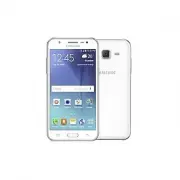
Basics 6 Device layout Headset jack Back key Front camera Proximity/Light (SM-J500) sensor Speaker Power key Multipurpose jack Touchscreen Recents key Microphone Home key Flash Main antenna NFC antenna (NFC-enabled models) Loud speaker Volume key Rear camera Back cover GPS antenna (SM-J700) GPS ante...
Page 7 - When the device heats up during use
Basics 7 • Connectivity problems and battery drain may occur in the following situations: – If you attach metallic stickers on the antenna area of the device – If you attach a device cover made with metallic material to the device – If you cover the device’s antenna area with your hands or other obj...
Page 8 - Device limitations when the device overheats
Basics 8 Battery Installing the battery 1 Remove the back cover. Be careful not to damage your fingernails when you remove the back cover. Do not bend or twist the back cover excessively. Doing so may damage the cover. 2 Insert the battery with the battery’s gold-coloured contacts properly aligned w...
Page 9 - Precautions for operating environment
Basics 9 3 Replace the back cover. Removing the battery 1 Remove the back cover. 2 Pull out the battery.
Page 10 - Device layout and functions; Package contents
Basics 10 Charging the battery Charge the battery before using it for the first time or when it has been unused for extended periods. Use only Samsung-approved chargers, batteries, and cables. Unapproved chargers or cables can cause the battery to explode or damage the device. 1 Connect the USB cabl...
Page 11 - Device layout
Basics 11 3 After fully charging, disconnect the device from the charger. First unplug the charger from the device, and then unplug it from the electric socket. Do not remove the battery before removing the charger. This may damage the device. To save energy, unplug the charger when not in use. The ...
Page 14 - Hard keys; Key; Volume; Soft buttons
Basics 14 2 ► Single SIM models : Insert the SIM or USIM card with the gold-coloured contacts facing downwards. ► Dual SIM models : Insert the SIM or USIM card with the gold-coloured contacts facing downwards.Insert the primary SIM or USIM card into SIM card slot 1 ( 1 ) and the secondary SIM or USI...
Page 15 - Battery; Charging the battery
Basics 15 Removing the SIM or USIM card 1 Remove the back cover and battery. 2 Pull out the SIM or USIM card. ► Single SIM models : ► Dual SIM models :
Page 16 - Reducing the battery consumption; Battery charging tips and precautions
Basics 16 Using dual SIM or USIM cards (dual SIM models) If you insert two SIM or USIM cards, you can have two phone numbers or service providers for a single device. Activating SIM or USIM cards On the Home screen, tap Apps → Settings → SIM card manager . Select a SIM or USIM card and tap the switc...
Page 17 - Installing the SIM or USIM card
Basics 17 Memory card (microSD card) Installing a memory card Your device accepts memory cards with maximum capacities of 128 GB. Depending on the memory card manufacturer and type, some memory cards may not be compatible with your device. • Some memory cards may not be fully compatible with the dev...
Page 18 - Single SIM models
Basics 18 Removing the memory card Before removing the memory card, first unmount it for safe removal.On the Home screen, tap Apps → Settings → Storage → SD card → Unmount . 1 Remove the back cover and battery. 2 Pull out the memory card. 3 Replace the battery and back cover. Do not remove the memor...
Page 19 - Dual SIM models
Basics 19 Touchscreen • Do not allow the touchscreen to come into contact with other electrical devices. Electrostatic discharges can cause the touchscreen to malfunction. • To avoid damaging the touchscreen, do not tap it with anything sharp or apply excessive pressure to it with your fingertips. •...
Page 20 - SIM card tray 2
Basics 20 Dragging To move an item, tap and hold it and drag it to the target position. Double-tapping Double-tap on a webpage or image to zoom in. Double-tap again to return.
Page 21 - Correct card installation
Basics 21 Swiping Swipe to the left or right on the Home screen or the Apps screen to view other panels. Swipe upwards or downwards to scroll through a webpage or a list of items, such as contacts. Spreading and pinching Spread two fingers apart on a webpage, map, or image to zoom in a part. Pinch t...
Page 22 - Removing the SIM or USIM card; Activating SIM or USIM cards
Basics 22 Home screen Home screen The Home screen is the starting point for accessing all of the device’s features. It displays widgets, shortcuts to apps, and more.To view other panels, swipe to the left or right, or tap one of the screen indicators at the bottom of the screen. The Home screen may ...
Page 23 - Installing a memory card; My Files
Basics 23 • Widgets : Add widgets to the Home screen. Widgets are small apps that launch specific app functions to provide information and convenient access on your Home screen. • Themes : Change the device’s theme. Visual elements of interface, such as colours, icons, and wallpapers, will change de...
Page 25 - Removing the memory card
Basics 25 Managing panels On the Home screen, tap and hold an empty area to add, move, or remove a panel.To add a panel, swipe to the left, and then tap .To move a panel, tap and hold a panel preview, and then drag it to a new location.To remove a panel, tap and hold a panel preview, and then drag i...
Page 26 - Formatting the memory card
Basics 26 3 Drop the app when a folder frame appears around the apps.A new folder containing the selected apps will be created. 4 Tap Enter folder name and enter a folder name. To change the folder colour, tap . To add more apps to the folder, tap , tick the apps, and then tap ADD . You can also add...
Page 27 - Turning the device on and off; Power off; Restarting the device; Restart
Basics 27 Indicator icons Indicator icons appear on the status bar at the top of the screen. The icons listed in the table below are most common. The status bar may not appear at the top of the screen in some apps. To display the status bar, drag down from the top of the screen. Icon Meaning No sign...
Page 28 - Activating emergency mode; Emergency mode; Deactivating emergency mode; Turn off Emergency mode; Emergency mode; Initial setup
Basics 28 Lock screen Pressing the Power key turns off the screen and locks it. Also, the screen turns off and automatically locks if the device is not used for a specified period.The screen is locked with Swipe , the default screen lock method. Press the Power key or the Home key and swipe in any d...
Page 29 - Next
Basics 29 Notification panel Using the notification panel When you receive new notifications, such as messages or missed calls, indicator icons appear on the status bar. To see more information about the icons, open the notification panel and view the details.To open the notification panel, drag the...
Page 30 - Introduction; Registering a new Samsung account
Basics 30 ► Dual SIM models : View more quick setting buttons. Launch Settings . Tap a notification and perform various actions. Access the notification settings. Clear all notifications. Maximise brightness for better visibility in bright conditions. Quick setting buttons Adjust the brightness. SIM...
Page 31 - Registering an existing Samsung account; Removing your Samsung account
Basics 31 Setting search categories You can set search categories to search for content in specific search fields.Tap MORE → Select search locations and select categories. Entering text Keyboard layout A keyboard appears automatically when you enter text to send messages, create memos, and more. Tex...
Page 32 - Transferring data from your previous device; Transferring data wirelessly via Wi-Fi Direct
Basics 32 Additional keyboard functions Tap and hold to use various functions. Other icons may appear instead of the icon depending on the last function that was used. • : Enter text by voice. Start or pause entering text by voice. • : Enter emoticons. • : Change the keyboard settings. Copying and p...
Page 33 - Transferring data using external storage; Settings; Transferring backup data from a computer
Basics 33 Opening apps On the Home screen or the Apps screen, select an app icon to open it.To open an app from the list of recently used apps, tap and select a recent app window. Closing an app Tap and drag a recent app window to the left or right to close it. To close all running apps, tap CLOSE A...
Page 34 - Viewing imported data; Understanding the screen; Controlling the touchscreen
Basics 34 Registering an existing Samsung account If you already have a Samsung account, register it to the device. 1 On the Apps screen, tap Settings → Accounts → Add account . 2 Tap Samsung account . 3 Enter your email address and password, and then tap SIGN IN . If you forget your account informa...
Page 35 - Tapping
Basics 35 Transferring data from your previous device You can transfer data from a previous device to your device via Samsung Smart Switch.The following versions of Samsung Smart Switch are available. • Mobile version: Transfer data between mobile devices. You can download the app from Galaxy Apps o...
Page 36 - Swiping
Basics 36 Transferring backup data from a computer Back up data from your previous device to a computer and import the data to your device. 1 On the computer, visit www.samsung.com/smartswitch to download Smart Switch. 2 On the computer, launch Smart Switch. If your previous device is not a Samsung ...
Page 38 - Hiding the navigation bar
Basics 38 Updating the device The device can be updated to the latest software. Updating over the air The device can be directly updated to the latest software by the firmware over-the-air (FOTA) service.On the Apps screen, tap Settings → About device → Download updates manually . When you tap the D...
Page 39 - Home screen and Apps screen
Basics 39 Backing up and restoring data Keep your personal information, app data, and settings safe on your device. You can back up your sensitive information to a backup account and access it later. You must sign in to your Google or Samsung account to back up or restore data. Refer to Samsung acco...
Page 40 - Switching between Home and Apps screens; Home screen settings
Basics 40 Sharing features Share content by using various sharing options. The following actions are an example of sharing images. You may incur additional charges when sharing files via the mobile network. 1 Tap Gallery on the Apps screen. 2 Select an image. 3 Tap Share and select a sharing method,...
Page 41 - Display the screen in landscape mode; Rotate to landscape mode; Moving items
Basics 41 Emergency mode Emergency mode changes the screen to grey tones to reduce battery consumption. Some apps and functions will be restricted. In emergency mode, you can make an emergency call, send your current location information to others, sound an emergency alarm, and more.Press and hold t...
Page 42 - Creating folders
42 Applications Installing or uninstalling apps Galaxy Apps Purchase and download apps. You can download apps that are specialised for Samsung Galaxy devices.Tap Galaxy Apps on the Apps screen. This app may not be available depending on the region or service provider. Installing apps Browse apps by ...
Page 43 - Editing the Home screen; Wallpapers; Widgets
Applications 43 Managing apps Uninstalling or disabling apps On the Apps screen, tap EDIT . The icon appears on the apps that you can disable or uninstall. Select an app and tap DISABLE or OK . Alternatively, on the Apps screen, tap Settings → Applications → Application manager , select an app, and ...
Page 44 - Displaying all apps on the Home screen; Indicator icons
Applications 44 Phone Introduction Make or answer voice and video calls. Making calls 1 Tap Phone on the Apps screen. 2 Enter a phone number.If the keypad does not appear on the screen, tap to open the keypad. 3 ► Single SIM models : Tap to make a voice call, or tap to make a video call. Add the num...
Page 45 - Icon; Lock screen
Applications 45 ► Dual SIM models : Tap or to make a voice call, or tap to make a video call. Add the number to the contacts list. Preview the phone number. Hide the keypad. Delete a preceding character. Access additional options. Using speed dial Set speed dial numbers to quickly make calls.To set ...
Page 46 - Changing the screen lock method; Screen capture
Applications 46 Making calls from the locked screen On the locked screen, drag outside the large circle. Making calls from call logs or contacts list Tap LOG or CONTACTS , and then swipe to the right on a contact or a phone number to make a call. Making an international call 1 Tap to open the keypad...
Page 47 - Notification panel
Applications 47 Blocking phone numbers Block calls from specific numbers added to your block list. 1 On the Apps screen, tap Phone → MORE → Settings → Block numbers / Block list . 2 Tap LOG or CONTACTS to select contacts and tap . To manually enter a number, tap Enter phone number , and then enter a...
Page 48 - Using quick setting buttons; Button order
Applications 48 • Message : Send a message. • Internet : Browse webpages. • Contacts : Open the contacts list. • S Planner : Open the calendar. • Memo : Create a memo. • : End the current call. During a video call Tap the screen to use the following options: • MORE : Access additional options. • Swi...
Page 49 - Entering text; Keyboard layout; Changing the input language; Languages and types
Applications 49 3 Enter contact information. • : Add an image. • / : Add or delete a contact field. 4 Tap SAVE . To add a phone number to the contacts list from the keypad, open the Apps screen and tap Phone . If the keypad does not appear on the screen, tap to open the keypad. Enter the number and ...
Page 50 - Changing the keyboard; Additional keyboard functions
Applications 50 Sharing profile Share your profile information, such as your photo and status message, with others using the profile sharing feature. • This feature may not be available depending on the region or service provider. • This feature is only available for contacts who have activated the ...
Page 51 - Copying and pasting
Applications 51 Sending messages You may incur additional charges for sending messages when you are roaming. 1 Tap Messages on the Apps screen. 2 Tap . 3 Add recipients and enter a message. ► Single SIM models : Access additional options. Enter a message. Select contacts from the contacts list. Ente...
Page 52 - Installing or uninstalling apps; Galaxy Store; Installing apps
Applications 52 Viewing messages Messages are grouped into message threads by contact. You may incur additional charges for receiving messages when you are roaming. 1 Tap Messages on the Apps screen. 2 On the messages list, select a contact. 3 View your conversation. Blocking unwanted messages Block...
Page 53 - Managing apps; Uninstalling or disabling apps
Applications 53 3 Change the notification settings. • Notification sound : Change the notification sound. • Vibrate : Set the device to vibrate when you receive messages. • Pop-up display : Set the device to display messages in pop-up windows. • Preview message : Set the device to display message co...
Page 54 - Phone
Applications 54 To view the toolbars, drag your finger downwards slightly on the screen. Open the homepage. Move to the previously visited page. Open the browser's tab manager. Access additional options. Refresh the current webpage. View your bookmarks, saved webpages, and recent browsing history. U...
Page 55 - Making calls from call logs or contacts list
Applications 55 Email Setting up email accounts Set up an email account when opening Email for the first time. 1 Tap Email on the Apps screen. 2 Enter the email address and password, and then tap SIGN IN . To manually register a company email account, tap MANUAL SETUP . 3 Follow the on-screen instru...
Page 56 - Receiving calls; Answering a call; Blocking phone numbers
Applications 56 Camera Introduction Take photos and record videos using various modes and settings. Basic shooting You can take photos or record videos. View your photos and videos in Gallery . Tap Camera on the Apps screen. Camera etiquette • Do not take photos or record videos of other people with...
Page 57 - Options during calls; During a voice call
Applications 57 Camera settings Hide or show the setting icons. Quick settings Record a video. Take a photo. Switch between the front and rear cameras. Shooting modes Preview thumbnail Current mode On the preview screen, swipe to the right to access the list of shooting modes. Or, swipe to the left ...
Page 58 - Adding a phone number to Contact; Adding a phone number to Contacts from the keypad; Adding a tag to a phone number
Applications 58 Launching Camera quickly Press the Home key twice quickly to launch Camera . Some camera features are not available when you launch Camera from the locked screen or when the screen is turned off while the security features are activated. Locking the focus and exposure Strong light/da...
Page 59 - Adding contacts; Creating a new contact; Contacts; Select; Save
Applications 59 Pro mode Take photos while manually adjusting various shooting options, such as exposure value and ISO value.On the preview screen, tap MODE → Pro . Select options and customise the settings, and then tap to take a photo. • : Select an appropriate white balance, so images have a true...
Page 60 - Importing contacts; Searching for contacts
Applications 60 Sound & shot Take a photo with sound. The device identifies the photos with in Gallery . On the preview screen, tap MODE → Sound & shot . Sports Take a photo of fast-moving subjects.On the preview screen, tap MODE → Sports . Selfie Take self-portraits with the front camera. Y...
Page 61 - Sharing contacts
Applications 61 Wide selfie Take a wide self-portrait to include more people in the photo and avoid leaving people out. 1 On the preview screen, tap to switch to the front camera for self-portraits. 2 Tap MODE → Wide selfie . 3 Face the front camera lens. 4 When the device detects your face, tap the...
Page 62 - Creating groups; Sending a group message; Merging duplicate contacts
Applications 62 Interval shot Take series of self-portraits at an interval and save photos you want. 1 On the preview screen, tap to switch to the front camera for self-portraits. 2 Tap MODE → Interval shot . 3 Face the front camera lens. 4 When the device detects your face, tap the screen to take a...
Page 63 - Sending messages; Messages
Applications 63 • : Select a resolution for photos. Using a higher resolution will result in higher quality photos, but they will take up more memory. • This feature may not be supported by some devices. • The resolution of a photo may be affected by lighting conditions. • : Set the device to record...
Page 64 - Viewing messages
Applications 64 Gallery Introduction View and manage photos and videos stored in the device. Viewing images 1 Tap Gallery on the Apps screen. 2 Select an image. Access additional options. Add the image to favourites. Move to the previous screen. Share the image with others. Delete the image. Modify ...
Page 65 - Setting the message notification; Setting a message reminder; Deleting messages
Applications 65 Viewing videos 1 Tap Gallery on the Apps screen. 2 Select a video to play. Video files show the icon on the preview thumbnail. Change screen ratio. Rewind or fast-forward by dragging the bar. Skip to the previous video. Tap and hold to rewind. Skip to the next video. Tap and hold to ...
Page 66 - Internet; Go
Applications 66 Sharing event albums View photos and videos by time and location. You can share event albums with your contacts. This feature may not be supported by some devices. 1 On the main Gallery screen, tap → Events . You can view photos and videos sorted by event.To manually create event alb...
Page 67 - Using secret mode; Activating secret mode
Applications 67 3 Enter event details. Select a calendar to use or sync with. Enter the location of the event. Enter a title. Set a start and end date for the event. Attach a map showing the location of the event. Add more details. Set an alarm. 4 Tap SAVE to save the event. Creating tasks 1 Tap S P...
Page 68 - Email; Setting up email accounts
Applications 68 Voice Recorder Use this app to record or play voice memos. 1 On the Apps screen, tap Tools → Voice Recorder . 2 Tap to start recording. Speak into the microphone.Tap to pause recording.While making a voice recording, tap BOOKMARK to insert a bookmark. Start recording. 3 Tap SAVE to f...
Page 69 - Camera etiquette; Launching Camera; Camera
Applications 69 My Files Access and manage various files stored in the device.On the Apps screen, tap Tools → My Files . View files by category, or view files stored in the device.To check the status of used and available memory, tap STORAGE USAGE . To search for files or folder, tap SEARCH . Memo C...
Page 70 - Basic shooting; Taking photos or recording videos; Photo
Applications 70 Clock Introduction Set alarms, check the current time in many cities around the world, time an event, or set a specific duration. Alarm On the Apps screen, tap Clock → Alarm . Setting alarms Tap ADD in the alarms list, set an alarm time, select the days on which the alarm will repeat...
Page 71 - Zooming in and out; Editing the shooting modes list; Camera modes
Applications 71 Stopwatch 1 On the Apps screen, tap Clock → Stopwatch . 2 Tap START to time an event. To record lap times while timing an event, tap LAP . 3 Tap STOP to stop timing. To restart the timing, tap RESUME . To clear lap times, tap RESET . Timer 1 On the Apps screen, tap Clock → Timer . 2 ...
Page 72 - Live focus mode; Taking portraits that stand out using the Live focus feature; Live focus
Applications 72 Radio Listening to the FM radio Tap Radio on the Apps screen. Before you use this app, you must connect a headset, which serves as the radio antenna. The FM radio scans and saves available stations automatically when running for the first time. Tap to turn on the FM radio. Select the...
Page 73 - Change background effect; Apply
Applications 73 Google apps Google provides entertainment, social network, and business apps. You may require a Google account to access some apps. Refer to Accounts for more information. To view more app information, access each app’s help menu. Some apps may not be available or may be labelled dif...
Page 74 - Using shooting modes; Photo mode; Applying beauty effects; Video mode; Video
Applications 74 Drive Store your content on the cloud, access it from anywhere, and share it with others. YouTube Watch or create videos and share them with others. Photos Search for, manage, and edit all your photos and videos from various sources in one place. Hangouts Chat with your friends indiv...
Page 75 - Pro mode; Pro; Available options; Panorama mode; Panorama
75 Settings Introduction Customise settings for functions and apps. You can make your device more personalised by configuring various setting options.On the Apps screen, tap Settings . To search for settings by entering keywords, tap SEARCH . To edit the list of frequently used settings, tap EDIT . ...
Page 76 - Continuous shot mode; Continuous shot; Wide selfie mode; Wide selfie; Shooting methods
Settings 76 Wi-Fi Direct Wi-Fi Direct connects devices directly via a Wi-Fi network without requiring an access point. 1 On the Settings screen, tap Wi-Fi , and then tap the switch to activate it. 2 Tap Wi-Fi Direct . The detected devices are listed.If the device you want to connect to is not in the...
Page 78 - Customising camera settings; Options for current shooting mode
Settings 78 Sending and receiving data Many apps support data transfer via Bluetooth. You can share data, such as contacts or media files, with other Bluetooth devices. The following actions are an example of sending an image to another device. 1 Tap Gallery on the Apps screen. 2 Select an image. 3 ...
Page 80 - Gallery; Pictures; Create GIF; Create collage; Searching for images; Gallery
Settings 80 Data usage Keep track of your data usage amount and customise the settings for the limitation.On the Settings screen, tap Data usage . • Mobile data : Set the device to use data connections on any mobile network. • Set mobile data limit : Set a limit for mobile data usage. To change the ...
Page 81 - Viewing videos; Play video
Settings 81 SIM card manager (dual SIM models) Activate your SIM or USIM cards and customise the SIM card settings. Refer to Using dual SIM or USIM cards (dual SIM models) for more information. On the Settings screen, tap SIM card manager . • Voice call : Select a SIM or USIM card for voice calls. •...
Page 82 - Viewing the details of images and videos
Settings 82 NFC and payment (NFC-enabled models) Introduction Your device allows you to read near field communication (NFC) tags that contain information about products. You can also use this feature to make payments and buy tickets for transportation or events after downloading the required apps. T...
Page 83 - Viewing albums; Hiding albums; Viewing stories; Creating stories
Settings 83 Making payments with the NFC feature Before you can use the NFC feature to make payments, you must register for the mobile payment service. To register or get more information about the service, contact your service provider. 1 On the Settings screen, tap NFC and payment , and then tap t...
Page 84 - Deleting stories; Sharing albums; Creating albums to share
Settings 84 More connection settings Options Customise settings to control other features.On the Settings screen, tap More connection settings . • Nearby device scanning : Set the device to scan for nearby devices to connect to. • Printing : Configure settings for printer plug-ins installed on the d...
Page 85 - Adding images or videos to an album; Syncing images and videos with Samsung Cloud; Deleting an image or a video
Settings 85 Printing content While viewing content, such as images or documents, tap Share → Print → → All printers , and then select a printer. Smart Manager Introduction The Smart manager provides an overview of the status of your device’s battery, storage, RAM, and system security. You can also a...
Page 86 - Multi window; Split screen view; Open in split screen view
Settings 86 Battery On the Settings screen, tap Smart Manager → Battery . Check the remaining battery power and time to use the device. For devices with low battery levels, conserve battery power by activating power saving features. • The usage time left shows the time remaining before the battery p...
Page 87 - Adjusting the window size
Settings 87 Applications Manage the device’s apps and change their settings.On the Settings screen, tap Applications . • Application manager : View and manage the apps on your device. • Default applications : Select a default settings for using apps. • Application settings : Customise the settings f...
Page 88 - Moving pop-up windows
Settings 88 Notifications Change the notification settings for each app.On the Settings screen, tap Notifications . To customise notification settings, tap ADVANCED and select an app. • Allow notifications : Allow notifications from the selected app. • Set as priority : Display notifications at the ...
Page 90 - Setting up Samsung Pay; Registering cards; Samsung Pay
Settings 90 Wallpaper Change the wallpaper settings for the Home screen and the locked screen.On the Settings screen, tap Wallpaper . Themes Apply various themes to the device to change the visual elements of the Home screen, locked screen, and icons.On the Settings screen, tap Themes . To download ...
Page 91 - Making payments
Settings 91 • Find My Mobile : Activate or deactivate the Find My Mobile feature. Access the Find my mobile website ( findmymobile.samsung.com ) to track and control your lost or stolen device. • Unknown sources : Set the device to allow the installation of apps from unknown sources. • Encrypt devic...
Page 92 - Cancelling payments; Samsung Members
Settings 92 Easy mode Easy mode provides an easier user experience by using a simpler layout and bigger icons on the Home screen. Some app features may not be available in easy mode. Switching to easy mode 1 On the Settings screen, tap Easy mode → Easy mode . 2 Select apps under Easy applications to...
Page 93 - Creating notes; Samsung Notes; Deleting notes; Samsung Notes; Delete
Settings 93 • Direct access : Set the device to open selected accessibility menus when you press the Home key three times quickly. • Notification reminder : Set the device to alert you to notifications that you have not checked at the interval. • Answering and ending calls : Change the method of ans...
Page 94 - Creating events; Calendar
Settings 94 Backup and reset Change the settings for managing settings and data.On the Settings screen, tap Backup and reset . • Back up my data : Back up your personal information and app data to the Samsung server. You can also set the device to automatically back up data. • Restore : Restore prev...
Page 95 - Adding a reminder; Syncing events with your accounts; Samsung Health
Settings 95 Battery View battery power information and change power saving options.On the Settings screen, tap Battery . The usage time left shows the time remaining before the battery power runs out. Usage time left may vary depending on your device settings and operating conditions. • BATTERY USAG...
Page 96 - Using Samsung Health; Manage items
Settings 96 Date and time Access and alter the following settings to control how the device displays the time and date.On the Settings screen, tap Date and time . If the battery remains fully discharged or removed from the device, the time and date is reset. • Automatic date and time : Automatically...
Page 97 - Together
97 Appendix Troubleshooting Before contacting a Samsung Service Centre, please attempt the following solutions. Some situations may not apply to your device. When you turn on your device or while you are using the device, it prompts you to enter one of the following codes: • Password: When the devic...
Page 98 - Additional information
Appendix 98 The touchscreen responds slowly or improperly • If you attach a screen protector or optional accessories to the touchscreen, the touchscreen may not function properly. • If you are wearing gloves, if your hands are not clean while touching the touchscreen, or if you tap the screen with s...
Page 99 - Listening to the FM radio; Radio; Playing through the speaker; Play through speaker; Scanning radio stations; Radio; Scan
Appendix 99 Calls are not connected • Ensure that you have accessed the right cellular network. • Ensure that you have not set call barring for the phone number you are dialling. • Ensure that you have not set call barring for the incoming phone number. Others cannot hear you speaking on a call • En...
Page 100 - Making voice recordings; Voice Recorder
Appendix 100 The battery does not charge properly (For Samsung-approved chargers) • Ensure that the charger is connected properly. • If the battery terminals are dirty, the battery may not charge properly or the device may turn off. Wipe both gold-coloured contacts and try charging the battery again...
Page 101 - Setting alarms
Appendix 101 Photo quality is poorer than the preview • The quality of your photos may vary, depending on the surroundings and the photography techniques you use. • If you take photos in dark areas, at night, or indoors, image noise may occur or images may be out of focus. Error messages appear when...
Page 102 - Deleting alarms; World Clock; Creating clocks; Stopwatch
Appendix 102 A connection is not established when you connect the device to a computer • Ensure that the USB cable you are using is compatible with your device. • Ensure that you have the proper driver installed and updated on your computer. • If you are a Windows XP user, ensure that you have Windo...
Page 103 - Timer; Calculator
Copyright Copyright © 2016 Samsung ElectronicsThis manual is protected under international copyright laws.No part of this manual may be reproduced, distributed, translated, or transmitted in any form or by any means, electronic or mechanical, including photocopying, recording, or storing in any info...


 Samsung Galaxy Core Prime User Manual
 Samsung Galaxy Fold 5G User Manual
 Samsung Galaxy J1 User Manual
 Samsung Galaxy J3 (2016) User Manual
 Samsung Galaxy J3 (2017) User Manual
 Samsung Galaxy J4+ User Manual
 Samsung Galaxy J5 (2016) User Manual
 Samsung Galaxy J5 (2017) User Manual
 Samsung Galaxy J6 User Manual
 Samsung Galaxy J6+ User Manual
 Samsung Galaxy K zoom User Manual
 Samsung Galaxy M12 User Manual