QNap TS-351-2G - User Manual
QNap TS-351-2G Network Storage Unit – User Manual, read for free online in PDF format. We hope this helps you resolve any issues you may have. If you have further questions, please contact us through the contact form.
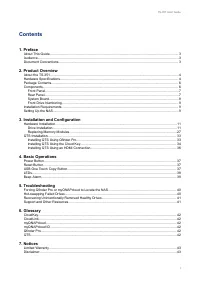

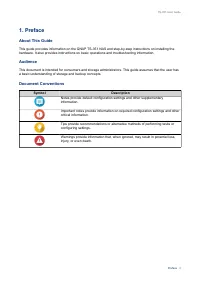
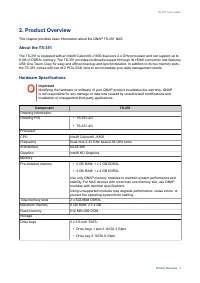
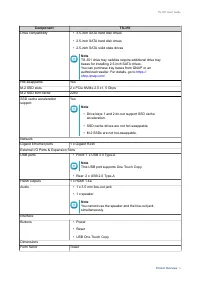
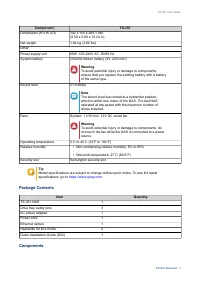
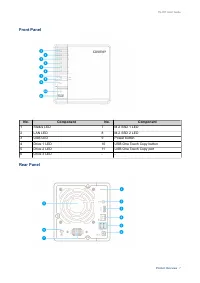
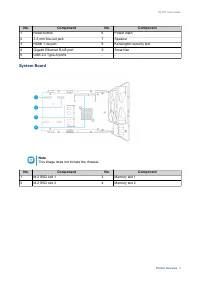
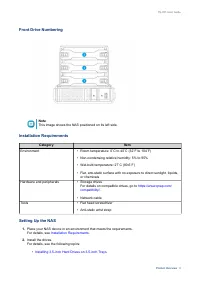

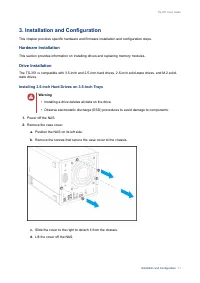
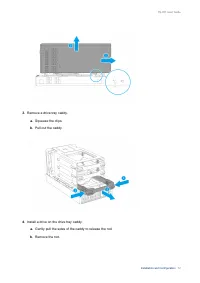
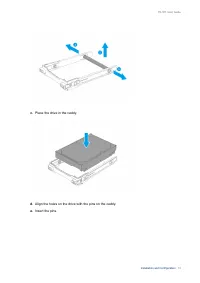
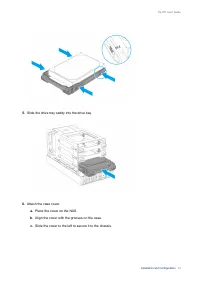
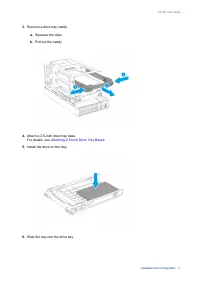
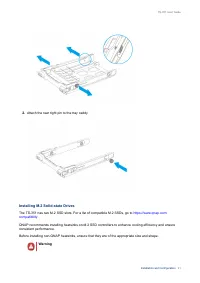
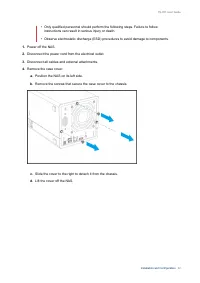
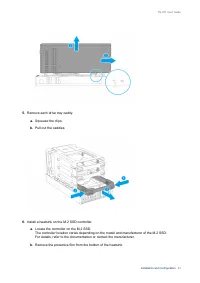
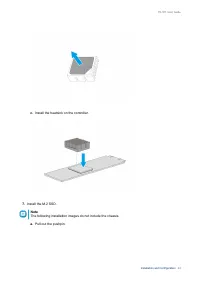
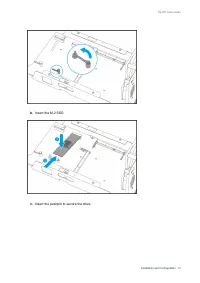
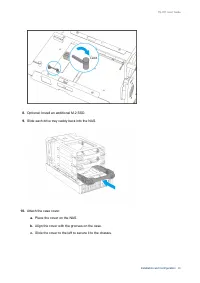
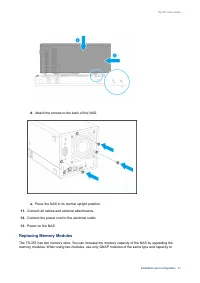
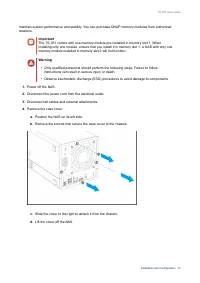
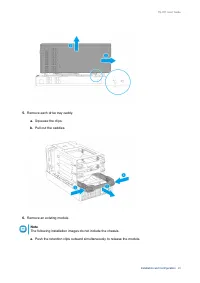
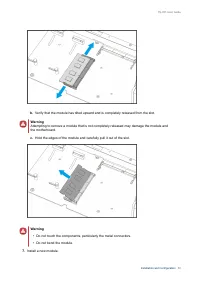
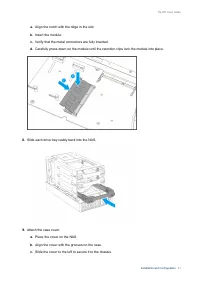
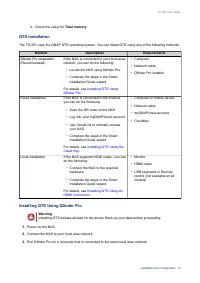
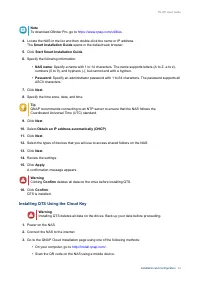
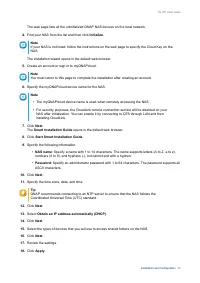
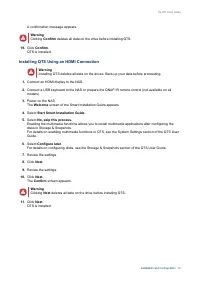
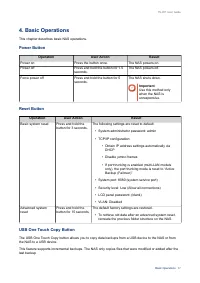
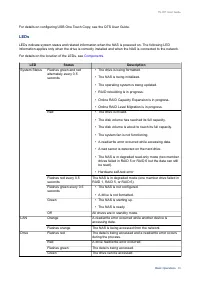
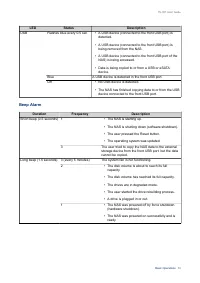
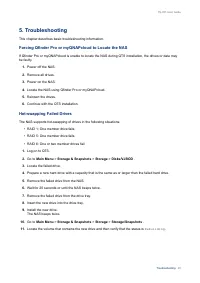
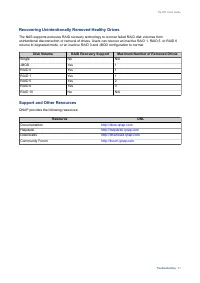
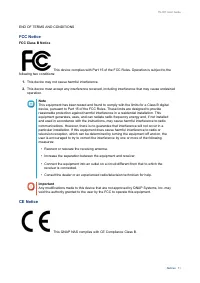
Table of Contents:
- Page 2 – Contents; Installation and Configuration
- Page 4 – Symbol
- Page 5 – Hardware Specifications; Important
- Page 8 – Front Panel; Component; Rear Panel
- Page 9 – System Board; Note
- Page 10 – Front Drive Numbering; Category; Setting Up the NAS; Installation Requirements
- Page 12 – Hardware Installation; Warning
- Page 25 – Install the heatsink on the controller.; The following installation images do not include the chassis.
- Page 26 – Insert the pushpin to secure the drive.
- Page 28 – Replacing Memory Modules
- Page 31 – Hold the edges of the module and carefully pull it out of the slot.; • Do not touch the components, particularly the metal connectors.
- Page 34 – Total memory; QTS Installation; Method; Installing QTS Using Qfinder Pro
- Page 35 – Installing QTS Using the Cloud Key
- Page 37 – Installing QTS Using an HDMI Connection
- Page 39 – LEDs; Components; LED
- Page 40 – Beep Alarm
- Page 41 – Main Menu; Rebuilding
- Page 42 – Recovering Unintentionally Removed Healthy Drives; Disk Volume; Support and Other Resources; Resource
- Page 44 – Limited Warranty; be amended from time to time by QNAP in its discretion.; Disclaimer; Further, the ® or TM symbols are not used in the text.; GNU Public License; Preamble
- Page 45 – Terms and Conditions
- Page 46 – Conveying Verbatim Copies.
- Page 52 – FCC Notice; FCC Class B Notice; CE Notice
TS-351
User Guide
Document Version: 1
04/09/2018
"Loading the manual" means you need to wait until the file loads and becomes available for online reading. Some manuals are very large, and the time they take to appear depends on your internet speed.
Summary
Contents 1. Preface About This Guide.......................................................................................................................................... 3Audience.......................................................................................................................
1. Preface About This Guide This guide provides information on the QNAP TS-351 NAS and step-by-step instructions on installing thehardware. It also provides instructions on basic operations and troubleshooting information. Audience This document is intended for consumers and storage administrators. ...
2. Product Overview This chapter provides basic information about the QNAP TS-351 NAS. About the TS-351 The TS-351 is equipped with an Intel® Celeron® J1800 dual-core 2.4 GHz processor and can support up to8 GB of DDR3L memory. The TS-351 provides multimedia support through its HDMI connection and f...