QNap TS-364-4G (2.5GbE, HDMI) - User Manual
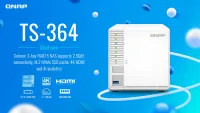
QNap TS-364-4G (2.5GbE, HDMI) Network Storage Unit – User Manual, read for free online in PDF format. We hope this helps you resolve any issues you may have. If you have further questions, please contact us through the contact form.
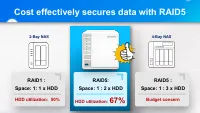
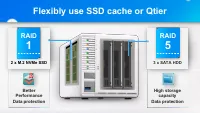
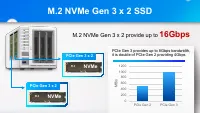
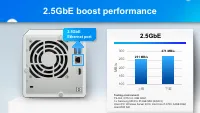
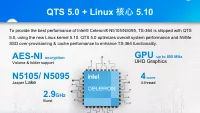
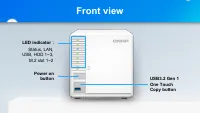
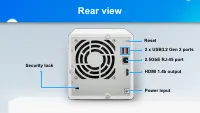
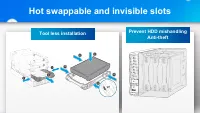
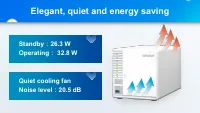

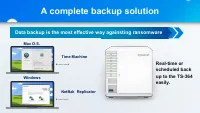
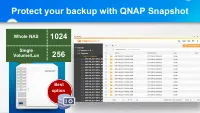
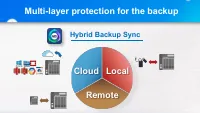

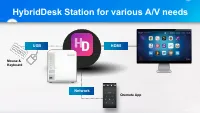
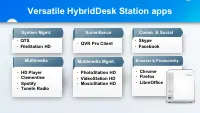
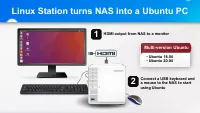

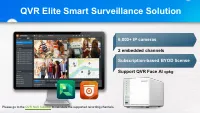

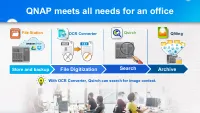
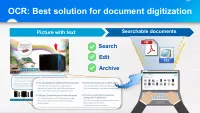
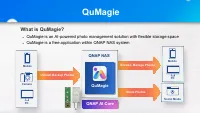
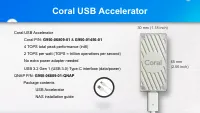

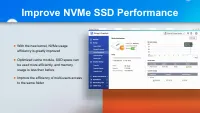

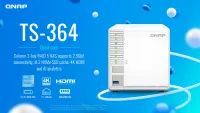
Table of Contents:
- Page 2 – Cost effectively secures data with RAID5
- Page 3 – Flexibly use SSD cache or Qtier; RAID
- Page 4 – M.2 NVMe Gen 3 x 2 SSD; M.2 NVMe Gen 3 x 2 provide up to
- Page 5 – GbE boost performance
- Page 6 – 核心; GPU
- Page 7 – Front view
- Page 8 – Rear view
- Page 9 – Hot swappable and invisible slots
- Page 10 – Elegant, quiet and energy saving; Standby
- Page 11 – Data Backup; Snapshot; Provides a complete data
- Page 12 – A complete backup solution
- Page 13 – Protect your backup with QNAP Snapshot
- Page 14 – Multi-layer protection for the backup; Hybrid Backup Sync; Cloud Local
- Page 15 – HDMI application; Hardware transcoding &
- Page 16 – HybridDesk Station for various A/V needs
- Page 17 – Versatile HybridDesk Station apps
- Page 18 – Linux Station turns NAS into a Ubuntu PC
- Page 19 – Streaming & accelerated transcoding
- Page 20 – QVR Elite Smart Surveillance Solution
- Page 21 – Data management; Qsirch; Qfiling
- Page 22 – QNAP meets all needs for an office
- Page 23 – OCR: Best solution for document digitization; Search
- Page 24 – QuMagie
- Page 26 – Coral USB Accelerator
- Page 28 – Improve NVMe SSD Performance
- Page 29 – Increase the level of security
"Loading the manual" means you need to wait until the file loads and becomes available for online reading. Some manuals are very large, and the time they take to appear depends on your internet speed.
Was this manual helpful?
Helpful for 4 of 4 readers
About this manual
- Brand
- QNap
- Model
- TS-364-4G (2.5GbE, HDMI)
- Document type
- User Manual
- Category
- Network Storage Unit
- Language(s)
- English
- Pages
- 30
- File size
- 7.1 MB
- Format
Summary
Cost effectively secures data with RAID5 RAID1 : Space: 1: 1 x HDD HDD utilization: 50% RAID5: Space: 1 : 2 x HDD HDD utilization: 67% Budget concern RAID5 : Space: 1 : 3 x HDD 2-Bay NAS 4-Bay NAS
Flexibly use SSD cache or Qtier High storage capacity Data protection 3 x SATA HDD Better Performance Data protection 2 x M.2 NVMe SSD RAID 1 RAID 5
M.2 NVMe Gen 3 x 2 SSD NVMe PCIe Gen 3 provides up to 8Gbps bandwidth, it is double of PCIe Gen 2 providing 4Gbps M.2 NVMe Gen 3 x 2 provide up to 16Gbps PCIe Gen 3 x 2 NVMe PCIe Gen 3 x 2 0 200 400 600 800 1000 1200 PCIe Gen 2 PCIe Gen 3 MB /s
Ask a question
Related manuals
More QNap Network Storage Units models
 QNap HS-264-8G (2.5GbE, HDMI, Gen2) User Manual
 QNap TS-231K User Manual
 QNap TS-251D-2G User Manual
 QNap TS-253D-4G User Manual
 QNap TS-328 User Manual
 QNap TS-431K User Manual
- QNap TS-453D-4G User Manual
 QNap TS-462-2G (2.5GbE, HDMI, Gen2) User Manual
- QNap TS-462-4G User Manual
- QNap TS-653D-4G User Manual
 QNap TS-873AeU-4G User Manual