Page 2 - Warranty and Service; MORE INFORMATION; WHAT IS NOT COVERED?
2 Warranty and Service WMH Tool Group, Inc., warrants every product it sells. If one of our tools needs service or repair, one of our Authorized Service Centers located throughout the United States can give you quick service. In most cases, any of these WMH Tool Group Authorized Service Centers can ...
Page 3 - Table of Contents
3 Table of Contents Warranty and Service .............................................................................................................................. 2 Table of Contents ...................................................................................................................
Page 4 - Read, understand and follow
4 W arning As with all machines, there is a certain amount of hazard involved with the use of this sander. Use the machine with the respect and caution demanded where safety precautions are concerned. W hen normal safety precautions are overlooked or ignored, personal injury to the operator can resu...
Page 5 - If you are not
5 Machine capacity. Do not try to force the sander to remove material faster than the power available from the drive motor. The use of light pressure on either disc or belt sanding and moving the part back and forth will maximize belt or disc life, help to minimize the chances of an accident and kee...
Page 6 - or operation! Failure to comply may cause serious injury.
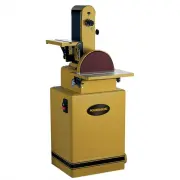
6 Introduction This manual is provided by WMH Tool Group, Inc. covering the safe operation and maintenance procedures for a Powermatic Model 31A Combination Belt/Disc Sander. This manual contains instructions on installation, safety precautions, general operating procedures, maintenance instructions...
Page 7 - Dimensions
Page 8 - Unpacking; Contents of the Shipping Container
8 Unpacking Open shipping container and check for shipping damage. Report any damage immediately to your distributor and shipping agent. Do not discard any shipping material until the Sander is assembled and running properly. Compare the contents of your container with the following parts list to ma...
Page 9 - Assembly; Installing Sander on Stand
9 Assembly Tools required: wrenches – 10, 13 and 17mm hex (Allen) wrench – 8mm Cross-point screwdriver Installing Sander on Stand Refer to Figure 3: 1. If the machine is to be secured to the floor, use high quality lag screws through the four holes inside the bottom of the stand. If using a mobile b...
Page 10 - Pinch Point. Before installing
10 Installing and Tracking Abrasive Belt To install the abrasive belt, proceed as follows Refer to Figures 5 and 6: 1. Loosen the knob (A) and swing the belt end guard (B) out of position. 2. Remove the side cover by unscrewing the two knobs holding it, and sliding the tabs of the side cover out of ...
Page 12 - Electrical Connections; Electrical connections must
12 Dust Outlet and Cord Plate Refer to Figure 10: 1. Install the dust outlet using the four M6 x 12 pan head flanged screws (FF). 2. Single Phase model: Feed the electrical plug through the hole in the stand, and slide the cord plate through also. Secure the cord plate to the stand using the two M5x...
Page 13 - Three-Phase Test Run; disconnect machine; Grounding Instructions; Extension Cords
13 Converting from 230 Volt to 460 Volt (Three Phase Only) Consult the wiring diagram inside the starter box cover. A diagram is also included on page 29 of this manual. The Jointer must comply with all local and national codes after being wired. 1. Remove the starter box cover and adjust the dial o...
Page 14 - Adjustments; Platen Adjustment; Sanding Table Adjustment
14 Adjustments Before putting power to the sander, inspect the machine thoroughly. Check to ensure that all screws are tight, all mechanical functions work freely, belt runs freely and tracks properly, and the disc runs freely, does not come into contact with the guard or table, and the abrasive rem...
Page 16 - Operation; Template Forms; Always mount the base of; Failure to do so could lead to
16 Operation The belt and disc sander can be equipped with a variety of abrasives and grit sizes to handle a wide variety of materials, from soft woods to hardened steel. It can be used to rapidly remove material and produce a mirror finish. Using various types of fixtures, they can be used to sand ...
Page 17 - Types of Operations; Always swing the end guard
17 The chart on page 19 lists the various grits and materials used and lists the grit symbols. It is generally better to start with a slightly coarser abrasive than would seem practical because it will give faster material removal, generate less heat, and will sand more freely. As it dulls, it will ...
Page 18 - Maintenance; Before doing maintenance; Lubrication; grease; SAE
18 Maintenance Before doing maintenance on the sander, disconnect it from the electrical supply by pulling out the plug or switching off the main switch! Failure to comply may cause serious injury. Make periodic or regular inspections to ensure that your sander is properly adjusted, that all screws ...
Page 19 - Guide to Sanding Belts and Discs
Page 20 - Troubleshooting; Trouble Probable; Replacement Parts
20 Troubleshooting Trouble Probable Cause Remedy Disconnected from power source. Check connection to source. Incorrect voltage. Make sure power source matches voltage of sander, as shown on motor name plate. Switch is not activating. Repair or replace switch. Sander will not start. Motor is faulty. ...
Page 21 - Parts List: 31A Sander Body Assembly; Description
21 Parts List: 31A Sander Body Assembly Index No. Part No. Description Size Qty 1............... 31A-1 .......................Cast Base.............................................................................................. 1 2............... 31A-2 .......................Dust Chute (Disc) .......
Page 23 - 1A Sander Body Assembly
Page 30 - NOTES