Pioneer CD-R55 - User Manual
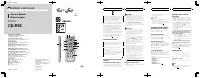
A Remote Control Manual for Pioneer audio-visual systems, this guide primarily addresses setup, operation, and maintenance of the device’s wireless remote. The document covers essential topics such as safety protocols, battery installation, and programming the remote’s code type across multiple modes–including AV, DVD, and TV–to ensure compatibility with Pioneer equipment. While some pages include language translations (French/Russian), the core focus remains on functional operation, button configurations, and system integration for AV devices. Technical details like specifications are briefly referenced but not expanded upon.
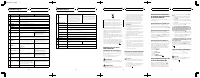
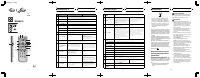
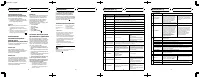
Table of Contents:
- Page 1 – Pioneer CD-R55 Remote Control Setup and Specifications
- Page 2 – Remote Control Button Functions and Telecommander Usage
- Page 3 – Device Operation Instructions and Safety Warnings
- Page 4 – Remote Control Operation Modes and Specifications Chart
Owner
’
s Manual
Mode d
’
emploi
Remote control
Télécommande
CD-R55
PIONEER CORPORATION
4-1, MEGURO 1-CHOME, MEGURO-KU
TOKYO 153-8654, JAPAN
PIONEER ELECTRONICS (USA) INC.
P.O. Box 1540, Long Beach, California 90801-1540, U.S.A.
TEL: (800) 421-1404
PIONEER EUROPE NV
Haven 1087, Keetberglaan 1, B-9120 Melsele, Belgium
TEL: (0) 3/570.05.11
PIONEER ELECTRONICS ASIACENTRE PTE. LTD.
253 Alexandra Road, #04-01, Singapore 159936
TEL: 65-6472-7555
PIONEER ELECTRONICS AUSTRALIA PTY. LTD.
178-184 Boundary Road, Braeside, Victoria 3195, Australia
TEL: (03) 9586-6300
PIONEER ELECTRONICS OF CANADA, INC.
300 Allstate Parkway, Markham, Ontario L3R OP2, Canada
TEL: 1-877-283-5901
PIONEER ELECTRONICS DE MEXICO, S.A. de C.V.
Blvd.Manuel Avila Camacho 138 10 piso
Col.Lomas de Chapultepec, Mexico, D.F. 11000
TEL: 55-9178-4270
先
鋒
股
份
有
限
公
司
總
公
司
:
台北
市
中
山
北
路
二
段
44
號
13
樓
電
話
: (02) 2521-3588
先
鋒
電
子
(
香
港
)
有
限
公
司
香
港
九
龍
尖
沙
咀
海
港
城
世
界
商
業
中
心
9
樓
901-6
室
電
話
: (0852) 2848-6488
Published by Pioneer Corporation.
Copyright © 2006 by Pioneer Corporation.
All rights reserved.
Publié par Pioneer Corporation. Copyright
© 2006 par Pioneer Corporation. Tous
droits réservés.
Printed in China
Imprimé en Chine
<CZR5072-A> E
<KMMZX> <06K00000>
Fig. 1
a
2 3
k
l
j
f
g
h
4
d
e
c
b
8
6
5
7
i
1
9
Fig. 2
En
If you want to dispose this product, do not mix it
with general household waste. There is a sepa-
rate collection system for used electronic pro-
ducts in accordance with legislation that requires
proper treatment, recovery and recycling.
Private households in the 25 member states of
the EU, in Switzerland and Norway may return
their used electronic products free of charge
to designated collection facilities or to a retai-
ler (if you purchase a similar new one).
For countries not mentioned above, please
contact your local authorities for the correct
method of disposal.
By doing so you will ensure that your disposed
product undergoes the necessary treatment,
recovery and recycling and thus prevent po-
tential negative effects on the environment
and human health.
Information to User
Alteration or modifications carried out without
appropriate authorization may invalidate the
user
’
s right to operate the equipment.
This device complies with part 15 of the FCC
Rules. Operation is subject to the following
two conditions:
(1) This device may not cause harmful interfer-
ence, and (2) this device must accept any inter-
ference received, including interference that
may cause undesired operation.
Use and care of the remote
control
Installing the battery (Fig. 1)
Slide the tray out on the back of the remote con-
trol and insert the battery with the plus (+) and
minus (
–
) poles pointing in the proper direction.
!
When using for the first time, pull out the
film protruding from the tray.
WARNING
!
Handling the cord on this product or cords as-
sociated with accessories sold with the pro-
duct may expose you to chemicals listed on
proposition 65 known to the State of California
and other governmental entities to cause can-
cer and birth defects or other reproductive
harm.
Wash hands after handling
.
!
Keep the battery out of the reach of children.
Should the battery be swallowed, immediately
consult a doctor.
CAUTION
!
Do not allow this unit to come into contact
with liquids. Electrical shock could result.
Also, this unit damage, smoke, and overheat
could result from contact with liquids.
!
Do not disassemble or modify this unit. To do
so may cause a malfunction.
!
Always keep the volume low enough so that
you can hear sounds from outside the vehicle.
!
Use only one
CR2025 (3 V)
lithium battery.
!
Always check carefully that you are loading
the battery with its plus (+) and minus (
–
)
poles facing in the proper directions.
!
Remove the battery if the remote control is not
used for a month or longer.
!
Danger of explosion if battery is incorrectly replaced.
Replace only with the same or equivalent type.
!
Do not handle the battery with metallic tools.
!
Do not store the battery with metallic materials.
!
In the event of battery leakage, wipe the re-
mote control completely clean and install a
new battery.
!
When disposing of used batteries, please
comply with governmental regulations or en-
vironmental public institutions
’
rules that
apply in your country/area.
!
“
Perchlorate Material
–
special handling may apply.
See www.dtsc.ca.gov/hazardouswaste/perchlorate.
(Applicable to California, U.S.A.)
”
Using the remote control
Point the remote control in the direction of the
front panel to operate.
Before You Start
En
!
The remote control may not function prop-
erly in direct sunlight.
Important
!
Do not store the remote control in high tem-
peratures or direct sunlight.
!
Do not let the remote control fall onto the
floor, where it may become jammed under the
brake or accelerator pedal.
Using the remote control
operation mode switch
There are three remote control operation
modes on the remote control.
AVH
mode operation
When operating an AV Receiver (e.g., AVH-
P5900DVD) with this remote control, the mode
is normally switched to
AVH
.
DVD
mode operation
When operating a Pioneer DVD player (e.g.,
XDV-P6) with this remote control, the mode is
switched to
DVD
. If you switch the mode to
DVD
, the joystick and
0
to
10
operations are
changed for DVD player.
TV
mode operation
When operating a Pioneer TV tuner (e.g., GEX-
P5700TV (P)) with this remote control, the
mode is switched to
TV
. If you switch the
mode to
TV
, the joystick operation is changed
for TV tuner.
In
TV
mode, only buttons shown below can be used.
!
SOURCE
button
!
ATT
button
!
VOLUME
buttons
!
Joystick
!
DIRECT
button
!
REAR SOURCE
button
Setting remote control
code type
When the remote control operation mode switch is
set to
DVD
, changing the remote control code type
enables you to operate the Pioneer DVD player with
this remote control. There are three remote codes,
code type
A
, code type
B
and code type
AVH
.
!
When operating an AV Receiver (e.g., AVH-
P5900DVD), select code
AVH
.
!
When operating a multi-DVD player (e.g.,
XDV-P6), select code
A
.
!
When operating a DVD navigation unit, se-
lect code
B
.
1
Set the remote control selection switch
on the left side of the remote control to
the appropriate position with a pen tip or
other pointed instrument .
!
If you select
AVH
mode, there is no need to
take the following procedure.
!
If you select
A
/
B
mode, take the following
procedure and change the code type to the
appropriate type.
2
Press 0 and CLEAR on the remote con-
trol simultaneously to change the code
type.
Initially, the code type is set to
A
. Each time
you press
0
and
CLEAR
simultaneously on the
remote control the code type switches be-
tween
A
and
B
.
Specifications
Power source ............................. 3 V DC (Lithium battery;
CR2025)
Dimensions (W × H × D) ... 54 × 149 × 13 mm
(2-1/8 × 5-7/8 × 1/2 in.)
Weight .......................................... 59 g (2 oz) (including bat-
tery)
Infrared remote control
Wavelength ................................. 945 nm
Output ........................................... typ; 10 mw/sr per Infrared
LED
Note
Specifications and the design are subject to pos-
sible modifications without notice due to im-
provements.
Before You Start
En
CZR5072-A - Page1-
"Loading the manual" means you need to wait until the file loads and becomes available for online reading. Some manuals are very large, and the time they take to appear depends on your internet speed.
Was this manual helpful?
About this manual
- Brand
- Pioneer
- Model
- CD-R55
- Document type
- User Manual
- Category
- Remote Control
- Language(s)
- English, French, Russian
- Pages
- 4
- File size
- 554.2 KB
- Format
Summary
Initial setup, safety warnings, battery installation, remote control operation modes (AV, DVD, TV), and code type settings for the remote.
Explains remote control button functions, instructions for using the telecommander in AVH, DVD, and TV modes, and details of button operations for both remote and device.
Operating instructions, a remote control diagram, safety warnings, and battery installation guidance for Mode AV and Mode DVD.
Ask a question
Related manuals
Other Pioneer appliances
 Pioneer 2 Manual
 Pioneer 2 / PeopleBot Manual
 Pioneer 2AM500 User Manual
 Pioneer 12 Manual
 Pioneer 101 Manual
 Pioneer 300 Manual
 Pioneer 920 Manual
 Pioneer 1000 Manual
 Pioneer 1020 Manual
 Pioneer 2000NXS2 Manual
 Pioneer 2500 Manual
 Pioneer 3000 Manual
 Pioneer A-10 Manual
 Pioneer A-20 Manual
 Pioneer A-30 Manual
 Pioneer A-35R Manual
 Pioneer A-50 / A-70 User Manual
 Pioneer A-50DA Manual
 Pioneer A-70DA Manual
 Pioneer A-109 Manual