Page 4 - empty page before TOC
Page 6 - Contents; Read all instructions before using this product.; DANGER; To reduce the risk of electric shock:; - Do not reach for a corded product or charging stand that has
English 6 English Contents IMPORTANT SAFETY INSTRUCTIONS ______________________ 6 Introduction __________________________________________ 11 General description ____________________________________ 11 What do the icons on my product handle mean?___________ 12 How do I connect my shaver and smartphon...
Page 7 - WARNING
7 English - Do not place or store the product or charging stand where it can fall or be pulled into a tub or sink. Do not place or drop theproduct or charging stand into water or other liquid. - This product does not work while it is connected to the power outlet. Except when charging, always unplug...
Page 9 - IMPORTANT
9 English - Keep product and batteries away from fire and do not expose them to direct sunlight or high temperatures. - If the product becomes abnormally hot or smelly, changes color or if charging takes longer than usual, stop using and chargingthe product and contact Philips. - Do not place produc...
Page 10 - - The frequency band in which the appliance
10 English Electromagnetic fields (EMF) This Philips product complies with all applicable standards andregulations regarding exposure to electromagnetic fields. - The frequency band in which the appliance operates is 2.4 GHz. - This appliance is equipped with Bluetooth class 2. - The maximum radio f...
Page 11 - equipment and receiver.; SAVE THESE INSTRUCTIONS; Introduction
11 English guarantee that interference will not occur in aparticular installation. If this equipment doescause harmful interference to radio or televisionreception, which can be determined by turningthe equipment off and on, the user is encouragedto try to correct the interference by one or moreof t...
Page 12 - - This shaver is waterproof. It is suitable for use; Icon Behavior; Pulsing; blue; The cleaning program is in progress.
12 English 2 Trimmer release slide3 Shaving unit4 Shaving unit release button5 On/off button6 Handle7 Socket for small plug8 Charging stand 9 Power plug10 Small plug 11 Travel case12 Quick Clean Pod Cartridge 13 Quick Clean Pod 14 Cleaning brush 15 Length settings for beard styler attachment16 Click...
Page 14 - white
14 English Icon Behavior Meaning Lights up Open the app. Either there is anotification waiting for you or you needto sync your shaves to prevent data loss. Flashing slowly No connection is established betweenyour shaver and smartphone. Flashing quickly An error has occurred (e.g. the motor isblocked...
Page 15 - Bluetooth®
15 English Icon Behavior Meaning Lights upcontinuously The product is fully charged. Afterapprox. 30 minutes, the lights go outautomatically. How do I connect my shaver andsmartphone? Note: Make sure your smartphone is equippedwith Bluetooth® 4.2 or higher. This shaver is equipped with Bluetooth® 4....
Page 16 - Pair the shaver and smartphone; More information is available at; Notification symbol
16 English Pair the shaver and smartphone The app is compatible with a wide range ofiPhone and Android™ smartphones. More information is available at www.philips.com/MyShaver9000-app1 Download the app. 2 Make sure Bluetooth on your smartphone isswitched on. 3 Switch on the shaver. 4 Open the app and...
Page 17 - Unpair the shaver and smartphone; Press and hold the on/off; How do I charge my product?
17 English When the data storage is almost full, thenotification symbol flashes. To prevent data loss,synchronize the shaver with the app. 1 Make sure your phone is close to the shaverand open the app. 2 The app connects automatically andsynchronizes your last shaves. Unpair the shaver and smartphon...
Page 18 - - Charge the product before you use it for the; Charging with the power cord; Make sure that the product is switched off.
18 English the tap with water. For safety reasons, thisproduct can only be used without cord. - Charge the product before you use it for the first time and when the bottom light of thebattery status indicator flashes orange,indicating that the battery is almost empty. - Charging takes approx. 1 hour...
Page 19 - - While the product charges, first the bottom; Charging in the charging stand; How do I use my product?
19 English - While the product charges, first the bottom light of the battery status indicator flashesand then lights up continuously. Next thesecond light flashes and then lights upcontinuously, and so on until the product isfully charged. - When the product is fully charged, all three battery stat...
Page 20 - SenseIQ technology; contribute to the best shaving results.
20 English accessory if it is damaged, as this may causeinjury. Always replace a damaged part withone of the original type. This product is only intended for householduse. For hygienic reasons, the product should onlybe used by one person. Note: This product is waterproof. It is suitable foruse in t...
Page 21 - Shaving; Switch on the product.
21 English Shaving You can use this product either wet or dry, oreven in the shower. For a wet shave, apply somewater and shaving foam or gel to your skin andrinse the shaving heads under the tap with warmwater before following the steps below. 1 Switch on the product. 2 Move the shaving heads over ...
Page 22 - When you have finished shaving you; green
22 English 4 Switch off and clean the product after eachuse. Note: Make sure you rinse all foam or shaving geloff the product. SenseIQ: When you have finished shaving you receive feedback on the handle. The MotionControl sensor icon lights up in various colors,giving you feedback on your overall sha...
Page 23 - - Stick with it! If you alternate shaving methods; Cleaning reminder; - Clean the shaving heads thoroughly once a; Trimming
23 English - Stick with it! If you alternate shaving methods during the adjustment period, it may make itmore difficult to adapt to the Philips Norelcoshaving system. - If you are still not convinced after 21 days, Philips Norelco will refund you the fullpurchase price as long as the request isrecei...
Page 24 - You can also use the trimmer under your nose.; Using the click-on attachments; Using the beard styler attachment with comb
24 English 4 You can also use the trimmer under your nose. 5 Switch off the product and clean the trimmerafter each use to prevent clogging anddamage (see 'How do I clean my shaver?'). 6 Close the trimmer. Using the click-on attachments Note: The accessories supplied may vary fordifferent products. ...
Page 25 - Using the nose/ear trimmer attachment
25 English 3 Press the length selector and then push it tothe left or right to select the desired hairlength setting. 4 Switch on the product. 5 Move the product upwards while you exertgentle pressure. Make sure the front of thecomb is in full contact with the skin. 6 Switch off the product and clea...
Page 26 - Trimming nose hair; Trimming ear hair
26 English Trimming nose hair Make sure both the nose/ear trimmerattachment and nasal passages are clean beforetrimming. 1 Twist the shaving head or other attachment toremove it from the handle and press thenose/ear hair trimmer onto the handle. 2 Switch on the product. 3 Carefully insert the trimmi...
Page 27 - How do I clean my shaver?; Cleaning the shaver under the tap; Switch on the shaver.
27 English Do not insert the trimming head more than0.5 cm into your ear channel, as this coulddamage the eardrum. 4 Slowly turn the trimming head around toremove all unwanted hairs from your outer earchannel. 5 Switch off the product and clean theattachment after each use (see 'How do I cleanmy sha...
Page 28 - Rinse the hair chamber under a warm tap.; Thorough cleaning
28 English 3 Switch off the shaver. Press the release buttonto open the shaving unit. 4 Rinse the hair chamber under a warm tap. 5 Rinse the shaving head holder under a warmtap. 6 Carefully shake off excess water and let theshaving head holder air-dry completely. 7 Close the shaving unit. Thorough c...
Page 29 - Clean the cutter and guard under the tap.
29 English 2 Press the release button on the shaving unitand pull the shaving head holder off theshaving unit. 3 Rinse the hair chamber and shaving headholder under the tap. 4 Remove the shaving heads (see 'How do Ireplace the shaving heads?'). For detailedinstructions, see 'How do I replace the sha...
Page 30 - Cleaning the pop-up trimmer; Preparing the Quick Clean Pod for use
30 English Cleaning the pop-up trimmer Clean the trimmer after each use to preventclogging and damage. Caution: Never dry the trimmer teeth with atowel or tissue, as this may damage thetrimmer teeth. 1 Make sure that the product is switched off anddisconnected from the power outlet. 2 Push the trimm...
Page 31 - Twist the lid off the Quick Clean Pod Cartridge.
31 English 2 Twist the lid off the Quick Clean Pod Cartridge. 3 Lift the tab on the seal and pull it by the cornerto remove the seal from the Quick Clean PodCartridge. 4 Press the small circular piece on the handle ofthe Quick Clean Pod Cartridge to break thesnap hook on the handle. 5 Place the Quic...
Page 32 - Using the Quick Clean Pod; Icon
32 English Using the Quick Clean Pod Note: If you use the shaver with shaving foam,shaving gel or pre-shave products, thoroughlyrinse the shaving heads before you use the QuickClean Pod (see 'How do I clean my shaver?'). Always shake excess water off the shaverbefore you place it in the Quick Clean ...
Page 33 - Replacing the Quick Clean Pod Cartridge; Frequency of use
33 English Replacing the Quick Clean Pod Cartridge Replace the Quick Clean Pod Cartridgeimmediately when the cartridge replacementicon on the Quick Clean Pod becomes visible orfollow the table below. Frequency of use Cycles When to replace the Quick Clean Pod Cartridge Every day About 30 Every month...
Page 34 - Scan the QR code to the left or visit; Cleaning the click-on attachments
34 English 3 Pour any remaining fluid down a drain andrecycle the empty cartridge in accordance withlocal waste regulations. 4 Place a new Quick Clean Pod Cartridge intothe Quick Clean Pod. Scan the QR code to the left or visit www.philips.com/cleaning-cartridge to order replacement Quick Clean PodC...
Page 35 - Storage and travel; - Be sure the product is switched off. Remove
35 English Never dry the cutting unit with a towel ortissue, as this may damage the trimmingteeth. Tip: For optimal performance, lubricate theteeth of the beard styler attachment with adrop of sewing machine oil regularly. Storage and travel - Be sure the product is switched off. Remove the power co...
Page 36 - Travel lock; How do I replace the shaving heads?; Replacing the shaving heads; Switch off the shaver.
36 English Travel lock You can lock the shaver when you are going totravel to prevent it from switching onaccidentally. Activating the travel lock Press the on/off button for 3 seconds to use thetravel lock mode. When the travel lock has been activated, thetravel lock symbol flashes. Note: When the ...
Page 37 - Place new shaving heads in the holder.
37 English 2 Press the release button on the shaving unitand pull the shaving head holder off theshaving unit. 3 Turn the retaining rings counterclockwise andremove them. Place them aside in a safe place. 4 Remove the shaving heads from the shavinghead holder. Discard the used shaving heads immediat...
Page 38 - Accessories
38 English 7 Insert the hinge of the shaving head holderinto the slot in the top of the shaving unit andclose the shaving unit. Accessories Replacement parts and accessories may bepurchased at a store near you or on our website www.philips.com/store . The following accessories and spare parts areava...
Page 39 - - Contact your local town or city officials for; Full Two-Year Warranty; : This warranty does not cover
39 English - Contact your local town or city officials for battery disposal information. You can also call1-800-822-8837 or visit www.call2recycle.org for battery drop-off locations. - For assistance, visit our website www.philips.com/support or call 1-800-243-3050 toll free. - Your product is desig...
Page 40 - In order to obtain warranty service, simply go to
40 English In order to obtain warranty service, simply go to www.philips.com/support . It is suggested that for your protection you return shipments ofproduct by insured mail, insurance prepaid.Damage occurring during shipment is notcovered by this warranty. NOTE: No other warranty, written or oral,...
Page 41 - We cannot be responsible for lost mail.; Supplier's Declaration of Conformity; Responsible Party – U.S. Contact Information
41 English We cannot be responsible for lost mail. The product must be postmarked no later than45 days after the date of purchase. Philipsreserves the right to verify the purchase price ofthe product and limit refunds not to exceedsuggested retail price. To obtain money-back guarantee service,please...
Page 42 - Trademarks
42 English Stamford | CT 06904 1-800-243-3050 Trademarks Apple, the Apple logo, iPad, and iPhone aretrademarks of Apple Inc., registered in the U.S.and other countries. App Store is a service markof Apple Inc. Android is a trademark of Google Inc. GooglePlay and the Google Play logo are trademarks o...
Page 43 - Contenido; Lea todas las instrucciones antes de usar este producto.; PELIGRO; Para reducir el riesgo de descarga eléctrica:
Español 43 Español Contenido INSTRUCCIONES IMPORTANTES DE SEGURIDAD ___________ 43 Introducción __________________________________________ 49 Información general ___________________________________ 49 ¿Qué significan los íconos que están en el mango delproducto? _ 50 ¿Cómo conecto la afeitadora con ...
Page 44 - ADVERTENCIA
44 Español - No intente recoger un producto o una base de carga cableados que hayan caído al agua. Desconéctelo inmediatamente delenchufe de la pared. - Mantenga el cable de alimentación seco. - No coloque ni guarde el producto la base de carga en un lugar desde donde pueda caerse a una bañera o un ...
Page 47 - - Para evitar un cortocircuito en las baterías después de la; - Manténgase fuera del alcance de los niños.
47 Español - Para evitar un cortocircuito en las baterías después de la extracción, no permita que las terminales de las baterías entrenen contacto con objetos metálicos (p. ej., monedas, horquillas,anillos). No envuelva las baterías en papel de aluminio. Cubra lasterminales de las baterías con cint...
Page 48 - - Aumentar la distancia entre el equipo y el
48 Español anular la autoridad del usuario para operar elequipo. Este dispositivo cumple con la Parte 15 de lasreglas de la FCC. El funcionamiento está sujeto alas dos condiciones siguientes: (1) es posible queeste dispositivo no cause interferencia perjudicial,y (2) este dispositivo debe aceptar cu...
Page 49 - - Conecte el equipo en un enchufe en un; Introducción; o a; Información general
49 Español - Conecte el equipo en un enchufe en un circuito diferente al que está conectado elrecibidor. - Consultar a un distribuidor o a un técnico de radio/televisión con experiencia para recibirayuda. - No hay ninguna limitación en cuanto a la distancia a la que puede utilizarse del cuerpohumano...
Page 50 - recortadora de barba; Íco; Pulsa en color; azul
50 Español 7 Toma para clavija pequeña8 Base de carga 9 Cable de alimentación10 Conector pequeño 11 Estuche de viaje12 Cartucho del Quick Clean Pod 13 Quick Clean Pod 14 Cepillo de limpieza 15 Ajustes de longitud para el accesorio de recortadora de barba 16 Accesorio de recortadora de barba de clic1...
Page 51 - Se ilumina
51 Español Íco no Comportamien to Significado Parpadealentamente encolor azul cuando quitas laafeitadora delQuick Clean Poddurante elprograma delimpieza Se interrumpió el programa de limpieza.Si vuelve a poner la afeitadora en elQuick Clean Pod antes de que pasencuatro segundos, el programa delimp...
Page 52 - verde; blanco
52 Español Íco no Comportamien to Significado Se ilumina encolor verde Se utilizó el movimiento de afeitadocorrecto (movimientos circulares). Se ilumina encolor naranja Su movimiento de afeitado puedemejorarse. Revise la aplicación paraobtener más detalles y consejos. Se ilumina Abra la aplicación...
Page 53 - naranja
53 Español Íco no Comportamien to Significado La luz inferiorparpadea encolor naranja La batería está baja. Si la luz parpadearápidamente, la batería está casiagotada. Las tres lucesparpadean ensecuencia El producto está en modo de cargarápida. Una luz parpadeamientras lasbarras de luzinferiores s...
Page 54 - Empareja la afeitadora y el teléfono inteligente; Obtén más información en
54 Español se sincronicen más tarde para que no tenga quetraer su smartphone con usted cuando se afeite.Las primeras veces que se enciende la afeitadora,el símbolo de notificación parpadea si no seestablece una conexión con un smartphone. Para apagar el Bluetooth de su afeitadora, activeel bloqueo d...
Page 55 - Símbolo de notificación; Desempareja la afeitadora:; Mantén presionado
55 Español Símbolo de notificación La afeitadora está equipada con un símbolo denotificación. El símbolo de notificación seenciende cuando hay un mensaje importantepara usted en la aplicación. Cuando se encienda,simplemente abra la aplicación en su smartphoney siga los consejos fáciles que le dé la ...
Page 56 - Pulsa el nombre de la afeitadora.; ¿Cómo se carga el producto?; - Cargue el producto antes de usarlo por
56 Español durante aproximadamente 10 segundos paradesvincular la afeitadora de la aplicación. Nota: El símbolo de notificación se encenderácuatro veces brevemente para indicar que laafeitadora se ha desemparejado de formacorrecta. Desempareja el smartphone:1 Ve a la configuración en su teléfonointe...
Page 57 - Después de cargarla durante; Carga con el cable de alimentación; Asegúrese de que el producto esté apagado.
57 Español - Carga rápida: Después de cargarla durante alrededor de cinco minutos, la batería tendrásuficiente energía para una afeitada completa. - Cuando el producto está totalmente cargado, posee una autonomía de funcionamiento dehasta 60 minutos sin cable. Nota: No puede usar el producto mientra...
Page 58 - - Cuando el producto se ha cargado; Carga en la base de carga; ¿Cómo se usa el producto?
58 Español - Cuando el producto se ha cargado totalmente, las tres luces indicadoras deestado de la batería se quedan iluminadascontinuamente. Después deaproximadamente 30 minutos, la luz seapaga automáticamente. 3 Después de cargarla, retire el enchufe deltomacorriente y retire la clavija pequeña d...
Page 59 - Tecnología SenseIQ; - Siga los consejos que se obtengan de las
59 Español Este producto fue diseñado exclusivamentepara uso doméstico. Por motivos de higiene, el producto debeemplearse únicamente por una persona. Nota: Este producto es a prueba de agua. Elproducto es adecuado para su uso en el baño o laregadera y puede limpiarse colocándolo bajo elagua de la ll...
Page 60 - Afeitado; Encienda el producto.
60 Español Afeitado Puede usar este producto en húmedo o en seco,e incluso en la regadera. Para una afeitada enhúmedo, aplíquese algo de agua y espuma o gelde afeitar en la piel y enjuague los cabezales deafeitado con agua tibia de la llave antes de seguirlos pasos que se detallan a continuación. 1 ...
Page 61 - Al terminar de afeitarse, recibirá; - Cuando se puede mejorar el movimiento; - Prueba de 21 días y proceso de adaptación. Es
61 Español 4 Desconecte y limpie el producto después decada uso. Nota: Asegúrese de enjuagar toda la espuma ogel de afeitar del producto. SenseIQ: Al terminar de afeitarse, recibirá retroalimentación en el mango. El ícono delsensor de Control de movimiento se iluminade varios colores para darle retr...
Page 62 - - Utilice su nueva afeitadora únicamente 3; Recordatorio de limpieza; - Limpie los cabezales de afeitado a fondo una
62 Español - Utilice su nueva afeitadora únicamente 3 semanas para disfrutar completamente de unafeitado Philips Norelco al ras. - Es posible que al principio no obtenga la afeitada al ras que espera e incluso es posibleque su rostro se irrite levemente. Esto esnormal, ya que la barba y la piel nece...
Page 63 - Recorte; Uso de los accesorios de ajuste de clic.
63 Español Recorte Puede usar la cortadora emergente para recortarel bigote y las patillas. 1 Deslice el botón de apertura de la cortadorahacia abajo para abrirla. 2 Encienda el producto. 3 Sostenga la cortadora perpendicular a la piel ymuévala hacia abajo ejerciendo una presiónsuave. 4 También pued...
Page 65 - Saque el peine de la recortadora de barba.; Cómo cortar el vello de nariz
65 Español patillas o la línea del cuello a una longitud de0,5 mm. 1 Saque el peine de la recortadora de barba. Nota: Tome el peine por el centro para sacarlodel accesorio de recortadora de barba. No jalede los lados del peine. 2 Encienda el producto. 3 Sostén el accesorio de recortadora de barbaper...
Page 66 - Cómo cortar el vello de las orejas
66 Español No introduzcas el dispositivo más de 0,5 cm enlas fosas nasales. 4 Mueve el cabezal de recorte lentamentealrededor de cada fosa nasal para asegurartede que la punta del recortador se sostengafirmemente contra la piel. Esto reduce elefecto de picazón que podría ocurrir. 5 Desconecte el pro...
Page 67 - ¿Cómo se limpia la afeitadora?; Limpieza de la afeitadora bajo la llave de agua.; Encienda la afeitadora.
67 Español ¿Cómo se limpia la afeitadora? Para un óptimo desempeño, limpie el producto ylos accesorios después de cada uso. Limpieza de la afeitadora bajo la llave de agua. Limpie la afeitadora después de cada uso paraevitar que se obstruya o se dañe. Nunca seque la unidad de afeitado con unatoalla ...
Page 68 - Cierre la unidad de afeitado.; Limpieza a fondo
68 Español 5 Enjuague el sostenedor del cabezal deafeitado con agua caliente de la llave. 6 Elimine cuidadosamente el exceso de agua ydeje que el soporte del cabezal de afeitado seseque al aire completamente. 7 Cierre la unidad de afeitado. Limpieza a fondo Le aconsejamos que limpie los cabezales de...
Page 69 - Limpie el cortador y el protector en el grifo.; Limpieza de la cortadora emergente
69 Español protector de afeitado equivocado, tardarávarias semanas en volver a lograr undesempeño óptimo del afeitado. 5 Limpie el cortador y el protector en el grifo. 6 Sacuda el exceso de agua. 7 Vuelve a colocar los cabezales de afeitado ensu soporte. Para consultar instruccionesdetalladas, vea &...
Page 70 - Después de la limpieza, apague el producto.; ¿Cómo uso el Quick Clean Pod?; Preparación del Quick Clean Pod para el uso
70 Español 3 Enciende la afeitadora y enjuaga la cortadoraemergente con agua tibia. 4 Después de la limpieza, apague el producto. 5 Elimina cuidadosamente el exceso de agua ydeja que la cortadora emergente se seque alaire. 6 Cierre la cortadora. Sugerencia: Para obtener un rendimientoóptimo, lubriqu...
Page 71 - Uso del Quick Clean Pod
71 Español 4 Presione la pequeña pieza circular en elmango del cartucho del Quick Clean Pod pararomper el broche de presión del mango. 5 Coloque el cartucho del Quick Clean Pod en elQuick Clean Pod. 6 Vuelva a colocar la parte superior del QuickClean Pod en la base y gírela en el sentido delas manec...
Page 72 - Ícono Comportamiento
72 Español 2 Encienda la afeitadora para iniciar el programade limpieza. Cada programa de limpieza tomaaproximadamente un minuto. Durante elprograma de limpieza, el símbolo de limpiezase queda continuamente iluminado y el íconoazul pulsa. La afeitadora vibra dos veces rápidamentecuando termina el pr...
Page 73 - Reemplazo del cartucho del Quick Clean Pod
73 Español Reemplazo del cartucho del Quick Clean Pod Reemplace el cartucho del Quick Clean Podinmediatamente cuando el ícono de reemplazodel cartucho del Quick Clean Pod se vuelvavisible, o bien, siga las indicaciones que semuestran en la siguiente tabla. Frecuencia de uso Ciclos Cuándo reemplazar ...
Page 74 - para; Limpieza de los accesorios de ajuste de clic
74 Español 3 Vierta el líquido restante por el desagüe yrecicle el cartucho vacío conforme a lareglamentación local en materia de residuos. 4 Coloque un nuevo cartucho del Quick CleanPod en el Quick Clean Pod. Escanea el código QR que se encuentra a laizquierda o visita www.philips.com/cleaning-cart...
Page 75 - Almacenamiento y viaje; - Asegúrese de que el producto esté apagado.
75 Español 4 Elimina cuidadosamente el exceso de agua dela recortadora de barba, los peines y losaccesorios de la recortadora de vello denariz/oreja y deja que se sequen porcompleto. Nunca seque el elemento de corte con unatoalla o paño, ya que esto puede dañar eldentado de recorte. Sugerencia: Para...
Page 76 - Bloqueo para viajes
76 Español - Coloca la tapa protectora (si se incluye) en la afeitadora para protegerla de la acumulaciónde suciedad. - Guarda el producto en el estuche de viaje.- Como alternativa, guarda la afeitadora en el soporte de carga (si se incluye) o en el QuickClean Pod de Philips (si se incluye). Bloqueo...
Page 77 - Reemplazo de los cabezales de afeitado; Apague la afeitadora.
77 Español ¿Cómo se reemplazan los cabezales deafeitado? Para un rendimiento de afeitado óptimo, leaconsejamos que reemplace los cabezales deafeitado cada año. Reemplace los cabezales deafeitado dañados inmediatamente. Siempre reemplace los cabezales de afeitado concabezales originales de Philips No...
Page 78 - - Cada anillo de retención tiene dos ranuras que; Accesorios; - Paquete de 2 cartuchos del Quick Clean Pod
78 Español 6 Coloque los anillos de retención de nuevo enlos cabezales de afeitado y gírelos hacia laderecha para volver a colocar el anillo deretención. - Cada anillo de retención tiene dos ranuras que ajustan perfecto en los salientes del soportedel cabezal de afeitado. Gira el anillo hacia ladere...
Page 79 - Asistencia
79 Español Asistencia Consulta https://www.usa.philips.com/c-m- pe/face-shavers para obtener más información sobre tu afeitadora. Para obtener más ayuda, visita nuestro sitio web: www.philips.com/support o llama al número gratuito 1-800-243-3050.. La información en línea está disponible las24 horas,...
Page 80 - Garantía Total de Dos Años; IMPORTANTE; : Esta garantía no cubre ningún
80 Español Garantía Total de Dos Años Philips North America LLC garantiza esteproducto nuevo (excepto los cabezales deafeitado) contra defectos en los materiales o enla mano de obra por un período de dos añosdesde la fecha de compra y acepta reparar oreemplazar cualquier producto defectuoso sincargo...
Page 81 - *Lea las instrucciones adjuntas atentamente.
81 Español exclusión o la limitación de los daños fortuitos oresultantes, de modo que es posible que laslimitaciones o exclusiones arriba mencionadas nose apliquen a su caso. *Lea las instrucciones adjuntas atentamente. GARANTÍA DE DEVOLUCIÓN DE SU DINEROPOR 45 DÍAS Para disfrutar de una afeitada có...
Page 82 - Declaración de conformidad del proveedor
82 Español Para obtener el servicio de garantía dedevolución de dinero, visitewww.PhilipsMoneyBack.com. La entrega del cheque de reembolso ocurriráde 6 a 8 semanas después de la recepción delproducto devuelto. Declaración de conformidad del proveedor Este dispositivo cumple con la Parte 15 de lasreg...
Page 83 - Philips North America LLC.; Marcas registradas
83 Español Philips North America LLC. Apartado postal 10313 Stamford | CT 06904 1-800-243-3050 Marcas registradas Apple, el logotipo de Apple, iPad y iPhone sonmarcas comerciales de Apple Inc., registradas enlos Estados Unidos de América y otros países. AppStore es una marca de servicio de Apple Inc...
Page 85 - Empty page before back cover





 Philips S1133/41 User Manual
 Philips S1223/41 User Manual
 Philips S1232/41 User Manual
 Philips S1323/41 User Manual
 Philips S5050 User Manual
 Philips S5420/06 User Manual
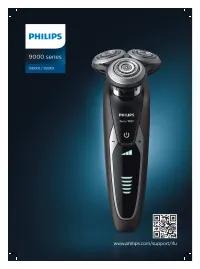 Philips S9531 Manual
 Philips SC1992/00 User Manual
 Philips SW6700 User Manual
 Philips AT610 User Manual
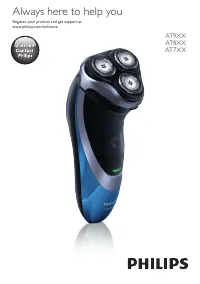 Philips AT750 Manual