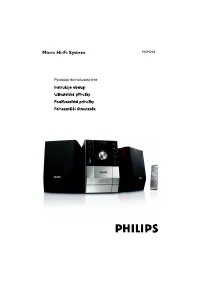
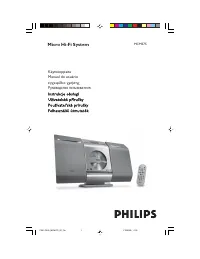
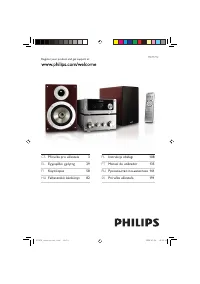
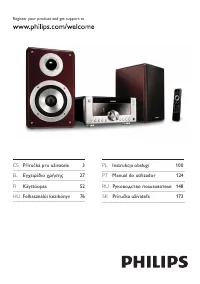
Philips MCM760 - Manual

Philips MCM760 Sound System – Manual, read for free online in PDF format. We hope this helps you resolve any issues you may have. If you have further questions, please contact us through the contact form.


Table of Contents:
- Page 5 – Know these; safety; symbols; To prevent electric shock,; C A U T I O N; For Customer Use; TO PREVENT FIRE OR
- Page 6 – Dear PHILIPS product owner:
- Page 7 – English; rançais; Español; Index; Canada
- Page 8 – IMPORTANT SAFETY INSTRUCTIONS; Class II equipment symbol; This symbol indicates that the unit has; Clean only with a piece of dry cloth.; materials
- Page 9 – Contents; Using AC power
- Page 10 – General Information; Supplied accessories; All unnecessar y packaging has been omitted. We; Safety Information
- Page 11 – Controls; Controls on the set; star ts recording to a USB mass storage device
- Page 12 – Remote control; In standby or Eco Power mode:
- Page 14 – Installation; Rear connections; Never make or change connections with; Speaker connections; Connect the cable of the left speaker to
- Page 15 – FM antenna; If you are using a cable antenna system or; for the devices with USB cable:; or
- Page 16 – Using AC power; AUTO INSTALL; Tuner; To disconnect the; CAUTION; Select; AUX
- Page 17 – Preparation; Setting the clock; PROGRAM; Using the remote control; ÉÅ
- Page 18 – Basic Functions; Switching on/ off the set; ECO PWR; Display adjustment; On the remote control, p; Displaying the clock; – In standby mode, pressing
- Page 19 – Volume control; Volume adjustment; Sound control; Incredible surround; Min
- Page 20 – Discs for playback; Windows Media Audio® is a registered; Playing discs; OPEN
- Page 21 – STOP; Selecting and searching; Selecting a different track
- Page 22 – Programming tracks; PROG; To resume programming, press; Erasing the program; PROGRAM CLEARED
- Page 23 – REPEAT TRACK; – In the shuffle mode, press
- Page 24 – Tuning to radio stations; Or; Programming radio stations; Autostore: Automatic programming; If no tuner preset number is selected, default is
- Page 25 – PRESET DELETED
- Page 26 – USB; Using a USB mass storage device; Compatible USB mass storage devices; In some USB flash players (or memor y; Root; – Make sure that the file names of MP3 files end
- Page 27 – DEVICE NOT SUPPORTED; FILE SYSTEM ERROR
- Page 28 – appears and CD playback pauses
- Page 29 – TAPE; Playing a tape; Recording to a tape; General information on recording
- Page 30 – When recording is in progress, it is not possible:
- Page 31 – AUX Timer; Setting the timer
- Page 32 – Temporarily deactivating TIMER; Timer SLEEP/ Demonstration mode; SLEEP
- Page 33 – Maintenance
- Page 34 – Troubleshooting; NO DISC; Radio reception is poor.; Replace or clean the disc, see “Maintenance”.
- Page 35 – Check the speaker connections and location.
Micro Hi-Fi System
MCM760
Thank you for choosing Philips.
Need help fast?
Read your Quick Use Guide and/or
Owner's Manual first for quick tips
that make using your Philips product
more enjoyable.
If you have read your instructions
and still need assistance,
you may access our online help at
www.philips.com/support
or call
1-888-PHILIPS (744-5477)
while with your product.
Philips vous remercie de
votre confiance.
Besoin d'une aide
rapide?
Les Guide d'utilisation rapide et Manuel de
l'utilisateur regorgent d'astuces destinées à
simplifier l'utilisation de votre produit Philips.
Toutefois, si vous ne parvenez pas à résoudre
votre probléme, vous pouvez accéder à
notre aide en ligne à l'adresse
www.philips.com/support
ou formez le
1-800-661-6162 (Francophone)
1-888-PHILIPS (744-5477) (English speaking)
Veillez à avoir votre produit à
portée de main.
Gracias por escoger Philips
Necesita ayuda
inmediata?
Lea primero la Guía de uso rápido o el
Manual del usuario, en donde encontrará
consejos que le ayudarán a disfrutar
plenamente de su producto Philips.
Si después de leerlo aún necesita ayuda,
consulte nuestro servicio de
asistencia en línea en
www.philips.com/support
o llame al teléfono
1-888-PHILIPS (744-5477)
y tenga a mano el producto.
001-036_MCM760_37_Eng
2/16/2006, 20:10
1
"Loading the manual" means you need to wait until the file loads and becomes available for online reading. Some manuals are very large, and the time they take to appear depends on your internet speed.
Was this manual helpful?
About this manual
- Brand
- Philips
- Model
- MCM760
- Document type
- Manual
- Category
- Sound System
- Language(s)
- English
- Pages
- 36
- File size
- 2.2 MB
- Format
Summary
5 Return your Product Registration Card today to get the very most from your purchase. Registering your model with PHILIPS makes you eligible for all of the valuable benefits listed below, sodon't miss out. Complete and return your Product Registration Card at once to ensure: *Proof of Purchase Retu...
6 Visit our World Wide Web Site at http://www.usasupport.philips.com Congratulations on your purchase, and welcome to the “family!” Dear PHILIPS product owner: Thank you for your confidence in PHILIPS. You’ve selected one ofthe best-built, best-backed products available today. We’ll do every-thing i...
3140 115 xxxxx 7 English F rançais Español Index English ------------------------------------------------ 8 Français -------------------------------------------- 37 Español --------------------------------------------- 68 Canada English: This digital apparatus does not exceedthe Class B limits for r...