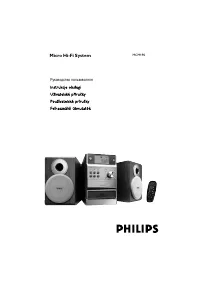
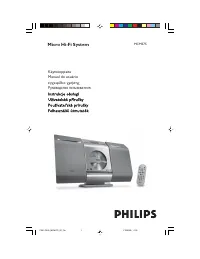
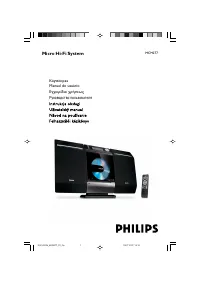
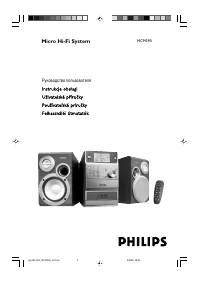
Page 2 - Norge; DICHIARAZIONE DI CONFORMITA’; CAUTION
2 Important notes for users in theU.K. Mains plug This apparatus is fitted with an approved 13Amp plug. To change a fuse in this type of plugproceed as follows: 1 Remove fuse cover and fuse. 2 Fix new fuse which should be a BS1362 3 Amp,A.S.T.A. or BSI approved type . 3 Refit the fuse cover. If the ...
Page 4 - SF
4 DK Advarsel: Usynlig laserstråling ved åbningnår sikkerhedsafbr ydere er ude af funktion.Undgå utsættelse for stråling. Bemærk: Netafbr yderen er sekundærtindkoblet og ofbryder ikke strømmen franettet. Den indbyggede netdel er derfortilsluttet til lysnettet så længe netstikketsidder i stikkontakte...
Page 5 - rançais; Index
5 English F rançais Po r tuguês Español Deutsch Nederlands Italiano Sv enska Dansk Suomi Index English ------------------------------------------------ 6 Français -------------------------------------------- 25 Español --------------------------------------------- 44 Deutsch ------------------------...
Page 6 - English; Contents
6 English Contents General Information Supplied accessories ............................................ 7Environmental information ................................ 7Safety information ................................................ 7Hearing Safety .....................................................
Page 7 - General Information; Supplied accessories; Safety Information
English 7 General Information Congratulations on your purchase and welcometo Philips! To fully benefit from the suppor t that Philipsoffers, register your product at www.philips.com/welcome. This product complies with the radiointerference requirements of the EuropeanCommunity. Supplied accessories ...
Page 8 - Hearing Safety; Listen at a moderate volume.; Listen for reasonable periods of time:
8 English General Information Hearing Safety Listen at a moderate volume. ● Using headphones at a high volume can impairyour hearing. This product can produce soundsin decibel ranges that may cause hearing loss fora normal person, even for exposure less than aminute. The higher decibel ranges are of...
Page 9 - Preparations; Rear connections; Power
English 9 Preparations Rear connections The type plate is located at the rear of thesystem.For users in the U.K.: please follow theinstructions on page 2. A Power Before connecting the AC power cord to thewall outlet, ensure that all other connectionshave been made. WARNING!– For optimal performance...
Page 10 - Before using the remote control; FM Antenna
10 English Before using the remote control 1 Pull out the plastic protective sheet. 2 Select the source you wish to control bypressing one of the source select keys on theremote control (for example CD, TUNER). 3 Then select the desired function (for example É , í , ë ). Replacing battery (lithiumCR...
Page 11 - Controls
English 11 Controls (illustrations on page 3) Controls on the system andremote control 1 STANDBY ON ECO POWER ( 2 ) – switches the system to standby/Eco-powerstnadby/on. 2 DISPLAY/CLOCK for CD ................. displays the current track number and total remaining time(or current album and tracknumb...
Page 12 - Basic Functions; Plug and Play; Switching the system on; Power-saving automatic standby
12 English Basic Functions IMPORTANT:Before you operate the system, completethe preparation procedures. Plug and Play (for tuner installlation) Plug and Play allows you to store all available radio stations automatically. First time setup/power up 1 When you turn on the main supply, " AUTO INSTA...
Page 13 - Adjusting volume and sound
English 13 Basic Functions Adjusting volume and sound 1 Turn the VOLUME control anti-clockwise to decrease or clockwise to increase volume on thesystem (or press VOL - / + on the remote control). ➜ Display shows the volume level VOL and a number from 0-32. 2 Press DSC repeatedly to select the desire...
Page 14 - Basic playback controls; Loading a disc
14 English CD/MP3 Operation Basic playback controls To play a disc ● Press 2; to star t playback. ➜ The current track number and elapsed playing time of the track are displayed during disc playback. To select a different track ● Press TUNING 4 ¢ (or 4 ¢ on the remote control) once or repeatedly unti...
Page 15 - Programming track numbers; Reviewing the programme
English 15 CD/MP3 Operation 3 Press TUNING 4 ¢ (or 4 ¢ on the remote control) to select a desired track. ➜ The album number will change accordingly as you reach the first track of an album by pressing 4 or the last track of an album by pressing ¢ . 4 Press 2; to star t playback. ● During playback, p...
Page 16 - Radio Reception; Tuning to radio stations; Programming radio stations; Automatic programming; Manual programming; Tuning to preset radio stations
16 English Radio Reception Tuning to radio stations 1 Select TUNER source. 2 Press SOURCE on the set repeatedly or press TUNER on the remote repeatedly until the desired waveband (FM or MW) is displayed. 3 Press down on TUNING 4 ¢ and release button. ➜ The radio automatically tunes to a station with...
Page 17 - Tape Operation / Recording; Synchro start CD recording
English 17 Tape Operation / Recording ● The best recording level is set automatically.Altering the VOLUME, DBB or DSC controls willnot affect the recording in progress. ● The recording sound quality might differdepending on the quality of your recordingsource and the recording tape. ● At the ver y b...
Page 18 - Recording from the radio; Other Connection
18 English Tape Operation / Recording Recording from the radio 1 Tune to the desired radio station (see Tuning toradio stations). 2 Press STOP•OPEN Ç 0 to open the tape door. 3 Inser t a suitable tape into the deck and close thetape door. 4 Press RECORD ● to star t recording. 5 To interrupt playback...
Page 19 - Using USB connectivity; Compatible USB mass storage devices; USB; USB Connection
English 19 Using USB connectivity ● MCM204 is fitted with a USB por t in the frontpanel, offering a plug and play feature whichallows you to play, from your MCM204, digitalmusic and spoken contents stored on a USBmass storage device. ● Using a USB mass storage device, you can alsoenjoy all the featu...
Page 21 - Setting the clock
English 21 Clock/Timer Notes:– Timer is not available in TAPE or AUX mode.– If CD source is selected and no disc is in the CDtray or the disc has an error, TUNER will beselected automatically.– If USB source is selected and no compatibleUSB device is plugged, TUNER will be selectedautomatically. Act...
Page 22 - Specifications; Maintenance; A B C
22 English Specifications AMPLIFIER Output power ........................................... 2 x 4W RMSSignal-to-noise ratio .......................... ≥ 60 dBA (IEC) Frequency response ....................... 125 – 16000 HzImpedance loudspeakers ........................................... 4 Ω CD PL...
Page 23 - Radio reception is poor.; Problem; Troubleshooting
English 23 “ NO DISC ” is displayed. Radio reception is poor. Recording or playback cannot be made. The system does not react when buttonsare pressed. Sound cannot be heard or is of poorquality. The left and right sound outputs arereversed. ✔ Inser t a disc. ✔ Check if the disc is inser ted upside d...
Page 25 - CLASS 1
English F rançais Por tuguês Español Deutsch Nederlands Italiano Svenska Dansk Suomi P olski Suomi Português Printed in China CLASS 1 LASER PRODUCT MCM204 PDCC-JH/ZYL-0825 Meet Philips at the Internet http://www.philips.com pg207-PageBack_MCM177-12 6/19/08, 09:39 216