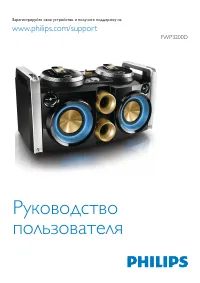
Page 2 - México; Es necesario que lea cuidadosamente su instructivo de manejo.; A T E N C I Ó N; P R E C A U C I Ó N - A D V E R T E N C I A; Minisistema de Audio; LEA CUIDADOSAMENTE ESTE INSTRUCTIVO
2 3139 116 19781 Español Français English México Es necesario que lea cuidadosamente su instructivo de manejo. No abrir, riesgo de choque eléctrico Verifique que el voltaje de alimentación sea el requerido para su aparato A T E N C I Ó N Para evitar el riesgo de choque eléctrico, no quite la tapa. E...
Page 3 - INDEX
3 3139 116 19781 Espa ñ ol Fran ç ais English INDEX CLASS 1 LASER PRODUCT English ..................................... 4 Français ................................. 30 Español .................................. 56 ................................................. 82 Warranty ...........................
Page 4 - English; CONTENTS
4 English 3139 116 19782 General Information ........................................................................ 5 Safety Information ........................................................................... 5 Preparation ..........................................................................
Page 5 - GENERAL INFORMATION; • The type plate (which contains the
5 English 3139 116 19782 GENERAL INFORMATION SAFETY INFORMATION IMPORTANT: PLEASE NOTE THAT THE VOLTAGE SELECTOR LOCATED AT THE REAR OF THIS SYSTEM IS PRESET AT 220V FROM THE FACTORY. FOR COUNTRIES THAT OPERATE AT 110V, PLEASE ADJUST TO 110V BEFORE YOU SWITCH ON THE SYSTEM. General Information • The...
Page 6 - PREPARATION; Rear Connections; H I G H P OW E R S U B WO O F E R; CENTER; Outdoor Antenna; Speakers Connection
6 English 3139 116 19782 PREPARATION Rear Connections AM ANTENNA F AUX/CDR IN H SUB- WOOFER OUT DIGITAL OUT LINE OUT AUDIO OUT L R L R H I G H P OW E R S U B WO O F E R SU BW OOFER LEVEL CONT ROL STANDBY ON CUT OFF FREQUENCY 60Hz 150Hz MIN MAX AUDIO IN G B REARSURROUND L surr. R surr. L + – R – + D ...
Page 7 - • To avoid damage from possible battery
7 English 3139 116 19782 CAUTION: – For optimal sound performance, it is recommended to use the suppliedspeakers. – Do not connect more than one speaker to any one pair of + / - speaker terminal. – Do not connect speakers with impedance lower than the speakerssupplied. Please refer toSPECIFICATION s...
Page 8 - DOLBY PRO LOGIC; Dolby Pro Logic; Dolby; Connect the front; Positioning the Speakers; TEST TONE
8 English 3139 116 19782 DOLBY PRO LOGIC Dolby Pro Logic This state of the art Dolby Pro Logic minisystem enables you to experience andenjoy a Home Cinema sound ambience. ThePro Logic system allows more accuratedefinition of the individual sound sources.It produces greater sound separationbetween ch...
Page 9 - Dolby Surround; Dolby Center Phantom; Dolby 3 Stereo; Normal Stereo
9 English 3139 116 19782 DOLBY PRO LOGIC When you have completed the Dolby ProLogic setup, you are ready to enjoy HomeCinema sound. • Press DPL (PRO LOGIC) repeatedly to select and cyclethrough the varioussound modes. Dolby Surround ™ Center Phantom ™ Dolby 3 Stereo ™ Stereo ™ Dolby Surround … ™ The...
Page 10 - CONTROLS
10 English 3139 116 19782 CONTROLS STEREO FM BACK HSD REPEAT REC LW MW AM T.A. NEWS SOUND NAVIGATION DIGITAL SOUND CONTROL DISC CHANGE DISC 1 DISC 2 DISC 3 OPEN•CLOSE DYNAMIC BASSBOOST TAPE CD PROG CLOCK/TIMER DUB (HSD ) REC STANDBYON SIDE A•B A.REV TUNER AUX PRESET ▲ ▲ STOP • CLEAR SEARCH • TUNING ...
Page 12 - to switch the system to standby mode.; – Then select the desired function; Demonstration mode; When the system is switched; – When the system is switched to standby; seconds; when the system is in
12 English 3139 116 19782 º BALANCE L/R – to balance the sound level of the FrontLeft and Right speakers. ⁄ CENTER + / - – to adjust the sound level of the centerspeaker. ¤ REAR + / - – to adjust the sound level of thesurround speakers. ‹ TEST TONE – to check the sound level of the FrontLeft, Front ...
Page 13 - – Even though the AC power cord is; Easy Set; EASY SET; Switching the system ON; OPERATING THE SYSTEM; Selecting the Source; NORMAL Display
13 English 3139 116 19782 – Even though the AC power cord is removed from and reconnected to thewall socket, the demonstration willremain off until it is switched on again. To start the demonstration mode • Press and hold Ç (on the system only) for 5 seconds when the system is in standby mode. ™ The...
Page 14 - Sound Control; VOLUME ADJUSTMENT
14 English 3139 116 19782 OPERATING THE SYSTEM Sound Control VOLUME ADJUSTMENT Adjust VOLUME to increase or decrease the sound level. For Personal ListeningConnect the headphones plug to the n socket at the front of the system. Thespeakers will be muted. DIGITAL SOUND CONTROL (DSC) The DSC feature e...
Page 15 - Discs for playback; CD; CD Direct Play
15 English 3139 116 19782 CD Warning!1) This system is designed for conventional CDs. Do not use any accessories such as disc stabilizer rings or CD treatment sheets, etc., which may damagethe CD mechanism. 2) Do not load more than one disc into each tray.3) When the CD changer is loaded with CDs, d...
Page 16 - Disc Change; Reviewing the program
16 English 3139 116 19782 CD Disc Change You can change the outer two discs whilethe third inner disc is stopped or is playing. 1 Press DISC CHANGE . ™ The CD carousel tray slides out. 2 Replace the discs in the left and rightdisc trays. • If you wish to change the inner disc during playback, press ...
Page 17 - Erasing the program; SHUFFLE; Repeat
17 English 3139 116 19782 CD Notes:– If you press any of the CD DIRECT PLAY buttons, the system will play theselected disc or track and the storedprogram will be ignored temporarily. ThePROGRAM display also will disappeartemporarily from the display. It willreappear when playback of the selecteddisc...
Page 18 - Tuning to radio stations; TUNER; Storing Preset Stations; AUTO; TUNER; programming by pressing PROG or; FULL
18 English 3139 116 19782 BACK HSD REPEAT SHUFFLE PROGRAM REC LW MW AM T.A. NEWS SOUND NAVIGATION DIGITAL SOUND CONTROL DYNAMIC BASSBOOST TAPE CD PROG CLOCK/TIMER DUB (HSD) REC STANDBYON SIDE A•B A.REV TUNER AUX PRESET ▲ ▲ STOP • CLEAR SEARCH • TUNING PLAY PAUSE PREV NEXT M I N I H I F I S Y S T E M...
Page 19 - Loading a tape; OPEN; Changing the MW tuning grid; (pull out the AC power; – FM tuning grid will also be changed
19 English 3139 116 19782 TUNER TAPE STEREO FM BACK HSD REPEAT SHUFFLE PROGRAM REC LW MW AM T.A. NEWS SOUND NAVIGATION DIGITAL SOUND CONTROL DYNAMIC BASSBOOST TAPE CD PROG CLOCK/TIMER DUB (HSD ) REC STANDBYON SIDE A•B A.REV TUNER AUX PRESET ▲ ▲ STOP • CLEAR SEARCH • TUNING PLAY PAUSE PREV NEXT M I N...
Page 20 - Tape Side; Auto Reverse Playback; TAPE; – Before playing a tape, check and tighten
20 English 3139 116 19782 TAPE Tape Side (only on tape deck 2) • Press í or ë to select the tape side for playback or recording. ™ The BACK or FRONT appear on the display, depending on the tape sideselected. ™ " T2 <<< " or " T2 >>> " will be displayed. ™ When recor...
Page 21 - Selecting External Equipment; KARAOKE; – You are advised not to listen to and; Microphone Mixing
21 English 3139 116 19782 Selecting External Equipment If you have connected the audio outterminals of the external equipment (TV,VCR, Laser Disc player, DVD player, or CDRecorder) to the AUX/CDR IN terminals,you can hear the enhanced sound from thesystem. 1 Press AUX to select CDR mode. ™ " CDR...
Page 22 - RECORDING; SWITCH OFF DOLBY PRO LOGIC; CHECK TAPE; Recording from other sources; Dubbing tapes
22 English 3139 116 19782 TIMER STEREO FM BACK HSD REPEAT LW MW AM T.A. NEWS SOUND NAVIGATION DIGITAL SOUND CONTROL DYNAMIC BASSBOOST TAPE CD PROG CLOCK/TIMER DUB (HSD) REC STANDBYON SIDE A•B A.REV TUNER AUX PRESET ▲ ▲ STOP • CLEAR SEARCH • TUNING PLAY PAUSE PREV NEXT M I N I H I F I S Y S T E M C D...
Page 23 - NORMAL; CD Synchro Start Recording; SELECT SOURCE
23 English 3139 116 19782 4 Press DUB (HSD) once for normal speed dubbing or twice (within 2 seconds) for high speed dubbing. ™ " NORMAL " (normal speed) or " FAST " (high speed) will be displayed, followed by " DUB " with " < or > " scrolling left or right depe...
Page 24 - CLOCK; View Clock; – When a power interruption occurs, the; Timer Setting; • The volume of the timer will
24 English 3139 116 19782 CLOCK TIMER View Clock You can view the clock (if it is set) if thesystem is in Standby mode or when anysound source is selected (CD, TUNER, etc.).The clock will be displayed for about 7seconds. • Press CLOCK/TIMER briefly. ™ " PM 10:38 or 22:38 " (the current time)...
Page 25 - seconds; Sleep Timer
25 English 3139 116 19782 TIMER SLEEP TIMER 5 Press CLOCK/TIMER to store the start time. ™ The timer is now set. ™ The TIMER remains on the display. • At the preset time, the timer will be activated. ™ The selected source will be played. Notes:– During timer setting, if no button is pressed within 9...
Page 26 - Specifications; DPL Mode; SPECIFICATIONS; Power Consumption; Subject to modification
26 English 3139 116 19782 Specifications AMPLIFIER Output power .............................................. 2200 W PMPO DPL Mode Left/Right Channel ........................... 2 x 75 W RMS (1) Center Channel ............................... 40 W RMS, 12 Ω Surround Channel ....................... 2...
Page 27 - MAINTENANCE; Maintenance; NO DISC; Radio Reception; Switch to the correct tuning grid.
27 English 3139 116 19782 MAINTENANCE TROUBLESHOOTING Maintenance Cleaning the Cabinet • Use a soft cloth slightly moistened with a mild detergent solution. Do not use asolution containing alcohol, spirits,ammonia or abrasives. Cleaning Discs • When a disc becomes dirty, clean it with acleaning clot...
Page 28 - TROUBLESHOOTING; Tape Deck Operation; Use demagnetizing tape.; General; Disconnect the headphones.
28 English 3139 116 19782 TROUBLESHOOTING Tape Deck Operation Recording or playback cannot bemade or there is a decrease in audiolevel. • Dirty tape heads, capstans or pressure rollers. ™ See section on tape deck maintenance(page 27). • Magnetic build-up in the record/ playback head. ™ Use demagneti...