Philips HX9924/62 - User Manual
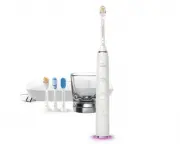
Philips HX9924/62 – User Manual, read for free online in PDF format. We hope this helps you resolve any issues you may have. If you have further questions, please contact us through the contact form.


Table of Contents:
- Page 5 – English 6
- Page 6 – Warning: READ ALL INSTRUCTIONS; DANGERS; WARNINGS; English
- Page 8 – MEDICAL WARNINGS
- Page 9 – Radio Equipment Directive
- Page 10 – Brush heads; Smart brush head recognition
- Page 11 – Brushing modes; Clean mode
- Page 12 – Gum Health mode
- Page 15 – Brushing instructions
- Page 17 – Features and accessories; Connecting your toothbrush
- Page 19 – c. Brush head replacement reminder; Activating or deactivating the brush head
- Page 21 – Battery status and charging; Charging with glass (specific types only); Charging with travel case (specific types only)
- Page 22 – Cleaning; Toothbrush handle
- Page 23 – Brush head; Charger and travel case; Glass; Storage
- Page 24 – Disposal; support; Removing the rechargeable battery
- Page 26 – FCC Compliance Statement
- Page 27 – Warranty and support; WARRANTY EXCLUSIONS
DiamondClean
Smart
mondClean
art
4235_021_1899_2_DFU-Luxury_A6_v1.indd 1
22/03/17 09:36
"Loading the manual" means you need to wait until the file loads and becomes available for online reading. Some manuals are very large, and the time they take to appear depends on your internet speed.
Was this manual helpful?
About this manual
- Brand
- Philips
- Model
- HX9924/62
- Document type
- User Manual
- Language(s)
- English
- Pages
- 30
- File size
- 6.5 MB
- Format
Summary
English 6 4235_021_1899_2_DFU-Luxury_A6_v1.indd 5 22/03/17 09:36
IMPORTANT SAFEGUARDS Warning: READ ALL INSTRUCTIONS BEFORE USE When using electrical products, especially when children are present, basic safety precautions should always be followed, including the following: DANGERS To reduce the risk of electrocution:1 Always place and store the charger at a safe...
16 The product is not intended to be repaired by service personnel in case of failure or component defect (unit can be thrown away). 17 For connection to a supply not in the U.S.A., use a charger of the proper configuration for the power outlet. 18 Use this product only for its intended use as descr...
Ask a question
Related manuals
Popular Philips Other


More Philips Other models
 Philips HX9914/54 User Manual
 Philips HX9914/57 User Manual
 Philips HX9914/63 User Manual
 Philips HX9918/89 User Manual
 Philips HX9923/11 User Manual
 Philips HX9924/14 User Manual
 Philips HX9994/12 User Manual
 Philips ID555 Manual
 Philips Inca 311 Manual
 Philips Indoor Antenna Manual
 Philips IPF525 Manual
 Philips ISIS iQ UNO Manual