Philips AC0820/30 - User Manual
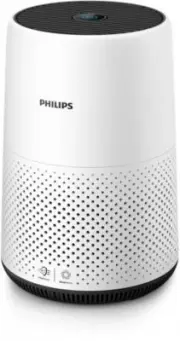
Philips AC0820/30 – User Manual, read for free online in PDF format. We hope this helps you resolve any issues you may have. If you have further questions, please contact us through the contact form.


Table of Contents:
- Page 3 – Contents; Safety ������������������������������������������������������������������������������������������������������������������������������ 2
- Page 4 – Important; Safety; Danger
- Page 5 – Caution
- Page 6 – Your air purifier; Product Overview
- Page 7 – Controls overview; Using the air purifier; Understanding the air quality light
- Page 8 – Installing the filter; Connecting power
- Page 9 – Changing the mode setting; Cleaning; Cleaning schedule
- Page 11 – Replacing the filter; Understanding the healthy air protect lock
- Page 12 – Filter reset; Storage
- Page 14 – Guarantee and service; Order parts or accessories; Notices; Recycling
- Page 15 – 目錄; (EMF) ������������������������������������������������������������������������������������������������������������24
- Page 16 – 重要事項; 安全; 危險事項
- Page 18 – 您的空氣清新機; 產品概要
- Page 19 – 控制鍵概覽; 使用空氣清新機; 了解空氣質素指示燈
- Page 20 – 安裝濾網; 連接電源; 開關
- Page 21 – 更改模式設定; 清潔; 清潔時間表; 清潔空氣清新機機身
- Page 22 – 清潔空氣質素感應器; 清潔濾網表面
- Page 23 – 了解清新空氣保護鎖; 更換濾網; 重設濾網
- Page 25 – 保障及服務; 訂購零件或配件
- Page 26 – 注意; 電磁場; 回收
AC0819/AC0820
AC0830
EN
User manual
3
ZH-HK
用戶手冊
15
"Loading the manual" means you need to wait until the file loads and becomes available for online reading. Some manuals are very large, and the time they take to appear depends on your internet speed.
Was this manual helpful?
About this manual
- Brand
- Philips
- Model
- AC0820/30
- Document type
- User Manual
- Language(s)
- English
- Pages
- 28
- File size
- 4.2 MB
- Format
Other Manuals for Philips AC0820/30
Summary
1 EN Contents 1 Important ��������������������������������������������������������������������������������������� 2 Safety ������������������������������������������������������������������������������������������������������������������������������ 2 2 Your air purifier ����������������������������...
2 EN 1 Important Safety Read this user manual carefully before you use the appliance, and save it for future reference� Danger • Do not clean the appliance with water, any other liquid, or a (flammable) detergent to avoid electric shock and/or a fire hazard� • Do not spray any flammable materials su...
3 EN Caution • This appliance is not a substitute for proper ventilation, regular vacuum cleaning, or use of an extractor hood or fan while cooking� • Always place and use the appliance on a dry, stable, level, and horizontal surface� • Leave at least 20cm free space around the appliance and leave a...
Ask a question
Related manuals
Popular Philips Other


More Philips Other models
 Philips 421335440991 Manual
 Philips A60 E27 Manual
 Philips A3980 Manual
 Philips AC0650/20 User Manual
 Philips AC0651/10 User Manual
 Philips AC0819/10 User Manual
 Philips AC0830/10 User Manual
 Philips AC0850/20 User Manual
 Philips AC0920/10 User Manual
 Philips AC0921/14 User Manual
 Philips AC0950/10 User Manual
 Philips AC0951/13 User Manual