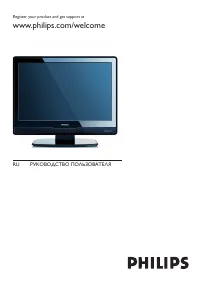
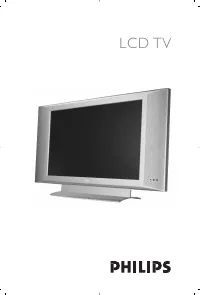
Philips 42PFL9803H_10 - Quick Guide

Philips 42PFL9803H_10 TV – Quick Guide, read for free online in PDF format. We hope this helps you resolve any issues you may have. If you have further questions, please contact us through the contact form.


Table of Contents:
- Page 2 – What’s in the box; St ar t; Contenuto della confezione
- Page 3 – Swivel stand
- Page 4 – Remote control
- Page 6 – Installation
- Page 8 – TV
- Page 9 – DVD Home Theatre System
- Page 10 – DVD recorder and cable receiver
- Page 12 – Ambilight set up
Start
Quick
www.philips.com/welcome
Installation
EN
Einstellung
DE
Installation
FR
Installatie
NL
Configuratione
IT
Instalación
ES
Regis ter your produc t and get suppor t at …
"Loading the manual" means you need to wait until the file loads and becomes available for online reading. Some manuals are very large, and the time they take to appear depends on your internet speed.
Other Manuals for Philips 42PFL9803H_10
Summary
What’s in the box Remote ControlFernbedienungTélécommandeAfstandsbedieningTelecomandoMando a distancia Was ist in der VerpackungContenu de l’emballageWat zit er in de doos • • • • • • User manualBedienungsanleitungMode d ’emploiGebruikershandleidingManuale di istruzioniManual del usuario • • • • • •...
• • • • • • Remove the yellow brake at the back ofthe stand to allow the TV to swivel. Entfernen Sie die gelbe Sperre auf derRückseite des Standfußes, damit sich dasFernsehgerät drehen lässt. Retirez le frein jaune à l'arrière du suppor tafin de permettre au téléviseur de pivoter. Verwijder de gele r...
Die FernbedienungLa télécommandeAfstandsbediening Remote control Colour coded keys Press a colour key to selec t a taskor choice shown on screen. Farbentasten Drücken Sie die entsprechendeFarbtaste, um eine auf dem Bild-schirm angezeigte Aufgabe oderOption auszuwählen. Touches de couleur Appuyez sur...