Page 2 - Contents
2 Thank you for buying this Onkyo product. Please read through these operating instructions so you will know how to operate your model properly. Before you start . . . . . . . . . . . . . . . . . . . . . . . . . . . . 3 Checking what’s in the box . . . . . . . . . . . . . . . . . . . . . 3 Installin...
Page 3 - Before you start; Checking what’s in the box; Flow of settings on the receiver; The colors of the steps indicate the following:; Required setting item; (When using connections other than the
3 Before you start Checking what’s in the box Please check that you’ve received the following supplied accessories: • Setup microphone • Remote control • AAA size IEC R03 dry cell batteries (to confirm system operation) x2 • AM loop antenna • FM wire antenna • Quick start guide • Safety Brochure Ins...
Page 4 - Controls and displays; Front panel; Operating
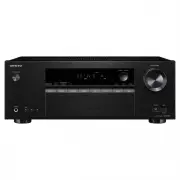
1: 4 2 33 4 Controls and displays Front panel 1 Í ON/STANDBY 2 BLUETOOTH Switches to the BT Audio input 3 Remote sensor Receives the signals from the remote control (see Operating range of remote control on page 7 ). 4 Listening mode buttons STEREO – Switches to the STEREO mode ( page 25 ). SURROUND...
Page 5 - Listening in surround sound
Controls and displays 1 1 5 2 33 4 Display 15 Tuner indicatorsRDS – Lights when an RDS broadcast is received ( page 24 ). (For Europe) ST – Lights when a stereo FM broadcast is being received in auto stereo mode ( page 22 ). TUNE – Lights when a normal broadcast channel. PRESET – Shows when a preset...
Page 6 - Listening to the radio
Controls and displays 1 1 6 2 33 4 Remote control As for operating other devices, the remote control codes for the Onkyo products are preset. The settings cannot be changed. 1 Í RECEIVER Switches the receiver between standby and on. 2 Input function buttons Use to select the input source to this rec...
Page 7 - WARNING; Never use new and old batteries together.; Operating range of remote control; The remote control may not work properly if:
Controls and displays 1 1 7 2 33 4 Loading the batteries The batteries included with the unit are to check initial operations; they may not last over a long period. We recommend using alkaline batteries that have a longer life. WARNING • Do not use or store batteries in direct sunlight or other exce...
Page 8 - Connecting your equipment; Placing the speakers; By connecting the left and right front speakers (; SW; Hints on the speaker placement; CAUTION; S L
2: 8 2 33 4 Connecting your equipment Placing the speakers By connecting the left and right front speakers ( L / R ), the center speaker ( C ), the left and right surround speakers ( SL / SR ), and the subwoofer ( SW ), a 5.1 ch surround system can be enjoyed.To achieve the best possible surround so...
Page 9 - Bare wire connections; Front speaker terminals:; Center and surround speaker terminals:; Twist exposed wire strands together.
Connecting your equipment 2 2 9 2 33 4 Connecting the speakers The receiver will work with just two stereo speakers (the front speakers in the diagram) but using at least three speakers is recommended, and a complete setup is best for surround sound.Make sure you connect the speaker on the right to ...
Page 10 - Important; HDMI cables; Setting the Audio options; THRU; Selecting the audio input signal; HDMI; The HDMI Setup menu; Note; are trademarks of Sony
Connecting your equipment 2 2 10 2 33 4 Making cable connections Make sure not to bend the cables over the top of this unit (as shown in the illustration). If this happens, the magnetic field produced by the transformers in this unit may cause a humming noise from the speakers. Important • Before ma...
Page 11 - Standard RCA video cables; HDMI OUT
Connecting your equipment 2 2 11 2 33 4 Analog audio cables Use stereo RCA phono cables to connect analog audio components. These cables are typically red and white, and you should connect the red plugs to R (right) terminals and white plugs to L (left) terminals. Digital audio cables Commercially a...
Page 12 - The Input Assign menu; Select one
Connecting your equipment 2 2 12 2 33 4 Connecting a TV and playback components Connecting using HDMI If you have an HDMI or DVI (with HDCP) equipped component (Blu-ray Disc player, etc.), you can connect it to this receiver using a commercially available HDMI cable. • The following connection/setti...
Page 13 - AUDIO SEL; Selecting
Connecting your equipment 2 2 13 2 33 4 Connecting your component with no HDMI terminal This diagram shows connections of a TV and Blu-ray Disc/DVD player (or other playback component) with no HDMI terminal to the receiver. Important • When the receiver and TV are connected by composite cable, the O...
Page 14 - Push open the tabs, then insert one wire fully into each; Using external antennas; To improve FM reception; coaxial
Connecting your equipment 2 2 14 2 33 4 Connecting antennas Connect the AM loop antenna and the FM wire antenna as shown below. To improve reception and sound quality, connect external antennas (see Using external antennas below ). 1 Push open the tabs, then insert one wire fully into each terminal,...
Page 15 - This receiver does not support a USB hub.; Plugging in the receiver; USB mass
Connecting your equipment 2 2 15 2 33 4 Connecting a USB device It is possible to listen to two-channel audio using the USB interface on the front of this receiver. … Switch the receiver into standby then connect your USB device to the USB terminal on the front panel of this receiver. • It is not po...
Page 16 - Basic Setup; Automatically setting up for surround sound
3: 16 33 4 2 Basic Setup Automatically setting up for surround sound (AccuEQ Room Calibration) Place the supplied setup microphone in the listening position, measure the test tones emitted by the speakers, then the unit automatically sets the optimum volume level for each speaker, the crossover freq...
Page 17 - Other problems when using the AccuEQ; ENTER; Speaker Setting; Other problems when using the AccuEQ Room
Basic Setup 3 3 17 33 4 2 9 Wait for the test tones to finish. A progress report is displayed on-screen while the receiver outputs test tones to determine the speakers present in your setup. Try to be as quiet as possible while it’s doing this. • For correct speaker settings, do not adjust the volum...
Page 18 - Basic playback; Playing a source; DIRECT
4: 18 33 4 2 Basic playback Playing a source Here are the basic instructions for playing a source (such as a DVD disc) with your home theater system. 1 Switch on your system components and receiver. Start by switching on the playback component (for example a DVD player), your TV and subwoofer (if yo...
Page 19 - The Input; Tip
Basic playback 4 4 19 33 4 2 • When digital input (optical or coaxial) is selected, this receiver can only play back Dolby Digital, PCM (32 kHz to 96 kHz) and DTS (including DTS 96 kHz/24 bit) digital signal formats. The compatible signals via the HDMI terminals are: Dolby Digital, DTS, SACD (DSD 2 ...
Page 20 - Connecting a USB device; Basic playback controls; Compressed audio compatibility; Other compatibility information
Basic playback 4 4 20 33 4 2 Playing a USB device It is possible to listen to two-channel audio using the USB interface on the front of this receiver. Important • Onkyo cannot guarantee compatibility (operation and/or bus power) with all USB mass storage devices and assumes no responsibility for any...
Page 21 - Scope of operation
Basic playback 4 4 21 33 4 2 Music playback using BLUETOOTH ® wireless technology You can wirelessly enjoy music files stored in a smartphone or other BLUETOOTH capable device. The coverage area is about 10 meters. Note • The BLUETOOTH ® word mark and logos are registered trademarks owned by Bluetoo...
Page 22 - Radio wave reflections; Saving; Improving FM sound; BAND; Saving station presets; EDIT
Basic playback 4 4 22 33 4 2 In the following locations, poor condition or inability to receive radio waves may cause the audio to be interrupted or stopped: • In reinforced concrete buildings or steel framed or iron-framed buildings. • Near large metallic furniture. • In a crowd of people or near a...
Page 23 - Naming preset stations; Listening to station presets; Searching for RDS programs
Basic playback 4 4 23 33 4 2 Listening to station presets You will need to have some presets stored to do this. See Saving station presets on page 22 if you haven’t done this already. … Press PRESET +/– to select the station preset you want. Naming preset stations For easier identification, you can ...
Page 24 - DISPLAY
Basic playback 4 4 24 33 4 2 Displaying RDS information Use the DISPLAY button to display the different types of RDS information available. … Press DISPLAY for RDS information. Each press changes the display as follows: • Listening mode • Master volume • Radio Text ( RT ) – Messages sent by the radi...
Page 25 - Listening to your system; Type of surround modes
5: 25 33 4 2 Listening to your system Choosing the listening mode This receiver offers a variety of listening modes to accommodate playback of various audio formats. Choose one according to your speaker environment or the source. … While listening to a source, press the listening mode button repeate...
Page 26 - Displaying the
Listening to your system 5 5 26 33 4 2 Setting the Audio options There are a number of additional sound settings you can make using the QUICK MENU menu. The defaults, if not stated, are listed in bold. Important • Note that if a setting doesn’t appear in the QUICK MENU menu, it is unavailable due to...
Page 27 - RETURN; Changing the TV format setting of; TUNING
Listening to your system 5 5 27 33 4 2 Displaying the Fixed PCM Setting menu The Fixed PCM Audio options are not displayed by default. Perform the following operations to display them. 1 Switch the receiver into standby. 2 While holding down RETURN on the front panel, hold Í ON/STANDBY . The setting...
Page 29 - Setup; Using the Setup; Manual speaker setup; on
6: 29 33 4 2 Setup Using the Setup The following section shows you how to make detailed settings to specify how you’re using the receiver, and also explains how to fine-tune individual speaker system settings to your liking. Important • The OSD will not appear if you have connected using the composi...
Page 30 - Speaker; Channel Level
Setup 6 6 30 33 4 2 • Surr – Select LARGE if your surround speakers reproduce bass frequencies effectively. Select SMALL to send bass frequencies to the other speakers or subwoofer. If you didn’t connect surround speakers choose NO (the sound of the surround channels is sent to the other speakers). ...
Page 31 - Speaker Distance
Setup 6 6 31 33 4 2 Adjust the level of each speaker as the test tone is emitted. Note • If you are using a Sound Pressure Level (SPL) meter, take the readings from your main listening position and adjust the level of each speaker to 75 dB SPL (C-weighting/slow reading). • The subwoofer test tone is...
Page 32 - Before starting ARC operation
Setup 6 6 32 33 4 2 The HDMI Setup menu If your TV supports an audio return channel (ARC) function, connect your TV and this unit with an HDMI cable and the TV audio will be inputted into this unit via the HDMI terminal without the need for an audio cable to be connected.It is possible to transfer s...
Page 33 - Additional information; Troubleshooting; on page 8
7: 33 33 4 2 Additional information Troubleshooting Incorrect operations are often mistaken for trouble and malfunctions. If you think that there is something wrong with this component, check the points below. Take a look at the other components and electrical appliances being used, because sometime...
Page 34 - DIMMER; Important information regarding the HDMI; Configuration; USB messages
Additional information 7 7 34 33 4 2 The display is dark. # Press DIMMER on the remote control repeatedly to return to the default. Display flashes and cannot be operated. # Depending on the input signal or listening mode, there may be functions that cannot be selected. The BLUETOOTH wireless ...
Page 35 - Cleaning the unit
Additional information 7 7 35 33 4 2 Resetting the main unit Use this procedure to reset all the receiver’s settings to the factory default. Use the front panel controls to do this. 1 Switch the receiver into standby. 2 While holding down STEREO , press and hold Í ON/STANDBY for about two seconds. 3...
Page 36 - Furnished Parts; The BLUETOOTH
Additional information 7 7 36 33 4 2 Furnished Parts Setup microphone . . . . . . . . . . . . . . . . . . . . . . . . . . . . . . . 1Remote control . . . . . . . . . . . . . . . . . . . . . . . . . . . . . . . . . 1Dry cell batteries (AAA size IEC R03) . . . . . . . . . . . . . . . . 2AM loop antenn...