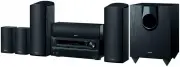
Page 2 - Before Start; About the Basic Manual; How to use the remote controller
Before Start 2 About the Basic Manual The Basic Manual leads you through the fundamental steps to enjoy the AV Receiver from connections to TV, speaker system and playback components, to necessary functions for playback. As well as that, Basic Manual informs you with the instructions on frequently u...
Page 3 - Connections; Connecting the TV and players; Important; HDMI cable connection
Step 1: Connections 3 1 Connecting the TV and players Important : The power cord must be connected only after all other connections are completed. HDMI cable connection The unit has many HDMI jacks on its rear panel and each of them corresponds to an input selector button of the same name on the fro...
Page 4 - Connecting Components without HDMI; Audio signal connection
4 Step 1: Connections r To enjoy HDCP2.2 protected video, connect the player to the HDMI IN3 jack and the TV to the HDMI OUT MAIN jack of the unit. Your player and TV need to support HDCP2.2. r To play 4K or 1080p video, use the high speed HDMI cable. r Another TV can be connected to the HDMI OUT SU...
Page 5 - Connecting speakers; HEIGHT RIGHT; Instructions on how to connect speakers
5 Step 1: Connections 2 Connecting speakers Speaker layout # $ % & ' " " # Dolby Enabled Speakers (Front) $ Center speakers % & Surround speakers ' Subwoofer r To use the multi-zone function, see the section 6 "Using the multi-zone function" of "Step 3: Playing Back"....
Page 6 - Note; Headphones connection
6 Step 1: Connections Cut and remove the plastic coating from the end of the speaker cable, twist the core and connect it to the terminal. Make correct connection between the unit's jacks and speaker's jacks (+ to + and - to -) for each channel. If connection is wrong, a bass sound may become poor d...
Page 7 - Setting Up; Turning the power on; Firmware update notification; st Step : AccuEQ Room Calibration; Place the speaker setup microphone.
7 Step 2: Setting Up Important : When the unit is turned on for the first time, the setup wizard of the section 2 will automatically be launched. If you use the setup wizard to make the initial setup, connect a TV to the HDMI OUT MAIN jack of the unit via HDMI connection. 1 Turning the power on Conn...
Page 8 - Follow the guidance displayed on the TV screen.; nd Step : Source Connection
8 Step 2: Setting Up 2. After placing the microphone at the measurement position, select "Do it Now" with the cursors and press ENTER. 3. Connect the microphone to the SETUP MIC jack of the unit. SETUP MIC jack Speaker setup microphone 4. Follow the guidance displayed on the TV screen. AccuE...
Page 9 - th Step : Network Connection; Select and set the authentication method.; Push Button; PIN code; Establish connection.; Exiting the setup wizard
9 Step 2: Setting Up 4th Step : Network Connection Do you want to connect network connection? It gives you network services that our AV receiver support. If you wish to skip this step. select “No. Skip”. Yes No. Skip HOME Ex it Initial Setup Network Connection You can check the network connection ...
Page 10 - Playing Back; Playing the player and TV
Step 3: Playing Back 10 1 Playing the player and TV z To control the unit : The remote controller of this unit has the remote mode function for controlling other devices. You cannot control this unit when the remote controller is in the remote mode other than RECEIVER mode (for controlling this unit...
Page 11 - Listening modes
11 Step 3: Playing Back Listening modes You can select a listening mode from various options such as Dolby Digital, Dolby Atmos and DTS. Select the desired mode by switching and listening actual sound in different modes. The selectable listening modes depend on the format of the input signals. MOVIE...
Page 12 - Pairing
12 Step 3: Playing Back 3 Connecting and playing the Bluetooth-enabled device You can wirelessly enjoy music files stored in a smartphone or QVJGT$NWGVQQVJGPCDNGFFGXKEG6JGEQXGTCIGCTGCKU|HGGV (15 meters). r The Bluetooth-enabled device needs to support the A2DP profile. r Note that connection is not ...
Page 13 - Using the Quick Setup menu
13 Step 3: Playing Back USB : Select "USB" in the TV screen and connect a USB storage device to the USB port on the front panel. On the TV screen, select the desired folder or music file with the cursors of the remote controller and press ENTER to confirm and start playback. r "USB"...
Page 14 - Change the setting; To turn off the multi-zone function
14 Step 3: Playing Back 6 Using the multi-zone function You can multi-zone connect the unit with an integrated amplifier and speakers in a separate room and play sound from an external device connected to the analog audio input jacks of the unit, sound from the "NET", "USB" or "B...
Page 15 - Front Panel
15 1 2 4 9 F G H I K 6 L 3 5 7 8 J N M R S T P Q O (European model) (European model) Front Panel 1 z ON/STANDBY button : Turns the unit on or into standby mode. 2 BLUETOOTH indicator : Flashes while pairing with a Bluetooth-enabled device is in progress and stays lit when pairing is completed. 3 Wi-...
Page 16 - H I; Rear Panel; Display
16 1 4 6 8 2 3 5 7 F G 9 H I Rear Panel 1 RI REMOTE CONTROL jack : An Onkyo product with RI jack can be connected and synchronized with this unit. 2 #06'00##/(/ŝVGTOKPCN : The supplied antennas are connected. 3 COMPONENT VIDEO IN/OUT jacks : Component video input/output jacks 4 ETHERNET port : Used ...
Page 17 - Troubleshooting; How to reset; How to reset the remote controller
17 Troubleshooting Before starting the procedure Problems may be solved by simply turning the power on/off or disconnecting/connecting the power cord, which is easier than working on the connection, setting and operating procedure. Try the simple measures on both the unit and the connected device. I...
Page 18 - Specifications
18 Specifications Amplifier Section Rated Output Power All channels: 95 watts minimum continuous power per channel, 8 ohm loads, 2 channels driven from 20 Hz to 20 kHz, with a maximum total harmonic distortion of 0.08% (FTC)115 watts minimum continuous power per channel, 6 ohm loads, |EJCPPGNUFTKXGP...
Page 19 - Others; License and Trademark Information; Declaration of Conformity
19 Others License and Trademark Information Manufactured under license from Dolby Laboratories. Dolby, Dolby Atmos, Dolby Surround, Surround EX and the double-D symbol are trademarks of Dolby Laboratories. For DTS patents, see http://patents.dts.com. Manufactured under license from DTS Licensing Lim...
Page 21 - AV RECEIVER; Mode d'Emploi Avancé trouvé ici
HT-R693 AV RECEIVER Mode d'Emploi Base Mode d'Emploi Avancé trouvé ici http://w w w.onkyo.com/manual/htr693/adv/fr.html F r
Page 22 - Avant de démarrer; A propos du mode d'emploi simplifié; Comment utiliser la télécommande
Avant de démarrer 2 A propos du mode d'emploi simplifié Le mode d'emploi simplifié vous guide à travers les étapes fondamentales, afin d'utiliser le récepteur AV depuis les connexions de la TV, du système d'enceintes et des composants d'écoute, aux fonctions nécessaires pour l'écoute. De cette façon...
Page 23 - Connexions; Connexion du téléviseur et des lecteurs; Connexion du câble HDMI
Étape 1 : Connexions 3 1 Connexion du téléviseur et des lecteurs Important : Le cordon d'alimentation doit être connecté uniquement lorsque toutes les autres connexions sont effectuées. Connexion du câble HDMI L'appareil a beaucoup de prises HDMI sur son panneau arrière et chacune d'entre elles corr...
Page 24 - Connexion des composants sans HDMI; Connexion de signal audio; Connexion analogique; Connexion du signal vidéo
4 Étape 1 : Connexions r Pour pouvoir profiter de la vidéo protégée HDCP2.2, connectez le lecteur à la prise HDMI IN3 et le téléviseur à la prise HDMI OUT MAIN de l'appareil. Votre lecteur et votre téléviseur doivent être compatibles avec HDCP2.2. r Pour lire des vidéos de 4K ou de 1080p, utilisez l...
Page 25 - Connexion des enceintes; Instructions sur la manière de brancher les enceintes
5 Étape 1 : Connexions 2 Connexion des enceintes Disposition de l'enceinte # $ % & ' " " # Enceintes Dolby Activé (Avant) $ Enceintes centrales % & Enceintes ambiophoniques ' Caisson de basse r Pour utiliser la fonction multi-zone, voir la section 6 |7VKNKUCVKQPFGNCHQPEVKQPOWNVK\QPG...
Page 26 - Remarque; Connexion des écouteurs
6 Étape 1 : Connexions Découpez et retirez la gaine plastique à l'extrémité du câble de l'enceinte, torsadez son cœur et connectez -le à la borne. Connectez correctement les prises de l'appareil et les prises de l'enceinte (+ avec + et - avec -) pour chaque canal. Si une connexion est mauvaise, un s...
Page 27 - Installation; Mise sous tension; Notification de la mise à jour du micrologiciel; Placez le microphone de configuration.
7 Étape 2 : Installation Important : Lorsque l'appareil est mis sous tension pour la première fois, l'assistant d'installation de la section 2 sera automatiquement lancé. Si vous utilisez l'assistant d'installation pour effectuer la configuration initiale, connectez un téléviseur à la prise HDMI OUT...
Page 28 - .QTUSWG2NGCUGWPRNWIUGVWROKETQRJQPGGUV; rd Step : Remote Mode Setup
8 Étape 2 : Installation 2. Après avoir placé le microphone à la position de OGUWTGUÅNGEVKQPPG\|&QKV0QY¼N CKFGFGU curseurs, puis appuyez sur ENTER. 3. Connectez le microphone à la prise SETUP MIC de l'appareil. Prise SETUP MIC Micro de paramétrage d'enceinte 4. Suivez les instructions affichée...
Page 29 - VJ5VGR0GVYQTM%QPPGEVKQP; Sélectionnez et réglez la méthode d'authentification.
9 Étape 2 : Installation VJ5VGR0GVYQTM%QPPGEVKQP Do you want to connect network connection? It gives you network services that our AV receiver support. If you wish to skip this step. select “No. Skip”. Yes No. Skip HOME Ex it Initial Setup Network Connection Vous pouvez vérifier la connexion au ré...
Page 30 - Écouter; Lecture à partir du lecteur et le téléviseur; Noms des parties de la télécommande; Les boutons autres que
Étape 3 : Écouter 10 1 Lecture à partir du lecteur et le téléviseur z Pour commander l'appareil : La télécommande de cet appareil est doté d'une fonction mode de télécommande pour contrôler d'autres appareils. Vous ne pouvez pas contrôler l’appareil lorsque la télécommande est en mode de télécommand...
Page 31 - Autres fonctions utiles
11 Étape 3 : Écouter Modes d'écoute Vous pouvez choisir un mode d'écoute à partir de plusieurs options comme le Dolby Digital, Dolby Atmos et DTS. Sélectionnez le mode choisi en commutant et en écoutant le son en temps réel dans différents modes. Les modes d'écoute sélectionnables dépendent du forma...
Page 32 - Jumelage; GVYQTM5GTXKEG
12 Étape 3 : Écouter 3 Connexion et lecture du son du dispositif compatible Bluetooth Vous pouvez profiter sans fil des fichiers musicaux stockés dans votre smartphone ou autre périphérique compatible Bluetooth. La zone de couverture est de 48 pieds (15 mètres). r Le périphérique compatible Bluetoot...
Page 33 - VKNKUCVKQPFWOGPW3WKEM5GVWR
13 Étape 3 : Écouter USB 5ÅNGEVKQPPG\75$UWTN ÅETCPFGNC68GVEQPPGEVG\WP périphérique de stockage USB sur le port USB situé sur le panneau avant. Sur l'écran de la TV, sélectionnez le dossier de votre choix ou un fichier musical avec les curseurs de la télécommande et appuyez sur ENTER pour confirm...
Page 34 - Changez le réglage; Pour contrôler sur l'appareil principal
14 Étape 3 : Écouter 6 Utilisation de la fonction multi-zone Vous pouvez connecter l'appareil en multi-zone avec un amplificateur intégré et des enceintes dans une pièce séparée et lire le son depuis un périphérique externe connecté aux prises F GPVTÅGCWFKQCPCNQIKSWGFGN CRRCTGKNFGRWKU|0'6|QWFGRWKU...
Page 35 - Panneau frontal
15 1 2 4 9 F G H I K 6 L 3 5 7 8 J N M R S T P Q O (Modèles européens) (Modèles européens) Panneau frontal 1 Bouton z 1056#0&$; Permet la mise en marche ou veille de l'appareil. 2 Témoin BLUETOOTH : Clignote lorsque le jumelage avec un périphérique compatible Bluetooth est en cours et reste allu...
Page 36 - Panneau arrière
16 1 4 6 8 2 3 5 7 F G 9 H I Panneau arrière 1 Prise RI REMOTE CONTROL : Un produit Onkyo avec une prise RI peut être connecté et synchronisé avec cet appareil. 2 $QTPG#06'00##/(/ŝ : Les antennes fournies sont connectées. 3 Prises COMPONENT VIDEO IN/OUT : Prises vidéo composante entrée/sortie 4 Port...
Page 37 - Dépannage; Le récepteur AV s'éteint de manière inattendue.; La télécommande ne fonctionne pas.; Comment réinitialiser; Comment réinitialiser la télécommande
17 Dépannage Avant de démarrer la procédure Les problèmes peuvent être résolus simplement en allumant et en coupant l'alimentation, ou en débranchant/rebranchant le cordon d'alimentation, ce qui est plus facile que de travailler sur la connexion, la procédure de paramétrage et de fonctionnement. Ess...
Page 38 - Caractéristiques techniques
Caractéristiques techniques 18 Partie de l'amplificateur Puissance de sortie nominale 6QWVGUNGUEJCÊPGU YCVVUOKPKOWOFGRWKUUCPEGGPEQPVKPWRCTEJCÊPGQJOFGEJCTIGECPCWZCNNCPVFG*\¼M*\CXGEWPOCZKOWOFGFKUVQTUKQPJCTOQPKSWGVQVCNGFG|(6%YCVVUOKPKOWOFGRWKUUCPEGGPEQPVKPWRCTEJCÊPGQJOFGEJCTIGECPCWZCNNCPVLWUSW ¼M*\CXGE...
Page 39 - Autres; AVERTISSEMENT
19 Autres Informations relatives à la licence et à la marque commerciale Fabriqué sous licence de Dolby Laboratories. Dolby, Dolby Atmos, Dolby Surround, Surround EX et le symbole double-D sont des marques commerciales de Dolby Laboratories. Pour les brevets DTS, voir http://patents.dts.com. Fabriqu...
Page 40 - Déclaration de Conformité
20 Prècautions Modèles pour l’Europe Déclaration de Conformité Nous déclarons, sous notre seule responsabilité, que le produit est conforme aux normes :– Sécurité – Limites et méthodes de mesure des caractéristiques des perturbations radioélectriques – Limites pour les émissions de courant harmoniqu...
Page 41 - Manual Básico; Aquí encontrará el Manual
E s HT-R693 AV RECEIVER Manual Básico Aquí encontrará el Manual Avanzado http://w w w.onkyo.com/manual/htr693/adv/es.html
Page 42 - Antes de empezar; Acerca del Manual básico; Cómo utilizar el mando a distancia
Antes de empezar 2 Acerca del Manual básico El Manual básico lo guía a través de los pasos fundamentales para disfrutar del Receptor de AV desde las conexiones a la TV, sistemas de altavoces y componentes de reproducción, hasta las funciones necesarias para la reproducción. A parte de eso, el Manual...
Page 43 - Conexiones; Conexión de la TV y de los reproductores; Importante; Conexión de cable HDMI
Paso 1: Conexiones 3 1 Conexión de la TV y de los reproductores Importante : El cable de alimentación debe conectarse sólo después de que todas las otras conexiones se hayan completado. Conexión de cable HDMI La unidad tiene muchos conectores HDMI en su panel trasero y cada uno de ellos corresponde ...
Page 44 - Conexión de componentes sin HDMI; Conexión de señal de audio; Conexión de señal de vídeo
4 Paso 1: Conexiones en “Paso 2: Configuración”. r Para disfrutar del vídeo protegido con HDCP2.2, conecte el reproductor al conector HDMI IN3 y a la TV en el conector HDMI OUT MAIN de la unidad. Su reproductor y la TV tienen que ser compatibles con HDCP2.2. r Para reproducir vídeo de 4K o 1080p, us...
Page 45 - Conexión de altavoces; Instrucciones sobre cómo conectar altavoces
5 Paso 1: Conexiones 2 Conexión de altavoces Disposición de los altavoces # $ % & ' " " # Altavoces habilitados con Dolby (Delanteros) $ Altavoces centrales % & Altavoces envolventes ' Subwoofer r Para utilizar la función multizona, consulte la sección 6 “Uso de la función multizona”...
Page 46 - Nota; Conexión de auriculares
6 Paso 1: Conexiones Corte y quita la cubierta de plástico del extremo del cable del altavoz, gire el núcleo y conéctelo al terminal. Realice una conexión correcta entre las conexiones de la unidad y las conexiones del altavoz (+ a + y - a -) para cada canal. Si la conexión está mal, un sonido bajo ...
Page 47 - Configuración; Encendiendo la unidad; Notificación de actualización de firmware; st Step: AccuEQ Room Calibration; Coloque el micrófono de configuración del altavoz.
7 Paso 2: Configuración Importante : Cuando se enciende por primera vez la unidad, se abrirá automáticamente el asistente de configuración de la sección 2. Si usa el asistente de configuración para realizar la configuración inicial, conecte una TV al conector HDMI OUT MAIN de la unidad a través de u...
Page 48 - Siga la guía mostrada en la pantalla de la TV.
8 Paso 2: Configuración 2. Después de colocar el micrófono en la posición de medición, seleccione “Do it Now” con los cursores y pulse ENTER. 3. Conecte el micrófono al conector SETUP MIC de la unidad. Conector SETUP MIC Micrófono para la configuración de altavoces 4. Siga la guía mostrada en la pan...
Page 49 - Seleccione y configure el método de autenticación.; Salir del asistente de configuración
9 Paso 2: Configuración 4th Step : Network Connection Do you want to connect network connection? It gives you network services that our AV receiver support. If you wish to skip this step. select “No. Skip”. Yes No. Skip HOME Ex it Initial Setup Network Connection Puede comprobar la conexión de red...
Page 50 - Reproducción; Reproducción del reproductor y la TV
Paso 3: Reproducción 10 1 Reproducción del reproductor y la TV z Para controlar la unidad : El mando a distancia de esta unidad tiene la función de modo remoto para controlar otros dispositivos. No puede controlar esta unidad si el mando a distancia está en un modo remoto que no sea el modo RECEIVER...
Page 51 - Modos de audición
11 Paso 3: Reproducción Modos de audición Puede seleccionar un modo de audición entre varias opciones, como Dolby Digital, Dolby Atmos y DTS. Seleccione el modo deseado cambiando y escuchando sonido real en diferentes modos. Los modos de audición seleccionables dependen del formato de las señales de...
Page 52 - Emparejado
12 Paso 3: Reproducción 3 Conexión y reproducción del dispositivo habilitado con Bluetooth Puede disfrutar de archivos de música almacenados en un teléfono inteligente u otros dispositivos con Bluetooth de forma inalámbrica. El área de cobertura es de 48 pies (15 metros). r Los dispositivos compatib...
Page 53 - Uso del menú Quick Setup
13 Paso 3: Reproducción USB : Seleccione “USB” en la pantalla de la TV y conecte un dispositivo de almacenamiento USB en el puerto USB del panel frontal. En la pantalla de la TV, seleccione la carpeta o el archivo de música deseados con los cursores del mando a distancia y pulse ENTER para confirm...
Page 54 - Cambio de ajustes; Para controlar en la unidad principal
14 Paso 3: Reproducción 6 Uso de la función multizona Puede conectar en múltiples zonas la unidad con un amplificador integrado y altavoces en una habitación separada y reproducir el sonido desde un dispositivo externo conectado a los conectores de entrada de audio analógico de la unidad, desde la f...
Page 56 - Panel trasero; Pantalla
16 1 4 6 8 2 3 5 7 F G 9 H I Panel trasero 1 Conector RI REMOTE CONTROL : Un producto Onkyo con un conector RI puede ser conectado y sincronizado con esta unidad. 2 6GTOKPCN#06'00##/(/ŝ : Las antenas suministradas están conectadas. 3 Conectores COMPONENT VIDEO IN/OUT : Conexiones de entrada/salida d...
Page 57 - Resolución de problemas; Cómo restablecer; Cómo restablecer el mando a distancia
17 Resolución de problemas Antes de iniciar el procedimiento El problema puede solucionarse simplemente encendiendo y apagando la alimentación o desconectando/conectando el cable de alimentación, lo cual es más sencillo que el procedimiento de conexión, ajuste y operación. Intente las medidas simple...
Page 58 - Especificaciones
Especificaciones 18 Sección del amplificador Potencia de salida nominal Todos los canales: 95 vatios mínimo de potencia continua por canal, cargas de |QJOKQUECPCNGUCEVKXQUGPVTG*\[M*\EQPWPO½ZKOQ total de distorsión armónica de 0,08% (FTC)115 vatios mínimo de potencia continua por canal, cargas de 6 o...
Page 59 - DESCARGO DE RESPONSABILIDAD
19 Others Información sobre licencias y marcas comerciales Fabricado bajo la licencia de Dolby Laboratories. Dolby, Dolby Atmos, Dolby Surround, Surround EX y el símbolo de doble D son marcas comerciales de Dolby Laboratories. Para las patentes DTS, consulte http://patents.dts.com. Fabricado bajo la...
Page 60 - Declaración de Conformidad; The Americas
Precauciones Para los Modelos Europeos Declaración de Conformidad Declaramos, bajo nuestra total responsabilidad, que este producto cumple con las normas:– Seguridad – Límites y métodos de medición de las caracteísticas de perturbación radioeléctrica – Límites de las emisiones harmónicas vigentes – ...