Onkyo A-9050 - User Manual
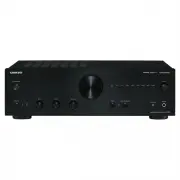
Onkyo A-9050 Home Theater – User Manual, read for free online in PDF format. We hope this helps you resolve any issues you may have. If you have further questions, please contact us through the contact form.


Table of Contents:
- Page 2 – Introduction; Important Safety Instructions; OSE THIS A; WA R N I N G
- Page 3 – Precautions; POWER; For Canadian Models
- Page 4 – Supplied Accessories; Make sure you have the following accessories:; Remote controller and two batteries
- Page 5 – Features; A-9050 Integrated Digital Amplifier
- Page 6 – Contents; Advanced Operations
- Page 7 – Before Using the Integrated Amplifier; Installing the Batteries; Replace the cover and slide it shut.; Using the Remote Controller
- Page 8 – Getting to Know the Integrated Amplifier; Front Panel
- Page 9 – Rear Panel; o p
- Page 10 – Remote Controller
- Page 12 – Connections; Screw-type speaker terminals; Connecting Your Speakers; Integrated Amplifier
- Page 13 – SPEAKERS A; and; SPEAKERS B; , it separates high frequency from low
- Page 14 – Cable and Jacks; Connect all of your speakers and components.; AC INLET
- Page 15 – This is an example of connection using the CD Player.; Analog Connection; Connecting a CD Player; COAXIAL; LINE IN 1
- Page 16 – This is an example of connection using the Tuner.; Connecting a Tuner
- Page 17 – This is an example of connection using the Onkyo; Connecting an Onkyo Dock; RI MODE
- Page 18 – Connecting Onkyo
- Page 19 – The; input jacks are for use with moving-magnet; PHONO; jacks to the audio output jacks on the turntable, as shown.; Connecting a Turntable
- Page 21 – Turning On & Basic Operations; Basic Operations; Turning On the Integrated Amplifier; Turning Off the Integrated Amplifier; Operating with the remote controller; Turning On/Off the Integrated Amplifier; Press; Press
- Page 22 – Selecting Speakers A and Speakers B; The LED of the selected speakers lights.; Adjusting the Volume; VOLUME
- Page 23 – The LED corresponding to the selected input will light up.; • When the DIRECT function is on, turn the function off; Selecting the Input Source; Using the Direct Function; Press the; The PHASE MATCHING BASS LED lights up.
- Page 24 – Adjusting the Bass, Treble and Balance; Turn the; Muting the Sound; Using Headphones; When connecting the headphones, the; MUTING
- Page 25 – Custom Setup; Setting the Auto Standby Function; Setting the speaker impedance; Switch the
- Page 26 – Others; Troubleshooting; Can’t turn on the Integrated Amplifier.; Before requesting repairs
- Page 27 – Other; When the; The sound from turntable is distorted.; LINE IN
- Page 28 – Specifications; Audio Inputs
- Page 29 – MEMO
- Page 32 – The Americas
Integrated Amplifier
A-9050/
A-9030
Instruction Manual
Thank you for purchasing an Onkyo Integrated
Amplifier. Please read this manual thoroughly before
making connections and plugging in the unit.
Following the instructions in this manual will enable
you to obtain optimum performance and listening
enjoyment from your new Integrated Amplifier.
Please retain this manual for future reference.
Contents
Introduction ...................................2
Connections.................................12
Turning On & Basic Operations....... 21
Advanced Operations .................25
Others ...........................................26
E
n
"Loading the manual" means you need to wait until the file loads and becomes available for online reading. Some manuals are very large, and the time they take to appear depends on your internet speed.
Was this manual helpful?
About this manual
- Brand
- Onkyo
- Model
- A-9050
- Document type
- User Manual
- Category
- Home Theater
- Language(s)
- English
- Pages
- 32
- File size
- 2.3 MB
- Format
Summary
2 En Introduction Important Safety Instructions 1. Read these instructions. 2. Keep these instructions. 3. Heed all warnings. 4. Follow all instructions. 5. Do not use this apparatus near water. 6. Clean only with dry cloth. 7. Do not block any ventilation openings. Install in accordance with the ma...
3 En Precautions 1. Recording Copyright —Unless it’s for personal use only, recording copyrighted material is illegal without the permission of the copyright holder. 2. AC Fuse —The AC fuse inside the unit is not user- serviceable. If you cannot turn on the unit, contact your Onkyo dealer. 3. Care —...
4 En For British models Replacement and mounting of an AC plug on the power supply cord of this unit should be performed only by qualified service personnel. IMPORTANT The wires in the mains lead are coloured in accordance with the following code: Blue: Neutral Brown: Live As the colours of the wire...
Ask a question
Related manuals
More Onkyo Home Theaters models


Other Onkyo appliances
 Onkyo 5.1CH User Manual
 Onkyo 5100 Manual
 Onkyo 9555 Manual
 Onkyo 29344880A Manual
 Onkyo A-1VL User Manual
 Onkyo A-5VL User Manual
 Onkyo A-905TX User Manual
 Onkyo A-933 User Manual
 Onkyo A-9000R User Manual
 Onkyo A-9070 Manual
 Onkyo A-9155 User Manual
 Onkyo A-9211 User Manual
- Onkyo A-9355 Manual
 Onkyo A-9377 Manual
 Onkyo A-9555 User Manual
- Onkyo A-9755 User Manual
 Onkyo ABX-100 User Manual
 Onkyo ABX-N300 User Manual