Page 2 - Features
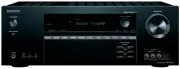
En-2 Features ● Equipped with 5 ch amplifier ● Equipped with 4K compatible HDMI IN/OUT jacks (To play 4K or 1080p video, use a high speed HDMI cable or high speed HDMI with Ethernet cable) ● Supports the HDMI Standby Through function which allows signal transmission from players to the TV in standby...
Page 3 - Front Panel
En-3 1 2 3 8 9 F G H J 4 K 5 6 7 I L (European, Australian and Asian models) Front Panel 1 z ON/STANDBY button : Turns the unit on or into standby mode. 2 BLUETOOTH indicator : Flashes while pairing with a Bluetooth-enabled device is in progress and stays lit when pairing is completed. 3 SUBWOOFER L...
Page 4 - Rear Panel
En-4 1 2 3 4 5 6 7 8 9 F G H I J (Taiwanese models) Rear Panel 1 TUNER AM/FM (75Ω) terminal : The supplied antennas are connected. 2 to TV jack : Connect to a TV using a HDMI cable. Change the input selector to "TV" to hear audio from the TV. ¼ If your TV does not support ARC, you need con...
Page 5 - Connections; Connecting the TV and Players; Before Start; Connection to TV
Step 1: Connections En-5 Connection example HDMI IN HDMI OUT AV OUT 1 Connecting the TV and Players Before Start ● Connect this unit between the TV and player. ● To select the source to play, select the input selector button with the same name as the jack to which it is connected. Input switches aut...
Page 6 - Connecting the AM/FM Antenna; Connection with a player that has a HDMI jack; Connection with a player that does not have a
Step 1: Connections En-6 2 Connecting the AM/FM Antenna Connect the antennas to listen to AM/FM broadcast. When listening to the broadcast for the first time, adjust the antenna position and orientation to get the best reception. AM loop antenna (supplied) Indoor FM antenna (supplied) Fix with a tac...
Page 7 - Connecting Speakers; Connect speakers with 6 Ω to 16 Ω impedance. Using; Characteristics of speaker types; output front stereo sound and
Step 1: Connections En-7 ' Subwoofer with built-in power amplifier & Surround R % Surround L $ Center 1/2˝-5/8˝ (12-15 mm) 3/8˝-1/2˝ (10-12 mm) # Front R " Front L 3 Connecting Speakers " $ % & ' # " # Front speakers $ Center speaker % & Surround speakers ' Subwoofer Importan...
Page 8 - Instructions on how to connect speakers; When using commercially available banana plugs
Step 1: Connections En-8 Instructions on how to connect speakers Cut and remove the plastic coating from the end of the speaker cable, twist the core and connect it to the terminal. Be sure to make correct connection between the unit's jacks and speaker's jacks (+ to + and - to -) for each channel. ...
Page 9 - Setting Up; Operation; Turning the Power On; Making Speaker Setting; Changing speaker configuration; RECEIVER, press SETUP on the
Step 2: Setting Up En-9 z Operation : Use the remote controller of this unit to operate the menus shown on the TV screen. To display the guidance, you need to make HDMI connection between the unit and TV. Select the item with the cursor buttons of the remote controller and press ENTER to confirm you...
Page 10 - Setting speaker distance; Adjusting volume level of speakers; HDMI Setup; HDMI Standby Through
Step 2: Setting Up En-10 Setting speaker distance 1. After pressing RECEIVER, press SETUP on the remote controller. 2. Select "2. Speaker" with the cursor, and press ENTER. 3. Select "Distance" with the cursor, and press ENTER. Distances can be set in feet or meters. UnitFront LeftCe...
Page 11 - Playing Back; Basic Operations; Part names and functions of the remote
Step 3: Playing Back Step 3: Playing Back En-11 1 Basic Operations z When using the remote controller to operate the AV receiver : The remote controller of this unit has the remote mode function for controlling other devices. You cannot control this unit when the remote controller is in the remote m...
Page 12 - Display; Bluetooth; Pairing; Press BLUETOOTH on the remote controller.; Playing Bluetooth-enabled devices
Step 3: Playing Back En-12 Display 1 3 5 2 6 4 8 7 1 Lights in the following conditions. "HDMI": HDMI signals are input and HDMI input selector is selected. This lights faintly when the HDMI Standby Through function is enabled and the unit is in standby. / "ARC": Audio signals are in...
Page 13 - Quick Setup Menu
Step 3: Playing Back En-13 3 AM/FM Radio The Basic Manual explains the method using automatic tuning. For manual tuning, see the Advanced Manual. 1. Press TUNER on the remote controller several times to select either "AM" or "FM". 2. Press TUN MODE so that the "AUTO" indicato...
Page 14 - Other useful functions; To adjust the sound quality
Step 3: Playing Back En-14 ● This setting is not possible during MUTING or when using headphones. A/V Sync : If the video is behind the audio, you can delay the audio to offset the gap. Different settings can be set for each input selector. ● It cannot be set if the listening mode is Direct. Music O...
Page 15 - Others; Troubleshooting
En-15 Others Troubleshooting Before starting the procedure Problems may be solved by simply turning the power on/off or disconnecting/connecting the power cord, which is easier than working on the connection, setting and operating procedure. Try the simple measures on both the unit and the connected...
Page 17 - Table of display resolutions; response to input signals.; Resolutions supported by HDMI
Others En-17 Table of display resolutions Refer to the following table for information about the image formats and resolutions output by this unit in response to input signals. Output Input HDMI 4K 1080p/24 1080p 1080i 720p 480p/576p 480i/576i HDMI 4K ○ 1080p/24 ○ 1080p ○ 1080i ○ 720p ○ 480p/576p ○ ...
Page 18 - Precautions; Declaration of Conformity; License and Trademark Information
Others En-18 Precautions For European Models Declaration of Conformity We declare, under our sole responsibility, that this product complies with the standards: – Safety – Limits and methods of measurement of radio disturbance characteristics – Limits for harmonic current emissions – Limitation of v...
Page 20 - The Americas; Please contact an Onkyo distributor referring to Onkyo; Supplied Accessories
* 2 9 4 0 1 9 5 8 A * F1504-1 SN 29401958A (C) Copyright 2015 Onkyo Corporation Japan. All rights reserved. Onkyo has the Privacy Policy. You can review it at [http://www.onkyo.com/privacy/]. Kitahama Chuo Bldg, 2-2-22 Kitahama, Chuo-ku, OSAKA 541-0041, JAPAN http://www.onkyo.com/ 18 Park Way, Upper...
Page 21 - AV RECEIVER; Advanced Manual; CONTENTS; The Basic Manual
TX-SR343 AV RECEIVER Advanced Manual CONTENTS Details on AM/FM reception 2 Tuning into a Radio Station 2 Presetting a Radio Station 3 Using RDS (European, Australian and Asian models) 3 Operating Music Files with the Remote Controller 5 About the Remote Controller 5 Remote Controller Buttons 5 Using...
Page 22 - Details on AM/FM reception; Tuning into a Radio Station; When the signal from an FM radio station is weak; Tuning Manually; To return to automatic tuning; Directly inputting the frequency
Details on AM/FM reception En-2 Details on AM/FM reception Tuning into a Radio Station ¼ Tuning Automatically 1. Press TUNER on the remote controller several times to select either "AM" or "FM". 2. Press TUN MODE so that the "AUTO" indicator on the display lights. 3. Press ...
Page 23 - Presetting a Radio Station
Details on AM/FM reception En-3 Presetting a Radio Station It allows you to register up to 40 of your favorite AM/FM radio stations. Registering radio stations in advance allows you to tune into your radio station of choice directly. ¼ Registration Procedure 1. Tune into the AM/FM radio station yo...
Page 25 - Operating Music Files with the Remote Controller; Operating Music Files with the; About the Remote Controller; REPEAT
Operating Music Files with the Remote Controller En-5 Operating Music Files with the Remote Controller About the Remote Controller Use the remote controller of this unit to play music files stored on a Bluetooth-enabled device. ● The Bluetooth-enabled devices must support the AVRCP profile. Some dev...
Page 26 - Using the Listening Modes
Using the Listening Modes En-6 Using the Listening Modes Selecting Listening Mode The listening modes allow you to select the best sound effect for your input source.1. After pressing RECEIVER on the remote controller, press one of the following four buttons. 2. Press the selected button repeatedly ...
Page 28 - Selectable Listening Modes
Using the Listening Modes En-8 Selectable Listening Modes Listening modes that can be selected with the listening mode buttons will differ depending on the input signal format and actual speaker configuration. Also note that depending on the player settings and content, some listening modes may not ...
Page 30 - MUSIC button
Using the Listening Modes En-10 ¼ MUSIC button You can select a mode suitable for music. Input Format Listening Mode Analog DirectStereoPL II Music 1 Neo:6 Music 1 Orchestra 2 Unplugged 2 Studio-Mix 2 AllCh Stereo 1 Full Mono 1 1 Center speaker or surround speakers need to be insta...
Page 32 - GAME button
Using the Listening Modes En-12 ¼ GAME button You can select a mode suitable for games. Input Format Listening Mode Analog DirectPL II Game 1 Game-RPG 2 Game-Action 2 Game-Rock 2 Game-Sports 2 AllCh Stereo 1 Full Mono 1 T-D 1 Center speaker or surround speakers need to be installed...
Page 34 - STEREO button; You can select a listening mode for stereo and all channel; Input Format; All format; Checking the Input Format; While audio from the player is being input, press DISPLAY
Using the Listening Modes En-14 ¼ STEREO button You can select a listening mode for stereo and all channel stereo sources. Input Format Listening Mode All format StereoAllCh Stereo 1 1 Center speaker or surround speakers need to be installed. Checking the Input Format While audio from the play...
Page 35 - How to Set; ● Operation; To exit setup; Overview of the Setup menu; Remote Controller
Advanced Settings (Setup Menu) En-15 Advanced Settings (Setup Menu) How to Set The unit allows you to configure advanced settings in order to provide even better experience. ● Operation : You can set up by viewing the guidance displayed on the TV screen. Select the item with the cursor buttons of th...
Page 37 - Distance; Setting Item
Advanced Settings (Setup Menu) En-17 Setting Item Default Value Setting Details Surround Small Set the size for each of the speakers. Use the diameter of the cone as a guide. "Small": When the cone diameter is less than 6-1/2 inches (16 cm) "Large": When the cone diameter is greater ...
Page 40 - Audio Select; The priority is HDMI → DIGITAL AUDIO/; Video Select; Tuner
Advanced Settings (Setup Menu) En-20 Audio Select Make the audio input setting. The setting can be separately set to each input selector button. Select the input selector to configure. Setting Item Default Value Setting Details Audio Select - Select the priority for input selection when multiple aud...
Page 43 - Remote ID
Advanced Settings (Setup Menu) En-23 Setting Item Default Value Setting Details Auto Input Change On The input of the unit will automatically be switched to "BLUETOOTH" when connection is made from a Bluetooth-enabled device to the unit. "On": The input will automatically become "...
Page 44 - Operating Other Components with the Remote Controller; Operating Other Components with; Functions of REMOTE MODE Buttons; Programming Remote Control Codes; Remote Control Codes; Remapping the Colored Buttons
Operating Other Components with the Remote Controller En-24 Operating Other Components with the Remote Controller Functions of REMOTE MODE Buttons You can control any other device than this unit by programming a specified remote control code to a REMOTE MODE button of the remote controller. Register...
Page 45 - Resetting the REMOTE MODE Buttons; To reset all the remote controller settings; TV operation
Operating Other Components with the Remote Controller En-25 ¼ Resetting the REMOTE MODE Buttons You can reset the remote control code registered in the REMOTE MODE button to its default status. This operation can be executed on a single REMOTE MODE button.1. Press and hold Q for 3 or more seconds ...
Page 46 - operation
Operating Other Components with the Remote Controller En-26 Blu-ray Disc player/DVD player/DVD recorder operation Press the REMOTE MODE button programmed with the remote control code for the relevant AV component to switch the remote controller mode to that for the AV component. Then, operate by usi...
Page 47 - Satellite receiver / Cable receiver operation
Operating Other Components with the Remote Controller En-27 F G H F , , , , , , G Number 1 to 9, 0, +10 H CLR, DISPLAY Satellite receiver / Cable receiver operation Press the REMOTE MODE button programmed with the remote control code for the relevant AV component to switch the remote controller mode...
Page 48 - CD player operation
Operating Other Components with the Remote Controller En-28 CD player operation Press the REMOTE MODE button programmed with the remote control code for the relevant AV component to switch the remote controller mode to that for the AV component. Then, operate by using the corresponding buttons. Avai...
Page 49 - Connecting and Operating Onkyo RI Components; Connecting and Operating; About RI Function; System On / Auto Power On; RI Connection and Setting; Input selector on the RI Dock
Connecting and Operating Onkyo RI Components En-29 Connecting and Operating Onkyo RI Components About RI Function Connecting an Onkyo component with RI jack such as the separately sold RI Dock to the unit by using an RI cable and an analog audio cable enables the following RI functions: System On / ...
Page 50 - iPod; Before performing any operation
Connecting and Operating Onkyo RI Components En-30 iPod R /iPhone R Operation The RI Dock allows you to use the AV receiver's remote controller to operate and play music on your iPod/iPhone. Moreover, it also allows you to view videos on your iPod/ iPhone on the screen of your TV, as well as perform...
Page 51 - Before starting the procedure; How to reset the remote controller; Cannot turn on the unit
Troubleshooting En-31 Troubleshooting Before starting the procedure Problems may be solved by simply turning the power on/off or disconnecting/connecting the power cord, which is easier than working on the connection, setting and operating procedure. Try the simple measures on both the unit and the ...
Page 52 - Audio
Troubleshooting En-32 Audio ● Confirm that the connection between the output jack on the device and the input jack on this unit is correct. ● Make sure that none of the connecting cables are bent, twisted, or damaged. ● If the MUTING indicator on the display flashes, press MUTING on the remote contr...
Page 53 - Listening Mode
Troubleshooting En-33 Listening Mode ● When listening to Dolby Digital and/or DTS sound, digital connection is necessary. ● Check the digital audio output setting on the connected component. On some game consoles, such as those that support DVD, the default setting is off. ● After pressing RECEIVER ...
Page 55 - RI Dock
Troubleshooting En-35 RI Dock ● Make sure the unit is turned on, the correct input source is selected, and the volume is turned up. ● Make sure the plugs are pushed in all the way. ● Make sure your iPod/iPhone is properly inserted in the Dock. If your iPod/iPhone is in a case, it may not connect pro...
Page 56 - Reference Information; Linked Operation with CEC-compatible; Checking whether the HDMI Linked Operation
Reference Information En-36 Reference Information Linked Operation with CEC-compatible Components Link operation with a product conforming to the CEC of the HDMI standard. Note that linked operation is not always guaranteed with all CEC devices. Operation has been confirmed on the following devices ...
Page 57 - About HDMI; Audio Formats Supported by The Unit:
Reference Information En-37 About HDMI HDMI (High-Definition Multimedia Interface) is a digital interface standard for connecting TVs, projectors, Blu- ray Disc/DVD players, set-top boxes, and other video components. Until now, several separate video and audio cables have been required to connect AV...
Page 58 - Affinity
Reference Information En-38 Remote Control Codes ¼ Television (A to E) A.R. Systems 10037, 10556 ACCENT 10037 Acoustic Solutions 11667, 11585, 11523, 11037 Action 10650 Adcom 10625 Addison 10653, 11150 Admiral 10093 AEG 12197, 11037, 12239 Affinity 13717, 13870, 13577 Aftron 13478 Aiko 10037 Aim 1...
Page 65 - TV DVD Combination
Reference Information En-45 Venturer 13005 Vestel 11037, 11585, 10037, 12676, 10668, 11667 Vexa 10037 Victor 11428, 10000, 10093, 10150, 11150, 10650, 10653 Videocon 10508, 10037 Videoseven 11755 VideoSystem 10037 Vidikron 10735 Vidtech 10178 Viewsonic 12014, 12745, 12087, 13706, 11755, 11627, 12049...
Page 67 - Pacific
Reference Information En-47 Kansas Technologies 31233 Kendo 30713, 30831 Kennex 30713, 30770 Kenwood 30534, 30490 KeyPlug 31643 Kiiro 30770 KingVision 31643 Kuppersbusch 32966 Leiker 30872 Lenco 30713, 30770 Lenoxx 32213 Lexicon 32545 LG 30741, 32811, 31602, 30591, 31233 Lifetec 30831 Linetech 32966...
Page 69 - VCR
Reference Information En-49 Go Video 30741 GPX 30741 Hitachi 31664 Humax 30646 Insignia 32095 Irradio 30646 JVC 30623, 32612 LG 30741 Loewe 30741 Magnavox 30675, 30646, 31506 Medion 30741 NEC 30741 Panasonic 30490, 31579, 33580, 32710, 32859, 32523 Philips 30646, 31340, 31506, 32334, 30539, 32056 Pi...
Page 72 - Scientific Atlanta
Reference Information En-52 PrimeTel 03611, 02030, 02437 PrimeTV 02030 PT 02401 PTCI 01376 PX 03348 QooK TV 02683, 03478 Qook-Skylife 02683, 03478 Qrix 03465, 02979 QuickLine 02493 Qwerty 01898, 01481, 01615 Qwerty.TV 01898 RCN 01376, 00476, 03560 Reach Broadband 01376, 01877, 01982 Reliance 02556 R...
Page 73 - Satellite Set top Box
Reference Information En-53 Virgin Media 01987, 02563, 01060, 03265, 00276 Visionetics 01374 Vivo 03288 Vodafone 02401 Volia 02493 Volia Cable 02493 Voo 02742 VTR 01376 wasu 04034 Wave Broadband 01376, 00476, 02479, 04079 Wavevision 01376, 01877, 01982 Wbox 02832 WEHCO Video 01376 Welho 02832 WellAV...
Page 79 - CD
Reference Information En-59 hFX 01272 Howard Computers 01272 HP 01272 Hush 01272 iBUYPOWER 01272 iconBIT 03350, 02709 ICY Box 03350 iNext 03350 Iomega 02558 ISTAR 02260 JadooTV 02260 Keedox 04442 LG 03373 Linksys 01272 Magnavox 03339 Mede8er 02709 Media Center PC 01272 Micca 03669 Microsoft 01272, 0...
Page 80 - Aiwa; Receiver; Integra; IPTV; ADB
Reference Information En-60 Aiwa 40029 Arcam 40076 Audiolab 40029, 40229 Carver 40029 Denon 40076 Epworth 40029 Grundig 40029 Harman/Kardon 40029 Inkel 40070 JVC 40244 Kenwood 40070 Magnavox 40029 Marantz 40029 Myryad 40029 Onkyo 42157 Optimus 40027 Panasonic 40229 Philips 40029, 40229 Pioneer 40027...
Page 81 - IPTV PVR Combination
Reference Information En-61 MHTC 01481, 01998, 02254, 02302, 02482 Minerva Networks 03118 MIO 02275, 02802 mio TV 02275, 02802 Mitsubishi Electric 03274 MM&G Enterprises 01481, 01998, 02302, 02482 MOD 03647, 01917 Motorola 02378, 02437, 01998, 02030, 00858, 02952, 02275, 03916, 01585, 02401 Movi...
Page 84 - AEG
Reference Information En-64 Xoro 02738, 02813, 03422 Xtreme 01300 Xtrend 03320 Zehnder 03422, 03424, 01777, 02034, 00740 Ziggo 02443 Zircon 02957 ¼ TV_DVD Combination AEG 12197, 12239 Affinity 13870, 13717 Akai 12676, 13067, 12197 Akura 12289, 11983, 12239 Alba 12676, 13005, 13067, 12104 Apollo 12...
Page 86 - Visit the Onkyo web site for the latest update.
Kitahama Chuo Bldg, 2-2-22 Kitahama, Chuo-ku, OSAKA 541-0041, JAPAN http://www.onkyo.com/ 18 Park Way, Upper Saddle River, N.J. 07458, U.S.A. For Dealer, Service, Order and all other Business Inquiries: Tel: 201-785-2600 Fax: 201-785-2650 http://www.us.onkyo.com/For Product Support Team Only: 1-800-...