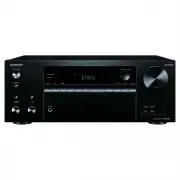
Page 3 - Part Names; Front Panel
3 Par t Names Part Names Front Panel 1. Í ON/STANDBY button 2. PURE AUDIO button / indicator: The display and analog video circuits are turned off to switch the unit to Pure Audio mode and provide purer sound. 3. HYBRID STANDBY indicator: Lights if the unit enters standby mode when the features are ...
Page 4 - Display
4 > Before Start > Part Names > Install > Initial Setup > Playback > Advanced Manual Troubleshooting | Supplementary Information, etc. 15. PHONES jack: Headphones with a standard plug (Ø1/ 4"/ 6.3 mm) are connected. 16. Input selector buttons: Switches the input to be played.17...
Page 5 - Rear Panel
5 Rear Panel 1. DIGITAL IN OPTICAL/COAXIAL jacks: Input TV or AV component digital audio signals with a digital optical cable or digital coaxial cable. 2. ETHERNET port: Connect to the network with an Ethernet cable.3. USB port: A USB storage device is connected so that music files stored in it can ...
Page 6 - Remote Controller
6 > Before Start > Part Names > Install > Initial Setup > Playback > Advanced Manual Troubleshooting | Supplementary Information, etc. Remote Controller 1. Í ON/STANDBY button 2. Input selector buttons: Switches the input to be played.3. Q button: Press during play to display the Q...
Page 7 - Installation procedure; Step1: Speaker Layout
7 Install Installation procedure This unit can be used in a number of ways, depending on the layout of the speakers you are installing, and the connections made to external devices. Read the following to help make the installation process smoother. Step1: Speaker Layout Select the speaker layout tha...
Page 12 - Bi-Amping the Speakers
12 Bi-Amping the Speakers It is possible to connect front speakers supporting Bi-amping to improve quality of the bass and treble. The maximum number of channels available with this connection is 5.1 because Bi-Amping speakers require one amplifier for the tweeter jacks and one amplifier for the woo...
Page 13 - Speaker combinations
13 Speaker combinations 0 In any of the combinations, up to two powered subwoofers can be connected. (*) It is not possible to connect Bi-Amp and ZONE 2 speakers at the same time. > Before Start > Part Names > Install > Initial Setup > Playback > Advanced Manual Troubleshooting | S...
Page 14 - Step2: Connect the Speakers
14 Step2: Connect the Speakers Standard Connections (Pages 8 to 11) Make correct connection between the unit's jacks and speaker's jacks (+ to + and – to –) for each channel. If connection is wrong, reverse phase may make bass output poor. Up to two powered subwoofers can be connected. The same sign...
Page 19 - Connect the Audio Component; OR; CD
19 4. Connect the Audio Component Example of a connection with an audio component. Connect a CD player using a digital optical cable or analog audio cable. You can also connect a turntable that has an MM-type cartridge to the PHONO jack. 0 If the turntable has a built-in audio equalizer, connect it ...
Page 20 - MAIN ROOM
20 5. Multi-zone Connection You can enjoy audio in the separate room by, for example, playing a Blu-ray Disc player in the main room (where this unit is located) and listening to internet radio in the separate room (ZONE 2). 0 DSD and Dolby TrueHD audio signals are not output to ZONE 2 when selected...
Page 21 - Connect Other Cables; Antenna Hookup
21 6. Connect Other Cables Antenna Hookup Move the antenna around while playing the radio to find the position with the best reception. Use a thumb tack or similar to attach the indoor FM antenna to a wall. Network Hookup Connect this unit to the network using wired LAN or Wi-Fi (wireless LAN). You ...
Page 22 - Initial Setup with Auto Start-up Wizard; Initial Setup Starts Automatically; AccuEQ Room Calibration; INPUT
22 Initial Setup Initial Setup with Auto Start-up Wizard Initial Setup Starts Automatically When you turn the unit on for the first time after purchasing it, Initial Setup is automatically shown on the TV to enable you to make settings required for startup using simple operations following onscreen ...
Page 23 - SETUP MIC
23 measurement, so be careful of your surroundings. Keep the room as quiet as possible during measurement. 0 If you have connected a subwoofer, check the power and volume of the subwoofer. Set the subwoofer volume to more than halfway. 0 If the power of this unit suddenly turns off, the wires in the...
Page 24 - AV Component Playback; Basic Operations; BLUETOOTH; Pairing; Playing Back
24 Playback > Before Start > Part Names > Install > Initial Setup > Playback > Advanced Manual Troubleshooting | Supplementary Information, etc. AV Component Playback Basic Operations You can play the audio from AV components such as Blu-ray Disc players through this unit. Perform ...
Page 25 - Network Functions
25 Network Functions Basic Operations By connecting this unit to the network you can enjoy internet radio services such as TuneIn, streaming from Spotify Connect, and wireless playback using AirPlay ® features. Furthermore, you can use the Music Server feature to stream music files stored on PCs or ...
Page 26 - USB Storage Device
26 USB Storage Device Basic Operations You can play music files stored on a USB storage device. Perform the following procedure when the unit is on.1. Switch the input on the TV to that assigned to the unit. 2. Plug your USB storage device with the music files into the USB port of this unit’s rear p...
Page 27 - Listening To the AM/FM Radio; Tuning into a Radio Station; Tuning Automatically; Tuning Manually
27 Listening To the AM/FM Radio You can receive AM and FM radio stations on this unit with the built-in tuner. Perform the following procedure when the unit is on. ∫ Tuning into a Radio Station Tuning Automatically 1. Press TUNER (a) on the remote controller repeatedly to select either "AM" ...
Page 28 - Presetting a Radio Station; Registration Procedure; Using RDS
28 > Before Start > Part Names > Install > Initial Setup > Playback > Advanced Manual Troubleshooting | Supplementary Information, etc. ∫ Presetting a Radio Station You can preset up to 40 stations. Registration Procedure 1. Tune into the AM/FM radio station you want to register. 2...
Page 30 - Listening Mode; Dolby Digital/DTS Modes
30 Listening Mode > Before Start > Part Names > Install > Initial Setup > Playback > Advanced Manual Troubleshooting | Supplementary Information, etc. This unit is equipped with a variety of listening modes, and you can select the optimum listening mode for movies, TV, music, and g...
Page 31 - License and Trademark; BLACKFIRE
31 License and Trademark Manufactured under license from Dolby Laboratories. Dolby, Dolby Atmos, Dolby Surround, Dolby Vision and the double-D symbol are trademarks of Dolby Laboratories. For DTS patents, see http://patents.dts.com. Manufactured under license from DTS, Inc. DTS, the Symbol, DTS in c...
Page 33 - Advanced; AV RECEIVER; Advanced Manual
Advanced AV RECEIVER TX-NR575E Specifications General Specifications............................................................. 2 About HDMI ............................................................................. 4 Playback from USB storage devices ....................................... 5 P...
Page 34 - General Specifications
2 > Network Functions > Specifications > Advanced Setup > Listening Modes Troubleshooting Supplementary Information, etc� | > Basic Manual General Specifications ■ Amplifier Section Rated Output Power (IEC) 7 ch × 135 W at 6 ohms, 1 kHz, 1 ch driven of 1% THD Maximum Effective Output ...
Page 36 - About HDMI; Compatible functions
4 > Network Functions > Specifications > Advanced Setup > Listening Modes Troubleshooting Supplementary Information, etc� | > Basic Manual About HDMI ■ Compatible functions HDMI (High Definition Multimedia Interface) is a digital interface standard for connecting TVs, projectors, Blu-...
Page 37 - Playback from USB storage; USB Storage Device Requirements
5 > Network Functions > Specifications > Advanced Setup > Listening Modes Troubleshooting Supplementary Information, etc� | > Basic Manual Playback from USB storage devices ■ USB Storage Device Requirements • This unit can use USB storage devices that comply with the USB mass storage ...
Page 38 - Playback from the Music Server; Supported Audio Formats
6 > Network Functions > Specifications > Advanced Setup > Listening Modes Troubleshooting Supplementary Information, etc� | > Basic Manual Playback from the Music Server ■ Supported Audio Formats This unit supports the following music file formats. Remote play of FLAC and DSD is not s...
Page 39 - Setup Menu; � Input/Output Assign
7 > Network Functions > Specifications > Advanced Setup > Listening Modes Troubleshooting Supplementary Information, etc� | > Basic Manual Setup Menu The unit allows you to configure advanced settings to provide you with an even better experience. Operation : Use the on-screen display...
Page 40 - � HDMI Input
8 > Network Functions > Specifications > Advanced Setup > Listening Modes Troubleshooting Supplementary Information, etc� | > Basic Manual Setting Item Default Value Setting Details Mini Player OSD Always On You can play on the TV the images from another input selected immediately pri...
Page 41 - � Video Input
9 > Network Functions > Specifications > Advanced Setup > Listening Modes Troubleshooting Supplementary Information, etc� | > Basic Manual Setting Item Default Value Setting Details TV --- "HDMI 1 (HDCP 2.2)" to "HDMI 4 (HDCP 2.2)": Assign a desired HDMI IN jack to the...
Page 42 - � Analog Audio Input
10 > Network Functions > Specifications > Advanced Setup > Listening Modes Troubleshooting Supplementary Information, etc� | > Basic Manual ■ 5� Analog Audio Input You can change input assignment between the input selectors and AUDIO IN jacks. If you do not assign a jack, select "...
Page 43 - � Crossover
11 > Network Functions > Specifications > Advanced Setup > Listening Modes Troubleshooting Supplementary Information, etc� | > Basic Manual Setting Item Default Value Setting Details Bi-Amp No Set whether the front speakers are bi-amp connected. "No": When front speakers are n...
Page 44 - � Distance
12 > Network Functions > Specifications > Advanced Setup > Listening Modes Troubleshooting Supplementary Information, etc� | > Basic Manual Setting Item Default Value Setting Details Surround 100Hz Select the crossover frequency from "40Hz" to "200Hz" to start outputti...
Page 45 - � Level Calibration
13 > Network Functions > Specifications > Advanced Setup > Listening Modes Troubleshooting Supplementary Information, etc� | > Basic Manual ■ 4� Level Calibration Setting Item Default Value Setting Details Front Left 0 dB Select a value between " − 12 dB" and " + 12 dB"...
Page 46 - � Audio Adjust
14 > Network Functions > Specifications > Advanced Setup > Listening Modes Troubleshooting Supplementary Information, etc� | > Basic Manual Setting Item Default Value Setting Details Center 0 dB After selecting the speaker frequency from between "25 Hz" and "16 kHz" wi...
Page 47 - � LFE Level
15 > Network Functions > Specifications > Advanced Setup > Listening Modes Troubleshooting Supplementary Information, etc� | > Basic Manual ■ 3� DTS Setting Item Default Value Setting Details DTS Auto Surround On When inputting DTS signals that include extended channel information, th...
Page 48 - � Source
16 > Network Functions > Specifications > Advanced Setup > Listening Modes Troubleshooting Supplementary Information, etc� | > Basic Manual 4� Source Make settings for input sources, such as volume difference adjustments for each input selector for the connected equipment. ■ 1� Intell...
Page 49 - Video Select; � Hardware
17 > Network Functions > Specifications > Advanced Setup > Listening Modes Troubleshooting Supplementary Information, etc� | > Basic Manual Setting Item Default Value Setting Details PCM Fixed Mode Off Select whether to fix input signals to PCM (except multi-channel PCM) when you have...
Page 51 - � Network
19 > Network Functions > Specifications > Advanced Setup > Listening Modes Troubleshooting Supplementary Information, etc� | > Basic Manual ■ 2� Network • When LAN is configured with a DHCP, set "DHCP" to "Enable" to configure the setting automatically. ("Enable�...
Page 52 - � Bluetooth
20 > Network Functions > Specifications > Advanced Setup > Listening Modes Troubleshooting Supplementary Information, etc� | > Basic Manual Setting Item Default Value Setting Details AirPlay Password You can set a password of up to 31 characters so that only registered users can use A...
Page 53 - � Power Management
21 > Network Functions > Specifications > Advanced Setup > Listening Modes Troubleshooting Supplementary Information, etc� | > Basic Manual Setting Item Default Value Setting Details Pairing Information - You can initialize the pairing information saved on this unit. Pressing ENTER wh...
Page 54 - � Multi Zone
22 > Network Functions > Specifications > Advanced Setup > Listening Modes Troubleshooting Supplementary Information, etc� | > Basic Manual Setting Item Default Value Setting Details Network Standby On When this feature is turned "On", you can turn on the power of the unit via...
Page 56 - Quick Menu; Tone
24 > Network Functions > Specifications > Advanced Setup > Listening Modes Troubleshooting Supplementary Information, etc� | > Basic Manual Quick Menu You can quickly adjust settings you frequently use, such as tone adjustments, etc. Operation : You can make the settings on the TV scr...
Page 57 - Web Setup
25 > Network Functions > Specifications > Advanced Setup > Listening Modes Troubleshooting Supplementary Information, etc� | > Basic Manual Web Setup You can make the settings for network features for this unit in an internet browser on a PC, smartphone, etc. 1. Press on the remote co...
Page 58 - Firmware Update; The updating function on this unit; Updating the Firmware via Network; Update
26 > Network Functions > Specifications > Advanced Setup > Listening Modes Troubleshooting Supplementary Information, etc� | > Basic Manual Firmware Update The updating function on this unit This unit has functionality to update the firmware (the system software) over a network or by ...
Page 59 - If an Error Message is Displayed; Updating via USB
27 > Network Functions > Specifications > Advanced Setup > Listening Modes Troubleshooting Supplementary Information, etc� | > Basic Manual Setup 1. Input/Output Assign 2. Speaker3. Audio Adjust4. Source5. Hardware6. Multi Zone 7. Miscellaneous 1. Tuner2. Remote ID 3. Firmware Update ...
Page 61 - Selecting Listening Modes
29 > Network Functions > Specifications > Advanced Setup > Listening Modes Troubleshooting Supplementary Information, etc� | > Basic Manual Selecting Listening Modes Select the optimum listening mode for movies, TV, music, and games by repeatedly pressing the MOVIE/TV, MUSIC, and GAME...
Page 62 - Listening Mode Effects
30 > Network Functions > Specifications > Advanced Setup > Listening Modes Troubleshooting Supplementary Information, etc� | > Basic Manual Listening Mode Effects In alphabetical order ■ AllCh Stereo This mode is ideal for background music. Stereo sound is played through the surround ...
Page 63 - DTS Express
31 > Network Functions > Specifications > Advanced Setup > Listening Modes Troubleshooting Supplementary Information, etc� | > Basic Manual reproduction is achieved by recording the content at a sampling rate of 96 kHz at a resolution of 24 bits. • To enable transfer of this audio for...
Page 64 - Stereo
32 > Network Functions > Specifications > Advanced Setup > Listening Modes Troubleshooting Supplementary Information, etc� | > Basic Manual feature. Activating the Multi-zone feature while this mode is selected automatically switches the listening mode to Direct. ■ Stereo In this mode...
Page 65 - Selectable Listening Modes
33 > Network Functions > Specifications > Advanced Setup > Listening Modes Troubleshooting Supplementary Information, etc� | > Basic Manual Selectable Listening Modes You can select a variety of listening modes to suit the audio format of the signal being input. Refer to the following...
Page 68 - MUSIC button
36 > Network Functions > Specifications > Advanced Setup > Listening Modes Troubleshooting Supplementary Information, etc� | > Basic Manual ■ MUSIC button This is a list of listening modes you can select according to the audio format of the input signal. Input Format Listening Mode An...
Page 71 - GAME button
39 > Network Functions > Specifications > Advanced Setup > Listening Modes Troubleshooting Supplementary Information, etc� | > Basic Manual Input Format Listening Mode DTS:X Pure AudioDirectStereoDTS:XOrchestra 1 Unplugged 1 Studio-Mix 1 AllCh Stereo 2 Full Mono 2 1 Surrou...
Page 74 - Internet Radio
42 > Network Functions > Specifications > Advanced Setup > Listening Modes > Basic Manual Troubleshooting Supplementary Information, etc� | LINKS Internet Radio You can use internet radio services such as TuneIn Radio, Pandora, Deezer, and TIDAL by connecting this unit to a network th...
Page 75 - Spotify; Notes for using multi-zone (for compatible
43 > Network Functions > Specifications > Advanced Setup > Listening Modes > Basic Manual Troubleshooting Supplementary Information, etc� | Spotify Spotify Connect play is possible by connecting this unit to the same network as a smart phone or tablet. • To play Spotify Connect, you n...
Page 77 - Music Server
45 > Network Functions > Specifications > Advanced Setup > Listening Modes > Basic Manual Troubleshooting Supplementary Information, etc� | Music Server Overview Streaming play of music files stored on PCs or NAS devices connected to the same network as this unit is supported. • The n...
Page 78 - Controlling Remote Playback from a PC
46 > Network Functions > Specifications > Advanced Setup > Listening Modes > Basic Manual Troubleshooting Supplementary Information, etc� | levels deep. • Depending on the media server, the unit may not recognize it, or may not be able to play its music files. Controlling Remote Playb...
Page 79 - Supplementary information for
47 > Network Functions > Specifications > Advanced Setup > Listening Modes > Basic Manual Troubleshooting Supplementary Information, etc� | Supplementary information for player functions Due to firmware (the software for the system) updates after you make your purchase or firmware cha...
Page 80 - Troubleshooting; Before starting the procedure
48 > Network Functions > Specifications > Advanced Setup > Listening Modes > Basic Manual Troubleshooting Supplementary Information, etc� | LINKS Troubleshooting Before starting the procedure Problems may be solved by simply turning the power on/ off or disconnecting/connecting the po...
Page 81 - Audio
49 > Network Functions > Specifications > Advanced Setup > Listening Modes > Basic Manual Troubleshooting Supplementary Information, etc� | Audio • Make sure that the speaker setup microphone is not still connected. • Confirm that the connection between the output jack on the device a...
Page 82 - Listening Modes
50 > Network Functions > Specifications > Advanced Setup > Listening Modes > Basic Manual Troubleshooting Supplementary Information, etc� | Listening Modes • To enjoy digital surround playback, such as Dolby Digital, the audio signals need to pass through a connection via HDMI cable, ...
Page 83 - Linked operation
51 > Network Functions > Specifications > Advanced Setup > Listening Modes > Basic Manual Troubleshooting Supplementary Information, etc� | ■ Images flicker • It is possible that the resolution of the player is not compatible with the TV's resolution. If you have connected the player ...
Page 84 - Network function
52 > Network Functions > Specifications > Advanced Setup > Listening Modes > Basic Manual Troubleshooting Supplementary Information, etc� | closer to the unit or remove any obstacle between the BLUETOOTH wireless technology enabled device and this unit. Network function • If you canno...
Page 85 - Wireless LAN Network
53 > Network Functions > Specifications > Advanced Setup > Listening Modes > Basic Manual Troubleshooting Supplementary Information, etc� | Wireless LAN Network • Try plugging/unplugging the power supply of wireless LAN router and the unit, check the wireless LAN router power-on statu...
Page 86 - BLUETOOTH features
54 > Network Functions > Specifications > Advanced Setup > Listening Modes > Basic Manual Troubleshooting Supplementary Information, etc� | Information about products with Wi-Fi/ BLUETOOTH features ■ Radio Wave Caution Products with Wi-Fi/BLUETOOTH use radio waves in the 2.4 GHz and 5...
Page 87 - Supplementary Information
55 > Network Functions > Specifications > Advanced Setup > Listening Modes > Basic Manual Troubleshooting Supplementary Information, etc� | LINKS Supplementary Information Due to firmware (the software for the system) updates after you make your purchase or firmware changes during pro...