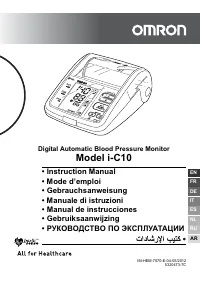
Page 2 - Contents; Before using the unit
2 Contents Before using the unit Introduction ................................................................................. 3 Important Safety Information ..................................................... 41. Overview .............................................................................
Page 3 - Introduction
3 Introduction EN Before using the unit Introduction Thank you for purchasing the OMRON i-Q142 Intellisense SpotArm™ Type Upper Arm Blood Pressure Monitor. The OMRON i-Q142 Intellisense is a fully automatic blood pressure monitor, operating on the oscillometric principle. It measures your blood pres...
Page 4 - Important Safety Information; • People with severe blood flow problems, or blood disorders, should
4 Important Safety Information Important Safety Information Consult your doctor during pregnancy, arrhythmia and arteriosclerosis.Please read this section carefully before using the unit. Warning: Indicates a potentially hazardous situation which, if not avoided, could result in death or serious inj...
Page 5 - General Precautions
5 Important Safety Information EN (General Usage) • Do not leave the unit unattended with infants or persons who cannot express their consent. • Do not use the unit for any purpose other than measuring blood pressure. • Do not disassemble the unit. • Do not inflate the arm cuff over 299 mmHg. • If t...
Page 6 - • Read and follow the “Important information regarding Electro
6 Important Safety Information • Read and follow the “Important information regarding Electro Magnetic Compatibility (EMC)” in the Technical Data Section. • Read and follow the “Correct Disposal of This Product” in the Technical Data Section when disposing of the device and any used accessories or o...
Page 7 - Main Unit; A. Arm cuff release button; Evening; Rear view
7 1. Overview EN 1. Overview Main Unit A. Arm cuff release button Press this to open as shown above. B. Cuff liningC. Memory button D. Weekly average (Morning / Evening ) button E. User ID selection button F. START/STOP buttonG. O/I button (Power switch)H. PC/printer port I. Elbow rest J. Arm cuffK....
Page 8 - Display; Morning hypertension symbol
8 1. Overview Display M. Systolic blood pressureN. Diastolic blood pressureO. Pulse displayP. Date/Time displayQ. Week displayR. Deflation symbolS. Posture symbol Displayed when sitting incorrectly. T. Movement symbol Displayed if you move your body during the measurement. U. Irregular heartbeat sym...
Page 9 - Package Contents; Printer; AE
9 1. Overview EN Package Contents AE. AC adapter • Instruction manual• Quick guide• Guarantee card• Blood pressure pass• Instruction Manual for Optional Printer * Note: The printer is optional. This unit does not include the printer. AE
Page 10 - Connecting the AC Adapter; Use only the AC adapter designed for this unit.
10 2. Preparation 2. Preparation 2.1 Connecting the AC Adapter Caution: Use only the AC adapter designed for this unit. 1. Insert the plug of the AC adapter into the AC adapter jack on the back of the unit. 2. Insert the power plug of the AC adapter into a power outlet. DC6V 1 2 Power plug AC adapte...
Page 11 - Setting the Date and Time; Evening average button
11 2. Preparation EN 2.2 Setting the Date and Time Your blood pressure monitor automatically stores up to 84 individual measurement values with the date and time for each user. To make use of the memory and average values functions: • Set the unit to the correct date and time before taking a measure...
Page 15 - Adjusting the Date and Time Setting; Press the O/I button to turn the power off.
15 2. Preparation EN Adjusting the Date and Time Setting Note: If you need to change the date and time for some reason, adjust the date and time between 10:00 and 18:59. This will avoid problems with morning and evening weekly averages stored in the memory. 1. Press the O/I button to turn the power ...
Page 16 - Operating instructions; How to Sit Correctly When Taking a Measurement; • Measurements should be taken in a quiet place and you should be in
16 3. Using the Unit Operating instructions 3. Using the Unit 3.1 How to Sit Correctly When Taking a Measurement Correct posture during measurement is necessary to get accurate results. Notes: • Measurements should be taken in a quiet place and you should be in a relaxed, seated position. Make sure ...
Page 17 - Incorrect Posture
17 3. Using the Unit EN Note: You can take a measurement on either your left or right arm. The blood pressure can differ between the right arm and the left arm and therefore also the measured blood pressure values can be different. Omron recommends to always use the same arm for measurement. If the ...
Page 18 - Place Your Arm Through the Arm Cuff; to open the arm
18 3. Using the Unit 3.2 Place Your Arm Through the Arm Cuff Remove the cushion sheet before using the unit for the first time.Take readings with your bare arm or light clothing. Note: Remove thick clothing from your upper arm. Do not take readings over thick clothes or rolled-up sleeves. 1. Press t...
Page 20 - Taking a Reading; Sit comfortably and relax.
20 3. Using the Unit 3.3 Taking a Reading Try to take readings at the same time each day (within 1 hour after waking up is recommended). This will make the results more useful. Note: If your systolic blood pressure is known to be above 170 mmHg, refer to Chapter 3.4. 1. Sit comfortably and relax. If...
Page 24 - • If
24 3. Using the Unit 6. Check the measurement results. The measurement results are automatically stored in the memory. (Refer to Chapter 3.5.) Note: If “G” (Guest) was selected, the measurement results are not stored in the memory. Warning: Self-diagnosis of measurement results and self-treatment ar...
Page 27 - What is Irregular Heartbeat?; appears on the display with the measurement results.; If the Irregular heartbeat symbol (; Normal Heartbeat
27 3. Using the Unit EN What is Irregular Heartbeat? An irregular heartbeat is a heartbeat rhythm that varies by more than 25% from the average heartbeat rhythm detected while the unit is measuring the systolic and diastolic blood pressure.If such an irregular rhythm is detected more than twice duri...
Page 28 - Instructions for Special Conditions; Press the User ID selection button
28 3. Using the Unit 3.4 Instructions for Special Conditions If your systolic pressure is known to be more than 170 mmHg or if you failed to measure blood pressure repeatedly, perform the following steps. 1. Place your arm through the arm cuff and press the O/I button to turn the power on. 2. Press ...
Page 29 - Using the Memory Function; Average Function; Press the O/I button to turn the power on.
29 3. Using the Unit EN 3.5 Using the Memory Function The unit is designed to store the blood pressure and the pulse rate in the memory for two people (user A and user B) every time a measurement is completed. The unit automatically stores up to 84 sets of measurement values (blood pressure and puls...
Page 31 - Morning and Evening Weekly Averages; ) within 8 weeks for each
31 3. Using the Unit EN Morning and Evening Weekly Averages The unit calculates and displays weekly averages for measurements taken in the morning ( ) and evening ( ) within 8 weeks for each user (A and B). Note: The week begins Sunday at 4:00.
Page 32 - About the Weekly Averages; Morning Weekly Average
32 3. Using the Unit About the Weekly Averages Morning Weekly Average This is the average for measurements taken during the morning (4:00-9:59) between Sunday and Saturday. An average for each day is calculated for up to three measurements taken within 10 minutes of the first measurement of the morn...
Page 33 - To Display Morning and Evening Averages
33 3. Using the Unit EN To Display Morning and Evening Averages 1. Press the O/I button to turn the power on. 2. Press the User ID selection button to select the user ID (A or B). 3. Press the Morning average button or the Evening average button . The average for the current week “THIS WEEK” appears...
Page 34 - Notes on Display Combinations
34 3. Using the Unit Notes on Display Combinations In addition to the Morning average and Evening average symbols, the unit may also display the Morning hypertension symbol ( ) if the morning average for that week is above the home blood pressure guideline. (See Chapter 3.3 “Taking a Reading - Symbo...
Page 35 - To Delete All Values Stored in the Memory
35 3. Using the Unit EN The Morning hypertension symbol ( ) appears if the weekly average for morning measurements is above 135/85 mmHg. In this case the Morning hypertension symbol ( ) is displayed when the evening average is displayed, regardless of the values for the evening average. To Delete Al...
Page 36 - Care and maintenance; Handling Errors and Problems
36 4. Handling Errors and Problems Care and maintenance 4. Handling Errors and Problems 4.1 Error Messages Note: If you change your posture, or move, during measurement, the Posture symbol ( ) or Movement symbol ( ) may be displayed during measurement. Error Display Cause Remedy Movement during meas...
Page 37 - Troubleshooting
37 4. Handling Errors and Problems EN 4.2 Troubleshooting Problem Cause Remedy The reading is extremely high (or low). Is your arm placed through the arm cuff correctly? Refer to Chapter 3.2. Talking during the measurement. Keep quiet during measurement.Carefully read and repeat the steps listed und...
Page 39 - Maintenance and Storage
39 5. Maintenance and Storage EN 5. Maintenance and Storage To protect your unit from damage, please observe the following: • Do not subject the unit to extreme temperatures, humidity, moisture or direct sunlight. • Do not carry out repairs of any kind yourself. If a defect occurs, consult the OMRON...
Page 40 - Storage; Storage Precautions
40 5. Maintenance and Storage Storage Please observe the following storage conditions.• Do not subject the unit to extreme temperatures, humidity, moisture, or direct sunlight. • Do not subject the unit to strong shocks or vibrations, or leave it at an angle. • Do not store the unit where it will be...
Page 41 - Using the optional software; PC cable
41 6. Optional Parts EN 6. Optional Parts Using the optional software Omron’s blood pressure management software allows you to view, process and print data about blood pressure measured by the OMRON i-Q142 Intellisense.Please see attached “Installation Guide” before installing software onto a PC. To...
Page 43 - Using the optional printer
43 6. Optional Parts EN Using the optional printer Please read attached “Instruction Manual” before using the printer. 1. Remove printer cable plug from the printer unit. 2. Connect printer cable plug cord to the main unit. The circle on the cable plug should face up.
Page 46 - Some Useful Information about Blood Pressure; What is Blood Pressure?
46 8. Some Useful Information about Blood Pressure 8. Some Useful Information about Blood Pressure What is Blood Pressure? Blood pressure is a measure of the force of blood flowing against the walls of the arteries. Arterial blood pressure is constantly changing during the course of the heart's cycl...