Page 2 - Contents; Making 2 portions
Contents 2 IMPORTANT SAFETY INSTRUCTIONS ................................................................... 6 Preparing your appliance for an extended vacation ............................................. 12 Guide to the appliance ......................................................................
Page 4 - System lock; Cleaning and care
Contents 4 Display ............................................................................................................................. 48 Brightness .................................................................................................................. 48 Color scheme .............
Page 6 - IMPORTANT SAFETY INSTRUCTIONS
IMPORTANT SAFETY INSTRUCTIONS 6 This coffee machine complies with all the stipulated safetyrequirements. Inappropriate use can, however, lead to personalinjury and material damage. Read the operating instructions carefully before using the coffeemachine. They contain important information on safety,...
Page 7 - Appropriate use
IMPORTANT SAFETY INSTRUCTIONS 7 Appropriate use This coffee machine is intended for household use. Do not use the coffee machine outdoors. This coffee machine must not be used at altitudes above 6560 ft (2000 m). Persons who lack physical, sensory or mental abilities or experience with the m...
Page 8 - Technical safety
IMPORTANT SAFETY INSTRUCTIONS 8 Technical safety Installation work or repairs should only be carried out by a Miele authorized technician. Unauthorized or incorrect installation work orrepairs can pose considerable danger to users. A damaged coffee system could be dangerous. Before building in t...
Page 10 - Plumbed water connection
IMPORTANT SAFETY INSTRUCTIONS 10 Plumbed water connection Do not connect the coffee system to a hot water supply. The non-return valve must be easily accessible when the coffee system is built in. The protective sleeve of the water intake hose must not be damaged or become kinked. This will ca...
Page 11 - Correct use
IMPORTANT SAFETY INSTRUCTIONS 11 Correct use Please note the following regarding water: - The water quality must conform to the requirements for drinking water in the country in which the coffee machine is being used. - When using the water container: Only use cold, fresh tap water to fill the wat...
Page 12 - Preparing your appliance for an extended vacation; Accessories and parts
IMPORTANT SAFETY INSTRUCTIONS 12 Do not use the coffee system to clean objects. Preparing your appliance for an extended vacation If you elect to turn off the water to your home for an extended period of time, please note that this may not be enough to reduce therisk of a leak. To be completely ...
Page 13 - Rinsing coffee grounds down the drain can cause the sink to clog.; For machines with stainless steel surfaces:; Do not use sticky notes, transparent adhesive tape, masking tape,; SAVE THESE INSTRUCTIONS
IMPORTANT SAFETY INSTRUCTIONS 13 Rinsing coffee grounds down the drain can cause the sink to clog. Instead, dispose of your coffee grounds appropriately asbiodegradable waste (where facilities exist) or by composting. For machines with stainless steel surfaces: Do not use sticky notes, transpare...
Page 14 - Guide to the appliance; Front view; Remote
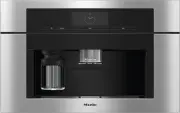
Guide to the appliance 14 Front view a On/Off button b Optical interface (for Miele Technical Service only) c Remote sensor button (MobileStart) d Movement sensor e Back sensor button f Touch display g Light sensor button h Door handle i Height-adjustable central spout with lighting j Drip-tra...
Page 15 - Interior view
Guide to the appliance 15 Interior view a Bean containers ( Type A and Type C ) b Milk valve c Height-adjustable central spout with lighting d Grinder setting e Bean container ( Type B ) f Fan outlet g Water container h Drip tray with lid i Brew unit j Grounds container k Maintenance container l Hol...
Page 16 - The milk flask; cannot
Guide to the appliance 16 The milk flask a Lid b Milk intake tube c Sensor rod d Glass flask Central spout with cup rimsensor The central spout with cup rim sensorfeatures automatic spout adjustment.Thanks to this spout adjustmentfunction, the central spout moves downautomatically at the start of a ...
Page 17 - Symbols in the display; Symbol; OK
Guide to the appliance 17 Symbols in the display The display shows symbols as well as text, e.g., symbols for the various drinks.Some of these are explained below. Symbol Explanation This symbol indicates that there is additional information andadvice about using the coffee machine. Select OK to ...
Page 18 - Operation; Touch display; Miele; Long Coffee; center
Operation 18 Touch display The delicate touch display can be scratched by pointed or sharp objects, e.g.,pens.Only touch the display with your fingers. The touch display is split into multiple areas. 12:00 Miele Long Coffee Coffee Espresso Ristretto Profiles The menu path appears on th...
Page 19 - Operating actions; orange; Back; Entering numbers with the roller
Operation 19 Operating actions All the selectable options are displayed in black or white according to your selectedcolor scheme.Each time you tap a possible option, the relevant characters (word and/or symbol)light up orange . Selecting a menu option Tap the field or value you want in the display...
Page 20 - Entering numbers using the numerical keypad; Entering a name; Displaying the context menu
Operation 20 Entering numbers using the numerical keypad Tap the centrally displayed orange value and keep your finger on it until thenumerical keypad appears. OK Select the value you want: as soon as you enter a valid value, OK turns green. Use the arrow to delete the last entered number. ...
Page 23 - Before first use; Before using for the first time; Selecting the display language; Setting the date; Setting the time of day; Setting the water hardness
Before first use 23 Before using for the first time Connect the coffee machine to theplumbed-water and power supplies. Install the coffee machine. Remove any notices from themachine. Remove the protective foil from thedrip-tray cover. Clean the water container, beancontainers, and the cent...
Page 24 - On; Inserting the cleaning cartridge
Before first use 24 Selecting the water supply (MainWater) The coffee machine is intended to beplumbed into the water supply. You canchoose between the following watersupply options: - On : The water container will be filled automatically via the plumbed waterconnection. - Off : You must fill the wa...
Page 25 - Inserting the descaling cartridge; Close the appliance door.; and select the required time.; Selecting the Performance Mode; Select the mode you want.
Before first use 25 Screw the cleaning cartridge into theholder upside down. Push the holder and cartridge into thecoffee machine until the holderaudibly clicks into place. Inserting the descaling cartridge Take the descaling cartridge out of itspackaging. Pull the descaling cartridge holder...
Page 26 - Setting up the bean system; Filling the bean containers
Before first use 26 Setting up the bean system After setting up the coffee machine, youwill be prompted to set up the beansystem. The coffee machine will assistyou when first filling and naming thebean containers. Tap Yes . If you select No , the assistant for setting up the bean system will not ...
Page 27 - Allocating the types of beans
Before first use 27 Now name the other 2 beancontainers. <Type XY> Allocate will appear in the title bar of the display. Allocating the types of beans Allocate the individual types of beans tothe coffee drinks you would like. Select the drinks that are to beprepared with this type of bean....
Page 28 - The bean system; Type of beans
The bean system 28 Coffee or espresso can be made fromwhole roasted coffee beans which arefreshly ground for each cup.Your coffee machine has a bean systemwith 3 bean containers which can befilled with different types of beans oreven just one type. You can allocatebean types to individual coffee dri...
Page 29 - Tap; Change the allocation as required.
The bean system 29 If you switch from having identicalnames to having different names, youwill then need to allocate coffee drinksto the newly named type of bean. Changing how the bean containers areallocated If you have created extra user profilesfor coffee drinks in addition to theMiele standard p...
Page 30 - Filling the water tank; Risk to health due to; every day; Risk of damage due to incorrect
Filling the water tank 30 Risk to health due to contaminated water.Bacteria can develop in water whichhas been sitting in the watercontainer for too long and is a risk toyour health. Water that gets left inthe inlet hose can also impair theflavor if you do not make any drinksfor a long time.Change...
Page 31 - Switching on and off; Tap the On/Off switch
Switching on and off 31 Switching the coffee machineon Tap the On/Off switch . The coffee machine heats up and rinsesthe pipework. Hot water will run out ofthe central spout.You can now make drinks. If the coffee machine is already atoperating temperature, rinsing will nottake place when the ma...
Page 32 - Preparing beverages; Coffee
Preparing beverages 32 Danger of burning and scalding at the dispensers.The liquids and steam dispensed arevery hot and can cause scalding.Keep away from the area underneaththe dispensers when hot liquids andsteam are being dispensed.Do not touch hot components. Coffee Coffee drinks in detail You ...
Page 33 - Rinse the milk pipework manually; Filling and inserting the milk flask; Milk is; not; cooled in the milk flask.
Preparing beverages 33 Once the appliance has heated up, themilk will be drawn up into the centralspout where it is heated by steam andalso frothed for drinks requiring milkfroth.You can prepare hot milk and milk frothusing cow’s milk or alternative plant-based dairy products. However, theconsistenc...
Page 35 - Tea
Preparing beverages 35 Dispensing starts and the symbol is highlighted in orange in the display.2 portions of the desired drink will bedispensed. Coffee Pot You can make several cups of coffee oneafter the other automatically with the Coffee Pot function (maximum of 1 liter). The drinks menu is d...
Page 37 - Dispensing warm or hot water; The drinks menu is displayed.
Preparing beverages 37 You can interrupt the dispensingprocess at any time. Tap Cancel . Dispensing warm or hot water You can choose between the followingoptions: - Hot water at approx. 195°F (90°C)- Warm water at approx. 150°F (65°C) The drinks menu is displayed. Place a suitable container und...
Page 38 - Dispensing
Expert Mode 38 In Expert mode, you can allocate a beantype temporarily and change the portionsize while the drink is being made. Thesetting will not be saved and will only apply to the current drink. Switching Expert mode on andoff Expert mode is located in the pull-downmenu at the top edge of the s...
Page 39 - Grinder setting; too coarse; Adjusting the fineness of grind; exactly 1
Grinder setting 39 The grinder setting determines thecontact time between the ground coffeeand the water, known as the extractiontime. Only when the ideal grindersetting is selected can the machinedispense a perfect cup of coffee with afine, hazelnut-brown crema. Identifying the ideal grindersetting...
Page 40 - Parameters; too low; too high; if the; Pre-brewing ground coffee; It is particularly recommended to; Portion size
Parameters 40 Type of beans You can display which type of bean iscurrently being used for this coffee drinkor change which bean container isallocated to it. Amount of coffee The coffee machine can grind and brew7.5–12.5 g of coffee beans per cup. Thegreater the amount, the stronger thecoffee.The amo...
Page 41 - Changing the portion size
Parameters 41 For coffee drinks with milk you can alsoset the amount of milk or milk froth tosuit your personal taste. You can alsoset the portion sizes for hot milk andmilk froth. The changed portion size is alwayssaved in the current profile. The nameof the current profile is shown in thetop left ...
Page 42 - Manual
Profiles 42 Profiles In addition to the Miele drinks menu(Miele profile), you can create individualprofiles to cater for different tastes andpreferences.Within the profile, you can adjust theportion sizes and parametersindividually for all drinks. The name of the current profile isshown in the top l...
Page 43 - Profiles: Creating and processing drinks; Creating a drink; The; Select the profile you want.; Edit the entry as required.
Profiles: Creating and processing drinks 43 You can save frequently made drinks in aprofile with your own individual settings(see “Profiles”).You can also change the names of yourdrinks and delete any unwanted drinksfrom your profile. You can save amaximum of 9 drinks in a profile. Creating a drink ...
Page 44 - MyMiele: Adding an entry; MyMiele: Deleting or moving an entry
MyMiele 44 You can display frequently made drinks,drinks from profiles, and preferredmaintenance programs on the MyMielescreen. Tip: You can also set menu options that you have entered in MyMiele as yourstart screen (see “Settings – Startscreen”).The main menu is displayed. Tap MyMiele . You can ...
Page 45 - MobileStart; Switching MobileStart
MobileStart Remote 45 With MobileStart Remote you can, for example, start making a drink via theMiele app. You will only be able to useMobileStart if Miele@home has beenset up for your coffee machine. Danger of burning and scalding at the dispensers.If liquids or steam are dispensedwhile the mac...
Page 46 - Language
Settings 46 You can personalize your coffeemachine by adapting the factory defaultsettings to suit your requirements. Displaying and changingsettings The drinks menu is displayed. Tap the Back sensor button. Select Settings . Select the option you want to change. Change the setting. If nece...
Page 47 - Appliance timer; On at
Settings 47 Timer Appliance timer The coffee machine has 3 timers: - Turn on at - Turn off at - Off after You can allocate the individual timerfunctions to different days of the week.For example, you can set different timesfor the weekend ( Sat and Sun ) and/or weekdays ( Mon - Fri ). Alternatively,...
Page 48 - Automatic; Volume; Brightness; Lighting; Light; Fresh water
Settings 48 There are 2 TeaTimer functions availableand they can be started independentlyof one another.You can choose between the followingoptions: - Automatic : The TeaTimer starts automatically once the water hasbeen dispensed. - Manual : Once the water has been dispensed, you have the option ofs...
Page 49 - Performance Mode; Eco Mode; Water hardness
Settings 49 Performance Mode You can select the appropriatePerformance Mode for how you useyour machine. Eco Mode is set by default. Eco Mode Eco Mode is an energy-saving mode.The system does not heat up untilsomeone starts making a drink. Barista Mode This Performance Mode has beenoptimized for una...
Page 50 - MotionReact; Switch the light on; Switch the appliance on
Settings 50 Water hardness Calciumcontent mg /l Ca 2+ or ppm (mg Ca 2+ /l) Setting °dH gpg 2 2 14 2 3 3 21 3 4 4 29 4 5 5 36 5 6 6 43 6 7 7 50 7 8 8 57 8 9 9 64 9 10 10 71 10 11 11 79 11 12 12 86 12 13 14 93 13 14 15 100 14 15 16 107 15 16 17 114 16 17 18 121 17 18 19 129 18 19 20 136 19 20 21 143 2...
Page 51 - Remote control; SuperVision
Settings 51 If you want the movement sensor torespond even when the coffeemachine is switched off, activateQuickTouch as well ( Display | QuickTouch | On ). When the system lock is activated, themovement sensor functions aredeactivated. System lock You can lock the coffee machine toprevent it f...
Page 52 - SuperVision display; RemoteUpdate; Running a RemoteUpdate; Software version
Settings 52 SuperVision display When SuperVision is on ( SuperVision | On ), the symbol appears in the display. Standby display SuperVision is also available in Standbymode if the time display function isswitched on ( Settings | Time | Display | On or Night dimming ). Appliance list All household...
Page 53 - Legal information; Factory default settings
Settings 53 Legal information This menu option contains details of theopen source licenses used. Showroom program (Demomode) Do not activate this setting fordomestic use. The Showroom Program | Demo Mode function enables the coffee machine tobe demonstrated in shops orshowrooms. In this mode, the m...
Page 54 - Risk to health due to inadequate cleaning.; Overview of cleaning intervals
Cleaning and care 54 Risk to health due to inadequate cleaning. Heat and moisture inside the coffee machine can cause coffee residues tobecome moldy and/or milk residues to go off and pose a risk to health.Carefully clean the coffee machine regularly. Overview of cleaning intervals Recommended fre...
Page 55 - Clean by hand or in dishwasher
Cleaning and care 55 Clean by hand or in dishwasher The brew unit is not dishwasher safe. Only clean the brew unit by handwith warm water. Do not use any cleaning agents . The following components must becleaned by hand only : - Central spout stainless steel cover - Brew unit - Bean containers and l...
Page 56 - Unsuitable cleaning agents
Cleaning and care 56 Unsuitable cleaning agents Contact with unsuitable cleaningagents can alter or discolor allsurfaces. All surfaces are susceptibleto scratching. Scratches on glass canin some circumstances lead tobreakage.Remove any residual cleaning agentimmediately. Make sure you removeany spil...
Page 57 - Taking the drip tray apart; The orange clips are not removable.; Cleaning the contacts on the drip tray; Dry all parts thoroughly.
Cleaning and care 57 Remove the drip tray and groundscontainer from the machine. Empty the grounds container afterremoving it from the drip tray. The grounds container may contain asmall amount of water from rinsing aswell as the leftover coffee grounds. Taking the drip tray apart The orange cli...
Page 58 - Reassembling the drip tray; Cleaning the drip tray cover
Cleaning and care 58 Reassembling the drip tray Attach the drip tray lid as follows:slide the lid under the lug next to thecontacts and apply pressure to the liduntil the catches at the sides audiblyclick into place. Place the grounds container on thelid. Push the drip tray and groundscontaine...
Page 59 - To give the water container an extra; Cleaning the central spout; Removing the central spout; Open the appliance door.
Cleaning and care 59 Tip: To give the water container an extra thorough clean, clean it in thedishwasher from time to time. Clean and dry the surface that thewater container sits on. Push the water container all the wayinto the coffee machine until you feela resistance. Close the appliance doo...
Page 60 - Do; remove the milk pipework; Clean all parts thoroughly by hand.
Cleaning and care 60 Detach the milk pipework from thedispensing unit as follows: pull thepull tab to the left. Do not remove the milk pipework connecting piece.If necessary, clean the connectingpiece with the cleaning brush. Grip the dispensing unit by the sidesand pull it down to remove it....
Page 61 - Inserting the central spout; Cleaning the cup rim sensor
Cleaning and care 61 Clean the area around the centralspout with a damp cloth. Inserting the central spout The dispensing unit is easier toreassemble if the individual parts aredampened with water beforehand. Make sure that all parts are tightlyconnected to one another. Reassemble the dispensing...
Page 62 - Remove and empty the milk flask.
Cleaning and care 62 Both the lid and the glass flask can becleaned in the dishwasher, or by handusing a mild solution of warm water andliquid dish soap. Remove and empty the milk flask. Rinse the milk pipework in the lidunder running water and then placethe milk flask lid in the dishwasher. I...
Page 65 - Inserting the milk valve; switch on the coffee machine
Cleaning and care 65 Inserting the milk valve Do not switch on the coffee machine while the milk valve is removed. Insert the stainless steel bolt fromabove. Insert the silicone seal into the milkvalve holder. Insert the holder and silicone sealuntil they audibly click into place. Connect to...
Page 66 - Cleaning the bean containers
Cleaning and care 66 Attach the central spout’s stainlesssteel cover. Close the appliance door. You can now switch the coffee machineback on. Cleaning the bean containers Risk of damage from incorrect use and cleaning.Immersing the bean containers inliquids can result in malfunctions. Ifthey a...
Page 68 - Cleaning the interior of the appliance; turn the handle backward
Cleaning and care 68 Wipe any remaining coffee off the twofilters. One filter is located in thefunnel. The other filter can be found tothe left of the funnel. Dry the funnel to prevent groundcoffee sticking to it the next time acoffee is made. Cleaning the interior of the appliance Use your va...
Page 69 - Cleaning the appliance front
Cleaning and care 69 Cleaning the interior, inside ofthe appliance door, and drip tray Clean the interior and appliance front aspart of the normal cleaning process. Forinstance, if you remove the watercontainer, use this as an opportunity toclean the area under the water containerat the same time. T...
Page 70 - Maintenance programs
Cleaning and care 70 Maintenance programs The coffee machine has the followingmaintenance programs: - Rinsing the machine- Rinsing the milk pipework- Cleaning the milk pipework*- Degreasing the brew unit*- Descaling the machine* * If you have not inserted any cleaningand/or descaling cartridges and ...
Page 72 - Degreasing the brew unit; Cleaning the brew unit and interior
Cleaning and care 72 Degreasing the brew unit The Maintenance menu is displayed. Tap Degrease the brew unit . The maintenance program will thenstart. Follow the instructions in the display. Remove the water container and the brewunit. Rinse the brew unit by hand and cleanthe interior of the ma...
Page 73 - Clean the brew unit; by hand under; without using; Descaling the appliance
Cleaning and care 73 Clean the brew unit by hand under warm running water without using cleaning agent. Wipe any remaining coffee off the twofilters. One filter is located in thefunnel and the other to the left of thefunnel. The process of removing the brew unitcauses ground coffee to drop into ...
Page 74 - must be carried out
Cleaning and care 74 depend on the water hardness level inyour area. Limescale must be removedregularly.The machine will guide you through thedescaling process. Various messageswill appear in the display, e.g., you willbe prompted to empty the drip tray orfill the water container.Descaling must be c...
Page 75 - Carrying out descaling; Reinsert the water container.; appears in the display:
Cleaning and care 75 Follow the instructions for the mixingratio carefully. It is important that youdo not fill the water container withtoo much or too little water.Otherwise the descaling process willbe canceled prematurely. Carrying out descaling Reinsert the water container. Follow the additi...
Page 76 - Automatic cleaning and descaling; cartridges are inserted.; be
Automatic cleaning and descaling 76 Risk of damage from spilled cleaningand descaling solution.Sensitive surfaces and/or naturalfloors can suffer damage.One way to catch the cleaning anddescaling solution is to place themaintenance container under thecentral spout before switching off themachine.Cle...
Page 77 - Automatic cleaning; The Miele Cleaning Cartridge
Automatic cleaning and descaling 77 - The machine door is closed when the program is started. - The coffee machine is switched off. Automatic cleaning If you have made a drink containingmilk, the milk pipework will be cleanedat least 4 days afterward.If you have made a coffee, the brew unitwill be d...
Page 78 - empty; Replacing the cleaning cartridge
Automatic cleaning and descaling 78 If no cleaning cartridge has been inserted or if the inserted cartridge is empty or has expired , the milk pipework and brew unit must becleaned manually. For this, you willneed the appropriate cleaning agents(see “Cleaning and care” – “Cleaningthe milk pipework” ...
Page 79 - Automatic descaling; . As the cartridge fill level
Automatic cleaning and descaling 79 Screw the new cartridge into theholder upside down. Push the holder and cartridge into thecoffee machine until the holderaudibly clicks into place. Put the maintenance container backinside the appliance. Close the appliance door. Automatic descaling Automa...
Page 80 - Removing the descaling cartridge
Automatic cleaning and descaling 80 If a descaling cartridge is not installed, an empty cartridge is installed, or an expired cartridge is installed, the coffee machine needsto be descaled using the Descale Appliance maintenance program. To do this, the appropriate descalingagent is required (see “D...
Page 81 - Maintenance Timer; Setting the Maintenance Timer; five times
Automatic cleaning and descaling 81 Push the cartridge holder back andthen put the maintenance container inplace. Close the appliance door. Follow the instructions on the display. The next time the coffee machine isswitched off, the new descalingcartridge will also fill with water whenthe mach...
Page 82 - Frequently asked questions; Messages in the display; Error messages must be confirmed with; Problem; There is an internal fault.
Frequently asked questions 82 Many malfunctions and faults that can occur in daily operation can be easilyremedied. You can save time and money in many cases, as you do not need tocontact Miele Customer Service.Information to help you rectify faults yourself can be found at www.miele.com/service.The...
Page 85 - Unusual performance of the coffee system
Frequently asked questions 85 Unusual performance of the coffee system Problem Possible cause and solution The display remains darkwhen the coffee ma-chine is turned on usingthe On/Off button . The On/Off button was not held for long enough. Tap and hold the On/Off button for at least 3 s...
Page 86 - appears in the
Frequently asked questions 86 Problem Possible cause and solution A fan can be heard eventhough no drinks are be-ing prepared and thecoffee machine isswitched off. This is not a fault.Once a drink has been dispensed or the machine hasbeen switched off, the internal fan will continue to rununtil the ...
Page 88 - Faults with automatic cleaning and/or descaling; The machine door was not closed.; appears
Frequently asked questions 88 Faults with automatic cleaning and/or descaling Problem Possible cause and solution After switching on, amessage appears in-forming you that auto-matic cleaning and/ordescaling could not becarried out. The coffee machines was not ready for operation: allremovable parts,...
Page 89 - No drinks can be made.; Unsatisfactory results
Frequently asked questions 89 Problem Possible cause and solution When the machine isswitched on, one ofthese messages ap-pears: Automatic cleaning could not be carried out.Start Automatic cleaning(duration min.) now? Other-wise Automatic cleaning willbe permanently turned off. or: Automatic mainten...
Page 90 - Fill the coffee bean container with fresh beans.; once a
Frequently asked questions 90 Problem Possible cause and solution The coffee grindermakes a louder noisethan usual. The coffee bean container has become empty duringthe grinding process. Fill the coffee bean container with fresh beans. There may be foreign objects such as plastic or stonesin among...
Page 92 - Service and warranty; Contact in the event of a fault
Service and warranty 92 Information to help you rectify faultsyourself and about Miele spare partscan be found at www.miele.com/service. Contact in the event of a fault In the event of a fault which you cannotremedy yourself, please contact yourMiele dealer or Miele Customer Service. You can book a ...
Page 93 - Accessories; for cleaning the milk system
Accessories 93 These products and other usefulaccessories can be ordered via theMiele Webstore, from Miele Service orfrom your Miele dealer. - Cleaning agent for milk pipework for cleaning the milk system - Cleaning tablets for degreasing the brew unit - AutoCleaner for automatically cleaning the mi...
Page 94 - Caring for the environment; Disposal of the packing material
Caring for the environment 94 Disposal of the packing material The cardboard box and packingmaterials protect the appliance duringshipping. They have been designed tobe biodegradable and recyclable.Ensure that any plastic wrappings, bags,etc. are disposed of safely and kept outof the reach of childr...
Page 95 - Installation; Risk of injury and appliance; angled; side of the brass; Connecting the water supply; Disconnect the coffee machine
Installation *INSTALLATION* 95 Plumbed water connection Risk of injury and appliance damage if appliance is not connectedproperly.Failing to connect the applianceproperly can result in personal injuryand/or material damage.The appliance may only beconnected to the plumbed-waterconnection by qualif...
Page 96 - Electrical connection; energy saving plugs
Installation *INSTALLATION* 96 Check that a seal is present. Installone if necessary. Connect the stainless-steel hose tothe water supply valve. Ensure that it is screwed into positioncorrectly. Turn on the water supply valve slowlyand check for leaks at the plumbed-water connection.Correct ...
Page 97 - Installation dimensions; Installation in a tall cabinet
Installation *INSTALLATION* 97 Installation dimensions Installation in a tall cabinet Observe the required minimum installation height of 33 7/16" (850 mm). Your coffee machine can be installed flush or proud. Discuss your requirementswith your architect, kitchen designer, and installer.More ins...
Page 98 - Installation and connections
Installation *INSTALLATION* 98 Installation and connections A Cut-out (at least 20"/508 mm wide) in the base of the tall cabinet for powercord and ventilation E Electrical connection W Plumbed-water connection No electrical or plumbed-water connection in this area
Page 99 - Building in the coffee machine; Danger of injury due to incorrect
Installation *INSTALLATION* 99 Building in the coffee machine Danger of injury due to incorrect operation.A machine that has not been built inis not safe and can cause injuries.Do not operate the coffee machineunless it has been built in. Danger of damage due to incorrect operation.If the ambien...
Page 100 - Removing transport restraints; Remove the plugs; before; screwing
Installation *INSTALLATION* 100 Removing transport restraints 2 screw holes are fitted with red siliconeplugs to protect the appliance againsttransport damage and secure the doorduring transport. Remove the plugs before screwing the coffee machine to the cabinetunit. Pull firmly on the red silicon...
Page 101 - FCC Declaration of Conformity; Electricity consumption in standby:; Industry Canada Statement
FCC Declaration of Conformity 101 Electricity consumption in standby: < 1.0 W Electricity consumption in networkedstandby: < 1.4 W Frequency range 2.412 GHz – 2.462 GHz Maximum transmitting power < 100 mW Wi-Fi module EK037 Contains FCC ID: 2ACUWEK037Contains IC: 5669C-EK037This device comp...
Page 102 - Copyrights and licenses; in the device/appliance for the open source
Copyrights and licenses 102 Miele uses their own and third party software which is not subject to any so-calledopen source license for the operation and control of the device/appliance. Thissoftware/these software components are protected by copyright. The copyrightpowers of Miele and third parties ...
Page 103 - National Headquarters; Canada; Headquarters and Miele Centre; International Headquarters
9 Independence WayPrinceton, NJ 08540www.mieleusa.com U.S.A. Miele, Inc. National Headquarters Please have the model and serial numberof your appliance available whencontacting Customer Service. Canada ImporterMiele Limited Headquarters and Miele Centre Customer Support Phone: 888-99-MIELE (64353)[e...


 Miele WWD380 WCS PWash&Steam&9kg User Manual
 Miele W 1614 Manual
 Miele G 5266 SCVi SFP Active Plus User Manual
 Miele Classic C1 Turbo Team PowerLine - SBAN0 User Manual
![Miele PDR 307 [EL]](https://manualsarea.com/img/product/thumbs/48/ba/fd/bafde84806e8abc8b420f34eaf8fcd6e.webp) Miele PDR 307 [EL] User Manual
Miele PDR 307 [EL] User Manual Miele F 1911 Vi Manual
![Miele PDR 908 [EL MAR 3N AC 400V 50-60Hz]](https://manualsarea.com/img/product/thumbs/48/05/b7/05b705998b251f92b271e908423e1ecb.webp) Miele PDR 908 [EL MAR 3N AC 400V 50-60Hz] Installation Manual
Miele PDR 908 [EL MAR 3N AC 400V 50-60Hz] Installation Manual Miele K 9757 iD Manual


