Page 3 - About This User Guide
About This User Guide Thank you for choosing LG. Please carefully read this user guide before using the device for the first time to ensure safe and proper use. Visit the LG website at www.lg.com to obtain the latest version of this manual. • Descriptions are based on the device's default settings. ...
Page 4 - Table of Contents
2 Getting to Know Your Watch ....... 4 Accessories ................................................ 5About Your Watch ...................................... 6Charging Your Watch ................................. 9If the Screen Freezes ...............................11Replacing the SIM card ............
Page 7 - Accessories
Getting to Know Your Watch 5 Accessories The following accessories are provided with your device. • Quick Start Guide • Charging cord • Travel adaptor • SIM card cover opener NOTE • Always use genuine LG accessories. The supplied accessories are designed only for this device and are not compatible w...
Page 8 - About Your Watch
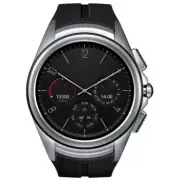
Getting to Know Your Watch 6 About Your Watch Your watch comes with the SIM card pre-installed. Power Button Contacts Button LG Health Button Touch Screen FRONT NOTE • The touch screen must not come into contact with any other electrical devices. Electrostatic discharge can result in the touch scree...
Page 11 - Charging Your Watch
Getting to Know Your Watch 9 Charging Your Watch Before using your watch for the first time, you should charge the battery. Use the charging cord provided with your watch to charge its battery.The supplied charging cord will allow you to charge from a power outlet or from a computer. The charging co...
Page 13 - If the Screen Freezes
Getting to Know Your Watch 11 3 The watch will turn on automatically. While your watch is charging, the screen will show the time, battery percentage and charging progress (indicated by the ring around the outside). Charging Progress TimeBattery Percentage NOTE • If the charging screen does not show...
Page 14 - Replacing the SIM card
Getting to Know Your Watch 12 Replacing the SIM card Your watch comes with the SIM card installed. Follow these steps if you need to replace the SIM card. NOTE • Please turn off the device before you insert or remove a SIM card. 1 Open the SIM card cover using SIM card cover opener as shown below. A...
Page 17 - Unlocking the SIM card
Getting to Know Your Watch 15 Unlocking the SIM card If you insert a SIM card with a PIN lock, you have to enter the unlock code to be able to use it in the watch. If the SIM card PIN lock is turned off, disregard this section. 1 After turning the watch on, swipe up from the bottom of your watch scr...
Page 18 - Turning the Watch On and Off; Turning On the Watch; Turning Off the Watch
Getting to Know Your Watch 16 Turning the Watch On and Off Turning On the Watch Press and hold the Power Button (on the right hand side of the watch) for a few seconds. Power Button Turning Off the Watch 1 Press and hold the Power Button until the apps list appears. 2 Tap Settings > Power off. 3 ...
Page 19 - Using the Touch Screen; Touch Screen Tips
Getting to Know Your Watch 17 Using the Touch Screen Here are some tips on how to navigate on your watch. • Tap or touch – A single finger tap selects items, links, shortcuts, and letters on the on-screen keyboard. • Touch and hold – Touch and hold an item on the screen by touching it and not liftin...
Page 21 - Setting up Your Companion Device
Connecting the Watch to Your Companion Device 19 Setting up Your Companion Device Before pairing, please do the following on your smartphone or tablet. NOTE • To make calls with your watch, your companion device needs to be an Android smartphone. 1 Make sure the companion device is running Android 4...
Page 22 - Pairing Your Watch with Your Companion
Connecting the Watch to Your Companion Device 20 NOTE • Your watch will turn on automatically while charging. Depending on the software installed, your watch may automatically download and install an update. • Depending on the network connection, the setup process might take over 20 minutes. Pairing...
Page 23 - Connecting to Another Companion; Unpairing and Resetting Your Watch
Connecting the Watch to Your Companion Device 21 NOTE • To set up your watch to make calls, open the Calling Setup app on your watch and follow the instructions. Connecting to Another Companion Device Your watch connects to one mobile device at a time. If you want to connect your watch to a differen...
Page 25 - Waking Your Watch; Dimming the Screen; Changing the Watch Face
How to Use Your Watch 23 Waking Your Watch If your watch’s screen is dimmed, you can wake up the watch by doing any of the following: • Touch the screen. • Turn your wrist so your watch face is upright. • Press the Power Button on the watch. Dimming the Screen • Press the Power Button on the watch. ...
Page 26 - Notification Cards; Seeing Notification Cards
How to Use Your Watch 24 Notification Cards Most notifications you see on your phone will also show up on your watch. These include notifications for missed calls, texts, event reminders, and more.Notifications are displayed in the form of cards. Card previews appear at the bottom of the watch face....
Page 27 - Bringing a Card Back; Blocking Notifications; Blocking Apps Using Your Watch
How to Use Your Watch 25 Bringing a Card Back If you mistakenly removed a card, you will have a few seconds to swipe down from the top of your watch’s screen and tap the Undo button to get it back. If you’ve swiped away the last card in your stack, you will need to swipe up from the bottom of the sc...
Page 28 - Call Notifications; Do Not Disturb Mode
How to Use Your Watch 26 Call Notifications You can get an instant alert when your phone receives an incoming call. The notification shows the caller's number and/or contact information on your watch and lets you accept or decline the call. NOTE • If you set the 'Play phone audio on watch' option on...
Page 29 - Seeing Battery Remaining and Date; Controlling the Sound Setting
How to Use Your Watch 27 Seeing Battery Remaining and Date Swipe down from the top of the watch face. Battery Remaining Date NOTE • Some content may differ from your device depending on the OS version. Controlling the Sound Setting You can turn the sound for notifications on or off. From the watch f...
Page 30 - Turning Your Screen Off with Theater; Boosting Screen Brightness; Opening the Settings Menu
How to Use Your Watch 28 Turning Your Screen Off with Theater Mode You can turn off your watch’s screen so that the display does not light up and notifications do not appear. • Press the Power Button twice quickly. OR 1 If your screen is dimmed, touch the screen to wake up the watch. 2 Swipe down fr...
Page 31 - Managing Storage; To See the Storage Details
How to Use Your Watch 29 Managing Storage Through the Android Wear app on your phone, you can see: • How much storage space is available • Total storage space on your watch • Apps or services that are using your watch’s storage To See the Storage Details 1 Make sure your watch and phone are within B...
Page 33 - Using Your Voice to Control Your Watch; Open Speak Now Directly
Tasks Using Voice Command 31 Using Your Voice to Control Your Watch Your watch has a menu of simple tasks that it can do for you. Anything in its list can also be initiated by your voice. Just say “ OK Google” or swipe to the left on the watch face until you see Speak now, then say your command or q...
Page 34 - Changing the Apps You Use for Voice; Taking or Viewing a Note
Tasks Using Voice Command 32 Changing the Apps You Use for Voice Actions You can set which apps to use for different voice actions. For example, you can change the app you use for setting alarms or sending messages. 1 On your phone, open the Android Wear app. 2 A list of actions is displayed at the ...
Page 35 - Setting a Reminder; Seeing Your Step Count
Tasks Using Voice Command 33 Setting a Reminder You can tell your watch to set a reminder. When a reminder is set, a card will appear at the reminder time. 1 If your screen is dimmed, tap the screen to wake up the watch. 2 From the watch face, say “ OK Google” or press and hold the Power Button unti...
Page 36 - Using the Heart Rate Sensor; Measuring Heart Rate
Tasks Using Voice Command 34 Using the Heart Rate Sensor You can use the Heart Rate app to measure and record your current heart rate. NOTE • The device's heart rate measurement feature is not meant for clinical or medical diagnosis. Follow the guidelines in Measuring Heart Rate and Getting Accurate...
Page 37 - Getting Accurate Measurements
Tasks Using Voice Command 35 NOTE • Wearing your watch too loosely or moving a lot may cause inaccurate measurements. • Never look directly at the heart rate sensor light as this may damage your eyes. • Escaping light may lead to inaccurate measurements. Wear your watch below your wrist bone so it s...
Page 38 - Sending a Text; Sending a Message; Replying to a Message
Tasks Using Voice Command 36 • If the heart rate sensor is dirty, wipe the sensor and try again for a more accurate measurement. • Your watch measures your heart rate using a light reflection process. Light reflection may affect your watch's ability to take an accurate heart rate reading. Sending a ...
Page 39 - Sending and Reading Email; Checking Emails on Your Companion Device
Tasks Using Voice Command 37 Sending and Reading Email Your watch can be used to write and read emails from your mobile device. 1 If your screen is dimmed, tap the screen to wake up the watch. 2 From the watch face, say “ OK Google” or press and hold the Power Button until the apps list appears, the...
Page 40 - Using your Calendar; Navigating
Tasks Using Voice Command 38 Using your Calendar You can view events scheduled on your mobile device's calendar using your watch. 1 If your screen is dimmed, tap the screen to wake up the watch. 2 From the watch face, say “ OK Google” or press and hold the Power Button until the apps list appears, t...
Page 41 - Setting a Timer; Dismissing the Timer; Using the Stopwatch
Tasks Using Voice Command 39 Setting a Timer The watch can be used as a countdown timer. Once you set a timer, a card is displayed with the countdown. 1 If your screen is dimmed, tap the screen to wake up the watch. 2 From the watch face, say “ OK Google” or press and hold the Power Button until the...
Page 42 - Setting an Alarm
Tasks Using Voice Command 40 Setting an Alarm Multiple alarms can be set on your watch separately from alarms set on your phone. Alarms set on your watch will not transfer to your phone, but alarms activated on your phone will display an alarm card (with vibration and sound, if set) on your watch. 1...
Page 43 - Managing Your Alarms
Tasks Using Voice Command 41 Managing Your Alarms You can view, edit, and delete the alarms that you set on your watch. 1 If your screen is dimmed, tap the screen to wake up the watch. 2 From the watch face, say “ OK Google” or press and hold the Power Button until the apps list appears, then swipe ...
Page 45 - Opening the Apps Installed on your; Viewing the Apps List
Apps 43 Opening the Apps Installed on your Watch The apps list shows you all of the applications installed on the watch.Swipe up and down to scroll through the list, and then tap one to use it. The 3 most recently used apps are displayed at the top of the list. NOTE • Default apps on the device are ...
Page 46 - The Google Fit App; See Today's Step Estimate
Apps 44 • Stress: Tap to record your stress index, then receive messages about your stress index and step-by-step guides. • Settings: Access LG Health options such as Profile, Goal unit, Daily goal, Units, Exercise notification, Tracker layout, and Delete data. View or edit the profile that you set ...
Page 47 - Check Your Heart Rate; Downloading Other Apps
Apps 45 Check Your Heart Rate You can use a voice command to check your heart rate or open the Fit app to access heart rate monitoring. See the Show me my heart rate section for more information. 1 From the watch face, say “ OK Google. Show me my heart rate.". 2 Your watch automatically takes yo...
Page 49 - Adjusting the Display Brightness; Changing the Font Size
Settings 47 Opening the Settings Menu • Press and hold the Power Button until the apps list appears, then tap Settings . OR • From the watch face, swipe left until the apps list appears, then tap Settings . NOTE • Tap a setting to turn it on or off, open a list of choices, or view information. • To ...
Page 50 - Using Gestures; The Always-on Screen Setting; Managing Sound Settings
Settings 48 Using Gestures You can use gestures to navigate notification cards, lists, and more. • From the Settings menu, tap Gestures > Wrist gesture to toggle it on or off. - Flick your wrist out to scroll down a page. - Flick your wrist in to scroll up a page. The Always-on Screen Setting Whe...
Page 51 - Changing Wi-Fi Settings
Settings 49 Changing Wi-Fi Settings You can select the Wi-Fi network to use, add new Wi-Fi network(s) set your Wi-Fi mode, access your saved Wi-Fi networks, access advanced Wi-Fi, and view Wi-Fi help information.Using a Wi-Fi connection allows your watch to get notifications from your phone without ...
Page 52 - Changing Bluetooth Settings; Changing Network Settings
Settings 50 Changing Bluetooth Settings Your watch automatically searches for Bluetooth devices within range. You can pair your watch with a headset using the Bluetooth Devices setting. You can also unpair and disconnect headsets. • From the Settings menu, tap Bluetooth > Devices. NOTE • When usi...
Page 53 - Managing Your Location Services; Turning Airplane Mode On/Off; Setting Accessibility Options
Settings 51 Managing Your Location Services You can manage your location services for determining your approximate location. Some apps like Weather and Maps need your location to work. • From the Settings menu, tap Location. - Tap Location to turn it on or off. NOTE • When paired with a phone, the w...
Page 54 - Setting a Screen Lock; Managing Permissions
Settings 52 Setting Date & Time You can set how your watch syncs and displays the date, time, and time zone. • From the Settings menu, tap Date & time. Setting a Screen Lock You can set a pattern to draw with your finger that unlocks the screen. • From the Settings menu, tap Screen lock. NOT...
Page 55 - Getting Information about Your Watch
Settings 53 Getting Information about Your Watch Information about your watch is shown in this menu. • From the Settings menu, tap About to view the Model, Device name, Versions (for Google and Android software), Serial number, Build number, Connection, and Battery information. The following options...
Page 57 - Open Source Software Notice
More Information 55 Open Source Software Notice Information To obtain the source code under GPL, LGPL, MPL, and other open source licenses, that are contained in this product, please visit http://opensource.lge.com. In addition to the source code, all referred license terms, warranty disclaimers and...
Page 58 - How to Update Your Device
More Information 56 How to Update Your Device Check for the latest available firmware releases, as well as new software functions and improvements. 1 Press and hold the Power Button until the apps list appears. 2 Tap Settings > About > System updates.
Page 60 - General Safety & Handling
Safety Information 58 General Safety & Handling While using your product, be aware of the following safety guidelines.Your environment • Safe operating temperatures. Use and store your product in temperatures between 0°C/32°F and 40°C/104°F. Exposing your product to extremely low or high tempera...
Page 61 - Safety Tips
Safety Information 59 Safety Tips WARNING • This product contains chemicals known to the State of California to cause cancer and birth defects or reproductive harm. Call (800) 243-0000 for more information. Wash hands after handling. • The charging terminals contain strong magnets that may interfere...
Page 62 - Heart Rate Information
Safety Information 60 – Like many electronic devices, your product generates heat during normal operation. Extremely prolonged, direct skin contact in the absence of adequate ventilation may result in discomfort or minor burns. Therefore, use care when handling your product during or immediately aft...
Page 63 - Battery Warnings
Safety Information 61 Battery Warnings • Do not disassemble or open crush, bend or deform, puncture or shred. • Do not modify or remanufacture, attempt to insert foreign objects into the battery, immerse or expose to water or other liquids, expose to fire, explosion or other hazard. • Make sure that...
Page 64 - Notes on Water Resistant Properties
Safety Information 62 Notes on Water Resistant Properties This product is water and dust resistant in compliance with the Ingress Protection rating IP67*.* The IP67 rating means that the product will maintain its operability even if it is gently submerged in a tank of still tap water at room tempera...
Page 65 - Pacemakers and Other Medical Devices
Safety Information 63 Pacemakers and Other Medical Devices Persons with pacemakers should: • ALWAYS keep the product more than six (6) inches from their pacemaker when the product is turned ON. • Not carry the product in a breast pocket. • Use the wrist opposite the pacemaker to minimize the potenti...
Page 67 - Part 15.19 Statement General Requirement
Safety Information 65 Additional information on Specific Absorption Rates (SAR) can be found on the Cellular Telecommunications Industry Association (CTIA) website at http://www.ctia.org/.* Product meets current FCC Radio Frequency Exposure GuidelinesFCC ID : ZNFW200V Part 15.19 Statement General Re...
Page 68 - US Declarations of Conformity(Part 15.105
Safety Information 66 US Declarations of Conformity(Part 15.105 Statement) This equipment has been tested and found to comply with the limits for a class B digital device, pursuant to Part 15 of the FCC rules. These limits are designed to provide reasonable protection against harmful interference in...