Page 3 - Violation of the instructions may cause serious injury or death.; Do not use a hand-held phone while driving.; Important Safety Precautions
Read these simple guidelines. Breaking the rules may be dangerousor illegal. Further detailed information is given in this user guide. Violation of the instructions may cause serious injury or death. ● Never use an unapproved battery since this coulddamage the phone and/or battery and could causethe...
Page 4 - Do not disassemble the phone.
Important Safety Precautions ● Do not expose the battery charger or adapter to directsunlight or use it in places with high humidity, such asa bathroom. ● Do not use harsh chemicals (such as alcohol,benzene, thinners, etc.) or detergents to clean yourphone. This could cause a fire. ● Do not drop, st...
Page 5 - Store the battery out of reach of children.
● Do not place or answer calls while charging thephone as it may short-circuit the phone and/or causeelectric shock or fire. ● Do not hold or let the antenna come in contact withyour body during a call. ● Make sure that no sharp-edged items, such asanimal’s teeth or nails, come into contact with the...
Page 6 - Table of Contents
Table of Contents Important Safety Precautions .1Welcome . . . . . . . . . . . . . . . . . . . .8Technical Details . . . . . . . . . . . . .9 Important Information . . . . . . . . . . . .9 Phone Overview . . . . . . . . . . . .12 Installing the Battery . . . . . . . . . . . . .14 Removing the Batter...
Page 9 - Consumer Information on SAR .121
7.1 Answer Options . . . . . . . . . . . . .94 7.2 Auto Retry . . . . . . . . . . . . . . . . . .95 7.3 TTY Mode . . . . . . . . . . . . . . . . .95 7.4 One Touch Dial . . . . . . . . . . . . .97 7.5 Voice Privacy . . . . . . . . . . . . . . . .97 7.6 DTMF Tones . . . . . . . . . . . . . . . .97 8. ...
Page 10 - Welcome
Welcome Thank you for choosing the cellular phone designed to operate with the latestdigital mobile communicationtechnology, Code Division MultipleAccess (CDMA). Along with themany advanced features of theCDMA system, such as greatlyenhanced voice clarity, thiscompact phone offers: ● V CAST Music wi...
Page 11 - Important Information; FCC Part 15 Class B Compliance; Technical Details
Important Information This user’s guide provides importantinformation on the use andoperation of your phone. Pleaseread this guide carefully prior tousing the phone to be able to useyour phone to its greatestadvantage and to prevent anyaccidental damage or misuse. Anyunapproved changes ormodificatio...
Page 14 - Phone Overview
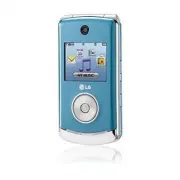
Phone Overview 1. Earpiece Lets you hear the caller and automated prompts. 2. Flip Use to make or answer calls. Flip open to reveal the keypad to dial a number or answeran incoming call. Close the flip to end the call. 3. Main LCD Screen Displays messages and indicator icons. 4. OK Key / Directional...
Page 15 - Battery; Rear view
12. International Call Prefix Key To make an international call, press and hold for 2 or 3 seconds. + is the international callingcode. 13. Camera Lens Used to take a photo. Keep it clean for optimal photo quality. 14. Front LCD Screen Displays 5 menus for you to easily select without opening the fl...
Page 16 - Installing the Battery; Insert the bottom of the battery into the; Removing the Battery; Remove the battery from the battery
Phone Overview Installing the Battery 1. Insert the bottom of the battery into the opening on the back of the phone. 2. Push the battery down until it clicks into place. 3. Place the battery cover over the opening on the back of the phone,then slide it upward until it clicksinto place. Removing the ...
Page 17 - Rhapsody; Menus Overview
C C ONT ONT ACTS ACTS 1. New Contact2. Contact List3. Groups4. Speed Dials5. In Case of Emergency6. My Name Card M M ESSAGING ESSAGING 1. New Message2. Inbox3. Sent4. Drafts5. Voicemail6. Mobile IM7. Email8. Chat R R ECENT ECENT C C ALLS ALLS 1. Missed2. Received3. Dialed4. All5. View Timers G G AME...
Page 18 - VZ N; Message
Menus Overview M M Y Y M M USIC USIC VZ N VZ N A A VIGA VIGA TOR TOR V CAST V V CAST V IDEOS IDEOS S S ETTINGS ETTINGS & T & T OOLS OOLS 1. My Verizon2. Tools 1. Voice Commands2. Calculator3. Ez Tip Calculator4. Calendar5. Alarm Clock 1. Alarm 12. Alarm 23. Alarm 3 6. Stopwatch7. World Clock...
Page 19 - Front Display Hint; Menu Access; Open the flip and press; Front LCD Screen
8. Front Display Hint 6. Phone Settings 1. Airplane Mode2. Set Shortcuts3. Voice Commands4. Language5. Location6. Security 1. Edit Codes2. Restrictions3. Phone Lock4. Lock Phone Now5. Reset Default6. Restore Phone 7. System Select8. NAM Select 7. Call Settings 1. Answer Options2. Auto Retry3. TTY Mo...
Page 20 - Getting Started with Your Phone; Charging the Battery; Charging with USB; Battery Temperature Protection
Getting Started with Your Phone Charging the Battery Your comes with a cableless travel adapter and a USBdata cable which are connectedtogether to charge your phone. Tocharge your phone: NOTICE Please use only an approved charging accessory to charge your LG phone. Improper handling of the charging ...
Page 21 - Card; Battery Charge Level
How to Install Your microSD TM Card 1. Locate the microSD TM slot on the right side of the phone and gentlyuncover the slot opening.(microSD™ slot cover staysattached to the phone so you don'tlose it). 2. Insert the microSD TM card in the correct direction until it clicks intothe slot. If you insert...
Page 22 - Turning the Phone On and Off; Redialing Calls; Screen Icons
Getting Started with Your Phone Turning the Phone On and Off Turning the Phone On 1. Install a charged battery or connect the phone to an externalpower source. 2. With the flip open, press (located above the key on the keypad) until the LCD screenlights up. Turning the Phone Off With the flip open, ...
Page 23 - Quick Access to Convenient Features
Vibrate Mode Sets the phone to vibrate instead ofring ( is displayed). To set Vibrate Mode, with the flip open,press and hold . To return to Normal Mode, press and hold . Sounds Off Quickly deactivate your phone'ssounds when you're in a placewhere phone sounds would bedisruptive.From standby mode wi...
Page 24 - Entering and Editing Information; Text Input; change text input mode.
Entering and Editing Information Text Input The following key functions areavailable to help with text entry: Left Soft Key : Press to change text input mode. Shift : Press to change capitalization (initial cap,caps lock, lowercase). Next : Press to display other matching words in thedatabase in wor...
Page 25 - Storing Basics; Add New Contact; Speed Dial; Set Speed Dial; Contacts in Your Phone’s Memory
Storing Basics 1. With the flip open, enter a number (max. 48 digits), thenpress the Left Soft Key [Save] . 2. Use the Directional Key to highlight Add New Contact / Update Existing , then press . 3. Use the Directional Key to highlight Mobile 1/ Home/ Work/ Mobile 2/ Fax , then press . 4. Enter a n...
Page 27 - Deleting
Changing Saved Information To edit any information you stored,access the Edit Contacts screen: 1. With the flip open, press the Right Soft Key [Contacts] . 2. Use the Directional Key to highlight a Contact entry, thenpress the Left Soft Key [Edit] . 3. Use the Directional Key to highlight the field ...
Page 28 - Speed Dialing
Contacts in Your Phone’s Memory 3. Press the Right Soft Key [Options] . 4. Press Erase . 5. Press Yes to confirm. Deleting a Speed Dial 1. With the flip open, press the Right Soft Key [Contacts] . 2. Use the Directional Key to highlight a Contact entry to editand press [VIEW] . 3. Select the phone n...
Page 29 - CONTACTS; Contacts
CONTACTS 27 C CO ON NT TA AC CT TS S The Contacts Menu allows you tostore names, phone numbers andother information in your phone’smemory. SHORTCUT Pressing the Right Soft Key is a hot key to Contact List. 1. New Contact Allows you to add a new number toyour Contact List. NOTE Using this submenu, th...
Page 31 - In Case of Emergency
5. In Case of Emergency (ICE) This menu allows you to storenames, phone numbers and otherinformation, which will be veryhelpful in case of emergency. Also,it allows you to add, read, edit, orerase the notes about yourself asnecessary in case an emergencytakes place. 1. With the flip open, press [MEN...
Page 33 - during a message check.; New Message Alert; The phone displays a message; New Message; Enter the phone number of the; MESSAGING
M ME ES SS SA AG GIIN NG G SHORTCUT From standby mode, pressing the Left Soft Key is a hot key to your MESSAGING. Text messages, Picture messages,and the Voicemail box becomeavailable as soon as the phone ispowered on. ● Check types of messages bypressing the Left Soft Key [Message] . ● Make a call ...
Page 34 - Editing the To: field
MESSAGING 5. Press the Directional Key downward. 6. Type your message in the text field. 7. Press [SEND] . Customizing the Message UsingOptions ● Editing the To: field 1. With the To field highlighted, press the Right Soft Key [Add] . 2. Select the option(s) to customize. From Contacts/ Recent Calls...
Page 37 - Preview
● Editing a Subject 1. With the Subject field highlighted, press the Right SoftKey [Options] . 2. Select the option(s) to customize. Preview/ Save As Draft/ InsertQuick Text/ Copy Text/ Paste/Add Slide/ Priority Level/ CancelMessage 1.3 Video Message The Basics of Sending a VideoMessage 1. With the ...
Page 38 - Editing Video
MESSAGING Save As Draft Saves the message into the Drafts folder. Insert Quick Text Allows you to add Quick Text. Copy Text Allows you to copy text. Paste Allows you to paste the text you last copied into a textfield. Priority Level Gives priority to the message. High/ Normal Cancel Message Cancels ...
Page 40 - Message Info; Message Icon Reference; Forward
MESSAGING Message Info Allows you to check the received messageinformation. Message Icon Reference New/ Unread TXT Messages Opened/ Read TXT Messages Priority High Locked New/ Unread Picture/ Video/ Voice Messages Open/ Read Picture/ Video/ Voice Messages New/Unread Browser Messages Opened/Read Brow...
Page 42 - Checking Your Voicemail Box
MESSAGING 5. Voicemail Allows you to view the number ofnew voice messages recorded inthe Voicemail box. Once youexceed the storage limit, oldmessages are overwritten. Whenyou have a new voice message,your phone will alert you. Checking Your Voicemail Box 1. With the flip open, press the Left Soft Ke...
Page 43 - Chat; Messaging Settings
8. Chat Allows you to chat with InternetMessenger users. 1. With the flip open, press the Left Soft Key [Message] . 2. Press Chat . 3. A Mobile Web Browser session starts. 4. Highlight a Chat provider and press . NOTE This feature may require a subscription to a Chat service provider. Messaging Sett...
Page 44 - Erasing Messages; Soft Key
MESSAGING 7. Quick Text Allows you to display, edit, and addtext phrases. These text stringsallow you to reduce manual textinput into messages. 8. Voicemail # Allows you to manually enter theaccess number for VoicemailService. This feature should be onlyused when a VMS (VoicemailService) access numb...
Page 45 - RECENT CALLS
R RE EC CE EN NT T C CA ALLLLS S The Recent Calls Menu is a list ofthe last phone numbers or Contactentries for calls you placed,accepted, or missed. It's continuallyupdated as new numbers areadded to the beginning of the listand the oldest entries are removedfrom the bottom of the list. 1. Missed A...
Page 46 - Recent Calls
RECENT CALLS 3. Dialed Allows you to view the list ofoutgoing calls; up to 90 entries. 1. With the flip open, press [MENU] . 2. Press Recent Calls . 3. Press Dialed . 4. Use the Directional Key to highlight an entry, then ● Press to view the entry. ● Press to place a call to the number. ● Press the ...
Page 48 - Games
GAMES G GA AM ME ES S Allows you to download games andapplications from the MEDIACENTER server. Choose thesoftware you want from the listdisplayed on the screen. 1. With the flip open, press [MENU] . 2. Press Games . 3. Press Get New Applications . 46 VX8560_Eng_1.1.qxd 8/29/08 4:44 PM Page 46
Page 49 - Select a submenu by pressing; V CAST Music l Rhapsody; Media Center; MEDIA CENTER
M ME ED DIIA A C CE EN NT TE ER R MEDIA CENTER allows you to domore than just talk on your phone.MEDIA CENTER is a technologyand service that allows you todownload and use applications onyour phone. With MEDIA CENTER,it’s quick and easy to personalizeyour phone to your lifestyle andtastes. Just down...
Page 50 - Get New Ringtones; Use the Directional Key
MEDIA CENTER 1.2 Get New Ringtones Allows you to connect to MEDIACENTER and download variousringtones. 1. With the flip open, press [MENU] . 2. Press Media Center . 3. Press Music & Tones . 4. Press Get New Ringtones . 1.3 My Ringtones Allows you to select a desiredringtone, or download a newrin...
Page 51 - Playing Your Music; Access My Music; Play All Songs
1.4 My Music Allows you to store and to listen tomusic right from your phone. Shopfor and download a variety ofmusic, transfer music between yourphone and computer, manage andorganize your music files, and more. NOTE File storage varies according to the size of each file as well as memory allocation...
Page 52 - Album Art
MEDIA CENTER your phone. However, youcannot manage this playlist; youcan only play the songs. In orderto manage the playlisttransferred from PC, you have todo so on a PC. Playlists created on the phonecannot be synchronized with thePC. They can be managed onlyon the phone. Artists Allows you to chec...
Page 53 - About Music Key; FM Transmitter; Access FM Transmitter
that is currently playing willplay on repeat. Off: All songs in the list will beplayed, and the player willstop. Shuffle: Allows you to randomlyselect and play songs from thelists. Sound Effect: Allow you to selectthe sound effect ( Flat, Concert Hall, Classical, Bass Booster, Vocal Booster,Treble B...
Page 54 - MY MUSIC; FM Transmitter Icon Reference; Exit From the Music Player
MEDIA CENTER ● To turn on the selected frequency range level, press . Using the Front LCD to set the FMTransmitter 1. When the flip is closed, press the Lock/Unlock Key . 2. Press the Center Select Key to get into the menu. 3. With navigation wheel , scroll to MY MUSIC and press the Center Select Ke...
Page 56 - Download music to your PC
MEDIA CENTER software available atVerizonWireless.com/music* Subject to device/memory card storage capacity. Download music to your PC 1. Open V CAST Music with Rhapsody. Don’t have V CASTMusic with Rhapsody? Downloadit for free atwww.verizonwireless.com/music. 2. Log in. 3. For each V CAST Music tr...
Page 57 - USB AUTO RUN; Sync Music
USB AUTO RUN USB Autorun is a feature thatallows a to connect to a PC using a USB cable and setsup the music client on a PC withouta physical CD-ROM. ● Automatically installs the LGUSB Modem Driver and/or musicsync program on the PC ● Allows the phone to be used as aMass Storage when a Micro-SDcard ...
Page 58 - - To set the Autorun in; Connecting Phone to PC; - Connect your phone to your PC
MEDIA CENTER ● When PC operating systemis not set to autorun, followbelow steps: - In desk top, double click CD Drive and get the LGAutorun application pop up. (Windows OS System) - To set the Autorun in Windows Vista TM , in Control Panel > AutoPlay> Softwareand games > Install or runprogr...
Page 59 - USB Mass Storage
Step 2. Installing or Updating LGUSB Modem Driver - Click ‘Install’ or ‘Update’ NOTES ● If previous version of LG USBModem Driver is installed in thecomputer, it will be updated to therecent version of Driver. ● If recent version of LG USBModem Driver is installed in thecomputer, LG Autorun skips ‘S...
Page 60 - Autorun ends from the PC and; OR
MEDIA CENTER Step 4/5. Downloading or RunningV CAST Music withRhapsody - Click ‘Download’ or ‘Run’. Autorun ends from the PC and is transferred to Sync Music menu. OR NOTE If V CAST Music with Rhapsody isinstalled in the computer, USBAutorun doesn’t download V CASTMusic with Rhapsody and just runsth...
Page 64 - Editing a Picture
MEDIA CENTER 2.3 My Pictures Allows you to view and managephotos stored in the phone. 1. With the flip open, press [MENU] . 2. Press Media Center . 3. Press Picture & Video . 4. Press My Pictures . 5. Highlight a picture with the Directional Key and press the Right Soft Key [Options] for options...
Page 65 - Set As Wallpaper/ File Info
Send Sends a video message. Record Video Turns on the video camera function. To Online Album Accesses the Online Album. V CAST Videos Accesses V CAST Videos feature. Manage My Videos Allows you to mark multiple videos to beerased, moved or locked/unlocked. Set As Wallpaper Displays the selected vide...
Page 66 - My Pictures
MEDIA CENTER SHUTTER SOUND Shutter/ No Sound /Say “Cheese”/ Ready! 1 2 3 COLOR EFFECTS Normal/ Negative/ Aqua/ Sepia/Black&White NIGHT MODE On/ Off SAVE OPTION Internal/ External PHOTOMETRY Average/ Spot/ Spot Multiple PREVIEW Actual view/ Full screen CAPTURE Camera/ Video 6. Take a picture by p...
Page 71 - My Music; Use the Directional Key
M MY Y M MU US SIIC C Allows you to store and to listen tomusic right from your phone. Shopfor and download a variety ofmusic, transfer music between yourphone and computer, manage andorganize your music files, and more. NOTE File storage varies according to the size of each file as well as memory a...
Page 72 - VZ NAVIGATOR; Find points of interest; VZ Navigator
VZ NAVIGATOR V VZ Z N NA AV VIIG GA AT TO OR R The VZ Navigator Menu allows youto get directions to locations whenyou're out and about. ● Voice-prompted turn-by-turndirections with auto-rerouting ifyou miss a turn ● View detailed color maps thatcan be panned and zoomed ● Find points of interest 1. W...
Page 73 - V CAST Videos; V CAST VIDEOS
V V C CA AS ST T V VIID DE EO OS S V CAST brings the world to yourmobile phone with full-motion videoand sound. Catch up with what’shappening with video clips fromnews, sports, entertainment, orweather (must be in V CASTcoverage area. Additional fees mayapply). 1. With the flip open, press [MENU] . ...
Page 75 - Prompts; Timeout; Earpiece
73 Prompts Mode/ Audio Playback/ Timeout For Mode, set Prompts/ Readout + Alerts/ Readout/ Tones Only . For Audio Playback, set Speakerphone or Earpiece . For Timeout, set 5 seconds or 10 seconds . Call Alert Ring Only/ Caller ID + Ring/ Name Repeat 2.1.1 Call <Name or Number> Say "Call�...
Page 76 - Ez Tip Calculator; Tools
SETTINGS & TOOLS 74 2.1.6 Play The 'Play' command allows you toplay songs by stating 'Play AllSongs', 'Play Last Song'. To playindividual music file, say 'Play' andyou will be prompted for the musictitle. 2.1.7 My Verizon The 'My Verizon' commandprovides you with direct access toyour Verizon Wir...
Page 79 - Menu
77 2.8 Notepad Allows you to add, read, edit, anderase notes to yourself. 1. With the flip open, press [MENU] . 2. Press Settings & Tools . 3. Press Tools . 4. Press Notepad . 5. Press the Left Soft Key [Add] to write a new note. 6. Press the Left Soft Key to change the entry mode. 7. After fill...
Page 80 - wireless; Bluetooth
SETTINGS & TOOLS 78 pairings within the and connect to one device. The approximate communicationrange for Bluetooth ® wireless technology is up to 30 feet (10meters). Bluetooth ® QD ID B014130 NOTE Read the user guide of eachBluetooth ® accessory that you are trying to pair with your phone becau...
Page 82 - Turn On; Bluetooth Menu; Press the Left Soft Key; My Device Info; device when Add New
SETTINGS & TOOLS 80 ● Icon References When aBluetooth ® Wireless Connection is Searched (neither connected nor paired). ● Icon References WhenSuccessfully Connected Turn On Allows you to set the phone'sBluetooth ® power On/Off. 1. With the flip open, press [MENU] . 2. Press Settings & Tools ...
Page 83 - Discovery Mode; Supported Profiles
81 2. Press Settings & Tools . 3. Press Bluetooth Menu . 4. Press the Right Soft Key [Options] . 5. Press My Device Info . 6. Press to clear the existing name. 7. Use the Alphanumeric Keypad to enter a new custom name. 8. Press to save and exit. TIP Bluetooth ® wireless connection is dependent o...
Page 84 - Auto Pair Handsfree
SETTINGS & TOOLS 82 3. From the list of available services or menu, select dial-upnetworking. 4. Enter required information such as ID, password and phonenumber in the "Connect To"dialog box. 5. Press the "Dial" button to initiate the call. Once the connection isestablished, you ...
Page 85 - Allows you to set volume settings.
83 NOTES In the pairing list, you can disconnect the connected device with the blue arrow signal by pressing or by pressing the Left Soft Key [Turn Off] . Reversely, you can turn it on by pressing the Left Soft Key [Turn On] again. When an audio device is connected, then you select another device an...
Page 88 - Use the Directional Key
SETTINGS & TOOLS 7. Enter your own banner text. NOTE Press the Directional Key to change the color of the text. Use the to select the color you want. Black/ White/ Yellow/ Orange/ Red/ Brown/ Blue/ Green/ Light Blue 8. Press . 5.1.2 ERI Banner If you use ERI Service, ERI Text isshown on the sub ...
Page 89 - Main Menu Settings
1. Main Wallpaper My Pictures/ My Videos/ FunAnimations/ Album Art 2. Front Wallpaper My Pictures/ Fun Animations/Visualizer 6. Select from available screens then press . 5.4 Display Themes Allows you to choose the color ofthe background screen. 1. With the flip open, press [MENU] . 2. Press Setting...
Page 90 - Front Display Hint
SETTINGS & TOOLS 5.7 Clock Format Allows you to choose the kind ofclock to be displayed on the frontand main LCD screens. 1. With the flip open, press [MENU] . 2. Press Settings & Tools . 3. Press Display Settings . 4. Press Clock Format . 5. Highlight a Clock Format submenu and press . Main...
Page 93 - The lock code is the last 4 digits
5. Use the Directional Key to highlight a setting, then press . Location On/ E911 Only NOTES ● GPS satellite signals are notalways received by the phone,especially under bad atmosphericand environmental conditions,indoors, etc. ● When a Location SettingRestriction is activated in theSecurity Menu, t...
Page 94 - Restrictions; Location Setting; Phone Settings; Phone Lock; Unlocked
SETTINGS & TOOLS 3. Press Phone Settings . 4. Press Security . 5. Enter the four-digit lock code. 6. Press Restrictions . 7. Enter the four-digit PIN code. 8. Select a Restrictions menu then press . Location Setting/ Calls/Messages/ Dial-up Modem 9. Use the Directional Key to highlight the restr...
Page 97 - TTY Full
When the following settings are set,Ringer is not activated. ● When Sounds Off / Alarm Only is set or individual Contact RingerID is set to No Ring/ Silence . ● When Ringer is set to Sounds Off with side key or " Quiet ". 7.2 Auto Retry Allows you to set the length of timethe phone waits bef...
Page 98 - TTY Off
SETTINGS & TOOLS TTY + Hear : Users who can hear but cannot talk send a textmessage and receive voice throughTTY equipment. TTY Off : Users send and receive without TTY equipment. Connecting TTY Equipment and aTerminal 1. Connect a TTY cable to TTY connection on the terminal (TTYconnection locat...
Page 100 - USB Auto Sync
SETTINGS & TOOLS 8. USB Auto Sync Your phone automatically detects aUSB device when it is connected toyour phone for Sync Music or SyncData operation. If the option is setto Ask On Plug, you are asked toconfirm whenever the connection ismade. 1. With the flip open, press [MENU] . 2. Press Settin...
Page 104 - Safety; Antenna Care
Safety T TIIA A S Sa affe ettyy IIn nffo orrm ma attiio on n The following is the complete TIASafety Information for wirelesshandheld phones. Exposure to Radio FrequencySignal Your wireless handheld portablephone is a low power radiotransmitter and receiver. When ON,it receives and sends out RadioFr...
Page 105 - Persons with pacemakers:
Tips on Efficient Operation For your phone to operate mostefficiently:Don’t touch the antennaunnecessarily when the phone is inuse. Contact with the antennaaffects call quality and may causethe phone to operate at a higherpower level than otherwise needed. Driving Check the laws and regulations onth...
Page 107 - Caution
always marked clearly. Potentialareas may include: fueling areas(such as gasoline stations); belowdeck on boats; fuel or chemicaltransfer or storage facilities;vehicles using liquefied petroleumgas (such as propane or butane);areas where the air containschemicals or particles (such asgrain, dust, or...
Page 108 - Charger and Adapter Safety
Safety ● Do not short circuit a battery orallow metallic conductiveobjects to contact batteryterminals. ● Replace the battery only withanother battery that has beenqualified with the system per thisstandard, IEEE-Std-1725-2006.Use of an unqualified batterymay present a risk of fire,explosion, leakag...
Page 109 - General Notice; Do not place items containing
performance. The battery can berecharged several hundred timesbefore replacement. ● Recharge the battery after longperiods of non-use to maximizebattery life. ● Battery life will vary due tousage patterns andenvironmental conditions. ● Use of extended backlighting,Browser, and data connectivitykits ...
Page 110 - Do not paint your phone.
Safety ● Talking on your phone for a longperiod of time may reduce callquality due to heat generatedduring use. ● When the phone is not used fora long period time, store it in asafe place with the power cordunplugged. ● Using the phone in proximity toreceiving equipment (i.e., TV orradio) may cause ...
Page 111 - or other
C Ca au uttiio on n:: A Avvo oiid d p po otte en nttiia all h he ea arriin ng g llo ossss.. Prolonged exposure to loud sounds(including music) is the mostcommon cause of preventablehearing loss. Some scientificresearch suggests that usingportable audio devices, such asportable music players and cell...
Page 112 - American Academy of Audiology; National Institutes of Health; National Institute for Occupational
Safety hear muffled speech orexperience any temporaryhearing difficulty after listeningto your portable audio device,discontinue use and consult yourdoctor. You can obtain additionalinformation on this subject from thefollowing sources: American Academy of Audiology 11730 Plaza American Drive, Suite...
Page 120 - Get to know your wireless phone
Safety interference be found to occur, theFDA will conduct testing to assessthe interference and work toresolve the problem. 12. Where can I find additionalinformation? For additional information, pleaserefer to the following resources: FDA web page on wireless phones(http://www.fda.gov/cellphones/)...
Page 122 - Use your wireless phone to help
Safety family in dangerous situations --with your phone at your side,help is only three numbers away.Dial 911 or other localemergency number in the caseof fire, traffic accident, roadhazard, or medical emergency.Remember, it’s a free call on yourwireless phone! 9. Use your wireless phone to help oth...
Page 126 - Gallaudet University, RERC
Safety American National StandardsInstitute (ANSI) C63.19 standard.When you're talking over the cellphone, it's recommended you'd turnthe BT (Bluetooth) mode off forHAC. 124 For information about hearing aidsand digital wireless phones FCC Hearing Aid Compatibility andVolume Control http://www.fcc.g...
Page 127 - Accessories; Chargers
Accessories 125 There are a variety of accessories available for your phone and three easyways to purchase them: shop online anytime at www.verizonwireless.com,call us at 1866 VZ GOT IT (894 6848) or visit one of our Verizon WirelessCommunication Stores. Chargers Batteries Portable StereoSpeakers US...
Page 128 - LIMITED WARRANTY STATEMENT
LIMITED WARRANTY STATEMENT 1. WHAT THIS WARRANTYCOVERS: LG offers you a limited warrantythat the enclosed subscriber unitand its enclosed accessories willbe free from defects in material andworkmanship, according to thefollowing terms and conditions: (1) The limited warranty for the product extends ...
Page 131 - Glossary
T Te errm miin no ollo og gyy EZ Tip Calculator Feature for easy bill calculation using the total cost, tip, and number of people as variables. Advanced Voice Recognition Feature that allows you to perform a wide range of verbal commands by training the phone to recognize your individual speech patt...
Page 133 - Index
10 Driver Safety Tips 118 A Accessories 125 Add New Device (Bluetooth ® ) 79 Airplane Mode 89 Alarm Clock 75 Alert Sounds 84 Answer Options 94 Auto Pair Handsfree 82 Auto Retry 95 B Backlight 86 Banner 85 Battery Charge Level 19 Battery Temperature Protection 18 Bluetooth ® Menu 77 C Calculator 74 C...
Page 135 - MEMO
Page 138 - Precaución de Seguridad Importante
Lea estas sencillas instrucciones. Romper las reglas puede serpeligroso o ilegal. Se ofrece más información detallada en esta guíadel usuario. No seguir las instrucciones puede ocasionar lesiones graveso la muerte. ● No use nunca una batería no aprobada, ya que estopodría dañar el teléfono o la bate...
Page 139 - No desarme el teléfono.
Precaución de Seguridad Importante ● No exponga cargador de baterías o el adaptador a laluz directa del sol, ni lo utilice en sitios con elevadahumedad, como por ejemplo el baño. ● No use sustancias químicas corrosivas (como alcohol,bencina, solventes, etc.) ni detergentes para limpiar elteléfono. E...
Page 141 - Contenido; Introducir y editar información24
Contenido Precaución de SeguridadImportante . . . . . . . . . . . . . . . . . .1 Bienvenidos . . . . . . . . . . . . . . . . .8 Detalles Técnicos . . . . . . . . . . . .9 Información Importante . . . . . . . . . . .9 Información para el usuario . . . . . . .9 Descripción general delTeléfono . . . . ...
Page 145 - Bienvenidos
Bienvenidos Felicidades por elegir el avanzado ycompacto teléfono celular , diseñado para funcionar con la más recientetecnología de comunicacionesmóviles digitales: Acceso múltiplede división de código (Code DivisionMultiple Access, CDMA). Junto conlas muchas funciones avanzadasdel sistema CDMA, co...
Page 146 - Información Importante; Información para el usuario; receptora; Detalles Técnicos
http://www.verizonwireless.com ->Support -> Phones & Devices ->seleccione el modelo de su teléfono -> luego seleccione Equipment Guide. Información Importante Esta guía del usuario ofreceinformación importante sobre el usoy funcionamiento de su teléfono. Leatoda la información cuidad...
Page 148 - El
11 Detalles Técnicos El es un teléfono totalmente digital que funciona enlas dos frecuencias de Accesomúltiple de división de código(CDMA): Servicios Celulares a 800MHz y Servicios de ComunicaciónPersonal (PCS) a 1.9 GHz.La tecnología CDMA usa unafunción llamada DSSS (Espectroensanchado por secuenci...
Page 149 - Precaución
Detalles Técnicos 12 Contacto corporal durante elfuncionamiento Este dispositivo se probó para unuso ordinario con la parte posteriordel teléfono a una distancia de 2 cm(0.78 pulgadas) del cuerpo. Paracumplir con los requisitos deexposición a RF de la FCC, debemantenerse una distancia deseparación m...
Page 150 - Descripción general del Teléfono
Descripción general del Teléfono 13 1. Audífono Le permite escuchar la persona al otro lado de la línea. 2. Tapa Abra el teléfono para responder a una llamada entrante y deslícelo cierrelo para terminar la llamada. 3. Pantalla LCD principal Muestra los mensajes e iconos indicadores. 4. Tecla OK/dire...
Page 151 - Vista posterior
14. Pantalla LCD frontal Muestra 5 menús en los que podrá hacer selecciones fácilmente sinabrir la tapa. 15. Círculo direccional con tecla de selección central Oprima la tecla central para que aparezcan 5 menús de accesos directos en lapantalla LCD frontal. NOTA Para activar las teclas, presione la ...
Page 152 - Instalación de la batería; Introduzca la parte inferior de la; Extracción de la batería; Deslice la tapa de la batería hacia
Instalación de la batería 1. Introduzca la parte inferior de la batería en la abertura de la parteposterior del teléfono. 2. Oprima la batería hacia abajo hasta que quede ajustada en susitio. 3. Coloque la tapa de la batería sobre la abertura de la parte posterior delteléfono y deslícela hacia arrib...
Page 153 - CENTRO; Música de V CAST l; Descripción general de los menús
CONT CONT ACTOS ACTOS 1. Nuevo Contacto2. Lista de Contactos3. Grupos4. Marcado Rápido5. In Case of Emergency6. Mi Tarjeta de Nombre MENSAJERÍA MENSAJERÍA 1. Nuevo Mensaje2. Entrada3. Enviado4. Borradores5. Bzn Msjs Voz6. IMMóvil7. Correo Elect8. Chatear LLAMAS.RECNTES LLAMAS.RECNTES 1. Perdidas2. R...
Page 154 - Menú de Bluetooth; Anadir Nuevo Aparato; Programación de Sonidos; Principal; Programación de Teléfono
17 P R O G / H E R R P R O G / H E R R 1. Mi Verizon 2. Herramientas 1. Comandos de Voz2. Calculadora3. Ez Sugerencia4. Calendario5. Reloj Despertador 1. Alarma 12. Alarma 23. Alarma 3 6. Cronómetro7. Reloj Mundial8. Cuaderno de Notas9. Almacen masivo USB 3. Menú de Bluetooth 1. Anadir Nuevo Aparato...
Page 155 - Programación de Llamada; botón; Sinc automática de USB; Acceso a los menús; Oprima; Pantalla LCD frontal
4. Bloquear teléfono ahora5. Restablecer Implícito6. Restaurar teléfono 7. Selección de Sistema8. Seleccionar NAM 7. Programación de Llamada 1. Opciones de Respuesta2. Reintentar Automáticamente3. Modo TTY4. Marcado oprimiendo un botón 5. Privacidad de Voz6. Tonos DTMF 8. Sinc automática de USB Sync...
Page 156 - El teléfono; Conecte el cargador de pared y el; Carga con USB
Para hacer funcionar su teléfono por primera vez 19 Carga de la batería El teléfono viene con un adaptador de viaje inalámbrico yun cable de datos USB, que seconectan en conjunto para cargar elteléfono. Para cargar el teléfono: AVISO Use únicamente un accesorio de carga aprobado para cargar su teléf...
Page 157 - Nivel de carga de la batería
Protección de la temperaturade la batería Si la batería se sobrecalienta, elteléfono se apagaráautomáticamente. Al volver aencender el teléfono, un mensajeemerge avisándole que el teléfonose apagó por su seguridad. Instalación de la tarjetamicroSD TM 1. Localice la ranura microSD TM en el lateral de...
Page 158 - Encender el teléfono; Para hacer llamadas; Remarcado de llamadas
21 Potencia de la señal La calidad de las llamadas dependede la potencia de la señal en lazona donde se encuentra. Lapotencia de la señal se indica en lapantalla como el número de barrasjunto al icono de potencia de la señal. A más barras, mejor lapotencia de la señal. Si la calidadde la señal es de...
Page 159 - Cuando el teléfono suena o; para finalizar la; Iconos de pantalla; MENÚ
Para hacer funcionar su teléfono por primera vez Para recibir llamadas 1. Cuando el teléfono suena o vibra, puede contestar lallamada simplemente abriendo latapa. NOTA Si el parámetro Opciones de respuesta está establecido en Cualquier tecla, usted puede: ● Abrir la tapa y presionar la tecla de func...
Page 160 - Acceso rápido a funciones de conveniencia
Modo de vibración Ajusta el teléfono para vibrar enlugar de sonar (se muestra ). Para ajustar el Modo de vibración,mantenga oprimida . Para volver al Modalidad Normal,mantenga oprimida . Sonidos desactivados Desactive rápidamente los sonidosdel teléfono cuando usted seencuentre en un lugar en el que...
Page 161 - Entrada de texto; introducir puntuación.; Introducir y editar información
Entrada de texto Las siguientes funciones de teclaestán disponibles para ayudar a laintroducción de texto: Tecla suave Izquierda : Toque para desplazarse yacceder a diferentesmodos de introducción detexto. Bloq Mayús : Oprima para cambiar de mayúscula/minúscula (mayúsculainicial, todas mayúsculaso m...
Page 162 - Contactos en la memoria de su teléfono; Aspectos Básicos; Nuevo; Marcación Rápida; Fijar
Contactos en la memoria de su teléfono 25 Aspectos Básicos 1. Introduzca el número de teléfono (de hasta 48 dígitos) y toque laTecla suave Izquierda [Grdr] . 2. Use la tecla direccional para desplazarse hasta Nuevo Contacto/ Actualizar Existente . 3. Use la tecla direccional para desplazarse hasta M...
Page 163 - Espera
Contactos en la memoria de su teléfono 26 Almacenar un número conuna pausa Las pausas le permiten introducirseries de números adicionales paraacceder a sistemas automatizados,como el Correo de voz o losnúmeros de facturación de tarjetade crédito. Los tipos de pausa son: Espera (W) El teléfono deja d...
Page 165 - Borrar
Contactos en la memoria de su teléfono Cambiar el NúmeroPredeterminado El Número predeterminado es elnúmero de teléfono que introdujo alcrear el contacto. Se puedeguardar otro número como NúmeroPredeterminado. 1. Toque la Tecla suave Derecha [Contactos] . 2. Use la tecla direccional para desplazarse...
Page 166 - Marcado Rápido; Marcado rápido de una cifra; y luego
Marcado Rápido Le permite hacer llamadas deteléfono en sus contactos rápida yfácilmente. NOTA El número 1 de Marcado Rápido es para Bzn Msjs Voz. El número 411 de Marcado Rápido es para Asistencia de Directorio. Marcado rápido de una cifra Oprima y mantenga presionado eldígito de marcado rápido. Elt...
Page 167 - CONTACTOS; Contactos
CONTACTOS C CO ON NT TA AC CT TO OS S El menú Contactos le permitealmacenar nombres, números deteléfono y otros tipos deinformación en la memoria de suteléfono. La Tecla suave Derecha es una tecla directa a la Lista de contactos. 1. Nuevo Contacto Le permite agregar un nuevoentrada a su Lista de con...
Page 170 - Mi Tarjeta de Nombre; para
33 6. Mi Tarjeta de Nombre Le permite ver toda su informaciónde contacto personal, lo queincluye el nombre, números deteléfono y dirección de correoelectrónico en una entrada. 1. Oprima [MENÚ] . 2. Oprima Contactos . 3. Oprima Mi Tarjeta de Nombre . 4. Oprima [CRRGR] para introducir su información d...
Page 171 - MENSAJERÍA; durante una; Alerta de nuevo mensaje; El teléfono muestra un mensaje; Nuevo Mensaje
MENSAJERÍA M ME EN NS SA AJ JE ER RÍÍA A Desde el modo de espera, al oprimir la Tecla suave Izquierda es una tecla directa a la MENSAJERÍA. Los mensajes de texto, los deimagen y el buzón de correo de vozquedan disponibles en cuanto seenciende el teléfono. ● Compruebe los tipos demensajes tocando la ...
Page 173 - Guardar Text Rápido
MENSAJERÍA Guardar Text Rápido Le permite definir frases para Insertar textorápido. Cancelar Mensaje Cancela la edición del mensajes y va almenú mensajes. 3. Finalizar y enviar o guardar el mensaje. Uso de contactos para enviar unmensaje Puede designar una entradaguardada en sus Contactos comodirecc...
Page 179 - Enviado; Adelantar; Referencia de iconos de mensaje
MENSAJERÍA Bloqueado Mensajes de Foto/Video noleídos y descargados Notificaciones de Foto/Video nuevos/no leídos Mensajes Del BrowserNuevos/No leídos Mensajes Del BrowserAbiertas/ Leídos Mensajes de notificaciónnuevos o no leídos Mensajes de notificaciónabiertos o leídos 3. Enviado Según el contenid...
Page 180 - Borradores; Enviar
43 Enviar mensajes TXT/Foto/Video fallidos Mensajes múltiplesenviados Mensajes múltiplesentregados Mensajes múltiples conerror Entrega incompleta/Pendiente Prioridad Bloqueado 4. Borradores Muestra los borradores demensaje. 1. Toque la Tecla suave Izquierda [Mensaje] . 2. Oprima Borradores . 3. Opci...
Page 181 - IMMóvil
MENSAJERÍA ● Toque la Tecla suave Izquierda [Anular] para borrar información, y oprima [Sí] . ● Oprima o [LLMD] para escuchar los mensajes. O 1. Marque *86 (*VM) desde su teléfono o marque su númerode teléfono inalábrico desdecualquier teléfono de tonos. 2. Cuando comience el anuncio grabado, oprima...
Page 182 - Rec Aut Multimedias
45 Programación deMENSAJES Le permite configurarconfiguracións para sus mensajes. 1. Toque la Tecla suave Izquierda [Mensaje] . 2. Toque la Tecla suave Izquierda [Prog] . 3. Use la tecla direccional para desplazarse hasta uno delos ajustes y oprima . Descripciones del submenú deconfiguración de mens...
Page 183 - MSJ Borrar
MENSAJERÍA 9. Dev Llmda # Con esta función activada, puedeintroducir el número de devoluciónde llamada que se incluiráautomáticamente cuando envíe unmensaje. 0. Firma (Ninguno/ Costumbre) Le permite hacer o editar una firmapara enviarla automáticamente consus mensajes. *. Tamño de Fuente de Mensajer...
Page 186 - RECNTES
● Toque la Tecla suave Derecha [Opciones] para seleccionar: Guardar en contactos(Detalles)/ Borrar/Asegurar(Abrir)/ Borrar Todo/Ver Cronómetro ● Toque la Tecla suaveIzquierda [Mensaje] para seleccionar: Mensaje de TXT/ Mensaje deFoto/ Mensaje de Video/Mensaje de Voz Para ver una lista rápida de toda...
Page 187 - JUEGOS; JU; Juegos
50 JUEGOS J JU UE EG GO OS S Le permite descargar juegos yaplicaciones del servidor CENTROde MEDIOS. Elija el software quedesea en la lista que se presentaen pantalla. 1. Oprima [MENÚ] . 2. Oprima Juegos . 3. Oprima [Obtén Nuevas Aplicaciones] . VX8560_Spa_1.1.qxd 8/29/08 4:47 PM Page 50
Page 188 - CENTRO de MEDIOS; ¿Hay algo que no sea claro?; para ver el estado de su; Acceso y Opciones; Seleccione un submenú
51 CENTRO de MEDIOS C CE EN NT TR RO O d de e M ME ED DIIO OS S CENTRO de MEDIOS ® le permite hacer en su teléfono más que sólohablar. CENTRO de MEDIOS es unatecnología y un servicio que lepermite descargar y usaraplicaciones en su teléfono. ConCENTRO de MEDIOS, es rápido yfácil adaptar su teléfono ...
Page 189 - Música de V CAST l; Obtén Nuevos Timbres; Use la tecla direccional
52 CENTRO de MEDIOS 1.1 Música de V CAST l Rhapsody Permite que usted descargue unavariedad de música vía V CASTsiempre y dondequiera que esté. 1. Oprima [MENÚ] . 2. Oprima CENTRO de MEDIOS . 3. Oprima Música y Tonos . 4. Oprima Música de V CAST l Rhapsody . NOTA Pueden aplicarse cargos adicionalesp...
Page 190 - Reproducción de Mi música; Reproducir todas las canciones
53 1.4 Mi Música Le permite almacenar música yescucharla directamente desde suteléfono. Conéctese a V CAST para descargar unavariedad de música, transferirmúsica entre su teléfono y su PC,administrar y organizar susarchivos de música y mucho más. NOTA El almacenamiento de archivos varía según el tam...
Page 191 - Arte del álbum
54 CENTRO de MEDIOS revisar y reproducir todas laslistas de reproducción generadasen el teléfono o la PC. Puedecrear nuevas listas dereproducción en el teléfono.También puede agregar un temaa las listas de reproduccióngeneradas en el teléfono oquitarlas de ellas. Tenga encuenta que puede crear una l...
Page 192 - Sólo Música
55 Arte del álbum en pantalla completa, Visualizador Repetir: le permite seleccionar elmodo de reproducción. Repetir Todos: sereproducirán y repetirántodos los temas de la lista dereproducción. Repetir uno: se repetirá eltema que se estáreproduciendo en esemomento. Apagado: se reproducirántodos los ...
Page 193 - Transmisor de FM; Rango de frecuencia de FM:; Mi
56 CENTRO de MEDIOS Transmisor de FM El transmisor de FM transmitemúsica de su teléfono a una radioFM. Para obtener la mejor calidadde audio, intente encontrar unafrecuencia de FM en la que noexistan canales en transmisión. Rango de frecuencia de FM: 87.5 MHz -108.0 MHz. Acceso al transmisor de FM O...
Page 195 - Cómo seleccionar el sonido; Use la tecla Navegación; Sincronizar Música; Descargar música a una PC; Abra Música V CAST con
58 CENTRO de MEDIOS Cómo seleccionar el sonido 1. Oprima [MENÚ] . 2. Oprima CENTRO de MEDIOS . 3. Oprima Música y Tonos . 4. Oprima Mis Sonidos . 5. Use la tecla Navegación para desplazarse y resaltar unsonido.Opciones desde aquí: ● Toque la Tecla suaveIzquierda [Borrar] . ● Oprima [ESCU] . ● Toque ...
Page 197 - a una PC; se conecta a una PC; Música V CAST con Rhapsody
EJECUCIÓN AUTOMÁTICAUSB Esta función permite conectar unteléfono a una PC mediante un cable USB e instala elcliente de música en la PC sinnecesidad de colocar un CD-ROM. ● Instala automáticamente en laPC el controlador del módemUSB de LG o el programa desincronización de música. ● Permite que el tel...
Page 198 - panel de control seleccione
sincronizando música,utilizando el navegador,Brew, la cámara odispositivos dealmacenamiento masivoUSB. ● Esté establecida la opciónPreguntar al conectar. ● El sistema operativo de la PCno esté establecido enejecución automática(comando autorun). ● Cuando el sistema operativode la PC no esté establec...
Page 199 - - Conecte el teléfono a la PC con; - Esperando a que el proceso de
(Windows Vista TM ) Paso 1. Conexión del teléfono ala PC - Conecte el teléfono a la PC con un cable USB compatible(provisto), y la función deejecución automática USB seiniciará automáticamente. Paso 2. Instalación oactualización del controlador delmódem USB de LG - Haga clic en "Instalar" o ...
Page 200 - Almacenamiento masivo USB; sincronización de música
63 Paso 3. Funcionamiento comodispositivo de almacenamientomasivo USB - Haga clic en "Almacenamiento masivo USB": la función deejecución automática se darápor terminada en la PC, y elteléfono setransferirá al menú Almacenamiento masivo USB . NOTAS ● Si la tarjeta microSD™ no estáinsertada en...
Page 204 - Obtén Nuevas Fotos
67 Configurar alertas para nuevosVideo Clips 1. Oprima [MENÚ] . 2. Oprima CENTRO de MEDIOS . 3. Oprima Foto y Video . 4. Oprima Videos de V CAST . 5. En el catálogo de Video Clips, seleccione una categoría. 6. Seleccione al Proveedor de contenido. 7. Toque la Tecla suave Derecha [Opciones] . 8. Sele...
Page 206 - Tapiz Fijar Como/ Info de Arch
69 Videos de V CAST Obtiene acceso a la función Videos de VCAST. Administrar Mis Videos Le permite marcar videos paraborrarlos, bloquearlos odesbloquearlos. Fijar Como Tapiz Muestra el archivo de video seleccionadocomo pantalla de fondo delteléfono. Renombrar Cambia el nombre al vídeo seleccionado. ...
Page 207 - Mis Fotos
70 CENTRO de MEDIOS ● Seleccione las opcione(s) quedesea personalizar. RESOLUCIÓN 1600X1200/ 1280X960/ 640X480/ 320X240 DISPARO AUTO Apagado/ 3 Segundos/ 5 Segundos/ 10Segundos EQUIL BLANCO Automático/ Soleado/ Nublado/ Fluorescente/Brillo SONIDO DISPA Obturador/ Sin Sonido/ Say "Cheese"/ Re...
Page 211 - seleccione
CENTRO de MEDIOS 5. Browse & Download Todo lo que necesita sabermientras está en movimiento. 1. Oprima [MENÚ] . 2. Oprima CENTRO de MEDIOS . 3. Oprima Navegar y Descargar . 4. Oprima Obtén Nuevas o seleccione VZ Navigator con la tecla direccional y oprima . Sistema de direccional VZNavigator SM ...
Page 212 - Use la tecla Navegación; MI MÚSICA
M MII M MÚ ÚS SIIC CA A Le permite almacenar música yescucharla directamente desde suteléfono. Conéctese a V CAST para descargar unavariedad de música, transferirmúsica entre su teléfono y su PC,administrar y organizar susarchivos de música y mucho más. NOTA El almacenamiento de archivos varía según...
Page 213 - Puntos del hallazgo del interés
VZ NAVIGATOR V VZ Z N NA AV VIIG GA AT TO OR R El Menú Navegador le permiteobtener indicaciones a ubicacionescuando está en movimiento. ● Indicaciones de voz, vuelta porvuelta con reenrutamiento si sele pasa una vuelta ● Vea mapas detallados a color enlos que puede hacer zoom yrecorrer ● Puntos del ...
Page 214 - Videos de V CAST; VIDEOS DE V CAST
V VIID DE EO OS S D DE E V V C CA AS ST T V CAST lleva el mundo a suteléfono celular con video demovimiento total y sonido. Póngaseal día de lo que está ocurriendo conVideo Clips de noticias,entretenimiento, deportes o clima(debe estar en un área decobergura de V CAST. Puedenaplicarse cargos adicion...
Page 215 - suave Izquierda
78 PROG/HERR P PR RO OG G//H HE ER RR R 1. Mi Verizon Compruebe su información delsubscripción que se extiende de suplan del pago a la su mejora deldispositivo o al otro serviciodisponible. 1. Oprima [MENÚ] . 2. Oprima PROG/HERR . 3. Oprima Mi Verizon . 2. Herramientas Las herramientas de su teléfon...
Page 217 - Herramientas
80 PROG/HERR 2.1.6 Reproducir Inicia el reproductor de música ytoca canciones que ha almacenadoen el teléfono. 2.1.7 Mi Verizon El comando "Mi Verizon" leproporciona acceso directo a lainformación de su cuenta VerizonWireless. 2.1.8 Ayuda Proporciona lineamientosgenerales para el uso de losC...
Page 218 - Reloj Despertador
81 2.4 Calendario Le permite mantener su agenda demanera conveniente y de fácilacceso. Sencillamente almacenesus citas y su teléfono le alertaráde ellas con un recordatorio. Con la tapa abierta, oprimir la Tecla de direccional abajo en modo de espera es un acceso directo a Calendario. 1. Oprima [MEN...
Page 220 - Cuaderno de Notas; Almacen masivo USB
83 NOTA Con la Tecla suave Izquierda [Fije DST] , establezca el horario de verano. 2.8 Cuaderno de Notas Le permite leer, agregar, editar yborrar notas para usted mismo. 1. Oprima [MENÚ] . 2. Oprima PROG/HERR . 3. Oprima Herramientas . 4. Oprima Cuaderno de Notas . 5. Toque la Tecla suave Izquierda ...
Page 222 - Anadir Nuevo Aparato; Siga las instrucciones del; Menú de
85 ● IMPRESIÓN BÁSICA: Permite la impresión de archivos JPEG en una impresora activada por Bluetooth ® . ● PUSH de OBJECTO: Permite el envío y la recepción de tarjetas de nombre de contacto, eventos de calendario y foto de JPEG entre dispositivos. ● TRANSFERENCIA de ARCHIVOS: Permite la capacidad de...
Page 224 - Encendido; Mi Nombre de Teléfono
87 ● Referencias de iconos al estarconectado correctamente Encendido Le permite activar o desactivar laalimentación de Bluetooth ® . 1. Oprima [MENÚ] . 2. Oprima PROG/HERR . 3. Oprima Menú de Bluetooth . 4. Toque la Tecla suave Izquierda [Encender] . NOTA De manera predeterminado, lafuncionalidad de...
Page 225 - Modo de Descubrimiento; Perfiles Soportados
88 PROG/HERR Modo de Descubrimiento Le permite configurar si sudispositivo puede ser buscado porotros dispositivos Bluetooth ® en la zona. 1. Oprima [MENÚ] . 2. Oprima PROG/HERR . 3. Oprima Menú de Bluetooth . 4. Toque la Tecla suave Derecha [Opciones] . 5. Oprima Modo de Descubrimiento . 6. Use la ...
Page 227 - Info de Dispositivo; información del dispositivo.; Programación de; Ajuste el volumen con la círculo
90 PROG/HERR 4. Info de Dispositivo : Muestra la información del dispositivo. NOTAS En la lista de emparejamiento, puede desconectar el dispositivo conectado con la señal de flecha azul tocando o pulsando la tecla suave izquierda [Encendido]. El contrario, puede encenderlo presionando la tecla suave...
Page 228 - Sonidos de Llamada; Use la tecla direccional; Essc; Sonidos de Alerta
91 4.2 Sonidos de Llamada Le permite configurar cómo elteléfono lo alertará según los tiposde llamadas entrantes. 1. Oprima [MENÚ] . 2. Oprima PROG/HERR . 3. Oprima Programación de Sonidos . 4. Oprima Sonidos de Llamada . 4.2.1 Timbre de Llamada 1. Oprima [MENÚ] . 2. Oprima PROG/HERR . 3. Oprima Pro...
Page 229 - IRO
92 PROG/HERR 6. Cada menú del sonido de la alarma tiene las opcionessiguientes. Tono/ Vibrar/ Recordatorio Para Timbre de Emergencia las opciones son: Alertas/ Vibrar/ Desactivado 4.4 Volumen de Teclado Le permite configurar el volumendel teclado. 1. Oprima [MENÚ] . 2. Oprima PROG/HERR . 3. Oprima P...
Page 230 - Programación de Pantalla; Seleccione entre el
93 4.6 Apagado/Encendido Le permite configurar el teléfonopara que haga sonar un tonocuando el teléfono se enciende yapaga. 1. Oprima [MENÚ] . 2. Oprima PROG/HERR . 3. Oprima Programación de Sonidos . 4. Oprima Apagado/ Encendido . 5. Seleccione Apagado/ Encendido . 6. Use la tecla direccional para ...
Page 231 - Ingrese el texto que desee
94 PROG/HERR 7. Ingrese el texto que desee para el titular. NOTA Presione la tecla direccional para cambiar el color del texto. Use la tecla para seleccionar el color que desee. Negro/Blanco/Amarillo/Naranja/Rojo/ Marrón/Azul/Verde/Celeste 8. Oprima . 5.1.2 Aviso IRO Si usa el Servicio IRO, el texto...
Page 232 - Fondo de Pantalla; Elija un submenú y oprima
95 5.3 Fondo de Pantalla Permite que usted elija la clase defondo que se exhibirá en elteléfono. 1. Oprima [MENÚ] . 2. Oprima PROG/HERR . 3. Oprima Programación de Pantalla . 4. Oprima Fondo de Pantalla . 5. Elija un submenú y oprima . Fondo de Pantalla Principal/Fondo de Pantalla Frontal 1. Fondo d...
Page 234 - Consejo De Pantalla de; Teléfono
97 5.7 Formato de Reloj Le permite elegir el tipo de reloj quese mostrará en la pantalla LCD. 1. Oprima [MENÚ] . 2. Oprima PROG/HERR . 3. Oprima Programación de Pantalla . 4. Oprima Formato de Reloj . 5. Resalte un formato de reloj y oprima . Reloj principal/Reloj Delantero 1. Reloj principal Normal...
Page 235 - Establecer Atajos
98 PROG/HERR 3. Oprima Programación de Teléfono . 4. Oprima Modo Avión. 5. Use la tecla direccional para desplazarse hasta un valor,y oprima . Encendido/ Apagado 6.2 Establecer Atajos Le permite establecer un accesodirecto a los menús del teléfonocon las teclas de direccional arriba,abajo, izquierda...
Page 237 - Introduzca el código de
100 PROG/HERR 5. Use la tecla direccional para desplazarse hasta un valor,y oprima . Ubicación Encendido/ Sólo E911 NOTAS ● Las señales de satélite GPS nosiempre se reciben a través delteléfono, especialmente bajocondiciones atmosféricas omedioambientales adversas, enrecintos cerrados, etc. ● Cuando...
Page 238 - Programación de ubicación
101 9 Para confirmar, se le pedirá que introduzca otra vez elnuevo código de bloqueo. 6.6.2 Restricciones Le permite restringir laConfiguración de ubicación,Llamadas, Mensajes, ó modemde conexión telefónica. 1. Oprima [MENÚ] . 2. Oprima PROG/HERR . 3. Oprima Programación de Teléfono . 4. Oprima Segu...
Page 240 - Selección de Sistema
103 6.6.6 Restaurar teléfono Le permite eliminar todos losdatos de usuario e informaciónde contactos que hayaingresado en la memoria delteléfono, de modo que quedecomo recién salido de fábrica. 1. Oprima [MENÚ] . 2. Oprima PROG/HERR . 3. Oprima Programación de Teléfono . 4. Oprima Seguridad . 5. Int...
Page 241 - Llamada; Opciones de Respuesta
104 PROG/HERR 6.8 Seleccionar NAM Le permite seleccionar el NAM(módulo de asignación de número)del teléfono si éste está registradocon varios proveedores de servicio. 1. Oprima [MENÚ] . 2. Oprima PROG/HERR . 3. Oprima Programación de Teléfono . 4. Oprima Seleccionar NAM . 5. Use la tecla direccional...
Page 242 - Reintentar Automáticamente; TTY Llena
105 7.2 Reintentar Automáticamente Le permite fijar cuánto tiempoespera el teléfono antes deremarcar automáticamente unnúmero cuando no se consigue unallamada. 1. Oprima [MENÚ] . 2. Oprima PROG/HERR . 3. Oprima Programación de Llamada . 4. Oprima Reintentar Automáticamente . 5. Use la tecla direccio...
Page 243 - Modo TTY (máquina de escribir a distancia)
106 PROG/HERR Conexión de un equipo TTY y unterminal 1. Conecte un cable de TTY a la conexión TTY del terminal(Conexión TTY situada en elmismo sito que el conector paraaudífonos de manos libres). 2. Entre al menú del teléfono y ajuste el modo de TTY deseado. 3. Después de establecer un modo de TTY, ...
Page 244 - Privacidad de Voz
107 7.4 Marcado oprimiendo un botón Le permite iniciar una llamada demarcado rápido manteniendooprimida la cifra de marcadorápido. Si se configura comoApagado, los números de MarcadoRápido designados en susContactos no funcionarán. 1. Oprima [MENÚ] . 2. Oprima PROG/HERR . 3. Oprima Programación de L...
Page 245 - Detección; Use la tecla direccional; Opciones de Memoria
108 PROG/HERR 8. Sinc automática de USB El teléfono detectaautomáticamente los dispositivosUSB cuando se conectan alteléfono para actividades desincronización de música o dedatos. Si la opción está establecidaen Preguntar al conectar, se lepedirá que establezca cada vez quese realice la conexión. 1....
Page 246 - Memoria de Teléfono
109 3. Oprima Memoria . 4. Oprima Opciones de Memoria . 5. Desplazarse hasta Fotos / Videos / Sonidos un valor y oprima . 6. Use la tecla direccional para seleccionar una ubicaciónde almacenamiento y luegopresione . Memoria del teléfono/Memoriade la tarjeta 9.2 Memoria de Teléfono Muestra la informa...
Page 247 - Memoria de Tarjeta; Información de Teléfono
110 PROG/HERR 9.3 Memoria de Tarjeta Muestra la información de memoriaalmacenada en la tarjeta. 1. Oprima [MENÚ] . 2. Oprima PROG/HERR . 3. Oprima Memoria . 4. Oprima Memoria de Tarjeta . 5. Use la tecla direccional para seleccionar el tipo dealmacenamiento de archivos enla tarjeta de memoria y lueg...
Page 250 - Seguridad; Cuidado de la antena
Seguridad 113 IIn nffo orrm ma ac ciió ón n d de e sse eg gu urriid da ad d d de e lla a T TIIA A Lo que sigue es la Informacióncompleta de seguridad de la TIA(Asociación de la industria de lastelecomunicaciones) sobreteléfonos inalámbricos de mano. Exposición a las señales deradiofrecuencia Su telé...
Page 251 - Manejo
Seguridad 114 Sugerencias para unfuncionamiento más eficiente Para que su teléfono funcione conla máxima eficiencia:No toque la antenainnecesariamente cuando estéusando el teléfono. El contacto conla antena afecta la calidad de lallamada y puede ocasionar que elteléfono funcione a un nivel depotenci...
Page 255 - Información y cuidado de la batería
Seguridad 118 autenticación. (por ej. H/W, S/W,Mecánico, Holograma, etc.) ● El uso incorrecto de las bateríaspuede dar como resultado unincendio, explosión u otrosriesgos. Seguridad del cargador y deladaptador ● El cargador y el adaptador stándiseñados sólo para ser usadosbajo techo. ● Intro duzca e...
Page 256 - Aviso General
119 los tiempos de conversación yespera. ● La función de autoprotección dela interrumpe la alimentación delteléfono cuando su operaciónesté en un estado anormal. Eneste caso, extraiga la batería delteléfono, vuelva a instalarla yencienda el teléfono. Peligros de explosión, descargaseléctricas e ince...
Page 257 - No pinte el teléfono.
Seguridad 120 ● Hablar por el teléfono durante unperíodo de tiempo prolongadopuede reducir la calidad de lallamada debido al calorgenerado durante la utilización. ● Cuando el teléfono no se usedurante mucho tiempo,almacénelo en un lugar segurocon el cable de alimentacióndesconectado. ● El uso del te...
Page 269 - Conozca su teléfono inalámbrico
Seguridad 132 Programa de seguridad de RF de laComisión Federal deComunicaciones (FCC)(http://www.fcc.gov/oet/rfsafety) Comisión Internacional para laProtección contra Radiación noIonizante(http://www.icnirp.de) Proyecto de EMF internacional dela Organización Mundial de la Salud(OMS)(http://www.who....
Page 271 - No mantenga conversaciones
Seguridad 134 la que deba detenerse. Sinecesita marcar mientrasconduce, siga este sencilloconsejo: marque unos cuantosnúmeros, compruebe lacarretera y los espejos y, acontinuación, siga marcando. 7. No mantenga conversaciones conflictivas o de gran cargaemocional que puedandistraerle. Este tipo deco...
Page 277 - Accesorios; Cargadors
140 Accesorios Hay una variedad de accesorios disponibles para su teléfono y tres sencillasformas de adquirirlos: comprar en línea en cualquier momento enwww.verizonwireless.com, llamarnos al 1866 VZ GOT IT (894 6848) o visitaruna de nuestras Tiendas Verizon Wireless Communication. Cargadors Batería...
Page 278 - DECLARACIÓN DE GARANTÍA LIMITADA
141 DECLARACIÓN DE GARANTÍA LIMITADA 1. LO QUE CUBRE ESTA GARANTIA: LG le ofrece una garantia limitadade que la unidad de suscriptoradjunta y sus accesorios incluidosestaran libres de defectos demateriales y mano de obra segunlos terminos y condicionessiguientes: (1) La garantia limitada del product...
Page 279 - accesorios no aprobados por LG.
142 abuso, accidentes, alteraciones,instalacion incorrecta ocualquier otro acto que no searesponsabilidad de LG, incluidoel dano causado por latransportacion, fusibles fundidosy derrames de alimentos oliquidos. (3) Rotura o danos a las antenas a menos que hayan sidoocasionadas directamente pordefect...
Page 281 - Calculadora EZ Tip; V CAST; Glosario
144 T Te errm miin no ollo og gíía a Calculadora EZ Tip Función para un fácil cálculo de las cuentas de restaurante usando como variables el costo total, la propina y el número de personas. Reconocimiento de VozAvanzado Función que le permite efectuar una amplia variedad de comandos verbales entrena...
Page 283 - GPS
146 Glosario un punto de acceso de WiFi. GPS G lobal P ositioning S ystem (sistema de posicionamiento globao) es un sistema de satélites, computadoras y receptores capaces de determinar la latitud y longitud de un receptor determinado en la Tierra. La posición se calcula usando el tiempo y la distan...
Page 284 - Índice
10 Consejos de Seguridad paraConductores 132 A Accesorios 140Actualización de la FDA para losconsumidores 123 Actualización de Software 111 Ajuste rápido del volumen 23 Álbum En Línea 71Alertas de Servicio 92Almacen masivo USB 83 Anadir Nuevo Aparato 85 Apagado/Encendido 93Auto-Emparejamiento Manos ...