Page 8 - Long battery standby and talk time.
7 VX7000 W W e l c o m e e l c o m e Congratulations for choosing the advanced and compactVX7000 cellular phone, designed to operate with the latestdigital mobile communication technology, Code DivisionMultiple Access (CDMA). Along with the many advancedfeatures of the CDMA system, such as greatly e...
Page 11 - FCC RF Exposure Information; WARNING! Read this information before operating the phone.
10 VX7000 FCC RF Exposure Information WARNING! Read this information before operating the phone. In August 1996, the Federal Communications Commission(FCC) of the United States, with its action in Report and OrderFCC 96-326, adopted an updated safety standard for humanexposure to radio frequency (RF...
Page 13 - Camera Lens
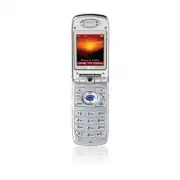
12 VX7000 P h o n e O v e r P h o n e O v e r v i e w v i e w 11. Right Soft Key Camera Lens 12. Navigation Keys 14. END/POWER Key 6. Clear Key 15. Alphanumeric Keypad 16. Lock Mode Key 1. Earpiece 4. Headset Jack 8. SEND Key 9. Voice Dial Key 7. Side Keys 10. Vibrate Mode Key 17. Microphone 3. LCD ...
Page 15 - OW
14 VX7000 M e n u s O v e r M e n u s O v e r v i e w v i e w G G ET ET I I T T N N OW OW 1. Get Tunes & Tones 2. Get Pix & Flix 3. Get Fun & Games 4. Get News & Info 5. Get Going M M ESSAGING ESSAGING 1. New Txt Msg 2. New Pix Msg 3. Inbox 4. Sent 5. Drafts 6. Voicemail 7. Email 8. ...
Page 17 - The Battery; Installing the Battery; Turn the power off. Lift the release latch to detach the battery.; Charging the Battery; To use the charger provided with your phone:; Getting Y
16 VX7000 The Battery The phone comes with a rechargeable battery. Keep the batterycharged while not in use in order to maximize talk and standbytime. The battery charge level is shown at the top of the LCDscreen. Installing the Battery To install the battery, insert the bottom of the battery into t...
Page 18 - Battery Charge Level; If the battery; Turning the Phone On; Install a charged battery or connect the phone to an; Turning the Phone Off; until the display turns off.; Signal Strength
17 VX7000 Battery Charge Level The battery charge level is shown at the top right of the LCD screen.When the battery charge level becomes low, the low battery sensoralerts you in three ways: sounding an audible tone, blinking thebattery icon, and displaying LOW BATTERY WARNING! If the battery charge...
Page 19 - Screen Icons; Description
18 VX7000 Screen Icons When the phone is powered on, the top line of the LCD screendisplays icons indicating the status of the phone. Getting Y Getting Y our Phone Star our Phone Star ted ted Description Signal strength indicator. The strength of the signalreceived by the phone is indicated by the n...
Page 20 - Making Calls; Call Failed; Receiving Calls
19 VX7000 Making Calls 1. Make sure the phone is turned on. If not, press for about 3 seconds. 2. Enter the phone number (include the area code if needed).3. Press . lf the phone is locked, enter the lock code. Call Failed - indicates the call did not go through. 4. Press to end the call. Correcting...
Page 21 - Vibrate Mode; Vibrate Mode Quick Activation; Lock Mode; Lock Mode Quick Activation
20 VX7000 Quick Access to Convenient Featur Quick Access to Convenient Featur es es Vibrate Mode Use Vibrate Mode in public places. When Vibrate Mode is set, is displayed on the screen, the key tones are silent, and the phone is set to vibrate. Vibrate Mode Quick Activation 1. From standby mode pres...
Page 22 - Mute Function; Mute Quick Activation; Volume Quick Adjustment; Earpiece volume can be adjusted during a call.; Key) for three seconds to set Sounds Off mode.
21 VX7000 Mute Function The Mute function prevents the other party from hearing yourvoice, but allows you to hear the other party. Mute Quick Activation 1. Press Left Soft Key [Mute] during a call. Mute Quick Cancellation 1. Press Left Soft Key again. Volume Quick Adjustment Use the side keys to adj...
Page 23 - Call Waiting; to receive a waiting call.; Caller ID; Speak your recorded voice command.; NOTE: To record voice dial commands, see “Adding Voice Dial”
22 VX7000 Quick Access to Convenient Featur Quick Access to Convenient Featur es es Call Waiting Your cellular service may offer call waiting. While a call is inprogress, two beeps indicate another incoming call. When callwaiting is enabled, you may put the active call on hold whileyou answer the ot...
Page 24 - Speed Dialing; Dialing Speed Dials from 2 to 9; Press and hold the Speed Dial number.; Dialing Speed Dials from 10 to 99; OR
23 VX7000 Speed Dialing Speed dialing is a convenient feature that allows you to makephone calls quickly and easily with a few keystrokes. Your phonerecalls the number from your Contacts, displays it briefly, andthen dials it. Speed Dial number 1 is always for Voice mail. Dialing Speed Dials from 2 ...
Page 25 - Text Input; Key Functions
24 VX7000 Entering and Editing Infor Entering and Editing Infor mation mation Text Input You can input and edit your Banner, Schedule, Contacts, andmessages. Key Functions Right Soft Key : Press to scroll through the following text input modes: T9Word / Abc / ABC / 123 / Symbols Shift : Press to cha...
Page 26 - Symbols Mode; Changing Letter Case
25 VX7000 T9Word (T9) Mode Use to type text using one keystroke per letter. The phonetranslates keystrokes into common words by using the letterson each key and a compressed database. Abc (Multi-tap) Mode Use to add words to the T9 database. 123 (Numbers) Mode Use to type numbers using one keystroke...
Page 27 - Text Input Examples; LG
26 VX7000 Entering and Editing Infor Entering and Editing Infor mation mation Text Input Examples Display the text modes and select a text mode: 1. In a text entry field, press Right Soft Key to display text modes. 2. Press to highlight the text input mode you want to use. 3. Press to select the hig...
Page 29 - Contacts Entries; The Basics of Storing Contacts Entries; NOTE: To skip name entry, press to go
28 VX7000 Contacts in Y Contacts in Y our Phone’ our Phone’ s Memor s Memor y y Contacts Entries This allows you to have easy access to your most frequentlydialed phone numbers. You may store up to 500 entries with upto 5 phone numbers each. Each entry may be up to 22characters. Each phone number ma...
Page 30 - Options to Customize Your Contacts; Adding or Changing the Group; Group
29 VX7000 Options to Customize Your Contacts Once basic phone number and name information is stored inyour Contacts, you can edit and/or customize the entries. 1. Press Right Soft Key [Contacts] and use to highlight the Contact entry you want to edit,. 2. Press Left Soft Key [Edit] to access the Edi...
Page 31 - Changing the Call Ringer; Ringtone; Changing the Message Ringer; Msg Ringtone
30 VX7000 Contacts in Y Contacts in Y our Phone’ our Phone’ s Memor s Memor y y Changing the Call Ringer Allows you to identify who is calling by setting different ringersfor different phone numbers in your Contacts. It is automaticallyset to the default ringer when the Contact is saved. 1. Press Ri...
Page 32 - Adding or Changing the Picture ID; Picture; Adding or Changing the Email; Email 1
31 VX7000 Adding or Changing the Picture ID Allows the phone to display a picture to identify the caller. 1. Press Right Soft Key [Contacts] and use to highlight an entry. 2. Press Left Soft Key [Edit] . 3. Use to highlight Picture and press Left Soft Key [Set] . 4. Use to select a graphic and press...
Page 33 - Adding Speed Dial; Set Speed Dial; Adding Voice Dial; Set Voice Dial
32 VX7000 Contacts in Y Contacts in Y our Phone’ our Phone’ s Memor s Memor y y Adding Speed Dial 1. Press Right Soft Key [Contacts] and use to highlight an entry. 2. Press Left Soft Key [Edit] . 3. Use to highlight the phone number you want to set with a Speed Dial and press Right Soft Key [Options...
Page 34 - Editing Contacts Entries; Adding Another Phone Number; From the Main Menu Screen
33 VX7000 Editing Contacts Entries Adding Another Phone Number From the Main Menu Screen 1. From standby mode, enter the phone number you want tosave (up to 48 digits). 2. Press Left Soft Key [Save] . 3. Use to highlight Update Existing Contact and press . 4. Use to highlight the existing Contact en...
Page 35 - Default Numbers; Changing the Default Number; Set As Default; Yes; Editing Stored Phone Numbers
34 VX7000 Contacts in Y Contacts in Y our Phone’ our Phone’ s Memor s Memor y y Default Numbers The phone number saved when a Contact is created is theDefault Number. If more than one number is saved in a Contactentry, another number can be saved as the Default Number. Changing the Default Number 1....
Page 36 - Editing Stored Names
35 VX7000 Editing Stored Names 1. From standby mode, press Right Soft Key [Contacts] . Your Contacts display alphabetically. 2. Use to highlight the Contact entry you want to edit, then press Left Soft Key [Edit] . 3. Edit the name as necessary and press .
Page 37 - Deleting; Deleting a Phone Number from a Contact
36 VX7000 Contacts in Y Contacts in Y our Phone’ our Phone’ s Memor s Memor y y Deleting Deleting a Phone Number from a Contact 1. Press Right Soft Key [Contacts] . 2. Use to highlight the Contact entry, then press Left Soft Key [Edit] . 3. Use to highlight the phone number to be deleted. 4. Press a...
Page 38 - Deleting a Speed Dial; Speed Dials; Deleting a Voice Dial; Voice Dials
37 VX7000 Deleting a Speed Dial 1. From standby mode, press [Menu] . 2. Use to highlight the Speed Dials , then press . 3. Use to highlight the Speed Dial number. 4. Press Right Soft Key [Remove] . 5. Use to select Yes . 6. Press . A confirmation message is displayed. Deleting a Voice Dial 1. From s...
Page 39 - Phone Numbers With Pauses; Storing a Number With Pauses
38 VX7000 Contacts in Y Contacts in Y our Phone’ our Phone’ s Memor s Memor y y Phone Numbers With Pauses When you call automated systems such as voice mail or creditbilling numbers, you often have to enter a series of numbers.Instead of entering these numbers by hand, you can store thenumbers in yo...
Page 40 - Searching Your Phone’s Memory; Scrolling Through Your Contacts
39 VX7000 Adding a Pause to an Existing Number 1. Press Right Soft Key [Contacts] . 2. Use to highlight the Contact entry to edit, then press Left Soft Key [Edit] . 3. Use to highlight the number. 4. Press Right Soft Key [Options]. 5. Press Hard Pause or 2-sec Pause . 6. Enter additional number(s) a...
Page 41 - Making a Call From Your Phone’s Memory; From Contacts
40 VX7000 Contacts in Y Contacts in Y our Phone’ our Phone’ s Memor s Memor y y Making a Call From Your Phone’s Memory Once you have stored phone numbers into your Contacts, youcan place calls to those numbers quickly and easily. ● Pressing after you’ve searched for a phone number in Contacts or Rec...
Page 42 - For Speed Dials From 2 to 9; Voice Dialing
41 VX7000 Speed Dialing Speed dialing is a convenient feature that allows you to makephone calls quickly and easily (Speed Dial 1 is for Voice mail).Designate Speed Dials in your Contacts to use this calling feature. For Speed Dials From 2 to 9 1. Press and hold the Speed Dial digit.ORPress the Spee...
Page 43 - Menu Access; NOTE: Press to cancel without saving.
42 VX7000 U s i n g P h o n e M e n u s U s i n g P h o n e M e n u s Menu Access Press [Menu] or Left Soft Key [Message] to have access to five phone menus. There are two methods to access menusand submenus: ● Use the navigation key to highlight and select, or ● Press the number key that correspond...
Page 44 - CONTACTS; Access and Options; Short Cut : Pressing Right Soft key is a hot key to Contact List.
43 VX7000 CONTACTS ( ) The Contacts Menu allows you to store names, phone numbersand other information in your phone’s memory. When youaccess your Contacts, the number in parenthesis represents thenumber of entries you have stored (up to 500). Access and Options 1. Press [Menu] . 2. Select a sub-men...
Page 45 - Erase / Send Txt Msg
44 VX7000 U s i n g P h o n e M e n u s U s i n g P h o n e M e n u s Contact List ( ) Allows you to view your Contacts list. 1. Press [Menu] , . 2. Press to scroll through your Contacts alphabetically. ● Press Right Soft Key [Options] to select one of the following: Erase / Send Txt Msg / Send Pix ...
Page 46 - NOTE: Recordings should be made in a normal use position
45 VX7000 Speed Dials ( ) Allows you to view your list of Speed Dials or designate SpeedDial for numbers entered in your Contacts. 1. Press [Menu] , . 2. Use to highlight the Speed Dial position, or enter the Speed Dial digit and press . 3. Use to highlight the Contact and press . 4. Use to highligh...
Page 47 - RECENT CALLS; indicates a dialed call.; NOTE: To view a quick list of all your recent calls, press
46 VX7000 U s i n g P h o n e M e n u s U s i n g P h o n e M e n u s RECENT CALLS ( ) The Recent Calls Menu is a list of the last phone numbers orContact entries for calls you placed, accepted, or missed. It iscontinually updated as new numbers are added to thebeginning of the list and the oldest e...
Page 51 - Tools
50 VX7000 U s i n g P h o n e M e n u s U s i n g P h o n e M e n u s SETTING & TOOLS ( 2 times ) The Setup menu has options to customize your phone. Access and Options 1. Press [Menu] . 2. Press 2 times SETTING & TOOLS . 3. Select a sub-menu. ● Tools ● Sounds ● Display ● System ● Call Setti...
Page 52 - NOTE: Scheduler will not alert you during a call, when
51 VX7000 Calendar ( 2 times ) Allows you to keep your agenda convenient and easy to access.Simply store your appointments and your phone will alert youwith a reminder of your appointments. 1. Press [Menu] , 2 times, , . 2. Use to highlight the scheduled day. Moves cursor to the left. Moves cursor t...
Page 53 - Alarm 1
52 VX7000 U s i n g P h o n e M e n u s U s i n g P h o n e M e n u s Alarm Clock ( 2 times ) Allows you to set one of four alarms. The current time isdisplayed at the top of the screen when you select an alarm toset. At the alarm time, Alarm 1 (or 2 or 3, as applicable) will be displayed on the LCD...
Page 55 - Sounds
54 VX7000 U s i n g P h o n e M e n u s U s i n g P h o n e M e n u s Sounds ( 2 times ) Options to customize the phone’s sounds. Access and Options 1. Press [Menu] . 2. Press 2 times SETTING & TOOLS . 3. Press Sounds . 4. Select a sub-menu.Master Volume, Call Sounds, AlertSounds, Keypad Volume,...
Page 56 - Txt
55 VX7000 Call Vibrate ( 2 times ) ● Use to select On/Off then press to save. Alert Sounds ( 2 times ) Allows you to select the alert type for a new message. 1. Press [Menu] , 2 times, , . ● Select Pix / Txt / Voice / Email / Page. Use to select then press to save the sound. ● Select Alert Vibrate /...
Page 57 - On; Service Change; Off
56 VX7000 U s i n g P h o n e M e n u s U s i n g P h o n e M e n u s Service Alerts ( 2 times ) Allows you to set any of the four Alert options to either On or Off . 1. Press [Menu] , 2 times, , . 2. Select an alert option. Service Change Alerts you when service changes. When you enter aservice are...
Page 58 - Display
57 VX7000 Display ( 2 times ) Options to customize the phone’s display screen. Access and Options 1. Press [Menu] . 2. Press 2 times SETTING & TOOLS . 3. Press Display . 4. Select a sub-menu.Banner, Backlight, Front Contrast,Wallpaper, Display Themes, Fonts andPower On/Off Anim.. Banner ( 2 time...
Page 59 - Backlight; Seconds; Front Contrast
58 VX7000 U s i n g P h o n e M e n u s U s i n g P h o n e M e n u s Backlight ( 2 times ) Allows you to set the duration for illuminating the backlight.Main LCD and Front LCD are set separately. 1. Press [Menu] , 2 times, , . 2. Choose a Backlight sub-menu and press . [1] Main LCD / [2] Front LCD ...
Page 61 - System
60 VX7000 U s i n g P h o n e M e n u s U s i n g P h o n e M e n u s System ( 2 times ) The System menu allows you to designate specific systemnetwork settings. Access and Options 1. Press [Menu] . 2. Press 2 times SETTING & TOOLS . 3. Press System . 4. Select a sub-menu.Network, Device Info, L...
Page 63 - Location; NOTE: GPS satellite signals are not always transmitted,
62 VX7000 U s i n g P h o n e M e n u s U s i n g P h o n e M e n u s Location ( 2 times ) Menu for GPS (Global Positioning System: Satellite assistedlocation information system) mode. 1. Press [Menu] , , , . 2. Select Location On / E911 Only then press . Security ( 2 times ) The Security menu allow...
Page 65 - Reset Phone
64 VX7000 U s i n g P h o n e M e n u s U s i n g P h o n e M e n u s Reset Default ( 2 times ) Allows you to reset your phone to the factory default settings. 1. Press [Menu] , , , . 2. Enter the four-digit lock code. 3. Press Reset Phone . 4. Press , select Revert then press . Language ( 2 times )...
Page 66 - Call Settings; NOTE: If the flip is closed, the Auto Answer Mode is not
65 VX7000 Call Settings ( 2 times ) The Call Setup menu allows you to designate how the phonehandles both incoming and outgoing calls. Access and Options 1. Press [Menu] . 2. Press 2 times SETTING & TOOLS . 3. Press Call Settings . 4. Select a sub-menu.Answer Options, Auto Retry, TTY Mode,One-To...
Page 67 - Auto Retry
66 VX7000 U s i n g P h o n e M e n u s U s i n g P h o n e M e n u s Auto Retry ( 2 times ) Allows you to set the length of time the phone waits beforeautomatically redialing a number when the attempted call fails. 1. Press [Menu] , 2 times, , . 2. Select Off / Every 10 seconds / Every 30 seconds /...
Page 69 - NOTE: The Data Connection Kit allows you to connect your PC or
68 VX7000 U s i n g P h o n e M e n u s U s i n g P h o n e M e n u s Data/Fax ( 2 times ) Allows you to use your phone to transmit data and faxes. 1. Press [Menu] , 2 times, , , . 2. Select Off / Fax In Once / Fax In Always / Data In Once / Data In Always then press . PC Connection ( 2 times ) Allo...
Page 70 - DTMF Tones
69 VX7000 Train Words ( 2 times ) Allows you to help your phone distinguish your voice whenusing voice commands. During the voice recognition process, ifyou cannot clearly recognize the words Yes or No, you canrecord your own voice with this feature. 1. Press [Menu] , 2 times, , , . 2. Select Yes / ...
Page 71 - Clock Format
70 VX7000 U s i n g P h o n e M e n u s U s i n g P h o n e M e n u s Clock Format ( 2 times ) Allows you to choose the kind of clock to be displayed on the LCDscreen. 1. Press [Menu] , 2 times, . 2. Press Main Clock or Front Clock . 3. Select Normal / Analog then press . Ringer ID ( 2 times ) Alert...
Page 72 - MESSAGING; New Message Alert; Urgent message
71 VX7000 MESSAGING ( ) Text messages, pix messages, and the voice mail box become available as soon as the phone is powered on. ● Check types of messages by pressing the message key . ● Make a call to the callback number by pressing during a message check. ● Read and edit messages saved in the sent...
Page 73 - Short Cut : Pressing Left Soft key is a
72 VX7000 U s i n g P h o n e M e n u s U s i n g P h o n e M e n u s Access and Options 1. Press [Menu] . 2. Press [MESSAGING] . 3. Select a sub-menu. ● New Txt Msg : Sends a txt message. ● New Pix Msg : Sends a pix message. ● Inbox : Shows the list of received messages. ● Sent : Shows the list of ...
Page 74 - The Basics of Sending a Message; Press Left Soft Key; NOTE: If you send an SMS message to a phone without
73 VX7000 New Txt Msg ( ) Allows you to send text messages, pages, and e-mailtransmissions. Each message has a destination (Address 1) andinformation (Message). These are dependent upon the type ofmessage you want to send. The Basics of Sending a Message 1. Press Left Soft Key , select [New Txt Msg]...
Page 75 - Customizing the Message Using Options
74 VX7000 U s i n g P h o n e M e n u s U s i n g P h o n e M e n u s Customizing the Message Using Options 1. Create a new message. 2. Press Right Soft Key [Options] . 3. Select the option(s) to customize. Add Allows you to add Graphic, Animation,Sound, Quick-Text or Signature. Format Text Allows y...
Page 76 - Using Contacts to Send a Message; New Txt Msg; NOTE: The Address 1 feature allows multi-sending of up to
75 VX7000 Using Contacts to Send a Message You can designate an entry saved in your Contacts asAddress 1 instead of manually entering the destination. 1. Press [Menu] , , New Txt Msg . 2. Press Left Soft Key [Add] and then select Contacts. 3. Use to highlight Contacts and press . 4. Use to highlight...
Page 77 - Out of Memor y Warning; Reply
76 VX7000 U s i n g P h o n e M e n u s U s i n g P h o n e M e n u s Inbox ( ) The phone alerts you in 3 ways when you receive a new message: ● By displaying a message notification on the screen. ● By sounding a beep or vibrating, if set. ● By blinking . (Only when you get a urgent message) Receive...
Page 78 - Message Icon Reference
77 VX7000 Add to Contacts Stores the callback number, e-mail address, and numbers in addressincluded in the received message intoyour Contacts. Lock/Unlock Locks or unlocks the selected message.Locked messages can not be deleted bythe Erase Inbox and Erase All functions. Message Info Checks the rece...
Page 79 - Forward
78 VX7000 U s i n g P h o n e M e n u s U s i n g P h o n e M e n u s Sent ( ) Up to 100 sent messages can be stored in the Sent. View lists andcontents of sent messages and verify whether the transmissionwas successful or not.1. Press [Menu] , , . 2. Press Left Soft Key [Erase] . Press Right Soft K...
Page 80 - Draft Text
79 VX7000 Drafts ( ) Displays draft messages.1. Press [Menu] , , . 2. Press Left Soft Key [Erase] . Press Right Soft Key [Options] . Send Allows you to send the selectedmessage. Add to Contacts Stores the callback number, e-mail address, and numbers in addressincluded in the received message intoyou...
Page 81 - Checking Your Voice Mail Box; Clear count
80 VX7000 U s i n g P h o n e M e n u s U s i n g P h o n e M e n u s Voice Mail ( ) Allows you to view new voice messages recorded in thevoice mail box. Once you exceed the storage limit, oldmessages are overwritten. When you have a new voicemessage, your phone will alert you. Checking Your Voice M...
Page 82 - Message Settings Sub-Menu Descriptions
81 VX7000 Msg Settings ( ) Allows you to configure ten settings for received messages. 1. Press [Menu] , [ MESSAGING] , press Left Soft Key [Settings] . 2. Use to highlight one of the settings and press to select it. Auto Save Auto Save / Prompt / Do not Save Auto Erase On / Off Txt-Auto View On / O...
Page 83 - Display automatically scrolls down while viewing messages.
82 VX7000 U s i n g P h o n e M e n u s U s i n g P h o n e M e n u s Txt-Auto View ( ) Allows you to directly display the content when receiving amessage. Pix-Auto Receive ( ) Allows you to directly download the content when receivinga Pix message. Txt-Callback # ( ) Allows you to automatically sen...
Page 85 - GET IT NOW; times; Downloading Applications
84 VX7000 U s i n g P h o n e M e n u s U s i n g P h o n e M e n u s GET IT NOW ( 2 times ) Get It Now allows you to do more than just talk on your phone.Get It Now is a technology and service that allows you todownload and use applications on your phone. With Get It Now,it is quick and easy to per...
Page 86 - Shortcut: You can access the GET IT NOW
85 VX7000 Access and Options 1. Press [Menu] . 2. Press 2 Times . 3. Options from here: ● Get Tunes & Tones : Personalize your phone with custom ring tones. A variety of choices are availablefrom current pop hits, to hip-hop, to classical, to many,many more. ● Get Pix & Flix : View your digi...
Page 87 - Customize the phone’s sound
86 VX7000 U s i n g P h o n e M e n u s U s i n g P h o n e M e n u s Get Tunes & Tones ( 2 times ) Personalize your phone with custom ring tones. A largevariety of choices are available to choose from current hits,pop, hip-hop, and more. 1. Press [Menu] , 2 times , . 2. Use to highlight Get New...
Page 88 - Quick Access to Get Pix & Flix Feature; NOTE: From Take Pix mode, can change to Take Flix mode
87 VX7000 Get Pix & Flix ( 2 times ) Quick Access to Get Pix & Flix Feature View, take and trade your digital pictures and live videoright from your wireless phone. Access and Options 1. Press [Menu] . 2. Press 2 Times . 3. Press Get Pix & Flix . 4. Select a sub-menu. ● Take Pix ● Take F...
Page 89 - Take Pix
88 VX7000 U s i n g P h o n e M e n u s U s i n g P h o n e M e n u s Take Pix ( 2 times ) Taking a picture with your camera. 1. Press [Menu] , 2 Times, , . 2. Set the brightness , zoom , flip image , flash , and press Right Soft Key [Options] to change other settings. ● Select the option(s) to cust...
Page 90 - Take Flix
89 VX7000 3. Take a picture by pressing . 4. Press Left Soft Key [Save] . The picture is stored in the Gallery. Take Flix ( 2 times ) Recording a live video with sound. 1. Press [Menu] , 2 Times, , . 2. Set the brightness , zoom , flip image , or press Right Soft Key [Options] to change other settin...
Page 91 - Address 1; NOTE: You can only attach the Sounds to a Pix message and not a
90 VX7000 U s i n g P h o n e M e n u s U s i n g P h o n e M e n u s New Pix Msg ( ) You can conveniently send a text, Pix and sound from one phoneto another. You can send a Flix msg to a e-mail address. The Basics of Sending a Message 1. Press [Menu] , , . 2. Enter the message destination in Addre...
Page 93 - Pix Galler y
92 VX7000 U s i n g P h o n e M e n u s U s i n g P h o n e M e n u s Pix Galler y ( 2 times ) Allows you to view photos that are stored in the phone. 1. Press [Menu] , 2 times , , . 2. Select your desired picture with and press Right Soft Key [Options] . 3. Select the options to customize. Send Sen...
Page 95 - Quick Access to News & Info Feature; Ending a MiniBrowser Session; Navigating Through the Browser
94 VX7000 U s i n g P h o n e M e n u s U s i n g P h o n e M e n u s Get Fun & Games ( 2 times ) Allows you to download games and applications from theGet It Now server. Choose the software you want from thelist displayed on the screen. 1. Press [Menu] , 2 times , . 2. Press Get New . Get News ...
Page 96 - Scrolling
95 VX7000 ● Numbered options You can use your numeric keypad or you can select theitems by moving the cursor and pressing the appropriateSoft Keys. ● Links embedded in content You can act on the options or the links by using the SoftKeys just below the display screen. ● Text or numbers You can selec...
Page 97 - Soft Keys; Clearing Out Text/Number Entered; When entering text or numbers, press
96 VX7000 U s i n g P h o n e M e n u s U s i n g P h o n e M e n u s Soft Keys To navigate to different screens or select special functions, use the Soft Keys. The function associated with the Soft Keys can change for each page and depends on each highlighted item. Left Soft Key Left Soft Key is us...
Page 98 - Initiating a Phone Call From MiniBrowser; Call
97 VX7000 Initiating a Phone Call From MiniBrowser You can make a phone call from MiniBrowser if the site you are using supports the feature (the phone number may be highlighted and Left Soft Key appears as Call ). The browser connection is terminated when you initiate the call. After you end the ca...
Page 99 - TIA Safety Information; Exposure to Radio Frequency Signal
98 VX7000 S a f e t y S a f e t y TIA Safety Information The following is the complete TIA Safety Information for wireless handheld phones. Exposure to Radio Frequency Signal Your wireless handheld portable phone is a low power radio transmitter andreceiver. When it is ON, it receives and also sends...
Page 102 - Adapter and Charger Safety; Battery Information and Care
101 VX7000 Potentially Explosive Atmosphere Turn your phone OFF when in any area with a potentially explosiveatmosphere and obey all signs and instructions. Sparks in such areas couldcause an explosion or fire resulting in bodily injury or even death.Areas with a potentially explosive atmosphere are...
Page 103 - Safety Information
102 VX7000 S a f e t y S a f e t y ● Never store your phone in temperatures less than -4° F or greater than122° F. ● Never use an unapproved battery since this could damage the phoneand/or battery and could cause the battery to explode. ● The battery does not need to be fully discharged before recha...
Page 105 - General Warnings and Cautions
104 VX7000 S a f e t y S a f e t y General Warnings and Cautions ● Only use the batteries, antennas, and chargers provided by LG. Thewarranty will not be applied to products provided by other suppliers. ● Store the battery in a place out of reach of children. ● Using a damaged battery or placing a b...
Page 106 - FDA Consumer Update; Do wireless phones pose a health hazard?
105 VX7000 FDA Consumer Update The U.S. Food and Drug Administration’s Center for Devices and RadiologicalHealth Consumer Update on Mobile Phones: 1. Do wireless phones pose a health hazard? The available scientific evidence does not show that any health problems areassociated with using wireless ph...
Page 107 - What kinds of phones are the subject of this update?
106 VX7000 S a f e t y S a f e t y The FDA belongs to an interagency working group of the federal agencies that have responsibility for different aspects of RF safety to ensure coordinated efforts at the federal level. The following agencies belong to this working group: ● National Institute for Occ...
Page 109 - What is the FDA doing to find out more about the possible health
108 VX7000 S a f e t y S a f e t y 6. What is the FDA doing to find out more about the possible health effects of wireless phone RF? The FDA is working with the U.S. National Toxicology Program and with groups ofinvestigators around the world to ensure that high priority animal studies areconducted ...
Page 111 - What about children using wireless phones?
110 VX7000 S a f e t y S a f e t y 10. What about children using wireless phones? The scientific evidence does not show a danger to users of wireless phones,including children and teenagers. If you want to take steps to lower exposure toradio frequency energy (RF), the measures described above would...
Page 112 - Where can I find additional information?; MPEG-4 System Patent Potfolio Licence
111 VX7000 12. Where can I find additional information? For additional information, please refer to the following resources: FDA web page on wireless phones(http://www.fda.gov/cdrh/phones/index.html) Federal Communications Commission (FCC) RF Safety Program(http://www.fcc.gov/oet/rfsafety) Internati...
Page 113 - 0 Driver Safety Tips
112 VX7000 S a f e t y S a f e t y 10 Driver Safety Tips Your wireless phone gives you the powerful ability to communicate by voice almost anywhere, anytime. An important responsibility accompanies the benefits of wireless phones, one that every user must uphold. When operating a car, driving is you...
Page 115 - Consumer Information on SAR
114 VX7000 S a f e t y S a f e t y Consumer Information on SAR (Specific Absorption Rate) This Model Phone Meets the Government’s Requirements for Exposure to Radio Waves. Your wireless phone is a radio transmitter and receiver. It is designed and manufactured not to exceed the emission limits for e...
Page 117 - Adapter
116 VX7000 A c c e s s o r i e s A c c e s s o r i e s There are a variety of accessories available for your mobile phone. Consult your local dealer for availability. Adapter The Adapter allows you to charge the battery while away from your home or office. It supports standard U.S. AC120 Volt 60 Hz ...
Page 118 - NOTE: This phone operates in vibration/no sound
117 VX7000 Hands-Free Car Kit (Portable) The hands-free car kit enables you to attach the phone to the power jack in your car, providing you with hands- free operation. It can charge a completely discharged standard battery in 3.5 hours. Headset The headset connects to your phone allowing hands-free...
Page 121 - Earpiece Volume 55
120 VX7000 I n d e x I n d e x 10 Driver Safety Tips 112123 Mode 252-sec pause 38 A Accessories 116Adapter 101, 116Air Bag 101Aircraft 100Alarm 52Alarm Clock 52Alert 71Alert Sounds 55All 46, 48Answer Options 65Antenna 11Applications 84, 93Auto Erase 81Auto NAM 61Auto Retry 66Auto Save 81Auto Volume ...
_0524/webp/1.webp)
_0524/webp/2.webp)
_0524/webp/3.webp)
_0524/webp/4.webp)
_0524/webp/5.webp)
_0524/webp/6.webp)
_0524/webp/7.webp)
_0524/webp/8.webp)
_0524/webp/9.webp)
_0524/webp/10.webp)
_0524/webp/11.webp)
_0524/webp/12.webp)
_0524/webp/13.webp)
_0524/webp/14.webp)
_0524/webp/15.webp)
_0524/webp/16.webp)
_0524/webp/17.webp)
_0524/webp/18.webp)
_0524/webp/19.webp)
_0524/webp/20.webp)
_0524/webp/21.webp)
_0524/webp/22.webp)
_0524/webp/23.webp)
_0524/webp/24.webp)
_0524/webp/25.webp)
_0524/webp/26.webp)
_0524/webp/27.webp)
_0524/webp/28.webp)
_0524/webp/29.webp)
_0524/webp/30.webp)
_0524/webp/31.webp)
_0524/webp/32.webp)
_0524/webp/33.webp)
_0524/webp/34.webp)
_0524/webp/35.webp)
_0524/webp/36.webp)
_0524/webp/37.webp)
_0524/webp/38.webp)
_0524/webp/39.webp)
_0524/webp/40.webp)
_0524/webp/41.webp)
_0524/webp/42.webp)
_0524/webp/43.webp)
_0524/webp/44.webp)
_0524/webp/45.webp)
_0524/webp/46.webp)
_0524/webp/47.webp)
_0524/webp/48.webp)
_0524/webp/49.webp)
_0524/webp/50.webp)
_0524/webp/51.webp)
_0524/webp/52.webp)
_0524/webp/53.webp)
_0524/webp/54.webp)
_0524/webp/55.webp)
_0524/webp/56.webp)
_0524/webp/57.webp)
_0524/webp/58.webp)
_0524/webp/59.webp)
_0524/webp/60.webp)
_0524/webp/61.webp)
_0524/webp/62.webp)
_0524/webp/63.webp)
_0524/webp/64.webp)
_0524/webp/65.webp)
_0524/webp/66.webp)
_0524/webp/67.webp)
_0524/webp/68.webp)
_0524/webp/69.webp)
_0524/webp/70.webp)
_0524/webp/71.webp)
_0524/webp/72.webp)
_0524/webp/73.webp)
_0524/webp/74.webp)
_0524/webp/75.webp)
_0524/webp/76.webp)
_0524/webp/77.webp)
_0524/webp/78.webp)
_0524/webp/79.webp)
_0524/webp/80.webp)
_0524/webp/81.webp)
_0524/webp/82.webp)
_0524/webp/83.webp)
_0524/webp/84.webp)
_0524/webp/85.webp)
_0524/webp/86.webp)
_0524/webp/87.webp)
_0524/webp/88.webp)
_0524/webp/89.webp)
_0524/webp/90.webp)
_0524/webp/91.webp)
_0524/webp/92.webp)
_0524/webp/93.webp)
_0524/webp/94.webp)
_0524/webp/95.webp)
_0524/webp/96.webp)
_0524/webp/97.webp)
_0524/webp/98.webp)
_0524/webp/99.webp)
_0524/webp/100.webp)
_0524/webp/101.webp)
_0524/webp/102.webp)
_0524/webp/103.webp)
_0524/webp/104.webp)
_0524/webp/105.webp)
_0524/webp/106.webp)
_0524/webp/107.webp)
_0524/webp/108.webp)
_0524/webp/109.webp)
_0524/webp/110.webp)
_0524/webp/111.webp)
_0524/webp/112.webp)
_0524/webp/113.webp)
_0524/webp/114.webp)
_0524/webp/115.webp)
_0524/webp/116.webp)
_0524/webp/117.webp)
_0524/webp/118.webp)
_0524/webp/119.webp)
_0524/webp/120.webp)
_0524/webp/121.webp)
_0524/webp/122.webp)
_0524/webp/123.webp)
_0524/webp/124.webp)


