Page 2 - Important Safety Precautions; Violation of the instructions may cause serious injury or death.; Warning
VX4650 1 Important Safety Precautions Read these simple guidelines. Breaking the rules may be dangerous or illegal. Further detalied information is given in this user guide. Violation of the instructions may cause serious injury or death. Never use an unapproved battery since this could damage the p...
Page 3 - Do not use a hand-held phone while driving.
2 VX4650 Important Safety Precautions Unplug the power cord and charger during lightning storms to avoid electric shock or fire. When riding in a car, do not leave your phone or set up the hands-free kit near to the air bag. If wireless equipment is improperly installed and the air bag is activated,...
Page 4 - Do not disassemble the phone.
VX4650 3 Do not damage the power cord by bending, twisting, pulling, or heating. Do not use the plug if it is looseas it may cause a fire or electric shock. Do not place any heavy items on the power cord. Do not allow the power cord to be crimped as it maycause fire or electric shock. Do not handle ...
Page 5 - Contents; Contacts in Your Phone’s Memory .22
4 VX4650 Contents Important Safety Precautions . . . . .1 Welcome . . . . . . . . . . . . . . . . . . . . . . . . .7 Check Accessories . . . . . . . . . . . . . . .7 Important Information . . . . . . . . . . . . .7 FCC Part 15 Class B Compliance . . .7 Phone Overview . . . . . . . . . . . . . . . . ...
Page 8 - Welcome; Important Information; Technical Details
VX4650 7 Welcome Thank you for choosing the advanced and compact VX4650 cellular phone, designed to operate with the latest digital mobile communication technology, Code Division Multiple Access (CDMA) and Advanced Mobile Phone Service (AMPS). Along with the many advanced features of the CDMA system...
Page 9 - control technologies combine to reduce call interruptions.; CDMA; Designator
8 VX4650 Welcome control technologies combine to reduce call interruptions. The Cellular and PCS CDMA networks consist of MSO (Mobile Switching Office), BSC (Base Station Controller), BTS (Base Station Transmission System), and MS (Mobile Station). The following table lists some major CDMA standards...
Page 11 - Phone Overview
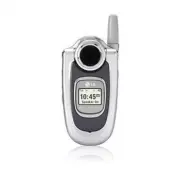
10 VX4650 Phone Overview 1 2 3 4 56 17 8 7 9 10 11 121314 1516 16 1. Earpiece 2. Flip Flip open the case to answer an incoming call and close to end the call. 3. LCD Screen Displays messages and indicator icons. 4. Left Soft Key Use to display the function setting menu. 5. Side Keys Use to adjust th...
Page 12 - Menus Overview; Contacts
VX4650 11 Menus Overview Contacts 1. List Contacts2. New Number3. New E-mail4. Groups5. Speed Dials6. My VCard Recent Calls 1. Dialed Calls2. Received Calls3. Missed Calls4. Erase Calls 1. Dialed Calls2. Received Calls3. Missed Calls4. All Calls 5. Call Timer 1. Last Call2. Home Calls3. Roam Calls4....
Page 13 - Media
12 VX4650 Menus Overview Media 1. Images2. Sounds3. Msg Objects 1. Small Pictures2. Large Pictures3. My Pictures4. Sounds5. My Melodies6. Animations7. My Animations Tools 1. Schedule2. Alarm Clock 1. Alarm 12. Alarm 23. Alarm 34. Quick Alarm 3. Voice Memo4. My Shortcut5. Notepad6. Ez Tip Calc7. Calc...
Page 14 - Getting Started with Your Phone; The Battery; N O; Installing the Battery; Charging the Battery; Battery Charge Level; Fully Discharged
VX4650 13 Getting Started with Your Phone The Battery N N O O T T E E It is important to fully charge the battery before initial use of the phone. The phone comes with a rechargeable battery. Keep the battery charged while not in use in order to maximize talk and standby time. The battery charge lev...
Page 15 - Turning the Phone On and Off; Turning the Phone On; Turning the Phone Off; Signal Strength; Call Failed; Correcting Dialing Mistakes
14 VX4650 Getting Started with Your Phone Turning the Phone On and Off Turning the Phone On 1. Install a charged battery or connect the phone to an external power source such as a vehicle power charger or hands-free car kit. 2. Press for a few seconds until the LCD screen lights up. N N O O T T E E ...
Page 16 - Screen Icons
VX4650 15 Screen Icons When the phone is powered on, the top line of the LCD screen displays icons indicating the status of the phone. Signal strength indicator. The strength of the signalreceived by the phone is indicaed by the number ofbars displayed. Battery indicator. Indicates battery charge le...
Page 17 - Quick Access to Convenient Features; Receiving Calls; Manner Mode
16 VX4650 Quick Access to Convenient Features Redialing Calls 1. Press twice to redial the last number you dialed. The last 30 numbers are stored in the call history list and you can also select one of these to redial. Receiving Calls 1. When the phone rings or vibrates, press to answer. N N O O T T...
Page 18 - Mute Function; Mute Quick Activation; Volume Quick Adjustment; Adjusting Speaker On; Call Waiting
VX4650 17 Mute Function The Mute function prevents the other party from hearing your voice, but allows you to hear the other party. Mute Quick Activation 1. Press Left Soft Key Mute during a call. Mute Quick Cancellation 1. Press Left Soft Key Unmute again. Volume Quick Adjustment Use the side keys ...
Page 19 - Speed Dialing; Dialing Single Digit Speed Dials (from 2 to 9); Voice Command Dialing
18 VX4650 Quick Access to Convenient Features Speed Dialing Speed dialing is a convenient feature that allows you to make phone calls quickly and easily with a few keystrokes. Your phone recalls the number from your Contacts, displays it briefly, and then dials it. Speed Dial Number 1 is assigned to...
Page 20 - Entering and Editing Information; Text Input
VX4650 19 Entering and Editing Information Text Input You can input and edit your Banner, Schedule, Contacts,and messages. Key Functions Right Soft Key (Left Soft Key): Press to scroll through the following text input modes: T9Word -> Abc -> 123 -> Symbols -> Smiley. Shift : Press to cha...
Page 21 - Changing Letter Case; Text Input Examples; LG; Using T9 Mode Text Input
20 VX4650 Entering and Editing Information Changing Letter Case Using T9 and Abc text input modes you can set the capitalization. Press to reach the following: Initial Cap (T9Word / Abc) Only the first letter is capitalized and subsequent letters are lower case. Caps Lock (T9WORD / ABC) All letters ...
Page 23 - Contacts in Your Phone’s Memory; The Basics of Storing Contacts Entries
22 VX4650 Contacts in Your Phone’s Memory Contacts Entries This allows you to have easy access to your most frequently dialed phone numbers. You may store up to 500 entries with up to 5 phone numbers each. Each entry may be up to 22 characters. Each phone number may be up to 48 digits. The Basics of...
Page 24 - Options to Customize Your Contacts
VX4650 23 Options to Customize Your Contacts Once the basic phone number and name information is stored in your Contacts, you can edit and customize each entry. 1. Press Right Soft Key Contacts and use to highlight the contact entry you want to edit, then press . 2. Press Left Soft Key Edit to acces...
Page 26 - Editing Contacts Entries; Adding Another Phone Number
VX4650 25 Editing Contacts Entries Adding Another Phone Number From the Main Menu Screen 1. From Main Menu Screen enter the phone number you want to save (up to 48 digits). 2. Press Left Soft Key Save . 3. Use to highlight a Label, then press . Home / Home2 / Office / Office2 / Mobile / Mobile2 / Pa...
Page 27 - Default Numbers
26 VX4650 Contacts in Your Phone’s Memory Default Numbers The phone number saved when a Contact is created is the Default Number. If more than one number is saved in a Contact entry, another number can be designated as the Default Number. Changing the Default Number 1. Press Right Soft Key Contacts ...
Page 28 - Deleting
VX4650 27 Editing Customized Options Edit any of the Contacts options in the same manner as when the Contact is created. 1. Press Right Soft Key Contacts to display your Contacts alphabetically. 2. Use to highlight the Contact entry you want to edit, then press . 3. Press Left Soft Key Edit . 4. Use...
Page 30 - Phone Numbers With Pauses
VX4650 29 Phone Numbers With Pauses When you call automated systems such as voice mail or credit billing numbers, you often have to enter a series of numbers. Instead of entering these numbers by hand, you can store the numbers in your Contacts separated by special pause characters (P, T). There are...
Page 31 - Searching Your Phone’s Memory
30 VX4650 Contacts in Your Phone’s Memory Searching Your Phone’s Memory The VX4650 phone is able to perform a dynamic search of the contents in your phone’s memory. A dynamic search compares entered letters or numbers against the entries in your Contacts. A matching list is displayed in descending o...
Page 32 - Making a Call From Your Phone’s Memory
VX4650 31 Making a Call From Your Phone’s Memory Once you have stored phone numbers in your Contacts, you can place calls to those numbers quickly and easily. By pressing after searching for a phone number in Contacts or Recent Calls and highlighting it. Use Speed Dialing Use Voice Command Dialing F...
Page 33 - Using Phone Menus; Menu Access; Co; Access and Options; Menu
32 VX4650 Using Phone Menus Menu Access Press Left Soft Key Menu to access nine phone menus. There are two methods of accessing menus and submenus: Use the navigation key to highlight and select, or Press the number key that corresponds to the menu (or submenu). For example: 1. Press Left Soft Key M...
Page 35 - Add
34 VX4650 Using Phone Menus 4. Groups Allows you to view your grouped Contacts, add a new group, change the name of a group, or delete a whole group. 1. Press , , . 2. Options from here: Use to highlight a group to view, then press . Press Left Soft Key Add to add a new group to the list. Use to hig...
Page 36 - Recent Calls; Re
VX4650 35 Recent Calls R Re ec ce en ntt C Ca allllss The Recent Calls Menu is a list of the last phone numbers or Contact entries for calls you placed, accepted, or missed. It is continually updated as new numbers are added to the beginning of the list and the oldest entries are removed from the bo...
Page 38 - Messages; Me; S h
VX4650 37 Messages M Me essssa ag ge ess S S h h o o rr tt C C u u tt Press the navigation key downward to access messages. Access and Options 1. Press Left Soft Key Menu . 2. Press Messages . 3. Select a sub-menu. 1. Voice Mail : Shows the number of messages in voice mail box. 2. New Message : Send...
Page 39 - New Message Alert; Checking Your Voice Mail Box; Send
38 VX4650 Using Phone Menus New Message Alert There are three ways your phone alerts you to new messages. 1. The phone displays a message on the screen. 2. One of eight ring types is heard, if selected. 3. The message icon ( ) is displayed on the screen. In the case of an urgent message, the icon wi...
Page 41 - Insert Object; Message Icon Reference; Sent
40 VX4650 Using Phone Menus Text Options While you are composing the text of a message you can insert customized text. 1. Create a new message. 2. Use to highlight Message then press . 3. Press Right Soft Key Options . 4. Select the option(s) to customize. Insert Quick-Text Inserts 12 predefined phr...
Page 42 - Out of Memory Warning
VX4650 41 Messages 3. Inbox The phone alerts you in 3 ways when you receive a new message by: Displaying a message notification on the screen. Sounding a beep, vibrating or sound, if set. Displaying the message icon . It blinks when the message is urgent. Received text messages, page messages, and e...
Page 43 - Resend
42 VX4650 Using Phone Menus Save Quick-Text Saves the message into the Quick-Text list. Save Message Saves Inbox message into the Saved Folder. Lock/Unlock Locks or unlocks the selected message. Locked messages can not be deleted by the Erase Inbox or Erase All functions. 4. Outbox Up to 50 sent mes...
Page 44 - Resume; Message Settings Sub-Menu Descriptions
VX4650 43 Messages 5. Saved Displays saved messages and draft messages. 1. Press , , . 2. Use to highlight a Saved message. Press Left Soft Key Resume . Press Right Soft Key Options . Erase Deletes the selected message. Lock/Unlock Locks a message so that it is not erased if the Erase Saved or Erase...
Page 45 - Inbox
44 VX4650 Using Phone Menus 6.4 Signature Allows you designate a signature to automatically send with your messages. You can create a custom signature line or use your VCard. 6.5 Voice Mail # Allows you to manually enter the number for Voice Mail Service. This number should be only used when a VMS a...
Page 46 - Voice; Vo; Flip Open
VX4650 45 Voice V Vo oiic ce e Allows you to select options for voice activation, announce alerts and recognition results; and enables you to adapt the phone to recognize your way of saying numbers. Access and Options 1. Press Left Soft Key Menu . 2. Press Voice . 3. Select a sub-menu. 1. Voice Comm...
Page 47 - Result
46 VX4650 Using Phone Menus 2. Sound Modes Allows you to set Driving Mode/Announce Mode. 1. Press , , . 2. Use to select a setting, then press . Driving Mode / Announce Mode / Normal Mode For example, 1) Press Left Soft Key Menu . 2) Main menu screen appears, phone announces “Main menu”. 3) Then, ph...
Page 48 - Get It Now; Ge
VX4650 47 Get It Now 5. Train Words Command Train is an optional personalization feature that helps your phone recognize the way you pronounce commands. If you do not get consistently good results with the commands, perform this brief, one-time session. 1. Press , , . 2. Select a sub-menu, then pres...
Page 50 - Mobile Web; Managing Your Get It Now Applications
VX4650 49 Mobile Web 2. Get Information Gives you information about the Get It Now selection key. 1. Press , , . 2. Press . Managing Your Get It Now Applications Add new applications and remove old ones at any time. Removing Applications Only removing an application deletes it completely from the me...
Page 54 - Tools; To
VX4650 53 Tools 3. Msg Objects Allows you to set objects to correspond with your messages. 1. Press , , . 2. Select one of the following (highlight and press or press corresponding key): Small Pictures Large Pictures My Pictures Sounds My Melodies Animations My Animations 3. Use to highlight your se...
Page 58 - Settings; ettttiin; Beep
VX4650 57 Settings S Se ettttiin ng gss The Settings menu has options to customize your phone. Access and Options 1. Press Left Soft Key Menu . 2. Press Settings . 3. Select a sub-menu. 1. Sounds 2. Display 3. System 4. Security 5. Call Setup 6. Data Settings 7. Location 8. Phone Info 1. Sounds Opti...
Page 60 - On; Normal; Timer
VX4650 59 Settings 1.6 Power On/Off Tone Allows you to set the phone to sound a tone when the phone is powered on and off. 1. Press , , , . 2. Use to set to On or Off , then press . 1.7 DTMF Length Allows you to set the Key tone length and touch tone playback speed. 1. Press , , , . 2. Select an opt...
Page 62 - Status Light
VX4650 61 Settings 2.8 Fonts Allows you to set the size and color of the font for calling digits and text editor. 2.8.1 Calling Digits 1. Select Size or Color sub-menu. Size or Color 2. Press to choose a setting, then press to save. 2.8.2 Text Editor 1. Select Size or Color sub-menu. Size or Color 2...
Page 63 - Home Only
62 VX4650 Using Phone Menus 3. System The System menu allows you to designate specific system network settings. 3.1 Select System Allows you to set up the phone producer’s management environment. Leave this setting as the default unless you want to alter system selection as instructed by your servic...
Page 64 - Lock Phone; Unlock; Restrict Calls
VX4650 63 Settings 4. Security The Security menu allows you to secure the phone electronically. 4.1 Lock Phone Keeps your phone from unauthorized use. Once the phone is locked, it is in restricted mode until the lock code is entered. You can receive phone calls and still make emergency calls. You ca...
Page 68 - USB; Location On
VX4650 67 Settings 6.2 PC Connection Allows you to select the data port. 1. Press , , , . 2. Use to select a setting, then press . USB / RS-232C(COM Port) / Closed N N O O T T E E When using the 1X HSPD data service via an RS- 232C data cable, the port speed is set to 115,200 (230,400 is not support...
Page 69 - Safety; TTIIA; Exposure to Radio Frequency Signal
68 VX4650 Safety TTIIA A S Saaffeettyy IInnffoorrm maattiioonn The following is the complete TIA Safety Information for wireless handheld phones. Exposure to Radio Frequency Signal Your wireless handheld portable phone is a low power radio transmitter and receiver. When it is ON, it receives and als...
Page 72 - Safety Information; Charger and Adapter Safety; Caution
VX4650 71 Safety Information Please read and observe the following information for safe and proper use of your phone and to prevent damage. Also, keep the user guide in an accessible place at all the times after reading it. Violation of the instructions may causeminor or serious damage to the produc...
Page 73 - Do not short-circuit the battery. Metallic articles such; General Notice; Do not paint your phone.
72 VX4650 Safety Do not short-circuit the battery. Metallic articles such as a coin, paperclip or pen in your pocket or bag may short-circuit the + and – terminals of the battery (metal strips on the battery) upon moving. Short-circuit of the terminal may damage the battery and cause an explosion. G...
Page 74 - Do wireless phones pose a health hazard?
VX4650 73 FFD DA A C Co on nssu um me err U Up pd da atte e The U.S. Food and Drug Administration’sCenter for Devices and Radiological HealthConsumer Update on Mobile Phones: 1. Do wireless phones pose a health hazard? The available scientific evidence does not show that any health problems are asso...
Page 75 - What kinds of phones are the subject of this update?
74 VX4650 Safety The FDA belongs to an interagency working group of the federal agencies that have responsibility for different aspects of RF safety to ensure coordinated efforts at the federal level. The following agencies belong to this working group: National Institute for Occupational Safety and...
Page 76 - What are the results of the research done already?
VX4650 75 4. What are the results of the research done already? The research done thus far has produced conflicting results, and many studies have suffered from flaws in their research methods. Animal experiments investigating the effects of Radio Frequency (RF) energy exposures characteristic of wi...
Page 79 - What about children using wireless phones?
78 VX4650 Safety 10. What about children using wireless phones? The scientific evidence does not show a danger to users of wireless phones, including children and teenagers. If you want to take steps to lower exposure to Radio Frequency (RF) energy, the measures described above would apply to childr...
Page 80 - Where can I find additional information?
VX4650 79 for possible interactions with other medical devices. Should harmful interference be found to occur, the FDA will conduct testing to assess the interference and work to resolve the problem. 12. Where can I find additional information? For additional information, please refer to the followi...
Page 84 - Accessories
VX4650 83 There are a variety of accessories available for your mobile phone. Consult your local dealer for availability. Battery Charger The battery charger allows you to power your phone. Input Voltage: 100-240VAC 50-60Hz Output Voltage: 5.0V, 1000mA Battery Two batteries are available. The standa...
Page 85 - Warranty Information; LG offers you a limited warranty that the enclosed
84 VX4650 Warranty Information 1. WHAT THIS WARRANTY COVERS: LG offers you a limited warranty that the enclosed subscriber unit and its enclosed accessories will be free from defects in material and workmanship, according to the following terms and conditions: (1) The limited warranty for the unit a...
Page 87 - II; Index
10 Driver Safety Tips 79123 (Numbers) Mode 192-sec Pause 29 A A Abc (Multi-tap) Mode 19Accessories 83Alarm Clock 54Announce Alerts 46Answer Call 65Auto Answer 65Auto Erase 43Auto NAM 62Auto Play 44Auto Retry 64Auto Save 43Auto View 44Auto Volume 66 B B Back To Top 58Backlight 59Banner 59Battery 13Ba...
Page 89 - Precaución de Seguridad Importante; información detallada en esta guía del usuario.
VX4650 1 Precaución de Seguridad Importante Lea estas sencillas instrucciones. Romper las reglas puede ser peligroso o ilegal. Se ofrece más información detallada en esta guía del usuario. N Noo sseegguuiirr llaass iinnssttrruucccciioonneess ppuueeddee ooccaassiioonnaarr lleessiioonneess ggrraavvees...
Page 90 - No use un teléfono de mano cuando esté conduciendo.
Desconecte el enchufe de la toma de corriente y el cargador cuando se ilumina porquepuede provocar unchoque electrico o peligro de incendio. Al ir en automóvil, no deje el teléfono ni instale el kit de manos libres cerca de la bolsa deaire. Si el equipo inalámbrico está instalado incorrectamente y s...
Page 91 - No desarme el teléfono.
VX4650 3 No coloque objetos pesados sobre el cable de corriente. No permita que el cable decorriente se doble, ya que esto puede ocasionar incendios o descargas eléctricas. No manipule el teléfono con las manos húmedas cuando se esté cargando. Puede causarun choque eléctrico o dañar gravemente el te...
Page 92 - Descripción general de los menús 11
4 VX4650 Precaución de Seguridad Importante . . . . . . . . . . . . . . . . . . . . . .1 Bienvenidos . . . . . . . . . . . . . . . . . . . . . .7 Información importante . . . . . . . . . . . .7 Información sobre la exposición aradiofrecuencias de la FCC . . . . . . . . .9 Descripción general del elé...
Page 95 - Bienvenidos; Información importante; Cumplimiento de clase B según el artículo 15 de la FCC
VX4650 7 Bienvenidos Felicidades por elegir el avanzado y compacto teléfono celular VX4650, diseñado para funcionar con la más reciente tecnología de comunicaciones móviles digitales: Acceso múltiple de división de código (Code Division Multiple Access, CDMA). Junto con las muchas funciones avanzada...
Page 97 - El diseño de este teléfono cumple los lineamientos de la; Contacto corporal durante el funcionamiento
VX4650 9 Información sobre la exposición a radiofrecuenciasde la FCC ¡ADVERTENCIA! Lea esta información antes de hacer funcionar el teléfono. En agosto de 1996, la Comisión Federal deComunicaciones(FCC) de Estados Unidos, con su acciónen el Informe y orden FCC 96-326, adoptó una norma deseguridad ac...
Page 98 - Descripción general del eléfono
10 VX4650 Descripción general del eléfono 1 2 3 4 56 9 17 8 7 10 11 121314 1516 16 1. Audífono 2. Tapa Abra la tapa para contestar una llamada entrante y ciérrela para terminar la llamada. 3. Pantalla de cristal líquido Muestra mensajes e iconos indicadores. 4. Tecla suave izquierda Se usa para most...
Page 99 - Descripción general de los menús; Contactos
VX4650 11 Descripción general de los menús Contactos 1. Lista de Contactos2. Nuevo Número3. Nuevo E-mail4. Grupos5. Marcaciones Rápidas6. Mi tarjeta V Lista Llam 1. Llam. saliente2. Llam. entrante3. Llam. fracasada4. Borrado Llam. 1. Llamadas de Salida2. Llamadas de Entrada 3. Llamadas no Recibidas ...
Page 100 - desactivación
12 VX4650 Descripción general de los menús Media 1. Imágenes2. Sonido3. Objetos de mensaje de texto 1. Pequeña img2. Grandes img3. Mis imágenes4. Sonidos5. Mi melodia6. Animaciónes7. Mis animaciónes Aparato 1. Plan2. Alarma de reloj 1. Alarma 12. Alarma 23. Alarma 34. Alarma rápida 3. Memo Vocal4. A...
Page 101 - Para hacer funcionar su teléfono por primera vez; La batería; OT; Instalación de la batería; Extraer la batería; Nivel de carga de la batería; ¡ADVERTENCIA DE BATERÍA BAJA!
VX4650 13 Para hacer funcionar su teléfono por primera vez La batería N NO OT TA A Es importante cargar completamente la batería antes de usar el teléfono por primera vez. El teléfono viene con una batería recargable. Conserve cargada la batería cuando no use el teléfono, para mantener al máximo el ...
Page 102 - Encender y apagar el teléfono; Encender el teléfono; Apagar el teléfono
14 VX4650 Para hacer funcionar su teléfono por primera vez Encender y apagar el teléfono Encender el teléfono 1. Instale una batería cargada o conecte el teléfono a una fuente de corriente externa, como el adaptador delencendedor del auto, o a un kit de manos libres paraautomóvil. 2. Presione durant...
Page 103 - Iconos en pantalla
Indicador de roaming. El teléfono está fuera del área de servicio local. VX4650 15 Indicador de la fuerza de la señal. La fuerza de laseñal que recibe el teléfono se indica mediante elnúmero de barras visibles. Sesión de datos Alarma Modo de manerae . Silenciar todo. Analógico Indicador digital. Ser...
Page 104 - Hacer llamadas; Llamada fallida; Remarcado de llamadas; NOTA
16 VX4650 Para hacer funcionar su teléfono por primera vez Hacer llamadas 1. Cerciórese de que el teléfono esté encendido. En caso contrario, presione por cerca de 3 segundos. 2. Introduzca el número de teléfono (incluya el código de área si fuera necesario). 3. Oprima . Si el teléfono está bloquead...
Page 105 - Acceso rápido a funciones prácticas; Modo de manerae; Función de Mudo
VX4650 17 Acceso rápido a funciones prácticas Modo de manerae Use el modo de manerae en lugares públicos. Cuandoestá activado el modo de manerae, aparece en la pantalla, se silencian los tonos de teclas y elteléfono se configura para vibrar. Activación rápida del modo de manerae 1. En modo de espera...
Page 106 - Ajustando El Altavoz Encendido; Llamada en espera; Marcados rápidos del 2 al 9
18 VX4650 Acceso rápido a funciones prácticas Ajustando El Altavoz Encendido Cuando durante una llamada, Altavoz On activo rápidamente presionando la Tecla de altavoz. N N O O T T A A Para cancelar el Altavoz On, presione la Tecla de altavoz otra vez. Llamada en espera Es posible que su servicio cel...
Page 107 - Marcado con comandos de voz
VX4650 19 Marcado con comandos de voz El Comando de voz es una función conveniente que le permite activar algunas funciones rápida y fácilmente con comandos verbales. Con estos Comandos de voz, puede hacer llamadas telefónicas, confirmar correo de voz y llamadas perdidas, configurar el modo de manej...
Page 108 - Introducir y editar información; Introducción de texto; Modos de introducción de texto
20 VX4650 Introducir y editar información Introducción de texto Puede introducir y editar su Pendon, su Plan, susContactos y sus Mensajes. Funciones de las teclas Tecla suave derecha (Tecla suaveizquierda) :Presiónela para desplazarse por los siguientes modos de introducción de texto: Pala. T9 ->...
Page 109 - Ejemplos de introducción de texto; Uso de la entrada de texto Abc (Multi toques); Uso de la entrada de texto en modo T9; Llame la oficina
VX4650 21 Modo de Smiley Se usa para introducir imágenes de emoticones. Hay 40caracteres de emoticones. Cambiar a mayúsculas o minúsculas Con los modos de introducción de texto T9 y Abc, puedefijar el uso de mayúsculas. Presione para recorrer los siguientes en orden: Mayúscula inicial (Pala. T9 / Ab...
Page 110 - Uso de la tecla SIG
22 VX4650 Introducir y editar información Uso de la tecla SIG Cuando haya terminado de introducir una palabra, si la palabra que aparece no es la que usted desea, presione para mostrar otras opciones de palabras de la base de datos. 1. Presione . Aparece Home . 2. Presione . La pantalla le da opcion...
Page 111 - Contactos en la memoria del teléfono; Entradas de contactos
VX4650 23 Contactos en la memoria del teléfono Entradas de contactos Esto le permite un fácil acceso a los números telefónicosque marca con mayor frecuencia. Puede almacenarhasta 500 entradas con hasta 5 números telefónicos cadauna. Cada entrada puede tener hasta 22 caracteres.Cada número telefónico...
Page 112 - Opciones para personalizar sus contactos; resaltar; No; y presione
24 VX4650 Contactos en la memoria del teléfono Opciones para personalizar sus contactos Una vez que se ha almacenado la información esencial de número de teléfono y nombre en sus Contactos, puede modificar o personalizar las entradas. 1. Oprima la Tecla suave derecha Contactos y use para resaltar la...
Page 114 - Modificar entradas de contactos; Agregar otro número de teléfono
26 VX4650 Contactos en la memoria del teléfono Agregar marcado rápido 1. Oprima la Tecla suave derecha Contactos y use para resaltar una entrada, luego oprima . 2. Presione la tecla suaÏve izquierda Modific. . 3. Use para resaltar el número de teléfono para el que quiere configurar un Marcación Rápi...
Page 116 - Borrar
28 VX4650 Contactos en la memoria del teléfono Modificar números almacenados 1. Desde modo de espera, presione la Tecla suave derecha Contactos . Sus Contactos se muestran en orden alfabético. 2. Use para resaltar la entrada de Contacto que desea modificar y presione . 3. Presione la tecla suave izq...
Page 118 - Números de teléfono con pausas
30 VX4650 Contactos en la memoria del teléfono Números de teléfono con pausas Al llamar a sistemas automatizados como son los decorreo de voz o de facturación de crédito, con frecuenciatiene que introducir una serie de números. En lugar deintroducir esos números a mano, puede almacenarlos ensus Cont...
Page 119 - Búsqueda en la memoria del teléfono; presione
VX4650 31 Búsqueda en la memoria del teléfono El teléfono VX4650 puede llevar a cabo una búsqueda dinámica del contenido de su memoria. La búsqueda dinámica compara las letras o números introducidos con las entradas de sus Contactos. Se muestra una lista de coincidencias en orden descendente. Entonc...
Page 120 - Hacer llamadas desde la memoria del teléfono
32 VX4650 Contactos en la memoria del teléfono Hacer llamadas desde la memoria del teléfono Una vez que haya almacenado números de teléfono ensus Contactos, puede llamar a esos números de manerarápida y sencilla. Presionando después de haber buscado un número de teléfono en Contactos o en Llamadasre...
Page 121 - Uso de los menús del teléfono; Acceso al menú; Acceso y opciones; Menú
VX4650 33 Uso de los menús del teléfono Acceso al menú Oprima la Tecla suave izquierda Menú para acceder a nueve menús de teléfono. Hay dos métodos para llegar a los menús y submenús: Use la tecla de navegación para resaltar y seleccionar,o bien Presione la tecla de número que corresponda al menú(o ...
Page 122 - Lista de Contactos
34 VX4650 Uso de los menús del teléfono 1. Lista de Contactos Le permite ver su lista de Contactos. 1. Presione , , . 2. Opciones desde este punto: Presione para desplazarse por sus Contactos en orden alfabético. Presione la Tecla suave derecha Opciones para seleccionar uno de los siguientes: Buscar...
Page 123 - Agregar; Marcaciones Rápidas
VX4650 35 Contactos 4. Grupos Le permite ver sus Contactos agrupados, agregar un nuevo grupo, cambiar el nombre de un grupo o borrar todo un grupo. 1. Presione , , . 2. Opciones desde este punto: Use para resaltar un grupo que desee ver y presione . Presione la Tecla suave izquierda Agregar para agr...
Page 124 - LLiisstta
36 VX4650 Uso de los menús del teléfono LLiisstta a LLlla am m El Menú de Lista Llam es una lista de los últimos números de teléfono o entradas de Contactos de llamadas que haya realizado, aceptado o perdido. Se actualiza constantemente con los nuevos números agregándose al principio de la lista y l...
Page 125 - Lista Llam
VX4650 37 Lista Llam 2. Llam. entrante Le permite ver la lista de llamadas que ha recibido, puede tener hasta 30 entradas. 1. Presione , , . 2. Use para rzesaltar una entrada. 3. Llam. fracasada Le permite ver la lista de llamadas perdidas, puede tener hasta 30 entradas. 1. Presione , , . 2. Use par...
Page 127 - Mensajes; Aviso de mensaje nuevo; Para comprobar su buzón de correo de voz
VX4650 39 Mensajes Aviso de mensaje nuevo Su teléfono le avisa de los mensajes nuevos en tres formas. 1. El teléfono muestra el mensaje en la pantalla. 2. Se escucha uno de cinco tipos de timbre, si se ha seleccionado. 3. Aparece el icono de mensaje ( ) en la pantalla. En caso de un mensaje urgente,...
Page 128 - Enviar
40 VX4650 Uso de los menús del teléfono 6. Oprima la Tecla suave izquierda Enviar . A confirmation message is displayed. Personalización de los mensajes con las opciones 1. Crear un mensaje nuevo. 2. Oprima la Tecla suave derecha Opciones . 3. Seleccione la opción u opciones que desea personalizar. ...
Page 129 - Referencia de los iconos de mensaje
VX4650 41 Mensajes Opciones de texto Al estar creando el texto de un mensaje, puede introducir texto personalizado. 1. Crear un mensaje nuevo. 2. Use para resaltar Mensaje y presione . 3. Oprima la Tecla suave derecha Opciones . 4. Seleccione la opción u opciones que desea personalizar. Insertar tex...
Page 130 - Advertencia de memoria agotada
42 VX4650 Uso de los menús del teléfono 3. Entrada El teléfono le avisa de 3 formas cuando recibe unmensaje nuevo: Mostrando una notificación de mensaje en pantalla. Haciendo un sonido o vibrando, si así lo ha configurado. Haciendo parpadear . (Sólo cuando recibe un mensaje urgente.) Se pueden hacer...
Page 131 - Reenviar
VX4650 43 Mensajes y los números de los datos delusuario incluidos en el mensajerecibido. Guardar objeto Guarda las imágenes, animaciónes,sonidos, melodías y objetos devcard en Mi carpeta y Contactospermitiéndole usar el Papel tapiz yel Tono de timbre. Guardar texto rápido Guarda el mensaje en la li...
Page 132 - Resumir; Configuraciones de mensaje
44 VX4650 Uso de los menús del teléfono Bloquear/Desbloquear Bloquea o desbloquea el mensajeseleccionado. Los mensajesbloqueados no pueden borrarsecon las funciones Borrar buzón desalida y Borrar todos. Info de mensaje Muestra la prioridad y estado deltipo de mensaje. 5. Guardado Muestra los mensaje...
Page 133 - Vista automatica; Entrada
VX4650 45 Mensajes 6.2 Auto borrar Con esta función activada, los mensajes leídos se borranautomáticamente al superarse el límite de almacenamiento. 6.3 Llame al # Le permite enviar automáticamente un número designadode devolución de llamada al mandar un mensaje. Lepermite introducir manualmente el ...
Page 134 - Flip abierto
46 VX4650 Uso de los menús del teléfono V Vo ozz Le permite seleccionar opciones para la activación de voz, modo de manejo, anuncio de avisos y resultados de reconocimiento, y le permite adaptar el teléfono para que reconozca la forma en que usted dice los números. Acceso y opciones 1. Oprima la tec...
Page 135 - Voz; Modo de conduccion; Mejor coincidencia; Resultado
VX4650 47 Voz 2. Modos de sonido El menú resaltado se anuncia cuando el modo Anunciar está activado. 1. Presione , , . 2. Use para resaltar, y presione para seleccionarlo. Modo de conduccion / Modo de anunciar / Modo de normal Por ejemplo, 1) Oprima la tecla suave izquierda M Me en nú ú. 2) Aparece ...
Page 136 - Comando de entrenamiento
48 VX4650 Uso de los menús del teléfono 5. Comando de entrenamiento El Entrenamiento de comandos es una función de personalización opcional que ayuda a su teléfono a reconocer la forma en que usted pronuncia los comandos. Si no obtiene buenos resultados con los comandos de manera consistente, haga e...
Page 137 - Acceso y Opciones
VX4650 49 Get It Now está disponible. Si no tiene correo de voz, la descarga no se verá interrumpida por una llamada entrante, pero la persona que llama recibirá señal de ocupado. Al usar las aplicaciones, las llamadas entrantes harán automáticamente una pausa en la aplicación permitiéndole a usted ...
Page 138 - Administración de sus aplicaciones de Get It Now
50 VX4650 Uso de los menús del teléfono 2. Obtenir info Le da información sobre la tecla de selección de Get It Now. 1. Presione , , . 2. Presione . Administración de sus aplicaciones de Get It Now Añada aplicaciones nuevas y elimine las antiguas en cualquier momento. Eliminar aplicaciones Sólo elim...
Page 139 - Terminar una sesión de Mininavegador
VX4650 51 Mobile Web 1. Iniciar Browser Le permite iniciar una sesión de Mininavegador. A A c c c c e e s s o o d d ii rr e e c c tt o o Para iniciar web browser presione la tecla de flecha derecha . 1. Presione , , . 2. Después de algunos segundos, usted ve el página de inicio. Terminar una sesión ...
Page 142 - Objetos de mensaje de texto; Ap
54 VX4650 Uso de los menús del teléfono 3. Objetos de mensaje de texto Le permite fijar objetos que correspondan a sus mensajes. 1. Presione , , . 2. Presione la tecla de número correspondiente o oprima para seleccionar uno de los siguientes: Pequeña img Grandes img Mis imágenes Sonidos Mi melodia A...
Page 145 - Aparato
VX4650 57 Aparato V Veerr uunnaa eennttrraaddaa ddee llaa LLiibbrreettaa ddee nnoottaass 1 . Acceda a la Libreta de notas y resalte la entrada. 2. Para borrar, oprima la Tecla suave derecha O Op pc ciio on ne ess. Borrar Borrar todo Para corregir, resalte la entrada, luego oprima y oprima la Tecla s...
Page 146 - Am
58 VX4650 Uso de los menús del teléfono 8. Reloj universal Le permite determinar la hora actual en otro huso horario o en otro país. 1. Presione , , . 2. Presione la Tecla suave derecha C Ciiu ud da ad dss para mover la barra del tiempo a través del mapa del mundo y para exhibir el fecha/hora en esa...
Page 147 - Timbre; Alerta de mensaje
VX4650 59 Ambiente 1. Sonidos Opciones para personalizar los sonidos del teléfono. 1.1 Timbres Configura tonos para distintos tipos de llamadas entrantes. 1. Presione , , , . 2. Seleccione ID de llamador / Sin ID de llamador / Restringir. 3. Use para seleccionar un timbre y luego oprima para guardar...
Page 148 - Entrando al; Encendido
60 VX4650 Uso de los menús del teléfono 2. Seleccione una opción de aviso. 1.5.1 Cambiar de servicio Le avisa cuando cambia el servicio. Al entrar a un área de servicio, el teléfono muestra el mensaje Entrando al área de servicio. Al salir de un área de servicio, el teléfono muestra el mensaje Salie...
Page 149 - Ambiente; Iluminación de fondo
VX4650 61 Ambiente 2. Mostrar Opciones para personalizar la pantalla del teléfono. 2.1 Pendon Le permite introducir una cadena de hasta 16 caracteres que se muestran en la pantalla de cristal líquido. 1. Presione , , , . 2. Introduzca el texto de la pancarta y presione . 2.2 Iluminación de fondo Le ...
Page 151 - Estado de Luz
VX4650 63 Ambiente 2.9 Idioma Le permite configurar la función bilingüe según su preferencia. Elija entre inglés y español. 1. Presione , , , . 2. Configure Inglés / Español con y luego oprima . 2.0 Poder-Salvo Cuando el teléfono esté en un área sin sevicio, deja de buscar servicio y entra en modo d...
Page 152 - Desbloq
64 VX4650 Uso de los menús del teléfono 3.3 Auto NAM Permite que el teléfono cambie automáticamente entre números telefónicos programados que correspondan al área del proveedor de servicio. 1. Presione , , , . 2. Seleccione Encendido / Apagado y presione . 3.4 Sist. de servicio Identifica el número ...
Page 153 - Llamada Restringidas
VX4650 65 Ambiente Al encender el El teléfono está bloqueado al teléfono encenderse. 4.2 Llamada Restringidas Le permite restringir las llamadas que se hacen. Si configura esta función como E En nc ce en nd diid do o, sólo puede hacer llamadas a números de emergencia y números almacenados en sus Con...
Page 154 - Restablecer Implícito
66 VX4650 Uso de los menús del teléfono 4. Seleccione Borrar todos los #s y presione . 4.6 Restablecer Implícito Le permite restaurar su teléfono a los valores predeterminados de fábrica. 1. Presione , , . 2. Introduzca el código de bloqueo de cuatro dígitos. 3. Presione Restablecer Implícito . 4. P...
Page 155 - Marcaciones de un toque
VX4650 67 Ambiente 5.4 Marcaciones de un toque Le permite iniciar un marcado rápido presionando y manteniendo presionado el número de marcado rápido. Si se fija en Inhabilitado, los números de Marcado rápido designados en sus Contactos no funcionarán. 1. Presione , , , . 2. Seleccione Habilitar / In...
Page 156 - Configuración de datos; Apagado
68 VX4650 Uso de los menús del teléfono 6. Configuración de datos Este menú le permite usar servicios de comunicación de datos inalámbricos. Los servicios de comunicación de datos inalámbricos se refieren a la utilización de terminales de suscriptor para entrar a Internet con computadoras personales...
Page 157 - Ubicación activada; Glosario de iconos; eg
VX4650 69 Ambiente 7. Lugar Menú para modo GPS(Sistema de posicionamiento global: sistema de infomación de ubicación asistido por satélite). 1. Presione , , . 2. Seleccione Ubicación activada / Sólo E911 y oprima . N N O O T T A A Las señales de satélite GPS no siempre se transmiten, especialmente s...
Page 158 - Seguridad; Exposición a las señales de radiofrecuencia
70 VX4650 Seguridad IIn nffo orrm ma ac ciió ón n d de e sse eg gu urriid da ad d d de e lla a T TIIA A Lo que sigue es la Información completa de seguridad de la TIA (Asociación de la industria de las telecomunicaciones) sobre teléfonos inalámbricos de mano. Exposición a las señales de radiofrecuen...
Page 161 - Para vehículos equipados con bolsas de aire; Seguridad del cargador y del adaptador
VX4650 73 propano o butano), áreas en las que el aire contenga sustancias químicas o partículas (como granos, polvo o polvo metálico) y cualquier otra área en la que normalmente sería recomendable que apagara el motor de su vehículo. Para vehículos equipados con bolsas de aire Una bolsa de aire se i...
Page 162 - Peligros de explosión, descargas eléctricas e incendio; Aviso general
74 VX4650 Seguridad No desarme la batería ni le provoque un corto circuito. Mantenga limpios los contactos de metal de la batería. Reemplace la batería cuando ya no tenga undesempeño aceptable. La batería puede recargarsevarios cientos de veces antes de necesitar serreemplazada. Cargue la batería de...
Page 171 - ¿Dónde puedo hallar información adicional?
VX4650 83 fabricantes asegurarse de que los marcapasos cardiacos y los desfibriladores estén a salvo de EMI de teléfonos inalámbricos. La FDA ha probado aparatos para la sordera para determinar si reciben interferencia de los teléfonos inalámbricos de mano y ayudó a desarrollar un estándar voluntari...
Page 176 - Accesorios
88 VX4650 Accesorios Hay diversos accesorios disponibles para su teléfono celular.Consulte a su distribuidor local para saber con cuáles cuenta. C Ca arrg ga ad do orr d de e vviia ajje erro o El adaptador de CA le permiteactivar su teléfono con. Voltaje de entrada: 100-240VCA 50-60Hz Voltaje de sal...
Page 177 - Información de la garantía; LG le ofrece una garantía limitada en el sentido de que la
VX4650 89 Información de la garantía 1. LO QUE CUBRE ESTA GARANTÍA: LG le ofrece una garantía limitada en el sentido de que la unidad adjunta y sus accesorios incluidos estarán libres de defectos de materiales y de mano de obra según los términos y condiciones siguientes: (1) La garantía limitada de...
Page 178 - CÓMO OBTENER SERVICIO POR LA GARANTÍA:
90 VX4650 Información de la garantía (6) Esta garantía limitada sustituye a toda otra garantía, explícita o implícita ya sea de hecho o por efectos de ley,estatuto o de otro tipo, entre ellos cualquier garantíaimplícita de comercialización o adecuación para algún usoen particular. (7) Daños resultan...
Page 179 - Índice
10 Consejos de Seguridad para Conductores 84 A A Acceso al menú 33Accesorios 88Actualización de la FDA para los consumidores 76 Ajustando El Altavoz Encendido 18 Ajuste rápido del volumen 17 Alarma de reloj 55Alerta de mensaje 59Alertas Web 52Ambiente 58Anunciar alertas 47Aparato 54Atajo 56Auto borr...