Page 2 - Copyright 2005 LG Electronics, Inc.; All rights reserved; . LG and the LG logo are registered trademarks of
Copyright 2005 LG Electronics, Inc. All rights reserved . LG and the LG logo are registered trademarks of LG Group and its related entities. All other trademarks are the property of their respective owners. VX1000 cover (H)-parent.qxd 11/23/05 9:18 AM Page 2
Page 4 - Important Safety Precautions; Violation of the instructions may cause serious injury or death.; Warning
Migo 1 Important Safety Precautions Read these simple guidelines. Breaking the rules may be dangerous or illegal. Further detailed information is given in this user guide. Violation of the instructions may cause serious injury or death. Never use an unapproved battery since this could damage the pho...
Page 5 - Do not use a hand-held phone while driving.
2 Migo Important Safety Precautions Unplug the power cord and charger during lightning storms to avoid electric shock or fire. When riding in a car, do not leave your phone or set up the hands-free kit near to the air bag. Ifwireless equipment is improperly installed and the air bag is deployed, you...
Page 6 - Do not disassemble the phone.
Migo 3 Do not damage the power cord by bending, twisting, pulling, or heating. Do not use the plug if it isloose as it may cause a fire or electric shock. Do not place any heavy items on the power cord. Do not allow the power cord to be crimped as it maycause electric shock or fire. Do not handle th...
Page 7 - Table of Contents
4 Migo Table of Contents Important Safety Precautions . . . . . 1 Table of Contents . . . . . . . . . . . . . . . . . 4 Welcome . . . . . . . . . . . . . . . . . . . . . . . . 5 Other Information . . . . . . . . . . . . . . . . .6 FCC RF Exposure Information . . . . . . 7 Phone Overview . . . . . . ...
Page 8 - Welcome
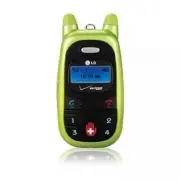
Migo 5 Welcome Thank you for choosing Migo specially designed for kids. Migo has the following features: Kid-Friendly Design. Simplified Keypad and Interface. 4 Programmable Speed Dial Keys. Dedicated Emergency Button. Cute, Compact Design to Fit Small Hands. Unique, Bright Green Color. Ultra Lightw...
Page 9 - Other Information
6 Migo Welcome Other Information This user’s guide provides important information on the use and operation of your phone. Please read all the information carefully prior to using the phone for the best performance and to prevent any damage to or misuse of the phone. Any unapproved changes or modific...
Page 10 - FCC RF Exposure Information; Bodily Contact During Operation; Designator
Migo 7 FCC RF Exposure Information WARNING! Read this information before operating thephone. In August 1996, the Federal Communications Commission (FCC) of the United States, with its action in Report and Order FCC 96-326, adopted an updated safety standard for human exposure to Radio Frequency (RF)...
Page 12 - Phone Overview
Migo 9 Phone Overview 1. Earpiece 2. Headset Jack Lets you attach a hands-free headset (optional accessory) to hear and talk to your callers. 3. LCD Screen Displays phone status, indicator icons, time, and date. 4. Side Keys Use to adjust the ringer volume and the earpiece volume during a call. Also...
Page 13 - Getting Started with Your Phone; The Battery; Installing the Battery; Charging the Battery
10 Migo Getting Started with Your Phone The Battery N N O O T T E E It is important to fully charge the battery before initial use of the phone. The phone comes with a rechargeable battery. Keep the battery charged while not in use in order to maximize talk and standby time. The battery charge level...
Page 14 - Turning the Phone On and Off; Turning the Phone On; Screen Icons
Migo 11 Turning the Phone On and Off Turning the Phone On 1. Install a charged battery or connect the phone to an external power source such as a vehicle power charger or hands- free car kit. 2. Press for a few seconds until the LCD screen lights up. N N O O T T E E Like any other radio device, avoi...
Page 15 - Entering Menu; Using Phone Menus
12 Migo Entering Menu 1. Press in standby mode to enter Menu. 2. Enter Menu? is displayed. 3. Press Yes . The following 4 menus are listed. 1.1 Set Ringtone This menu offers 10 ringtones. Choose one ofthem to set it as your ringtone. 1. In standby mode press twice. 2. Press Set Ringtone . 3. Use the...
Page 16 - How to Enter Numbers
Migo 13 How to Enter Numbers 1.4 Emergency # Emergency button is preprogrammed to 911. You can reprogram this key to another number by following these instructions. (i.e. Mom's answering service, etc.) 1. In standby mode press twice. 2. Press Emergency # . 3. Press , , , when Lock Code ???? is displ...
Page 17 - Making Calls; Yes; Emergency Calls; Emergency; To Change Emergency Number
Making Calls 1. Make sure the phone is turned on. If not, press for about 3 seconds. 2. Press the number key that corresponds to the phonebook entry you want to call. The LCD displays the name of the phonebook entry in the form of a question. For example, if you have saved Daddy as phonebook entry #...
Page 18 - Receiving Calls; Incoming Calls; Missed Calls; Missed Call; Using Speakerphone
Receiving Calls Incoming Calls 1. When the phone rings or vibrates press to answer. NOTE and Side Keys( ) cannot be used to answer a call. 2. Press to end the call. Missed Calls When a call is missed, the LCD screen displays Missed Call . Using Speakerphone Lets you activate the speakerphone functio...
Page 19 - Safety; TIA Safety Information; Exposure to Radio Frequency Signal; Driving
16 Migo Safety TIA Safety Information The following is the complete TIA Safety Information forwireless handheld phones. Exposure to Radio Frequency Signal Your wireless handheld portable phone is a low power radiotransmitter and receiver. When it is ON, it receives and alsosends out Radio Frequency ...
Page 20 - Electronic Devices; Pacemakers; Hearing Aids; Vehicles
Migo 17 Safety Electronic Devices Most modern electronic equipment is shielded from RF signals.However, certain electronic equipment may not be shieldedagainst the RF signals from your wireless phone. Pacemakers The Health Industry Manufacturers Association recommendsthat a minimum separation of six...
Page 21 - Posted Facilities; Potentially Explosive Atmosphere; For Vehicles Equipped with an Air Bag; Safety Information; Charger and Adapter Safety; Caution
18 Migo Safety Posted Facilities Turn your phone OFF in any facility where posted notices sorequire. Aircraft FCC regulations prohibit using your phone while in the air.Switch OFF your phone before boarding an aircraft. Blasting Areas To avoid interfering with blasting operations, turn your phoneOFF...
Page 22 - Battery Information and Care
Migo 19 Battery Information and Care Please dispose of your battery properly or take it to your local wireless carrier for recycling. The battery does not need to be fully discharged before recharging. Use only LG-approved chargers specific to your phone model since they are designed to maximize bat...
Page 23 - General Notice; Wash hands after handling.; FDA Consumer Update
20 Migo Safety General Notice Using a damaged battery or placing a battery in your mouthmay cause serious injury. Do not place items containing magnetic components such asa credit card, phone card, bank book or subway ticket nearyour phone. The magnetism of the phone may damage thedata stored in the...
Page 29 - Consumer Information on SAR
26 Migo Safety Consumer Information on SAR (Specific Absorption Rate) This Model Phone Meets the Government’s Requirements for Exposure to Radio Waves. Your wireless phone is a radio transmitter and receiver. It is designed and manufactured not to exceed the emission limits for exposure to Radio Fre...
Page 32 - FCC Hearing Aid Compatibility and Volume Control
Migo 29 In the above example, if a hearing aid meets the M2 level rating and the wireless phone meets the M3 level rating, the sum of the two values equal M5. This should provide the hearing aid user with “normal usage” while using their hearing aid with the particular wireless phone. “Normal usage”...
Page 33 - Accessories; Power Adapter; Wristlet
30 Migo Accessories Power Adapter The power adapter allows you to charge the battery. Battery Standard battery is available. Hands-free Headset(sold separately) The hands-free headset connects to your phone allowing hands- free operation. It includes earpiece and microphone. NOTE If you have activat...
Page 34 - LIMITED WARRANTY STATEMENT
Migo 31 LIMITED WARRANTY STATEMENT 1. WHAT THIS WARRANTY COVERS: LG offers you a limited warranty that the enclosed subscriberunit and its enclosed accessories will be free from defects inmaterial and workmanship, according to the following terms andconditions: (1) The limited warranty for the produ...
Page 37 - Precaución de Seguridad Importante; Almacene la batería en un sitio alejado del alcance de los niños.
Migo 1 Precaución de Seguridad Importante Lea estas sencillas instrucciones. Romper las reglas puede ser peligroso o ilegal. Se ofrece más información detallada en esta guía del usuario. No seguir las instrucciones puede ocasionar lesiones graves o la muerte. No use nunca una batería no aprobada, ya...
Page 38 - No use un teléfono de mano cuando esté conduciendo.
2 Migo Precaución de Seguridad Importante Desconecte el enchufe de la toma de corriente y el cargador cuando se ilumina porque puedeprovocar unchoque electrico o peligro de incendio. Al ir en automóvil, no deje el teléfono ni instale el kit de manos libres cerca de la bolsa de aire. Si elequipo inal...
Page 39 - No desarme el teléfono.
Migo 3 No dañe el cable de corriente doblándolo, retorciéndolo, tirando de él o calentándolo. No use laclavija si está suelta, ya que esto puede ocasionar incendios o descargas eléctricas. No coloque objetos pesados sobre el cable de corriente. No permita que el cable de corriente sedoble, ya que es...
Page 40 - Contenido
4 Migo Contenido Precaución de Seguridad Importante . . 1 Contenido . . . . . . . . . . . . . . . . . . . . . . . . . . . . 4 Bienvenidos . . . . . . . . . . . . . . . . . . . . . . . . . 5 Información Otra . . . . . . . . . . . . . . . . . . . . . .6 Información sobre la exposición a RF de la FCC ....
Page 41 - Bienvenidos
Migo 5 Bienvenidos Gracias por elegir Migo especialmente diseñado para niños. Migo tiene las siguientes funciones: Diseño adecuado para el uso de los niños. Teclado e interfaz simplificados. 4 teclas de marcado rápido programables. Botón de emergencia dedicado. Bonito y compacto diseño adecuado para...
Page 42 - Información Otra
6 Migo Bienvenidos Información Otra Esta guía del usuario contiene información importanteacerca del uso y funcionamiento del teléfono. Lea toda lainformación con cuidado antes de usar el teléfono paraobtener un desempeño óptimo y evitar cualquier daño omal uso del aparato. Cualquier cambio o modific...
Page 43 - Información sobre la exposición a RF de la FCC
Migo 7 Información sobre la exposición a RF de la FCC ADVERTENCIA! Lea esta información antes de hacer funcionar el teléfono. En agosto de 1996, la Comisión Federal de Comunicaciones (FCC)de Estados Unidos, con su acción en el Informe y orden FCC 96-326, adoptó una norma de seguridad actualizada par...
Page 45 - Descripción general del teléfono
Migo 9 Descripción general del teléfono 1. Audífonos 2. Conector de audífonos Le permite conectar unos audífonos de manos libres (accesorio opcional) para escuchar a quien llama yhablarle. 3. Pantalla de LCD Muestra el estado del teléfono, los iconos indicadores, la hora y la fecha. 4. Teclas latera...
Page 46 - Para hacer funcionar su teléfono por primera vez; La Batería; Instalación de la Batería; Cargar la Batería; Advertencia! Use únicamente el cargador de escritorio que
10 Migo Para hacer funcionar su teléfono por primera vez La Batería N N O O T T A A Es importante cargar completamente la batería antes de usar el teléfono por primera vez. El teléfono viene con una batería recargable. Conservecargada la batería cuando no use el teléfono, paramantener al máximo el t...
Page 47 - Encender y apagar el teléfono; Encender el teléfono; Apagar el teléfono; Iconos en pantalla
Migo 11 Encender y apagar el teléfono Encender el teléfono 1. Instale una batería cargada o conecte el teléfono a una fuente de corriente externa, como el adaptador del encendedor del auto, o a un kit de manos libres para automóvil. 2. Presione durante unos segundos hasta que se encienda la pantalla...
Page 48 - Entrar al menú; Uso de los menús del teléfono
Entrar al menú 1. Oprima en modo de espera para entrar al menú. 2. Enter Menu? aparezca. 3. Oprima Yes . Se muestran los siguientes 4 menús. 1.1 Set Ringtone Este menú ofrece 10 tonos de timbre. Elija uno de ellospara configurarlo como su tono de timbre. 1. En modo de espera, oprima dos veces. 2. Op...
Page 49 - Cómo introducir números
Migo 13 Cómo introducir números 1.4 Emergency # El botón de emergencia está preprogramado como 911. Puede reprogramar esta tecla a otro número siguiendo estas instrucciones. (es decir, el servicio de contestación de llamadas de mamá, etc.) 1. En modo de espera, oprima dos veces. 2. Oprima Emergency ...
Page 50 - Hacer llamadas; Llamadas de emergencia; Para cambiar el número de emergencia
Hacer llamadas 1. Asegúrese de que el teléfono esté encendido. Si no lo está, oprima durante unos 3 segundos. 2. Oprima la tecla de número que corresponda a la entrada de libreta de teléfono a la que desea llamar. La pantalla LCD muestra el nombre de la entrada de la libreta de teléfonos en forma de...
Page 51 - Recibir llamadas; Llamadas entrantes; Llamadas perdidas; Uso de Speakerphone
Recibir llamadas Llamadas entrantes 1. Cuando el teléfono suena o vibra, oprima oprima para contestar. NOTA y las Teclas Laterales( ) no pueden usarse para contestar una llamada. 2. Oprima para terminar la llamada. Llamadas perdidas Cuando se pierde una llamada, la pantalla de LCD muestra Missed Cal...
Page 52 - Seguridad; Información de seguridad de la TIA; Exposición a las señales de radiofrecuencia
16 Migo Seguridad Información de seguridad de la TIA Lo que sigue es la Información completa de seguridad de la TIA (Asociación de la industria de las telecomunicaciones) sobre teléfonos inalámbricos de mano. Exposición a las señales de radiofrecuencia Su teléfono celular de mano inalámbrico es un t...
Page 53 - Manejo; Marcapasos; Aparatos para la sordera
Migo 17 Manejo Compruebe las leyes y reglamentos referidos al uso de teléfonos inalámbricos en las áreas donde usted maneja y cúmplalas siempre. Igualmente, si va a usar el teléfono mientras maneja, por favor tenga presente lo siguiente: Preste toda su atención a conducir: manejar con seguridad es s...
Page 54 - Centros de atención médica; Vehículos; Instalaciones con letreros; Atmósfera potencialmente explosiva; Para vehículos equipados con bolsas de aire
18 Migo Seguridad Centros de atención médica Apague el teléfono cuando esté en instalaciones de atención médicaen las que haya letreros que así lo indiquen. Los hospitales o lasinstalaciones de atención médica pueden emplear equipos que podríanser sensible a la energía de RF externa. Vehículos Las s...
Page 55 - Información de seguridad; Seguridad del cargador y del adaptador; Peligros de explosión, descargas eléctricas e incendio
Migo 19 Información de seguridad Lea y atienda la información siguiente para el uso seguro y adecuado desu teléfono y para evitar cualquier daño. Igualmente, mantenga la guíadel usuario en un sitio accesible en todo momento después de leerla. No seguir las instrucciones puede ocasionardaños leves o ...
Page 56 - Aviso general
20 Migo Seguridad No le provoque un corto circuito a la batería. Los artículos metálicoscomo monedas, clips o plumas en el bolsillo o bolso puedenprovocar al moverse un cortocircuito en los terminales + y – de labatería (las tiras de metal de la batería). El cortocircuito de losterminales puede daña...
Page 62 - Información al consumidor sobre la SAR
26 Migo Seguridad Información al consumidor sobre la SAR (Tasa de absorción específica, Specific Absorption Rate) Este modelo de teléfono cumple con los requisitos gubernamentales de exposición a las ondas de radio. Su teléfono inalámbrico es un transmisor y receptor de radio. Está diseñado y fabric...
Page 65 - Compatibilidad y control de volumen según la FCC
Migo 29 En el ejemplo antes señalado, si un aparato para sordera cumple con la clasificación de nivel M2 y el teléfono inalámbrico cumple la clasificación de nivel M3, la suma de los dos valores es igual a M5. Esto debería proporcionar al usuario del aparato para sordera un "uno normal” al usar ...
Page 66 - Accesorios; Adaptador de corriente; Muñequera
30 Migo Accesorios Adaptador de corriente El adaptador de corriente le permitecargar la batería. Batería La batería estándar está disponible. Audífonos de manos libres(vendido separately) Los audífonos de manos libres seconectan a su teléfono permitiendo laoperación con manos libres. Incluyeun auric...
Page 67 - DECLARACIÓN DE GARANTÍA LIMITADA
Migo 31 DECLARACIÓN DE GARANTÍA LIMITADA 1. LO QUE CUBRE ESTA GARANTIA: LG le ofrece una garantia limitada de que la unidad de suscriptoradjunta y sus accesorios incluidos estaran libres de defectos demateriales y mano de obra segun los terminos y condiciones siguientes: (1) La garantia limitada del...
Page 68 - CÓMO OBTENER SERVICIO POR LA GARANTÍA:
32 Migo DECLARACIÓN DE GARANTÍA LIMITADA (9) Productos que hayan sido puestos en funcionamiento por encima de las limitaciones maximas indicadas. (10) Productos utilizados u obtenidos en un programa de arrendamiento. (11) Consumibles (como seria el caso de los fusibles). 3. DERECHOS DE LA LEY ESTATA...