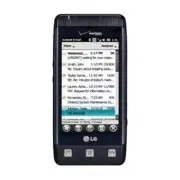
Page 2 - All rights reserved; is a trademark of Verizon
Copyright©2010 LG Electronics, Inc. All rights reserved . LG and the LG logo are registered trademarks of LG Groupand its related entities. FATHOM TM is a trademark of Verizon Wireless. All other trademarks are the property of theirrespective owners. VS750_cover1.1_100914MW.qxd 9/14/10 1:20 PM Page ...
Page 3 - Use the correct external power source; Impor tant Health Information and Safety Precautions
1 When using this product, the safety precautions below must be taken toavoid possible legal liabilities and damages.Retain and follow all product safety and operating instructions. Observe allwarnings in the operating instructions on the product. To reduce the riskof bodily injury, electric shock, ...
Page 4 - Handle battery packs carefully; Take extra precautions
2 Impor tant Health Information and Safety Precautions Handle battery packs carefully This product contains a Li-ion battery. There is a risk of fire and burns ifthe battery pack is handled improperly. Do not attempt to open or servicethe battery pack. Do not disassemble, crush, puncture, short exte...
Page 5 - If the battery leaks:; SAFETY PRECAUTIONS FOR DIRECT SUNLIGHT
3 ● Only use the battery with a charging system that has been qualifiedwith the system per this standard, IEEE-Std-1725-200x. Use of anunqualified battery or charger may present a risk of fire, explosion,leakage or other hazard. ● Replace the battery only with another battery that has been qualified...
Page 6 - PREVENTION OF HEARING LOSS; used at high volume for prolonged periods of time.; SAFETY IN AIRCRAFT
4 Impor tant Health Information and Safety Precautions PREVENTION OF HEARING LOSS CAUTION: Permanent hearing loss may occur if earphones or headphones are used at high volume for prolonged periods of time. SAFETY IN AIRCRAFT Due to the possible interference caused by this product to an aircraft’snav...
Page 8 - NON-IONIZING RADIATION
6 Impor tant Health Information and Safety Precautions NON-IONIZING RADIATION Your device has an internal antenna. This product should be operated in itsnormal-use position to ensure the radiative performance and safety frominterference. As with other mobile radio transmitting equipment, users aread...
Page 9 - Ta b l e o f Co n te n ts; Getting to Know Your Touch
Ta b l e o f Co n te n ts 7 Important Health Informationand Safety Precautions . . . . . .1 ELECTRICAL SAFETY . . . . . . . . . . . . . . .1 SAFETY PRECAUTIONS FOR PROPERGROUNDING INSTALLATION . . . . . . .1 SAFETY PRECAUTIONS FOR POWER SUPPLY UNIT . . . . . . . . . . . . . .1 SAFETY PRECAUTIONS FOR...
Page 10 - Ta b l e o f C o n te n ts; Seamless Switching of; Making a call from an email message .38; Answering and Ending; What’s on the Today
8 Ta b l e o f C o n te n ts 2.1 Seamless Switching of Networks . . . . . . . . . . . . . . .36 2.2 Making Calls with the Phone Dialpad . . . . . . . . . . .36 Making a call from a text message . . .37 Making a call from an email message .38 Making a call from a meeting request or reminder . . . . ....
Page 15 - We l c o m e; LG FATHOM
We l c o m e 13 Thank you for choosing the LG FATHOM TM global phone designed to operate with the latestdigital mobile communicationtechnology, Code Division MultipleAccess (CDMA). Along with themany advanced features of theCDMA system, such as greatlyenhanced voice clarity, thiscompact phone offers...
Page 16 - Te c h n i c a l D eta i l s; NOTE; Important Information; Technical Details; Global Phone is; TIP; LG; Interactive User
14 Te c h n i c a l D eta i l s NOTE The Bluetooth ® word mark and logos are owned by theBluetooth SIG, Inc. and any useof such marks by LG Electronicsis under license. Othertrademarks and trade names arethose of their respective owners. Important Information This user’s guide provides importantinfo...
Page 18 - FCC RF Exposure Information
16 Te c h n i c a l D eta i l s FCC RF Exposure Information WARNING! Read this informationbefore operating the phone. In August 1996, the FederalCommunications Commission (FCC)of the United States, with its actionin Report and Order FCC 96-326,adopted an updated safety standardfor human exposure to ...
Page 20 - Getting to Know Your Touch Phone; Chapter 1; G ett i n g S ta r te d; Front panel
1.1 About Your Phone Your LG FATHOM ™ Global Phone allows you to keep in touch with friends and family back home when traveling to another country or outside yournetwork carrier service area. There's no need to purchase or lease anothercell phone because your LG FATHOM ™ Global Phone covers all the ...
Page 23 - Menus and Applications Overview
21 pictur pictur e e s s m m usic usic phone phone fa fa v v orit orit e cont e cont act act s s v v oicemail oicemail clock clock ge ge t t ting st ting st ar ar t t ed ed me me ssage ssage e-mail e-mail calendar calendar fa fa v v orit orit e e s s Home Home Phone Phone Me Me ssage ssage E-mail E-...
Page 24 - Personal
22 G ett i n g S ta r te d Se Se t t tings tings Clock & AlarmsHomeLockSounds & NotificationsConnections ConnectionsDomain EnrollGPRS SettingSwitch USBUSB to PCWi-FiWireless Manager Personal ButtonsOwner InformationPhoneVoice Commands System AboutBacklightCertificatesCustomer FeedbackEncrypt...
Page 25 - Solitaire; NOTES
23 Office Mobile Office Mobile Pictur Pictur e e s & V s & V ideos ideos W W indo indo w w s Media s Media W W orld Clock orld Clock Sear Sear ch Phone ch Phone Calcula Calcula t t or or A A dobe R dobe R eader LE eader LE V V oice C oice C ommands ommands Game Game s s Solitaire T T a a sk ...
Page 26 - The Battery; Installing the Battery
24 G ett i n g S ta r te d 1.5 Installing the Battery and Storage Card The Battery NOTE It is important to fully charge thebattery before initial use of the phone. The phone comes with arechargeable battery. Keep thebattery charged while not in use inorder to maximize talk and standbytime. The batte...
Page 27 - Charging the Battery; Your LG FATHOM; Connect the cableless wall; B attery Charge Level; NOTICE
25 1.6 Charging the Battery Your LG FATHOM ™ Global Phone device comes with a cableless walladapter and a USB data cablewhich connect together to chargeyour phone. To charge your phone: NOTICE Please use only an approved chargingaccessory to charge your LG phone. Improper handling of the charging po...
Page 28 - Charging with USB; Turning the power on and off; Turning the Phone On; Turning the Phone Off
26 G ett i n g S ta r te d Charging with USB You can use your computer tocharge your phone. Connect oneend of the USB cable to thecharging accessory port on yourphone and the other end to ahighpower USB port on your PC(commonly located on the frontpanel of the computer). It is best touse the rear US...
Page 29 - Notification and Status Icon Taskbar
27 1.8 Today Screen The Today Screen provides quick access to various frequently used deviceprograms and applications. It also displays the Notification and Status Icontaskbar and the Options taskbar for additional quick and easy access options. 1.9 Notification and Status Icon Taskbar The Icon task...
Page 30 - Today Screen Options Taskbar
28 G ett i n g S ta r te d Tap the Icon taskbar to display a drop-down menu that allows you to zoom,access the wireless manager for network connection status, change volume,see remaining battery power, set the Clock/Alarm, and more. 1.10 Options Taskbar The Options Taskbar displays options that are ...
Page 32 - Locked Screen
1.12 Lock Locking the Phone You can lock your phone to guardagainst accidental or intentionaluse. Press the Power/Lock Key to lock your phone. Unlocking the Phone To unlock your phone, press thePower/Lock Key to turn the screen on. Then, touch and slidethe Lock icon to either left or right. If you w...
Page 33 - Unlocking the Phone
31 NOTE If a phone password is required tounlock, you will be prompted forthe password when you unlockthe phone. Unlocking the Phone The steps and instructions in thisguide begin with the screen alreadyunlocked. If your phone screen is insleep mode, press the Power/Lockbutton on the top side of thep...
Page 34 - Adjusting the Volume; Accessing the Volume Control panel; Vibrate
32 G ett i n g S ta r te d 1.13 Adjusting the Volume A single Volume Control paneladjusts both the system volume(notifications and audio/videoplayback volume) and the phonering volume of your phone. Accessing the Volume Control panel To open the Volume Control panel: ● Press the Volume Keys on the l...
Page 35 - Gestures; Finger scrolling; To scroll up and down
33 1.14 Finger Movement Gestures The touch screen is sensitive tofingertip movements allowing you toscroll and pan with ease. Finger scrolling Finger scrolling is available in alldirections (up and down or left andright) and can be used to movethrough web pages, documents, andlists (like the Contact...
Page 36 - Finger panning; Using the Zoom Bar; Your; phone has a
34 G ett i n g S ta r te d Finger panning Finger panning doesn't limit you toopposite 90 degree directions. Youcan use finger panning to move toand view other parts of a zoomed-inphoto, web page, document, or anemail. To pan, touch and keep yourfinger on the touch screen, thendrag your finger in any...
Page 37 - Global Phone; To change networks manually
35 Changing Networks with YourLG FATHOM TM Global Phone Your wireless phone is set to Globalmode by default. However, you canchange network modes manually inphone settings. To change networks manually 1. From the Today Screen, tap the Notification and Status Icontaskbar. 2. Tap the connections indic...
Page 38 - Chapter 2; U s i n g P h o n e Fe at u res; Making Calls with the; Smart Dial
36 Chapter 2 U s i n g P h o n e Fe at u res 2.1 Seamless Switching of Networks Your LG FATHOM ™ Global Phone allows you to roam outside of yourCDMA network by accommodatinga GSM SIM card. Your phone has aSIM card pre-installed and is set toGlobal mode by default. When thephone is in Global mode it ...
Page 39 - TIPS; press the SEND Key
2. The list of matching entries is displayed above the touch keys.Tap Hide to view the list only. Slide (or flick) your fingerup or down to scroll through thelist. 3. To call from the list, tap the desired entry, then tap thephone number to call. TIPS ● Depending on the informationsaved on each cont...
Page 40 - Making an emergency call; to replace; Assisted Dialing; Assisted Dialing On
38 U s i n g P h o n e Fe at u res Making a call from an emailmessage While viewing a received emailmessage, you can directly place acall to the sender of the message.Tap a phone number that isdisplayed in the body of the emailmessage to call that number. Making a call from a meetingrequest or remin...
Page 42 - To answer a call
40 U s i n g P h o n e Fe at u res 2.3 Answering and Ending Calls When you receive a phone call, theIncoming message will appear,allowing you to either answer orignore the call. Accepting or rejecting anincoming voice call To answer a call Do either of the following: ● Tap . ● Press the SEND Key . T...
Page 43 - Using the call functions
41 Touch and slide the onscreen touchkey ( Answer or Ignore ). Using the call functions When a call is in progress, use the callfunction buttons to put a call onhold, dial another contact for a three-way phone, enter notes about theconversation, and more. Call Waiting Your phone notifies you when yo...
Page 44 - To create Notes while in a call; Using Call History; Options; View; All Calls; Filter
42 U s i n g P h o n e Fe at u res To mute the microphone during acall Tap Mute to turn the microphone off and tap Unmute to turn on. To create Notes while in a call Tap Note . To end a call When a call is in progress, tap End or press the End Key . 2.4 Using Call History View call history in the Ph...
Page 45 - Calls
43 2.5 Speed Dial Use Speed Dial to call frequently-used numbers with a single touch.For example, if you assign a contactto location 2 in Speed Dial, you cantouch and hold the number 2 keyon the Phone panel keypad to dialthe contact’s number. To create a Speed Dial entry 1. Open your Contacts list. ...
Page 46 - CDMA Phone Settings
44 U s i n g P h o n e Fe at u res Starting a three-way call 1. Press the SEND Key to open the Phone panel. 2. Make the call to the first person. 3. After the first call is connected, tap Dialpad , dial the other number and press the SEND Key . Ending the three-way call Tap End or press the End Key ...
Page 47 - CDMA Services; then; Using the LG FATHOM; as a GSM Phone; GSM international roaming
45 CDMA Services Your phone can directly link to theVerizon Wireless CDMA network,and enable you to access andchange the settings of variousphone services for your phone whenit is in CDMA mode. ContactVerizon Wireless to find out aboutthe availability of phone services foryour phone. To access CDMA ...
Page 48 - To remove the SIM card
46 U s i n g P h o n e Fe at u res select the network that is mostaccessible for your locale, selectGlobal mode. Using the Verizon WirelessGSM SIM card Your wireless phone comes with aSIM card preinstalled which, alongwith a Global feature on youraccount, enables you to make callsand access email in...
Page 49 - Change; Change PIN 2
47 2.9 GSM settings To protect your SIM card with aPIN code The preinstalled Verizon SIM cardmay be locked with a PIN. If youchoose to protect your SIM cardwith a PIN code, the PIN will berequired each time the phone ispowered on. When prompted, enterthe PIN, then tap Enter . NOTE If the wrong PIN i...
Page 51 - Start
49 2.9 Turning the Phone Function On and Off In many countries, you are requiredby law to turn off the phone whileon board an aircraft, or in areassensitive to RF transmissions. To enable or disable the phonefunction 1. Press the Start Key , then tap Settings . 2. Tap Connections , then tap Wireless...
Page 52 - Chapter 3; U s i n g t h e To d ay S c re e n; message; Notifications and Status
50 Chapter 3 U s i n g t h e To d ay S c re e n 3.1 What’s on the Today Screen The Today Screen of your phoneallows quick access to your mostfrequently used information andfunctions you want to keep at hand.The Today Screen is organized intothree sections: Notifications andStatus Icons taskbar, Toda...
Page 53 - Changing the Today Screen
51 Using the Today Screen Tap a Today Screen panel to selectit. The select bar surrounds it anddisplays current detail information.For panels with multiple items (e.g.,multiple calendar events), swipehorizontally to scroll through them,then tap again to open the item. TIP Double-tap a Today Screen p...
Page 54 - Text Messages; text
52 U s i n g t h e To d ay S c re e n 3.3 Phone Your LG FATHOM ™ Global Phone has many calling capabilities,including Speed Dialing, emergencycalls, international calls (see page38), and Smart Dial (see page 36)as well as many ways to access thephone's dialpad, including: ● Press the SEND Key . ● Do...
Page 55 - Tap the text area to compose; Cancel; Managing text messages; To reply to a text message
53 2. Tap Text message . 3. Tap the To : box to enter the mobile phone number of one ormore recipients. There areadditional ways to add contacts: ● Tap , tap Add Recipient. From Contacts/ From CallHistory/ From Sent History/Online album ● After entering a destination, thentap . TIP To delete a recip...
Page 56 - MMS; Capture
54 U s i n g t h e To d ay S c re e n MMS Creating and sending MMS(Multimedia Message Service)messages to your friends and familyis fun and easy. NOTES Your phone is already preconfiguredwith your wireless service provider'sMMS settings. MMS is a chargedservice and must be provisionedwith your mobil...
Page 57 - To view an MMS message; Setting Up E-mail Accounts
You can also insert an audio clipinto a picture message. To insertan existing clip, tap , tap Insert , tap Audio , then tap the clip you want. To record a newclip instead, tap Microphone , tap Record , say the recording, then tap Stop . 6. Tap the text message area to enter text. To insert My Textph...
Page 59 - Review all download settings
57 4. Enter your name and the Account display name, then tap Next . 5. If prompted, choose how often you want e-mail messages to beautomatically sent anddownloaded on your phone. NOTE Tap Review all download settings to select download options, setthe e-mail format as HTML orplain text, and more. Fo...
Page 61 - from the; Message
59 6. The E-mail Setup wizard then tries to find the e-mail providersettings on your phone or fromthe Internet. If the settings arefound, it shows a successfulmessage. Tap Next . 7. Enter your name and the Account display name, then tap Next . NOTE If the E-mail Setup wizard wasunsuccessful in findi...
Page 62 - In the message that you are; Searching e-mail messages
60 U s i n g t h e To d ay S c re e n • If you are working offline, e-mail messages are moved to theOutbox folder and will be sentthe next time you connect. To add an attachment to an e-mail 1. In the message that you are composing, tap , tap Insert , then tap the items to attach: Picture , Voice No...
Page 64 - Customizing e-mail settings
62 U s i n g t h e To d ay S c re e n To automatically synchronize anOutlook e-mail account 1. Connect your phone to your computer through USB orBluetooth. Otherwise, connectthrough Wi-Fi or a dataconnection if you aresynchronizing Outlook e-mailwith the Exchange Server. Formore information, see Cha...
Page 65 - Cre ating a contact; Outlook Contact; Info
63 3.6 Contacts Contacts is your address book andinformation storage for the peopleand businesses you communicatewith. If you use Outlook on yourPC, you can synchronize contactsbetween your phone and PC. Cre ating a contact 1. From the Today Screen, tap , tap New , then tap Outlook Contact . NOTE To...
Page 66 - Editing and calling a contact; Finding a contact; To find a contact
64 U s i n g t h e To d ay S c re e n Editing and calling a contact To view and edit a contactinformation 1. From the Today Screen, tap . 2. Tap the contact whose information you want to view oredit. 3. Tap the name field. 4. Tap the field(s) you want to edit. 5. Make changes as needed, then tap . T...
Page 67 - View By; Name; Sharing contact information; Send via Bluetooth; Send Contact; Visual Voice Mail
65 ● If you have entered informationunder Company for yourOutlook contacts on your phone,you can quickly locate thecontacts that work for a specificcompany. In the Contacts list, tapOptions , tap View By , then tap Company . Tap the company to see the contacts who workthere. NOTE To return to the pr...
Page 70 - Internet Explorer; Browsing the Web; Navigating web pages; To copy text on a web page
68 U s i n g t h e To d ay S c re e n 3.11 Internet Explorer Internet Explorer Mobile is a full-featured Internet browser, optimizedfor use on your phone. Browsing the Web 1. Press the Start Key , then tap Internet Explorer . 2. Tap the web address bar, enter the URL/address, then tap . While browsi...
Page 75 - SHORTCUT
73 Product tab: View product, manufacturer, language, model IDand processor. Owner tab: View owner information. Phone Info tab: View MEID, MDN, IMEI, MCCID MNCID,warranty code date, SIM ICCID Task Manager Microsoft My Phone Bluetooth Lock Key 3.12.1 Clock & Alarms You can set up to three alarms....
Page 76 - Dismissing an alarm
74 U s i n g t h e To d ay S c re e n [Alarm Settings] To activate and deactivatealarm(s) If you want to disable an alarm,simply turn it off by tapping thecheckbox next to it. The X isremoved, but the settings remainallowing you to simply tap thecheckbox to reactivate later. Dismissing an alarm When...
Page 81 - Forwards calls to another number.; The
79 NOTE Call Barring is a networksubscription service. Uponsubscription, your serviceprovider will give you thepassword to edit thesesettings. Caller ID Everyone: Displays your caller IDNo one: Hides your caller IDOnly to contacts: Displays yourcaller ID for Contacts calls only Call Forwarding Forwa...
Page 85 - PC Sync via
83 Sensor Tap to set sensors on three tabs. The Accelerometer tab sets device to automatically rotatescreen contents. The Luminous tab sets light sensor. The Proximity tab sets proximity sensor. System Information Tap to view system information on fourtabs. The Version tab displays OS, ROM date, har...
Page 87 - Disable; Bluetooth pairing
85 3. Tap , then tap the setting you want. Always Visible/ Visible for 180 seconds/ Never Visible 4. Tap . NOTE To turn off Bluetooth capabiliteson your phone, tap Disable Bluetooth on the Bluetooth Settings tab. TIP Enter a Bluetooth phone name foryour phone. This will be thephone name that will be...
Page 88 - Advanced
86 U s i n g t h e To d ay S c re e n To accept a Bluetooth pairing 1. Ensure that Bluetooth is turned on and in visible mode. 2. Tap Yes when prompted to establish a partnership with theother device. 3. Enter a passcode (the same passcode that is entered on thedevice requesting pairing) toestablish...
Page 89 - Set as Wireless Stereo
87 2. Press the Start Key , tap Settings then, tap Bluetooth . 3. On My Devices tab, tap Add . 4. Tap the name of the Bluetooth headset, then tap . The phone will automatically pair withthe Bluetooth headset. Windows Mobile will automaticallytry one of the preconfiguredpasscodes (0000, 1111, 8888,12...
Page 90 - Access and Use; Change location; To subscribe to news channels
88 U s i n g t h e To d ay S c re e n Access and Use 1. Press the Start Key , then tap Bing . NOTE Standard mobile rates apply.Check with your service providerfor details. 2. Read the screen, then tap . 3. Start your search. ● Tap the search field, beginentering search text, then tap thesearch resul...
Page 91 - calendar
89 3. Tap the channels you want to subscribe to, then tap New in the task bar. 4. Select the check boxes of the RSS channels you want tosubscribe to, then tap Done . TIP Channels are grouped bycategories. If you want to selectall channels in a category, tap thecategory check box. 5. The channel list...
Page 92 - Viewing your appointments
90 U s i n g t h e To d ay S c re e n 2. Tap the current date at the top of the screen to display thecurrent month. TIP Tap the arrow icons to move tothe next/previous dates or tapToday to return to the current date. 3. Tap Options , then tap New Appointment . 4. Enter appointment information. Subje...
Page 93 - Remove
91 2. Tap in the Options task bar, and your day's appointments arelisted. Tap to change to the nextappointment view (each tapchanges to the next view). Sending meeting requests andappointments You can send meeting requests viae-mail to persons that use Outlookor Outlook Mobile. You can alsosend a ca...
Page 95 - Entering Information in Notes
93 task to mark it as completed (tapagain to unmark). 3.18 Notes Notes helps you to quickly capturethoughts, questions, reminders, to-do lists, and meeting notes. You cancreate handwritten and typed notes,record voice notes, converthandwritten notes to text for easyreadability, and send notes to oth...
Page 96 - scroll
94 U s i n g t h e To d ay S c re e n Note file storage You can file your Notes into specificfile folders for easy organization andretrieval. To select a file folder toview, tap All Folders in the upper- left corner of the screen, then tapthe file folder to open. To change how your Notes aresorted, ...
Page 98 - template arrow; pictures
96 U s i n g t h e To d ay S c re e n NOTE Word Mobile and Excel Mobile donot fully support some features ofMicrosoft ® Office Word and Microsoft ® Office Excel ® . Microsoft Mobile documentformats By default, Word Mobile savesdocuments in .docx format, whileExcel Mobile saves workbooks in.xlsx form...
Page 103 - Open
101 6. In the Results list, tap the item you want to open. 3.25 Calculator Allows you to perform simplemathematical calculations. 1. Press the Start Key , scroll the screen up, then tap Calculator . 2. Tap available keys to enter data and perform calculation. ● Tap the keypad that pops upto enter nu...
Page 104 - Confirmation
102 U s i n g t h e To d ay S c re e n To navigate through a PDF file You can do any of the following: ● Tap , then tap Go To and tap an option to go to a specificpage in the PDF file. ● Tap , then tap Zoom to then tap a zoom option (in, out,%, fit to screen, or fit to width). ● When using the inter...
Page 107 - Back
105 To open a list item ● Double-tap the item in the list. To stop a running applicationprogram ● Tap an application, then tap to stop individual tasks. ● Tap , tap End All Tasks , then tap Yes to confirm to end all tasks at once. To switch tasks ● Tap an application, tap , then tap Switch To . To e...
Page 110 - Add/remove Getting Started
108 U s i n g t h e To d ay S c re e n 3.31 Getting Started The Getting Started menu steps youthrough the information you need toget you and your phone up andrunning. Some of the items tell youhow to use them, others tell you howto set them up. When you're through,you can delete the panel from theTo...
Page 112 - Before you proceed
110 U s i n g t h e To d ay S c re e n password, and domain name fromyour administrator before startingthe Sync Setup Wizard. 3.33 EnableDUN While traveling, you can use yourWindows Mobile powered phone as amodem for your notebook. Use eitherVZAccess Manager or the ModemLink program to use your phon...
Page 113 - , Windows 7 or Windows
111 4. Click the Connect WWAN button. 5. Once connected, the Connect WWAN button will change to Disconnect WWAN . Click this button to end your connectionsession. NOTE For optimum performance, thewireless device should be at least12 inches from your notebookwhile operating in tethered mode. To use G...
Page 114 - Key; or Windows 7; Connect a Bluetooth radio
112 U s i n g t h e To d ay S c re e n To activate your phone as a USBmodem Connect your phone to yournotebook using the USB cable, thenfollow the steps below to activateyour phone as a USB modem. NOTE When you activate WirelessModem, ActiveSync and WindowsMobile Device Center will bedisabled automa...
Page 116 - Chapter 4; E n te r i n g Tex t
114 Chapter 4 E n te r i n g Tex t 4.1 On-screen Input Methods When you start a program or select a field that requires text or numbers,the Input Panel icon is displayed on the Options taskbar. Tap the Input Selector arrow (next to the Input Panel icon) to open a menuwhere you can select a text inpu...
Page 117 - Using the QWERTY Keyboard; To enter text using the QWERTY Keyboard
115 4.2 Using the QWERTY Keyboard The QWERTY Keyboard is a full on-screen QWERTY keyboard layout similarto a computer keyboard. To enter text using the QWERTY Keyboard 1. Start a program that accepts text input, such as Word Mobile. 2. Tap Show Keyboard if the keyboard isn't already displayed. 3. St...
Page 119 - While using QWERTY Keyboard
117 4.4 Using Numeric and Symbol Mode Switch to Numeric and Symbolmode to easily enter numbers andcommon symbols such asparentheses, braces, currency signs,punctuation marks, and specialcharacters. To switch to Numeric and Symbolmode 1. While using QWERTY Keyboard tap 123 . 2. Locate and tap the des...
Page 120 - Chapter 5; Sy n c h ro n i z i n g I n f o r m at i o n; Synchronization; ” and “Setting Up ActiveSync
118 Chapter 5 Sy n c h ro n i z i n g I n f o r m at i o n 5.1 About Synchronization You can take information whereveryou go by synchronizing it to yourphone. There are different ways youcan sync your phone: ● Sync information from yourcomputer to your phone. The following types ofinformation can be...
Page 121 - ActiveSync; Setting Up Windows; Microsoft Windows Mobile
119 After installing the synchronizationsoftware on your computer, connectthe phone to your computer usingthe USB sync cable. When theConnect to PC screen appears onyour phone, tap ActiveSync , and then tap . You can also sync information withyour computer using Bluetooth. See“Synchronizing via Blue...
Page 122 - Connect without setting
120 Sy n c h ro n i z i n g I n f o r m at i o n Windows Mobile Device Centerconfigures itself, then opens. 2. On the license agreement screen, click Accept . 3. On the Windows Mobile Device Center’s screen, click Set up your device . NOTE Choose Connect without setting up your device if you only wa...
Page 123 - Delete
121 5.4 Setting Up ActiveSync ® on Windows ® XP On a Windows ® XP computer, you need to use Microsoft ActiveSync ® 4.5 or later. If you do not have thissoftware on your computer, you cango to the following website forinformation on downloading andinstalling Windows Mobile DeviceCenter to your comput...
Page 124 - Sync; Selecting information to sync
122 Sy n c h ro n i z i n g I n f o r m at i o n From ActiveSync on yourcomputer When you connect your phone toyour computer, ActiveSyncautomatically opens on yourcomputer and syncs. ● To manually startsynchronization, click Sync . ● To end synchronization before itcompletes, press . Selecting infor...
Page 125 - Synchronizing via
123 • Outlook email can be synchronized with only onecomputer. Troubleshooting syncconnection problem In some cases, when the computerconnects to the Internet or a localnetwork, it may disconnect theconnection with your phone in favorof the Internet or networkconnection. If this happens, press the S...
Page 126 - Synchronizing Music; Sync List; Synchronizing with
124 Sy n c h ro n i z i n g I n f o r m at i o n 5.7 Synchronizing Music and Video If you want to carry your music orother digital media along with youwhile you travel, set up WindowsMedia ® Player on your computer to sync music and video with yourphone. Other than selecting the Mediainformation typ...
Page 127 - Changing sync settings
125 NOTE If the information you select forsynchronization exceeds theavailable storage space on your MyPhone account, My Phone stopstransferring files. For moreinformation on using My Phone,see: http://myphone.microsoft.com Setting up your My Phoneaccount Whether you are setting up a newaccount or s...
Page 129 - Chapter 6; E xc h a n g i n g M es s a g es; Edit
Chapter 6 E xc h a n g i n g M es s a g es 127 6.1 Text Messages Send short text messages (SMS) toother mobile phones. If yourmessage is more than 160characters, it will be sent as two ormore separate messages and youwill be billed accordingly. Creating and sending a newtext message 1. Double-tap me...
Page 130 - Multimedia Messages
128 To delete one or more textmessages 1. Open the Messaging Inbox. 2. Tap , tap Delete , then tap the checkmarks to the left ofeach message. 3. Tap to delete the selected messages. Making calls directly from textmessages While you are viewing a textmessage from the Today ScreenMessages panel or in ...
Page 132 - Slides
130 E xc h a n g i n g M es s a g es 6. Enter the subject and message text. 7. Slides are added automatically each time you add more of thesame types of attachments. NOTE To add slides manually, tap , tap Slides , tap Insert Slide . 8. Tap to send the MMS message. TIP You can also send an MMSmessage...
Page 133 - Viewing MMS messages
131 NOTE To record a new audio clip andadd it to your MMS message, tap . The Record pop-up window opens. Tap Record to start recording, and Stop to end the recording. Tap Play to listen to the recorded audio clip,then tap Record . The new audio clip is then inserted to theMMS message. Viewing MMS me...
Page 134 - Chapter 7; Wo r k i n g Wi t h Co m p a ny E m a i l a n d; Synchronizing with the
132 Chapter 7 Wo r k i n g Wi t h Co m p a ny E m a i l a n d M e et i n g A p p o i n t m e n ts 7.1 Synchronizing with the Exchange Server To keep up-to-date with yourcompany email messages andmeeting schedules while you’re outof the office, you can connect yourphone to the Internet through Wi-Fio...
Page 135 - Finish; Add Server Source; Starting synchronization
133 9. Select the items that you want to sync with the Exchange Server. TIPS • To change synchronization settings of an information item,for example, E-mail, select theitem, then tap Settings. • To change the rules for resolving synchronizationconflicts, tap , then tap Advanced . 10. Tap Finish . NO...
Page 136 - Working With Company Email and Meeting Appointments
134 Working With Company Email and Meeting Appointments 7.2 Working With Company EmailMessages Your phone gives you instant accessto your company email messagesand lets you manage your messageseasier. Direct Push, Fetch Mail,Remote email search, and email flagsare just some of the tools you canuse t...
Page 137 - Scheduled synchronization; Select from the available options; Peak times; times; REQUIREMENT
135 NOTE When Direct Push is off, you needto manually retrieve your emailmessages. Scheduled synchronization If you do not want to use DirectPush, you can set a regular schedulefor synchronizing Outlook email andinformation. 1. In ActiveSync on your phone, tap , then tap Schedule . 2. Select from th...
Page 138 - Clear Results
136 Working With Company Email and Meeting Appointments NOTES • For information about changing email sync options such assetting the download size foremail, see "Customizing emailsettings" in Chapter 6. • When you receive an email that contains a link to a documentsuch as a PDF or MicrosoftO...
Page 139 - Flagging your messages; Requests
137 Flagging your messages Flags serve as a reminder for you tofollow-up on important issues orrequests contained in emailmessages.Flagging messages, which has beena useful feature on desktop OutlookE-mail, can also be done in OutlookMobile on your phone. You can flagreceived email messages on yourp...
Page 140 - To reply to a meeting request; View your; Finding Contacts in the
138 Working With Company Email and Meeting Appointments To reply to a meeting request 1. When you receive a meeting request email, a notification isdisplayed on your phone. Openthe email. 2. Tap to reply and accept the meeting request, or tap , then tap Decline if you cannot attend the meeting. TIPS...
Page 142 - Chapter 8; P ro g ra m s; Managing Programs; Installing a program; Choose whether to install the
140 Chapter 8 P ro g ra m s 8.1 Managing Programs Installing a program You can install or uninstalladditional programs. Your phonedoes not allow you to uninstall mostof the preinstalled programs. NOTE Before you purchase additionalprograms, make sure that they arecompatible with your phone. Before y...
Page 144 - Chapter 9; M a n a g i n g Yo u r P h o n e; Managing Files
142 Chapter 9 M a n a g i n g Yo u r P h o n e 9.1 Copying and Managing Files Copy files between your phone andcomputer, or copy files to a storagecard installed on your phone. Youcan also efficiently manage yourfiles and folders using File Explorer. To copy files using WindowsMobile Device Center o...
Page 145 - Display settings
143 4. To quickly delete, rename, or copy a file, tap and hold the file,and then tap the desiredoperation on the shortcut menu. To copy or delete multiple files,tap and drag over the desiredfiles, tap and hold the selection,and then tap an option from themenu. To copy files to a storage card 1. Make...
Page 146 - Phone name
144 M a n a g i n g Yo u r P h o n e 3. Clear the checkbox Enable Luminous Sensor . 4. Adjust the brightness by dragging the slider under On battery power and On external power . 5. Tap . To automatically turn off thescreen backlight when the phoneis not in use 1. Press the Start Key , tap Settings ...
Page 147 - Ringer settings
To change the phone name 1. Press the Start Key , tap Settings , tap System , then tap About . 2. Tap the Device ID tab. 3. Enter the Device name. 4. Tap . NOTES • The phone name must begin with a letter, consist of lettersfrom A to Z, numbers from 0 to9, and cannot contain spaces.Use the underscore...
Page 148 - Manager
146 M a n a g i n g Yo u r P h o n e To choose how to be notifiedabout events or actions 1. Press the Start Key , tap Settings , then tap Sounds & Notifications . 2. Tap the Notifications tab. 3. Tap the Sounds tab, choose how you want to be notified byselecting the appropriate checkboxes. 4. Ta...
Page 149 - Protecting Your Phone; Enter the password in both the
147 9.6 Protecting Your Phone Protecting your phone with apassword You can help keep your data moresecure by requiring a passwordevery time the phone is turned on,or after a timeout that you set. To set a phone password 1. Press the Start Key , tap Settings , then tap Lock . 2. Tap the checkbox Prom...
Page 150 - IMPORTANT; Encrypt files when placed on; Resetting Your Phone; Performing a soft reset; Pull out the stylus which is
148 M a n a g i n g Yo u r P h o n e Encrypting files on yourstorage card You can set your phone to encryptfiles as they are saved on thestorage card. 1. Press the Start Key , tap Settings , tap System , then tap Encryption . 2. Tap the checkbox Encrypt files when placed on a storage card . NOTES • ...
Page 151 - Performing a hard reset; To perform a factory reset, press
149 Performing a hard reset If a soft reset does not solve asystem problem, you can perform ahard reset. After a hard reset, thephone is restored to its defaultsettings—the way it was when youfirst purchased it and turned it on.You will lose the programs youinstalled, data you entered, andsettings y...
Page 152 - S a f ety; TIA Safety Information; Radiation Protection
150 S a f ety TIA Safety Information The following is the complete TIASafety Information for wirelesshandheld phones. Exposure to Radio FrequencySignal Your wireless handheld portablephone is a low power radiotransmitter and receiver. When ON,it receives and sends out RadioFrequency (RF) signals. In...
Page 153 - Persons with pacemakers:; Should turn the phone OFF
151 Tips on Efficient Operation For your phone to operate mostefficiently: Don’t touch the antennaunnecessarily when the phone is inuse. Contact with the antennaaffects call quality and may causethe phone to operate at a higherpower level than otherwise needed. Driving Check the laws and regulations...
Page 154 - Hearing Aids
152 S a f ety immediately if there is anyreason to suspect thatinterference is taking place. Hearing Aids Some digital wireless phones mayinterfere with some hearing aids. Inthe event of such interference, youmay want to consult your serviceprovider (or call the customerservice line to discuss alter...
Page 155 - Safety Information; Do not short circuit a battery or; Caution
153 death. Areas with a potentially explosiveatmosphere are often, but notalways marked clearly. Potentialareas may include: fueling areas(such as gasoline stations); belowdeck on boats; fuel or chemicaltransfer or storage facilities;vehicles using liquefied petroleumgas (such as propane or butane);...
Page 156 - Charger and Adapter Safety
154 S a f ety allow metallic conductive objectsto contact battery terminals. ● Replace the battery only withanother battery that has beenqualified with the system per thisstandard, IEEE-Std-1725-200X.Use of an unqualified batterymay present a risk of fire,explosion, leakage or otherhazard. ● Promptl...
Page 160 - or other
158 S a f ety numbers. (Ringtones, textmessages, voice messages,pictures, and videos could alsobe deleted.) The manufacturer isnot liable for damage due to theloss of data. ● When you use the phone inpublic places, set the ringtoneto vibration so you don't disturbothers. ● Do not turn your phone on ...
Page 162 - FDA Consumer Update
160 S a f ety FDA Consumer Update The U.S. Food andDrug Administration’sCenter for Devices and Radiological Health ConsumerUpdate on Mobile Phones: 1. Do wireless phones pose ahealth hazard? The available scientific evidencedoes not show that any healthproblems are associated with usingwireless phon...
Page 166 - What has the FDA done to
164 S a f ety the world. The project has alsohelped develop a series of publicinformation documents on EMFissues. The FDA and the CellularTelecommunications & InternetAssociation (CTIA) have a formalCooperative Research AndDevelopment Agreement (CRADA)to do research on wireless phonesafety. The ...
Page 169 - 0 Driver Safety Tips; Get to know your wireless
167 The FDA has tested hearing aidsfor interference from handheldwireless phones and helpeddevelop a voluntary standardsponsored by the Institute ofElectrical and Electronic Engineers(IEEE). This standard specifies testmethods and performancerequirements for hearing aids andwireless phones so that n...
Page 174 - device allows
172 S a f ety number. Once you have the FCC IDnumber for a particular phone,follow the instructions on thewebsite and it should providevalues for typical or maximum SARfor a particular phone. Additional information on SpecificAbsorption Rates (SAR) can befound on the CellularTelecommunications Indus...
Page 175 - Ac c es s o r i es; Battery
173 Ac c es s o r i es There are a variety of optional accessories available for your phone andthree easy ways to purchase them: shop online anytime atwww.verizonwireless.com, call us at 1 866 VZ GOT IT (894 6848) or visitone of our Verizon Wireless Communication Stores. L G I P - 4 0 0 V SBPP002740...
Page 176 - LIMITED WARRANTY STATEMENT
174 LIMITED WARRANTY STATEMENT 1. WHAT THIS WARRANTYCOVERS: LG offers you a limited warrantythat the enclosed subscriber unitand its enclosed accessories will befree from defects in material andworkmanship, according to thefollowing terms and conditions: (1) The limited warranty for the product exte...
Page 178 - L I M I T E D WA R RA N T Y STAT E M E N T; . Please call or write for
176 L I M I T E D WA R RA N T Y STAT E M E N T 4. STATE LAW RIGHTS: No other express warranty isapplicable to this product. THEDURATION OF ANY IMPLIEDWARRANTIES, INCLUDING THEIMPLIED WARRANTY OFMARKETABILITY, IS LIMITED TOTHE DURATION OF THE EXPRESSWARRANTY HEREIN. LG SHALLNOT BE LIABLE FOR THE LOSS...
Page 179 - G l o s s a r y; Terminology
177 G l o s s a r y Terminology Advanced Voice Commands Feature that allows you to performa wide range of verbal commandsby training the phone to recognizeyour individual speech patterns. Bluetooth ® wireless technology Technology used to allow mobilephones, computers, and otherpersonal devices to b...
Page 180 - NAM
178 G l o s s a r y IS 2000 Type of digital signaling. It's thesecond generation of CDMA digitalcellular, an extension of IS-95.Differences between signalingtypes have to do with pilot signaland links to provide more trafficchannels, and control protocols. NAM N N umber A A ssignment M M odule is ho...
Page 181 - FAQ
FAQ 179 Please check to see if any problems you have encountered with your phoneare described in this section, before taking the phone in for service orcalling a service representative. Category Sub-Category Question Answer BT Bluetooth Headset If my Bluetooth headset isconnected, can I listen to my...
Page 185 - I n d ex
183 I n d ex 123 10 Driver Safety Tips 167 A About Synchronization 118 About Your Phone 18 Accessories 173 Acronyms and Abbreviations 177 ActiveSync 108 Adjusting the Volume 32 Adobe Reader LE 101 Alarms 89 Answering and Ending Calls 40 B Before Synchronizing with Your Computer 118 Bing 87 Bluetooth...
Page 187 - MEMO
MEMO VS750_Eng_manual1.1_100825.qxd 9/14/10 1:22 PM Page 185