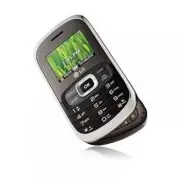
Page 2 - is registered trademark of Verizon Wireless
Copyright©2010 LG Electronics, Inc. All rights reserved . LG OCTANE TM is registered trademark of Verizon Wireless and its related entities. All other trademarks are the propertyof their respective owners.
Page 3 - Octane; Violation of the instructions may cause serious injury or death.; Important Safety Precautions
Octane TM 1 Read these instructions. Breaking the rules may be dangerous or illegal.Further detailed information is given in this user guide. Violation of the instructions may cause serious injury or death. ● Never use an unapproved battery since this could damage the phone and/or the battery and co...
Page 4 - Octane; Do no
2 Octane TM Important Safety Precautions ● Do no t expose the battery charger or adapter to direct sunlight or use it in places with high humidity, such as a bathroom. ● Do not use harsh chemicals (such as alcohol, benzene, thinner, etc.) or detergent to clean your phone. This could cause a fire. ● ...
Page 6 - Octane; Table of Contents; Important Safety Precautions 1
4 Octane TM Table of Contents Important Safety Precautions 1 Table of Contents . . . . . . . . . .4 Technical Details . . . . . . . . . . .9 Important Information . . . . . . . . . . . . . .9 Phone Overview . . . . . . . . . . .13 Using the Qwerty Keypad:Messaging . . . . . . . . . . . . . . . .15 M...
Page 8 - Octane
6 Octane TM Table of Contents 3.7 Online Album . . . . . . . . . . . . . . . . .79 4. Games . . . . . . . . . . . . . . . . . .805. Mobile Web . . . . . . . . . . . . . .806. Browse & Download . . . . . . .837. Extras . . . . . . . . . . . . . . . . . . .85 MOBILE EMAIL . . . . . . . . . . . .86...
Page 10 - Octane; TIP
8 Octane TM Table of Contents TIA Safety Information . . . . . .132 Exposure to Radio Frequency Signal . . . . . . . . . . . . . . . . . . . . . . . . .132Antenna Care . . . . . . . . . . . . . . . . . .132Phone Operation . . . . . . . . . . . . . . .132Tips on Efficient Operation . . . . . .133Driv...
Page 11 - Important Information; Technical Details; is an all digital
Octane TM 9 Technical Details Important Information This user’s guide providesimportant information on the useand operation of your phone.Please read this guide carefullyprior to using the phone to be ableto use your phone to its greatestadvantage and to prevent anyaccidental damage or misuse. Anyun...
Page 12 - before operating the phone.
10 Octane TM Technical Details CDMA Standard Designator Description Basic Air Interface TIA/EIA-95ATSB-74ANSI J-STD-008TIA/EIA-IS2000 CDMA Dual-Mode Air Interface 14.4kbps Radio Link Protocol and Inter-Band Operations IS-95 Adapted for PCS Frequency BandCDMA2000 1xRTT Air Interface Network TIA/EIA/I...
Page 13 - Bodily Contact During Operation
Octane TM 11 Bodily Contact During Operation This device was tested for typicaluse with the back of the phonekept 0.79 inches (2.0 cm) fromthe body. To comply with FCC RFexposure requirements, a minimumseparation distance of 0.79 inches(2.0 cm) must be maintainedbetween the user’s body and theback o...
Page 15 - Phone Overview
Octane TM 13 Phone Overview 1. Earpiece Lets you hear the caller. 2. CONTACTS Key Press to access the Contact List. 3. Camera/Video Key Press to access the Camera. Press and hold to access the Camcorder. 4. Volume Keys Press up or down to adjust the Master Volume in idle mode* and the EarpieceVolume...
Page 17 - Using the Qwer ty Keypad: Messaging
Octane TM 15 Using the Qwer ty Keypad: Messaging From Idle mode, press this key toaccess your Favorites contact list.From here you can easily make calls,and send messages to your 10favorite contacts. Use the Directional Key to navigatemenus and highlight different menuoptions. Press the Key to accep...
Page 18 - Menu Tree on the Internal Screen; Get New Applications
16 Octane TM Menu Tree on the Internal Screen Sear Sear ch ch Me Me ssaging ssaging 1. New Message 1. TXT Message2. Picture Message3. Video Message4. Voice Message 2. Messages3. Drafts4. Voicemail5. Social Beat6. Visual Voice Mail7. Mobile IM8. Mobile Email9. Chat R R ecent Calls ecent Calls 1. Miss...
Page 20 - Multimedia Message
18 Octane TM Menu Tree on the Internal Screen 12.USB Mass Storage 4. Bluetooth Menu 1. Add New Device 5. Social Beat Settings6. Keyguard Settings 1. Keyguard Timer2. Unlock Options3. Lock Option 7. Sounds Settings 1. Easy Set-up2. Call Sounds 1. Call Ringtone2. Call Vibrate3. Caller ID Readout 3. Al...
Page 21 - Main Menu Settings
Octane TM 19 8. Main Menu Settings 1. Menu Layout2. Replace Menu Items3. Position Menu Items4. Reset Menu Settings 1. Menu Layout2. Menu Items3. Item Positions4. All 9. Font Type10.Font Size 1. Internal Font Size2. External Font Size 11. Clock Format 1. Internal Clock2. External Clock 9. Phone Setti...
Page 22 - NOTE
20 Octane TM Menu Tree on the Internal Screen 12. Memory 1. Save Options 1. Pictures2. Videos3. Sounds 4. Ringtones 2. Phone Memory 1. Memory Usage2. My Pictures3. My Videos4. My Ringtones5. My Music6. My Sounds7. My Contacts8. Move All To Card 3. Card Memory 1. Memory Usage2. My Pictures3. My Video...
Page 23 - Getting Started with Your Phone; The Battery; Installing the Battery; Charging the Battery; NOTICE
Octane TM 21 Getting Started with Your Phone The Battery NOTE It is important to fully charge thebattery before initial use of the phone. Your phone comes with arechargeable battery. Keep thebattery charged while not in use inorder to maximize talk and idletime. The battery charge level isshown at t...
Page 24 - Connect the USB data cable into; Charging with USB
22 Octane TM Getting Started with Your Phone NOTE Using the phone with the adapter maycause an abrupt reset if the phone doesNOT have the battery inserted. 1. Connect the USB data cable into the Wall/USB charger.When connecting as shown below,the LG logo on the USB datacable should face toward you. ...
Page 26 - Using the External Power Key
24 Octane TM Getting Started with Your Phone Battery Temperature Protection Though extremely rare, if the batterybecomes overheated, the phone willautomatically turn off. When youturn the phone back on, a messagepops up alerting you that the phonewas powered off for your safety. Battery Charge Level...
Page 27 - Signal Strength
Octane TM 25 Signal Strength Call quality depends on the signalstrength in your area. You can tellhow much signal strength you haveby the number of bars next to thesignal strength icon: the more bars,the stronger the signal. If you’rehaving problems with signal quality,move to an open area or, wheni...
Page 28 - Redialing Calls; Key to; Receiving Calls; Using the External Keypad; Using the Internal Keypad
26 Octane TM Getting Started with Your Phone Redialing Calls Press and hold the external Key or the internal Key to redial the last number you dialed,received or missed in call history.The last 270 numbers are stored inthe All Calls list and you can selectany of these to redial. Receiving Calls Usin...
Page 29 - Quick Access to Convenient Features; Vibrate Mode; Call Waiting
Quick Access to Convenient Features Octane TM 27 Vibrate Mode Sets the phone to vibrate insteadof ringing ( is displayed on the Status bar). To set Vibrate Mode,press and hold the Key on the internal keypad, or the Key on the external keypad (afterunlocking the phone, if locked). To return to Normal...
Page 30 - Shortcuts; Voice Commands
28 Octane TM Quick Access to Convenient Features Answering a Call Waiting 1. Press the internal the Key/ the external the Key whether the flip is open orclosed to automatically put thefirst call on hold and answer thenew call. 2. Press the internal the Key/ the external the Key again to put the seco...
Page 31 - Access the Voice Commands; Payment
Octane TM 29 1. Access the Voice Commands feature: ● With the flip open, press the Key. ● With the flip closed, unlock thescreen and give the Key a quick press (an extended pressactivates the Voice Recorderfeature instead). 2. Follow the prompts to use your voice command(s). NOTE Voice Commands can ...
Page 33 - Contacts in Your Phone’s Memory; New Contact Basics
Octane TM 31 Contacts in Your Phone’s Memory New Contact Basics Using the Internal Keypad 1. Open the flip. 2. Enter a number (max. 48 digits), then press the Left Soft Key [Save] . 3. Use the Directional Key to scroll to Add New , then press the Key. 4. Use the Directional Key to scroll to Mobile 1...
Page 34 - New Contact; Customizing Individual Entries; Speed Dial
32 Octane TM Contacts in Your Phone’s Memory 4. Press New Contact . 5. Enter the contact name, then using the Directional Key , scroll down and enter thecontact's information in thedesired fields. 6. Press the Key [SAVE] to create the contact entry. Customizing Individual Entries Using the Internal ...
Page 35 - Storing a Number with
Octane TM 33 6. When prompted "Assign Speed Dial to Contact?", press the Key to select Yes , then press the Key [SAVE] to save the changes. Storing a Number with Pauses Pauses allow you to enteradditional sets of numbers toaccess automated systems, such asVoicemail or credit billing numbers....
Page 36 - Adding Additional Phone
34 Octane TM Contacts in Your Phone’s Memory Adding Additional Phone Number(s) to an Existing Contact Using the Internal Keypad 1. Enter a phone number, then press the Left Soft Key [Save] . 2. Use the Directional Key to scroll to Update Existing , then press the Key. 3. Use the Directional Key to s...
Page 37 - Deleting
Octane TM 35 Using the Internal Keypad 1. Press the Right Soft Key [Contacts] . 2. Use the Directional Key to scroll to an entry. 3. Press the Left Soft Key [Edit] . 4. Use the Directional Key to highlight a phone number,then press the Right Soft Key [Options] . 5. Use the Directional Key to highlig...
Page 38 - Speed Dialing
36 Octane TM Contacts in Your Phone’s Memory 4. Press the Key [Yes] to erase the entry. Removing a Speed Dial Using the Internal Keypad 1. Press the Right Soft Key [Contacts] . 2. Use the Directional Key to highlight a Contact entry toedit and press the Key [VIEW] . 3. Select the phone number with t...
Page 39 - SEARCH; Access and Options
Octane TM 37 SEARCH SEARCH The Search (Bing ™ ) application provides Verizon Wirelesssubscribers with a superior,comprehensive mobile searchexperience that results highlyrelevant search results using theWeb and local points of interest. When available, your GPS locationwill be used for Local searche...
Page 40 - MESSAGING; SHORTCUT; ress
38 Octane TM MESSAGING MESSAGING The phone can store over 690messages. The actual number ofmessages may vary, depending onmemory availability. Other limits,including available characters permessage, may exist. Please checkwith your service provider forsystem features and capabilities. SHORTCUT From ...
Page 48 - Sorting Your Messages
46 Octane TM Important Safety Precautions ● Editing the Subject field 8. With the Subject field highlighted, press the Right SoftKey [Options] . 9. Use the following options to edit the message: Review/ Save As Draft/ Insert Quick Text/ Copy Text/ Paste/ Priority Level/ Cancel Message 10. Complete a...
Page 50 - Sent Options (Messages View set; Messaging Icon Reference
48 Octane TM MESSAGING Messages View Allows you to switch message view fromContact to Time. Manage Inbox Allows you to erase, lock, or unlock yourInbox messages. Message Info Displays information about the selectedInbox message. Sent Options (Messages View set to Time) Forward Forwards a sent messag...
Page 55 - Message Settings
Octane TM 53 9. Chat Connects you with the Chat page. Using the Internal Keypad 1. Open the flip and press the Key [ MENU ] . 2. Press Messaging . 3. Press Chat . 4. Use the Directional Key to highlight your Chat serviceprovider, then press the Key. Follow the on-screen prompts. Message Settings All...
Page 57 - Erasing Messages
Octane TM 55 Erasing Messages You can erase messages stored inyour Inbox, Sent, or Drafts folders.You can also erase all messages atthe same time. NOTE Message View setting ( Time or Contact ), affects the Erase Message submenu names, butnonetheless they function thesame. Deleting Messages (Messages...
Page 58 - RECENT CALLS
56 Octane TM RECENT CALLS RECENT CALLS The Recent Calls Menu is a list ofthe last phone numbers or Contactentries for calls you placed,accepted, or missed. It'scontinually updated as newnumbers are added to thebeginning of the list and the oldestentries are removed from thebottom of the list. 1. Mis...
Page 61 - CONTACTS
Octane TM 59 CONTACTS CONTACTS The Contacts Menu allows you tostore names, phone numbers andother information in your phone’smemory. SHORTCUT With the flip open, the Right Soft Key is a shortcut key to the Contact List. Pressingthe Favorites Key is a shortcut key to the Favorites menu. 1. New Contac...
Page 64 - In Case of Emergency
62 Octane TM CONTACTS NOTE You can also use the ExternalKeypad to access your Groups:First, unlock the screen bypressing the Key twice (to unlock the screen) --> press the Key [ MENU ] --> use the Directional Key to scroll to [ CONTACTS ]--> press Groups . 6. Speed Dials Allows you to view ...
Page 66 - MEDIA CENTER
MEDIA CENTER Media Center allows you to domore than just talk on your phone.Media Center is a service thatallows you to download and usemedia and applications on yourphone. With Media Center, it's quick andeasy to use your phone to suityour lifestyle and tastes. Justdownload the applications thatapp...
Page 67 - MUSIC ONLY MODE; On; Rhapsody; Get New Ringtones; Open the flip and press the
TIP Your LG Octane TM device can be used as an MP3 player when you connect your StereoBluetooth headset and set Music OnlyMode to On. Listen exclusively to yourmusic without being interrupted by calls. MUSIC ONLY MODE Using the Internal Keypad Open the flip --> press the Key [ MENU ]. --> pres...
Page 68 - Get Ringback Tones
66 Octane TM MEDIA CENTER ● Playing the ringtone Press the Left Soft Key [Play] you can listen to the tone prior to selecting. ● Removing the ringtone 1. Highlight the ringtone you would like to delete. 2. Press the Right Soft Key [Options] . 3. Highlight Erase or Cancel and press the Key. 4. Highli...
Page 73 - Purchase songs on your wireless
Octane TM 71 2.7 Sync Music V CAST Music with Rhapsody ® is a digital music service that lets youlisten to millions of songs fromthousands of artists. Discover newand old favorites with the extensivemusic catalog. Download V CASTMusic with Rhapsody ® to sync tracks, albums, and playlists toyour new ...
Page 74 - To add subscription music:
72 Octane TM MEDIA CENTER To download PC copy: NOTE For each V CAST Music withRhapsody track you’vedownloaded to your phone, youcan download a copy to yourcomputer at no additionalcharge. a . Song tracks available for download will pop-up uponlog in completion. b . Check the boxes of songs you wish ...
Page 79 - Manage My Videos
Octane TM 77 Manage My Videos Allows you to Erase , Lock , Unlock , Move To Phone , Move To Card , or Send the selected video. Set As Wallpaper Displays the selected video file as thebackground for your phone. Rename Allows you to rename the selected video. File Info Name/ Date/ Time/ Resolution/ Du...
Page 82 - Mobile Web; SHORTCUTS
80 Octane TM MEDIA CENTER 1. Open the flip and press the Key [MENU] . 2. Press Media Center . 3. Press Picture & Video . 4. Press Online Album . Follow the on-screen prompts. 4. Games Allows you to download games andapplications. Games already onyour phone are listed in this menu. Using the Inte...
Page 84 - RSS
82 Octane TM MEDIA CENTER RSS RSS (Really Simple Syndication) isa family of web feed formats usedto publish frequently updatedcontent such as blog entries, newsheadlines or podcasts. An RSSdocument, which is called a feed,web feed, or channel, containseither a summary of content froman associated we...
Page 86 - Select one of the applications; NOTES
84 Octane TM MEDIA CENTER 4. Select one of the applications already on your phone.ORPress Get New Applications and follow the on-screenprompts. City ID City ID is an enhanced Caller IDfeature on select Verizon Wirelesshandsets that automatically displaysthe city and state of every wirelesscall recei...
Page 90 - Confirm Choices
88 Octane TM SETTINGS & TOOLS SHORTCUT With the flip closed, press theCLR Key to access Voice Commands. Access and Options Using the Internal Keypad 1. Open the flip and press the Key [ MENU ] . 2. Press Settings & Tools . 3. Press Tools . 4. Press Voice Commands . 5. Press the Right Soft Ke...
Page 92 - Ez Tip Calculator
90 Octane TM SETTINGS & TOOLS 3.1.8 Play State a playlist name (saved in My Music ) which you want to play. 3.1.9 My Verizon The 'My Verizon' commandprovides you with direct access toyour Verizon Wireless accountinformation. 3.1.10 Help Provides a general guideline forusing Voice Commands. NOTE ...
Page 97 - USB Mass Storage
3.10 Notepad Allows you to add, read, edit, anderase notes to yourself. Using the Internal Keypad 1. Open the flip and press the Key [ MENU ] . 2. Press Settings & Tools . 3. Press Tools . 4. Press Notepad . 5. Press the Left Soft Key [Add] to write a new note. 6. After creating the note, press ...
Page 98 - Menu
96 Octane TM SETTINGS & TOOLS 4. Connect the phone to your PC using the USB cable. 5. Drag the PC file to transfer and drop it in your phone directory. Disable the USB Mass Storage feature 1. While in the USB Mass Storage feature, press the Key [EXIT] . 4. Bluetooth ® Menu The LG Octane TM is co...
Page 100 - My Phone Name; Discovery Mode
98 Octane TM SETTINGS & TOOLS ● Icon References for Bluetooth Devices Found My Phone Name Allows you to edit the name of theBluetooth ® device when Add New Device menu is highlighted. Using the Internal Keypad 1. Open the flip and press the Key [ MENU ] . 2. Press Settings & Tools . 3. Press...
Page 101 - Supported Profiles
Octane TM 99 4. Press the Right Soft Key [Options] . 5. Press Discovery Mode . 6. Use the Directional Key to scroll to a setting, then select On or Off and press the Key. Supported Profiles Allows you to see profiles that yourLG Octane TM phone can support. Using the Internal Keypad 1. Open the flip...
Page 102 - Social Beat Settings
100 Octane TM SETTINGS & TOOLS ● Bluetooth Printing 1. Open the flip and press the Key [MENU] . 2. Press Media Center . 3. Press Picture & Video . 4. Press My Pictures and highlight the picture you want to print andpress the Right Soft Key [Options] . 5. Use the Directional Key to scroll to ...
Page 105 - Digit Dial Readout
Octane TM 103 6. Set how you want to be alerted. For TXT Message , Multimedia Message , Voicemail and Missed Call choose: ● Tone : Select the desired alert tone. ● Vibrate : Set the Vibrate as alert sound. On/ Off ● Reminder : Once/ Every 2 Minutes/ Every 15 Minutes/ Off For Emergency Tone choose: A...
Page 111 - Main Menu Settings
Octane TM 109 NOTE Default Theme is as follows;Internal Themes (Jean Pocket)External Themes (Notebook) 8.8 Main Menu Settings Allows you to customize the mainmenu layout. 8.8.1 Menu Layout Allows you to set how the menuitems are positioned for access. Using the Internal Keypad 1. Open the flip and p...
Page 119 - Location Setting
Octane TM 117 9. If Calls & Services is selected, enter the Service Lock Code,then enter the New Code, andthen under Confirm Code enterthe new code again. 9.7.2 Restrictions Allows you to set separate restrictionsfor Location Setting, Calls, Messages,and Dial-up Modem. Using the Internal Keypad ...
Page 120 - Unlocked
118 Octane TM SETTINGS & TOOLS 4. Press Security . 5. Enter the four-digit lock code. 6. Press Phone Lock Setting . 7. Scroll to an option then press the Key. Unlocked The phone is not locked. On Power Up The phone locks when it is turned on. 9.7.4 Lock Phone NowUsing the Internal Keypad 1. Open...
Page 122 - End Call Options
120 Octane TM SETTINGS & TOOLS 5. Use the Directional Key to select either NAM1 or NAM2 , then press the Key. 10. Call Settings The Call Settings Menu allows youto designate how the phone handlesboth incoming and outgoing calls. 10.1 Answer Options Allows you to determine how thephone will answe...
Page 124 - Connecting TTY Equipment to a
122 Octane TM SETTINGS & TOOLS 6. Use the Directional Key to scroll to a setting, then press the Key. TTY Full/ TTY + Talk/ TTY + Hear/ TTY Off TTY Full: - Users who cannot talk and hear send and receive a textmessage through TTYequipment. TTY + Talk: - Users who can talk but cannot hear receive...
Page 126 - Assisted Dialing
124 Octane TM SETTINGS & TOOLS 10.8 DTMF Tones Allows you to set the DTMF tonelength. Using the Internal Keypad 1. Open the flip and press the Key [ MENU ] . 2. Press Settings & Tools . 3. Use the Directional Key to scroll to Call Settings and press the Key . 4. Press DTMF Tones . 5. Use the...
Page 132 - Troubleshooting
130 Octane TM Troubleshooting This section lists some problems that you might encounter while using yourphone. Some problems require that you call your service provider, but mostof problems you encounter are easy to correct yourself Symptom Possible causes Possible Corrective measures No connectiont...
Page 134 - Safety; TIA Safety Information; Radiation Protection
132 Octane TM Safety TIA Safety Information The following is the complete TIASafety Information for wirelesshandheld phones. Exposure to Radio Frequency Signal Your wireless handheld portablephone is a low power radiotransmitter and receiver. When ON,it receives and sends out RadioFrequency (RF) sig...
Page 135 - Tips on Efficient Operation; Persons with pacemakers:; Should turn the phone OFF
Octane TM 133 Tips on Efficient Operation For your phone to operate mostefficiently: Don’t touch the antennaunnecessarily when the phone is inuse. Contact with the antennaaffects call quality and may causethe phone to operate at a higherpower level than otherwise needed. Driving Check the laws and r...
Page 137 - For Vehicles Equipped with an Air; Safety Information; Violation of the; Caution
Octane TM 135 resulting in bodily injury or evendeath. Areas with a potentially explosiveatmosphere are often, but notalways marked clearly. Potentialareas may include: fueling areas(such as gasoline stations); belowdeck on boats; fuel or chemicaltransfer or storage facilities;vehicles using liquefi...
Page 138 - Charger and Adapter Safety
136 Octane TM Safety ● Do not short circuit a battery orallow metallic conductive objectsto contact battery terminals. ● Replace the battery only withanother battery that has beenqualified with the system per thisstandard, IEEE-Std-1725-2006.Use of an unqualified batterymay present a risk of fire,ex...
Page 139 - Keep the battery away from
Octane TM 137 ● Unplug the power cord prior tocleaning your phone, and cleanthe power plug pin when it’sdirty. When using the powerplug, ensure that it’s firmlyconnected. If not, it may causeexcessive heat or fire. If you putyour phone in a pocket or bagwithout covering the receptacleof the phone (p...
Page 140 - Hazards
138 Octane TM Safety young children. Safeguard sothat small children do notremove the battery from thecharger or device. ● If liquid from the battery rubsagainst skin or clothing, rinsewith clean water. The batteryliquid could cause skin irritation. ● Do not handle the phone withwet hands while it i...
Page 141 - General Notice
Octane TM 139 the power plug pin when it’sdirty. ● When using the power plug,ensure that it’s firmly connected.If not, it may cause excessiveheat or fire. ● If you put your phone in apocket or bag without coveringthe receptacle of the phone(power plug pin), metallicarticles (such as a coin,paperclip...
Page 142 - Avoid potential hearing; or other
140 Octane TM Safety upgrade of the software. Pleasebackup your important phonenumbers. (Ringtones, textmessages, voice messages,pictures, and videos could alsobe deleted.) The manufacturer isnot liable for damage due to theloss of data. ● When you use the phone inpublic places, set the ringtoneto v...
Page 143 - You can obtain additional
Octane TM 141 block out noisy surroundings. Ifyou choose to listen to yourportable device in a noisyenvironment, use noise-cancelling headphones to blockout background environmentalnoise. ● Limit the amount of time youlisten. As the volume increases,less time is required before yourhearing could be ...
Page 144 - FDA Consumer Update; Do wireless phones pose a
142 Octane TM Safety FDA Consumer Update The U.S. Food andDrug Administration’sCenter for Devices and Radiological Health ConsumerUpdate on Mobile Phones: 1. Do wireless phones pose a health hazard? The available scientific evidencedoes not show that any healthproblems are associated with usingwirel...
Page 145 - What kinds of phones are the
Octane TM 143 phones; ● Design wireless phones in a waythat minimizes any RF exposureto the user that is not necessaryfor device function; and ● Cooperate in providing users ofwireless phones with the bestpossible information on possibleeffects of wireless phone use onhuman health. The FDA belongs t...
Page 146 - What are the results of the
144 Octane TM Safety Radio Frequency (RF) energybecause of the short distancebetween the phone and the user’shead. These RF exposures are limited byFCC safety guidelines that weredeveloped with the advice of theFDA and other federal health andsafety agencies. When the phone islocated at greater dist...
Page 148 - How can I find out how much
146 Octane TM Safety the world. The project has alsohelped develop a series of publicinformation documents on EMFissues. The FDA and the CellularTelecommunications & InternetAssociation (CTIA) have a formalCooperative Research AndDevelopment Agreement (CRADA)to do research on wireless phonesafet...
Page 149 - measure the Radio Frequency
Octane TM 147 measure the Radio Frequency energy coming from wireless phones? The Institute of Electrical andElectronic Engineers (IEEE) isdeveloping a technical standard formeasuring the Radio Frequency(RF) energy exposure from wirelessphones and other wirelesshandsets with the participationand lea...
Page 150 - What about children using
148 Octane TM Safety antenna. Again, the scientific datadoes not demonstrate that wirelessphones are harmful. But if you areconcerned about the RF exposurefrom these products, you can usemeasures like those describedabove to reduce your RF exposurefrom wireless phone use. 10. What about children usi...
Page 151 - Where can I find additional; 0 Driver Safety Tips; Get to know your wireless
Octane TM 149 The FDA has tested hearing aidsfor interference from handheldwireless phones and helpeddevelop a voluntary standardsponsored by the Institute ofElectrical and Electronic Engineers(IEEE). This standard specifies testmethods and performancerequirements for hearing aids andwireless phones...
Page 152 - Make sure you place your
150 Octane TM Safety phone and its features such asspeed dial and redial. Carefullyread your instruction manualand learn to take advantage ofvaluable features most phonesoffer, including automatic redialand memory. Also, work tomemorize the phone keypad soyou can use the speed dialfunction without t...
Page 153 - Do not engage in stressful or
Octane TM 151 7. Do not engage in stressful or emotional conversations thatmay be distracting. Stressful oremotional conversations anddriving do not mix; they aredistracting and even dangerouswhen you are behind the wheelof a car. Make people you aretalking with aware you aredriving and if necessary...
Page 154 - Consumer Information on; Government’s Requirements for
152 Octane TM Safety restrict the manner in which adriver may use his or her phonewhile operating a vehicle. Consumer Information on SAR (Specific Absorption Rate)This Model Phone Meets the Government’s Requirements for Exposure to Radio Waves. Your wireless phone is a radiotransmitter and receiver....
Page 156 - Regulations for Wireless
154 Octane TM Safety which is usually printed somewhereon the case of the phone.Sometimes it may be necessary toremove the battery pack to find thenumber. Once you have the FCC IDnumber for a particular phone,follow the instructions on thewebsite and it should providevalues for typical or maximum SA...
Page 159 - LIMITED WARRANTY STATEMENT; WHAT THIS WARRANTY
Octane TM 157 LIMITED WARRANTY STATEMENT 1. WHAT THIS WARRANTY COVERS: LG offers you a limited warrantythat the enclosed subscriber unitand its enclosed accessories will befree from defects in material andworkmanship, according to thefollowing terms and conditions: (1) The limited warranty for the p...
Page 161 - HOW TO GET WARRANTY
Octane TM 159 4. STATE LAW RIGHTS: No other express warranty isapplicable to this product. THEDURATION OF ANY IMPLIEDWARRANTIES, INCLUDING THEIMPLIED WARRANTY OFMARKETABILITY, IS LIMITED TOTHE DURATION OF THE EXPRESSWARRANTY HEREIN. LG SHALLNOT BE LIABLE FOR THE LOSS OFTHE USE OF THE PRODUCT,INCONVE...
Page 162 - Terminology; Acronyms and; one M; Glossary
Terminology Ez Tip Calculator Feature for easy bill calculationusing the total cost, tip, andnumber of people as variables. Advanced Voice Commands Feature that allows you to performa wide range of verbal commandsby training the phone to recognizeyour individual speech patterns. Bluetooth ® wireless...
Page 164 - Index
123 10 Driver Safety Tips 149 A Acronyms and Abbreviations 160 Adapt Voice 114 Add New Device 97 Adding Additional Phone Number(s) to an Existing Contact 34 Airplane Mode 112 Alarm Clock 93 Alert Sounds 102 All 57 Answer Options 120 Assisted Dialing 124 Auto Retry 121 B Backlight 106 Backup Assistan...
Page 167 - No seguir las instrucciones puede ocasionar lesiones graves o la; Precaución de Seguridad Importante
Octane TM 1 Lea estas sencillas instrucciones. Rompiendo las reglas puede serpeligroso o ilegal. Se ofrece más información detallada en esta guíadel usuario. No seguir las instrucciones puede ocasionar lesiones graves o la muerte. ● No use nunca una batería no aprobada, ya que esto podría dañar el t...
Page 170 - Contenido
4 Octane TM Contenido Precaución de SeguridadImportante . . . . . . . . . . . . . . .1 Contenido . . . . . . . . . . . . . . . . .4 Bienvenidos . . . . . . . . . . . . . . . .9 Información Importante . . . . . . . . . . . . . .9 Detalles Técnicos . . . . . . . . . .10 Descripción general delTeléfono...
Page 172 - Configuración de Social
6 Octane TM Contenido 3.4 Mis Videos . . . . . . . . . . . . . . . . . . . .80 3.5 Tomar Foto . . . . . . . . . . . . . . . . . . . .81 3.6 Grabar Video . . . . . . . . . . . . . . . . . .83 3.7 Álbum En Línea . . . . . . . . . . . . . . . .84 4. Juegos . . . . . . . . . . . . . . . . . . .845. Inte...
Page 175 - Bienvenidos; Información Importante; Detalles Técnicos; es un teléfono
Octane TM 9 Bienvenidos Información Importante Esta guía del usuario ofreceinformación importante sobre eluso y funcionamiento de suteléfono. Lea toda la informacióncuidadosamente antes de usar elteléfono, para tener el mejordesempeño y para evitar cualquierdaño al teléfono o su usoincorrecto. Cualq...
Page 177 - Aviso y precaución de la FCC
Octane TM 11 Estándar CDMA Designador CDMA Designador Descripción Interfaz aérea básica TIA/EIA-95A TSB-74 ANSI J-STD-008 TIA/EIA-IS2000 Interfaz aérea CDMA de modo doble Protocolo de enlace de radio a 14.4 kbps yoperaciones interbanda Interfaz aérea 1xRTT CDMA2000 IS-95 adaptadapara la banda de fre...
Page 179 - Descripción general del Teléfono
Octane TM 13 Descripción general del Teléfono 1. Auricular Le permite escuchar la persona que habla. 2. Tecla CONTACTOS Úsela para un acceso instantáneo a la Lista de Contactos. 3. Tecla Cámara Úsela para acceder rápidamente a la función de Cámara. 4. Teclas de volumen Úselas para ajustar el Volumen...
Page 181 - Usando el teclado Qwerty: Mensajería
Octane TM 15 Usando el teclado Qwerty: Mensajería Al crear un mensaje de texto, foto o vídeo usando la pantalla LCDinterna, use el teclado Qwerty. Oprima esta tecla para acceder a sulista de Favoritos (contactos). Desdeaqui, usted puede hacer llamadas,ver y enviar mensajes. Use las teclas direcciona...
Page 182 - Árbol de menús en la pantalla interna
16 Octane TM Árbol de menús en la pantalla interna Búsqueda Búsqueda Mensajería Mensajería 1. Nuevo Mensaje 1. Mensaje de TXT2. Mensaje de Foto3. Mensaje de Vídeo4. Mensaje de Voz 2. Mensajes3. Borradores4. Mensajes de Voz5. Social Beat6. Visual Voice Mail7. IM Móvil8. Correo Elect Móvil9. Chatear L...
Page 183 - Obtén Nuevas Aplicaciones; tecla; Temporizador de guardia de; Programación de Sonidos
Octane TM 17 7. Álbum En Línea 4. Juegos 1. Obtén Nuevas Aplicaciones 5. Internet Móvil6. Navegar y Descargar7. Extras C C orr orr eo Elect Mó eo Elect Mó vil vil VZ Na VZ Na viga viga t t or or Social Bea Social Bea t t Pr Pr og/Herr og/Herr 1. Mi Verizon2. Volumen Maestro3. Herramientas 1. Comando...
Page 184 - Programación de Pantalla
18 Octane TM Árbol de menús en la pantalla interna 3. Conexión de Llamada4. Cargar Completado5. Actualización de Software 7. Apagado/ Encendido 1. Apagado2. Encendido 8. Claridad de Voz 8. Programación de Pantalla 1. Disposición fácil2. Aviso 1. Aviso Personal2. Aviso IRO 3. Luz de Pantalla 1. Luz d...
Page 185 - Restaurar teléfono; Programación de Llamada
Octane TM 19 6. Restaurar teléfono 8. Selección de Sistema9. Seleccionar NAM 10. Programación de Llamada 1. Opciones de Contestar2. Opciones de finalizar llamada3. Reenvío de llamada4. Reintentar Automáticamente5. Modo TTY6. Marcado oprimiendo un botón7. Privacidad de Voz8. Tonos DTMF9. Marcación as...
Page 186 - Para hacer funcionar su teléfono por primera vez; La batería; Instalación de la batería; Carga de la batería; Su teléfono LG Octane; viene con; Conecte el cable de datos USB
20 Octane TM Para hacer funcionar su teléfono por primera vez La batería NOTA Es importante cargarcompletamente la batería antes deusar el teléfono por primera vez. El teléfono viene con una bateríarecargable. Conserve cargada labatería cuando no use el teléfono,para mantener al máximo el tiempode l...
Page 187 - Cuidadosamente destape el; Carga con USB; Instalación de la tarjeta; Localice la ranura de la
Octane TM 21 2. Cuidadosamente destape el puerto de carga. Conecte unextremo del adaptador en elpuerto de carga del teléfono y elotro extremo en eltomacorriente de la pared. 3. El tiempo de carga de la batería depende del nivel de carga de labatería Carga con USB Es posible usar una computadorapara ...
Page 188 - Inserte la tarjeta microSD; Retirando la tarjeta; Empuje la tarjeta hacia; Protección de la temperatura
22 Octane TM Para hacer funcionar su teléfono por primera vez 2. Inserte la tarjeta microSD ™ orientada hacia arriba yempuje hasta que haga clicen la ranura. Si inserta latarjeta en la direcciónequivocada, podría dañarsu teléfono o su tarjeta. Retirando la tarjeta microSD ™ 1. Empuje la tarjeta haci...
Page 189 - Usando el teléfono sin; Apagar y encender el; Uso del teclado externo; Potencia de la señal
Octane TM 23 batería se hace demasiado bajo, elteléfono se apaga automáticamentey no se guarda ninguna función queesté en curso. Usando el teléfono sin batería Es posible usar el teléfono sinbatería. Conecte el cargador alteléfono y enchufe el cargador a lapared. Después de hacerlo, puedeencender el...
Page 190 - Iconos de pantalla; Remarcado de llamadas
24 Octane TM Para hacer funcionar su teléfono por primera vez Si está en un edificio, la recepciónpuede ser mejor cerca de unaventana. Iconos de pantalla Cuando el teléfono estáencendido, la línea superior de lapantalla LCD muestra iconos queindican el estado del teléfono. Para ver el glosario de ic...
Page 191 - Para recibir llamadas; Uso del teclado interno
Octane TM 25 Para recibir llamadas Uso del teclado externo 1. Cuando el teléfono suena o vibra, oprima . 2. Oprima para terminar la llamada. NOTA Simplemente oprima la tecla para silenciar el timbre o la vibración para esa llamada. O,usted puede oprimir la tecla tres veces, y luego seleccione Silenc...
Page 192 - Acceso rápido a funciones de conveniencia; Modo de Vibración; Llamada en espera
26 Octane TM Acceso rápido a funciones de conveniencia Modo de Vibración Ajusta el teléfono para vibrar enlugar de sonar (se muestra en la barra de estado). Para ajustarrápidamente el Modo de Vibración,mantenga oprimida en el teclado interno u mantengaoprimida en el teclado externo (después de desbl...
Page 193 - Atajos; Comandos de Voz
Atajos El teléfono LG Octane TM tiene teclas de atajo integradas quepermiten acceder a las funcionesdel teléfono de manera rápida yconveniente. NOTA Puede cambiar los atajospreestablecidos del tecladointerno para adecuarlos a susnecesidades. Atajos de las teclas direccionales externas 1. Desbloquee ...
Page 195 - Presione la tecla de función derecha
Octane TM 29 8. Reproducir Permite reproducir las cancionesguardadas en el teléfono. 9. Mi Verizon El comando "Mi Verizon" leproporciona acceso directo a lainformación de su cuenta deVerizon Wireless. 10. Ayuda Proporciona los lineamientosgenerales para usar los comandosde voz. Presione la t...
Page 196 - Contactos en la memoria de su teléfono; Aspectos básicos
30 Octane TM Contactos en la memoria de su teléfono Aspectos básicos Uso del teclado interno 1. Abra la tapa. 2. introduzca el número de teléfono (máx. de 48 dígitos) y oprima laTecla suave Izquierda [Grdr] . 3. Use la Tecla Direccional para desplazarse hasta Nuevo Contacto/ Actualizar Existente y o...
Page 197 - Personalización de entradas; Marcación Rápida
Octane TM 31 Personalización de entradas individuales Uso del teclado interno 1. Oprima la Tecla suave Derecha [Contactos] y use para desplazarse hasta unaentrada. 2. Oprima la Tecla suave Izquierda [Corregir] . 3. Use para desplazarse hasta la información que deseapersonalizar. 4. Cambie la entrada...
Page 198 - Almacenar un número con
32 Octane TM Contactos en la memoria de su teléfono Almacenar un número con una pausa Las pausas le permiten introducirseries de números adicionales paraacceder a sistemas automatizados,como el Correo de Voz o losnúmeros de facturación de tarjetade crédito. Los tipos de pausa son: Espera (W) El telé...
Page 199 - Cambio del número
Octane TM 33 2. Use la Tecla Direccional para desplazarse hasta Actualizar Existente y oprima . 3. Use la Tecla Direccional para desplazarse hasta una entradaexistente y oprima . 4. Use la Tecla Direccional para desplazarse hasta Móvil 1/ Casa/ Negocio/ Móvil 2/ Fax y oprima para guardar. Uso del te...
Page 200 - Borrar
34 Octane TM Contactos en la memoria de su teléfono 2. Use la Tecla Direccional para desplazarse hasta una entrada. 3. Oprima la Tecla suave Izquierda [Corregir] . 4. Use la Tecla Direccional para resaltar el número de teléfono yoprima la Tecla suave Derecha [Opciones] . 5. Use la Tecla Direccional ...
Page 201 - Seleccione el número con el; Marcado Rápido; y luego
Octane TM 35 3. Seleccione el número con el Marcado rápido, y oprima [CRRGR] . 4. Oprima la Tecla suave Derecha [Opciones] . 5. Oprima Borrar Marcado Rápido . 6. Oprima [Sí] . 7. Oprima para guardar. Marcado Rápido Le permite hacer llamadas anúmeros en sus Contactos rápido yfácilmente. Debe configur...
Page 202 - Búsqueda; La aplicación Búsqueda (Bing
36 Octane TM Búsqueda Búsqueda La aplicación Búsqueda (Bing ™ ) les brinda a los suscriptores de VerizonWireless una experiencia debúsqueda móvil integral y superiorque incluye resultados de fuentesde contenido de alta calidadusando el Internet y puntos deinterés locales. Cuando la ubicación GPS est...
Page 203 - Mensajería; o la tecla externa
Octane TM 37 Mensajería Mensajería El teléfono puede almacenaralrededor de 690 mensajes. Lacantidad actual de mensajes podrávariar, dependiendo de ladisponibilidad de memoria. Puedehaber otros límites a los caracteresdisponibles por mensaje.Compruebe con su proveedor deservicio las funciones y capac...
Page 205 - Guardar Text Rápido
Octane TM 39 Guardar Text Rápido Le permite guardar su mensaje como TextoRápido para usar después. Cancelar Mensaje Cancela la edición del mensajes y va almenú mensajes. 4. Complete y envíe oprimiendo o . Uso del teclado externo 1. Desbloquee la pantalla oprimiendo dos veces. 2. Oprima [MENÚ] . 3. U...
Page 207 - Cancelar Mensaje
Octane TM 41 Cancelar Mensaje Cancela la edición del mensaje y va al menúde mensajes. ● Edición del campo Foto, Sonido o Nom Tarj 6. Con el campo de Foto, Sonido o Nomb Tarj resaltado, oprima laTecla suave Derecha [Opciones] . 7. Use las siguientes opciones para editar el mensaje: Avance/ Guardar Co...
Page 208 - Avance
42 Octane TM Mensajería 1.3 Mensaje de Vídeo Aspectos básicos del envío de un mensaje Uso del teclado interno 1. Abra la tapa y oprima [MENÚ] . 2. Oprima Mensajería . 3. Oprima Nuevo Mensaje . 4. Oprima Mensaje de Vídeo . 5. Introduzca el número del teléfono celular o la dirección decorreo electróni...
Page 209 - Copiar texto
Octane TM 43 Copiar texto Le permite copiar texto que resalte para pegarloen un campo de texto. Pegar Le permite pegar el texto que copió por últimavez. Prioridad Da prioridad al mensaje. Alto/ Normal Dev Llmda # Introduce un número preprogramado dedevolución de llamada con sumensaje. Encendido/ Apa...
Page 211 - Ordenar los mensajes
Octane TM 45 Cancelar mensaje: cancela laedición del mensaje. Aparecen las opciones Sí o No para elegirsi desea guardar el mensaje enBorradores y, a continuación, vaal menú Nuevo mensaje. ● Editar los campos Voz y Tarjeta de nombre 6. Resalte el campo Voz o Tarjeta de nombre y presione la teclade fu...
Page 212 - Ver sus Mensajes
46 Octane TM Mensajería Para cambiar la vista de los mensajes: 1. Abra la tapa y oprima [MENÚ] . 2. Oprima Mensajería . 3. Presione la Tecla suave Izquierda [ Prog ]. 4. Oprima Ver Mensajes , a continuación, elija: ● Tiempo - Para ver los mensajesseparados en las carpetasEntrada y Enviado. ● Contact...
Page 213 - Opciones de la carpeta Entrada
Octane TM 47 Ver Mensajes Le permite agrupar los mensajes por Tiempo o porContacto. Opciones de la carpeta Entrada (Ver Mensajes establecido a Tiempo) Contestar Responde a la dirección del remitente delmensaje recibido. Responder con copia Responde al remitente del mensaje con unacopia del mensaje o...
Page 214 - Ordenado Por Destinatario; Referencia de iconos de mensaje
48 Octane TM Mensajería Ordenado Por Destinatario Le permite ordenar los mensajes por elnombre del destinatario. Ver Mensajes Le permite agrupar los mensajes por Tiempo oContacto. Administrar Enviado Le permite borrar, bloquear o desbloquear lasentradas de los mensajes enviados. Info. Mensaje Muestr...
Page 216 - Manténgala oprimida
50 Octane TM Mensajería 4. Mensajes de Voz Le permite ver el número delnuevos mensajes de voz grabadosen la bandeja de entrada demensajes de voz. Cuando tenga unnuevo mensaje de voz, el teléfonolo alertará. Revisión de su Buzón de Mensajes de VozUso del teclado interno 1. Abra la tapa y oprima [MENÚ...
Page 219 - Configuración de
Octane TM 53 7. IM Móvil Le permite enviar y recibir unmensajes instantáneos en cualquiermomento. Uso del teclado interno 1. Abra la tapa y oprima [MENÚ] . 2. Oprima Mensajería . 3. Oprima IM Móvil . 4. SUse la Tecla Direccional para resaltar su proveedor deservicios y oprima . 8. Correo Elect Le pe...
Page 221 - Borrar Mensajes
Octane TM 55 9. Rec Aut Multimedias Seleccione Encendido para que automáticamente descargar losarchivos adjuntos en mensajes defoto/video. O seleccione Apagado . 10. Text Rápido Muestra la lista de frases de textopara ayudarle a reducir la entradamanual en los mensajes. Use estaopción para editar y ...
Page 223 - Llmdas Rctes
Llmdas Rctes El menú Llmdas Rctes es una lista delos últimos números de teléfono oentradas de contacto de las llamadasperdidas, recibidas y marcadas. Seactualiza continuamente al agregarlos nuevos números al principio de lalista y eliminando las entradas másantiguas del fin de la lista. 1. Perdidas ...
Page 226 - Contactos; Lista de Contactos; CONTACTOS
Contactos El menú Contactos le permitealmacenar nombres, números deteléfono y otros tipos deinformación en la memoria de suteléfono. ATAJO Oprimiendo la Tecla suave Derecha con la tapa abierta es atajo a la Lista deContactos. Oprimiendo la Tecla Favoritos es un atajo al menú Favoritos. 1. Nuevo Cont...
Page 227 - para editar la entrada.; Abra la tapa y oprima
Octane TM 61 ● Oprima la Tecla suaveIzquierda [Corregir] para editar la entrada. ● Oprima [VER] para ver la entrada. NOTA También puede usar el tecladoexterno para acceder a la Lista deContactos:Primero, desbloquee la pantallaoprimiendo dos veces --> oprima [ MENÚ ] --> use para desplazarse a ...
Page 231 - Mi Tarjeta de Nombre
Octane TM 65 Ingreso de su información personal ICE Uso del teclado interno 1. Abra la tapa y oprima [MENÚ] . 2. Oprima Contactos . 3. Oprima In Case of Emergency . 4. Desplácese hasta Info Personal , y oprima [ VER ]. 5. Desplácese hasta una de las entradas de Nota y luego oprima [ AÑADIR ]. 6. Ing...
Page 232 - Centro de Medios
66 Octane TM Centro de Medios Centro de Medios Centro de Medios le permite haceren su teléfono más que sólo hablar.Centro de Medios es y un servicioque le permite descargar y usarmedios y aplicaciones en suteléfono. Con Centro de Medios, esrápido y fácil adaptar su teléfono asu estilo de vida y sus ...
Page 233 - MODO SÓLO MÚSICA
Octane TM 67 SUGERENCIA Puede usar su teléfono LG Octane TM como un reproductor de MP3 cuando use el auricularBluetooth y active el Modo Sólo Música.Puede escuchar música de manera exclusiva,sin que lo interrumpan las llamadas. MODO SÓLO MÚSICA Uso del teclado interno Abra la tapa --> oprima [ ME...
Page 234 - Obtén Nuevos Timbres
68 Octane TM Centro de Medios 2.2 Obtén Nuevos Timbres Le permite conectarse a Centro deMedios y descargar varios tonos detimbre. Uso del teclado interno 1. Abra la tapa y oprima [ MENÚ ] . 2. Oprima Centro de Medios . 3. Oprima Música y Tonos . 4. Oprima Obtén Nuevos Timbres . 5. Oprima Obtén Nueva...
Page 240 - Sincronizar Música; Compra canciones en tu aparato
74 Octane TM Centro de Medios 2.7 Sincronizar Música Música de V CAST con Rhapsodyes un servicio de música digital quete permite escuchar millones decanciones de miles de artistas.Descubre favoritos de hoy y delayer en un extenso catálogomusical. Descarga Música V CASTcon Rhapsody a tu nuevo teléfon...
Page 241 - Para descargar una copia a tu PC:; Para agregar una suscripción
Octane TM 75 6. Arrastre y coloque las canciones de la PC que desea sincronizaren el panel Pistas. Una vez que la sincronización hayafinalizado, presione la tecla y desconecte el cable USB. NOTA Se requiere un cable USBcompatible para la sincronización. Para descargar una copia a tu PC: NOTA Por cad...
Page 244 - Obtén Nuevas Fotos
78 Octane TM Centro de Medios Configurar alertas para nuevos clips de video usando el teclado interno 1. Abra la tapa y oprima [MENÚ] . 2. Oprima Centro de Medios . 3. Oprima Foto y Video . 4. Oprima Videos de V CAST . 5. En el catálogo de clips de video, seleccione una categoría. 6. Seleccione al P...
Page 251 - Internet Móvil; Iniciar el navegador
Octane TM 85 5. Internet Móvil Internet Móvil Permite acceder a noticias, deportes,clima y correo electrónico desde elteléfono Verizon Wireless. El accesoy las selecciones dentro de estafunción dependen de su proveedorde servicios. Para obtenerinformación específica sobre elacceso a Internet Móvil d...
Page 252 - Oprima la Tecla suave Derecha
86 Octane TM Centro de Medios Navegando con el Navegador Oprima la Tecla suave Derecha [ Retroceder ] para regresar a la página anterior u oprima la Teclasuave Izquierda [ Menú ] para acceder las siguientes opciones denavegación: ● Campo de dirección URL Permite introducir una direcciónURL. ● Campo ...
Page 253 - y luego oprima la
Octane TM 87 [AGREGAR NUEVAS FUENTES] Después de introducir el título y ladirección, oprima [ Guardar ]. [FUENTES] Después de agregar Favoritos, semuestran las FUENTES registradas. Teclas suaves Para navegar las diferentes pantallaso seleccionar funciones especiales,use las Teclas suaves. La función...
Page 254 - Navegar y Descargar
llamada. Después de terminar lallamada, el teléfono vuelve a lapantalla desde la cual inició lallamada. Finalizar una sesión del Navegador Finalice una sesión del Navegadoroprimiendo . 6. Navegar y Descargar Navegar y Descargar le permiteencontrar aplicaciones para suteléfono. También le permite usa...
Page 255 - VZ Navigator; es una aplicación; Visual Voice Mail; Corporate Email
Octane TM 89 VZ Navigator SM VZ Navigator SM es una aplicación que se descarga desde el menú deNavegar y Descargar. Ahora puedesencontrar la dirección de un granrestaurante o el cajero automáticomás cercano. Compruebe loshorarios de películas. Descubre lossitios más populares. Y conoceexactamente có...
Page 256 - Reciba alertas de su LG Octane
90 Octane TM Centro de Medios Mobile E-mail Mobile E-mail es una aplicación quese descarga desde el menú deNavegar y Descargar. No pierda unmensaje de correo electrónicoimportante. Gracias a Mobile E-mail, puede recibir los mensajesde correo electrónico en suteléfono, mientras se encuentra enmovimie...
Page 257 - Correo Elect Móvil/ VZ Navigatore/ Social Beat; Correo Elect Móvil; Encuentra puntos de interés; Social Beat
Octane TM 91 Correo Elect Móvil/ VZ Navigatore/ Social Beat Correo Elect Móvil El menú Correo Elect Móvil lepermite configurar su cuenta decorreo electrónico e intercambiarcorreos electrónicos de modoinalámbrico con su aparato. Parausar esta función, debe descargarlas aplicaciones pertinentesprimero...
Page 258 - ACCESO DIRECTO; Volumen Maestro
Prog/Herr 1. Mi Verizon Compruebe su información desubscripción que se extiende desdesu plan del pago hasta otrosservicios disponibles. Uso del teclado interno 1. Abra la tapa y oprima [MENÚ] . 2. Oprima Prog/Herr . 3. Oprima Mi Verizon . ACCESO DIRECTO Abra la tapa y presione la tecladireccional iz...
Page 259 - Confirmar Selecciones
Octane TM 93 3.1 Comandos de Voz Esta función le proporcionaopciones equipada con tecnologíaAVR (Reconocimiento de vozavanzado). Cada opción tiene suinformación detallada en el teléfonoy puede revisarla oprimiendo laTecla suave Izquierda [Info] . ACCESO DIRECTO Cierre la tapa y presione la teclaCLR ...
Page 263 - Editar un evento del calendario
Octane TM 97 Izquierda Mueve el cursor al día anterior. Derecha Mueve el cursor a al próximo día. Arriba Mueve el cursor a la semana anterior. Abajo Mueve el cursor a la próxima semana. 6. Oprima Tecla suave Izquierda [Añadir] . 7. Introduzca un asunto. 8. Desplácese hacia los otros campos y luego o...
Page 264 - Reloj Despertador
98 Octane TM Prog/Herr 3.5 Lista de Tareas Le permite crear una lista de tareaspendientes. 1. Con la tapa abierta, oprima [MENÚ] . 2. Oprima Prog/Herr . 3. Oprima Herramientas . 4. Oprima Lista de Tareas . 5. Oprima la Tecla suave Izquierda [Añadir] . 6. Introduzca un asunto. 7 Resalte el campo Fech...
Page 265 - Herramientas
Octane TM 99 6. Introduzca la información de su alarma, incluyendo: ● Encender/Apagar ● Fijar Tiemp ● Periodicidad ● Timbre Use la Tecla Direccional para desplazarse hasta lainformación que deseaconfigurar y oprima la Teclasuave Izquierda [Ajustar] para ver sus opciones. 7. Oprima [GRDR] después de ...
Page 266 - Cuaderno de Notas
100 Octane TM Prog/Herr 5. Oprima [CMNZR] , y opciones desde aquí: ● Oprima la Tecla suaveIzquierda [Vuelta] . ● Oprima [ ALTO ] para parar. 6. Oprima la Tecla suave Derecha [Reaj] para reajustar el cronómetro. 3.9 Reloj Mundial Le permite determinar la horaactual en otra zona horaria o paísnavegand...
Page 267 - Visor de documentos
Octane TM 101 3.11 Visor de documentos Puede ver todos los varios tipos dedocumentos, tal como: Word,PowerPoint, Excel y PDF(extensiones de archivoscompatibles son doc, docx, ppt,pptx, xls, pdf y txt). Uso del teclado interno 1. Abra la tapa y oprima [MENÚ] . 2. Oprima Prog/Herr . 3. Oprima Herramie...
Page 268 - Para Apagado y Encendido
102 Octane TM Prog/Herr 4. Menú de Bluetooth El LG Octane TM es compatible con aparatos que admiten los perfilesde Auricular, Manos Libres, AccesoTelefónico a Redes, Estéreo, Accesoa agenda telefónica, ImpresiónBásica, Push de Objeto,Transferencia de Archivos, BásicoImagen e Interfaz Humana. * Puede...
Page 269 - Anadir Nuevo Aparato
Octane TM 103 4.1 Anadir Nuevo Aparato El emparejamiento es el procesoque permite que el teléfono ubique,establezca y registre una conexión1-a-1 con el aparato objetivo. 1. Siga las instrucciones del accesorio de Bluetooth ® para ajustar el aparato en modo deemparejamiento. 2. Oprima [MENÚ] . 3. Opr...
Page 270 - Mi Nombre de Teléfono
104 Octane TM Prog/Herr ● Referencias de iconos cuando se encuentra una conexión inalámbrica Bluetooth ® Mi Nombre de Teléfono Le permite editar el nombre deBluetooth ® de su teléfono cuando se resalta el menú Anadir Nuevo Aparato . Uso del teclado interno 1. Abra la tapa y oprima [MENÚ] . 2. Oprima...
Page 271 - Modo de Descubrimiento
Octane TM 105 Modo de Descubrimiento Le permite configurar si su aparatopuede ser buscado por otrosaparatos Bluetooth en el área. Uso del teclado interno 1. Abra la tapa y oprima [MENÚ] . 2. Oprima Prog/Herr . 3. Oprima Menú de Bluetooth . 4. Oprima la Tecla suave Derecha [Opciones] . 5. Oprima Modo...
Page 272 - LG Octane; Enviar un contacto mediante; Resalte el dispositivo Bluetooth
106 Octane TM Prog/Herr ● Los perfiles Bluetooth estéreo queadmite el teléfono LG Octane TM le brindan la posibilidad de utilizar elreproductor de música integrado (y unauricular estéreo Bluetooth opcional)para escuchar música con lo cual podrádisfrutar de muchas horas de placer. ● El perfil Push de...
Page 273 - Guardia tecla
Octane TM 107 5. Configuración de Social Beat Con Social Beat, ahora se puedeconfigurar una cuenta de red socialagregando tus amigos de redessociales en su lista de contactos.Usted puede agregar Facebook,MySpace o Twitter a su cuenta deredes sociales. Uso del teclado interno 1. Abra la tapa y oprima...
Page 274 - Sonidos; Disposición fácil; Sonidos de Llamada
108 Octane TM Prog/Herr ● Desbloquear opciones : Presione una vez/ Presione dosveces ● Bloquear opciones : Sólo Teclado/ Teclado & Tele'fono 7. Programación de Sonidos Ofrece opciones para personalizarlos sonidos del teléfono. 7.1 Disposición fácil Le permite establecer laprogramación de sonidos...
Page 275 - Sonidos de Alerta
Octane TM 109 7.2.2 Vibrar de LlamadaUso del teclado interno 1. Abra la tapa y oprima [MENÚ] . 2. Oprima Prog/Herr . 3. Oprima Programación de Sonidos . 4. Oprima Sonidos de Llamada . 5. Oprima Vibrar de Llamada . 6. Use la Tecla Direccional para desplazarse hasta un ajuste yoprima . Encendido/ Apag...
Page 276 - Volumen de Teclado
110 Octane TM Prog/Herr Apagado/ Encendido ● Recordatorio : Una Vez/ Cada 2 Minutos/ Cada 15 Minutos/Desactivado Para la opción Timbre de emergencia , elija: Alerta/ Vibración/ Apagado 7. Seleccione la configuración deseada y oprima la tecla . 7.4 Volumen de Teclado Le permite configurar el volumend...
Page 278 - Use la Tecla Direccional; Pantalla; Disposición fácil
112 Octane TM Prog/Herr 5. Use la Tecla Direccional para desplazarse hasta un ajuste yoprima . Encendido/ Apagado 8. Programación de Pantalla Ofrece opciones para personalizarla pantalla del teléfono. 8.1 Disposición fácil Le permite establecer laprogramación de la pantalla. Uso del teclado interno ...
Page 280 - Elija un submenú de Luz de; Fondo de Pantalla
114 Octane TM Prog/Herr 4. Oprima Luz de Pantalla . 5. Elija un submenú de Luz de Pantalla y oprima . Luz de Pantalla Interna/ Luz de Pantalla Externa/ Luz del Teclado ● Luz de Pantalla Interna : 7 Segundos/ 15 Segundos/ 30 Segundos/ SiempreEncendido/ Siempre Apagado ● Luz de Pantalla Externa : 7 Se...
Page 281 - Cargando Pantalla
Octane TM 115 Uso del teclado interno 1. Abra la tapa y oprima [MENÚ] . 2. Oprima Prog/Herr . 3. Oprima Programación de Pantalla . 4. Oprima Fondo de Pantalla . 5. Selecciona la ubicación del fondo de pantalla. Fondo de Pantalla Interna/ Fondo de Pantalla Externa . 6. Para Fondo de Pantalla Interna,...
Page 282 - Menú Principal Fijado
116 Octane TM Prog/Herr 8.7 Mostrar Temas Le permite elegir el color y el estilode la pantalla de fondo. Uso del teclado interno 1. Abra la tapa y oprima [MENÚ] . 2. Oprima Prog/Herr . 3. Oprima Programación de Pantalla . 4. Oprima Mostrar Temas . 5. Use la Tecla Direccional para desplazarse hasta u...
Page 284 - Tamaño de Fuente
118 Octane TM Prog/Herr 8.9 Tipo de fuente Le permite configurar las fuentes demenú. Uso del teclado interno 1. Abra la tapa y oprima [MENÚ] . 2. Oprima Prog/Herr . 3. Oprima Programación de Pantalla . 4. Oprima Tipo de fuente. 5. Use la Tecla Direccional para desplazarse hasta un ajuste yoprima . F...
Page 285 - Formato de Reloj; Teléfono
Octane TM 119 8.11 Formato de Reloj Le permite elegir el tipo de relojque se mostrará en la pantalla LCD. Uso del teclado interno 1. Abra la tapa y oprima [MENÚ] . 2. Oprima Prog/Herr . 3. Oprima Programación de Pantalla . 4. Use la Tecla Direccional para desplazarse hasta Formato de Reloj y oprima ...
Page 286 - Establecer atajos
120 Octane TM Prog/Herr 9.2 Establecer atajos Le permite establecer un atajo a losmenús del teléfono con las teclasdireccionales arriba, abajo,izquierda y derecha. 9.2.1 Establecer mis atajos Para acceder y utilizar Mis Atajos,oprima la Tecla Direccional desde el modo de espera con latapa abierta. P...
Page 291 - Programación de Ubicación
Octane TM 125 8. Luego introduzca su nuevo Código de Bloqueo y luegointrodúzcalo de nuevo paraconfirmarlo. 9.7.2 Restricciones Le permite configurar diferentesrestricciones para la ubicación,llamadas, mensajes o módem deconexión telefónica. Uso del teclado interno 1. Abra la tapa y oprima [MENÚ] . 2...
Page 292 - Desbloqueado
126 Octane TM Prog/Herr 3. Oprima Programación de Teléfono . 4. Oprima Seguridad . 5. Introduzca el Código de Bloqueo de cuatro dígitos. 6. Oprima Programación de bloqueo de teléfono . 7. Seleccione una opción y oprima . Desbloqueado El teléfono no está bloqueado. Al Encender El Teléfono El teléfono...
Page 293 - Selección de Sistema
Octane TM 127 9.7.6 Restaurar teléfono Le permite eliminar todos los datosde usuario e información decontactos que haya ingresado en lamemoria del teléfono, de modo quequede como recién salido defábrica. Uso del teclado interno 1. Abra la tapa y oprima [MENÚ] . 2. Oprima Prog/Herr . 3. Oprima Progra...
Page 294 - Llamada; Opciones de Contestar; Opciones de finalizar
128 Octane TM Prog/Herr Uso del teclado interno 1. Abra la tapa y oprima [MENÚ] . 2. Oprima Prog/Herr . 3. Oprima Programación de Teléfono . 4. Oprima Seleccionar NAM . 5. Use la Tecla Direccional para desplazarse hasta un ajuste yoprima . NAM1/ NAM2 10. Programación de Llamada El menú Programación ...
Page 295 - Reenvío de llamada
Octane TM 129 5. Use la Tecla Direccional para desplazarse hasta un ajuste yoprima . Bajar Abrirlo/ Sólo Tecla Fin 10.3 Reenvío de llamada Permite reenviar una llamadaentrante a un teléfono móvil u otronúmero de teléfono. 1. Abra la tapa y oprima [MENÚ] . 2. Oprima Prog/Herr . 3. Use la Tecla Direcc...
Page 297 - Conexión de un equipo TTY y un
Octane TM 131 6. Use la Tecla Direccional para desplazarse hasta un ajuste yoprima . TTY Completo/ TTY + Charla/ TTY + Oír/ TTY Apagado TTY Completo: - Los usuarios que no pueden hablar ni oír envían y recibenmensajes de texto por mediode un equipo de TTY. TTY + Charla: - Los usuarios que pueden hab...
Page 298 - Marcado oprimiendo un
132 Octane TM Prog/Herr 10.6 Marcado oprimiendo un botón Le permite iniciar una llamada demarcado rápido manteniendooprimido el dígito de marcadorápido. Si se configura como Apagado, losnúmeros de marcado rápidodesignados no funcionarán. Uso del teclado interno 1. Abra la tapa y oprima [MENÚ] . 2. O...
Page 299 - Marcación asistida
Octane TM 133 10.8 Tonos DTMF Le permite configurar los tonosDTMF. Uso del teclado interno 1. Abra la tapa y oprima [MENÚ] . 2. Oprima Prog/Herr . 3. Use la Tecla Direccional para desplazarse a Programación de Llamada . 4. Oprima Tonos DTMF . 5. Use la Tecla Direccional para desplazarse hasta un aju...
Page 300 - Opciones de Memoria
134 Octane TM Prog/Herr 3. Use la Tecla Direccional para desplazarse a USB Modo y oprima . 4. Use la Tecla Direccional para desplazarse hasta un ajustey oprima . Syncro-Música/ Almacen Masivo/ Syncro datos / Preguntar al conectar NOTA Tenga cuidado de no formatear la tarjetamicroSD cuando esté conec...
Page 301 - Memoria del Teléfono
Octane TM 135 6. Desplácese a Memoria del Teléfono/ Memoria de la Tarjeta y oprima . 12.2 Memoria del Teléfono Muestra la información de memoriaalmacenada en su teléfono. Uso del teclado interno 1. Abra la tapa y oprima [MENÚ] . 2. Oprima Prog/Herr . 3. Use la Tecla Direccional para desplazarse a Me...
Page 303 - Glosario de Iconos
Octane TM 137 13.3 Glosario de Iconos Le permite ver todos los iconos ysus significados. Uso del teclado interno 1. Abra la tapa y oprima [MENÚ] . 2. Oprima Prog/Herr . 3. Use la Tecla Direccional para desplazarse a Información de Teléfono y oprima . 4. Oprima Glosario de Iconos . 13.4 Actualización...
Page 304 - Programación
138 Octane TM Prog/Herr 4. Oprima Actualización de Software . Las dos opciones que verá enpantalla serán: Estado y Verificar nuevo. Oprima para ver el Estado de una descarga o unaactualización y obtenerinformación sobre la últimaactualización satisfactoria. Por otra parte, puede oprimir Verificar nu...
Page 305 - SONIDOS de LLAMADA
Octane TM 139 3. SONIDOS de LLAMADA Sólo Timbre/ Sólo Vibrar/Timbre y Vibrar/ Ser siloncioso 4. TEMAS INTERNA Blanco/ Negro Brillante/ Bolsillode jean/ Peladura de papel 5. TEMAS EXTERNA Tarjeta del menú/ Cuaderno 6. DISEÑO DE MENÚ Cuadrícula/ Lista/ Tab 7. RELOJ INTERNA Análogo/ Análogo Grande/Digi...
Page 306 - Solución de problemas
140 Octane TM Solución de problemas Esta sección enumera algunos problemas que podría encontrar al utilizar elteléfono. Algunos problemas requieren que llame a su proveedor deservicios, pero en la mayoría de los casos, puede corregirlos usted mismo. Síntoma Causas posibles Medidas correctivas posibl...
Page 308 - Seguridad; Información de seguridad; Exposición a las señales de
142 Octane TM Seguridad Información de seguridad de la TIA Lo que sigue es la Informacióncompleta de seguridad de la TIA(Asociación de la Industria de lasTelecomunicaciones) sobreteléfonos inalámbricos de mano. Exposición a las señales de radiofrecuencia Su teléfono celular de manoinalámbrico es un ...
Page 309 - Sugerencias para un
Octane TM 143 POSICIÓN NORMAL: Sostengael teléfono como cualquier otroteléfono con la antenaapuntando hacia arriba por sobresu hombro. Sugerencias para un funcionamiento más eficiente Para que su teléfono funcione conla máxima eficiencia: No toque la antenainnecesariamente cuando estéusando el teléf...
Page 310 - Aparatos para la sordera
144 Octane TM Seguridad ● SIEMPRE deben mantener elteléfono a más de quincecentímetros (seis pulgadas) delmarcapasos cuando el teléfonoesté encendido; ● No deben llevar el teléfono enun bolsillo del pecho. ● Deben usar la oreja opuesta almarcapasos para reducir almínimo la posibilidad deinterferenci...
Page 313 - Información y cuidado de la
Octane TM 147 usados bajo techo. ● Intro duzca el cargador debaterías verticalmente en elenchufe eléctrico de pared. ● Únicamente use el cargadorde baterías aprobado. En casocontrario, esto podría darcomo resultado graves dañosal teléfono. ● Use el adaptador correctopara su teléfono al usar elcargad...
Page 314 - Peligros de explosión, descargas
148 Octane TM Seguridad un estado anormal. En estecaso, extraiga la batería delteléfono, vuelva a instalarla yencienda el teléfono. Peligros de explosión, descargas eléctricas e incendio ● No coloque el teléfono ensitios espuestos a exceso depolvo y mantenga la distanciamínima requerida entre elcabl...
Page 315 - No pinte el teléfono.
Octane TM 149 un período de tiempoprolongado puede reducir lacalidad de la llamada debido alcalor generado durante lautilización. ● Cuando el teléfono no se usedurante mucho tiempo,almacénelo en un lugar segurocon el cable de alimentacióndesconectado. ● El uso del teléfono cerca deequipo receptor (c...
Page 316 - Evite una Probable; u otros aparatos
150 Octane TM Seguridad Cuidado: Evite una Probable Pérdida de Audición La exposición prologada a sonidosaltos (incluida la música) es lacausa más común de la pérdida deloído que puede prevenirse. Ciertosestudios científicos sugieren que eluso a alto volumen de aparatosportátiles de audio, como son ...
Page 318 - Actualización de la FDA; ¿Representan un riesgo para la
152 Octane TM Seguridad Actualización de la FDA para los consumidores Actualización paraconsumidores sobreteléfonos móviles del Centro de Dispositivos y SaludRadiológica de la Administración deAlimentos y Medicamentos deEE.UU.: 1. ¿Representan un riesgo para la salud los teléfonos inalámbricos? La e...
Page 319 - La FDA pertenece a un grupo de
Octane TM 153 inalámbricos que informaran a losusuarios del riesgo para la salud yreparar, reemplazar o sacar delmercado los teléfonos de modoque deje de existir el riesgo. Aunque los datos científicosexistentes no justifican que la FDAemprenda acciones reglamentarias,la agencia ha instado a la indu...
Page 320 - ¿Qué tipos de teléfonos son el
154 Octane TM Seguridad sobre los teléfonos inalámbricoscon la Comisión Federal deComunicaciones (FCC). Todos losteléfonos que se venden en EE.UU.deben cumplir con los lineamientosde seguridad de la FCC que limitanla exposición a radiofrecuencias. LaFCC depende de la FDA y de otrasinstituciones de s...
Page 321 - ¿Qué investigaciones se
Octane TM 155 realizado? La investigación realizada hasta lafecha ha producido resultadoscontradictorios y muchos estudioshan sufrido de fallas en susmétodos de investigación. Losexperimentos con animales queinvestigan los efectos de laexposición a las energías deradiofrecuencia (RF) características...
Page 322 - ¿Qué está haciendo la FDA
156 Octane TM Seguridad Una combinación de estudios delaboratorio y estudiosepidemiológicos de gente que utilizateléfonos inalámbricos efectivamenteproporcionaría algunos de los datosnecesarios. Dentro de algunos añosse podrán realizar estudios deexposición animal durante toda lavida. Sin embargo, s...
Page 323 - ¿Cómo puedo averiguar cuánta
Octane TM 157 todo el mundo. El proyecto tambiénha ayudado a desarrollar una seriede documentos de informaciónpública sobre temas de EMF. La FDAy la Asociación deTelecomunicaciones e InternetCelular (CTIA) tienen un Acuerdode Investigación y Desarrollo enColaboración (CRADA) formal pararealizar inve...
Page 325 - ¿Qué hay del uso de
Octane TM 159 para reducir al mínimo suexposición a la energía deradiofrecuencia (RF). Dado que eltiempo es un factor clave en lacantidad de exposición que unapersona puede recibir, la reduccióndel tiempo dedicado al uso deteléfonos inalámbricos reducirá laexposición a RF. Si debe mantenerconversaci...
Page 326 - ¿Qué hay de la interferencia
160 Octane TM Seguridad ninguna evidencia científica deque exista ningún riesgo para lasalud. 11. ¿Qué hay de la interferencia de los teléfonos inalámbricos con el equipo médico? La energía de radiofrecuencia(RF) de los teléfonosinalámbricos puede interactuarcon algunos dispositivoselectrónicos. Por...
Page 327 - ¿Dónde puedo hallar
Octane TM 161 realizará las pruebas necesariaspara evaluar la interferencia ytrabajará para resolver elproblema. 12. ¿Dónde puedo hallar información adicional? Para obtener información adicional,por favor consulte los recursossiguientes: Página Web de la FDA sobreteléfonos inalámbricos(http://www.fd...
Page 328 - 0 Consejos de Seguridad; Conozca su teléfono
162 Octane TM Seguridad 10 Consejos de Seguridad para Conductores Un teléfono inalámbrico le ofrecela extraordinaria capacidad decomunicarse por vozprácticamente en cualquier lugary a cualquier hora. Las ventajasde los teléfonos inalámbricos vanacompañadas de una granresponsabilidad por parte de los...
Page 329 - No tome notas ni busque
Octane TM 163 necesario, termine la llamadaen situaciones de tráficodenso o en las que lascondiciones climatológicascomporten un peligro para laconducción. La lluvia, elaguanieve, la nieve y el hielopueden ser peligrosos, asícomo un tráfico denso. Comoconductor, su principalresponsabilidad es presta...
Page 330 - Utilice el teléfono inalámbrico
164 Octane TM Seguridad para pedir ayuda. Un teléfonoinalámbrico es una de lasmejores herramientas queposee para protegerse a ustedy proteger a su familia ensituaciones peligrosas; con elteléfono a su lado, sólo tresnúmeros le separarán de laayuda necesaria. Marque el911 u otro número deemergencia l...
Page 331 - Información al; los requisitos del gobierno sobre
Octane TM 165 opera un vehículo, serecomienda que consulte conlas leyes locales aplicables desu jurisdicción u otrasnormativas respecto de dichouso. Tales leyes u otrasnormativas pueden prohibir orestringir de otra forma lamanera en la cual unconductor pued eusar suteléfono al estar operando unvehíc...
Page 334 - Reglas para la; Las clasificaciones no son garantías.
168 Octane TM Seguridad Reglas para la compatibilidad con aparatos para la sordera (HAC) de la FCC para los dispositivos inalámbricos El 10 de julio de 2003, el Informe yorden de la minuta WT 01-309 de laComisión Federal de Comunicaciones(FCC) de los EE.UU. modificó laexcepción a los teléfonosinalám...
Page 337 - DECLARACIÓN DE GARANTÍA LIMITADA; LO QUE NO CUBRE ESTA
Octane TM 171 DECLARACIÓN DE GARANTÍA LIMITADA 1. LO QUE CUBRE ESTA GARANTÍA: LG le ofrece una garantía limitadade que la unidad de suscriptoradjunta y sus accesorios incluidosestaran libres de defectos demateriales y mano de obra segunlos terminos y condicionessiguientes: (1) La garantía limitada d...
Page 339 - Algunos paises no permiten la
Octane TM 173 no reinstalará o realizará copias deseguridad de ningún dato,aplicación o software que el usuariohaya agregado al teléfono. Por lotanto, se recomienda que ustedrealice una copia de seguridad detodo dato o información de esetipo antes de enviar la unidad a LG,de modo de evitar una pérdi...
Page 340 - Terminología
174 Octane TM Terminología Terminología EZ Sugerencia Función para un fácil cálculo de lascuentas de restaurante usandocomo variables el costo total, lapropina y el número de personas. Reconocimiento de voz avanzado Función que le permite efectuaruna amplia variedad de comandosverbales entrenando al...
Page 341 - Siglas y abreviaturas; DTMF D
Octane TM 175 Siglas y abreviaturas Siglas y abreviaturas DTMF D ual- T one M ulti F requency (multifrecuencia de tonodoble o “tono de tecla”) esun método usado paracomunicar las teclas que seoprimen en el teléfono. Aloprimir una tecla segeneran dos tonossimultáneos, uno para la filay otro para la c...
Page 342 - NAM N
176 Octane TM Siglas y abreviaturas NAM N umber A ssignment M odule (módulo de asignación de número) esla forma en que el teléfonoalmacena el número deteléfono y su número deserie electrónico. SSL S ecure S ockets L ayer Protocol (Protocolo decapas de sockets seguros)empleada para cifrar datosque se...
Page 343 - Índice
Octane TM 177 Índice 123 10 Consejos de Seguridad paraConductores 162 A Acceso rápido a funciones deconveniencia 26 Activación de tecla CLR 122 Actualización de la FDA para losconsumidores 152 Actualización de Software 137 Adaptación de Voz 122Agregar otro número de teléfono a uncontacto existente 3...