Page 3 - Ta b l e o f Co n te n ts
1 Ta b l e o f Co n te n ts Table of Contents . . . . . . . . . .1 Phone Overview . . . . . . . . . . . .5 Using the QWERTY Keyboard . . . . . . .7 Phone Features . . . . . . . . . . . .8 Quick Menu . . . . . . . . . . . . . . . . . . . . . . .8 Contacts Search . . . . . . . . . . . . . . . . . . .8...
Page 4 - Ta b l e o f C o n te n ts
Ta b l e o f C o n te n ts 2 Speed Dial . . . . . . . . . . . . . . . . . . . . . . .23 Storing a Number with Pauses . . . . . .24 Adding Another Phone Number . . . . .25 Changing the Default Number . . . . . .26 Deleting . . . . . . . . . . . . . . . . . . . . . . . . .26 Speed Dialing . . . . . . ...
Page 7 - P h o n e O ve r v i ew
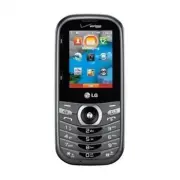
5 P h o n e O ve r v i ew 1. Earpiece Lets you hear the caller and automated prompts. 2. LCD Screen Displays digital clock, phone status, and information you choose to display. 3. Volume Keys Use to adjust the Master Volume in standby mode* and the Earpiece Volume during acall. Use to adjust font si...
Page 8 - TIP; Rear view; NOTES
6 6 P h o n e O ve r v i ew 14. Clear/ Voice Commands Key Deletes single spaces or characters with a quick press, but pressand hold to delete the entire word. Also backs outof menus, one level at a time. You can also use thiskey to access Voice Commands (when you are notentering text). 15. Power/End...
Page 9 - Using the QWERTY Keyboard; To enter text with the QWERTY keyboard; For additional text entry options, press the Left Soft Key; Shift Key; Return Key
7 Using the QWERTY Keyboard Your phone features a slide-out QWERTY keyboard, specifically designed foreasy and comfortable text entry. The QWERTY keyboard uses the samelayout as the keyboard on your computer, but has several added featuresand options to make text entry easier. To enter text with the...
Page 10 - P h o n e Fe at u res; To change the language
8 8 P h o n e Fe at u res Quick Menu When you open the QWERTYkeyboard from standby mode, theQuick Menu is displayed, giving youquick access to Messaging,Favorites and Social Networks. Contacts Search When the phone is in standbymode with the QWERTY keyboardopen, press any alphabetical key toopen you...
Page 11 - M a i n M e nu O ve r v i ew; Emergency
9 M a i n M e nu O ve r v i ew C C ont ont act act s s 1. New Contact2. Contact List3. Backup Assistant4. Favorites5. Groups6. Speed Dials7. In Case of Emergency 8. My Name Card M M e e ssaging ssaging 1. New Message 1. TXT Message2. Picture Message3. Voice Message 2. Messages*3. Drafts4. Voicemail5...
Page 12 - Apps; Settings
10 M a i n M e nu O ve r v i ew 10 Apps Apps My Pictur My Pictur e e s s S S e e t t tings tings & T & T ools ools 1. My Verizon2. Master Volume3. Tools 1. Voice Commands 2. Calculator3. Ez Tip Calculator 4. Calendar5. To Do List6. Alarm Clock7. Info Search8. Stopwatch9. World Clock10. Notep...
Page 14 - G ett i n g S ta r te d w i t h Yo u r P h o n e; Setting Up Your Phone; Hold the phone securely with; Step 2. Insert the Battery; Align the battery contacts with
12 G ett i n g S ta r te d w i t h Yo u r P h o n e 12 Setting Up Your Phone Step 1. Remove the BackCover 1. Hold the phone securely with both hands. 2. Use the fingertip cutout at the top of the phone to pull theback cover off. Step 2. Insert the Battery 1. Align the battery contacts with the termi...
Page 15 - Step 4. Charge the Phone; NOTICE; Installing the Battery; Remove the battery cover
13 13 Step 4. Charge the Phone Your device comes with a Wall/USBcharger and a USB cable whichconnect together to charge yourphone. To charge your phone: NOTICE Please use only an approved chargingaccessory to charge your LG phone.Improper handling of the Accessory/Charger Port, as well as the use of...
Page 16 - Removing the Battery; Turn the phone off and remove; Charging the Battery; Connect the USB cable into the
14 G ett i n g S ta r te d w i t h Yo u r P h o n e 14 Removing the Battery 1. Turn the phone off and remove the back cover. 2. Remove the battery from the battery compartment by liftingthe bottom of the battery usingthe fingertip cutout. Charging the Battery Your device comes with a Wall/USBcharger...
Page 17 - Charging with USB; Remove the back cover and
15 2. Gently uncover the Accessory/ Charger Port, then plug the USBcable into it and the other endinto an electrical outlet. The charge time variesdepending upon the batterylevel. Charging with USB You can use your computer tocharge your phone. To be able tocharge with the USB cable, youneed to have...
Page 18 - Card; Battery Charge Level; Turning the Phone On
16 G ett i n g S ta r te d w i t h Yo u r P h o n e 16 How to Remove YourmicroSD ™ Card Remove the back cover from thephone. Gently press the exposededge of the microSD TM card to release it, then remove it from theslot and replace the cover. NOTE Do not attempt to remove themicroSD ™ card while rea...
Page 19 - Making Calls; Using the external keys; Correcting Dialing Mistakes; Redialing Calls
17 Making Calls Using the external keys 1. Press to unlock the screen (and keys). 2. Enter the phone number using the keypad. 3. Press to dial the number. 4. Press to end the call. NOTE Your phone has a VoiceCommands feature that also letsyou make calls by saying a phonenumber or Contact name. Toacc...
Page 20 - Screen Icons; from
18 G ett i n g S ta r te d w i t h Yo u r P h o n e Screen Icons When the phone is on, the top lineof the LCD screen displays phonestatus icons. To view the icons and theirdefinitions, press [MENU] from the stanby mode, then press Settings & Tools and select Phone info . Then press Icon Glossary...
Page 21 - Q u i c k Ac c es s to Co nve n i e n t Fe at u res; Vibrate Mode; Mute; Quick Volume Adjustment; Volume Up Key; Scalable Fonts
19 Q u i c k Ac c es s to Co nve n i e n t Fe at u res Vibrate Mode Sets the phone to vibrate instead ofringing ( is displayed). To set Vibrate mode using theexternal keypad With the screen unlocked instandby mode, press and hold . Press and hold again to return to Normal mode. To set Vibrate mode u...
Page 22 - Clear Key Activation; Q u i c k Ac c es s to C o nve n i e n t Fe at u res
20 20 displayed in graphics, thereforetext cannot be scaled. Events Menu The Events menu keeps track ofrecent phone events, such asmissed calls, messages, calendaritems, alarms, and more. Fromstandby mode, press theDirectional Key downward to quickly access the Events menu.Scroll to the event you wa...
Page 23 - Favorites Key; Favorites; New Message; Messaging Key
21 21 Favorites Key Quickly and easily call, message,and/or view ten of your Contactsyou set as your Favorites. Thedevice can add "Group" as membersunder the Favorites, besidescontacts. 1. Open the QWERTY keyboard. The Quick Menu is displayed. 2. Press the Right Directional Key to highlight ...
Page 24 - E n te r i n g a n d E d i t i n g I n f o r m at i o n; Text Input; : Press to complete a
22 E n te r i n g a n d E d i t i n g I n f o r m at i o n Text Input The following key functions areavailable to help with text entrywhen you are using the externalkeypad: Left Soft Key : Press to change the text inputmode. Shift : Press to change capitalization (initial cap,caps lock, lowercase). ...
Page 25 - Co n ta c ts i n Yo u r P h o n e ’s M e m o r y; Storing Basics
23 23 Co n ta c ts i n Yo u r P h o n e ’s M e m o r y Storing Basics You can store new phone numbersinto your Contacts from either theexternal keypad or the QWERTYkeyboard. When using the externalkeypad, press to unlock the screen and enter standby mode.When using the QWERTYkeyboard, press the Clea...
Page 26 - C o n ta c ts i n Yo u r P h o n e ’s M e m o r y; Storing a Number with Pauses
24 C o n ta c ts i n Yo u r P h o n e ’s M e m o r y 24 3. Use the Directional Key to highlight a phone number, thenpress the Right Soft Key [ Options ]. 4. Use the Directional Key to highlight Set Speed Dial , then press . 5. Select a Speed Dial digit. Press a numerical key, thenpress . Use the Dir...
Page 28 - Changing the Default Number
26 C o n ta c ts i n Yo u r P h o n e ’s M e m o r y 26 4. Press Add 2-Sec Pause or Add Wait . 5. Enter the additional number(s), then press . Changing the Default Number The default number is the phonenumber you first entered when youcreated the Contact. However,another number can be saved asthe de...
Page 29 - Speed Dialing; Single Digit Speed Dials; Preset Speed Dials
27 4. Press the Right Soft Key [ Options ]. 5. Press Remove Speed Dial . 6. Press [Yes] to confirm. 7. Press again to save. Speed Dialing Allows you to make phone callsquickly and easily to numbersstored in Contacts. NOTE Speed Dial 1 is reserved forVoicemail. Single Digit Speed Dials Press and hold...
Page 30 - C o n ta c ts; Contacts; SHORTCUT
28 28 C o n ta c ts Contacts The Contacts menu allows you tostore names, phone numbers andother information in your phone’smemory. SHORTCUT Pressing the Right Soft Key [Contacts] is a shortcut to the Contact List. 1. New Contact Allows you to add a new number toyour Contact List. NOTE Using this sub...
Page 33 - In Case of Emergency
31 6. Speed Dials Allows you to view your list ofSpeed Dials or designate SpeedDials for numbers entered in yourContacts. 1. From standby mode, press [ MENU ]. 2. Press Contacts . 3. Press Speed Dials . 4. Use the Directional Key to highlight the Speed Dialposition, or enter the Speed Dialdigit and ...
Page 35 - M es s a g i n g; Messaging; New Message Alert; Inbox View
33 M es s a g i n g Messaging SHORTCUT From standby mode, pressing the LeftSoft Key [Message] is a shortcut to your Messaging menu. Depending on the content and sizeof your messages, the phone canstore hundreds of messages(including a maximum of 300 textmessages, 100 multimedia messagenotifications ...
Page 44 - Messaging Settings
42 42 2. When the recorded announcement begins, press to interrupt (if applicable). 3. When prompted, enter your password, then press . 5. Social Networks The upgraded text-based socialnetworks allows you to update yourstatus, send messages, uploadpictures, and write on someone’swall by sending a te...
Page 46 - Erasing Messages
44 44 14. Signature Select Custom to create/edit a signature to automatically sendwith your messages. Select None for no signature. 15. Delivery Receipt When Delivery Receipt is set to On , you can see if your sent messageshave been delivered ( ). Erasing Messages Allows you to erase messagesstored ...
Page 47 - Recent Calls; Re c e n t C a l l s
45 Recent Calls The Recent Calls menu is a list of thelast phone numbers or Contactentries for calls you placed, accepted,or missed. It's continually updated asnew numbers are added to thebeginning of the list and the oldestentries are removed from the bottomof the list. 1. Missed Allows you to view...
Page 50 - M o b i l e We b; Mobile Web; MENU
48 M o b i l e We b 48 Mobile Web The Browser feature allows you toaccess news, sports, weather andemail from your Verizon Wirelessdevice. Access and selections withinthis feature are dependent uponyour service provider. For specificinformation on Mobile Web accessthrough your phone, contact yourser...
Page 51 - M e d i a Ce n te r; Media Center; see your memory status.; OR
49 M e d i a Ce n te r Media Center Media Center allows you to domore than just talk on your phone.Media Center is a technology andservice that allows you to downloadand use applications on yourphone. With Media Center, it’squick and easy to personalize yourphone to your lifestyle and tastes.Just do...
Page 52 - M e d i a C e n te r
50 Ending a Browser Session End a Browser session by pressing . Navigating Through the Browser On-screen items appear in one ofthe following ways: Numbered options You can use your numerickeypad or you can select theitems by moving the cursor andpressing the appropriate SoftKeys. Links embedded in c...
Page 58 - TAKE
56 5. Set the brightness by pressing the Directional Key up and down , zoom by pressing the Directional Key left and right , and press the Right Soft Key [Options] to change other settings. NOTE Zoom is not available if theResolution is set to 1280X960. Select from the followingoption(s) to customiz...
Page 60 - A p p s
58 58 A p p s Apps Everything you need to know whileyou’re on the go. 1. From standby mode, press [ MENU ]. 2. Press Apps . 3. Select SHOP APPS or highlight an application using theDirectional Key , then press . Backup Assistant Bing City ID Daily Scoop Tetris UNO VCAST TONES City ID City ID is an e...
Page 61 - My Pictures; A p p s / M y P i c t u res
59 To purchase City ID 1. Press [MENU] . 2. Press Apps . 3. Scroll and select City ID . 4. A screen describing City ID will be displayed. You will beasked if you want to purchaseCity ID. Select Yes . 5. The application then downloads and installs. Afterit successfully installs, select Yes to run Cit...
Page 62 - S ett i n g s & To o l s; Adjust the volume with the
60 S ett i n g s & To o l s 60 Settings & Tools 1. My Verizon Check your subscriptioninformation ranging from yourpayment plan to your softwareupgrade or other available service. 1. From standby mode, press [ MENU ]. 2. Press Settings & Tools . 3. Press My Verizon . SHORTCUT Pressing the...
Page 65 - Ez Tip Calculator
63 63 4. Press Calculator . 5. Enter the numbers to get the value you want. To cancel anumber, press the Left Soft Key [ Clear ]. 6. Use the Right Soft Key [ Operators ] to add any of the following operators: ( )/ sin/ cos/ tan/ log/ ln/exp/ X ^ 2/ x ^ y/sqrt/deg/ rad 7. Use the Directional Key to e...
Page 69 - USB Mass Storage; Windows Vista; and Linux OS; Menu; wireless
67 67 3.11 Document Viewer 1. From standby mode, press [ MENU ]. 2. Press Settings & Tools . 3. Press Tools . 4. Select Document Viewer. NOTE * Document Viewer is available when there are files in theDocuments folder from the SDcard. * Supported file format is txt, doc, docx, ppt, pptx, xls, xls...
Page 71 - Turn On; Press the Left Soft Key; My Device Info; Press the Right Soft Key
69 69 Icon References When aBluetooth ® Wireless Connection is Searched (neither connected nor paired). Turn On Allows you to set the phone'sBluetooth ® power to On/ Off. 1. From standby mode, press [ MENU ]. 2. Press Settings & Tools . 3. Press Bluetooth Menu . 4. Press the Left Soft Key [ Turn...
Page 72 - Discovery Mode; Supported Profiles; TIPS
70 S ett i n g s & To o l s 70 7. Slide the QWERTY keyboard open to enter a new customname. 8. Press to save and exit. TIP Bluetooth ® wireless connection is dependent on your Bluetooth ® stereo device. Even though you want to connectwith a headset that supports both stereoand handsfree profiles...
Page 73 - Remove Device
71 71 STEREO: Supports delivery ofstereo audio to a compatibleBluetooth device. PHONEBOOK ACCESS: Allowssharing of your name card,phonebook entries, and callhistory with a compatibleBluetooth ® device. OBJECT PUSH: Allows sendingand receiving of contact namecards and calendar eventsbetween devices. ...
Page 76 - Digit Dial Readout; ERI
74 6. The Alert Sounds menu contains the following options: Tone/ Vibrate/ Reminder The exception for this is theEmergency Tone menu. Thismenu has these options: Alert/ Vibrate/ Off 6.4 Keypad Volume Allows you to set the keypadvolume. 1. From standby mode, press [ MENU ]. 2. Press Settings & To...
Page 77 - Software Update
75 75 Software Update Alerts you of an Over-The-Air (OTA) softwareupdate to the device. 7. Use the Directional Key to highlight On or Off , then press . 6.7 Power On/Off Allows you to set the phone tosound a tone when the phone ispowered on/off. 1. From standby mode, press [ MENU ]. 2. Press Setting...
Page 79 - Use the Directional Key
77 77 2. Press Settings & Tools . 3. Press Display Settings . 4. Press Banner . 7.2.1 Personal Banner 1. From standby mode, press [ MENU ]. 2. Press Settings & Tools . 3. Press Display Settings . 4. Press Banner . 5. Press Personal Banner . 6. Enter your own banner text. NOTE Press the Direc...
Page 81 - Main Menu Settings; Use the Directional Key; Allows you to set the font type.
79 79 7.8 Main Menu Settings Allows you to choose how the MainMenu displays for menu selection,as well as replace and move menuitems. 1. From standby mode, press [ MENU ]. 2. Press Settings & Tools . 3. Press Display Settings . 4. Press Main Menu Settings . 5. Use the Directional Key to highligh...
Page 83 - Set Shortcut Keys
81 81 8.2 Set Shortcut Keys Allows you to set shortcuts tophone menus using specified keys. 8.2.1 Set My Shortcuts To access these shortcuts, pressthe Right Directional Key from standby mode (by default) todisplay My Shortcuts. 1. From standby mode, press [ MENU ]. 2. Press Settings & Tools . 3....
Page 92 - TTY Off
90 TTY + Hear : Users who can hear but cannot talk send a textmessage and receive voicethrough TTY equipment. TTY Off : Users send and receive without TTY equipment. Connecting TTY Equipment and aTerminal 1. Connect a TTY cable to TTY connection on the terminal (TTYconnection location is the sameas ...
Page 97 - Set Slide Open View
95 95 13. Set-up Wizard 1. From standby mode, press [ MENU ]. 2. Press Settings & Tools . 3. Select Set-up Wizard . 4. Use the Directional Key to scroll to a setting, then press [ SET ]. NOTE If you don't want to change thesetting, press the Right Soft Key [Skip] to go to the next setting. 1. Fo...
Page 98 - I m p o r ta n t S a f ety P re c a u t i o n s; This product contains chemicals known to the State of
96 96 I m p o r ta n t S a f ety P re c a u t i o n s Read these instructions. Breaking the rules may be dangerous or illegal.Further detailed information is given in this user guide. Violation of the instructions may cause serious injuryor death. WARNING: This product contains chemicals known to th...
Page 99 - Do no
97 Do no t expose the battery charger or adapter to direct sunlight or use it in places with high humidity, such as a bathroom. Do not use harsh chemicals (such as alcohol, benzene, thinner, etc.) or detergent to clean your phone. This could cause a fire. Do not drop, strike, or shake your phone sev...
Page 100 - WARNING
98 98 I m p o r ta n t S a f ety P re c a u t i o n s Do not place or answer calls while charging the phone as it may short-circuit the phone and/or cause electric shockor fire. Make sure that no sharp-edged items, such as animal’s teeth or nails, come into contact with the battery. Thiscould cause ...
Page 101 - S a f ety; HAC
S a f ety 99 99 HAC This phone has been tested andrated for use with hearing aids forsome of the wireless technologiesthat it uses. However, there may besome newer wireless technologiesused in this phone that have notbeen tested yet for use withhearing aids. It is important to trythe different featu...
Page 102 - Bodily Contact During Operation
S a f ety 100 100 safety standard previously set byboth U.S. and internationalstandards bodies. The design ofthis phone complies with the FCCguidelines and these internationalstandards. Bodily Contact During Operation This device was tested for typicaluse with the back of the phonekept 0.78 inches (...
Page 104 - Are wireless phones safe?
S a f ety 102 102 Consumer InformationAbout Radio FrequencyEmissions Your wireless phone, whichcontains a radio transmitter andreceiver, emits radio frequencyenergy during use. The followingconsumer information addressescommonly asked questions aboutthe health effects of wirelessphones. Are wireless...
Page 106 - For further information, see the
S a f ety 104 104 head because the phone, which isthe source of the RF emissions, willnot be placed against the head. Onthe other hand, if the phone ismounted against the waist or otherpart of the body during use, thenthat part of the body will absorbmore RF energy. Wireless phonesmarketed in the U....
Page 107 - World Health Organization
105 105 following additional resources(websites current as of April 2005): U.S. Food and DrugAdministration FDA Consumer magazine November-December 2000 Telephone: (888) INFO-FDA http://www.fda.gov (Under “c” inthe subject index, select CellPhones > Research.) U.S. Federal CommunicationsCommissio...
Page 113 - TIA Safety Information; * American National Standards
111 111 you or if the person sitting nextto you can hear what you arelistening to. Do not turn the volume up toblock out noisy surroundings. Ifyou choose to listen to yourportable device in a noisyenvironment, use noise-cancelling headphones to blockout background environmentalnoise. Limit the amoun...
Page 114 - Antenna Care
S a f ety 112 112 Those standards were based oncomprehensive and periodicevaluations of the relevant scientificliterature. For example, over 120scientists, engineers, and physiciansfrom universities, governmenthealth agencies, and industryreviewed the available body ofresearch to develop the ANSISta...
Page 116 - Blasting Areas; Safety Information; Caution
S a f ety 114 114 Blasting Areas To avoid interfering with blastingoperations, turn your phone OFFwhen in a “blasting area” or in areasposted: “Turn off two-way radio”.Obey all signs and instructions. Potentially Explosive Atmosphere Turn your phone OFF when in anyarea with a potentially explosiveat...
Page 117 - Charger and Adapter Safety
115 115 present the risk of fire orexplosion. Only use the battery for thesystem for which it is specified. Only use the battery with acharging system that has beenapproved and qualified with thesystem per IEEE-Std-1725-2006. Use of an unqualified andnon-approved battery or chargermay present a risk...
Page 118 - Battery Information and Care
S a f ety 116 116 Battery Information and Care Always unplug the charger fromthe wall socket after the phoneis fully charged to saveunnecessary power consumptionof the charger. Please read the manual ofproper installation and removalof the battery. Please read the manual ofspecified charger about ch...
Page 119 - In case younger children use the
117 117 of recommended range mightcause the generating heat orserious damage of battery. Andalso, it might cause thedeterioration of battery'scharacteristics and cycle life. Do not use or leave the batteryunder the blazing sun or inheated car by sunshine. Thebattery may generate heat,smoke or flame....
Page 122 - FDA Consumer Update
S a f ety 120 120 messages, voice messages,pictures, and videos could alsobe deleted.) The manufacturer isnot liable for damage due to theloss of data. When you use the phone inpublic places, set the ringtone tovibration so you don't disturbothers. Do not turn your phone on oroff when putting it to ...
Page 123 - Environmental Protection Agency
121 121 or medical devices. However, theagency has authority to take actionif wireless phones are shown toemit Radio Frequency (RF) energyat a level that is hazardous to theuser. In such a case, the FDA couldrequire the manufacturers ofwireless phones to notify users ofthe health hazard and to repai...
Page 130 - Driving; Get to know your wireless phone
S a f ety 128 128 12. Where can I find additionalinformation? For additional information, pleaserefer to the following resources: FDA web page on wirelessphones(http://www.fda.gov/cellphones/) Federal CommunicationsCommission (FCC) RF SafetyProgram(http://www.fcc.gov/oet/rfsafety) International Comm...
Page 132 - Use your wireless phone to call
S a f ety 130 130 emotional conversations anddriving do not mix; they aredistracting and even dangerouswhen you are behind the wheelof a car. Make people you aretalking with aware you are drivingand if necessary, suspendconversations which have thepotential to divert your attentionfrom the road. 8. ...
Page 134 - LIMITED WARRANTY STATEMENT
132 132 LIMITED WARRANTY STATEMENT 132 1. WHAT THIS WARRANTYCOVERS: LG offers you a limited warrantythat the enclosed subscriber unitand its enclosed accessories will befree from defects in material andworkmanship, according to thefollowing terms and conditions: (1) The limited warranty for the prod...
Page 136 - L I M I T E D WA R RA N T Y STAT E M E N T; . Please call or write for
134 134 L I M I T E D WA R RA N T Y STAT E M E N T 134 4. STATE LAW RIGHTS: No other express warranty isapplicable to this product. THEDURATION OF ANY IMPLIEDWARRANTIES, INCLUDING THEIMPLIED WARRANTY OFMARKETABILITY, IS LIMITED TOTHE DURATION OF THE EXPRESSWARRANTY HEREIN. LG SHALLNOT BE LIABLE FOR ...
Page 137 - Important Information; FCC Part 15 Class B Compliance; Te c h n i c a l D eta i l s
135 Important Information This user’s guide providesimportant information on the useand operation of your phone.Please read this guide carefullyprior to using the phone to be ableto use your phone to its greatestadvantage and to prevent anyaccidental damage or misuse. Anyunapproved changes ormodific...
Page 138 - Technical Details
136 136 136 Te c h n i c a l D eta i l s Modifications not expresslyapproved by the manufacturercould void the user’s authority tooperated the equipment under FCCrules. Technical Details The LG Cosmos ™ 3 is an all digital phone that operates on both CodeDivision Multiple Access (CDMA)frequencies: C...
Page 140 - Vehicle-Mounted External Antenna; Notice: Open Source Software
138 138 138 Te c h n i c a l D eta i l s of accessories that cannot maintain0.78 inches (2.0 cm) distancebetween the user’s body and theback of the phone and have notbeen tested for compliance withFCC RF exposure limits. Vehicle-Mounted External Antenna (Optional, if available.) To satisfy FCC RF ex...
Page 141 - G l o s s a r y; Terminology; T one M
139 139 G l o s s a r y 139 Terminology Ez Tip Calculator Feature for easy bill calculationusing the total cost, tip, andnumber of people as variables. Advanced Voice Commands Feature that allows you to performa wide range of verbal commandsby training the phone to recognizeyour individual speech pa...
Page 142 - NAM
140 140 G l o s s a r y 140 IS 2000 Type of digital signaling. It's thesecond generation of CDMA digitalcellular, an extension of IS-95.Differences between signaling typeshave to do with pilot signal andlinks to provide more trafficchannels, and control protocols. NAM N N umber A A ssignment M M odu...
Page 143 - I n d ex
141 141 I n d ex 141 123 10 Driver Safety Tips 128 A Acronyms and Abbreviations 139 Add New Device 68 Adding Another Phone Number 25 Airplane Mode 80 Alarm Clock 65 Alert Sounds 73 All 46 Answer Options 87 Apps 49, 58 Assisted Dialing 91 Auto Retry 88 B Backlight 77 Backup Assistant 29 Banner 76 Bat...
Page 146 - MEMO
MEMO VN251S_VZW_UG_EN_V1.3_150828.qxd 8/28/15 2:55 PM Page 144