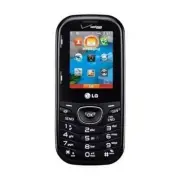
Page 2 - is registered trademark of Verizon Wireless
Copyright©2011 LG Electronics, Inc. All rights reserved . LG COSMOS TM 2 is registered trademark of Verizon Wireless and its related entities. All other trademarks are the propertyof their respective owners.
Page 3 - LG COSMOS; Violation of the instructions may cause serious injury or death.; Important Safety Precautions
LG COSMOS ™ 2 1 Read these instructions. Breaking the rules may be dangerous or illegal.Further detailed information is given in this user guide. Violation of the instructions may cause serious injury or death. ● Never use an unapproved battery since this could damage the phone and/or the battery an...
Page 4 - Do no
2 LG COSMOS ™ 2 Important Safety Precautions ● Do no t expose the battery charger or adapter to direct sunlight or use it in places with high humidity, such as a bathroom. ● Do not use harsh chemicals (such as alcohol, benzene, thinner, etc.) or detergent to clean your phone. This could cause a fire...
Page 6 - Table of Contents
4 LG COSMOS ™ 2 Table of Contents Important Safety Precautions 1Table of Contents . . . . . . . . . .4Welcome . . . . . . . . . . . . . . . . . .8Technical Details . . . . . . . . . . .9Phone Overview . . . . . . . . . . .13 Using the QWERTY Keyboard . . . . . .15 Phone Features . . . . . . . . . . ...
Page 10 - Welcome; NOTE
8 LG COSMOS ™ 2 Welcome Thank you for choosing the LG COSMOS ™ 2 cellular phone designed to operate with the latestdigital mobile communicationtechnology, Code Division MultipleAccess (CDMA). Along with themany advanced features of theCDMA system, such as greatlyenhanced voice clarity, this compactp...
Page 11 - Technical Details; Important Information; FCC Part 15 Class B Compliance; TIP
LG COSMOS ™ 2 9 Technical Details Important Information This user’s guide providesimportant information on the useand operation of your phone.Please read this guide carefullyprior to using the phone to be ableto use your phone to its greatestadvantage and to prevent anyaccidental damage or misuse. A...
Page 13 - before operating the phone.
LG COSMOS ™ 2 11 CDMA Standard Designator Description Basic Air Interface TIA/EIA-95ATSB-74ANSI J-STD-008TIA/EIA-IS2000 CDMA Dual-Mode Air Interface 14.4kbps Radio Link Protocol and Inter-Band Operations IS-95 Adapted for PCS Frequency BandCDMA2000 1xRTT Air Interface Network TIA/EIA/IS-634TIA/EIA/I...
Page 14 - Vehicle-Mounted External Antenna
12 LG COSMOS ™ 2 Technical Details containing metallic componentsshould not be used. Avoid the useof accessories that cannot maintain0.79 inches (2 cm) distancebetween the user’s body and theback of the phone and have notbeen tested for compliance withFCC RF exposure limits. Vehicle-Mounted External...
Page 15 - Phone Overview
LG COSMOS ™ 2 13 Phone Overview 1. Earpiece Lets you hear the caller and automated prompts. 2. LCD Screen Displays digital clock, phone status, and information you choose to display. 3. Volume Keys Use to adjust the Master Volume in standby mode* and the Earpiece Volume during acall. Use to adjust f...
Page 16 - Rear view; NOTES
14 LG COSMOS ™ 2 Phone Overview 14. CLR Key / Voice Commands Key Deletes single spaces or characters with a quick press, but pressand hold to delete the entire word. Also backs outof menus, one level at a time. You can also use thiskey to access Voice Commands (when you are notentering text). 15. PW...
Page 17 - Using the QWERTY Keyboard; To enter text with the QWERTY keyboard; Return Key
LG COSMOS ™ 2 15 Using the QWERTY Keyboard Your phone features a slide-out QWERTY keyboard, specifically designed foreasy and comfortable text entry. The QWERTY keyboard uses the samelayout as the keyboard on your computer, but has several added featuresand options to make text entry easier. To ente...
Page 18 - Phone Features; To change the language
16 LG COSMOS ™ 2 Phone Features Quick Menu When you open the slide fromstandby mode, the Quick Menu isdisplayed, giving you quick accessto Messaging, Favorites and SocialNetworks. Contacts Search When the phone is in standbymode with the slide open, pressany alphabetical key to open yourContact List...
Page 19 - Main Menu Overview; Emergency
LG COSMOS ™ 2 17 Main Menu Overview C C ont ont act act s s 1. New Contact2. Contact List3. Backup Assistant4. Favorites5. Groups6. Speed Dials7. In Case of Emergency 8. My Name Card M M e e ssaging ssaging 1. New Message 1. TXT Message2. Picture Message3. Voice Message 2. Messages*3. Drafts4. Voice...
Page 20 - Apps; Settings
18 LG COSMOS ™ 2 Main Menu Overview Apps Apps My Pictur My Pictur e e s s S S e e t t tings tings & T & T ools ools 1. My Verizon2. Master Volume3. Tools 1. Voice Commands 2. Calculator3. Ez Tip Calculator 4. Calendar5. To Do List6. Alarm Clock7. Info Search8. Stopwatch9. World Clock0. Notep...
Page 22 - Getting Started with Your Phone; Installing the Battery
20 LG COSMOS ™ 2 Getting Started with Your Phone Installing the Battery 1. Use the fingertip cutout to remove the battery cover. 2. Align the battery contacts with the terminals in the batterycompartment. 3. Push the battery down until it clicks into place. 4. Place the battery cover over the batter...
Page 23 - To remove the back cover; To install the back cover; Hold the phone securely with; Charging the Battery; NOTICE; Connect the USB cable into the
LG COSMOS ™ 2 21 To remove the back cover 1. Hold the phone securely with both hands. 2. Use the fingertip cutout at the top of the phone to pull theback cover off. To install the back cover 1. Hold the phone securely with both hands. 2. Place the battery cover over the battery compartment, then pre...
Page 24 - Charging with USB; Battery Temperature; Card; Remove the back cover and; Insert the microSD; card with
22 LG COSMOS ™ 2 Getting Started with Your Phone The charge time variesdepending upon the batterylevel. Charging with USB You can use your computer tocharge your phone. To be able tocharge with the USB cable, youneed to have the necessary USBdriver installed on your PC first.Connect one end of the U...
Page 25 - Turning the Phone On
LG COSMOS ™ 2 23 How to Remove Your microSD TM Card Remove the back cover from thephone. Gently press and releasethe exposed edge of the microSD TM card, then remove it from the slotand replace the cover. NOTES ● Do not attempt to remove themicroSD TM card while reading or writing to the card. Batte...
Page 26 - Making Calls; Using the external keys; Correcting Dialing Mistakes; Redialing Calls; Screen Icons; MENU
24 LG COSMOS ™ 2 Getting Started with Your Phone Making Calls Make sure the phone is turned on.If not, press and hold until the LCD screen lights up. If necessary,enter the lock code. Using the external keys 1. Press to unlock the screen (and keys). 2. Enter the phone number. 3. Press . 4. Press to ...
Page 27 - Quick Access to Convenient Features; Vibrate Mode; Scalable Fonts
LG COSMOS ™ 2 25 Quick Access to Convenient Features Vibrate Mode Sets the phone to vibrate instead ofringing ( is displayed). To set Vibrate mode using the external keypad With the screen unlocked instandby mode, press and hold . Press and hold again to return to Normal mode. To set Vibrate mode us...
Page 28 - Events Menu; CLR Key Activation
26 LG COSMOS ™ 2 NOTE The Grid menu layout isdisplayed in graphics, thereforetext cannot be scaled. Events Menu The Events menu keeps track ofrecent phone events, such asmissed calls, messages, calendaritems, alarms, and more. Fromstandby mode, press theDirectional Key downward to quickly access the...
Page 29 - Favorites Key; New Message; Remove All / Set as ICE Contact; Messaging Key
LG COSMOS ™ 2 27 Favorites Key Quickly and easily call, message,and/or view ten of your Contactsyou set as your Favorites. The devicecan add "Group" as members underthe Favorites, besides contacts. 1. Open the QWERTY keyboard. The Quick Menu is displayed. 2. Press the Right Directional Key t...
Page 30 - Entering and Editing Information; Text Input; Text Input Modes
28 LG COSMOS ™ 2 Entering and Editing Information Text Input The following key functions areavailable to help with text entrywhen you are using the externalkeypad: Left Soft Key: Press tochange the text inputmode. Shift: Press to changecapitalization (initial cap,caps lock, lowercase). Next: Press t...
Page 31 - Contacts in Your Phone’s Memory; Storing Basics
LG COSMOS ™ 2 29 Contacts in Your Phone’s Memory Storing Basics You can store new phone numbersinto your Contacts from either theexternal keypad or the QWERTYkeyboard. When using the externalkeypad, press to unlock the screen and enter standby mode.When using the QWERTYkeyboard, open the slide, then...
Page 32 - Storing a Number with
30 LG COSMOS ™ 2 Contacts in Your Phone’s Memory 3. Use the Directional Key to highlight a phone number, thenpress the Right Soft Key [ Options ]. 4. Use the Directional Key to highlight Set Speed Dial , then press . 5. Select a Speed Dial digit. ● Press a numerical key, thenpress . ● Use the Direct...
Page 33 - Adding Another Phone
LG COSMOS ™ 2 31 Adding Another Phone Number From standby mode 1. With the QWERTY keyboard open or closed, enter a phonenumber, then press the Left SoftKey [ Save ]. 2. Use the Directional Key to highlight Update Existing , then press . 3. Use the Directional Key to highlight an existing entry, then...
Page 34 - Changing the Default
32 LG COSMOS ™ 2 Contacts in Your Phone’s Memory 4. Press Add 2-Sec Pause or Add Wait . 5. Enter the additional number(s), then press . Changing the Default Number The Default Number is the phonenumber you first entered when youcreated the Contact. However,another number can be saved asthe Default N...
Page 35 - Press the Right Soft Key; Speed Dialing; Single Digit Speed Dials; Preset Speed Dials
LG COSMOS ™ 2 33 4. Press the Right Soft Key [ Options ]. 5. Press Remove Speed Dial . 6. Press [Yes] to confirm. 7. Press again to save. Speed Dialing Allows you to make phone callsquickly and easily to numbersstored in Contacts. NOTE Speed Dial 1 is reserved forVoicemail. Single Digit Speed Dials ...
Page 36 - CONTACTS; SHORTCUT
34 LG COSMOS ™ 2 CONTACTS CONTACTS The Contacts menu allows you tostore names, phone numbers andother information in your phone’smemory. SHORTCUT Pressing the Right Soft Key [Contacts] is a shortcut to the Contact List. 1. New Contact Allows you to add a new number toyour Contact List. NOTE Using th...
Page 38 - Contacts
36 LG COSMOS ™ 2 Contacts 7. Press the Left Soft Key [ Done ]. Once you have added Contacts to the Favorites list,the following options willbecome available in the Favoritesmenu: ● Press the Left Soft Key [View] to view Contact details. ● Press the Right Soft Key [Options] to select from the followi...
Page 39 - In Case of Emergency
LG COSMOS ™ 2 37 6. Speed Dials Allows you to view your list ofSpeed Dials or designate SpeedDials for numbers entered in yourContacts. 1. From standby mode, press [ MENU ]. 2. Press Contacts . 3. Press Speed Dials . 4. Use the Directional Key to highlight the Speed Dialposition, or enter the SpeedD...
Page 41 - MESSAGING; New Message Alert; Viewing Text Messages on; to open and view the; Inbox View; Contact
LG COSMOS ™ 2 39 MESSAGING MESSAGING SHORTCUT From standby mode, pressing the LeftSoft Key [Message] is a shortcut to your Messaging menu. Depending on the content and sizeof your messages, the phone canstore hundreds of messages(including a maximum of 300 SMS,100 emergency alerts and 200MMS). Other...
Page 50 - Messaging Settings
2. When the recorded announcement begins, press to interrupt (if applicable). 3. When prompted, enter your password, then press . 5. Mobile IM Allows you to send and receiveInstant Messages at any time. 1. From standby mode, press [MENU] and then Messaging . 2. Press Mobile IM . NOTE Press if Inbox ...
Page 52 - Erasing Messages
*. Emergency Alert Set your configuration for receivingemergency alerts. This menu hasthree options : Receive Alerts /Alert Reminder / Alert Vibrate #. Voicemail # Allows you to manually enter theaccess number for VoicemailService. This number should beonly used when a VMS (VoicemailService) access ...
Page 53 - RECENT CALLS
LG COSMOS ™ 2 51 RECENT CALLS The Recent Calls menu is a list of thelast phone numbers or Contactentries for calls you placed, accepted,or missed. It's continually updated asnew numbers are added to thebeginning of the list and the oldestentries are removed from the bottomof the list. 1. Missed Allo...
Page 56 - MOBILE WEB; Access and Options
54 LG COSMOS ™ 2 MOBILE WEB MOBILE WEB The Browser feature allows you toaccess news, sports, weather andemail from your Verizon Wirelessdevice. Access and selectionswithin this feature are dependentupon your service provider. Forspecific information on Mobile Webaccess through your phone,contact you...
Page 57 - MEDIA CENTER; Info
LG COSMOS ™ 2 55 MEDIA CENTER MEDIA CENTER Media Center allows you to domore than just talk on your phone.Media Center is a technology andservice that allows you to downloadand use applications on yourphone. With Media Center, it’s quickand easy to personalize your phoneto your lifestyle and tastes....
Page 64 - TAKE
5. Set the zoom by pressing the Directional Key up and down , brightness by pressing the Directional Key left and right , and press the Right Soft Key [Options] to change other settings. NOTE Zoom is not available if theResolution is set to 1280X960. ● Select from the followingoption(s) to customize...
Page 65 - Mobile Email; MOBILE EMAIL
LG COSMOS ™ 2 63 ● Press [SEND] . ● Press the front Clear Key to exit. 5.3 Online Album Use to access the Online Album(PIX Place). 1. From standby mode, press [ MENU ]. 2. Press Media Center. 3. Press Pictures . 4. Press Online Album . 5. Login using your mobile number and password, as applicable. M...
Page 66 - APPS
64 LG COSMOS ™ 2 APPS Apps Everything you need to know whileyou’re on the go. 1. From standby mode, press [ MENU ]. 2. Press Apps . 3. Select SHOP APPS or highlight an application using theDirectional Key , then press . ● Backup Assistant ● Bing ● City ID ● Daily Scoop ● Mobile Email ● Mobile IM ● T...
Page 68 - MY PICTURES; My Pictures
66 LG COSMOS ™ 2 MY PICTURES My Pictures View, take, and trade digital picturesright from your wireless phone. 1. My Pictures Access and Options 1. From standby mode, press [ MENU ]. 2. Press My Pictures . 3. The following options are available: ● Press [VIEW] to view it. ● Press the Left Soft Key [...
Page 69 - Editing a Picture
LG COSMOS ™ 2 67 Editing a Picture You can selectively zoom, crop, androtate your pictures. 1. Access My pictures, then use the Directional Key to highlight a picture. 2. Press [View] , then press the Right Soft Key [Options] . 3. Press Edit . 4. Use the Directional Key to select an edit option. ZOO...
Page 70 - Adjust the volume with the
68 LG COSMOS ™ 2 SETTINGS & TOOLS SETTINGS & TOOLS 1. My Verizon Check your subscriptioninformation ranging from yourpayment plan to your softwareupgrade or other available service. 1. From standby mode, press [ MENU ]. 2. Press Settings & Tools . 3. Press My Verizon . SHORTCUT Pressing ...
Page 73 - Ez Tip Calculator
LG COSMOS ™ 2 71 4. Press Calculator . 5. Enter the numbers to get the value you want. To cancel anumber, press the Left Soft Key [ Clear ]. 6. Use the Right Soft Key [ Operators ] to add any of the following operators: ( )/ sin/ cos/ tan/ log/ ln/ exp/ X ^ 2/ x ^ y/sqrt/deg/ rad 7. Use the Directio...
Page 77 - Menu
LG COSMOS ™ 2 75 3.* Document Viewer 1. From standby mode, press [ MENU ]. 2. Press Settings & Tools . 3. Press Tools . 4. Press Document Viewer . NOTE * Document Viewer is available when there are files in theDocuments folder from the SDcard. * Supported file format is txt, doc, docx, ppt, pptx...
Page 79 - Turn On; Press the Left Soft Key; My Device Info
LG COSMOS ™ 2 77 ● Icon References When a Bluetooth ® Wireless Connection is Searched (neither connected nor paired). Turn On Allows you to set the phone'sBluetooth ® power to On/ Off. 1. From standby mode, press [ MENU ]. 2. Press Settings & Tools . 3. Press Bluetooth Menu . 4. Press the Left S...
Page 80 - Discovery Mode; Supported Profiles; TIPS
78 LG COSMOS ™ 2 SETTINGS & TOOLS 7. Slide the QWERTY keyboard open to enter a new customname. 8. Press to save and exit. TIP Bluetooth ® wireless connection is dependent on your Bluetooth ® stereo device. Even though you want to connectwith a headset that supports both stereoand handsfree profi...
Page 81 - Remove Device
LG COSMOS ™ 2 79 ● PHONEBOOK ACCESS: Allowssharing of your name card,phonebook entries, and callhistory with a compatibleBluetooth ® device. ● OBJECT PUSH: Allows sendingand receiving of contact namecards and calendar eventsbetween devices. ● FILE TRANSFER: Allows the capability to send or receiveno...
Page 84 - Digit Dial Readout; ERI
6. The Alert Sounds menu contains the following options: Tone/ Vibrate/ Reminder The exception for this is theEmergency Tone menu. Thismenu has these options: Alert/ Vibrate/ Off 6.4 Keypad Volume Allows you to set the keypadvolume. 1. From standby mode, press [ MENU ]. 2. Press Settings & Tools...
Page 85 - Software Update
LG COSMOS ™ 2 83 Software Update Alerts you of an Over-The-Air (OTA) softwareupdate to the device. 6. Use the Directional Key to highlight On or Off , then press . 6.7 Power On/Off Allows you to set the phone tosound a tone when the phone ispowered on/off. 1. From standby mode, press [ MENU ]. 2. Pr...
Page 89 - Main Menu Settings
LG COSMOS ™ 2 87 7.8 Main Menu Settings Allows you to choose how the MainMenu displays for menu selection,as well as replace and move menuitems. 1. From standby mode, press [ MENU ]. 2. Press Settings & Tools . 3. Press Display Settings . 4. Press Main Menu Settings . 5. Use the Directional Key ...
Page 91 - Set Shortcut Keys
LG COSMOS ™ 2 89 8.2 Set Shortcut Keys Allows you to set shortcuts tophone menus using specified keys. 8.2.1 Set My Shortcuts To access these shortcuts, press theRight Directional Key from standby mode (by default) todisplay My Shortcuts. 1. From standby mode, press [ MENU ]. 2. Press Settings &...
Page 93 - Confirm Choices
LG COSMOS ™ 2 91 Confirm Choices Automatic/ Always Confirm/ Never Confirm Sensitivity More Sensitive/ Automatic/ Less Sensitive Adapt Voice Train Words/ Train Digits Prompts Mode: Prompts /Readout + Alerts /Readout /Tones Only Audio Playback: Speakerphone / Earpiece Timeout: 5 seconds /10 seconds CL...
Page 94 - Use the Directional Key
● When in Airplane Mode, servicessupporting Location On functionality(such as Chaperone) will be suspended. 8.6 Current Country The Current Country menu allowsyou to select your current location. NOTE The Current Country setting cannotbe changed after it's set for thefirst time unless your real loca...
Page 100 - TTY Off
TTY + Hear : Users who can hear but cannot talk send a textmessage and receive voicethrough TTY equipment. TTY Off : Users send and receive without TTY equipment. Connecting TTY Equipment and a Terminal 1. Connect a TTY cable to TTY connection on the terminal (TTYconnection location is the sameas a ...
Page 106 - Safety; TIA Safety Information; Radiation Protection
104 LG COSMOS ™ 2 Safety TIA Safety Information The following is the complete TIASafety Information for wirelesshandheld phones. Exposure to Radio Frequency Signal Your wireless handheld portablephone is a low power radiotransmitter and receiver. When ON,it receives and sends out RadioFrequency (RF)...
Page 107 - Tips on Efficient Operation; Persons with pacemakers:; Should turn the phone OFF
LG COSMOS ™ 2 105 Tips on Efficient Operation For your phone to operate mostefficiently: Don’t touch the antennaunnecessarily when the phone is inuse. Contact with the antennaaffects call quality and may causethe phone to operate at a higherpower level than otherwise needed. Driving Check the laws a...
Page 109 - For Vehicles Equipped with an Air; Safety Information; Violation of the; Caution
LG COSMOS ™ 2 107 could cause an explosion or fireresulting in bodily injury or evendeath. Areas with a potentially explosiveatmosphere are often, but notalways marked clearly. Potentialareas may include: fueling areas(such as gasoline stations); belowdeck on boats; fuel or chemicaltransfer or stora...
Page 110 - to contact battery terminals.
108 LG COSMOS ™ 2 Safety to contact battery terminals. ● Replace the battery only withanother battery that has beenqualified with the system per thisstandard, IEEE-Std-1725-200x.Use of an unqualified batterymay present a risk of fire,explosion, leakage or otherhazard. ● Promptly dispose of usedbatte...
Page 112 - Hazards
110 LG COSMOS ™ 2 Safety that small children do notremove the battery from thecharger or device. ● If liquid from the battery rubsagainst skin or clothing, rinsewith clean water. The batteryliquid could cause skin irritation. ● Do not handle the phone withwet hands while it is beingcharged. It may c...
Page 113 - General Notice
LG COSMOS ™ 2 111 ● When using the power plug,ensure that it’s firmly connected.If not, it may cause excessiveheat or fire. ● If you put your phone in apocket or bag without coveringthe receptacle of the phone(power plug pin), metallicarticles (such as a coin,paperclip or pen) may short-circuit the ...
Page 114 - Avoid potential hearing; or other
112 LG COSMOS ™ 2 Safety numbers. (Ringtones, textmessages, voice messages, andpictures could also be deleted.)The manufacturer is not liablefor damage due to the loss ofdata. ● When you use the phone inpublic places, set the ringtoneto vibration so you don't disturbothers. ● Do not turn your phone ...
Page 115 - You can obtain additional
LG COSMOS ™ 2 113 portable device in a noisyenvironment, use noise-cancelling headphones to blockout background environmentalnoise. ● Limit the amount of time youlisten. As the volume increases,less time is required before yourhearing could be affected. ● Avoid using headphones afterexposure to extr...
Page 116 - FDA Consumer Update; Do wireless phones pose a
114 LG COSMOS ™ 2 Safety Internet: http://www.cdc.gov/niosh/topics/noise/default.html FDA Consumer Update The U.S. Food andDrug Administration’sCenter for Devices and Radiological Health ConsumerUpdate on Mobile Phones: 1. Do wireless phones pose a health hazard? The available scientific evidencedoe...
Page 117 - including the following:
LG COSMOS ™ 2 115 including the following: ● Support needed research intopossible biological effects of RFof the type emitted by wirelessphones; ● Design wireless phones in a waythat minimizes any RF exposureto the user that is not necessaryfor device function; and ● Cooperate in providing users ofw...
Page 118 - What are the results of the
116 LG COSMOS ™ 2 Safety here to handheld wireless phoneswith built-in antennas, often called“cell”, “mobile”, or “PCS” phones.These types of wireless phones canexpose the user to measurableRadio Frequency (RF) energybecause of the short distancebetween the phone and the user’shead. These RF exposur...
Page 120 - How can I find out how much
118 LG COSMOS ™ 2 Safety detailed agenda of research needsthat has driven the establishmentof new research programs aroundthe world. The project has alsohelped develop a series of publicinformation documents on EMFissues. The FDA and the CellularTelecommunications & InternetAssociation (CTIA) ha...
Page 122 - What about children using
120 LG COSMOS ™ 2 Safety and carry the wireless phone awayfrom your body or use a wirelessphone connected to a remoteantenna. Again, the scientific datadoes not demonstrate that wirelessphones are harmful. But if you areconcerned about the RF exposurefrom these products, you can usemeasures like tho...
Page 123 - Where can I find additional; 0 Driver Safety Tips; When operating a car, driving is
LG COSMOS ™ 2 121 cardiac pacemakers anddefibrillators are safe from wirelessphone EMI. The FDA has tested hearing aidsfor interference from handheldwireless phones and helpeddevelop a voluntary standardsponsored by the Institute ofElectrical and Electronic Engineers(IEEE). This standard specifies t...
Page 124 - Get to know your wireless
122 LG COSMOS ™ 2 Safety your first responsibility. Whenusing your wireless phone behindthe wheel of a car, practice goodcommon sense and remember thefollowing tips: 1. Get to know your wireless phone and its features such asspeed dial and redial. Carefullyread your instruction manualand learn to ta...
Page 125 - Do not engage in stressful or
LG COSMOS ™ 2 123 stopped at a stop sign, red light,or otherwise stationary. But ifyou need to dial while driving,follow this simple tip -- dial onlya few numbers, check the roadand your mirrors, then continue. 7. Do not engage in stressful or emotional conversations thatmay be distracting. Stressfu...
Page 126 - Consumer Information on; Government’s Requirements for
124 LG COSMOS ™ 2 Safety it is recommended that youconsult your applicablejurisdiction’s local laws or otherregulations regarding such use.Such laws or other regulationsmay prohibit or otherwiserestrict the manner in which adriver may use his or her phonewhile operating a vehicle. Consumer Informati...
Page 128 - Regulations for Wireless
126 LG COSMOS ™ 2 Safety Grant section ofhttp://www.fcc.gov/oet/ea/fccid/after searching on FCC ID. To find information that pertains toa particular model phone, this siteuses the phone FCC ID numberwhich is usually printed somewhereon the case of the phone.Sometimes it may be necessary toremove the...
Page 130 - FCC Hearing Aid Compatibility and Volume Control
128 LG COSMOS ™ 2 Safety In the above example, if a hearingaid meets the M2 level rating andthe wireless phone meets the M3level rating, the sum of the twovalues equal M5. This shouldprovide the hearing aid user with“normal usage” while using theirhearing aid with the particularwireless phone. “Norm...
Page 131 - Accessories; Charger
LG COSMOS ™ 2 129 Accessories There are a variety of optional accessories available for your phone andthree easy ways to purchase them: shop online anytime atwww.verizonwireless.com, call us at 1-866-VZ-GOT-IT (894-6848) or visitone of our Verizon Wireless Communication Stores. Vehicle Power Charger...
Page 132 - LIMITED WARRANTY STATEMENT; WHAT THIS WARRANTY
130 LG COSMOS ™ 2 LIMITED WARRANTY STATEMENT 1. WHAT THIS WARRANTY COVERS: LG offers you a limited warrantythat the enclosed subscriber unitand its enclosed accessories will befree from defects in material andworkmanship, according to thefollowing terms and conditions: (1) The limited warranty for t...
Page 133 - non LG approved accessories.
LG COSMOS ™ 2 131 connections, unauthorizedrepair, misuse, neglect, abuse,accident, alteration, improperinstallation, or other acts whichare not the fault of LG, includingdamage caused by shipping,blown fuses, spills of food orliquid. (3) Breakage or damage to antennas unless caused directlyby defec...
Page 134 - HOW TO GET WARRANTY
132 LG COSMOS ™ 2 LIMITED WARRANTY STATEMENT 4. STATE LAW RIGHTS: No other express warranty isapplicable to this product. THEDURATION OF ANY IMPLIEDWARRANTIES, INCLUDING THEIMPLIED WARRANTY OFMARKETABILITY, IS LIMITED TOTHE DURATION OF THE EXPRESSWARRANTY HEREIN. LG SHALLNOT BE LIABLE FOR THE LOSS O...
Page 135 - Terminology; Acronyms and; Glossary
LG COSMOS ™ 2 133 Terminology Ez Tip Calculator Feature for easy bill calculationusing the total cost, tip, andnumber of people as variables. Advanced Voice Commands Feature that allows you to performa wide range of verbal commandsby training the phone to recognizeyour individual speech patterns. Bl...
Page 136 - NAM
134 LG COSMOS ™ 2 Glossary IS 2000 Type of digital signaling. It's thesecond generation of CDMA digitalcellular, an extension of IS-95.Differences between signalingtypes have to do with pilot signaland links to provide more trafficchannels, and control protocols. NAM N N umber A A ssignment M M odul...
Page 137 - Index
123 10 Driver Safety Tips 121 A Accessories 129 Acronyms and Abbreviations 133 Add New Device 76 Adding Another Phone Number 31 Airplane Mode 88 Alarm Clock 73 Alert Sounds 81 All 52 Answer Options 95 Apps 55, 64 Assisted Dialing 99 Auto Retry 96 B Backlight 85 Backup Assistant 35 Banner 84 Battery ...
Page 140 - MEMO
Page 142 - No seguir las instrucciones puede ocasionar lesiones graves o la; Precaución de Seguridad Importante
LG COSMOS ™ 2 1 Lea estas sencillas instrucciones. Romper las reglas puede ser peligroso o ilegal. Se ofrece más información detallada en esta guía del usuario. No seguir las instrucciones puede ocasionar lesiones graves o la muerte. ● No use nunca una batería no aprobada, ya que esto podría dañar e...
Page 145 - Contenido
4 LG COSMOS ™ 2 Contenido Precaución de SeguridadImportante . . . . . . . . . . . . . . .1 Contenido . . . . . . . . . . . . . . . . .4 Bienvenidos . . . . . . . . . . . . . . . .9 Detalles Técnicos . . . . . . . . . .10 Descripción general delTeléfono . . . . . . . . . . . . . . . . . .15 Usando el...
Page 150 - Ranura para la tarjeta microSD; Bienvenidos
LG COSMOS ™ 2 9 Gracias por elegir el avanzado ycompacto teléfono celular LG COSMOS ™ 2 , diseñado para funcionar con la más recientetecnología de comunicacionesmóviles digitales: Acceso Múltiplede División de Código (CDMA).Junto con las funciones avanzadasdel sistema CDMA, como unaclaridad de voz m...
Page 151 - Detalles Técnicos; Ajuste dinámico para la fuente; Información Importante
10 LG COSMOS ™ 2 Detalles Técnicos ● La tecnología inalámbricaBluetooth ® (para ciertos perfiles) ● Ajuste dinámico para la fuente ● Capacidad de altavoz ● Tecla dedicada a Mensajería ● Menú rápido para el acceso a lamensajería, Favoritos y RedesSociales ● Calidad de imagen mejorada encondiciones de...
Page 152 - Cumplimiento de Clase B con el
LG COSMOS ™ 2 11 Cumplimiento de Clase B con el artículo 15 de la FCC Este aparato y sus accesorioscumplen con el artículo 15 de lasreglas de la FCC. El funcionamientoestá sujeto a las dos siguientescondiciones: (1) Este aparato y susaccesorios no pueden causarinterferencia dañina y (2) esteaparato ...
Page 153 - es un teléfono
12 LG COSMOS ™ 2 Detalles Técnicos Detalles Técnicos El LG COSMOS ™ 2 es un teléfono totalmente digital que funciona enlas dos frecuencias de Accesomúltiple de división de código(CDMA): Servicios Celulares a 800MHz y Servicios de ComunicaciónPersonal (PCS) a 1.9 GHz. La tecnología CDMA usa unafunció...
Page 154 - Contacto corporal durante el
LG COSMOS ™ 2 13 como internacionales. El diseño deeste teléfono cumple con lasdirectrices de la FCC y estosestándares internacionales. Contacto corporal durante el funcionamiento Este aparato se probó para un usoordinario con la parte posterior delteléfono a una distancia de 2 cm(0.79 pulgadas) del...
Page 155 - Precaución
14 LG COSMOS ™ 2 Detalles Técnicos Debe mantenerse una distanciamínima de separación de 20 cm (8pulgadas) entre el usuario o quienesté cerca y la antena externainstalada en un vehículo parasatisfacer los requisitos deexposición a RF de la FCC. ParaObtener más información sobre laexposición a la RF, ...
Page 156 - Descripción general del Teléfono
LG COSMOS ™ 2 15 Descripción general del Teléfono 1. Auricular Le permite escuchar la persona al otro lado de la línea. 2. Pantalla LCD Muestra el reloj digital, el estado del teléfono y cualquier otra información que deseemostrar. 3. Teclas de Volumen Usa para ajustar el volumen maestro en el modo ...
Page 157 - Vista posterior
16 LG COSMOS ™ 2 Descripción general del Teléfono 14. Tecla Borrar/ Comandos de Voz Borra espacios sencillos o carácteres oprimiéndola rápidamente,pero manténgala oprimida para borrar la palabraentera. También le permitirá retroceder en losmenús, un nivel a la vez. Esta tecla también sirvecomo acces...
Page 158 - Usando el teclado QWERTY; Para introducir texto con el teclado QWERTY; Tecla Mensaje; Tecla Introducir
LG COSMOS ™ 2 17 Usando el teclado QWERTY Su teléfono cuenta con un teclado QWERTY que se desliza hacia afuera,específicamente diseñado para la entrada de texto fácil y comoda. El tecladoQWERTY utiliza el mismo diseño que el teclado de su computadora, perotiene varias características y opciones añad...
Page 159 - Funciones del teléfono
18 LG COSMOS ™ 2 Funciones del teléfono Menú rápido Cuando abre la tapa en el modo deespera, se muestra el Menú rápido,que le brinda acceso a Mensajería,Favoritos y Redes Sociales. Búsqueda de contactos Cuando el teléfono está en el modode espera con la tapa abierta,oprima cualquier tecla alfabética...
Page 160 - Visión general del menú principal
LG COSMOS ™ 2 19 Visión general del menú principal C C ont ont act act os os 1. Nuevo Contacto2. Lista de Contactos3. Backup Assistant4. Favoritos5. Grupos6. Marcados Rápidos7 In Case of Emergency 8. Mi Tarjeta de Nombre Mensaje Mensaje 1. Nuevo Mensaje 1. Mensaje de TXT2. Mensaje de Foto3. Mensaje ...
Page 161 - Guardia tecla
20 LG COSMOS ™ 2 Visión general del menú principal C C orr orr eo Elect eo Elect Mó Mó vil vil APPS APPS Mis F Mis F o o t t os os Pr Pr og/ Herr og/ Herr 1. Mi Verizon2. Volumen Maestro3. Herramientas 1. Comandos de Voz2. Calculadora3. Ez Sugerencia4. Calendario5. Lista de Tareas6. Reloj Despertado...
Page 163 - Cómo empezar con su teléfono; Instalación de la batería
22 LG COSMOS ™ 2 Cómo empezar con su teléfono Instalación de la batería 1. Apague el teléfono y use la abertura de dedo para retirar latapa de la batería. 2. Alinee los contactos de la batería con los terminales delcompartimiento de la batería. 3. Empuje la batería hacia abajo hasta que encaje en su...
Page 164 - Extracción y instalación de la; Para instalar la tapa; Sostenga el teléfono firmemente; Cargar la batería
LG COSMOS ™ 2 23 Extracción y instalación de la tapa de la batería Es necesario quitar la tapa antes deinstalar o quitar la batería en suteléfono. Además, asegúrese de quesiempre apague el teléfono antesde instalar o reemplazar la batería. Para quitar la tapa 1. Sostenga el teléfono firmemente con a...
Page 165 - Conecte el cable USB con el; Cargar con USB; Protección de la temperatura
24 LG COSMOS ™ 2 Cómo empezar con su teléfono 1. Conecte el cable USB con el adaptador de pared como semuestra en la siguienteilustración. Al conectar,asegúrese que el logo LG delcable USB está orientado haciausted. 2. Suavemente destape el puerto de cargador y accesorios.Conecte el cable USB en elp...
Page 166 - Instalación de la tarjeta; Desinstalación de la tarjeta; Nivel de carga de la batería
LG COSMOS ™ 2 25 Instalación de la tarjeta microSD TM 1. Retire la tapa de la batería y ubique la ranura para microSD ™ . 2. Inserte la tarjeta microSD TM con los contactos orientados haciaabajo hasta que encajen en sulugar. Si inserta la tarjeta en ladirección equivocada, podríadañarse el teléfono ...
Page 167 - Potencia de la señal; Encender el teléfono; Para hacer llamadas; Usando el teclado externo
26 LG COSMOS ™ 2 Cómo empezar con su teléfono Potencia de la señal La calidad de las llamadas dependeen la potencia de la señal en elárea donde se encuentra. Lapotencia de la señal se indica en lapantalla como el número de barrasjunto al icono de potencia de laseñal : las más barras, la mejor la pot...
Page 168 - Remarcado de llamadas; Iconos de pantalla
LG COSMOS ™ 2 27 Corrección de errores en la marcación Al introducir un número deteléfono, oprima una vez para borrar el último dígito introducido,o mantenga oprimida durante almenos 2 segundos para borrartodos los dígitos. Remarcado de llamadas 1. Oprima para desbloquear la pantalla (y teclas). 2. ...
Page 169 - Acceso rápido a funciones de conveniencia; Modo de Vibración; Para establecer el Modo de; Sonidos desactivados; para aumentarlo y la; Fuentes Escalables
28 LG COSMOS ™ 2 Acceso rápido a funciones de conveniencia Modo de Vibración Ajusta el teléfono para vibrar enlugar de timbrar (se muestra ). Para establecer el Modo de Vibración con el teclado externo Con la pantalla desbloqueada y enmodo de espera, mantengaoprimida . Mantenga oprimida otra vez par...
Page 170 - Menú Eventos; Activación de Tecla Borrar
LG COSMOS ™ 2 29 submenús, el historial de llamadas,etc.). Para cambiar de un modosencillo el tamaño de la fuente,oprima las teclas de volumen paraestablecer dinámicamente el textocomo pequeño, mediano o grande. NOTA El diseño del menú Cuadrícula semuestra en forma de gráficos, porlo tanto, el texto...
Page 171 - Tecla Favoritos; Ver Mensajes; Todo / Fijar como Contacto ICE
NOTA Los Comandos de Voz tambiénpueden iniciarse con la tecladesignada en el aparatoBluetooth ® . Consulte el manual del aparato Bluetooth ® para obtener más instrucciones. Tecla Favoritos Permite llamar a cualquiera de losdiez contactos establecidos comoFavoritos, enviarles un mensaje overlos rápid...
Page 172 - Tecla Mensajería
Tecla Mensajería Use la tecla Mensajería en elteclado QWERTY para enviar unmensaje de texto rápido yfácilmente. En el modo de esperacon la tapa abierta, oprima la teclaMensajería , escriba la dirección y el mensaje, y luegooprima [ENV] . NOTA Otras maneras de acceder rápidamente ala Mensajería: ● Op...
Page 173 - Introducir y editar información; Entrada de texto; introducir puntuación.
32 LG COSMOS ™ 2 Introducir y editar información Entrada de texto Las siguientes funciones de teclasestán disponibles para ayudar conla entrada de texto cuando seutiliza el teclado externo: Tecla suave Izquierda : Oprima para cambiar elmodo de ingresar texto. Mayúsculas : Oprima para cambiar de mayú...
Page 174 - Contactos en la memoria de su teléfono; Aspectos Básicos de; Nuevo; Personalización de entradas
LG COSMOS ™ 2 33 Contactos en la memoria de su teléfono Aspectos Básicos de Almacenamiento Puede almacenar nuevos númerosde teléfono en sus contactosusando el teclado externo o elteclado QWERTY. Cuando usa elteclado externo, oprima para desbloquear la pantalla y pasar almodo de espera. Cuando usa el...
Page 175 - Fijar Marcado; Almacenar un número con; Espera
34 LG COSMOS ™ 2 Contactos en la memoria de su teléfono 3. Use la tecla direccional para desplazarse hasta un número deteléfono y oprima la Tecla suaveDerecha [Opciones] . 4. Use la tecla direccional para desplazarse hasta Fijar Marcado Rápido y oprima . 5. Seleccione un dígito de Marcado Rápido. ● ...
Page 176 - Agregar otro número de
LG COSMOS ™ 2 35 8. Oprima para guardar. Agregar otro número de teléfono En el modo de espera 1. Introduzca un número de teléfono y oprima la Tecla suaveIzquierda [Grdr] . 2. Use la tecla direccional para desplazarse hasta Actualizar Existente y oprima . 3. Use la tecla direccional para desplazarse ...
Page 177 - Cambiar el Número
36 LG COSMOS ™ 2 Contactos en la memoria de su teléfono 2. Use la tecla direccional para desplazarse hasta una entrada deContactos y oprima la Teclasuave Izquierda [Corregir] . 3. Use la tecla direccional para desplazarse hasta el número yoprima la Tecla suave Derecha [Opciones] . 4. Oprima Añadir 2...
Page 178 - Marcado Rápido
LG COSMOS ™ 2 37 Borrar un Marcado Rápido 1. Con la tapa abierta, oprima la Tecla suave Derecha [Contactos] . 2. Use la tecla direccional para desplazarse hasta la entrada deContacto para editar y oprima [VER] . 3. Resalte el número con el Marcado Rápido y oprima [CRRGR] . 4. Oprima la Tecla suave D...
Page 179 - CONTACTOS; Oprima la tecla direccional
38 LG COSMOS ™ 2 CONTACTOS CONTACTOS El menú Contactos le permitealmacenar nombres, números deteléfono y otros tipos deinformación en la memoria de suteléfono. ATAJO La Tecla suave Derecha [Contactos] es un atajo a la Lista de Contactos. 1. Nuevo Contacto Le permite agregar un nuevonúmero a su Lista...
Page 180 - Contactos
LG COSMOS ™ 2 39 ● Oprima la Tecla suaveIzquierda [Corregir] para editar. ● Oprima [VER] para ver los detalles de la entrada. ● Oprima para hablar al número predeterminado. SUGERENCIA Use el campo Ir A para acceder rápidamente a una entrada sin necesidadde desplazarse. Por ejemplo, para ir a laentra...
Page 184 - Ingrese la información necesaria; Mi Tarjeta de Nombre
LG COSMOS ™ 2 43 6. Ingrese la información necesaria para casos de emergencia (porejemplo, su número de historiaclínica) y luego oprima [GRDR] . SUGERENCIA Cuando haya asignado Contactos ICE y elteléfono esté bloqueado, la Tecla suaveIzquierda aparecerá como [ICE] , cual permitirá que se muestre lai...
Page 185 - MENSAJE; Alerta de nuevo mensaje; Ver mensajes de texto en la; para abrir y ver el; Vista del Buzón de Entrada; Contacto
44 LG COSMOS ™ 2 MENSAJE MENSAJE ATAJO Oprimiendo la Tecla suave Izquierda desde el modo de espera es un atajo a laMENSAJE. Según el contenido y el tamaño delos mensajes, el teléfono puedealmacenar cientos de mensajes(incluido un máximo de 300 SMS,100 alertas de emergencia y 200MMS). Puede haber otr...
Page 186 - Insertar Texto Rápido
LG COSMOS ™ 2 45 NOTA Las instrucciones proporcionadasen la sección Mensaje suponenque la configuración de la vistadel Buzón de Entrada es Contacto . 1. Nuevo Mensaje Le permite enviar mensajes (TXT,Foto y Voz). Cada mensaje puedetener múltiples direcciones dedestino y varios elementos deinformación...
Page 187 - MENSAJERÍA
Añadir Le permite agregar un Gráfico, Animación, Sonido,Tarjeta de Nombre oNúmero/Email contacto. Copiar Text Le permite copiar texto. Pegar Le permite pegar el texto que copió. Formato al Text Le permite cambiar el aspecto del texto. Alineación/ Tamaño del Fuente/ Estilo de Fuente/ Color de Text/ F...
Page 193 - Enviar
3. Borradores Muestra los borradores de mensaje. 1. En el modo de espera, oprima [MENÚ] y luego Mensaje . 2. Oprima Borradores . NOTA Oprima si la vista del Buzón de Entrada estáconfigurada en Tiempo. 3. Las siguientes opciones están disponibles. ● Oprima [CRRGR] . ● Oprima la Tecla suaveIzquierda [...
Page 194 - Correo Elect Móvil; Mensaje
LG COSMOS ™ 2 53 O 1. Marque *86 (*VM) oprimiendo , , y desde su teléfono o marque su númerode teléfono desde cualquierteléfono de tonos. 2. Cuando comience el anuncio grabado, oprima para interrumpirlo (si es aplicable). 3. Comenzará un tutorial de configuración fácil de seguir. Sigalas indicacione...
Page 195 - Programación de Mensaje
7. Redes sociales Le permite actualizar el muro yenviar mensajes en los sitios deredes sociales con Redes socialesbasados en mensajes de texto. 1. En el modo de espera, oprima [MENÚ] y luego Mensaje . 2. Oprima Redes sociales . NOTA Oprima si la vista del Buzón de Entrada estáconfigurada en Tiempo.R...
Page 197 - Recibo de Entrega; Borrar Mensajes
56 LG COSMOS ™ 2 MENSAJERÍA 15. Recibo de Entrega Cuando el Recibo de Entrega estáconfigurado en Encendido , puede ver si sus mensajes enviados fueronentregados con éxito ( ). Borrar Mensajes Le permite borrar mensajesalmacenados en la memoria delteléfono. Según la configuración dela vista de mensaj...
Page 198 - LLMDAS RCTES; Perdidas
LG COSMOS ™ 2 57 LLMDAS RCTES LLMDAS RCTES El menú Llamadas Recientes es unalista de los últimos números deteléfono o entradas de contacto delas llamadas marcadas, contestadaso perdidas. Se actualizacontinuamente ya que se agregannuevos números al principio de lalista y las entradas más antiguas see...
Page 201 - Acceso y Opciones; Internet Móvil
Internet Móvil La función Internet Móvil le permiteacceder a noticias, deportes, climay correo electrónico desde suteléfono de Verizon Wireless. Elacceso y las selecciones dentro deesta función dependen de suproveedor de servicios. Paraobtener información específicasobre el acceso de Internet Móvil ...
Page 202 - CENTRO de MEDIOS; Centro de Medios
LG COSMOS ™ 2 61 CENTRO de MEDIOS Centro de Medios Centro de Medios ® le permite hacer más que sólo hablar en su teléfono.Centro de Medios es unatecnología y un servicio que lepermite descargar y usaraplicaciones en su teléfono. ConCentro de Medios, es rápido y fáciladaptar su teléfono a su estilo d...
Page 205 - Seleccione un submenú
64 LG COSMOS ™ 2 CENTRO de MEDIOS y la Tecla suave Izquierda aparece como Selección ). La conexión con el navegador se da porterminada cuando inicia la llamada.Después de terminar la llamada, suteléfono vuelve a la pantalla desde lacual inició dicha llamada. 4. Música y Tonos Personaliza tu teléfono...
Page 208 - Las siguientes opciones están
LG COSMOS ™ 2 67 Las siguientes opciones están disponibles: ● Oprima [VER] para ver la foto. ● Oprima la Tecla suave Izquierda [Borrar] para borrarla. ● Oprima la Tecla suave Derecha [Opciones] para seleccionar una de las siguientes opciones: Enviar Enviar Mensaje de Foto/ Álbum En Línea/ A la led s...
Page 209 - RESOLUCIÓN
68 LG COSMOS ™ 2 CENTRO de MEDIOS GIRAR Oprima la Tecla suave Derecha para girar la foto en el sentido delas agujas del reloj o la Tecla suaveIzquierda para girarla en el sentido contrario; luego, oprima [HECHO] . CROP ● Para recortar el tamaño del tapizde fondo, oprima la Tecla suaveDerecha [Fdo Pa...
Page 210 - Mis Fotos
LG COSMOS ™ 2 69 DISPARO AUTO Apagado/ 3 Segundos/ 5 Segundos/ 10Segundos EQUIL BLANCO Automático/ Soleado/ Nublado/Fluorescente/ Brillo SONIDO DISPA Obturador/ Sin Sonido/ Say "Cheese"/ Ready! 12 3 EFECTOS COLOR Normal/ Negativo/ Aqua/ Sepia/ Blancoy Negro MODO NOCTURNO Encendido/ Apagado R...
Page 211 - Correo Elect Móvil; Correo Elect Móvil; Correo Elect
70 LG COSMOS ™ 2 Correo Elect Móvil 5.3 Álbum En Línea Accede al albúm en línea (Lugar deFotos). 1. En el modo de espera, oprima [MENÚ] . 2. Oprima Centro de Medios . 3. Oprima Fotos . 4. Oprima Álbum En Línea . 5. Introduzca su número de teléfono y contraseña, según seael caso. Correo Elect Móvil L...
Page 212 - MENÚ
Apps LG COSMOS ™ 2 71 Apps Todo lo que debe saber cuandoestá en viaje. 1. En el modo de espera, oprima [ MENÚ ]. 2. Oprima Apps . 3. Oprima SHOP APPS o resalte una aplicación usando latecla direccional y luego oprima . ● Backup Assistant ● Bing ● City ID ● Daily Scoop ● Mobile E-mail ● Mobile IM ● T...
Page 214 - Acceso y opciones
LG COSMOS ™ 2 73 Mis Fotos Mis Fotos Le permite ver fotografíasalmacenadas en el teléfono. 1. Mis Fotos Acceso y opciones 1. En el modo de espera, oprima [MENÚ] . 2. Oprima Mis Fotos . 3. Las siguientes opciones están disponibles. ● Oprima [VER] para ver la foto. ● Oprima la Tecla suave Izquierda [B...
Page 215 - Editar
74 LG COSMOS ™ 2 Mis Fotos 2. Oprima [Ver] y luego oprima la tecla suave Derecha [Opciones] . 3. Oprima Editar . 4. Use la tecla direccional para seleccionar el modo de editar. ZOOM Oprima la Tecla suave Derecha [AMPLIAR] para ampliar la imagen o la Tecla suave Izquierda [ALEJAR] para alejar la imag...
Page 216 - Ajuste el volumen con la tecla
LG COSMOS ™ 2 75 PROG/HERR PROG/HERR 1. Mi Verizon Compruebe su información desubscripción que se extiende de suplan del pago a la actualización desu aparato o a otros serviciosdisponibles. 1. En el modo de espera, oprima [MENÚ] . 2. Oprima Prog/Herr . 3. Oprima Mi Verizon . ATAJO Oprimiendo la tecl...
Page 217 - Confirmar Selecciones
76 LG COSMOS ™ 2 PROG/HERR La función Comandos de Voz tienevarios ajustes que permitenpersonalizar como la quiere usar.Accede a Comandos de Voz, luegooprima la Tecla suave Derecha [Prog] . Confirmar Selecciones Automático/ Siempre Confirmar/ Nunca Confirmar Sensibilidad Ajuste la sensibilidad como M...
Page 220 - Herramientas
LG COSMOS ™ 2 79 Izquierda : día anterior Derecha : día siguiente Arriba : semana anterior Abajo : semana siguiente 6. Oprima la Tecla suave Izquierda [Añadir] . 7. Introduzca un Asunto, luego desplácese hacia abajo. 8. Desplace a un campo del calendario y oprima la Teclasuave Izquierda [Ajustar] . ...
Page 221 - Administración de tareas; Reloj Despertador
80 LG COSMOS ™ 2 PROG/HERR Administración de tareas 1. Acceda a su lista de tareas y luego oprima la Tecla suaveDerecha [Opciones] . ● Corregir: Le permite realizarcambios en la tarea. ● Marcar como hecho: Indica unatarea completada (marca deverificación roja). ● Por Priority (fecha límite):Ordena l...
Page 223 - Cuaderno de Notas
82 LG COSMOS ™ 2 PROG/HERR 6. Seleccione una ciudad de la lista y luego oprima . En la pantalla se verá laubicación de la ciudad en unmapamundi. 7. Oprima otra vez para ampliar la ciudad y ver los datosde fecha y hora. Oprima la tecladireccional para ver otros lugares. NOTA Para configurar el horari...
Page 224 - insertada en el teléfono
LG COSMOS ™ 2 83 3.# Almacén Masivo USB Este menú le permite transferircontenido del teléfono a unacomputadora con sistema operativoWindows ® 7, Windows Vista ® o Windows XP. (o viceversa) cuandoel teléfono se conecte a lacomputadora vía un cable USBcompatible. No es compatible conel sistema operati...
Page 225 - Anadir Nuevo Aparato
84 LG COSMOS ™ 2 PROG/HERR 4.1 Anadir Nuevo Aparato El emparejamiento es el procesoque permite que el teléfono ubique,establezca y registre una conexión1-a-1 con el aparato objetivo. 4.1.1 Para emparejar con un nuevo aparato Bluetooth ® 1. Siga las instrucciones del accesorio de Bluetooth ® para aju...
Page 226 - Encendido; Oprima la Tecla suave Izquierda; Mi Info de Dispositivo; Oprima la Tecla suave Derecha
LG COSMOS ™ 2 85 Encendido Le permite activar o desactivar laalimentación de Bluetooth ® . 1. En el modo de espera, oprima [MENÚ] . 2. Oprima Prog/Herr . 3. Oprima Menú de Bluetooth . 4. Oprima la Tecla suave Izquierda [Encendido] . NOTA De manera predeterminado, lafuncionalidad del Bluetooth ® de s...
Page 227 - Modo de Descubrimiento; Perfiles Soportados; puede
86 LG COSMOS ™ 2 PROG/HERR Modo de Descubrimiento Le permite configurar si su aparatopuede ser buscado por otrosaparatos Bluetooth ® en la zona. 1. En el modo de espera, oprima [MENÚ] . 2. Oprima Prog/Herr . 3. Oprima Menú de Bluetooth . 4. Oprima la Tecla suave Derecha [Opciones] . 5. Oprima Modo d...
Page 228 - nombre del aparato emparejado.
LG COSMOS ™ 2 87 ● Acceso a agenda telefónica: Permite lacompartición de su tarjeta de nombre,entradas de agenda telefónica, yarchivos de calendario con un aparatocompatible de Bluetooth ® . ● Push de Objeto: Permite el envío y larecepción de tarjetas de nombre decontacto, eventos de calendario y fo...
Page 229 - Use la tecla direccional; Sonidos; Disposición fácil; Sonidos de Llamada
88 LG COSMOS ™ 2 PROG/HERR 5. Programación de Guardia tecla 1. En el modo de espera, oprima [MENÚ] . 2. Oprima Prog/Herr . 3. Oprima Programación de Guardia tecla . 4. Use la tecla direccional para desplazarse hasta un valor yoprima . 1. Auto-bloqueo Encendido/ Apagado 2. Desbloquear opciones Presio...
Page 231 - Sonidos de Alerta
90 LG COSMOS ™ 2 PROG/HERR 6.3 Sonidos de Alerta Le permite seleccionar el tipo dealerta de un nuevo mensaje. 1. En el modo de espera, oprima [MENÚ] . 2. Oprima Prog/Herr . 3. Oprima Programación de Sonidos . 4. Oprima Sonidos de Alerta . 5. Seleccione Mensaje de TXT/ Mensaje de Multimedia/ Mensages...
Page 232 - Alertas de Servicio; IRO
LG COSMOS ™ 2 91 5. Ajuste el volumen con la tecla direccional y oprima para guardar la configuración. Encendido/ Apagado 6.6 Alertas de Servicio Le permite configurar comoEncendido o Apagado cualquierade las cinco opciones de Aviso. 1. En el modo de espera, oprima [MENÚ] . 2. Oprima Prog/Herr . 3. ...
Page 233 - Use la tecla direccional; Pantalla; Disposición fácil; Personalice la programación de
92 LG COSMOS ™ 2 PROG/HERR 6. Use la tecla direccional para desplazarse hasta un ajuste yoprima . Encendido/ Apagado 6.8 Claridad de Voz La función de Claridad de Voz lepermite configurar el teléfono paraque se adapte automáticamente aentornos ruidosos a través el ajustede los niveles de audio, a fi...
Page 235 - Ingrese el texto que desee para
94 LG COSMOS ™ 2 PROG/HERR 7.2.1 Aviso Personal 1. En el modo de espera, oprima [MENÚ] . 2. Oprima Prog/Herr . 3. Oprima Programación de Pantalla . 4. Oprima Aviso . 5. Oprima Aviso Personal . 6. Ingrese el texto que desee para el aviso personal. NOTA Oprima la tecla direccional para cambiar el colo...
Page 236 - Fondo de Pantalla
LG COSMOS ™ 2 95 7.4 Brillo Le permite establecer los niveles dela luz de fondo. 1. En el modo de espera, oprima [MENÚ] . 2. Oprima Prog/Herr . 3. Oprima Programación de Pantalla . 4. Oprima Brillo . 5. Use la tecla direccional para desplazarse hasta un ajuste yoprima . 7.5 Fondo de Pantalla Permite...
Page 237 - Menú Principal Fijado
96 LG COSMOS ™ 2 PROG/HERR 4. Oprima Mostrar Temas . 5. Use la tecla direccional para desplazarse hasta un ajuste yoprima . White/ Surrealism/ Bookshelf NOTA Oprima la tecla izquierda [Avance] para una vista previa del tema seleccionado de pantalla. 7.8 Menú Principal Fijado Le permite establecer có...
Page 239 - Teléfono; Use la tecla direccional; Acceso Directo para; Use la Tecla de direccional
98 LG COSMOS ™ 2 PROG/HERR NOTA Oprima la tecla de funciónizquierda [Avance] para tener una vista previa del formatode reloj seleccionado.En el modo de vista previa, elcolor puede ser personalizadocon la tecla suave derecha [Color] . 8. Programación de Teléfono El menú Programación de Teléfonole per...
Page 241 - Use la Tecla Direccional
100 LG COSMOS ™ 2 PROG/HERR 8.2.4 Fijar ver con slide abierto De manera predeterminada, cuandose abre el slide, se muestra el Menúrápido. El Menú rápido incluye losmenús Mensajería, Favoritos yRedes sociales. 1. En el modo de espera, oprima [MENÚ] . 2. Oprima Prog/Herr . 3. Oprima Programación de Te...
Page 242 - Activación de tecla CLR
LG COSMOS ™ 2 101 Activación de tecla CLR Activado/ Desactivado 8.4 Idioma Le permite configurar la funciónbilingüe según su preferencia. Elijaentre English y Español. NOTA Los idiomas múltiples (inglés,español, chino simplificado ocoreano) admiten todas lasfunciones excepto Centro deMedios App y AV...
Page 243 - Use la Tecla Direccional
102 LG COSMOS ™ 2 PROG/HERR 8.6 País Actual El menú País Actual le permiteseleccionar su ubicación actual. NOTA La configuración del país actualno se podrá cambiar si ya seestableció por primera vez, amenos que realmente hayacambiado de ubicación. 1. En el modo de espera, oprima [MENÚ] . 2. Oprima P...
Page 244 - Programación de Ubicación
LG COSMOS ™ 2 103 8. Introduzca el código de bloqueo de cuatro dígitos. 9 Para confirmar, se le pedirá que introduzca otra vez el nuevocódigo de bloqueo. 8.7.2 Restricciones Le permite restringir laProgramación de Ubicación,Llamadas y Mensajes. 1. En el modo de espera, oprima [MENÚ] . 2. Oprima Prog...
Page 245 - Desbloqueado
104 LG COSMOS ™ 2 PROG/HERR 1. En el modo de espera, oprima [MENÚ] . 2. Oprima Prog/Herr . 3. Oprima Programación de Teléfono . 4. Oprima Seguridad . 5. Introduzca el código de bloqueo de cuatro dígitos. 6. Oprima Programación de bloqueo de teléfono . 7. Resalte una opción y oprima . Desbloqueado El...
Page 246 - Selección de Sistema
LG COSMOS ™ 2 105 8.7.6 Restaurar teléfono Le permite eliminar todos los datosde usuario e información decontactos que haya ingresado en lamemoria del teléfono, de modo quequede como recién salido de fábrica. 1. En el modo de espera, oprima [MENÚ] . 2. Oprima Prog/Herr . 3. Oprima Programación de Te...
Page 247 - Llamada; Opciones de Contestar
106 LG COSMOS ™ 2 PROG/HERR 8.9 Seleccionar NAM Le permite seleccionar el NAM(módulo de asignación de número)del teléfono si éste está registradocon varios proveedores de servicio. 1. En el modo de espera, oprima [MENÚ] . 2. Oprima Prog/Herr . 3. Oprima Programación de Teléfono . 4. Oprima Seleccion...
Page 248 - Opciones de finalizar
LG COSMOS ™ 2 107 9.2 Opciones de finalizar llamada Le permite determinar cómo elteléfono finaliza una llamada. 1. En el modo de espera, oprima [MENÚ] . 2. Oprima Prog/Herr . 3. Oprima Programación de Llamada . 4. Oprima Opciones de finalizar llamada . 5. Use la tecla direccional para desplazarse ha...
Page 249 - Programación de
108 LG COSMOS ™ 2 PROG/HERR 9.5 Modo TTY Le permite conectar un aparatoTTY (teclado para personas conproblemas de audición) paracomunicarse con personas quetambién lo usen. Un teléfono concompatibilidad TTY puede traducircaracteres escritos a voz. La voztambién puede traducirse encaracteres y mostra...
Page 250 - TTY Apagado; Marcado oprimiendo un
LG COSMOS ™ 2 109 TTY + Oír : Los usuarios que pueden oír pero no hablar envíanun mensaje de texto y reciben vozpor medio de un equipo de TTY. TTY Apagado : Los usuarios envían y reciben sin tener equipo TTY. Conexión de un equipo TTY y un terminal 1. Conecte un cable de TTY a la conexión TTY del te...
Page 251 - Privacidad de Voz
110 LG COSMOS ™ 2 PROG/HERR 9.7 Privacidad de Voz Le permite configurar la función dePrivacidad de Voz para las llamadasCDMA. CDMA ofrece privacidad devoz inherente. Compruebe ladisponibilidad con su proveedor deservicio. 1. En el modo de espera, oprima [MENÚ] . 2. Oprima Prog/Herr . 3. Oprima Progr...
Page 254 - Software
LG COSMOS ™ 2 113 #. Información de Teléfono Le da información concreta respectoal modelo del teléfono. 1. En el modo de espera, oprima [MENÚ] . 2. Oprima Prog/Herr . 3. Oprima Información de Teléfono . #.1 Mi Número Le permite ver su número deteléfono. 1. En el modo de espera, oprima [MENÚ] . 2. Op...
Page 255 - Programación
114 LG COSMOS ™ 2 PROG/HERR de software actualizada a sudisposición o también constatarmanualmente si existe algunaactualización para descargar. Actualización automática El teléfono recibirá una notificaciónde que tiene su disposición unaversión de software actualizada paradescargar. Cuando recibe l...
Page 256 - Oprima la tecla Direccional
LG COSMOS ™ 2 115 4. Oprima la tecla Direccional para desplazarse a una opción yluego oprima [ FIJADO ]. NOTA Si no desea cambiar laconfiguración, oprima [ Saltar ] para pasar a la siguiente configuración. 1. TAMAÑO DE FUENTE Se muestra información sobre elcambio de tamaño de las fuentesde la pantal...
Page 257 - Seguridad; Información de seguridad; Exposición a las señales de
116 LG COSMOS ™ 2 Seguridad Información de seguridad de la TIA Lo que sigue es la Informacióncompleta de seguridad de la TIA(Asociación de la industria de lastelecomunicaciones) sobreteléfonos inalámbricos de mano. Exposición a las señales de radiofrecuencia Su teléfono celular de manoinalámbrico es...
Page 259 - Aparatos para la sordera
118 LG COSMOS ™ 2 Seguridad ● Deben SIEMPRE mantener elteléfono a más de quincecentímetros (seis pulgadas) delmarcapasos cuando el teléfonoesté encendido; ● No deben llevar el teléfono enun bolsillo del pecho. ● Deben usar la oreja opuesta almarcapasos para reducir almínimo la posibilidad deinterfer...
Page 261 - No seguir las
120 LG COSMOS ™ 2 Seguridad Información de seguridad Lea y atienda la informaciónsiguiente para el uso seguro yadecuado de su teléfono y paraevitar cualquier daño. Igualmente,mantenga la guía del usuario en unsitio accesible en todo momentodespués de leerla. No seguir las instrucciones puede ocasion...
Page 262 - Seguridad del cargador y del
LG COSMOS ™ 2 121 ● Debe implementarse, al meno,uno de los métodos deautenticación. (por ej. H/W,S/W, Mecánico, Holograma, etc.) ● El uso incorrecto de las bateríaspuede dar como resultado unincendio, explosión u otrosriesgos. Seguridad del cargador y del adaptador ● El cargador y el adaptador stánd...
Page 263 - Peligros de explosión, descargas
122 LG COSMOS ™ 2 Seguridad ● La vida útil de la batería serádistinta en función de lospatrones de uso y lascondiciones medioambientales. ● El uso extendido de la luz defondo, del mininavegador y delos kits de conectividad de datosafectan la vida útil de la batería ylos tiempos de conversación yespe...
Page 264 - No pinte el teléfono.
LG COSMOS ™ 2 123 ● No coloque cerca del teléfonoartículos que contengancomponentes magnéticos comoserían tarjetas de crédito, tarjetastelefónicas, libretas de banco oboletos del metro. Elmagnetismo del teléfono puededañar los datos almacenados enla tira magnética. ● Hablar por el teléfono duranteun...
Page 265 - Evite una Probable
124 LG COSMOS ™ 2 Seguridad ● Use los accesorios(especialmente los micrófonos)con cuidado y asegúrese de quelos cables están protegidos y noestán en contacto con la antenainnecesariamente. Cuidado: Evite una Probable Pérdida del Oído. La exposición prologada a sonidosaltos (incluida la música) es la...
Page 266 - Puede obtener información
LG COSMOS ™ 2 125 ● Evite el uso de audífonosdespués de la exposición aruidos extremadamente altos,como conciertos de rock, quepuedan causar pérdida temporaldel oído. La pérdida temporal deloído puede causar que losvolúmenes peligrosos suenennormales. ● No escuche a un volumen que lecause molestias....
Page 267 - Actualización de la FDA; ¿Representan un riesgo para la
126 LG COSMOS ™ 2 Seguridad Actualización de la FDA para los consumidores Actualización paraconsumidores sobreteléfonos móviles del Centro de aparatos y saludradiológica de la Administración dealimentos y medicamentos deEE.UU.: 1. ¿Representan un riesgo para la salud los teléfonos inalámbricos? La e...
Page 269 - ¿Qué tipos de teléfonos son el
128 LG COSMOS ™ 2 Seguridad de seguridad de la FCC que limitanla exposición a radiofrecuencias. LaFCC depende de la FDA y de otrasinstituciones de salud para lascuestiones de seguridad de losteléfonos inalámbricos. La FCC también regula lasestaciones de base de las cualesdependen los teléfonosinalám...
Page 270 - ¿Qué investigaciones se
LG COSMOS ™ 2 129 experimentos con animales queinvestigan los efectos de laexposición a las energías deradiofrecuencia (RF) característicasde los teléfonos inalámbricos hanproducido resultadoscontradictorios que con frecuenciano pueden repetirse en otroslaboratorios. Algunos estudios conanimales, si...
Page 271 - ¿Qué está haciendo la FDA
130 LG COSMOS ™ 2 Seguridad algunos de los datos necesarios.Dentro de algunos años se podránrealizar estudios de exposiciónanimal durante toda la vida. Sinembargo, se necesitarían grandescantidades de animales paraproporcionar pruebas confiables deun efecto promotor del cáncer, siexistiera. Los estu...
Page 272 - ¿Cómo puedo averiguar cuánta
LG COSMOS ™ 2 131 Telecomunicaciones e InternetCelular (CTIA) tienen un Acuerdode investigación y desarrollo encolaboración (CRADA) formal pararealizar investigaciones sobre laseguridad de los teléfonosinalámbricos. La FDA proporciona lasupervisión científica, recibiendoinformes de expertos deorgani...
Page 274 - ¿Qué hay del uso de teléfonos
LG COSMOS ™ 2 133 probablemente muy pequeño. Perosi le preocupa evitar incluso losriesgos potenciales, puede tomaren cuenta estos consejos sencillospara reducir al mínimo suexposición a la energía deradiofrecuencia (RF). Dado que eltiempo es un factor clave en lacantidad de exposición que unapersona...
Page 275 - ¿Qué hay de la interferencia
134 LG COSMOS ™ 2 Seguridad inalámbricos por parte de los niñosera estrictamente precautoria, noestaba basada en ninguna evidenciacientífica de que exista ningúnriesgo para la salud. 11. ¿Qué hay de la interferencia de los teléfonos inalámbricos con el equipo médico? La energía de radiofrecuencia (R...
Page 276 - ¿Dónde puedo hallar; 0 Consejos de Seguridad; Conozca su teléfono inalámbrico
LG COSMOS ™ 2 135 12. ¿Dónde puedo hallar información adicional? Para obtener información adicional,por favor consulte los recursossiguientes: Página Web de la FDA sobreteléfonos inalámbricoshttp://www.fda.gov (Bajo "C" en elíndice temático, seleccione CellPhones [teléfonos celulares]) Progr...
Page 277 - Coloque el teléfono inalámbrico
136 LG COSMOS ™ 2 Seguridad 2. Cuando esté disponible, utilice un aparato de manos libres.Varios accesorios para teléfonosinalámbricos con manos libresestán a su disposiciónactualmente. Tanto si elige unaparato montado e instaladopara su teléfono inalámbricocomo si utiliza un accesorio parateléfono ...
Page 278 - No mantenga conversaciones
LG COSMOS ™ 2 137 con los momentos en los queesté parado en una señal deStop, en un semáforo en rojo oen cualquier otra situación en laque deba detenerse. Si necesitamarcar mientras conduce, sigaeste sencillo consejo: marqueunos cuantos números,compruebe la carretera y losespejos y, a continuación, ...
Page 279 - Información al; Specific Absorption Rate)
138 LG COSMOS ™ 2 Seguridad encontrará situaciones queprecisen de atención, pero noserán lo bastante urgentescomo para llamar a los serviciosde emergencia. Sin embargo,puede utilizar el teléfonoinalámbrico para echar unamano. Si ve un vehículo averiado queno supone un peligro, una señalde tráfico ro...
Page 281 - Reglas para la
140 LG COSMOS ™ 2 Seguridad la sección Display Grant (Mostrarsubvención) dehttp://www.fcc.gov/oet/fcciddespués de buscar la ID BEJVN251de la FCC. Se puede encontrar informaciónadicional sobre Tasas de absorciónespecífica (SAR) en el sitio Web dela Asociación de la Industria de lasTelecomunicaciones ...
Page 282 - alta de las dos clasificaciones.
LG COSMOS ™ 2 141 La industria de los teléfonosinalámbricos ha desarrollado unsistema de clasificación para losteléfonos inalámbricos, para ayudara los usuarios de aparatos auditivosa encontrar teléfonos que puedanser compatibles con sus aparatos.No se han clasificado todos losteléfonos. Los teléfon...
Page 283 - Compatibilidad y control de volumen según la FCC
142 LG COSMOS ™ 2 Seguridad En el ejemplo antes señalado, si unaparato para sordera cumple con laclasificación de nivel M2 y elteléfono inalámbrico cumple laclasificación de nivel M3, la sumade los dos valores es igual a M5.Esto debería proporcionar alusuario del aparato para sordera un“uno normal” ...
Page 284 - Accesorios
LG COSMOS ™ 2 143 Accesorios Hay una variedad de accesorios disponibles para su teléfono y tressencillas formas de adquirirlos: comprar en línea en cualquier momentoen www.verizonwireless.com, llamarnos al 1-866-VZ-GOT-IT (894-6848) o visitar una de nuestras Tiendas Verizon WirelessCommunication. Ca...
Page 285 - DECLARACIÓN DE GARANTÍA LIMITADA; provincias canadienses.
144 LG COSMOS ™ 2 DECLARACIÓN DE GARANTÍA LIMITADA 1. LO QUE CUBRE ESTA GARANTÍA: LG le ofrece una garantía limitadade que la unidad de suscriptoradjunta y sus accesorios incluidosestaran libres de defectos demateriales y mano de obra segunlos terminos y condicionessiguientes: (1) La garantía limita...
Page 287 - CÓMO OBTENER SERVICIO POR
146 LG COSMOS ™ 2 DECLARACIÓN DE GARANTÍA LIMITADA haya agregado al teléfono. Por lotanto, se recomienda que ustedrealice una copia de seguridad detodo dato o información de esetipo antes de enviar la unidad a LG,de modo de evitar una pérdidapermanente de esa información. 4. DERECHOS DE LA LEY ESTAT...
Page 288 - Terminología; Siglas y abreviaturas
LG COSMOS ™ 2 147 Terminología Terminología Calculadora EZ Tip Función para calcular las cuentas derestaurante fácilmente usando elcosto total, la propina y el númerode personas como variables. Reconocimiento de voz avanzado Función que le permite efectuaruna amplia variedad de comandosverbales entr...
Page 290 - Índice
123 10 Consejos de Seguridad paraConductores 135 A Acceso con el teclado QWERTY a otrasfunciones delteléfono 18 Acceso Directo para Ajustar 98 Acceso rápido a funciones deconveniencia 28 Accesorios 143Actualización de la FDA para losconsumidores 126 Actualización de Software 113 Agregar otro número ...