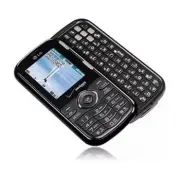
Page 2 - is a trademark of Verizon
Copyright©2010 LG Electronics, Inc. All rights reserved . LG and the LG logo are registered trademarks of LG Group and its related entities. Cosmos TM is a trademark of Verizon Wireless. All other trademarks are the property of their respective owners.
Page 3 - LG Cosmos; Violation of the instructions may cause serious injury or death.; I m p o r ta n t S a f ety P re c a u t i o n s
LG Cosmos TM 1 Read these instructions. Breaking the rules may be dangerous or illegal.Further detailed information is given in this user guide. Violation of the instructions may cause serious injury or death. ● Never use an unapproved battery since this could damage the phone and/or the battery and...
Page 4 - Do no
2 LG Cosmos TM I m p o r ta n t S a f ety P re c a u t i o n s ● Do no t expose the battery charger or adapter to direct sunlight or use it in places with high humidity, such as a bathroom. ● Do not use harsh chemicals (such as alcohol, benzene, thinner, etc.) or detergent to clean your phone. This ...
Page 6 - Ta b l e o f Co n te n ts; Important Safety Precautions 1
4 LG Cosmos TM Ta b l e o f Co n te n ts Important Safety Precautions 1 Table of Contents . . . . . . . . . .4 Welcome . . . . . . . . . . . . . . . . . .8 Technical Details . . . . . . . . . . .9 Phone Overview . . . . . . . . . . .13 Using the QWERTY Keyboard . . . . . .15 QWERTY Keyboard Access t...
Page 8 - Ta b l e o f C o n te n ts
6 LG Cosmos TM Ta b l e o f C o n te n ts 3.1.4 Check <Item> . . . . . . . . . . . . . .703.1.5 Contacts <Name> . . . . . . . . . .703.1.6 Search . . . . . . . . . . . . . . . . . . .703.1.7 Redial . . . . . . . . . . . . . . . . . . . .703.1.8 My Verizon . . . . . . . . . . . . . . .703...
Page 10 - We l c o m e; LG; NOTE
8 LG Cosmos TM We l c o m e Thank you for choosing the LG Cosmos TM cellular phone designed to operate with the latest digitalmobile communication technology,Code Division Multiple Access(CDMA). Along with the manyadvanced features of the CDMAsystem, such as greatly enhancedvoice clarity, this compa...
Page 11 - Te c h n i c a l D eta i l s; Important Information; FCC Part 15 Class B Compliance; TIP
LG Cosmos TM 9 Te c h n i c a l D eta i l s Important Information This user’s guide providesimportant information on the useand operation of your phone.Please read this guide carefullyprior to using the phone to be ableto use your phone to its greatestadvantage and to prevent anyaccidental damage or...
Page 12 - Technical Details; is an all digital
10 LG Cosmos TM Te c h n i c a l D eta i l s encouraged to try to correct theinterference by one or more of thefollowing measures: - Reorient or relocate the receivingantenna - Increase the separation betweenthe equipment and receiver - Connect the equipment into anoutlet on a circuit different from...
Page 13 - FCC RF Exposure Information
LG Cosmos TM 11 CDMA Standard Designator Description Basic Air Interface TIA/EIA-95ATSB-74ANSI J-STD-008TIA/EIA-IS2000 CDMA Dual-Mode Air Interface 14.4kbps Radio Link Protocol and Inter-Band Operations IS-95 Adapted for PCS Frequency BandCDMA2000 1xRTT Air Interface Network TIA/EIA/IS-634TIA/EIA/IS...
Page 14 - Caution
12 LG Cosmos TM Te c h n i c a l D eta i l s containing metallic componentsshould not be used. Avoid the useof accessories that cannot maintain0.78 inches (2 cm) distancebetween the user’s body and theback of the phone and have notbeen tested for compliance withFCC RF exposure limits. Vehicle-Mounte...
Page 15 - P h o n e O ve r v i ew
LG Cosmos TM 13 P h o n e O ve r v i ew 1. Earpiece Lets you hear the caller and automated prompts. 2. LCD Screen Displays digital clock, phone status, and information you choose to display. 3. Side Keys / Volume Keys Up/Down Use to adjust the Master Volume in standby mode* and theEarpiece Volume du...
Page 16 - Rear view; NOTES
14 LG Cosmos TM P h o n e O ve r v i ew 14. PWR / END Key Use to turn the power on/off and to end a call. Also returns to standby mode. 15. microSD ™ Slot Accommodates optional microSD TM cards up to 16GB. 16. Alphanumeric Keypad Use to enter numbers and characters and select menu items. 17. Vibrate...
Page 17 - Using the QWERTY Keyboard; To enter text with the QWERTY keyboard; Symbols; SHIFT Key; Return Key
LG Cosmos TM 15 Using the QWERTY Keyboard Your phone features a slide-out QWERTY keyboard, specifically designed foreasy and comfortable text entry. The QWERTY keyboard uses the samelayout as the keyboard on your computer, but has several added featuresand options to make text entry easier. To enter...
Page 18 - Q W E RT Y Key b o a rd Ac c es s to O t h e r P h o n e Fe at u res
16 LG Cosmos TM Q W E RT Y Key b o a rd Ac c es s to O t h e r P h o n e Fe at u res Quick Menu When you open the slide fromstandby mode, the Quick Menu isdisplayed, giving you quick accessto Messaging, Favorites and SocialNetworks. Contacts Search When the phone is in standbymode with the slide ope...
Page 19 - M e nu Tre e o n t h e I n te r n a l S c re e n; Settings
LG Cosmos TM 17 M e nu Tre e o n t h e I n te r n a l S c re e n S S ear ear ch ch M M e e ssaging ssaging 1. New Message 1. TXT Message2. Picture Message 3. Voice Message 2. Messages*3. Drafts4. Voicemail5. Mobile IM6. Email7. Chat8. Social Networks Settings 1. Messages View2. Entry Mode3. Auto Sav...
Page 22 - G ett i n g S ta r te d w i t h Yo u r P h o n e; Installing the Battery; Insert the bottom of the battery; Removing the Battery; Remove the battery from the
20 LG Cosmos TM G ett i n g S ta r te d w i t h Yo u r P h o n e Installing the Battery 1. Insert the bottom of the battery into the opening on the back ofthe phone making sure to alignthe battery contacts. 2. Push the battery down until it clicks into place. 3. Place the battery cover over the open...
Page 23 - To remove the back cover; NOTICE
LG Cosmos TM 21 To remove the back cover 1. Hold the phone securely with both hands (as demonstrated). 2. Push the back cover up with your thumb until it disengagesfrom the phone and then slide itup to remove. To install the back cover 1. Hold the phone securely with both hands (as demonstrated). 2....
Page 24 - The charge time varies; Charging with USB; Card; Locate the microSD; slot on the; card in the
22 LG Cosmos TM G ett i n g S ta r te d w i t h Yo u r P h o n e 3. The charge time varies depending upon the batterylevel. Charging with USB You can use your computer tocharge your phone. To be able tocharge with the USB cable, youneed to have the necessary USBDriver installed on your PC first.Conn...
Page 25 - B attery Charge Level; Turning the Phone On
LG Cosmos TM 23 How to Remove YourmicroSD TM Card Gently press and release theexposed edge of the microSD TM card, then remove it from the slotand replace the cover. NOTES ● Do not attempt to remove themicroSD TM card while reading or writing to the card. B attery Charge Level You can find the batte...
Page 26 - Making Calls; Using the external keys; Correcting Dialing Mistakes; Redialing Calls; Screen Icons; MENU
24 LG Cosmos TM G ett i n g S ta r te d w i t h Yo u r P h o n e Making Calls Make sure the phone is turned on.If not, press and hold until the LCD screen lights up. If necessary,enter the lock code. Using the external keys 1. Press the Left Soft Key , then press to unlock the screen (and keys). 2. ...
Page 27 - Q u i c k Ac c es s to Co nve n i e n t Fe at u res; Vibrate Mode; Mute; Quick Volume Adjustment; Scalable Fonts
LG Cosmos TM 25 Q u i c k Ac c es s to Co nve n i e n t Fe at u res Vibrate Mode Sets the phone to vibrate instead ofringing ( is displayed). To set Vibrate mode using theexternal keypad With the screen unlocked instandby mode, press and hold . Press and hold again to return to Normal mode. To set V...
Page 28 - Events Menu; CLR Key Activation; Q u i c k Ac c es s to C o nve n i e n t Fe at u res
26 LG Cosmos TM NOTE The Grid menu layout isdisplayed in graphics, thereforetext cannot be scaled. Events Menu The Events menu keeps track ofrecent phone events such asmissed calls, messages, calendaritems, alarms, and more. Fromstandby mode, press theDirectional Key downward to quickly access the E...
Page 29 - Favorites Key; View Messages; Messaging Key
LG Cosmos TM 27 Favorites Key Quickly and easily call, message,and/or view ten of your Contactsyou set as your Favorites. 1. Open the slide. The Quick Menu is displayed. 2. Press the Right Directional Key to highlight Favorites , then press . OR Press the Favorites Key . NOTE If the slide is open, b...
Page 30 - E n te r i n g a n d E d i t i n g I n f o r m at i o n; Text Input; Text Input Modes
28 LG Cosmos TM E n te r i n g a n d E d i t i n g I n f o r m at i o n Text Input The following key functions areavailable to help with text entrywhen you are using the ExternalKeypad: Left Soft Key: Press tochange the text inputmode. Shift: Press to changecapitalization (initial cap,caps lock, low...
Page 31 - Co n ta c ts i n Yo u r P h o n e ’s M e m o r y; Storing Basics
LG Cosmos TM 29 Co n ta c ts i n Yo u r P h o n e ’s M e m o r y Storing Basics You can store new phone numbersinto your Contacts from either theExternal Keypad or the QWERTYkeyboard. When using the ExternalKeypad, press the Left Soft Key [Unlock] , then press to unlock the screen and enterstandby m...
Page 32 - C o n ta c ts i n Yo u r P h o n e ’s M e m o r y
30 LG Cosmos TM C o n ta c ts i n Yo u r P h o n e ’s M e m o r y 3. Use the Directional Key to highlight a phone number, thenpress the Right Soft Key [ Options ]. 4. Use the Directional Key to highlight Set Speed Dial , then press . 5. Select a Speed Dial digit. ● Use the keypad, then press . ● Use...
Page 34 - Deleting
32 LG Cosmos TM C o n ta c ts i n Yo u r P h o n e ’s M e m o r y 4. Move the cursor to the position you want the pause, then press Add 2-Sec Pause or Add Wait . 5. Enter additional number(s), then press . Changing the DefaultNumber The Default Number is the phonenumber you first entered when youcre...
Page 35 - Press the Right Soft Key; Speed Dialing; Single Digit Speed Dials
LG Cosmos TM 33 4. Press the Right Soft Key [ Options ]. 5. Press Remove Speed Dial . 6. Press Yes to confirm. 7. Press again to save. Speed Dialing Allows you to make phone callsquickly and easily to numbersstored in Contacts. NOTE Speed Dial 1 is reserved forVoicemail. Single Digit Speed Dials Pre...
Page 36 - S E A RC H; SEARCH; Access and Options
34 LG Cosmos TM S E A RC H SEARCH The Search (Bing) applicationprovides Verizon Wirelesssubscribers with a superior,comprehensive mobile searchexperience that includes highlyrelevant search results from topquality content sources and resultsfrom VZW content downloadablecatalogs, Web / WAP and LocalP...
Page 37 - M E S SAG I N G; MESSAGING; SHORTCUT; New Message Alert; Messages View
LG Cosmos TM 35 M E S SAG I N G MESSAGING SHORTCUT From standby mode, pressing the LeftSoft Key [Message] is a hot key to your MESSAGING. Depending on the content and sizeof your messages, the phone canstore hundreds of messages(including a maximum of 200 SMSand 100 MMS). Other limits toavailable ch...
Page 44 - Messages View sorted by Time:
TIP The options when viewing byContact is abbreviated. Select Messages View from the Options menu, then select Time to immediately change the view andhave access to additionaloptions. Messages View sorted by Time: ● Press the Right Soft Key [Options] to erase the message. ● Press [OPEN] to view the ...
Page 45 - Send
LG Cosmos TM 43 3. Drafts Displays draft messages. 1. From standby mode, press the Left Soft Key [ Message ]. 2. Press Drafts . NOTE Press if Messages View is set to Time . 3. Options from here with a message highlighted: ● Press [ EDIT ] to continue editing the message. ● Press the Left Soft Key [ ...
Page 47 - Messaging Settings
LG Cosmos TM 45 NOTE This feature may require asubscription to a Chat serviceprovider. 8. Social Networks 1. From standby mode, press the Left Soft Key [ Message ]. 2. Press Social Networks . NOTE Press if Messages View is set to Time . Messaging Settings Allows you to configure settings foryour mes...
Page 48 - Erasing Messages
8. Multimedia Auto Receive Select On to automatically download attachments toMultimedia messages. Or, select Off . 9. Quick Text Displays your list of Quick Textphrases to help you to reducemanual input into messages. Usethis submenu to edit and add text. 10. Voicemail # Allows you to manually enter...
Page 49 - RECENT CALLS; R E C E N T C A L L S
LG Cosmos TM 47 RECENT CALLS The Recent Calls Menu is a list of thelast phone numbers or Contactentries for calls you placed, accepted,or missed. It's continually updated asnew numbers are added to thebeginning of the list and the oldestentries are removed from the bottomof the list. 1. Missed Allow...
Page 52 - C O N TAC T S; CONTACTS
50 LG Cosmos TM C O N TAC T S CONTACTS The Contacts Menu allows you tostore names, phone numbers andother information in your phone’smemory. SHORTCUT Pressing the Right Soft Key [Contacts] is a hot key to the Contact List. 1. New Contact Allows you to add a new number toyour Contact List. NOTE Using...
Page 55 - In Case of Emergency
LG Cosmos TM 53 6. Speed Dials Allows you to view your list ofSpeed Dials or designate SpeedDials for numbers entered in yourContacts. 1. From standby mode, press [ MENU ]. 2. Press Contacts . 3. Press Speed Dials . 4. Use the Directional Key to highlight the Speed Dialposition, or enter the SpeedDi...
Page 57 - M E D I A C E N T E R; MEDIA CENTER; Info
LG Cosmos TM 55 M E D I A C E N T E R MEDIA CENTER MEDIA CENTER allows you to domore than just talk on your phone.MEDIA CENTER is a technologyand service that allows you todownload and use applications onyour phone. With MEDIA CENTER,it’s quick and easy to personalizeyour phone to your lifestyle and...
Page 58 - Get New Ringtones
2.1 Get New Ringtones Allows you to connect to MEDIACENTER and download variousringtones. 1. From standby mode, press [ MENU ]. 2. Press Media Center. 3. Press Tunes & Tones . 4. Press Get New Ringtones . 2.2 My Ringtones Allows you to select a desiredringtone or download a newringtone. 1. From ...
Page 61 - Slide Show
LG Cosmos TM 59 Slide Show Plays all pictures as a slide show. Manage Pics Allows you to mark multiple pictures to be erased,moved, sent or locked/ unlocked. Rename Allows you to change the file name. *Lock (Unlock) Allows you to lock or unlock images. Lockedpictures can't be erasedaccidentally. Fil...
Page 68 - VZ Navigator
66 LG Cosmos TM M E D I A C E N T E R VZ Navigator TM Now you can find the address of agreat restaurant or the nearestATM, check movie times, discoverthe latest hot spots, and knowexactly how to get where you'regoing. VZ Navigator puts all theadvanced features of the latest GPSdevices and systems on...
Page 69 - E M A I L / M O B I L E I M / S E A RC H; EMAIL; Find points of interest; MOBILE IM; Press the Left Soft Key
E M A I L / M O B I L E I M / S E A RC H LG Cosmos TM 67 EMAIL Allows you to send an email viaMobile Web. You can also sendand receive emails through theMobile Email application afterdownloading the application. 1. From standby mode, press [ MENU ] . 2. Press Email . 3. Select an email service, then...
Page 70 - S E T T I N G S & TO O L S; Adjust the volume with the
68 LG Cosmos TM S E T T I N G S & TO O L S SETTINGS & TOOLS 1. My Verizon Check your subscriptioninformation ranging from yourpayment plan to your softwareupgrade or other available service. 1. From standby mode, press [ MENU ]. 2. Press Settings & Tools . 3. Press My Verizon . SHORTCUT ...
Page 73 - Ez Tip Calculator
LG Cosmos TM 71 4. Press Calculator . 5. Enter the numbers to get the value you want. To cancel anumber, press the Left Soft Key [ Clear ]. 6. Use the Right Soft Key [ Operators ] to add any of the following operators: ( )/ sin/ cos/ tan/ log/ ln/ exp/X ^ 2/ x ^ y/sqrt/deg/ rad 7. Use the Directiona...
Page 77 - Menu
LG Cosmos TM 75 7. After filling in the note, press [SAVE] to save it. 3.* USB Mass Storage This menu allows you to transfercontent from your phone to yourWindows ® XP, Windows ® 7 or Windows Vista ® PC (or vice versa) when your phone is connected toyour Windows ® XP, Windows ® 7 or Windows Vista ® ...
Page 79 - Turn On; Press the Left Soft Key; My Device Info
LG Cosmos TM 77 ● Icon References When aBluetooth ® Wireless Connection is Searched (neither connected nor paired). Turn On Allows you to set the phone'sBluetooth ® power On/Off. 1. From standby mode, press [ MENU ]. 2. Press Settings & Tools . 3. Press Bluetooth Menu . 4. Press the Left Soft Ke...
Page 80 - Discovery Mode; Supported Profiles; TIPS
78 LG Cosmos TM S E T T I N G S & TO O L S 7. Use the Alphanumeric Keypad to enter a new custom name. 8. Press to save and exit. TIP Bluetooth ® wireless connection is dependent on your Bluetooth ® stereo device. Even though you want to connectwith a headset that supports both stereoand handsfre...
Page 81 - the device from the pairing list.
LG Cosmos TM 79 ● PHONEBOOK ACCESS: Allowssharing of your name card,phonebook entries, and callhistory with a compatibleBluetooth ® device. ● OBJECT PUSH: Allows sendingand receiving of contact namecards and calendar eventsbetween devices. Phonebook Access Please refer to your handsfreedevice or car...
Page 84 - Digit Dial Readout; ERI
6. The Alert Sounds menu contains the following options: Tone/ Vibrate/ Reminder The exception for this is theEmergency Tone menu. Thismenu has these options: Alert/ Vibrate/ Off 6.4 Keypad Volume Allows you to set the keypadvolume. 1. From standby mode, press [ MENU ]. 2. Press Settings & Tools...
Page 85 - Software Update
LG Cosmos TM 83 Software Update Alerts you of an OTA software update to thedevice. 6. Use the Directional Key to highlight a setting, then press . On/ Off 6.7 Power On/Off Allows you to set the phone tosound a tone when the phone ispowered on/off. 1. From standby mode, press [ MENU ]. 2. Press Setti...
Page 87 - Use the Directional Key
LG Cosmos TM 85 4. Press Banner . 7.2.1 Personal Banner 1. From standby mode, press [ MENU ]. 2. Press Settings & Tools . 3. Press Display Settings . 4. Press Banner . 5. Press Personal Banner . 6. Enter your own banner text. NOTE Press the Directional Key to change the color of the text. Usethe...
Page 88 - Main Menu Settings
7.4 Brightness Allows you to set the backlightbrightness level. 1. From standby mode, press [ MENU ]. 2. Press Settings & Tools . 3. Press Display Settings . 4. Press Brightness . 5. Use the Directional Key to scroll to a setting, then press . 7.5 Wallpaper Allows you to choose the kind ofbackgr...
Page 93 - Adapt Voice
LG Cosmos TM 91 Adapt Voice Train Words/ Train Digits Prompts Mode: Prompts / Readout + Alerts / Readout / Tones Only Audio Playback: Speakerphone / Earpiece Timeout: 5 seconds / 10 seconds CLR Key Activation On/ Off 8.4 Language Allows you to set the bilingual(English or Spanish) featureaccording t...
Page 94 - Use the Directional Key
8.6 Current Country The Current Country menu allowsyou to select your current location. NOTE The Current Country settingcannot be changed after it's setfor the first time unless your reallocation changes to anothercountry. 1. From standby mode, press [ MENU ]. 2. Press Settings & Tools . 3. Pres...
Page 99 - Call Settings
LG Cosmos TM 97 2. Press Settings & Tools . 3. Press Call Settings . 4. Press TTY Mode . An explanation message isdisplayed. 5. Press to continue. 6. Use the Directional Key to highlight a setting, then press . TTY Full/ TTY + Talk/ TTY +Hear/ TTY Off TTY Full : Users who cannot talk or hear sen...
Page 105 - Select the font style.
LG Cosmos TM 103 1. Font Resize Info Information describing resizingscreen fonts is displayed. Afterreading, press [Next] . 2. Volume Key Resize Select whether you would like touse Volume Keys for font sizeadjustment. On/ Off 3. Call Sounds Select how you would like to bealerted to calls. Ring Only/...
Page 106 - S a f ety; TIA Safety Information; Radiation Protection
104 LG Cosmos TM S a f ety TIA Safety Information The following is the complete TIASafety Information for wirelesshandheld phones. Exposure to Radio FrequencySignal Your wireless handheld portablephone is a low power radiotransmitter and receiver. When ON,it receives and sends out RadioFrequency (RF...
Page 107 - Tips on Efficient Operation; Persons with pacemakers:; Should turn the phone OFF
LG Cosmos TM 105 Tips on Efficient Operation For your phone to operate mostefficiently: Don’t touch the antennaunnecessarily when the phone is inuse. Contact with the antennaaffects call quality and may causethe phone to operate at a higherpower level than otherwise needed. Driving Check the laws an...
Page 108 - Hearing Aids
106 LG Cosmos TM S a f ety immediately if there is anyreason to suspect thatinterference is taking place. Hearing Aids Some digital wireless phones mayinterfere with some hearing aids. Inthe event of such interference, youmay want to consult your serviceprovider (or call the customerservice line to ...
Page 109 - Safety Information
LG Cosmos TM 107 death. Areas with a potentially explosiveatmosphere are often, but notalways marked clearly. Potentialareas may include: fueling areas(such as gasoline stations); belowdeck on boats; fuel or chemicaltransfer or storage facilities;vehicles using liquefied petroleumgas (such as propan...
Page 110 - to contact battery terminals.
108 LG Cosmos TM S a f ety to contact battery terminals. ● Replace the battery only withanother battery that has beenqualified with the system per thisstandard, IEEE-Std-1725-200x.Use of an unqualified batterymay present a risk of fire,explosion, leakage or otherhazard. ● Promptly dispose of usedbat...
Page 113 - General Notice
LG Cosmos TM 111 dirty. ● When using the power plug,ensure that it’s firmly connected.If not, it may cause excessiveheat or fire. ● If you put your phone in apocket or bag without coveringthe receptacle of the phone(power plug pin), metallicarticles (such as a coin,paperclip or pen) may short-circui...
Page 114 - or other
112 LG Cosmos TM S a f ety backup your important phonenumbers. (Ringtones, textmessages, voice messages, andpictures could also be deleted.)The manufacturer is not liablefor damage due to the loss ofdata. ● When you use the phone inpublic places, set the ringtoneto vibration so you don't disturbothe...
Page 115 - American Academy of Audiology
LG Cosmos TM 113 you choose to listen to yourportable device in a noisyenvironment, use noise-cancelling headphones to blockout background environmentalnoise. ● Limit the amount of time youlisten. As the volume increases,less time is required before yourhearing could be affected. ● Avoid using headp...
Page 116 - FDA Consumer Update
114 LG Cosmos TM S a f ety FDA Consumer Update The U.S. Food andDrug Administration’sCenter for Devices and Radiological Health ConsumerUpdate on Mobile Phones: 1. Do wireless phones pose ahealth hazard? The available scientific evidencedoes not show that any healthproblems are associated with using...
Page 122 - The FDA has tested hearing aids
120 LG Cosmos TM S a f ety does not demonstrate that wirelessphones are harmful. But if you areconcerned about the RF exposurefrom these products, you can usemeasures like those describedabove to reduce your RF exposurefrom wireless phone use. 10. What about children usingwireless phones? The scient...
Page 123 - 0 Driver Safety Tips
LG Cosmos TM 121 for interference from handheldwireless phones and helpeddevelop a voluntary standardsponsored by the Institute ofElectrical and Electronic Engineers(IEEE). This standard specifies testmethods and performancerequirements for hearing aids andwireless phones so that nointerference occu...
Page 125 - Do not engage in stressful or
LG Cosmos TM 123 a few numbers, check the roadand your mirrors, then continue. 7. Do not engage in stressful or emotional conversations thatmay be distracting. Stressful oremotional conversations anddriving do not mix; they aredistracting and even dangerouswhen you are behind the wheelof a car. Make...
Page 126 - Your
124 LG Cosmos TM S a f ety Such laws or other regulationsmay prohibit or otherwiserestrict the manner in which adriver may use his or her phonewhile operating a vehicle. Consumer Information onSAR (Specific Absorption Rate) This Model Phone Meets theGovernment’s Requirements forExposure to Radio Wav...
Page 127 - To find information that pertains to
LG Cosmos TM 125 use only the power required toreach the network, in general, thecloser you are to a wireless basestation antenna, the lower thepower output. Before a phone model is availablefor sale to the public, it must betested and certified to the FCCthat it does not exceed the limitestablished...
Page 130 - For information about hearing aids and digital wireless phones
128 LG Cosmos TM S a f ety “normal usage” while using theirhearing aid with the particularwireless phone. “Normal usage” inthis context is defined as a signalquality that’s acceptable for normaloperation. The M mark is intended to besynonymous with the U mark. TheT mark is intended to besynonymous w...
Page 131 - Ac c es s o r i es; Battery
LG Cosmos TM 129 Ac c es s o r i es There are a variety of optional accessories available for your phone andthree easy ways to purchase them: shop online anytime atwww.verizonwireless.com, call us at 1866 VZ GOT IT (894 6848) or visitone of our Verizon Wireless Communication Stores. VehiclePowerChar...
Page 132 - LIMITED WARRANTY STATEMENT
130 LG Cosmos TM LIMITED WARRANTY STATEMENT 1. WHAT THIS WARRANTYCOVERS: LG offers you a limited warrantythat the enclosed subscriber unitand its enclosed accessories will befree from defects in material andworkmanship, according to thefollowing terms and conditions: (1) The limited warranty for the...
Page 133 - non LG approved accessories.
LG Cosmos TM 131 connections, unauthorizedrepair, misuse, neglect, abuse,accident, alteration, improperinstallation, or other acts whichare not the fault of LG, includingdamage caused by shipping,blown fuses, spills of food orliquid. (3) Breakage or damage to antennas unless caused directlyby defect...
Page 134 - L I M I T E D WA R RA N T Y STAT E M E N T; . Please call or write for
132 LG Cosmos TM L I M I T E D WA R RA N T Y STAT E M E N T 4. STATE LAW RIGHTS: No other express warranty isapplicable to this product. THEDURATION OF ANY IMPLIEDWARRANTIES, INCLUDING THEIMPLIED WARRANTY OFMARKETABILITY, IS LIMITED TOTHE DURATION OF THE EXPRESSWARRANTY HEREIN. LG SHALLNOT BE LIABLE...
Page 135 - Terminology; T one M; G l o s s a r y
LG Cosmos TM 133 Terminology Ez Tip Calculator Feature for easy bill calculationusing the total cost, tip, andnumber of people as variables. Advanced Voice Commands Feature that allows you to performa wide range of verbal commandsby training the phone to recognizeyour individual speech patterns. Blu...
Page 136 - NAM
134 LG Cosmos TM G l o s s a r y IS 2000 Type of digital signaling. It's thesecond generation of CDMA digitalcellular, an extension of IS-95.Differences between signalingtypes have to do with pilot signaland links to provide more trafficchannels, and control protocols. NAM N N umber A A ssignment M ...
Page 137 - I n d ex
123 10 Driver Safety Tips 121 A Accessories 129 Acronyms and Abbreviations 133 Add New Device 76 Adding Another Phone Number 30 Airplane Mode 88 Alarm Clock 73 Alert Sounds 81 All 48 Answer Options 95 Assisted Dialing 99 Auto Retry 96 B Backlight 85 Backup Assistant 51 Banner 84 Battery Charge Level...
Page 140 - MEMO