Page 2 - A l l r i g h t s r e s e r v e d
Copyright ©2010 LG Electronics, Inc. A l l r i g h t s r e s e r v e d . LG and the LG logo are registered trademarks of LGGroup and its related entities. All other trademarks arethe property of their respective owners. VM265_Cover_1.1_100226 2/26/10 4:26 PM Page 2
Page 3 - Important Safety Precautions; and/or battery and could cause the battery to explode.
Important Safety Precautions 1 Im po rta nt Sa fet y Pre ca uti on s Read these instructions. Breaking the rules may be dangerous or illegal. Further detailedinformation is given in this user guide. WARNING! Violation of the instructions may cause serious injury or death. 1. Never use an unapproved ...
Page 4 - places with high humidity, such as a bathroom.
Important Safety Precautions 2 Im po rta nt Sa fet y Pre ca uti on s 1. Do not expose the battery charger or adapter to direct sunlight or use it in places with high humidity, such as a bathroom. 2. Do not use harsh chemicals (such as alcohol, benzene, thinners, etc.) or detergents to clean your pho...
Page 6 - Table of Contents; ble
Table of Contents 4 Ta ble of Co nte nts Important Safety Precautions 1 Table of Contents 4 Important Information 10 FCC Part 15 Class B Compliance 10 Technical Details 11 Technical Details 11 FCC RF Exposure Information 12 Bodily Contact During Operation 13 Vehicle-Mounted External Antenna (Optiona...
Page 7 - Using Phone Menus
5 Ta ble of Co nte nts Text Input 28 Key Functions 28 Text Input Examples 29 Using Phone Menus 31 Menu Access 31 My Stuff 32 1. Ringtones 32 2. Games 32 3. Graphics 33 4. Apps 33 5. Music 33 5.1 Play All 33 5.2 Playlist 34 5.3 Artists 34 5.4 Albums 34 5.5 Genres 34 6. Themes 34 My Account 35 Picture...
Page 8 - Contacts
Table of Contents 6 Ta ble of Co nte nts 6.5 Auto Download 45 6.6 Message Sounds 46 Contacts 47 1. Add New 47 2. Emergency 48 3. Information 48 4. My Number 48 5. Song ID 48 6. Voicemail 48 Surf the Web 49 Missed Alerts 51 Connect 51 Tools + Settings 52 1. Tools 52 1.1 Alarm Clock 52 1.2 Bluetooth 5...
Page 10 - Apps; Safety; TIA Safety Information
Table of Contents 8 Ta ble of Co nte nts 8.2.4 Contacts Match 65 8.3 Contacts Settings 66 8.4 Headset Mode 66 8.5 Location 66 8.6 Navigation Keys 66 8.7 Restrict and lock 67 8.7.1 Restrict voice 67 8.7.2 Lock Pictures 67 8.7.3 Lock My Phone 67 8.8 Security 68 8.8.1 Lock My Phone 68 8.8.2 Change Lock...
Page 11 - FDA Consumer Update; Accessories
9 Ta ble of Co nte nts Warning! Important safety information78 Avoiding hearing damage 78 Using your phone safely 79 Using headsets safely 79 FDA Consumer Update 79 10 Driver Safety Tips 87 Consumer Information on SAR 89 FCC Hearing-Aid Compatibility (HAC)Regulations for Wireless Devices 92 Accessor...
Page 12 - Welcome; elc; Thank you for choosing the; Speakerphone feature.; Important Information; Note
Welcome 10 W elc om e Thank you for choosing the Rumor2 cellular phone designed to operate with the latestdigital mobile communication technology,Code Division Multiple Access (CDMA).Along with the many advanced features ofthe CDMA system, this compact phoneoffers: ● Significantly enhanced voice cla...
Page 13 - ch; Technical Details; The
Technical Details 11 Te ch nic al De tail s received, including interference that causesundesired operation. Technical Details The Rumor2 operates on Code Division Multiple Access frequencies (PersonalCommunications Services PCS) at 1.9 Ghz. CDMA Standard Basic Air Interface TIA/EIA-95ATSB-74ANSI J-...
Page 14 - CDMA technology uses a feature called; FCC RF Exposure Information; WARNING! Read this information before
Technical Details 12 Te ch nic al De tail s CDMA technology uses a feature called DSSS (Direct Sequence Spread Spectrum)that enables the phone to keepcommunication from being crossed and touse one frequency channel by multiple usersin the same specific area. This results in a 10-fold capacity increa...
Page 15 - Bodily Contact During Operation
13 Te ch nic al De tail s Bodily Contact During Operation This device was tested for typical use withthe back of the phone kept 0.79 inches(2.0 cm) from the body. To comply withFCC RF exposure requirements, a minimumseparation distance of 0.79 inches (2.0cm) must be maintained between the user’sbody...
Page 16 - FCC Notice and Cautions; - Reorient or relocate the receiving
Technical Details 14 Te ch nic al De tail s FCC Notice and Cautions This device and its accessories comply withpart 15 of FCC rules. Operation is subjectto the following two conditions: (1) Thisdevice and its accessories may not causeharmful interference, and (2) this deviceand its accessories must ...
Page 17 - - Connect the equipment into an outlet on
15 Te ch nic al De tail s - Connect the equipment into an outlet on a circuit different from that to which thereceiver is connected. - Consult the dealer or an experienced radio/TV technician for help.
Page 18 - Phone Overview; Ph
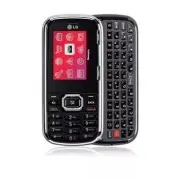
Phone Overview 16 Ph on e O ve rvie w 1. Earpiece Lets you hear the caller. 2. LCD Screen Displays messages and indicator icons. When the phone is turned on, power save mode automatically dims the screen if no keys arepressed. 3. Left Option Key When in Standby mode, use to display the Messaging Men...
Page 20 - Entering Text With the QWERTY Keyboard; Press
Phone Overview 18 Ph on e O ve rvie w Entering Text With the QWERTY Keyboard Your phone features a slide-out QWERTY keyboard, specifically designed for easy andcomfortable text entry. The QWERTY keyboard uses the same layout and works just like thekeyboard on your computer. The easiest way to enter ...
Page 21 - In any text entry screen, slide open the QWERTY keyboard.
19 Ph on e O ve rvie w To enter text with the QWERTY keyboard: 1. In any text entry screen, slide open the QWERTY keyboard. (The display automatically adjusts to landscape mode.) 2. Use your thumbs to enter text. ● To change capitalization, press . ● To enter symbols, press the Right Option Key Opti...
Page 22 - Menus Overview; us; Menu Access
Menus Overview 20 M en us O ve rvie w My Stuff 1. Ringtones 2. Games 3. Graphics 4. Apps 5. Music 6. Themes My Account 1. Launch Pictures 1. Take a Picture 2. My Pictures 3. MyPix Web Album 4. Settings 5. Help Downloads 1. Launch Messaging 1. Messages 2. Send Message 3. Email + IM 4. Virgin Alerts 5...
Page 23 - Missed Alerts; Missed Events List; Connect; Phone Information
21 M en us O ve rvie w Missed Alerts 1. Missed Events List Connect 1. Launch Tools + Settings 1. Tools 1. Alarm Clock 2. Bluetooth 3. Calculator 4. Calendar 5. World Clock 6. Voice Control 7. Voice Memo 8. Notepad 9. Utilities 2. Settings 1. Display 1. Main Screen 2. Font Size 3. Keypad Light 4. Lan...
Page 24 - Google Maps; Opera Mini; Media Player
Menus Overview 22 M en us O ve rvie w Apps 1. Get More Apps Email + IM Google Maps TM Opera Mini Media Player 1. Play All 2. Playlist 3. Artists 4. Albums 5. Genres
Page 25 - The Battery; Installing the Battery; Charging the Battery; Warning! Use only the charger provided with; Getting Started with Your Phone; Notice
The Battery The phone comes with a rechargeablebattery. The battery charge level is shownat the top of the LCD screen. Installing the Battery Remove the battery cover by sliding itupward. Align the battery with the terminalsnear the bottom of the phone and push thetop of the battery into the compart...
Page 28 - or
Correcting Dialing Mistakes If you make a mistake while dialing anumber, press once to erase the last digit entered, or hold down for about 2 seconds to go to the standby mode. Redialing Calls 1. Press to open the Recent Calls list. Then highlight the number you wish toredial and press again. The la...
Page 29 - Speed Number; Speed Number dialing using Single; Quick Access to Convenient Features
Call Waiting Your cellular service may offer call waiting.While a call is in progress one beepindicates an incoming call. When callwaiting is enabled, you may put the activecall on hold while you answer the otherincoming call. Check with your cellularservice provider for information about thisfuncti...
Page 30 - Entering Text Without the QWERTY:; : Press to complete a word if; Entering and Editing Information
Text Input You can input and edit your Banner,Calendar, Contacts, Alarm Clock, Notepad,and Messages plus much more. Entering Text Without the QWERTY: Key Functions Right Option Key : Press to scroll through the followingoptions: Text Mode/ Add Auto Text/ Add/Change Recipients/ Save as DraftShift : P...
Page 33 - Ac
Using Phone Menus 31 M en u Ac ce ss Menu Access Press or to have access to 12 phone menus. There are two methods to accessmenus and sub-menus: ● Use the navigation key to highlight andselect a Menu. Or ● Press the key that corresponds to themenu or sub-menus. For example: 1. Press . 12 menu items a...
Page 34 - Stu; My Stuff; Access and Options
My Stuff 32 M y Stu ff My Stuff My Stuff lets you preview, assign &download graphics, ringtones, and more.Charges apply for most downloads. Access and Options 1. Press Menu . 2. Press My Stuff . 3. Select a sub-menu. 1. Ringtones2. Games3. Graphics 4. Apps5. Music6. Themes 1. Ringtones The My ri...
Page 36 - Keyguard On
My Stuff 34 M y Stu ff Full Player/ Repeat + Shuffle/ Add to Playlist/ File Info/ Memory Info/ Keyguard On 5.2 Playlist 1. Press , , , . 2. Press the Left Option Key Play to play the highlighted song in the playlist orpress the Right Option Key OPTIONS for the following options: Repeat + Shuffle/ Me...
Page 37 - My Account; Shortcut
My Account 35 M y Ac co un t My Account The My Account menu allows you tomanage your services. Check your balanceand Top-Up here. Additional charges mayapply for multiple balance checks in oneday. See www.virginmobileusa.com forpricing details. Access and Options 1. Press . 2. Press My Account . Top...
Page 39 - Pic; Pictures
Pictures 37 Pic tu res Pictures View, take, and upload your digital picturesright from your wireless phone. 1. Take a Picture 1. Press , , . 2. Press to customize camera settings. The following menu pops up: Zoom/ Self Timer/ Capture/ Color Tone/ Fun Frame Or the Right Option Key Options for the fol...
Page 41 - Do; Downloads
Downloads 39 Do wn loa ds Downloads Everything you need to know while you’reon the go. 1. Press , . 2. After a few seconds, you will see the Home page. Ending a Web Session End a Web session by pressing . Navigating Through the Browser On-screen items may be presented in oneof the following ways: ● ...
Page 42 - Option Keys
Downloads 40 Do wn loa ds Option Keys To navigate to different screens or selectspecial functions, use the Option Keys. Thefunction associated with the Option Keyscan change for each page and depends oneach highlighted item. Clearing Out Text/Number Entered When entering text or numbers, press to cl...
Page 43 - ess; Messaging; Messaging
Messaging 41 M ess ag ing Messaging Access and Options 1. Press . 2. Press Messaging . 3. Select a sub-menu. 1. Messages2. Send Message3. Email + IM4. Virgin Alerts5. Voicemail6. Msg Settings Text messages and new voicemail messagesbecome available as soon as the phone ispowered on. ● Make a call to...
Page 44 - Message Icon Reference
Messaging 42 M ess ag ing 1. Messages Allows you to send text messages, InstantMessages, and Emails. Message Icon Reference Inbox Unread Text/Notification Picture message Read Text/Retrieved Picture message Sent Failed Text/Picture message Sent or Draft Text/Picture message Canceled Text message Sen...
Page 45 - Text Mode
43 M ess ag ing Key New Addr and enter phone number or email address. 3. Press Left Option Key Continue (if necessary) to access the message screen. 4. Type your message. 5. Press Left Option Key Send . Customize Your Text Message UsingOptions While you are composing the text of amessage you can cus...
Page 46 - Checking your voicemail box.; Allows you to check voicemail details.
Messaging 44 M ess ag ing 4. Virgin Alerts Virgin Alerts are free system messages thatprovide information from time to time to letyou know about your acccount. 1. Press , , . 5. Voicemail Allows you to view new voice messagesrecorded in the voicemail box. Your phonewill alert you when you receive a ...
Page 47 - Custom
45 M ess ag ing 6.2 Signature Each message you send can have acustomized signature to reflect yourpersonality. 1. Press , , , . 2. Select Custom and press . (If you do not wish to attach a signatureto your outgoing messages, selectNone.) 3. Enter your signature and press . 6.3 Auto Text Your phone i...
Page 48 - to select a setting,
Messaging 46 M ess ag ing On/ Off 6.6 Message Sounds Allows you to customize the way in whichyour phone alerts you for incomingmessages and voicemails. 1. Press , , , . 2. Use to select a setting, then press . Volume/ Ringtone Type/ Vibrate Type/ Message Reminder
Page 49 - Co
Contacts 47 Co nta cts Contacts The Contacts Menu allows you to storenames, phone numbers and otherinformation in your phone’s memory. Whenyou access your Contacts, the number inparentheses represents the number ofentries you have stored (up to 600). Access and Options 1. Press Menu . 2. Press Conta...
Page 50 - Emergency
Contacts 48 Co nta cts 2. Emergency Use this contact in case of emergencies, itdials 911. 1. Press , . 2. Highlight Emergency and press . 3. Information Allows you to connect to the 411information line. 1. Press , . 2. Highlight Information and press . 4. My Number Shows your phone number. 1. Press ...
Page 51 - Su; Surf the Web; by pressing
Surf the Web 49 Su rf th e W eb Surf the Web Access your favorite sites right from phone.Click on one of our featured links, do aquick search, or enter a URL of your own. Access and Options 1. Press . 2. Select Surf the Web by pressing . 3. A notification about air time charges prompt may appear, if...
Page 52 - Fast Scrolling
Surf the Web 50 Su rf th e W eb Fast Scrolling Press and hold to quickly move the cursor up and down on the current screen. Clearing Out Text/Numbers Entered When entering text or numbers, press to clear the last number, letter, or symbol.Press and hold to clear the input field completely. Initiatin...
Page 53 - Missed Alerts/ Connect
Missed Alerts/ Connect 51 M iss ed Ale rts / Co nn ec t/ Ap ps Missed Alerts Access and Options 1. Press . 2. Highlight and select Missed Events or press . Connect Link to popular networking sites right fromyour Virgin Mobile phone. Connect withfriends on Facebook, MySpace, YouTube,Flickr, Twitter, ...
Page 54 - Alarm 1
Tools + Settings 52 To ols + Se ttin gs Tools + Settings 1. Tools Your phone is equipped with helpful tools,including: Alarm Clock, Bluetooth,Calculator, Calendar, World Clock, VoiceControl, Voice Memo, Notepad, Utilities. 1.1 Alarm Clock Allows you to set up to seven alarms. Atthe alarm time, any s...
Page 55 - Min Later/ 20 Min Later
53 To ols + Se ttin gs set Off/ 5 Min Later/ 10 Min Later/ 15 Min Later/ 20 Min Later 1.2 Bluetooth The Rumor2 is compatible with devices that support the Bluetooth ® headset , stereo and handsfree profile(s)*. You maycreate and store 20 pairings within the Rumor2 and connect to one device at a time...
Page 56 - On
Tools + Settings 54 To ols + Se ttin gs 1.2.2 Paired Devices Allows you to view a list of your paireddevices. 1. Press , , , , . 1.2.3 Power Allows you to set the power On/Off. 1. Press , , , , . 2. Use to select a setting, then press . On / Off 1.2.4 My Visibility Allows you to set the visibility o...
Page 57 - Clear
55 To ols + Se ttin gs 1.3 Calculator 1.3.1 Calculator Allows you to perform simple mathematicalcalculations. 1. Press , , , , . 2. Enter data. ● Use keypad to enter numbers. ● Use or qwerty to enter decimals. ● Press Left Option Key Clear to clear the entry. ● Press Right Option Key Close to exit m...
Page 58 - Cities
Tools + Settings 56 To ols + Se ttin gs 1.5 World Clock Allows you to determine the current time inanother time zone or country. 1. Press , , , . 2. Press Right Option Key Cities to select a specific city and display thedate/time in that location. 3. Use to scroll through all available cities. 4. Pr...
Page 60 - Add
Tools + Settings 58 To ols + Se ttin gs 1. Press Left Option Key Add . 2. Select a day for the event by highlighting the date field and andpressing . Use to set a date, then press to save. 3. Type a title for the event by highlighting [Content] and press . 4. Enter the event title and press . 5. Cho...
Page 62 - Numbers
Tools + Settings 60 To ols + Se ttin gs 3. Use to select an option to customize, then press . 1.1.7 Picture ID Allows you to set Picture IDs for yourcontacts. 1. Press , , , , , . 2. Choose a sub-menu (options below), then press . All Contacts/ One Contact/ Unknown Numbers 3. Use to select type to c...
Page 63 - Unknown Numbers
61 To ols + Se ttin gs 2.1 Volume Allows you to set various volume settings. 1. Press , , , , . 2. Select Ringtone/ Earpiece/ Speakerphone/ Keytones/ Alarm + Calendar/ Applications/ Alerts/ Power On/Off . 3. Use to adjust the volume of the function, then press to save the setting. 2.2 Ringtone Type ...
Page 64 - Short Tones/ Long Tones
Tools + Settings 62 To ols + Se ttin gs 4. Press to save. 2.5 Keytones 2.5.1 Tone Length Allows you to set the tone length. 1. Press , , , , , . 2. Choose a setting (options below), then press . Short Tones/ Long Tones 3. Use to select a setting, then press . 2.5.2 Tone Volume Allows you to set the ...
Page 65 - Brief explanation of this menu.
63 To ols + Se ttin gs the word you are going to type whenentering text. 4.5 Word Completion (On/ Off) Allows you to set your phone toautomatically complete words for you whenentering text. 4.6 Use My Words (On/ Off) Allows you to get word recommendationsfrom your My Words database. 4.7 My Words (Ad...
Page 67 - See Font Size on page 60.
65 To ols + Se ttin gs 8.1.2 Font Size See Font Size on page 60. 8.2 Call Setup 8.2.1 Auto-Answer Allows you to automatically answer a callwhen your phone is connected to a hands-free device. This feature is intended for usewith hands-free devices only. 1. Press , , , , , . 2. Use to select a settin...
Page 68 - Speed Numbers
Tools + Settings 66 To ols + Se ttin gs 8.3 Contacts Settings Allows you to assign Speed Numbers ordetermine whether to Hide or Show yourphone numbers designated as Secret. 1. Press , , , , . 2. Select Speed Numbers to view, assign or delete contacts from the list. Or 2. Select Hide/Show Secret to h...
Page 69 - Restrict and lock
67 To ols + Se ttin gs 1. Press , , , , . 2. Read the disclaimer and press . 3. Assign the navigation keys by pressing and then selecting a function from the list. 8.7 Restrict and lock 8.7.1 Restrict voice Allows you to restrict incoming and/oroutgoing calls. 1. Press , , , , . 2. Enter the four-di...
Page 73 - to highlight an; Refer to the Music section on page 33.
71 Apps Download the latest applications atwww.virginmobileusa.com or directly fromyour phone using Get More Apps. 1. Press , . 2. Use to highlight an option/application, then press . Get More Apps/ Email + IM/ Google Maps TM / Opera Mini Media Player Refer to the Music section on page 33. 1. Press ...
Page 74 - Exposure to Radio Frequency Signal
72 Sa fet y Safety TIA Safety Information The following is the complete TIA SafetyInformation for wireless handheld phones. Exposure to Radio Frequency Signal Your wireless handheld portable phone is alow power radio transmitter and receiver.When ON, it receives and sends out RadioFrequency (RF) sig...
Page 75 - Driving; Should turn the phone OFF immediately
73 Sa fet y For your phone to operate mostefficiently: Don’t touch the antenna unnecessarilywhen the phone is in use. Contact with theantenna affects call quality and may causethe phone to operate at a higher powerlevel than otherwise needed. Driving Check the laws and regulations on the useof wirel...
Page 76 - Sa
Safety 74 Sa fet y if there is any reason to suspect thatinterference is taking place Hearing Aids Some digital wireless phones may interferewith some hearing aids. In the event ofsuch interference, you may want to consult(or call the customer service line to discussalternatives). Other Medical Devi...
Page 77 - Potentially Explosive Atmosphere
75 Sa fet y Potentially Explosive Atmosphere Turn your phone OFF when in any areawith a potentially explosive atmosphereand obey all signs and instructions. Sparksin such areas could cause an explosion orfire resulting in bodily injury or even death. Areas with a potentially explosiveatmosphere are ...
Page 78 - Safety Information; Violation of the; Charger and Adapter Safety; Keep the battery’s metal contacts clean.
Safety 76 Sa fet y Safety Information Please read and observe the followinginformation for safe and proper use of yourphone and to prevent damage. Also, keepthe user guide in an accessible place at alltimes after reading it. C C a a u u t t i i o o n n ! ! Violation of the instructions may cause min...
Page 79 - General Notice
77 Sa fet y Explosion, Shock, and Fire Hazards ● Do not put your phone in a place subjectto excessive dust and keep the minimumrequired distance between the power cordand heat sources. ● Unplug the power cord prior to cleaningyour phone, and clean the power plugpin when it’s dirty. ● When using the ...
Page 80 - Center to replace the damaged antenna.; Warning! Important safety
Safety 78 Sa fet y Center to replace the damaged antenna. ● Do not immerse your phone in water. Ifthis happens, turn it off immediately andremove the battery. If the phone doesnot work, take it to an LG AuthorizedService Center. ● Do not paint your phone. ● The data saved in your phone might bedelet...
Page 81 - Using your phone safely; FDA Consumer; Do wireless phones pose a health
79 Sa fet y Using your phone safely Use of your phone while operating avehicle is not recommended and is illegal insome areas. Be careful and attentive whiledriving. Stop using your phone if you findit disruptive or distracting while operatingany type of vehicle or performing anyother activity that ...
Page 82 - safety of wireless phones?
Safety 80 Sa fet y researchers have had difficulty inreproducing those studies, or indetermining the reasons for inconsistentresults. 2. What is the FDA's role concerning the safety of wireless phones? Under the law, the FDA does not review thesafety of radiation-emitting consumerproducts such as wi...
Page 83 - What kinds of phones are the subject
81 Sa fet y The FDA shares regulatory responsibilitiesfor wireless phones with the FederalCommunications Commission (FCC). Allphones that are sold in the United Statesmust comply with FCC safety guidelinesthat limit RF exposure. The FCC relies onthe FDA and other health agencies forsafety questions ...
Page 84 - What research is needed to decide
Safety 82 Sa fet y few animal studies, however, havesuggested that low levels of RF couldaccelerate the development of cancer inlaboratory animals. However, many of thestudies that showed increased tumordevelopment used animals that had beengenetically engineered or treated withcancer-causing chemic...
Page 85 - What is the FDA doing to find out
83 Sa fet y hampered by difficulties in measuringactual RF exposure during day-to-day useof wireless phones. Many factors affect thismeasurement, such as the angle at whichthe phone is held, or which model ofphone is used. 6. What is the FDA doing to find out more about the possible health effects o...
Page 86 - What has the FDA done to measure
Safety 84 Sa fet y consultation with the FDA and the otherfederal health and safety agencies. The FCClimit for RF exposure from wireless phonesis set at a Specific Absorption Rate (SAR)of 1.6 watts per kilogram (1.6 W/kg). TheFCC limit is consistent with the safetystandards developed by the Institut...
Page 87 - What steps can I take to reduce my
85 Sa fet y 9. What steps can I take to reduce my exposure to Radio Frequency energy from my wireless phone? If there is a risk from these products —and at this point we do not know thatthere is — it is probably very small. But ifyou are concerned about avoiding evenpotential risks, you can take a f...
Page 88 - What about wireless phone
Safety 86 Sa fet y scientific evidence that any health hazardexists. 11. What about wireless phone interference with medical equipment? Radio Frequency (RF) energy from wirelessphones can interact with some electronicdevices. For this reason, the FDA helpeddevelop a detailed test method to measureEl...
Page 89 - 0 Driver Safety Tips; Get to know your wireless phone and its
87 Sa fet y World Health Organization (WHO)International EMF Project(http://www.who.int/emf) National Radiological Protection Board(UK)(http://www.hpa.org.uk/radiation/) 10 Driver Safety Tips Your wireless phone gives you the powerfulability to communicate by voice almostanywhere, anytime. An import...
Page 91 - Consumer Information on SAR; Government’s Requirements for Exposure
89 Sa fet y wireless non-emergency assistancenumber when necessary. Certainsituations you encounter while drivingmay require attention, but are noturgent enough to merit a call foremergency services. But you can stilluse your wireless phone to lend a hand.If you see a broken-down vehicleposing no se...
Page 92 - The FCC has granted an Equipment
Safety 90 Sa fet y SAR. The SAR is a measure of the rate ofabsorption of RF energy by the humanbody expressed in units of watts perkilogram (W/kg). The FCC requires wirelessphones to comply with a safety limit of 1.6watts per kilogram (1.6 W/kg). The FCCexposure limit incorporates a substantialmargi...
Page 93 - for a particular phone.
91 Sa fet y Authorization for this model phone with allreported SAR levels evaluated as incompliance with the FCC RF emissionguidelines. The highest SAR value for this modelphone when tested for use at the ear is1.1 W/kg and when worn on the body, asdescribed in this user’s manual, is 0.636W/kg. Whi...
Page 94 - FCC Hearing-Aid Compatibility
Safety 92 Sa fet y FCC Hearing-Aid Compatibility (HAC) Regulations for Wireless Devices On July 10, 2003, the U.S. FederalCommunications Commission (FCC)Report and Order in WT Docket 01-309modified the exception of wireless phonesunder the Hearing Aid Compatibility Act of1988 (HAC Act) to require di...
Page 96 - For information about hearing aids and digital wireless phones; FCC Hearing Aid Compatibility and Volume Control
Safety 94 Sa fet y For information about hearing aids and digital wireless phones FCC Hearing Aid Compatibility and Volume Control http://www.fcc.gov/cgb/dro/hearing.html Gallaudet University, RERC http://tap.Gallaudet.edu/DigWireless.KS/DigWireless.htm Hearing Loss Association of America [HLAA] htt...
Page 97 - attery Charger; The battery charger allows you to charge your phone.; Battery; Standard battery is available.; Vehicle Power Charger
95 Ac ce sso rie s Accessories There are a variety of accessories available for your mobile phone. Consult your local dealerfor availability. Optional items are sold separately. B attery Charger The battery charger allows you to charge your phone. Battery Standard battery is available. Vehicle Power...
Page 98 - Limited Warranty Statement; WHAT THIS WARRANTY DOES NOT
96 Lim ite d W arr an ty Sta tem en t Limited Warranty Statement 1. WHAT THIS WARRANTY COVERS: LG offers you a limited warranty that theenclosed subscriber unit and its enclosedaccessories will be free from defects inmaterial and workmanship, according tothe following terms and conditions: (1) The l...
Page 100 - LG Electronics Service- Mobile Handsets
Limited Warranty Statement 98 Lim ite d W arr an ty Sta tem en t any such data or information prior tosending the unit to LG to avoid thepermanent loss of such information.” 4. STATE LAW RIGHTS: No other express warranty is applicable tothis product. THE DURATION OF ANYIMPLIED WARRANTIES, INCLUDING ...
Page 101 - Index
1 10 Driver Safety Tips87 A Accessibility 64Accessories 95Add New 47Advanced 64Airplane/Music Mode63Alarm Clock 52Albums 34Alerts 61Apps 33Artists 34Auto Download 45Auto text 45 B Battery Charge Level24Bluetooth 53 C Calculator 55 Calendar 55Call setup 65Call Timer 64Call voicemail 44Call Waiting 27...
Page 102 - Ind
Messaging 41, 62Missed Alerts 51More… 64Msg Settings 44Music 33My Account 35My Number 48, 64My Pictures 37My Stuff 32MyPix Web Album 38 N Navigation Keys 66Notepad 57Notification 44 P Phone information 63Phone Overview 16Pictures 37Play All 33Playlist 34 Q Quick Access toConvenient Features27 R Rece...
Page 103 - Precaución de Seguridad Importante; No use nunca una batería no aprobada, ya que esto podría dañar el
Precaución de Seguridad Importante 1 Pre ca uc ión de Se gu rid ad Im po rta nte Lea estas sencillas instrucciones. Romper las reglas puede ser peligroso o ilegal. Seofrece más información detallada en esta guía del usuario. ¡Aviso! No seguir las instrucciones puede ocasionar lesiones graves o la mu...
Page 104 - lo utilice en sitios con elevada humedad, como por ejemplo el baño.
Precaución de Seguridad Importante 2 Pre ca uc ión de Se gu rid ad Im po rta nte 1. No exponga cargador de baterías o el adaptador a la luz directa del sol, ni lo utilice en sitios con elevada humedad, como por ejemplo el baño. 2. No use sustancias químicas corrosivas (como alcohol, bencina, solvent...
Page 106 - Contenido
Contenido 4 Co nte nid o Precaución de Seguridad Importante 1 Contenido 4 Bienvenidos 10 Información importante 10 Detalles Técnicos 11 Cumplimiento de clase B según el artículo 15 dela FCC 11 Detalles técnicos 11 Información de la FCC sobre exposición a la RF 12 Contacto corporal durante el funcion...
Page 107 - Introducir y editar información; Uso de los menús del teléfono; Mis Pix Álbum de Web
5 Co nte nid o Introducir y editar información 27 Introducción de texto 27 Funciones de las teclas 27 Ejemplos de Introducción de Texto 28 Uso de los menús del teléfono 30 Acceso al menú 30 Mis Cosas 31 1. Timbres 31 2. Juegos 31 3. Gráficos 32 4. Aplicaciones 32 5. Música 32 5.1 Reproducir Todas 32...
Page 108 - Contactos
Contenido 6 Co nte nid o 6.4 Entrada de Texto 45 6.5 Auto Descargar 45 6.6 Sonidos de Mensajes 45 Contactos 46 1. Agregar Nuevo 46 2. Emergency 47 3. Information 47 4. My Number 47 5. Song ID 47 6. Voicemail 47 Navegar por la Red 48 Alertas Perdidas 49 Conectar 50 Herram. y Config 50 1. Herramientas...
Page 110 - Aplicaciones; Seguridad; Información de seguridad de la TIA
Contenido 8 Co nte nid o 8.7 Restringir y Bloquear 66 8.7.1 Restringir Llamadas 66 8.7.2 Bloquear Fotos 66 8.7.3 Bloquear Mi Teléfono 67 8.8 Seguridad 67 8.8.1 Bloq Mi Teléfono 67 8.8.2 Cambiar Código de Bloqueo 67 8.8.3 Números Especiales 68 8.8.4 Editar Contactos 68 8.8.5 Borrar/Reinicio 68 Aplica...
Page 111 - Accesorios
9 Co nte nid o Información al consumidor sobre laSAR 91 Reglas para la compatibilidad conaparatos para la sordera (HAC) de la FCCpara los dispositivos inalámbricos 94 Accesorios 97 Declaración De Garantía Limitada 98 Índice 102 Algún contenido en este guía del usuario puedediferir de su teléfono dep...
Page 112 - Bienvenidos; Bie; La tecnología inalámbrica Bluetooth; Información importante; Nota
Bienvenidos 10 Bie nve nid os Felicidades por elegir el avanzado ycompacto teléfono celular Rumor2 , diseñado para funcionar con la másreciente tecnología de comunicacionesmóviles digitales: Acceso múltiple dedivisión de código (Code Division MultipleAccess, CDMA). Junto con las muchasfunciones avan...
Page 113 - Detalles Técnicos; tall; Cumplimiento de clase B según el; EL
Detalles Técnicos 11 De tall es Té cn ico s Cumplimiento de clase B según el artículo 15 de la FCC Este dispositivo y sus accesorios cumplencon el artículo 15 de las reglas de la FCC. Laoperación está sujeta a las dos condicionessiguientes: (1) Este dispositivo y susaccesorios no podrán causar inter...
Page 114 - ¡ADVERTENCIA! Lea esta información
Información de la FCC sobre exposición a la RF ¡ADVERTENCIA! Lea esta información antes de hacer funcionar el teléfono. En agosto de 1996, la Comisión federal decomunicaciones (FCC) de los EstadosUnidos, con su acción sobre el Informe yorden FCC 96-326, adoptó un estándar deseguridad actualizado par...
Page 115 - Contacto corporal durante el
13 De tall es Té cn ico s Contacto corporal durante el funcionamiento Este dispositivo se probó para un usoordinario con la parte posterior del teléfonoa una distancia de 2.0 cm (0.79 pulgadas)del cuerpo. Para cumplir con los requisitosde exposición a RF de la FCC, debemantenerse una distancia de se...
Page 117 - Descripción general del teléfono
Descripción general del teléfono 15 De scr ipc ión ge ne ral de lte léf on o 1. Auricular Le permite escuchar a quien llama. 2. Pantalla LCD Muestra los mensajes e iconos indicadores. Cuando el teléfono está encendido, el modo de ahorro de energía atenúaautomáticamente la pantalla si no se oprime ni...
Page 119 - Introducción de texto con el teclado QWERTY; Oprima una vez
17 De scr ipc ión ge ne ral de lte léf on o Introducción de texto con el teclado QWERTY Su teléfono cuenta con un teclado QWERTY que se desliza hacia afuera, específicamentediseñado para que escribir texto sea fácil y cómodo. El teclado QWERTY tiene la mismadisposición y funciona igual que el teclad...
Page 120 - Para introducir texto con el teclado QWERTY:
Descripción general del teléfono 18 De scr ipc ión ge ne ral de lte léf on o Para introducir texto con el teclado QWERTY: 1. En cualquier pantalla de entrada de texto, abra el teclado QWERTY deslizándolo hacia afuera.(La visualización se ajusta automáticamente al modo horizontal). 2. Use sus pulgare...
Page 121 - Descripción general de los menús; Acceso a los menús; Menú
19 De scr ipc ión ge ne ral de los me nú s Descripción general de los menús Mis Cosas 1. Timbres 2. Juegos 3. Gráficos 4. Aplicaciones 5. Música 6. Temas Mi Cuenta 1. Lanzar Imágenes 1. Tomar una Foto 2. Mis Imágenes 3. Mis Pix Álbum de Web 4. Configuración 5. Ayuda Descargas 1. Lanzar Mensajería 1....
Page 122 - Navegar por la Red; Lista de Eventos Perdidas; Conectar; Pantalla Principal
Descripción general de los menús 20 De scr ipc ión ge ne ral de los me nú s Navegar por la Red 1. Lanzar Alertas Perdidas 1. Lista de Eventos Perdidas Conectar 1. Lanzar Herram. y Config 1. Herramientas 1. Despertador 2. Bluetooth 3. Calculadora 4. Calendario 5. Reloj Mundial 6. Control de Voz 7. Me...
Page 123 - Reproductor de Medios
21 De scr ipc ión ge ne ral de los me nú s 1. Accesibilidad 2. Config. de Llamada 3. Config. de Contactos 4. Modo de Auricular 5. Ubicación 6. Teclas de Navegación 7. Restringir y Bloquear 8. Seguridad Aplicaciones 1. Obtener Más Aplicaciones Email + IM Google Maps TM Opera Mini Reproductor de Medio...
Page 124 - Para hacer funcionar su teléfono por primera vez; La batería; Instalación de la batería; Mientras sostiene la cubierta de la; Cargar la batería; Conecte una terminal del adaptador AC; Aviso
Para hacer funcionar su teléfono por primera vez 22 Par a hac er fun cio nar su telé fon o po rp rim era vez La batería El teléfono viene con una batería recargable.El nivel de carga de la batería se muestra enla parte superior de la pantalla de cristallíquido. Instalación de la batería Remueva la c...
Page 125 - Insertar tarjeta microSD; Retirar tarjeta microSD; Nivel de carga de la batería
23 Par a hac er fun cio nar su telé fon o po rp rim era vez Insertar tarjeta microSD TM 1. Localice la ranura de la tarjeta microSD ™ en el lado derecho del teléfono ydestape suavemente la abertura de laranura (la cubierta de la ranura de lamicroSD ™ permanece adosada al teléfono). 2. Inserte la tar...
Page 126 - Prender y apagar el teléfono; Prender el teléfono; Fuerza de la señal; Hacer llamadas
Para hacer funcionar su teléfono por primera vez 24 Par a hac er fun cio nar su telé fon o po rp rim era vez Prender y apagar el teléfono Prender el teléfono 1. Instale una batería cargada o conecte el teléfono a una fuente de corrienteexterna si la batería no está cargada. 2. Oprima durante 3 segun...
Page 128 - Acceso rápido a funciones prácticas; para recibir una llamada en; ID de Llamada
Acceso rápido a funciones prácticas 26 Ac ce so ráp ido a fun cio ne s prá cti cas Llam. en Espera Es posible que su servicio celular le ofrezcael servicio de llamada en espera. Mientrasuna llamada está en curso, un sonido indicaque otra llamada está entrando. Cuandoestá habilitada la llamada en esp...
Page 132 - Acceso al menú
30 Ac ce so al me nú Uso de los menús del teléfono Acceso al menú Oprima para acceder a 12 menús de teléfono. Hay dos métodos para llegar a losmenús y submenús: ● Use la tecla de navegación para resaltary seleccionar, o bien ● Presione la tecla que corresponda almenú o submenú. Por ejemplo: 1. Oprim...
Page 133 - is; Mis Cosas; Acceso y Opciones
31 Mis Cosas M is Co sas Mis Cosas Mis Cosas le deja ver, asignar y descargargráficos, timbres, y además. Aplican cargospor la mayoria de las descargas. Acceso y Opciones 1. Oprima Menu . 2. Oprima Mis Cosas. 3. Seleccione unsubmenú. 1. Timbres2. Juegos 3. Gráficos4. Aplicaciones5. Música6. Temas 1....
Page 136 - iC; Mi Cuenta; en modo de espera
34 Mi Cuenta M iC ue nta Mi Cuenta El menú My Cuenta le permite manejar susservicios de Virgin Mobile. Cargosadicionales pueden aplicarse porverificaciones de balance en un solo día.Vea www.virginmobileusa.com para detallesrelacionados a los precios. Acceso y Opciones 1. Oprima . 2. Oprima Mi Cuenta...
Page 137 - tarjeta de crédito, o una cuenta paypal
35 M iC ue nta 6. Eso es todo. Su teléfono anunciará "You Added [monto en dólares]". 7. Oprima para salir. Top-Up con una tarjeta de débito, una tarjeta de crédito, o una cuenta paypal Antes de que usted pueda agregar dinero asu cuenta desde su teléfono con unatarjeta de débito, una tarjeta ...
Page 138 - Imágenes; Im
Imágenes Le permite ver, tomar, y subir fotos digitalesde su teléfono. 1. Tomar una Foto 1. Oprima , , . 2. Oprima para cambiar la configuración de la cámara. Zoom/ Temporizador/ Capturar/ Tono de Color/ Marcos de Diversión Ú oprima la tecla de opción derecha Opciones . Temporizador Apagado/ 5 segun...
Page 139 - En Teléfono/ Tarjeta de
37 Im ág en es memoria si es aplicable). 1. Oprima , , . 2. Seleccione En Teléfono/ Tarjeta de Memoria. 3. Oprima la tecla de opción derecha Opciones.Cargar/Publicar/ Seleccionar Múltiple/ Expandir/ Asignar/ Borrar/ Detalles/Editar/ Mover/Copiar/ Lista de Álbumes/ Modo de Cámara/ Otras Opciones 4. S...
Page 140 - sca; Descargas
38 Descargas De sca rga s Descargas Todo lo que desea saber en el camino. 1. Oprima , . 2. Después de algunos segundos, verá la página de inicio. Finalización de una sesión web Para finalizar una sesión web, oprima . Navegación a través del navegador Los elementos en pantalla puedenpresentarse en un...
Page 141 - Teclas de opción
39 De sca rga s Teclas de opción Para navegar a distintas pantallas oseleccionar funciones especiales, use lasteclas de opción. La función asociada conlas teclas de opción puede cambiar paracada página y depende de cada elementoresaltado. Eliminación del texto o número introducido Al introducir text...
Page 142 - saj; Mensajería
40 Mensajería M en saj erí a Mensajería Acceso y Opciones 1. Oprima . 2. Oprima Mensajería . 3. Select a sub-menu. 1. Mensajes 2. Enviar Mensaje 3. Email + IM 4. Alertas Virgin 5. Correo de Voz 6. Config de Msjs Los mensajes de texto y el buzón de correode voz quedan disponibles en cuanto seenciende...
Page 143 - Referencia de los iconos de mensaje; Entrada
41 M en saj erí a 2. El teléfono hace un sonido si la configuración del Volumen Maestro lopermite. 3. Aparece el icono de mensaje ( ) en la barra de iconos de estado. 1. Mensajes Le permite enviar mensajes de texto,mensajes instantáneos y correoselectrónicos. Referencia de los iconos de mensaje Entr...
Page 144 - Modo de Texto
42 Mandar un mensaje de Foto 1. Oprima , , , . Ú oprima la tecla de opción derecha Mensajería y oprima , . 2. Resalte un contacto y oprima para seleccionarlo, u oprima la tecla deopción derecha Nuev dirc e introduzca el número de teléfono o la dirección decorreo electrónico. 3. Oprima la tecla de op...
Page 145 - Siga las instrucciones en la pantalla.; Verificación de su bandeja de correo de voz.
43 M en saj erí a 3. Email + IM Le permite recibir y enviar Email ymensajes instantaneos de los portales maspopulares (Yahoo!, AOL y Google). Tengaen cuenta que es posible que tenga quedescargar una aplicación móvil de correoelectrónico en primer lugar. 1. Oprima , , . 2. Siga las instrucciones en l...
Page 147 - para seleccionar una opción,y
45 M en saj erí a 6.4 Entrada de Texto Le permite seleccionar el método deintroducción predeterminado. 1. Oprima , , , . 2. Use para seleccionar una opción,y oprima . Texto Predictivo/ Abc/ 123 6.5 Auto Descargar Le permite desplazarse automáticamentehacia abajo mientras está viendo los mensajes. 1....
Page 151 - Ale; Alertas Perdidas
Alertas Perdidas 49 Ale rta s Pe rd ida s Desplazamiento Use para desplazarse por el contenido si la página actual no cabe en una pantalla.El elemento actualmente seleccionado seindica mediante un cursor en la pantalla. Desplazamiento rápido Mantenga presionada para mover rápidamente el cursor hacia...
Page 153 - Una vez
51 He rra m. y Co nfig 3. Use para resaltar la hora de alarma y luego presione . 4. Establecer la hora de la alarma y oprima . 5. Use para resaltar Una vez configuración recurrente y oprima . 6. Press para seleccionar uno de la siguiente y presione . Una vez/ Diario/ Lun - Vie/ Fines de semana/ Sele...
Page 154 - rra
52 1.2.1 Agregar Nuevo Aparato El emparejamiento es el proceso quepermite que el terminal ubique, establezcay registre una conexión 1-a-1 con eldispositivo objetivo. 1. Oprima , , , , . 2. Si Bluetooth ® está desactivado, se le pedirá que lo encienda. Resalte Sí . 3. El aparato aparecerá en el menú ...
Page 155 - Siempre Visible
53 He rra m. y Co nfig 1. Oprima , , , , . 2. Use para seleccionar un valor y oprima . Prender/ Apagar 1.2.4 Mi Visibilidad Le permite establecer la visibilidad de suaparato Bluetooth ® . 1. Oprima , , , , . 2. Use para seleccionar un valor y oprima . Escondido/ Visible por 3 Min/ Siempre Visible 1....
Page 156 - Limpiar; Cerrar
54 1. Oprima , , , , . 2. Incorpore los datos. ● Use el teclado para introducirnúmeros. ● Use o qwerty para introducir decimales. ● Oprima tecla de opción izquierda Limpiar para borrar la entrada. ● Oprima la tecla de opción derecha Cerrar para cerrar la calculadora. ● Use la tecla de navegación par...
Page 159 - Agregar; Sugerencia
57 He rra m. y Co nfig 1.9.1 Contador de Evento Permite configurar una cuenta regresiva deun próximo evento. 1. Oprima la tecla de opción izquierda Agregar . 2. Seleccione un día para el evento resaltando la fecha y presione . Use para seleccionar una fecha, y después presione para guardar. 3. Selec...
Page 161 - Números Desconocidos
59 He rra m. y Co nfig 1. Oprima , , , , , . 2. Seleccione una opción y después oprima . Reloj + Calendario/ Saludo 3. Use , y después oprima . 1.1.7 ID de Imagen Le permite configurar el ID de Imagen parasus contactos. 1. Oprima , , , , , . 2. Seleccione una opción y después oprima . Todos los Cont...
Page 164 - Breve explicación de este menú.
62 Herram. y Config He rra m. y Co nfig 4.4 Predic. de Palabras (Prender/ Apagar) Le permite configurar su teléfono para queprediga palabras cuando introduce unapalabra al escribir un mensaje. 4.5 Finaliz. de Palabras (Prender/ Apagar) Le permite configurar su teléfono paracompletar palabras automát...
Page 165 - Glosario de Iconos; Lea el descargo de responsabilidad
63 He rra m. y Co nfig 7.1 Mi Número Le permite ver su número de teléfono,MSID y MEID. 1. Oprima , , , , . 7.2 Glosario de Iconos Le permite ver todos los iconos y susdefiniciones. 1. Oprima , , , , . 7.3 Versión Le permite ver las versiones de el S/W,H/W, PRL, MMS y Browser. 1. Oprima , , , , . 7.4...
Page 166 - Apagar
64 Herram. y Config He rra m. y Co nfig 8.1.2 Tamaño de Letras Consulte la sección Tamaño de Letras en lapágina 59. 8.2 Config. de Llamada 8.2.1 Auto-Contestar Le permite configurar el teléfono para queconteste llamadas entrantesautomáticamente si está conectado a unauricular manos-libres. Esta func...
Page 167 - Números Rápidos/ Esconder Secreto; Modo de Auricular; Normal/ Sólo Auricular
65 2. Use para seleccionar una opción, y luego pulse . Prender/ Apagar 8.3 Config. de Contactos Le permite asignar Números Rápidos ydeterminar si desea Esconder o Mostrarnúmeros designados como Secreto. 1. Oprima , , , , . 2. Seleccione Números Rápidos para ver, asignar o borrar contactos de la list...
Page 172 - Reinicio de Configuración
70 Herram. y Config He rra m. y Co nfig 8.8.5.6 Reinicio de Configuración Restaurar el teléfono restaura todos losvalores predeterminados de fábricaincluidos los tipos de timbre y laconfiguración de pantalla. No afecta a loscontactos, el Historial de llamadas, laAgenda y la Mensajería. 1. Oprima , ,...
Page 173 - para resaltar una; Aplicaciones/ Reproductor de Medios
Ap lic aci on es/ Re pro du cto rd e M ed ios Aplicaciones Descargue las últimas aplicaciones en elsitio www.virginmobileusa.com odirectamente desde su teléfono usandoObtener Más Aplicaciones. 1. Oprima , . 2. Use para resaltar una opción/aplicación y oprima . Obtener Más Aplicaciones/ Email + IM/ G...
Page 174 - Información de seguridad de la; Exposición a las señales de
72 Se gu rid ad Seguridad Información de seguridad de la TIA Lo que sigue es la Información completa deseguridad de la TIA (Asociación de laIndustria de las Telecomunicaciones) sobreteléfonos inalámbricos de mano. Exposición a las señales de radiofrecuencia Su teléfono celular de mano inalámbrico es...
Page 176 - rid; Las personas con marcapasos
Seguridad 74 Se gu rid ad investigaciones independientes y lasrecomendaciones de Investigación entecnología inalámbrica. Las personas con marcapasos ● Deben SIEMPRE mantener el teléfono amás de quince centímetros (seispulgadas) del marcapasos cuando elteléfono esté encendido; ● No deben llevar el te...
Page 178 - Información de seguridad; No seguir las; Seguridad del cargador y del adaptador
Seguridad 76 Se gu rid ad Información de seguridad Lea y atienda la información siguiente parael uso seguro y adecuado de su teléfono ypara evitar cualquier daño. Igualmente,mantenga la guía del usuario en un sitioaccesible en todo momento después deleerla. ¡ ¡ P P r r e e c c a a u u c c i i ó ó n ...
Page 179 - Peligros de explosión, descargas eléctricas
77 Se gu rid ad conectividad de datos afectan la vidaútil de la batería y los tiempos deconversación y espera. ● La función de autoproteccióninterrumpe la alimentación del teléfonocuando su operación esté en un estadoanormal. En este caso, extraiga la bateríadel teléfono, vuelva a instalarla yencien...
Page 180 - No pinte el teléfono.; ¡Información de Seguridad; Evite los daños a la audición
Seguridad 78 Se gu rid ad reducir la calidad de la llamada debido alcalor generado durante la utilización. ● Cuando el teléfono no se use durantemucho tiempo, almacénelo en un lugarseguro con el cable de alimentacióndesconectado. ● El uso del teléfono cerca de equiporeceptor (como un televisor o rad...
Page 181 - Uso de su teléfono con seguridad
79 Se gu rid ad audición. Mientras más alto es el volumen, serequiere menos tiempo antes de que suaudición pueda quedar afectada. Los expertosen audición sugieren que, para proteger suaudición: ● Limite la cantidad de tiempo que usa suteléfono o audífonos a un volumen alto. ● Evite subir el volumen ...
Page 182 - Uso de los audífonos con seguridad; Actualización de la FDA; ¿Representan un riesgo para la salud los
Seguridad 80 Se gu rid ad Uso de los audífonos con seguridad No se recomienda el uso de audífonos paraescuchar música mientras opera un vehículo yes ilegal en algunas áreas. Sea cuidadoso yatento al manejar. Deje de usar estedispositivo si lo encuentra molesto o le distraemientras opera cualquier ti...
Page 183 - Environmental Protection Agency
81 Se gu rid ad emiten energía de radiofrecuencia (RF) a unnivel que sea peligroso para el usuario. En talcaso, la FDA podría exigir a los fabricantes deteléfonos inalámbricos que informaran a losusuarios del riesgo para la salud y reparar,reemplazar o sacar del mercado los teléfonosde modo que deje...
Page 184 - ¿Qué tipos de teléfonos son el tema de
Seguridad 82 Se gu rid ad seguridad de los teléfonos inalámbricos. LaFCC también regula las estaciones de basede las cuales dependen los teléfonosinalámbricos. Mientras que estas estacionesde base funcionan a una potencia mayor quelos teléfonos inalámbricos mismos, laexposición a RF que recibe la ge...
Page 185 - ¿Qué investigaciones se necesitan para
83 Se gu rid ad de laboratorio. Sin embargo, muchos de losestudios que mostraron un desarrollo detumores aumentado usaron animales quehabían sido alterados genéticamente otratados con sustancias químicas causantesde cáncer de modo que estuvieranpredispuestos a desarrollar cáncer aún sin lapresencia ...
Page 187 - ¿Qué ha hecho la FDA para medir la
85 Se gu rid ad Todos los teléfonos que se venden enEstados Unidos deben cumplir con loslineamientos de la Comisión Federal deComunicaciones (FCC) que limitan lasexposiciones a la energía de radiofrecuencia(RF). La FCC estableció esos lineamientosasesorada por la FDA y otras dependenciasfederales de...
Page 188 - ¿Qué pasos puedo dar para reducir mi
Seguridad 86 Se gu rid ad estandarizada mejore notablemente laconsistencia de las mediciones realizadas endistintos laboratorios con el mismo teléfono.La SAR es la medición de la cantidad deenergía que absorben los tejidos, ya sea detodo el cuerpo o de una pequeña parte deél. Se mide en watts/kg (o ...
Page 189 - ¿Qué hay de la interferencia de los
87 Se gu rid ad Algunos grupos patrocinados por otrosgobiernos han aconsejado que se desalienteel uso de teléfonos inalámbricos del todopara los niños. Por ejemplo, el gobierno delReino Unido distribuyó volantes con unarecomendación similar en diciembre de2000. Señalaron que no hay pruebas de queel ...
Page 190 - ¿Dónde puedo hallar información; 0 Consejos de Seguridad para; Conozca su teléfono inalámbrico y sus
Seguridad 88 Se gu rid ad interferencia y trabajará para resolver elproblema. 12. ¿Dónde puedo hallar información adicional? Para obtener información adicional, por favorconsulte los recursos siguientes: Página Web de la FDA sobre teléfonosinalámbricos (http://www.fda.gov/cellphones/) Programa de se...
Page 191 - Asegúrese de que coloca el teléfono
89 Se gu rid ad 2. Cuando esté disponible, utilice un dispositivo de manos libres. Variosaccesorios para teléfonos inalámbricoscon manos libres están a su disposiciónactualmente. Tanto si elige undispositivo montado e instalado para suteléfono inalámbrico como si utiliza unaccesorio para teléfono co...
Page 192 - No mantenga conversaciones
Seguridad 90 Se gu rid ad consejo: marque unos cuantos números,compruebe la carretera y los espejos y, acontinuación, siga marcando. 7. No mantenga conversaciones conflictivas o de gran carga emocionalque puedan distraerle. Este tipo deconversaciones debe evitarse a todacosta, ya que le distraen e i...
Page 193 - Información al consumidor; requisitos del gobierno sobre exposición
91 Se gu rid ad llame al servicio de asistencia encarretera o a otro número de asistenciaespecial para situaciones que no seande emergencia. Las sugerencias que aparecen arriba seofrecen como lineamientos generales.Antes de decidir si usar su dispositivo móvilmientras opera un vehículo, se recomiend...
Page 195 - La información de la SAR sobre este
93 Se gu rid ad accesorios de terceros que contengancomponentes metálicos. Los accesoriosusados sobre le cuerpo que no puedenmantener una distancia de separación de0.79 pulgadas (2.0 cm) entre el cuerpodel usuario y la parte posterior delteléfono, y que no han sido probados paraoperaciones típicas d...
Page 196 - Reglas para la compatibilidad
Seguridad 94 Se gu rid ad estándar incluye un margen sustancial deseguridad para dar una protecciónadicional al público y para tomar en cuentacualquier variación en las mediciones. Reglas para la compatibilidad con aparatos para la sordera (HAC) de la FCC para los dispositivos inalámbricos El 10 de ...
Page 197 - sus necesidades personales.
95 Se gu rid ad sus necesidades personales. Clasificaciones M: Los teléfonos conclasificación M3 o M4 cumplen losrequisitos de la FCC y probablementegeneren menos interferencia para losdispositivos auditivos que los teléfonos noetiquetados. M4 es la mejor o más alta delas dos clasificaciones. Clasif...
Page 198 - inalámbricos
Seguridad 96 Se gu rid ad tiene por objeto ser sinónimo de la marcaUT. Las marcas M y T son recomendadaspor la Alianza para las soluciones de lasindustrias de telecomunicaciones (ATIS).Las marcas U y UT se referencian en laSección 20.19 de las reglas de la FCC. Elprocedimiento de clasificación y med...
Page 199 - Cargador; El cargador le permite cargar su teléfono.; Batería; La batería estándar está disponible.; Cargador para el automóvil
Ac ce so rio s Hay diversos accesorios disponibles para su teléfono celular. Consulte a su distribuidor localpara saber con cuáles cuenta. Los artículos opcionales se venden por separado. Cargador El cargador le permite cargar su teléfono. Batería La batería estándar está disponible. Cargador para e...
Page 200 - Declaración De Garantía Limitada; (2) La garantía limitada se extiende solo al
98 Declaración De Garantía Limitada De cla rac ión D e G ara ntí a L im ita da 1. LO QUE CUBRE ESTA GARANTÍA: LG le ofrece una garantía limitada de que launidad de suscriptor adjunta y susaccesorios incluidos estaran libres dedefectos de materiales y mano de obrasegun los terminos y condicionessigui...
Page 202 - CÓMO OBTENER SERVICIO POR LA
100 Declaración De Garantía Limitada De cla rac ión D e G ara ntí a L im ita da 3. LO QUE HARÁ LG: LG, a su exclusivo criterio, reparará,reemplazará o rembolsará el precio decompra de cualquier unidad que no cumplacon la presente garantía limitada. LGpuede, a su elección, optar por usar parteso unid...
Page 203 - NO DEVUELVA SU PRODUCTO A LA
101 Se gu rid ad Unidos: Tel. 1-800-793-8896 o Fax. 1-800-448-4026 O visite http://us.lgservice.com. Tambiénpuede enviar correspondencia a: LG Electronics Service- Mobile Handsets, P.O. Box 240007, Huntsville, AL 35824 NO DEVUELVA SU PRODUCTO A LA DIRECCIÓN ARRIBA INDICADA. Llame o escriba para cono...
Page 204 - Índice
1 10 Consejos deSeguridad paraConductores 88 A Accesibilidad 63Acceso al menú 30Acceso rápido afunciones prácticas26Accesorios 97Actualización de laFDA para losconsumidores 80Agregar Nuevo 46Álbums 33Alertas 60Alertas Perdidas 49Alertas Virgin 43Aplicaciones 32, 71Artistas 33Auto Descargar 45Auto Te...
Page 205 - Índ
Information 47Insertar tarjetamicroSD TM 23 Introducción de texto27Introducción de textocon el tecladoQWERTY 17Introducir y editarinformación 27 J Juegos 31 L La batería 22Lista de Reproducción33Llam. en Espera 26Llamar Correo de Voz43Luz de Teclado 59 M Más… 63Memo de Voz 55Mensajería 40, 61 Mensaj...