Page 2 - IMPORTANT SAFETY PRECAUTIONS; it is loose as it may cause a fire or electric shock.
IMPORTANT SAFETY PRECAUTIONS 2 IMPOR TANT S AFETY PRECA UTIONS 1. Do not expose the battery charger or adapter to direct sunlight or use it in places with high humidity, such as a bathroom. 2. Do not use harsh chemicals (such as alcohol, benzene, thinners, etc.) or detergents to clean your phone. Th...
Page 3 - cause electric shock or fire.
3 IMPOR TANT S AFETY PRECA UTIONS 1. Do not place or answer calls while charging the phone as it may short-circuit the phone and/or cause electric shock or fire. 2. Do not hold or let the antenna come in contact with your body during a call. 3. Make sure that no sharp-edged items such as animal’s te...
Page 4 - TABLE OF CONTENTS
TABLE OF CONTENTS TABLE OF CONTENTS 4 Important Safety Precautions 1 Table of Contents 4 Welcome 9 Technical Details 10 FCC RF Exposure Information 11 Phone Overview 12 Menus Overview 14 Getting Started with YourPhone 16 Menu Access 16 The Battery 16 Installing the Battery 16 Removing the Battery 16...
Page 5 - Contacts
5 TABLE OF CONTENTS Adding Speed Dial 28 Editing Contacts Entries 28 Adding Another Phone Number 28 From standby mode 28 Through Contacts 28 Default Numbers 29 Changing the Default Number 29 Editing Stored Phone Numbers 29 Editing Stored Names 29 Editing Customized Options 30 Deleting 30 Deleting a ...
Page 6 - SpeedTalk; easy; Media
TABLE OF CONTENTS TABLE OF CONTENTS 6 7.1 Auto Save 50 7.2 Auto Erase 50 7.3 Photo-Auto Receive 50 7.4 Callback # 50 7.5 Signature 50 7.6 Voice Mail # 51 7.7 Text Auto View 51 7.8 Entry Mode 51 7.9 Insert Quick-Text 51 7.0 Text Auto Play (On/ Off) 51 8. Erase All 51 SpeedTalk SM 52 Call from SpeedTa...
Page 7 - Phone Info
7 TABLE OF CONTENTS 1.5.3 Call Connect 68 1.5.4 Back To Top 68 1.6 Power On/Off Tone 69 1.7 DTMF Length 69 2. Display 69 2.1 Banner 69 2.2 Backlight 69 2.2.1 LCD 69 2.2.2 Key Light Timer 70 2.3 Screens 70 2.4 Menu Style 70 2.5 Clocks 70 2.6 Theme Colors 70 2.7 Contrast 71 2.8 Fonts 71 2.8.1 Calling ...
Page 8 - Safety; Accessories
TABLE OF CONTENTS 8 TABLE OF CONTENTS Safety 81 TIA Safety Information 81 Exposure to Radio Frequency Signal 81 Antenna Care 81 Phone Operation 81 Tips on Efficient Operation 82 Driving 82 Electronic Devices 82 Pacemakers 82 Persons with pacemakers: 82 Hearing Aids 83 Other Medical Devices 83 Health...
Page 9 - Speakerphone feature.; WELCOME
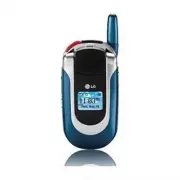
WEL COME Thank you for choosing the advanced and compactUX390 cellular phone, designed to operate with thelatest digital mobile communication technology, CodeDivision Multiple Access (CDMA) and AdvancedMobile Phone Service (AMPS). Along with the manyadvanced features of the CDMA system, such assigni...
Page 10 - TECHNICAL DETAILS
10 TECHNICAL DET AILS TECHNICAL DETAILS CDMA Standard Basic AirInterface TIA/EIA-95ATSB-74ANSI J-STD-008TIA/EIA-IS2000ANSI TIA/EIA 553A CDMA Tri-Mode Air Interface14.4kbps radio link protocol andinter-band operationsIS-95 adapted for PCS frequencyband cdma2000 1xRTT AirInterfaceAdvanced Mobile Phone...
Page 11 - FCC RF Exposure Information; Read this information before operating
TECHNICAL DET AILS FCC RF Exposure Information WARNING! Read this information before operating the phone. In August 1996, the Federal CommunicationsCommission (FCC) of the United States, with its action inReport and Order FCC 96-326, adopted an updatedsafety standard for human exposure to Radio Freq...
Page 12 - PHONE OVERVIEW
12 PHONE O VERVIEW PHONE OVERVIEW Charger port LCD Screen Left Soft Key Navigation Keys Right Soft Key Speaker Key SEND Key Side Keys BACK Key Voice Commands Key Manner Mode Key Alphanumeric Keypad Lock Mode Key Microphone END/PWR Key Earphone Jack SpeedTalk SM Key Earpiece Flip 1. Detach the earpho...
Page 14 - MENUS OVERVIEW
14 MENUS O VERVIEW MENUS OVERVIEW Contacts 1. List Contacts2. New Number3. New E-mail4. Groups5. Speed Dials6. My Contact Info Recent Calls 1. Dialed Calls2. Received Calls3. Missed Calls4. Erase Calls 1. Dialed Calls2. Received Calls3. Missed Calls4. All Calls 5. Call Timer 1. Last Call 2. Home Cal...
Page 15 - Tools
MENUS O VERVIEW 15 Tools 1. Schedule2. Alarm Clock 1. Alarm 12. Alarm 23. Alarm 34. Quick Alarm 3. Voice Memo4. My Shortcut5. Notepad6. Ez Tip Calc7. Calculator8. World Clock Settings 1. Sounds 1. Ringers2. Key Tone3. Volume4. Message Alerts5. Service Alerts6. Power On/Off Tone 7. DTMF Length 2. Dis...
Page 16 - GETTING STARTED WITH YOUR PHONE; Menu Access; Menu; The Battery; Installing the Battery; Note
16 GETTING STARTED WITH YOUR PHONE GETTING S TARTED WITH Y OUR PHONE Menu Access Press Left Soft Key Menu to access nine phone menus. There are two methods of accessing menusand submenus: ● Use the navigation key to highlight and select, or ● Press the number key that corresponds to the menu (or sub...
Page 17 - Charging the Battery; Warning! Use only the charger provided with the; Battery Charge Level; Low Battery; Turning the Phone On and Off; Turning the Phone On; Signal Strength; Empty
Charging the Battery To use the charger provided with your phone: Warning! Use only the charger provided with the phone. Using any charger other than the one included with the UX390 may damage your phone or battery. 1. Plug the end of the adapter into the phone’s charger port and the other end into ...
Page 19 - Making Calls; Call Failed; Correcting Dialing Mistakes
19 GETTING S TARTED WITH Y OUR PHONE Making Calls 1. Make sure the phone is turned on. If not, press for about 3 seconds. 2. Enter the phone number (include the area code if needed). 3. Press . lf the phone is locked, enter the lock code. Call Failed - indicates the call did not go through. Restrict...
Page 20 - QUICK ACCESS TO CONVENIENT FEATURES; Manner Mode
20 QUICK ACCESS TO CONVENIENT FEATURES Q UICK A CCESS T O CONVENIENT FEATURES Manner Mode Sets the phone to vibrate instead of ring ( is displayed). To quickly set Manner Mode press andhold . To return to Normal Mode, press and hold . Lock Mode Sets your phone to require your 4-digit password inorde...
Page 21 - Call Waiting; Dialing Single Digit Speed Dials (from 2 to 9)
21 Q UICK A CCESS T O CONVENIENT FEATURES Call Waiting Your cellular service may offer call waiting. While acall is in progress, two beeps indicate anotherincoming call. When call waiting is enabled, you mayput the active call on hold while you answer theother incoming call. Check with your service ...
Page 22 - ENTERING AND EDITING INFORMATION; Text Input; Key Functions; Right Soft Key (Left Soft Key only in; Text Input Modes; Use to add words to the T9 database.
22 ENTERING AND EDITING INFORMATION Text Input You can input and edit your Banner, Schedule,Contacts, Notepad, and Messaging. Key Functions Right Soft Key (Left Soft Key only in Messaging): Enter the text screen to create a text message.Press to scroll through the following text inputmodes: T9Word -...
Page 23 - Text Input Examples; LG; Using T9 Mode Text Input
23 Symbols Mode Use to insert special characters or punctuation.There are 39 special characters including “SP” whichinserts a space and “LF” which forces the text to thenext line. Smileys Mode Use to insert smiley graphics. There are 40 smileycharacters. Changing Letter Case Using T9 and Abc text in...
Page 24 - to; Adding Words to the T9 Database; Wait for a while for space between characters.
24 ENTERING AND EDITING INFORMATION 4. Press . Call the office. is displayed. Using the NEXT Key (In T9 Mode) After you have finished entering a word, if the worddisplayed is not the one you want, press to display additional choices of words from thedatabase. 1. Press . Good is displayed. 2. Press ....
Page 25 - Contacts Entries; The Basics of Storing Contacts Entries; CONTACTS IN YOUR PHONE’S MEMORY
Contacts Entries This allows you to have easy access to your mostfrequently dialed phone numbers. You may store upto 500 entries with up to 5 phone numbers each.Each entry may be up to 22 characters. Each phonenumber may be up to 48 digits. The Basics of Storing Contacts Entries 1. From standby mode...
Page 26 - Options to Customize Your Contacts; Adding or Changing the Group
Options to Customize Your Contacts Once the basic phone number and name informationis stored in your Contacts, you can edit andcustomize each entry. 1. Press Right Soft Key Contacts and use to highlight the contact entry you want to edit,then press . 2. Press Left Soft Key Edit to access the Edit Co...
Page 28 - Adding Speed Dial; Adding Another Phone Number
28 CONTACTS IN YOUR PHONE’S MEMORY Adding Speed Dial 1. Press Right Soft Key Contacts and use to highlight an entry, then press . 2. Press Left Soft Key Edit . 3. Use to highlight the phone number you want to set with a Speed Dial, then press . 4. Press to select Speed Dial , then press . 5. Enter a...
Page 29 - Default Numbers; Contact entr
29 Default Numbers The phone number saved when a Contact is createdis the Default Number. If more than one number issaved in a Contact entry, another number can bedesignated as the Default Number. C hanging the Default Number 1. Press Right Soft Key Contacts to display your Contacts alphabetically. ...
Page 30 - Editing Customized Options; Deleting; Deleting a Phone Number from a Contact
30 CONTACTS IN YOUR PHONE’S MEMORY Editing Customized Options Edit any of the Contacts options in the same manneras when the Contact is created. 1. Press Right Soft Key Contacts to display your Contacts alphabetically. 2. Use to highlight the Contact entry you want to edit, then press . 3. Press Lef...
Page 31 - Phone Numbers With Pauses
31 Additional Ways to Delete a Contact At any time when your Contacts are displayed, theRight Soft Key Options allows you to erase the highlighted entry. Deleting a Speed Dial 1. Press Right Soft Key Contacts to display your Contacts alphabetically. 2. Use to highlight the Contact entry, then press ...
Page 33 - Searching Your Phone’s Memory; Scrolling Through Your Contacts
33 Searching Your Phone’s Memory The UX390 phone is capable of performing a dynamiccontents search of the phone's memory. A dynamicsearch compares entered letters or numbers againstthe entries in your Contacts. A matching list isdisplayed in descending order. You can then select anumber from the lis...
Page 34 - Making a Call From Your Phone’s
Find Group : Use to highlight the group to search for, then press . Find E-mail : Enter the e-mail address to search. Send Text Msg : Send a text message to the selected contact. Send Photo Msg : Send a photo message to the selected contact. Erase : Erase the selected entry in your Contacts. Copy to...
Page 36 - Access and Options; CONTACTS
Contacts The Contacts Menu allows you to store names,phone numbers and other information in yourphone’s memory. Access and Options 1. Press Left Soft Key Menu . 2. Press Contacts . 3. Select a sub-menu. 1. List Contacts2. New Number3. New E-mail4. Groups5. Speed Dials6. My Contact Info 1. List Conta...
Page 37 - Add
37 CONT A CTS 2. New Number Allows you to add a new number to your Contacts. 1. Press , , . 2. Enter the number, then press . 3. Select the Label you want and press . 4. Enter the name, then press . 5. Continue saving the entry as necessary. 3. New E-mail Allows you to save a new e-mail address. 1. ...
Page 39 - Recent Calls; Press Left Soft Key
RECENT CALLS 39 RECENT CALLS Recent Calls The Recent Calls Menu is a list of the last phonenumbers or Contact entries for calls you placed,accepted, or missed. It is continually updated as newnumbers are added to the beginning of the list andthe oldest entries are removed from the bottom ofthe list....
Page 41 - to highlight a data call list, then press
41 RECENT CALLS 6. KB Counter Allows you to view the list of received andtransmitted data calls. 1. Press , , . 2. Use to highlight a data call list, then press . Received/ Transmitted/ Total UX390_Eng.qxd 7/7/06 6:01 PM Page 41
Page 42 - Messages; MESSAGES
Messages Access and Options 1. Press Left Soft Key Menu . 2. Press Messages . 3. Select a sub-menu. 1. Voice Mail : Shows the number of messages in voice mail box. 2. New Text Msg : Sends a message. 3. New Photo Msg : Sends an MMS message. 4. Inbox : Shows the list of received messages. 5. Outbox : ...
Page 43 - New Message Alert
43 MESS A GES New Message Alert There are three ways your phone alerts you to newmessages. 1. The phone displays a message on the screen. 2. One of eight ring types is heard, if selected. 3. The message icon ( ) is displayed on the screen. In the case of an urgent message, the iconwill flash and Urg...
Page 46 - Message Icon Reference
Message Icon Reference Sent : Messages sent in Short Message Center(SMC) have been transmitted. Fail : Indicates a failed message transmission. Delivery : Message has been delivered. Lock : Indicates that messages are locked. Multi-sending : Indicates more than one designated recipient. Pending : Tr...
Page 50 - Message Settings Sub-Menu Descriptions
6. Saved Displays saved messages and draft messages. 1. Press , , . 2. Use to highlight a Saved message. ● Press Left Soft Key Resume / Resend . ● Press Right Soft Key Options . Erase Deletes the selected message. Lock/Unlock Locks a message so that it isnot erased if the Erase Savedor Erase All fea...
Page 53 - Call from SpeedTalk; Alert
Call from SpeedTalk SM Contact List (Barge) 1. From Standby mode, press and hold ST key to access your ST Contact List. 2. Use to highlight the ST Contact entry you wish to call. 3. Press and hold the ST key. ● Sender hears ST talk tone and can beginspeaking. ● Receiver has the options to answer or ...
Page 54 - Contact List
Call from SpeedTalk SM Contact List (Group) Allows you to make a multiparty call with all orselected members of a ST Group. 1. Press and hold ST key to access ST Contacts list. 2. Use to highlight the ST Group. 3. To make a ST Group call to all members in the Group, - Press and hold ST Key. To make ...
Page 55 - Incoming SpeedTalk; Answer
Incoming SpeedTalk SM (Barge) 1. Listening screen is shown with the phone number. If the number is stored in ST Contact List, thesender’s name is shown. 2. Press and hold ST key. ● Sender hears ST talk tone and can begin speaking. 3. Release ST key. ● Receiver hears incoming barge tone. ● Receiver h...
Page 56 - Making a SpeedTalk; call when the; Options
Incoming SpeedTalk SM (Group) 1. The name of the Group will be displayed. Only one person can speak at a time. 2. If floor is available, press and hold ST key, speak after the talk tone is heard. Making a SpeedTalk SM call when the phone is closed When the phone is closed, you can place a ST call by...
Page 57 - Contact; Group; Settings; On
2. New SpeedTalk SM Contact Allows you to add a new individual to ST Contacts. 1. Press , , . 2. Enter the number, then press . 3. Enter the name, then press . 4. Phone will automatically connect to server and update Contact information. A confirmation message is displayed briefly. 3. New SpeedTalk ...
Page 59 - Downloading Applications; Incoming Calls; ea
easy edge SM easy edge SM allows you to do more than just talk on your phone. easy edge is service that allows you to download and use applications on your phone. With easy edge, it is quick and easy to personalize your phone to your lifestyle and tastes. Just download theapplications that appeal to...
Page 60 - Shortcut
1. easy edge Allows you to download selected applications whiledisplaying the entire application list retrieved fromthe easy edge server connection. 1. Press , , . 2. Press . 2. Help Gives you information about the easy edge selection key. 1. Press , , . 2. Press . Managing Your easy edge Applicatio...
Page 66 - Set DST
8. World Clock Allows you to determine the current time in anothertime zone or country. 1. Press , , . 2. Press Right Soft Key Cities to move the time bar across the world map and display thedate/time in that location. TOOLS 66 TOOLS Note Press Left Soft Key Set DST to display Daylight Savings Time ...
Page 67 - SETTING
Settings The Settings Menu has options to customize yourphone. Access and Options 1. Press Left Soft Key Menu . 2. Press Settings . 3. Select a sub-menu. 1. Sounds2. Display3. System4. Security5. Call Setup6. Data Settings7. Voice Services8. Location 1. Sounds Options to customize the phone’s sounds...
Page 80 - edge and; PHONE INFO
Phone Info The Phone Info menu provides you with specificinformation pertaining to your phone model. Access and Options 1. Press Left Soft Key Menu . 2. Press Phone Info . 3. Select a sub-menu. 1. My Phone Number2. S/W Version3. Icon Glossary4. Shortcut Help 1. My Phone Number Allows you to view you...
Page 81 - Exposure to Radio Frequency Signal
TIA Safety Information The following is the complete TIA Safety Informationfor wireless handheld phones. Exposure to Radio Frequency Signal Your wireless handheld portable phone is a low powerradio transmitter and receiver. When ON, it receivesand sends out Radio Frequency (RF) signals. In August, 1...
Page 82 - Should not carry the phone in a breast pocket
Tips on Efficient Operation For your phone to operate most efficiently: Don’t touch the antenna unnecessarily when thephone is in use. Contact with the antenna affects callquality and may cause the phone to operate at ahigher power level than otherwise needed. Driving Check the laws and regulations ...
Page 84 - Safety Information; iioollaattiioonn ooff tthhee iinnssttrruuccttiioonnss m; Charger and Adapter Safety
Potentially Explosive Atmosphere Turn your phone OFF when in any area with apotentially explosive atmosphere and obey all signsand instructions. Sparks in such areas could cause anexplosion or fire resulting in bodily injury or evendeath. Areas with a potentially explosive atmosphere areoften, but n...
Page 85 - General Notice
● Use only LG-approved chargers specific to yourphone model since they are designed to maximizebattery life. ● Do not disassemble or short-circuit the battery. ● Keep the battery’s metal contacts clean. ● Replace the battery when it no longer providesacceptable performance. The battery can berecharg...
Page 86 - Do not paint your phone.; Avoid damage to your hearing
magnetism of the phone may damage the datastored in the magnetic strip. ● Talking on your phone for a long period of timemay reduce call quality due to heat generatedduring use. ● When the phone is not used for a long periodtime, store it in a safe place with the power cordunplugged. ● Using the pho...
Page 87 - FDA Consumer Update; Do wireless phones pose a health hazard?
FDA Consumer Update The U.S. Food and Drug Administration’s Center forDevices and Radiological Health Consumer Updateon Mobile Phones: 1. Do wireless phones pose a health hazard? The available scientific evidence does not show thatany health problems are associated with usingwireless phones. There i...
Page 91 - ) gives directions for
7. How can I find out how much Radio Frequencyenergy exposure I can get by using my wirelessphone? All phones sold in the United States must comply withFederal Communications Commission (FCC)guidelines that limit Radio Frequency (RF) energyexposures. The FCC established these guidelines inconsultati...
Page 92 - What about children using wireless phones?
9. What steps can I take to reduce my exposure toRadio Frequency energy from my wireless phone? If there is a risk from these products — and at thispoint we do not know that there is — it is probablyvery small. But if you are concerned about avoidingeven potential risks, you can take a few simple st...
Page 94 - 0 Driver Safety Tips; Get to know your wireless phone and its features
10 Driver Safety Tips Your wireless phone gives you the powerful ability tocommunicate by voice almost anywhere, anytime. Animportant responsibility accompanies the benefits ofwireless phones, one that every user must uphold. When operating a car, driving is your firstresponsibility. When using your...
Page 96 - Consumer Information on SAR
Consumer Information on SAR (Specific Absorption Rate) This model phone meets the government'srequirements for exposure to radio waves. Yourwireless phone is a radio transmitter and receiver. It isdesigned and manufactured not to exceed theemission limits for exposure to Radio Frequency (RF)energy s...
Page 97 - Regulations for Wireless Devices
The FCC has granted an Equipment Authorization forthis model phone with all reported SAR levelsevaluated as in compliance with the FCC RF emissionguidelines. SAR information on this model phone ison file with the FCC and can be found under theDisplay Grant section ofhttp://www.fcc.gov/oet/fccid afte...
Page 99 - Gallaudet University, RERC
99 SAFETY Standards Institute (ANSI) C63.19 standard. For information about hearing aids and digitalwireless phones FCC Hearing Aid Compatibility and VolumeControl http://www.fcc.gov/cgb/dro/hearing.html Gallaudet University, RERC http://tap.gallaudet.edu/DigWireless.KS/DigWireless.htm HLAA (Hearing...
Page 100 - ACCESSORIES; attery Charger
ACCESSORIES 100 A CCESSORIES B attery Charger The battery charger allows you to charge your phone. B attery Standard battery and extended battery are available. H eadset The headset connects to your phone allowing hands-free operation. It includes earpiece, microphone. B attery Pack Charger The batt...
Page 101 - LIMITED WARRANTY STATEMENT; (1) The limited warranty for the product extends for
LIMITED WARRANTY STATEMENT 101 1. WHAT THIS WARRANTY COVERS: LG offers you a limited warranty that the enclosedsubscriber unit and its enclosed accessories will befree from defects in material and workmanship,according to the following terms and conditions: (1) The limited warranty for the product e...