Page 2 - IMPORTANT SAFETY PRECAUTIONS
IMPORTANT SAFETY PRECAUTIONS 2 IMPOR T ANT S AFETY PRECA UTIONS 1. Do not expose the battery charger or adapter to direct sunlight or use it in places with high humidity, such as a bathroom. 2. Do not use harsh chemicals (such as alcohol, benzene, thinners, etc.) or detergents to clean your phone. T...
Page 4 - TA B L E O F C O N T E N T S; Table of Contents
T ABLE OF CONTENTS TA B L E O F C O N T E N T S 4 IMPORTANT SAFETYPRECAUTIONS 1 Table of Contents 4 Welcome 9 FCC RF Exposure Information 11 Phone Overview 12 Menus Overview 14 Getting Started with YourPhone 16 The Battery 16 Installing the Battery 16 Removing the Battery 16 Charging the Battery 16 ...
Page 6 - TABLE OF CONTENTS
T ABLE OF CONTENTS TABLE OF CONTENTS 6 6.8 Quick-Text 47 6.9 Text-Auto Play 47 7. Erase All 47 Voice 48 1. Voice Dial Prompt 48 2. Train Words 48 ee aa ss yyedge SM 49 1. ee aa ss yy edge SM 50 2. Help 50 Media 51 1. Images 51 2. Sounds 51 3. Melody Composer 52 3.1 Compose Melody 52 3.2 Melody Album...
Page 7 - Phone Info
7 T ABLE OF CONTENTS 2.3 Screens 61 2.4 Menu Style 61 2.5 Clocks 61 2.6 Theme Colors 61 2.7 Contrast 62 2.8 Fonts 62 2.8.1 Calling Digits 62 2.8.2 Text Editor 62 2.8.3 Menu Font 62 2.9 Language 62 2.0 Power Saver 62 3. System 63 3.1 Select System 63 3.2 Set NAM 63 3.3 Auto NAM 63 3.4 Serving System ...
Page 8 - ACCESSORIES
TABLE OF CONTENTS 8 T ABLE OF CONTENTS Blasting Areas 74 Potentially Explosive Atmosphere 75 For Vehicles Equipped with an Air Bag 75 Safety Information 75 Charger and Adapter Safety 75 Battery Information and Care 76 Explosion, Shock, and Fire Hazards 76 General Notice 77 FDA Consumer Update 78 10 ...
Page 9 - W E LC O M E
WEL COME Thank you for choosing the advanced and compactUX210 cellular phone, designed to operate with thelatest digital mobile communication technology, CodeDivision Multiple Access (CDMA) and AdvancedMobile Phone Service (AMPS). Along with the manyadvanced features of the CDMA system, such assigni...
Page 10 - WELCOME
10 WEL COME WELCOME CDMA Standard Basic AirInterface TIA/EIA-95ATSB-74ANSI J-STD-008TIA/EIA-IS2000ANSI TIA/EIA 553A CDMA Dual-Mode Air Interface14.4kbps radio link protocol andinter-band operationsIS-95 adapted for PCS frequencyband cdma2000 1xRTT AirInterfaceAdvanced Mobile Phone Service MAS-BSPCSC...
Page 12 - P H O N E OV E RV I E W
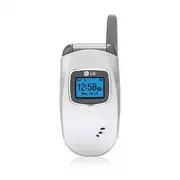
12 PHONE O VER VIEW P H O N E OV E RV I E W Earpiece Outside Display Charger port Flip LCD Screen Left Soft Key Speaker Key Navigation Keys Right Soft Key SEND Key Headset Jack Side Keys BACK Key Voice Dial Key Manner Mode Key Alphanumeric Keypad Lock Mode Key Microphone END/PWR Key UX210_Eng.qxd 6/...
Page 14 - M E N U S OV E RV I E W
14 MENUS O VER VIEW M E N U S OV E RV I E W 1. Contacts 1. List Contacts2. New Number3. New E-mail4. Groups5. Speed Dials6. Voice Dials7. My Contact Info 2. Recent Calls 1. Dialed Calls2. Received Calls3. Missed Calls4. Erase Calls 1. Dialed Calls2. Received Calls3. Missed Calls4. All Calls 5. Call ...
Page 16 - G E T T I N G STA RT E D W I T H YO U R P H O N E; The B attery; Charging the Battery; B attery Charge Level; Note
16 G E T T I N G STA RT E D W I T H YO U R P H O N E GETTING S T ARTED WITH Y OUR PHONE The B attery The phone comes with a rechargeable battery. Keepit charged even while you’re not using it so it’s readywhen you need it. Installing the Battery Insert the bottom of the battery into the opening on t...
Page 17 - Turning the Phone On and Off; Signal Strength
17 GETTING S T ARTED WITH Y OUR PHONE Turning the Phone On and Off Turning the Phone On 1. Install a charged battery or connect the phone to an external power source such as a cigarette lightercharger or hands-free car kit. 2. Press until the LCD screen lights up. Turning the Phone Off 1. Press and ...
Page 18 - GETTING STARTED WITH YOUR PHONE
18 Screen Icons When the phone is on, the top line of the LCD screen displays phone status icons. To see the icon glossary, goto Menu -> Phone Info -> Icon Glossary on your phone. GETTING STARTED WITH YOUR PHONE GETTING S T ARTED WITH Y OUR PHONE Battery strength indicator. Indicates battery c...
Page 19 - Making Calls
19 GETTING S T ARTED WITH Y OUR PHONE Making Calls 1. Make sure the phone is turned on. If not, press for about three seconds. If necessary, enter the lock code. 2. Enter the phone number. 3. Press . 4. Press to end the call. Correcting Dialing Mistakes If you make a mistake while dialing a number, ...
Page 20 - QU I C K AC C E S S TO C O N V E N I E N T F E AT U R E S; Manner Mode; Mute Function
20 QU I C K AC C E S S TO C O N V E N I E N T F E AT U R E S Q UICK A CCESS T O CONVENIENT FEA TURES Manner Mode Sets the phone to shake instead of ring ( is displayed). To quickly set Manner Mode press andhold . To return to Normal Mode, press and hold . Lock Mode Sets your phone to require your 4-...
Page 21 - Call Waiting
21 Q UICK A CCESS T O CONVENIENT FEA TURES Call Waiting During a call, one beep indicates another incoming call. Check with your service provider for information about this function. Press to receive the waiting call then press again to switch between calls. Caller ID Caller ID displays the phone nu...
Page 22 - E N T E R I N G A N D E D I T I N G I N FO R M AT I O N; Text Input
22 E N T E R I N G A N D E D I T I N G I N FO R M AT I O N ENTERING AND EDITING INF ORMA TION Text Input The following key functions are available to help withtext entry: Key Functions LL ee ff tt S S o o ff tt K K ee yy : Press to change text input mode. S S h h ii ff tt : Press to change case (ini...
Page 24 - C O N TAC T S I N YO U R P H O N E ’ S M E M O RY; Storing Basics
24 C O N TAC T S I N YO U R P H O N E ’ S M E M O RY Contacts Entries Store up to 300 entries with up to 5 phone numberseach. Storing Basics 1. Enter a number (max. 48 digits), then press Left Soft Key [ S S aa vv ee ]. 2. Use to select a Label and press . Home / Home2 / Office / Office2 / Mobile /M...
Page 25 - Speed Dial
Memo Allows you to enter a memo for the contact (e.g.,birthday, address, etc.) up to 64 characters. Picture ID Sets a picture to display to identify the caller whenthey call your phone. Speed Dial Allows you to set up your Speed Dials. 1. Press Right Soft Key [ C C o o n n tt aa cc tt ss ]. 2. Use t...
Page 26 - CONTACTS IN YOUR PHONE’S MEMORY
Storing a Number with Pause Pauses allow you to enter additional series ofnumbers to access automated systems such asVoicemail or credit billing numbers. Pause types are:Hard Pause (P) The phone stops dialing until youpress Left Soft Key [Release] to send the next stringof digits. 2-sec Pause (T) Th...
Page 28 - Changing the Default Number
28 CONTACTS IN YOUR PHONE’S MEMORY CONT A CTS IN Y OUR PHONE’S MEMOR Y Changing the Default Number The Default Number is the phone number youentered when you created the Contact. Anothernumber can be saved as the Default Number. 1. Press Right Soft Key [ C C o o n n tt aa cc tt ss ]. 2. Use to highl...
Page 29 - Searching Your Phone’s Memory
29 CONT A CTS IN Y OUR PHONE’S MEMOR Y Deleting a Contact Entry 1. Select the entry from your Contacts. 2. Press Right Soft Key [ O O p p tt ii o o n n ss ], then press Erase. 3. A confirmation message is displayed. Press to erase or to cancel and keep the Contact entry. Deleting a Speed Dial 1. Sel...
Page 30 - Calling From Your Phone’s Memory
30 CONTACTS IN YOUR PHONE’S MEMORY CONT A CTS IN Y OUR PHONE’S MEMOR Y Calling From Your Phone’s Memory Place calls quickly and easily to numbers stored inyour phone. From Contacts 1. Press Right Soft Key [ C C o o n n tt aa cc tt ss ]. 2. Use to highlight the Contact entry. 3. Press to place the ca...
Page 31 - Speed Dialing
31 Speed Dialing Allows you to make phone calls quickly and easily tonumbers stored in Contacts. You need to set SpeedDials in your Contacts and enable One-Touch Dialbefore using this feature. Speed Dials From 1 to 9. Press and hold the Speed Dial digit. Your phonerecalls the phone number from your ...
Page 32 - Menu Access; C O N TAC T S
Menu Access Press Left Soft Key [ M M ee n n u u ] to access nine phone menus. There are two methods of accessingmenus and submenus: ● Use the navigation key to highlight and select, or ● Press the number key that corresponds to themenu (or submenu). For example: 1. Press Left Soft Key [ M M ee n n ...
Page 34 - CONTACTS
3. New E-mail Allows you to save a new e-mail address as a newContact entry. 1. Press , , . 2. Enter the e-mail address, then press . 3. Enter the name, then press . 4. Continue saving the entry as necessary. 4. Groups Allows you to view your grouped Contacts, add a newgroup, change the name of a gr...
Page 36 - Recent Calls; R E C E N T C A L L S
Recent Calls The Recent Calls Menu is a list of the last phonenumbers or Contact entries for calls you placed,accepted, or missed. It is continually updated as newnumbers are added to the beginning of the list andthe oldest entries are removed from the bottom ofthe list. ● indicates a dialed call. ●...
Page 39 - M E S SAG E S; Messages
M E S SAG E S 39 MESS A GES Messages Text messages, pages, and the voice mail box becomeavailable as soon as the phone is powered on. ● Check types of messages by pressing the messagekey . ● Make a call to the callback number by pressing during an Inbox message check. ● Read and edit messages saved ...
Page 40 - MESSAGES
1. Voice Mail Allows you to view new voice messages recorded inthe voice mail box. Your phone will alert you whenyou receive a new voice message. Checking Your Voice Mail Box 1. Press , , . 2. Options from here: ● Press to listen to the message(s). 2. New Message Allows you to send text messages, pa...
Page 48 - Voice Dial Prompt; VO I C E
Voice Provides access to the voice services available withyour phone. Access and Options 1. Press Left Soft Key [ M M ee n n uu ] . 2. Press V V o o ii cc ee . 3. Select a sub-menu. 1. Voice Dial Prompt 2. Train Words 1. Voice Dial Prompt Allows you to set how you activate voice recognition. 1. Pres...
Page 49 - e asye d g e; S M
ee aa ss yy edge SM ee aa ss yy edge SM allows you to do more than just talk on your phone. ee aa ss yy edge SM is a technology and service that allows you to download and use applications onyour phone. With ee aa ss yy edge SM , it is quick and easy to personalize your phone to your lifestyle and t...
Page 50 - H ee ll p; ee aa ss yyedge; Short Cut
1. ee aa ss yyedge SM Allows you to download selected applications whiledisplaying the entire application list retrieved fromthe ee aa ss yy edge SM server connection. 1. Press , , . 2. Press . 2. H H ee ll p p Gives you information about the ee aa ss yy edge SM selection key. 1. Press , , . 2. Pres...
Page 51 - M E D I A
Media This menu allows you to use a wide variety of images,sounds, and more. Access and Options 1. Press Left Soft Key [ M M ee n n uu ] . 2. Press M M ee d d ii aa . 3. Select a sub-menu. 1. Images 2. Sounds 3. Melody Composer 1. Images Allows you to choose images to your phone todisplay as the bac...
Page 53 - Tools; TO O L S
Tools Your phone tools include a Schedule, Alarm Clock,Voice Memo, My Shortcut, Notepad, Ez Tip Calc,Calculator, World Clock, and Unit Converter. Access and Options 1. Press Left Soft Key [ M M ee n n uu ] . 2. Press T T o o o o ll ss . 3. Select a sub-menu. 1. Schedule 2. Alarm Clock 3. Voice Memo ...
Page 54 - TOOLS
2. Alarm Clock Allows you to set one of four alarms. The currenttime is displayed at the top of the screen when youselect an alarm to set. At the alarm time, Alarm 1 (or2 or 3, as applicable) will be displayed on the LCDscreen and the alarm will sound. 1. Press , , . 2. Select the alarm you want to ...
Page 57 - Settings; S E T T I N G S
Settings The Settings menu has options to customize yourphone. Access and Options 1. Press Left Soft Key [ M M ee n n uu ] . 2. Press S S ee tt tt ii n n gg ss . 3. Select a sub-menu. 1. Sounds 2. Display 3. System 4. Security 5. Call Setup 6. Data Settings 7. Location 1. Sounds Options to customize...
Page 72 - SA F E T Y
TIA Safety Information The following is the complete TIA Safety Informationfor wireless handheld phones. Exposure to Radio Frequency Signal Your wireless handheld portable phone is a low powerradio transmitter and receiver. When ON, it receivesand sends out Radio Frequency (RF) signals. In August, 1...
Page 74 - SAFETY
Hearing Aids Some digital wireless phones may interfere with somehearing aids. In the event of such interference, youmay want to consult your service provider (or call thecustomer service line to discuss alternatives). Other Medical Devices If you use any other personal medical device, consultthe ma...
Page 75 - Safety Information
Potentially Explosive Atmosphere Turn your phone OFF when in any area with apotentially explosive atmosphere and obey all signsand instructions. Sparks in such areas could cause anexplosion or fire resulting in bodily injury or evendeath. Areas with a potentially explosive atmosphere areoften, but n...
Page 78 - FDA Consumer Update
FDA Consumer Update The U.S. Food and Drug Administration’s Center forDevices and Radiological Health Consumer Updateon Mobile Phones: 1. Do wireless phones pose a health hazard? The available scientific evidence does not show thatany health problems are associated with usingwireless phones. There i...
Page 85 - 0 Driver Safety Tips
10 Driver Safety Tips Your wireless phone gives you the powerful ability tocommunicate by voice almost anywhere, anytime. Animportant responsibility accompanies the benefits ofwireless phones, one that every user must uphold.When operating a car, driving is your firstresponsibility. When using your ...
Page 87 - Consumer Information on SAR
Consumer Information on SAR (Specific Absorption Rate) This model phone meets the government'srequirements for exposure to radio waves. Yourwireless phone is a radio transmitter and receiver. It isdesigned and manufactured not to exceed theemission limits for exposure to Radio Frequency (RF)energy s...
Page 91 - AC C E S S O R I E S; attery Charger
AC C E S S O R I E S 91 A CCESSORIES B attery Charger The battery charger allows you to charge the battery. B attery Two batteries are available. The standard battery, and the extended battery. V ehicle Power Charger The vehicle power charger allows you to operate the phoneand trickle charge the pho...
Page 92 - L I M I T E D WA R RA N T Y STAT E M E N T
1. WHAT THIS WARRANTY COVERS: LG offers you a limited warranty that the enclosedsubscriber unit and its enclosed accessories will befree from defects in material and workmanship,according to the following terms and conditions: (1) The limited warranty for the product extends for TWELVE (12) MONTHS b...
Page 94 - LIMITED WARRANTY STATEMENT
3. STATE LAW RIGHTS: No other express warranty is applicable to thisproduct. THE DURATION OF ANY IMPLIEDWARRANTIES, INCLUDING THE IMPLIEDWARRANTY OF MARKETABILITY, IS LIMITED TOTHE DURATION OF THE EXPRESS WARRANTYHEREIN. LGE MOBILECOMM USA INC. SHALL NOTBE LIABLE FOR THE LOSS OF THE USE OF THEPRODUC...
Page 95 - I N D E X
95 INDEX A Accessory Input 59 Alarm Clock 54 Airplane Mode 69 Answer Call 66 Auto-Answer 66 Auto Retry 66 Auto Volume 67 B Backlight 60Battery 16 Battery Charge Level 16 C Call Connect 58 Calculator 56 Call Timer 38 Charge Complete 59 Change Lock 65 Charging the Battery 16Clocks 61 Contrast 62 Conta...