Page 3 - Contents
3 Contents Contents ..................................................................................................3Getting to know your phone ..................................................................6Your Home screen .........................................................................
Page 4 - Violation of the instructions may cause serious injury or death.; Caution
4 Violation of the instructions may cause serious injury or death. WARNING : This product contains chemicals known to the State of California to cause cancer and birth defects or other reproductive harm. Wash hands after handling. # Never use an unapproved battery since this could damage the phone a...
Page 6 - Getting to know your phone; Before you start using the phone, please read this!; To uninstall applications:; Apps; Optimizing battery life; Reduce screen brightness and set a shorter screen timeout.
6 Getting to know your phone Before you start using the phone, please read this! Please check to see whether any problems you encountered with your phone are described in this section before taking the phone in for service or calling a service representative. 1. Phone memory When there is less than ...
Page 7 - To check the battery power level:; tab; Before installing an open source application and
7 Getting to know your phone To check the battery power level: # On the Home screen, touch > Apps tab > Settings > About phone (SYSTEM category) > Battery . The battery status (charging or not charging) and level (percentage charged) is displayed at the top of the screen. To monitor and ...
Page 8 - Opening and switching applications; To view a list of recently used applications:
8 Getting to know your phone 5. Using the hard reset (Factory reset) If your phone needs to be restored to its original condition, perform a hard reset to reboot your phone. 1. Turn the phone off 2. At the same time press and hold Volume Down Key + Power/ Lock Key . 3. Release the keys when the FACT...
Page 9 - Hold your phone upright; OR
9 Getting to know your phone 7. Hold your phone upright Hold your mobile phone vertically, as you would a regular phone. The phone has an internal antenna. Be careful not to scratch or damage the back of the phone, as this may affect performance. While making/receiving calls or sending/receiving dat...
Page 10 - Device components
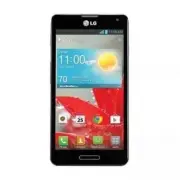
10 Getting to know your phone Device components Earpiece Proximity Sensor Front Camera Lens Home Key • Return to the Home screen from any screen. • Press and hold to view a list of the most recently used apps. Back Key Return to the previous screen. Power/Lock Key • Press and hold to turn the phone ...
Page 12 - Installing the battery; area on the card is facing downwards.
12 Getting to know your phone Installing the battery Before you can start exploring your new phone, you'll need to set it up. To insert the SIM card and battery: 1. To remove the back cover, hold the phone firmly in one hand. With your other hand, lift off the back cover with your thumbnail as shown...
Page 13 - and the phone and pressing it down until it clicks into place .; Charging your phone
13 Getting to know your phone 3. Insert the battery into place by aligning the gold contacts on the battery and the phone and pressing it down until it clicks into place . 4. Align the back cover over the battery compartment and press it down until it clicks into place. Charging your phone The Charg...
Page 14 - Using the memory card; To insert a memory card:; To remove the memory card safely:; To format the memory card:; and touch
14 Getting to know your phone Using the memory card To insert a memory card: Insert the memory card (not included) into the slot. Make sure the gold contact area is facing downwards. WaRninG Do not insert or remove the memory card when the phone is on. Doing so may damage the memory card as well as ...
Page 15 - Locking and unlocking the screen; When you are not using the phone, press the; Secure your lock screen; To set a screen lock; or
15 Getting to know your phone noTE If there is content on your memory card, the folder structure may be different after formatting as all the files will be deleted. Locking and unlocking the screen If you do not use the phone for a while, the screen is turned off and locked automatically. This helps...
Page 16 - When you cannot recall your pattern:; To adjust the volume; To disable TalkBack follow these steps:
16 Getting to know your phone When you cannot recall your pattern: If you logged in to your Google account on the phone but failed to enter the correct pattern 5 times, touch Forgot pattern? . You are then required to log in with your Google account to unlock your phone or enter your Backup PIN.If y...
Page 17 - Your Home screen; Touch screen tips; Home screen
17 Your Home screen Touch screen tips Here are some tips on how to navigate around your phone. Touch – To choose a menu/option or open an application, touch it. Touch and hold – To open an options menu or grab an object you want to move, touch and hold it. Drag – To scroll through a list or move slo...
Page 18 - Customizing the Home screen; To add items on your Home screen:; To remove an item from the Home screen:
18 Your Home screen Customizing the Home screen You can personalize your Home screen by adding application icons, and widgets to any Home screen canvas. You can also change the wallpaper. To add items on your Home screen: 1. Go to the Home screen panel where you want to add the item. Then touch and ...
Page 19 - Customizing an application icon from the Home screen; Returning to recently-used applications
19 Your Home screen Customizing an application icon from the Home screen NOTE This feature allows you to make and use an icon with the pictures in your Gallery. You can now edit the icons on the Quick Keys bar or Home screen by creating your own icons with the camera or Gallery images. This gives yo...
Page 20 - Status Bar; Viewing the Status Bar; Icon
20 Your Home screen Status Bar The Status Bar runs across the top of your screen. Touch and slide the Status Bar down with your finger to display the Notifications Panel. The Notifications Panel displays all of your notifications along with the Quick Settings and QSlide apps at the top. Scroll to th...
Page 22 - Tap to switch to the numbers and symbols keyboard. Tap to switch; Entering special characters
22 Your Home screen On-screen keyboard You can enter text using the on-screen keyboard. The on-screen keyboard appears automatically on the screen when you need to enter text. To manually display the keyboard, simply touch a text field where you want to enter text. Using the keypad & entering te...
Page 23 - QuickMemo
23 Your Home screen QuickMemo The QuickMemo feature allows you to create memos and capture screen shots. You can use QuickMemo to easily and efficiently create memos during a call, with a saved picture or on the current phone screen. 1. While viewing the screen you want to capture and create a memo ...
Page 24 - Menu Key; Viewing the saved QuickMemo; Gallery
24 Your Home screen - Touch to erase the memo that you created. - Touch to share the memo with others via any of the available applications. - Touch to save the memo you’ve created. Touch the Menu Key > Signature off if you want not to display "LG QuickMemo" label on the right bottom of t...
Page 25 - Sign into a Google Account from the prompted setup screen.
25 Google account setup When you first turn on your phone, you have the opportunity to activate the network, to sign into your Google Account and how you want to use some Google services. To set up your Google account: # Sign into a Google Account from the prompted setup screen. OR # On the Home scr...
Page 26 - Connecting to Networks and Devices; Connecting to Wi-Fi networks; Turning Wi-Fi on and connecting to a Wi-Fi network
26 Connecting to Networks and Devices Wi-Fi With Wi-Fi, you can use high-speed Internet access within the coverage of the wireless access point (AP). Enjoy wireless Internet using Wi-Fi, without extra charges. Connecting to Wi-Fi networks To use Wi-Fi on your phone, you need to access a wireless acc...
Page 27 - Bluetooth; Touch the switch; Sending pictures using Bluetooth; and touch a picture, then touch; Sharing your phone's data connection
27 Connecting to Networks and Devices Bluetooth You can use Bluetooth to send data by running a corresponding application, not from the Bluetooth menu as on most other mobile phones. Turning on Bluetooth and pairing up your phone with a Bluetooth device You must pair your device with another device ...
Page 28 - To change Portable Wi-Fi hotspot settings:; To rename or secure your portable hotspot
28 Connecting to Networks and Devices For the latest information about tethering and portable hotspots, including supported operating systems and other details, visit http://www.android.com/tether. To change Portable Wi-Fi hotspot settings: • On the Home screen, touch > Apps tab > Settings >...
Page 29 - To share data after connecting, use SmartShare on the device.
29 Connecting to Networks and Devices Using Wi-Fi Direct You can share your music, picture and video content between users who use Android phones connected via the same Wi-Fi and Wi-Fi Direct network. Check your Wi-Fi and Wi-Fi Direct network in advance and make sure the users are connected to the s...
Page 30 - Enabling Wi-Fi Direct to share through; Using SmartShare; To turn SmartShare on and allow sharing contents; To control your renderer devices
30 Connecting to Networks and Devices Enabling Wi-Fi Direct to share through SmartShare Wi-Fi Direct automatically scans nearby Wi-Fi Direct devices and lists them as they are found. You can select a specific device to share multimedia data through SmartShare. Using SmartShare SmartShare uses DLNA (...
Page 31 - To download contents from remote content library
31 Connecting to Networks and Devices 1. On the Home screen, touch > SmartShare . 2. Touch the Player icon and select the device from the renderer device list. 3. Touch the Library icon and select the device of the remote content library. 4. You can browse the content library.5. Touch and hold a ...
Page 32 - icon
32 Connecting to Networks and Devices To upload contents to the remote content library 1. On the Home screen, touch > SmartShare . 2. Touch the Library icon and select My phone . 3. You can browse the local content library to find the content(s) you want.4. Touch and hold a content thumbnail and ...
Page 33 - Calls; Making a call; Search contacts; Answering and rejecting a call; Locked screen; Adjusting call volume
33 Calls Making a call 1. On the Home screen, touch to open the keypad. 2. Enter the number using the keypad. To delete a digit, touch . 3. Touch to make a call. 4. To end a call, touch . TiP! To enter "+" to make international calls, touch and hold . Calling your contacts 1. On the Home scr...
Page 34 - Making a second call; Viewing your call logs
34 Calls In-call options Once you initiate a call, you will see these on-screen options. Add call - Touch to initiate a 3-way call. End - Touch to end the call. Dialpad - Touch to display the dialpad. Speaker - Touch to turn the speakerphone on or off. The Speaker button lights up to indicate that t...
Page 35 - Call settings
35 Calls TiP! Touch any call log entry to view the date, time and duration of the call. TiP! Touch the Menu Key , then touch Delete all to delete all the recorded items or touch Delete to select individual items. Call settings You can configure phone call settings such as call reject and other speci...
Page 37 - Contacts; Searching for a contact
37 Contacts Add contacts to your phone and synchronize them with the contacts in your Google account or other accounts that support contact syncing. Searching for a contact 1. On the Home screen, touch to open your contacts. 2. Touch the Search contacts field and enter the contact name using the key...
Page 38 - Favorite contacts; Adding a contact to your favorites; Favorites
38 Contacts Favorite contacts You can classify frequently called contacts as favorites. Adding a contact to your favorites 1. On the Home screen, touch to open your contacts. 2. Touch a contact to view their details.3. Touch the star to the right of the contact's name. The star turns yellow, indicat...
Page 39 - Messaging; Sending a message; Conversation view
39 Messaging Your phone combines text (SMS) and multimedia (MMS) messages into one intuitive, easy-to-use menu. Sending a message 1. Touch on the Home screen, and touch to create a new message. 2. Enter a contact name or contact number in the To field. As you enter the contact name, matching contact...
Page 40 - Changing your message settings; Storage
40 Messaging Changing your message settings Your phone's message settings are predefined, so you can send messages immediately. You can change the settings based on your preferences. Open the Messaging application and touch the Menu Key > Settings . Set you preferences as desired. Storage • Delet...
Page 42 - Email; Managing an email account; To add another email account:; Email account screen
42 Email You can use the Email application to read emails from services other than Gmail. The Email application supports the following account types: POP3, IMAP and Exchange. Your service provider or system administrator can provide the account settings you need. Managing an email account The first ...
Page 43 - Working with account folders; To compose and send a message
43 Email Working with account folders Each account has an Inbox, Outbox, Sent and Drafts folder. Depending on the features supported by your account's service provider, you may have additional folders. Composing and sending email To compose and send a message 1. Open the Email application and touch ...
Page 44 - Camera; Getting to know the viewfinder
44 Camera Getting to know the viewfinder Swap camera – Switch between the rear–facing camera lens and the front–facing camera lens. Cheese shutter – Take photo with voice command (saying "Cheese", "Smile", "Whisky", "Kimchi" or "LG"). Time catch shot – Allows ...
Page 45 - Once you've taken the photo
45 Camera 4. When the focus box turns green, the camera has focused on your subject. 5. Touch to capture the image. Once you've taken the photo Touch the image preview at the bottom of the screen to view the last photo you captured. Touch to share via SmartShare. Touch to return to Camera mode to ta...
Page 46 - Using the advanced settings
46 Camera Details – Displays the picture information. Using the advanced settings In the viewfinder, touch to open the advanced options. – Edit quick menu to edit the quick menus on the viewfinder. – Flash to set the Flash mode. Choose from Off , On , or Auto . – Zoom to zoom in or out. – Brightness...
Page 48 - Video camera
48 Video camera Getting to know the viewfinder Swap camera – Switch between the rear–facing camera lens and the front-facing camera lens. Video size – Define the resolution from Full HD (1920x1080), HD (1280x720), TV(720x480), VGA(640x480), MMS(320x240), MMS(176x144). Live Effect – Allows you to put...
Page 49 - After recording a video
49 Video camera 4. Touch once to start recording.5. A red light appears at the top corner of the viewfinder with a timer showing the length of the video. 6. Touch on the screen to stop recording. After recording a video Touch the image preview at the bottom of the screen to view the last video you r...
Page 50 - Adjusting the volume when viewing a video
50 Video camera Fluorescent , or Cloudy . – Color effect to apply different color effects to your videos. Choose from None , Mono , Sepia , or Negative . – Geotagging to use your phone's location-based services. Take pictures wherever you are and tag them with the location. If you upload tagged pict...
Page 51 - Multimedia
51 Multimedia You can store multimedia files on a memory card for easy access to all your image and video files. Gallery On the Home screen, touch > Apps tab > Gallery . Open a list of albums that store all your image and video files. Playing a video 1. On the Home screen, touch > Apps tab ...
Page 52 - Live Zooming; Video Editor; You can edit the photos or videos stored on the phone.
52 Multimedia Live Zooming Live Zooming allows you to zoom in or zoom out on a portion of a video that is being played to make the desired scan appear larger or smaller. When viewing the video, use your index finger and thumb in a pinching or spreading motion to zoom in or out. NOTE • When in video ...
Page 53 - Share project with application such as YouTube.; Split the video clip into two portions.
53 Multimedia Create project. Projects should be exported to play in applications such as vodeos. Play project. Delete project. Share project with application such as YouTube. < Project edit screen > Preview area Timeline area Move to the main project list screen. Currently edited project is s...
Page 54 - Video Wiz
54 Multimedia Video Wiz You can make your own movie using your images/video and music. 1. On the Home screen, touch > Video Wiz . 2. After seeing the brief introduction on the steps to follow, touch OK . 3. Touch to add images or video to your movie. 4. Touch the desired images or videos, then to...
Page 55 - Music; Add music files to your phone; USB connected; Playing a song; Music
55 Multimedia Music Your phone has a music player that lets you play all your favorite tracks. To access the music player, on the Home screen, touch > Music . Add music files to your phone Start by transferring music files to your phone: • Transfer music using Media sync (MTP). • Download from th...
Page 56 - Tasks; To Synchronize MS Exchange
56 Multimedia Touch to pause playback. Touch to resume playback. Touch to skip to the next track on the album or in the, playlist. Touch to go back to the beginning of the song. Touch twice to return to the previous song. Touch to set the song as a favorite. Touch to see the current playlist. Touch ...
Page 57 - Tasks options; Tap the
57 Multimedia To open the Tasks application On the Home screen, touch > Tasks . Tasks options : Tap to view All tasks, Overdue tasks, and Due today tasks. : Tap to refresh your task list. : Tap to search for tasks. : Tap to create a new task. Tap the Menu Key to access the following options: • So...
Page 58 - Utilities; QSlide; The; VuTalk; Registering VuTalk
58 Utilities QSlide The QSlide function enables an overlay on your phone’s display for easy multi-tasking. OR 1. Open the Notifications Panel and touch the desired app from the QSlide apps section. OR While using an application that supports QSlide, touch . The function will be continuously displaye...
Page 60 - Setting your alarm
60 Utilities VuTalk request screen VuTalk agreement screen • Touch to attach an image, take a photo, or insert a map view or sticker. A example of use 2 A example of use 1 3. Touch or the Back Key to end the VuTalk feature. • You may save VuTalk contents to the Notebook when exiting VuTalk. • The Vu...
Page 61 - Using your calculator; Adding an event to your calendar
61 Utilities Using your calculator 1. On the Home screen, touch > Apps tab > Calculator . 2. Touch the number keys to enter numbers.3. For simple calculations, touch the function you want ( , , or ) followed by . NOTE For more complex calculations, touch the Menu Key , select Advanced panel , ...
Page 62 - Viewing files; Your Navigator Deluxe
62 Utilities Polaris Viewer 4 Polaris Viewer 4 is a professional mobile office solution that lets users conveniently view various types of office documents, including Word, Excel and PowerPoint files, anywhere, anytime, using their mobile devices. On the Home screen, touch > Apps tab > Polaris...
Page 63 - To open the Play Store application; Play Store; To download the applications; Install
63 Utilities Play Store Play Store allows you to browse and search for free and paid applications. To open the Play Store application # On the Home screen, touch > Play Store . When you open the Play Store application for the first time, you must read and accept the terms of service to continue. ...
Page 65 - The web; Browser; Using the web toolbar
65 The web Browser The Browser gives you a fast, full-color world of games, music, news, sport, entertainment and much more, right on your mobile phone. Wherever you are and whatever you enjoy. noTE Additional charges apply when connecting to these services and downloading content. Check data charge...
Page 67 - Settings
67 Settings products. From the NFC settings menu, you can manage direct sharing and pairing Bluetooth via NFC. Direct/Android Beam - Touch the switch to toggle Direct/Android Beam on and off. When this feature is turned on, you can beam app contents or files to other NFC and Wi-Fi Direct(and Android...
Page 68 - DEVICE
68 Settings DEVICE < Sound > Quiet time – Set times to turn off all sounds except alarm and media. Sound profile – You can choose Sound, Vibrate only or Silent . Volumes – You can manage the volumes for various phone settings. Ringtone with vibration – Vibration feedback for calls and notifica...
Page 71 - PERSONAL
71 Settings LG keyboard - Allows you to flick the keyboard or touch the arrow to adjust the position of the LG Keyboard to the left or right. Lock screen - Allows you to touch the arrow to adjust the position of the PIN entry screen to the left or right. Help - Displays help information about the av...
Page 73 - SYSTEM
73 Settings Factory data reset – Reset your settings to the factory default values and delete all your data. If you reset the phone in this way, you are prompted to reenter the same information as when you first started your phone. SYSTEM < Date & time > Use Date & time settings to set...
Page 74 - DivX Mobile
74 Settings DivX Mobile ABOUT DIVX VIDEO: DivX ® is a digital video format created by DivX, LLC, a subsidiary of Rovi Corporation. This is an official DivX Certified ® device that has passed rigorous testing to verify that it plays DivX video. Visit divx.com for more information and software tools t...
Page 75 - Troubleshooting
75 Troubleshooting Please check to see if any problems you have encountered with your phone are described in this section before taking the phone in for service or calling a service representative. Category Sub-Category Question Answer Bluetooth Bluetooth Devices What are the functions available via...
Page 84 - Safety; Consumer Information About Radio Frequency; Are wireless phones safe?; What does “SAR” mean?
84 Safety Consumer Information About Radio Frequency Emissions Your wireless phone, which contains a radio transmitter and receiver, emits radio frequency energy during use. The following consumer information addresses commonly asked questions about the health effects of wireless phones. Are wireles...
Page 85 - Can I minimize my RF exposure?
85 Safety is available for sale to the public, it must be tested by the manufacturer and certified to the FCC that it does not exceed limits established by the FCC. One of these limits is expressed as a Specific Absorption Rate, or “SAR.”SAR is a measure of the rate of absorption of RF energy in the...
Page 86 - Do wireless phones pose any special risks to children?
86 Safety wireless phone manufacturer’s instructions for the safe operation of your phone. Do wireless phones pose any special risks to children? The FDA/FCC website states that “the scientific evidence does not show a danger to users of wireless communication devices, including children.”The FDA/FC...
Page 88 - Consumer Information on SAR
88 Safety Consumer Information on SAR (Specific Absorption Rate) This model phone meets the government's requirements for exposure to radio waves. Your wireless phone is a radio transmitter and receiver. It is designed and manufactured not to exceed the emission limits for exposure to Radio Frequenc...
Page 89 - * In the United States and Canada, the SAR limit for mobile phones; for Wireless Devices
89 Safety levels evaluated as in compliance with the FCC RF emission guidelines. SAR information on this model phone is on file with the FCC and can be found under the Display Grant section of http://www.fcc.gov/oet/fccid after searching on FCC ID ZNFUS780. Additional information on Specific Absorpt...
Page 90 - to evaluate it for your personal needs.
90 Safety to evaluate it for your personal needs. M-Ratings: Phones rated M3 or M4 meet FCC requirements and are likely to generate less interference to hearing devices than phones that are not labeled. M4 is the better/higher of the two ratings. T-Ratings: Phones rated T3 or T4 meet FCC requirement...
Page 92 - which you can hear adequately.
92 Safety Caution: Avoid potential hearing loss. Prolonged exposure to loud sounds (including music) is the most common cause of preventable hearing loss. Some scientific research suggests that using portable audio devices, such as portable music players and cellular telephones, at high volume setti...
Page 93 - TIA Safety Information; Exposure to Radio Frequency Signal
93 Safety TIA Safety Information The following is the complete TIA Safety Information for wireless handheld phones. Exposure to Radio Frequency Signal Your wireless handheld portable phone is a low power radio transmitter and receiver. When ON, it receives and sends out Radio Frequency (RF) signals....
Page 94 - Electronic Devices; • Should ALWAYS keep the phone more than six (6) inches from their; Hearing Aids
94 Safety Electronic Devices Most modern electronic equipment is shielded from RF signals. However, certain electronic equipment may not be shielded against the RF signals from your wireless phone. Pacemakers The Health Industry Manufacturers Association recommends that a minimum separation of six (...
Page 95 - equipment that could be sensitive to external RF energy.
95 Safety equipment that could be sensitive to external RF energy. Vehicles RF signals may affect improperly installed or inadequately shielded electronic systems in motor vehicles. Check with the manufacturer or its representative regarding your vehicle. You should also consult the manufacturer of ...
Page 96 - that may cause undesired operation.
96 Safety the air bag deployment area. If in-vehicle wireless equipment is improperly installed and the air bag inflates, serious injury could result. Part 15.19 statement This device complies with part15 of FCC rules. Operation is subject to the following two conditions: (1) This device may not cau...
Page 97 - Safety Information; Charger and Adapter Safety
97 Safety Safety Information Please read and observe the following information for safe and proper use of your phone and to prevent damage. Caution Charger and Adapter Safety • The charger and adapter are intended for indoor use only. • Insert the battery pack charger vertically into the wall power ...
Page 99 - • Only use the LG-approved battery charger. Otherwise, you may cause
99 Safety • Insert the battery pack charger vertically into the wall power socket. • Only use the LG-approved battery charger. Otherwise, you may cause serious damage to your phone and risk of overheating, fire or explosion may occur. • Use the correct adapter for your phone when using the battery p...
Page 100 - General Notice
100 Safety Explosion, Shock, and Fire Hazards • Do not put your phone in a place subject to excessive dust and keep the minimum required distance between the power cord and heat sources. • Unplug the power cord prior to cleaning your phone, and clean the power plug pin when it’s dirty. • When using ...
Page 101 - FDA Consumer Update; Do wireless phones pose a health hazard?
101 Safety antenna contacts skin, it may cause a slight burn. Please contact an LG Authorized Service Center to replace the damaged antenna. • Do not immerse your phone in water, liquid, or expose to high humidity. If this happens, turn it off immediately and remove the battery. Immediately, take it...
Page 102 - What is the FDA's role concerning the safety of wireless phones?
102 Safety findings have not been confirmed by additional research. In some cases, other researchers have had difficulty in reproducing those studies, or in determining the reasons for inconsistent results. 2. What is the FDA's role concerning the safety of wireless phones? Under the law, the FDA do...
Page 103 - What kinds of phones are the subject of this update?
103 Safety The National Institutes of Health participates in some interagency working group activities, as well. The FDA shares regulatory responsibilities for wireless phones with the Federal Communications Commission (FCC). All phones that are sold in the United States must comply with FCC safety ...
Page 104 - What research is needed to decide whether RF exposure from
104 Safety results that often cannot be repeated in other laboratories. A few animal studies, however, have suggested that low levels of RF could accelerate the development of cancer in laboratory animals. However, many of the studies that showed increased tumor development used animals that had bee...
Page 105 - What is the FDA doing to find out more about the possible
105 Safety 6. What is the FDA doing to find out more about the possible health effects of wireless phone RF? The FDA is working with the U.S. National Toxicology Program and with groups of investigators around the world to ensure that high priority animal studies are conducted to address important q...
Page 106 - What has the FDA done to measure the Radio Frequency energy
106 Safety Manufacturers of wireless phones must report the RF exposure level for each model of phone to the FCC. The FCC website (http://www.fcc.gov/oet/rfsafety) gives directions for locating the FCC identification number on your phone so you can find your phone’s RF exposure level in the online l...
Page 107 - What about children using wireless phones?
107 Safety your body or use a wireless phone connected to a remote antenna. Again, the scientific data does not demonstrate that wireless phones are harmful. But if you are concerned about the RF exposure from these products, you can use measures like those described above to reduce your RF exposure...
Page 108 - Where can I find additional information?
108 Safety the Institute of Electrical and Electronic Engineers (IEEE). This standard specifies test methods and performance requirements for hearing aids and wireless phones so that no interference occurs when a person uses a “compatible”phone and a “compatible” hearing aid at the same time. This s...
Page 109 - Driving; conditions or the law require it.; 0 Driver Safety Tips
109 Safety Driving Check the laws and regulations on the use of wireless phones in the areas where you drive and always obey them. Also, if using your phone while driving, please observe the following: • Give full attention to driving -- driving safely is your first responsibility; • Use hands-free ...
Page 110 - Suspend conversations during hazardous driving conditions or
110 Safety 4. Suspend conversations during hazardous driving conditions or situations. Let the person you are speaking with know you are driving; if necessary, suspend the call in heavy traffic or hazardous weather conditions. Rain, sleet, snow, and ice can be hazardous, but so is heavy traffic. As ...
Page 112 - Limited Warranty Statement; (5) Upon request from LG, the consumer must provide information to
112 Limited Warranty Statement Limited Warranty Statement 1. WHAT THIS WARRANTY COVERS: LG offers you a limited warranty that the enclosed subscriber unit and its enclosed accessories will be free from defects in material and workmanship, according to the following terms and conditions: (1) The limi...
Page 113 - material or workmanship.
113 Limited Warranty Statement unauthorized connections, unauthorized repair, misuse, neglect, abuse, accident, alteration, improper installation, or other acts which are not the fault of LG, including damage caused by shipping, blown fuses, spills of food or liquid. (3) Breakage or damage to antenn...
Page 114 - No other express warranty is applicable to this product.
114 Limited Warranty Statement 4. STATE LAW RIGHTS: No other express warranty is applicable to this product. No other express warranty is applicable to this product. THE DURATION OF ANY IMPLIED WARRANTIES, INCLUDING THE IMPLIED WARRANTY OF MARKETABILITY OR MERCHANTABILITY OR FITNESS FOR A PARTICULAR...