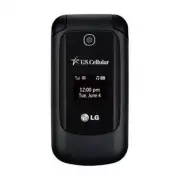
Page 3 - Important Safety Precautions
1 Impor tant Saf e ty Pr ecautions Important Safety Precautions Read these instructions. Breaking the rules may be dangerous or illegal. Further detailed information is given in this user guide. 9#40+0) Violation of the instructions may cause serious injury or death. 1. Never use an unapproved batte...
Page 6 - Table of Contents
T able of Cont ents 4 Table of Contents Important Safety Precautions 1 Table of Contents 4 Welcome 9 Technical Details 10 Important Information .........................10 Technical Details ....................................10 FCC RF Exposure Information .......... 12 Bodily Contact During Operati...
Page 7 - Call History; My Schedule
Table of Contents 5 T able of Cont ents Contacts in Your Phone’s Memory 26 The Basics of Storing Contacts Entries .................................................... 26 Phone Numbers With Pauses ........ 26 Storing a Number with Pause or Wait ........................................26 Adding a Paus...
Page 9 - Tone Room Deluxe
Table of Contents 7 T able of Cont ents 3.5 Master Reset ................................ 60 4. Call Settings ...................................61 4.1 Answer Options ..............................61 4.2 Auto Retry .......................................61 4.3 One Touch Dial ...........................
Page 10 - Accessories 91
Table of Contents T able of Cont ents 8 Using your phone safely .................... 74 FDA Consumer Update ................... 75 10 Driver Safety Tips .........................83 Consumer Information on SAR ......85 FCC Hearing-Aid Compatibility (HAC) Regulations for Wireless Devices ...88 Accesso...
Page 11 - Welcome; cellular
9 W elcome Welcome Thank you for choosing the cellular phone, designed to operate with the latest digital mobile communication technology, Code Division Multiple Access (CDMA). Along with the many advanced features of the CDMA system, this compact phone offers: Significantly enhanced voice clarity....
Page 12 - Technical Details; Important Information; The
Technical De tails 10 Technical Details Important Information This user’s guide provides important information on the use and operation of your phone. Please read all the information carefully prior to using the phone for the best performance and to prevent any damage to or misuse of the phone. Any ...
Page 14 - FCC RF Exposure Information; Caution
Technical Details Technical De tails 12 FCC RF Exposure Information 9#40+0) Read this information before operating the phone. In August 1996, the Federal Communications Commission (FCC) of the United States, with its action in Report and Order FCC 96-326, adopted an updated safety standard for human...
Page 15 - harmful interference.
Technical Details 13 Technical De tails Do not use the phone with a damaged antenna. If a damaged antenna comes into contact with the skin a minor burn may result. Contact your local dealer for a replacement antenna. Part 15.19 statement This device complies with part 15 of FCC rules. Operation is s...
Page 16 - HAC
Technical Details Technical De tails 14 HAC This phone has been tested and rated for use with hearing aids for some of the wireless technologies that it uses. However, there may be some newer wireless technologies used in this phone hat have not been tested yet for use with hearing aids. It is impor...
Page 17 - Phone Overview
15 Phone Ov er view Phone Overview 1. Earpiece Lets you hear the caller. 2. LCD Screen Displays messages and status icons. When the phone is turned on, Power Save mode automatically dims the screen and then darkens it if no keys are pressed. 3. Left Soft Key Use to access the Messaging menu from the...
Page 19 - Menus Overview; Menu Access; While in the home screen, press; Contacts
17 Menus Ov er view Menus Overview Menu Access While in the home screen, press Menu to access the phone’s main menu. There are two methods of accessing menus and submenus: Use the Navigation Key to highlight a menu/option and press to select it. Press the number key on the keypad that to activat...
Page 22 - Getting Started with Your Phone; The Battery; Installing the Battery; Insert your fingertip in the; Removing the Battery; Turn the phone off and insert; Charging the Battery; CTPKPI
Getting S tarted with Your Phone 20 Getting Started with Your Phone The Battery Note It is important to fully charge the battery before initial use of the phone. The phone comes with a rechargeable battery. The battery charge level is shown at the top right corner of the LCD screen. Installing the B...
Page 23 - Battery Charge Level; Turning the Phone On; Install a charged battery or; Turning the Phone Off; Press and hold; Signal Strength
Getting Started with Your Phone 21 Getting S tarted with Your Phone Notice Please make sure that the 'B' side faces up before inserting a charger or USB cable into the Charger/Accessory Port of your phone. Plug one end of the charging adapter into the phone’s Charger/Accessory Port and the other end...
Page 24 - Screen Icons; Menu; Making Calls; Correcting Dialing Mistakes
Getting Started with Your Phone Getting S tarted with Your Phone 22 Screen Icons To see the icon glossary, press Menu from the standby mode, then press Settings > Phone info > Icon Glossary . Making Calls 1. With the phone turned on, open the flip. 2. Enter the phone number (include the area co...
Page 25 - Quick Access to Convenient Features; Lock Mode; Unlock; Mute Function; Mute; Quick Volume Adjustments; Call Waiting
23 Quick A cce ss t o Conv enient F e atur e s Quick Access to Convenient Features Lock Mode Sets your phone to require a 4-digit lock code in order to use the phone. Note Until you change it, the default lock code is the last 4 digits of your phone number. To quickly lock your phone press for three...
Page 26 - Speed Dialing; OR
Quick Access to Convenient Features Quick A cce ss t o Conv enient F e atur e s 24 provider to ensure they offer this feature. Speed Dialing Speed dialing is a convenient feature that allows you to make phone calls quickly. A number key can be assigned to a specific phone number. By pressing and hold...
Page 27 - Entering and Editing Information; Text Input; Key Functions; capitalization
25 E nt ering and E diting Inf ormation Entering and Editing Information Text Input You can customize and enter text in many of the functions in your phone, including, but not limited to: the Banner, Calendar, Contacts and more. While entering text, the following are your options: Key Functions Left...
Page 28 - Contacts in Your Phone’s Memory
Contacts in Your Phone ’s Memor y 26 Contacts in Your Phone’s Memory The Basics of Storing Contacts Entries 1. From the home screen, enter the phone number you want to save (up to 48 digits). 2. Press Save to save the number. 3. Select either Add New Contact or Update Existing . 4. Use to highlight ...
Page 29 - Searching by Letter; Contacts Options
Contacts in Your Phone’s Memory 27 Contacts in Your Phone ’s Memor y 7. Enter the additional number(s) and press Save . Adding a Pause or Wait to an Existing Number 1. From the home screen, press the Right Soft Key Contacts to display your Contacts alphabetically. 2. Use to highlight the Contact ent...
Page 30 - From Contacts
Contacts in Your Phone’s Memory Contacts in Your Phone ’s Memor y 28 Send Message : Send a text message or picture message to the selected contact. Delete : Delete the selected entry in your Contacts. Edit : Edit the selected contact information. Delete Multiple : Choose from Selective/ All to delet...
Page 34 - Edit; Messaging; To
Messaging Mess aging 32 4. Use to choose a number, then press . A confirmation message is displayed. 6. My vCard Allows you to edit your vCard, which you can then send to others via Bluetooth. 1. Press , , . 2. Use to highlight the field you wish to edit and press the Left Soft Key Edit . 3. Edit the ...
Page 35 - Message Icon Reference
Messaging 33 Mess aging A confirmation message is displayed. Select Recipient(s) Using Options 1. Press , , . 2. With the To field highlighted, press the Right Soft Key Options . 3. Use to highlight an option and press . Contacts To select a recipient from your Contact List. Call History To select a r...
Page 36 - New Picture Message
Messaging Mess aging 34 Outbox Failed Text/Picture Message Failed Multiple Text/Picture Messages Sent Text/Picture Message Multiple Sent Text/ Picture Messages Drafts Draft Text Message Draft Picture Message 2. New Picture Message Allows you send messages with text, image and audio attachments. 1. P...
Page 37 - Delete
Messaging 35 Mess aging * Editing the Image/Audio field Preview / Add Slide / Go to / Save As Draft / Priority Level / Remove / Cancel 9. Press Send . 3. Inbox The phone can alert you in several ways when you receive a new message, including: Displaying a notification message on the screen. Displa...
Page 38 - Resend
Messaging Mess aging 36 Save To Templates Stores the message as a template for future messages. Call Back Calls the number in the received message. Go To URL Connects you to the URL included in the message (if available). Lock /Unlock Locks or unlocks the selected message. Message Info Shows informa...
Page 40 - Text Message
Messaging Mess aging 38 4. Use to highlight a template and press the Right Soft Key Options , then highlight an option and press to select: Edit / Delete 8. Settings Allows you to configure Messaging settings. 1. Press , , . 2. Use to highlight All Messages / Text Message / Picture Message / Edit Voi...
Page 41 - Callback Number; Picture Message; Auto Receive; CMAS Settings; Delete Inbox/ Delete
Messaging 39 Mess aging 2. Callback Number ( On / Off/ Edit ) With this feature on, you can input the callback number that will be automatically included when you send a message. Picture Message 1. Auto Receive ( On / Off ) With this set to On, Multimedia content will be automatically downloaded whe...
Page 44 - Multimedia
Multimedia Multimedia 42 Multimedia View, take, and trade your digital pictures right from your wireless phone. 1. Take Photo 1. Press , , . 2. Press to access the following camera options (if necessary): Brightness Allows you to adjust the brightness level. Resolution 320X240/ 640X480/ 1280X960...
Page 48 - easyedge; easyedge; Downloading Applications; Incoming Calls; Apps
easyedge SM easy edge SM 46 easyedge SM easyedge SM allows you to do more than just talk on your phone. easyedge SM is a technology and service that allows you to download and use applications on your phone. With easyedge SM , it is quick and easy to personalize your phone to suit your lifestyle and...
Page 51 - Browser; Homepage
Browser 49 Bro wser Browser The Browser feature allows you to view Internet content. Accessibility and selections within this feature are dependent upon your service provider. For specific information on the Web, contact your service provider. 1. Start Browser Allows you to initiate a Web session. 1....
Page 52 - Restar t Browser; Tools; Voice Commands Key
Tools Tools 50 to enable or disable image, background, and object downloads. Restar t Browser Allows you to restart the Browser. Scroll Mode Allows you to customize the scrolling settings. Send Referrer Allows you to turn the HTTP Send Referrer Header on or off. Key Press Timeout Set the key press t...
Page 54 - Reset
Tools Tools 52 1.4 Train Word Allows you to train words for improved Voice Command responses. 1. Press , , , . 2. Select an option. Voice Command / Answer/ Digit Dial 1.5 Best Match Allows you to choose whether the phone displays 1 or up to the 4 closest matches when using the “Call <Name> or ...
Page 56 - press the Right Soft Key
Tools Tools 54 3. After stopping the Stopwatch, press the Right Soft Key Reset to reset. 7. Unit Converter Allows you to convert units of Currency, Area, Length, Mass, Temperature, Volume and Velocity. 1. Press , , . 2. Select a unit type. 3. Use to select the known unit type then enter the unit amo...
Page 57 - Settings
55 Settings Settings 1. Sound Allows you to customize your phone's sounds. 1.1 Ringtones Allows you to assign ringtones for incoming calls. 1. Press , , , . 2. Select All Calls / Caller ID/ No Caller ID/ Restricted Calls . 3. Select My Sounds or Default . 4. Use to highlight the ringtone. 5. Press P...
Page 58 - Off
Settings Settings 56 1.4 Alert Type Allows you to select the alert types. 1. Press , , , . 2. Use to highlight the alert you wish to edit. Call Alert / Message Alert / Schedule Alert / Alarm Alert / E911 Alert 3. Use to scroll through the following alert types: Ring Only/ Vibrate Only/ Ring & Vi...
Page 60 - English; Name Match for Dialing
Settings Settings 58 2. Use to highlight English or Español , then press . 2.6 Clocks & Calendar Allows you to select the type of clocks displayed on the main LCD screen and Front Screen. 1. Press , , , . 2. Use to highlight Main Screen / Front Screen and press . 3. Use to scroll through Normal ...
Page 62 - Emergency Numbers
Settings Settings 60 3.3 Emergency Numbers Allows you to enter 3 emergency numbers. You can call these emergency numbers and 911, even when the phone is locked or restricted. 1. Press , , . 2. Enter the four-digit Lock Code. 3. Press Emergency Numbers . 4. Highlight one of the 3 options, then press ...
Page 63 - Flip
Settings 61 Settings 4. Call Settings The Call Settings menu allows you to designate how the phone handles both incoming and outgoing calls. 4.1 Answer Options Allows you to determine how to answer an incoming call. 1. Press , , , . 2. Use to highlight Flip Open /SEND Key Only/Any Key/Auto with Hand...
Page 65 - My Bluetooth Info
Settings 63 Settings For pairing new Bluetooth® device 1. Press , , , . 2. Follow the Bluetooth ® accessory instructions to set the device to pairing mode. 3. Press the Left Soft Key Search . 4. If Bluetooth ® power is set to off, you will be prompted to turn the function on. Highlight Yes and press...
Page 66 - Rename; Next
Settings Settings 64 2. To rename your device, press the Left Soft Key Rename . 3. Press and hold to delete the current name, then enter your desired device name. 4. Press Save . 6. System The System menu allows you to designate specific system network settings. 6.1 Network 6.1.1 System Select Allows...
Page 67 - Prev
Settings 65 Settings Left Soft Key Prev to go to the previous screen. Press the Right Soft Key OK on the last screen. 3. Use to highlight On / Off , then press . 7. Web Access Prompt Allows you to turn the Web Access Prompt on or off to elect if you want to be prompted when accessing the web. 1. Pre...
Page 68 - Tone Room Deluxe/ My Contacts Backup/ UNO; Browse for ringtones and; My Contacts Backup
Tone Room Deluxe/ My Contacts Backup/ UNO Tone R oom Delux e/ My Contacts Backup / UNO 66 Tone Room Deluxe The Tone Room Deluxe application allows you to browse and download ringtones. 1. Press , . 2. Browse for ringtones and download the desired ones. My Contacts Backup My Contacts Backup safeguard...
Page 69 - Safety; TIA Safety Information; ICNIRP; Antenna Care
67 Saf e ty Safety WARNING: This product contains chemicals known to the State of California to cause cancer and birth defects or other reproductive harm. Wash hands after handling. TIA Safety Information The following is the complete TIA Safety Information for wireless handheld phones. Exposure to ...
Page 70 - Tips on Efficient Operation
Safety Saf e ty 68 shoulder. Tips on Efficient Operation For your phone to operate most efficiently: Don’t touch the antenna unnecessarily when the phone is in use. Contact with the antenna affects call quality and may cause the phone to operate at a higher power level than otherwise needed. Driving C...
Page 72 - Safety Information
Safety Saf e ty 70 Potentially Explosive Atmosphere Turn your phone OFF when in any area with a potentially explosive atmosphere and obey all signs and instructions. Sparks in such areas could cause an explosion or fire resulting in bodily injury or even death. Areas with a potentially explosive atmo...
Page 73 - service center for inspection.; Charger and Adapter Safety
Safety 71 Saf e ty Only use the battery with a charging system that has been qualified with the system per IEEE-Std-1725-2006. Use of an unqualified battery or charger may present a risk of fire, explosion, leakage, or other hazard. Do not short circuit a battery or allow metallic conductive object...
Page 75 - General Notice; Do not paint your phone.
Safety 73 Saf e ty Don’t short-circuit the battery. Metallic articles such as a coin, paperclip or pen in your pocket or bag may short-circuit the + and – terminals of the battery (metal strips on the battery) upon moving. Short-circuit of the terminal may damage the battery and cause an explosion...
Page 76 - Avoiding hearing damage
Safety Saf e ty 74 When you use the phone in public places, set the ringtone to vibration so you don't disturb others. Do not turn your phone on or off when putting it to your ear. Use accessories, such as earphones and headsets, with caution. Ensure that cables are tucked away safely and do n...
Page 77 - FDA Consumer; Do wireless phones pose a
Safety 75 Saf e ty FDA Consumer Update The U.S. Food and Drug Administration’s Center for Devices and Radiological Health Consumer Update on Mobile Phones: 1. Do wireless phones pose a health hazard? The available scientific evidence does not show that any health problems are associated with using wi...
Page 78 - What kinds of phones are
Safety Saf e ty 76 Support needed research into possible biological effects of RF of the type emitted by wireless phones; Design wireless phones in a way that minimizes any RF exposure to the user that is not necessary for device function; and Cooperate in providing users of wireless phones wi...
Page 79 - What are the results of the
Safety 77 Saf e ty phones with built-in antennas, often called “cell”, “mobile”, or “PCS” phones. These types of wireless phones can expose the user to measurable Radio Frequency (RF) energy because of the short distance between the phone and the user’s head. These RF exposures are limited by FCC sa...
Page 80 - What research is needed to
Safety Saf e ty 78 primary brain cancer, glioma, meningioma, or acoustic neuroma, tumors of the brain or salivary gland, leukemia, or other cancers. None of the studies demonstrated the existence of any harmful health effects from wireless phone RF exposures. However, none of the studies can answer ...
Page 81 - How can I find out how much
Safety 79 Saf e ty The FDA has been a leading participant in the World Health Organization International Electro Magnetic Fields (EMF) Project since its inception in 1996. An influential result of this work has been the development of a detailed agenda of research needs that has driven the establishm...
Page 82 - What has the FDA done
Safety Saf e ty 80 below levels known to have effects. Manufacturers of wireless phones must report the RF exposure level for each model of phone to the FCC. The FCC website (http://www.fcc.gov/oet/rfsafety) gives directions for locating the FCC identification number on your phone so you can find your...
Page 83 - What about children using
Safety 81 Saf e ty to minimize your exposure to Radio Frequency (RF) energy. Since time is a key factor in how much exposure a person receives, reducing the amount of time spent using a wireless phone will reduce RF exposure. If you must conduct extended conversations by wireless phone every day, yo...
Page 84 - What about wireless phone
Safety Saf e ty 82 11. What about wireless phone interference with medical equipment? Radio Frequency (RF) energy from wireless phones can interact with some electronic devices. For this reason, the FDA helped develop a detailed test method to measure Electro Magnetic Interference (EMI) of implanted...
Page 85 - 0 Driver Safety Tips; Get to know your wireless
Safety 83 Saf e ty International Commission on Non-lonizing Radiation Protection (http://www.icnirp.de) World Health Organization (WHO) International EMF Project (http://www.who.int/emf) National Radiological Protection Board (UK) (http://www.hpa.org.uk/radiation/) 10 Driver Safety Tips Your wireles...
Page 87 - Call roadside assistance or
Safety 85 Saf e ty Your wireless phone provides you a perfect opportunity to be a “Good Samaritan” in your community. If you see an auto accident, crime in progress or other serious emergency where lives are in danger, call 911 or other local emergency number, as you would want others to do for you....
Page 92 - Gallaudet University, RERC
Safety Saf e ty 90 For information about hearing aids and digital wireless phones FCC Hearing Aid Compatibility and Volume Control http://www.fcc.gov/cgb/dro/hearing.html Gallaudet University, RERC http://tap.Gallaudet.edu/DigWireless.KS/DigWireless.htm Hearing Loss Association of America [HLA A] ht...
Page 93 - Accessories; Battery Charger
91 A cce ssorie s Accessories There are a variety of accessories available for your mobile phone. Consult your local dealer for availability. Optional items are sold separately. Battery Charger Battery Vehicle Power Charger USB Cable Ear-mic
Page 94 - WHAT THIS WARRANTY; Limited Warranty Statement
Limit ed W arrant y S tat ement 92 1. WHAT THIS WARRANTY COVERS: LG offers you a limited warranty that the enclosed subscriber unit and its enclosed accessories will be free from defects in material and workmanship, according to the following terms and conditions: (1) The limited warranty for the pr...
Page 95 - published maximum ratings.
Limited Warranty Statement 93 Limit ed W arrant y S tat ement repair, misuse, neglect, abuse, accident, alteration, improper installation, or other acts which are not the fault of LG, including damage caused by shipping, blown fuses, spills of food or liquid. (3) Breakage or damage to antennas unles...
Page 96 - vary from state to state.; HOW TO GET WARRANTY; Please call or
Limited Warranty Statement Limit ed W arrant y S tat ement 94 4. STATE LAW RIGHTS: No other express warranty is applicable to this product. THE DURATION OF ANY IMPLIED WARRANTIES, INCLUDING THE IMPLIED WARRANTY OF MARKETABILITY, IS LIMITED TO THE DURATION OF THE EXPRESS WARRANTY HEREIN. LG SHALL NOT...
Page 97 - Index
95 Index Index 123 10 Driver Safety Tips 83 A Accessories 91 Airplane Mode 62 Alarm Clock 47 Alert Type 56 All Calls 41 Announce Alert 51 Answer Options 61 Auto Retry 61 B Backlight 57 Banner 57 Battery Charge Level 21 Best Match 52 Bluetooth 62 Browser 49 C Calculator 52 Calendar 47 Caller ID 23 Ca...
Page 101 - MEMO