Page 2 - Important Customer Information; ELECTRICAL SAFETY; SAFETY PRECAUTIONS FOR POWER SUPPLY UNIT; Use the correct external power source
1 Important Customer Information WARNING: This product contains chemicals known to the State of California to cause cancer and birth defects or other reproductive harm. Wash hands after handling. When using this product, the safety precautions below must be taken to avoid possible legal liabilities ...
Page 3 - may cause a short circuit.
2 Important Customer Information Handle battery packs carefully This product contains a Li-ion battery. There is a risk of fire and burns if the battery pack is handled improperly. Do not attempt to open or service the battery pack. Do not disassemble, crush, puncture, short external contacts or cir...
Page 4 - If the battery leaks:; SAFETY PRECAUTIONS FOR DIRECT SUNLIGHT
3 Important Customer Information ● Avoid dropping the phone or battery. If the phone or battery is dropped, especially on a hard surface, and the user suspects damage, take it to a service center for inspection. ● If the battery leaks: Do not allow the leaking fluid to come in contact with skin or c...
Page 5 - ENVIRONMENT RESTRICTIONS; ROAD SAFETY
4 Important Customer Information ENVIRONMENT RESTRICTIONS Do not use this product in gas stations, fuel depots, chemical plants or where blasting operations are in progress, or in potentially explosive atmospheres such as fueling areas, fuel storehouses, below deck on boats, chemical plants, fuel or...
Page 6 - SAFETY PRECAUTIONS FOR RF EXPOSURE; do not contain any metal.; INTERFERENCE WITH MEDICAL EQUIPMENT FUNCTIONS
5 Important Customer Information SAFETY PRECAUTIONS FOR RF EXPOSURE ● Avoid using your phone near metal structures (for example, the steel frame of a building). ● Avoid using your phone near strong electromagnetic sources, such as microwave ovens, sound speakers, TV and radio. ● Use only original ma...
Page 7 - NON-IONIZING RADIATION
6 Important Customer Information NON-IONIZING RADIATION Your device has an internal antenna. This product should be operated in its normal-use position to ensure the radiative performance and safety from interference. As with other mobile radio transmitting equipment, users are advised that for sati...
Page 8 - Table of Contents
7 Important Customer Information........................................................... 1Table of Contents ................................................................................... 7Technical Details ..................................................................................... ...
Page 9 - Cautions; Locations are inaccurate when GPS and Wi-Fi are not set to On.; Technical Details
8 Technical Details Cautions 4 The user interface of Google applications (Google Search, Google Maps, Navigation, etc.) can vary depending on its software version. 4 Locations are inaccurate when GPS and Wi-Fi are not set to On. 4 With the Android operating system, some available Play Store applicat...
Page 11 - FCC RF Exposure Information
10 Technical Details Conformance Test TS 36.521-1 TS 36.521-2 TS 36.521-3 Evolved Universal Terrestrial Radio Access (E-UTRA); User Equipment (UE) conformance specification; Radio transmission and reception; Part 1: Conformance testing Evolved Universal Terrestrial Radio Access (E-UTRA); User Equipm...
Page 13 - which the receiver is connected.; WiFi Caution
12 Technical Details television reception, which can be determined by turning the equipment off and on, the user is encouraged to try to correct the interference by one or more of the following measures: - Reorient or relocate the receiving antenna. - Increase the separation between the equipment an...
Page 14 - Getting to know your phone; Phone Overview
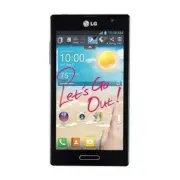
13 Getting to know your phone Phone Overview EarpieceFront-Facing Camera Lens Use to take a picture of yourself or to video chat on supported applications. Proximity Sensor Home Key ● Returns to the Home screen from any screen. ● Press and hold to view a list of the most recently used apps. Back Key...
Page 15 - Rear View
14 Getting to know your phone Volume Keys ● On the Home screen: Controls ringer volume ● During a call: Controls your earpiece volume ● When playing a song: Controls volume continuously TIP! QuickMemo Press and hold both Volume Keys at the same time for one second to use QuickMemo. Power/Lock Key Re...
Page 16 - Installing the Micro SIM card and battery; Slide the Micro SIM card into the Micro SIM card slot. Make sure the
15 Getting to know your phone Installing the Micro SIM card and battery Before you can start exploring your new phone, you’ll need to set it up. To insert the Micro SIM card and battery: 1. Hold the phone on your hand firmly. With the other hand, lift the back cover using the fingertip cutout locate...
Page 17 - until it clicks into place .; Charging your phone
16 Getting to know your phone 4. Align the back cover over the battery compartment and press it down until it clicks into place . Charging your phone A rechargeable Li-ion battery is used to power your phone. A USB adapter, which is included with your phone, is used to charge the battery. Ask your l...
Page 18 - Inserting a microSD card; Remove the back cover as previously described.
17 Getting to know your phone NOTE The battery must be fully charged initially to improve battery lifetime. Inserting a microSD card Insert a microSD™ card to use the camera and other multimedia features. Multimedia contents can be saved in the microSD card. NOTE This device supports up to a 32GB mi...
Page 19 - Removing the microSD card; Locking and unlocking the screen
18 Getting to know your phone Removing the microSD card To safely remove the microSD card from your phone, first you need to unmount it. 1. From the Home screen, tap the Menu Key and tap System settings > Storage > Unmount SD card > OK . 2. Remove the back cover and battery, then gently pul...
Page 20 - Touch Screen tips; Tap or touch; Your Home screen
19 Touch Screen tips Here are some tips on how to navigate on your phone. Tap or touch – A single finger tap selects items, links, shortcuts and letters on the on-screen keyboard. Touch and hold – Touch and hold an item on the screen by touching it and not lifting your finger until an action occurs....
Page 21 - Home screen; Customizing the Home screen
20 Your Home screen Home screen Simply swipe your finger to the left or right to view the panels. You can customize each panel with apps, downloads, widgets and wallpapers. NOTE Some screen images may be different depending on your phone provider. On your Home screen, you can view application icons ...
Page 22 - Returning to recently-used applications; Press and hold the; Notifications; Accessing notifications
21 Your Home screen TIP! To add an application icon to the Home screen from the Apps screen, touch and hold the application you want to add and drag it to the desired location. TIP! Using folders You can add several app icons in a folder. Drop one app icon over another one on a Home screen panel, an...
Page 23 - To rearrange Quick Setting items on the Notification Panel; Notification icons on the Status Bar; No Micro SIM card installed
22 Your Home screen Quick Settings Use Quick Settings to easily toggle function settings like Wi-Fi, manage display brightness and more. The Quick Settings are located at the top of the Notifications Panel. NOTE Touch and hold an icon from the Quick Settings section to view the function's settings m...
Page 25 - Using the keypad & entering text
24 Your Home screen On-screen keyboard You can enter text using the on-screen keyboard. The on-screen keyboard appears automatically on the screen when you need to enter text. To manually display the keyboard, simply touch a text field where you want to enter text. Using the keypad & entering te...
Page 26 - Google account setup; To set up your Google account:
25 Google account setup When you first turn on your phone, you have the opportunity to activate the network, to sign into your Google Account and select how you want to use certain Google services. To set up your Google account: Sign into a Google Account from the prompted set-up screen. OR From the...
Page 27 - Turning Wi-Fi on and connecting to a Wi-Fi network; Apps; Bluetooth
26 Connecting to Networks and Devices Wi-Fi With Wi-Fi, you can use high-speed Internet access within the coverage of the wireless access point (AP). Enjoy wireless Internet using Wi-Fi, without extra charges. Connecting to Wi-Fi networks To use Wi-Fi on your phone, you need to access a wireless acc...
Page 28 - Connecting to Networks and Devices; Tethering
27 Connecting to Networks and Devices Turning on Bluetooth and pairing up your phone with a Bluetooth device You must pair your device with another device before you connect to it. 1. From the Home screen, tap Apps > Apps tab > Settings > Bluetooth from the WIRELESS & NETWORKS section. ...
Page 29 - Smartphone Mobile Hotspots; Enabling Wi-Fi Direct to share through SmartShare
28 Connecting to Networks and Devices To tether your phone with your computer using the USB 1. Connect your phone to your computer with a USB cable. 2. Tap the Menu Key > System settings > More... > USB tethering & Mobile Hotspot > USB tethering . A checkmark indicates that the funct...
Page 30 - SmartShare
29 Connecting to Networks and Devices CREATE GROUP – Touch to activate group owner mode, which enables the legacy Wi-Fi devices to connect by scanning your phone. NOTE When your phone becomes a group owner it will consume more battery power than when it is a client. The Wi-Fi Direct connection does ...
Page 32 - button
31 Connecting to Networks and Devices 1. From the Home screen, tap Apps > Apps tab > SmartShare . 2. Touch the From button and select My phone . 3. You can browse the local content library.4. Touch and hold a content thumbnail and then touch Upload . 5. Select the device for the remote content...
Page 33 - Calls; Making a call; Calling your contacts; Locked screen; Adjusting the in-call volume
32 Calls Making a call 1. From the Home screen, tap Phone to open the keypad. 2. Enter the number on the keypad. To delete a digit, tap Clear . 3. Tap Call to make a call. 4. To end a call, tap End . TIP! To enter “+” to make international calls, touch and hold . Calling your contacts 1. From the Ho...
Page 34 - Making a second call; Ending a Call from the Status Bar
Calls 33 Making a second call 1. During your initial call, tap the Menu Key and select Add call . 2. Dial the number or search your contacts.3. Tap Call to connect the call. 4. Both calls will be displayed on the call screen. Your initial call will be put on hold. 5. Tap the call entry on the screen...
Page 35 - Call settings
Calls 34 TIP! Tap any single call log entry to view the date, time, and duration of the call.Tap the Menu Key , then tap Clear to delete entries individually or Clear all to delete all. Call settings You can configure phone call settings, such as call forwarding, and other special features offered b...
Page 36 - Contacts; Searching for a contact; To add a contact to your favorites
35 Contacts You can add contacts on your phone and synchronize them with the contacts in your Google Account or other accounts that support syncing contacts. Searching for a contact 1. From the Home screen, tap Apps and then tap Contacts to open your contacts. 2. Tap the Search contacts box and ente...
Page 37 - Creating a group
Contacts 36 To remove a contact from your favorites list 1. From the Home screen, tap Apps and then tap Contacts to open your contacts. 2. Tap the Favorites tab to view your favorite contacts. 3. Tap a contact to view its details.4. Tap the gold star to the right of the contact’s name. The star turn...
Page 38 - Messaging; Conversation view; Using smilies
37 Messaging Your phone combines text and multimedia messages into one intuitive, easy-to-use menu. Conversation view Messages exchanged with another party are displayed in chronological order so that you can conveniently see an overview of your conversations. Sending a message 1. From the Home scre...
Page 39 - Email; Managing an email account; To add another email account:; Working with account folders
38 Email You can use the Email application to read emails from services like Gmail. The Email application supports the following account types: POP3, IMAP and Exchange. Your service provider or system administrator can provide you with the account settings you need. Managing an email account The fir...
Page 40 - Composing and sending email; To compose and send a message; While in the Email application, tap Compose
Email 39 Composing and sending email To compose and send a message 1. While in the Email application, tap Compose . 2. Enter an address for the message’s intended recipient. As you enter text, matching addresses will be proposed from your Contacts. Separate multiple addresses using semicolons. 3. Ta...
Page 41 - Camera; Getting to know the viewfinder
40 Camera To open the Camera application, tap Camera on the Home screen. Getting to know the viewfinder Swap camera – Switch between the rear–facing camera lens and the front–facing camera lens. Voice shutter – To take a photo, say one of the following words: Cheese, Smile, Whisky, Kimchi or LG. Sho...
Page 42 - Using the advanced settings; Back Key
41 Camera Using the advanced settings In the viewfinder, tap to open the advanced options. You can change the camera settings by scrolling through the list. After selecting the option, tap the Back Key . Touch if you want to change the viewfinder menu. Zoom in or out. Defines and controls the amount...
Page 43 - Restore all camera default settings.; Taking a quick photo; Once you’ve taken a photo; Touch to share your photo using the SmartShare function.
42 Camera Set the storage location for your pictures. Choose from Internal memory and SD card. Restore all camera default settings. Touch this whenever you want to know how a function works. This icon will provide you with a quick guide. TIP! ● When you exit the camera, some settings return to their...
Page 44 - Viewing your saved photos
43 Camera Touch to send your photo to others or share it via social network services. Touch to delete the photo. TIP! If you have a social networking account and set it up on your phone, you can share your photo with your social networking community. Touch the Menu Key to open all advanced options. ...
Page 47 - After recording a video; Touch to share your video using the SmartShare function.; Watching your saved videos
46 Camera NOTE Touch on the screen to take a picture while you're recording. After recording a video A still image representing your video will appear on the screen if Auto review is set to On. Touch the image preview in the bottom right corner of the screen to view the video. The following options ...
Page 48 - LG Unique Functions; QuickMemo
47 LG Unique Functions QuickMemo The QuickMemo feature allows you to create memos and capture screen shots. Capture screens, draw on them, and share them with family and friends with QuickMemo. OR 1. Enter the QuickMemo screen by pressing both the Volume Keys for one second on the screen you want to...
Page 49 - Using the QuickMemo options; Live Zooming
48 LG Unique Functions NOTE Please use a fingertip while using the QuickMemo. Do not use your fingernail. Using the QuickMemo options You can easily use the QuickMenu options when using the QuickMemo. Touch to keep the current memo on the screen and use other phone features simultaneously. Selects w...
Page 50 - QSlide; QSlide
49 LG Unique Functions NOTE ● When playing a video, slide the screen up or down to adjust the screen brightness. ● When playing a video, slide the screen left or right to rewind or fast-forward. ● Do not to press too hard; the touch screen is sensitive enough to pick up a light, but firm touch. QSli...
Page 51 - Gallery
50 Multimedia Gallery You can store multimedia files in internal or external memory for easy access to all your multimedia files. Use this application to view multimedia files like pictures and videos. From the Home screen, tap Apps > Apps tab > Gallery . You can manage and share all your imag...
Page 52 - Videos; Playing a video
51 Multimedia • In a folder, tap and select the photos and videos you want to delete, then tap Delete . • When viewing a photo or video, tap . Setting as wallpaper When viewing a photo, touch the Menu Key > Set image as and select Home screen wallpaper or Lock screen wallpaper . NOTE ● Some file ...
Page 53 - Multimedia; Music; Add music files to your phone
52 Multimedia Touch and hold a video in the list to access the following options: Share , Delete and Details . Music Your phone has a music player that lets you play all your favorite tracks. To access the music player, from the Home screen, tap Apps > Apps tab > Music . Add music files to you...
Page 54 - Play
53 Multimedia Touch to set shuffle mode Touch to set repeat mode Touch to manage the music volume Touch to pause playback Touch to resume playback Touch to skip to the next track on the album or in the playlist. Touch and hold to fast-forward. Touch to go back to the beginning of the song. Touch twi...
Page 55 - Utilities; Setting your alarm; Using your calculator; Adding an event to your calendar
54 Utilities Setting your alarm 1. From the Home screen, tap Apps > Apps tab > Alarm/Clock > . 2. Set the desired alarm time.3. Set Repeat , Snooze duration , Vibration , Alarm sound, Alarm volume, Auto app starter, Puzzle lock and Memo . 4. Touch Save . NOTE To change alarm settings in the...
Page 56 - File manager; To open the File Manager application; Application Manager
55 Utilities 8. Touch Save to save the event in the calendar. File manager The File Manager application allows you to manage files in your internal/ external storage. To open the File Manager application From the Home screen, tap Apps > Files Manager . File Manager Options : Allows you to create ...
Page 57 - Visual Voicemail; Voice Recorder; Recording a sound or voice
56 Utilities 3. Tap Uninstall to uninstall the app, then tap OK to confirm. Application Manager Settings To adjust the Application Manager settings, tap the Menu Key and select Settings . The following settings are available. • Update notification cycle: Allows you to set the notification cycle for ...
Page 58 - Task Manager; Task Manager Options; Polaris Office 4; Viewing files; FileShare
57 Utilities Sending the voice recording 1. Once you have finished recording, you can send the audio clip by touching . 2. Choose from any of the available methods for sharing. Task Manager You can manage your applications using Task Manager. You can easily check the number of applications that are ...
Page 59 - Backup; About backing up and restoring smartphone data; Backup your smart phone data
58 Utilities 3. Tap Send file in the upper right corner of the screen, then checkmark the file(s) you want to share. 4. Tap Send at the bottom of the screen to begin scanning for available devices, then select the device you want from the list. 5. Tap Send at the bottom of the screen to use the sele...
Page 60 - Enable encryption
59 Utilities Manual backup > Internal Storage or SD Card > Next . 2. Touch New backup to enter a name for your backup file and select Next . 3. Select the check box next to the item you want to backup and select Backup to backup. Restoring smartphone data To restore data that is in your intern...
Page 61 - Voice Search; Downloads
60 Utilities Voice Search Use this application to search webpages using voice. 1. From the Home screen, tap Apps > Apps tab > Voice Search . 2. Tap the mic icon and say a keyword or phrase when Speak now appears on the screen. 3. Select one of the suggested keywords that appear. NOTE This appl...
Page 62 - The Web; MetroWEB; Using the Web toolbar; Viewing webpages
61 The Web MetroWEB Use this application to browse the Internet. The MetroWEB application gives you a fast, full-color world of games, music, news, sports, entertainment and much more, right on your mobile phone wherever you are and whatever you enjoy. NOTE Additional charges apply when connecting t...
Page 63 - Chrome
62 The Web the suggested keywords that appear. NOTE This feature may not be available depending on the region or service provider. Bookmarks To bookmark the current webpage, tap the Menu Key > Save to bookmarks . Enter the desired information and tap OK . To open a bookmarked webpage, tap on the ...
Page 64 - To view open tabs on other devices, tap the
63 The Web Searching the web by voice Tap the address field, tap , speak a keyword and select one of the suggested keywords that appear. Syncing with other devices Sync open tabs and bookmarks to use with Chrome on another device when you are logged in with the same Google account. To view open tabs...
Page 65 - Settings; Access the Settings menu
64 Settings Access the Settings menu 1. From the Home screen, tap Apps > Apps tab > Settings . OR From the Home screen, tap the Menu Key > System settings . 2. Select a setting category and select an option. WIRELESS & NETWORKS < Airplane mode > Tap the Airplane mode switch to tog...
Page 67 - DEVICE
66 Settings - To stay on a Wi-Fi call, you must remain within range of the Wi-Fi network. Your call will drop as you leave the Wi-Fi range. When your Wi-Fi signal weakens, your phone will beep and display a warning message alerting you that your call will drop if the signal gets weaker. Wi-Fi Callin...
Page 70 - Erase SD card; PERSONAL; Access to my location
69 Settings if you’ve already unmounted it, or if you’ve mounted the microSD card on your computer. Erase SD card - Permanently erases everything on the microSD card and prepares it for use with your phone. < Power saver > Manage the battery use and select the features you want to turn off or ...
Page 71 - SYSTEM
70 Settings Phone administrators – View or deactivate phone administrators. Unknown sources – Allows you to install non-Play Store applications. Trusted credentials – Display trusted CA certificates. Install from storage – Choose to install encrypted certificates. Clear credentials – Remove all cert...
Page 76 - Phone software update; To perform the phone software update, from the Home screen, tap the
75 Phone software update Phone software update This feature allows you to update the firmware of your phone to the latest version conveniently from the internet without the need to visit a service center. For more information on how to use this function, please visit: http://www.lg.com As the mobile...
Page 77 - Battery; Accessories
76 These accessories are available for use with your phone. (Items described below may be optional and sold separately.) Travel adapter Data cable Connect your LG Optimus L9 and PC. User Guide Learn more about your LG Optimus L9. 86 These accessories are available for use with the LG-P990. ( Items d...
Page 78 - Technical data
77 Ambient Temperatures Max: +55°C (discharging), +45°C (charging) Min: -10°C Battery Standby and Talk Time Standby and talk times will vary depending on phone usage patterns and conditions. Battery power consumption depends on factors such as network configuration, signal strength, operating temper...
Page 79 - Safety; TIA Safety Information; Exposure to Radio Frequency Signal
78 Safety TIA Safety Information The following is the complete TIA Safety Information for wireless handheld phones. Exposure to Radio Frequency Signal Your wireless handheld portable phone is a low power radio transmitter and receiver. When ON, it receives and sends out Radio Frequency (RF) signals....
Page 80 - Phone Operation; For your phone to operate most efficiently:; Driving; conditions or the law require it.; Electronic Devices
79 Safety Phone Operation NORMAL POSITION: Hold the phone as you would any other telephone with the antenna pointed up and over your shoulder. Tips on Efficient Operation For your phone to operate most efficiently: Don’t touch the antenna unnecessarily when the phone is in use. Contact with the ante...
Page 81 - Should ALWAYS keep the phone more than six (6) inches from their
80 Safety Persons with pacemakers: ● Should ALWAYS keep the phone more than six (6) inches from their pacemaker when the phone is turned ON; ● Should not carry the phone in a breast pocket; ● Should use the ear opposite the pacemaker to minimize the potential for interference; ● Should turn the phon...
Page 82 - Aircraft
81 Safety Aircraft FCC regulations prohibit using your phone while in the air. Switch OFF your phone before boarding an aircraft. Blasting Areas To avoid interfering with blasting operations, turn your phone OFF when in a “blasting area” or in areas posted: “Turn off two-way radio”. Obey all signs a...
Page 83 - Safety Information; Do not disassemble or open crush, bend or deform, puncture or shred.
82 Safety Safety Information Please read and observe the following information for safe and proper use of your phone and to prevent damage. Also, keep the user guide in an accessible place at all times after reading it. Violation of the instructions may cause minor or serious damage to the product. ...
Page 84 - Charger and Adapter Safety
83 Safety Charger and Adapter Safety ● The charger and adapter are intended for indoor use only. ● Insert the battery pack charger vertically into the wall power socket. ● Only use the approved battery charger. Otherwise, you may cause serious damage to your phone. ● Use the correct adapter for your...
Page 85 - General Notice
84 Safety Explosion, Shock, and Fire Hazards ● Do not put your phone in a place subject to excessive dust and keep the minimum required distance between the power cord and heat sources. ● Unplug the power cord prior to cleaning your phone, and clean the power plug pin when it’s dirty. ● When using t...
Page 87 - which you can hear adequately.
86 Safety The amount of sound produced by a portable audio device varies depending on the nature of the sound, the device, the device settings and the headphones. You should follow some commonsense recommendations when using any portable audio device: ● Set the volume in a quiet environment and sele...
Page 88 - American Academy of Audiology; National Institutes of Health; National Institute for Occupational Safety and Health
87 Safety American Academy of Audiology 11730 Plaza American Drive, Suite 300 Reston, VA 20190 Voice: (800) 222-2336 Email: [email protected] Internet: www.audiology.org National Institute on Deafness and Other Communication Disorders National Institutes of Health 31 Center Drive, MSC 2320 Bethesda,...
Page 89 - FDA Consumer Update; Do wireless phones pose a health hazard?; emitted by wireless phones
88 Safety FDA Consumer Update The U.S. Food and Drug Administration’s Center for Devices and Radiological Health Consumer Update on Mobile Phones: 1. Do wireless phones pose a health hazard? The available scientific evidence does not show that any health problems are associated with using wireless p...
Page 90 - user that is not necessary for device function and; What kinds of phones are the subject of this update?
89 Safety ● Design wireless phones in a way that minimizes any RF exposure to the user that is not necessary for device function; and ● Cooperate in providing users of wireless phones with the best possible information on possible effects of wireless phone use on human health. The FDA belongs to an ...
Page 91 - What are the results of the research done already?
90 Safety These RF exposures are limited by FCC safety guidelines that were developed with the advice of the FDA and other federal health and safety agencies. When the phone is located at greater distances from the user, the exposure to RF is drastically lower because a person’s RF exposure decrease...
Page 94 - What about children using wireless phones?
93 Safety phone. SAR is the measurement of the amount of energy absorbed in tissue, either by the whole body or a small part of the body. It is measured in watts/kg (or milliwatts/g) of matter. This measurement is used to determine whether a wireless phone complies with safety guidelines. 9. What st...
Page 95 - Where can I find additional information?
94 Safety precautionary; it was not based on scientific evidence that any health hazard exists. 11. What about wireless phone interference with medical equipment? Radio Frequency (RF) energy from wireless phones can interact with some electronic devices. For this reason, the FDA helped develop a det...
Page 96 - 0 Driver Safety Tips; Don’t take notes or look up phone numbers while driving. If you are
95 Safety International Commission on Nonlonizing Radiation Protection (http://www.icnirp.de) World Health Organization (WHO) International EMF Project (http://www.who.int/emf) Health Protection Agency (http://www.hpa.org.uk/) 10 Driver Safety Tips Your wireless phone gives you the powerful ability ...
Page 98 - Consumer Information on SAR
97 Safety your mobile device while operating a vehicle, it is recommended that you consult your applicable jurisdiction’s local laws or other regulations regarding such use. Such laws or other regulations may prohibit or otherwise restrict the manner in which a driver may use his or her phone while ...
Page 101 - For information about hearing aids and digital wireless phones
100 Safety T-Ratings: Phones rated T3 or T4 meet FCC requirements and are likely to generate less interference to hearing devices than phones that are not labeled. T4 is the better/ higher of the two ratings. Hearing devices may also be rated. Your hearing device manufacturer or hearing health profe...
Page 102 - Specifications; DivX Mobile
101 Specifications DivX Mobile ABOUT DIVX VIDEO: DivX ® is a digital video format created by DivX, LLC, a subsidiary of Rovi Corporation. This is an official DivX Certified ® device that plays DivX video. Visit divx.com for more information and software tools to convert your files into DivX videos. ...
Page 103 - FAQ
102 FAQ Please check to see if any problems you have encountered with your phone are described in this section, before taking the phone in for service or calling a service representative. Category Sub-Category Question Answer Bluetooth Bluetooth Devices What are the functions available via Bluetooth...
Page 110 - LIMITED WARRANTY STATEMENT
109 LIMITED WARRANTY STATEMENT 1. WHAT THIS WARRANTY COVERS: LG offers you a limited warranty that the enclosed subscriber unit and its enclosed accessories will be free from defects in material and workmanship, according to the following terms and conditions: (1) The limited warranty for the produc...
Page 111 - applicable limited warranty period.
110 LIMITED WARRANTY STATEMENT applicable limited warranty period. (5) Products which have had the serial number removed or made illegible.(6) This limited warranty is in lieu of all other warranties, express or implied either in fact or by operations of law, statutory or otherwise, including, but n...
Page 112 - DO NOT RETURN YOUR PRODUCT TO THE ABOVE ADDRESS.
111 LIMITED WARRANTY STATEMENT Some states do not allow the exclusive limitation of incidental or consequential damages or limitations on how long an implied warranty lasts; so these limitations or exclusions may not apply to you. This warranty gives you specific legal rights and you may also have o...